






Что это такое?
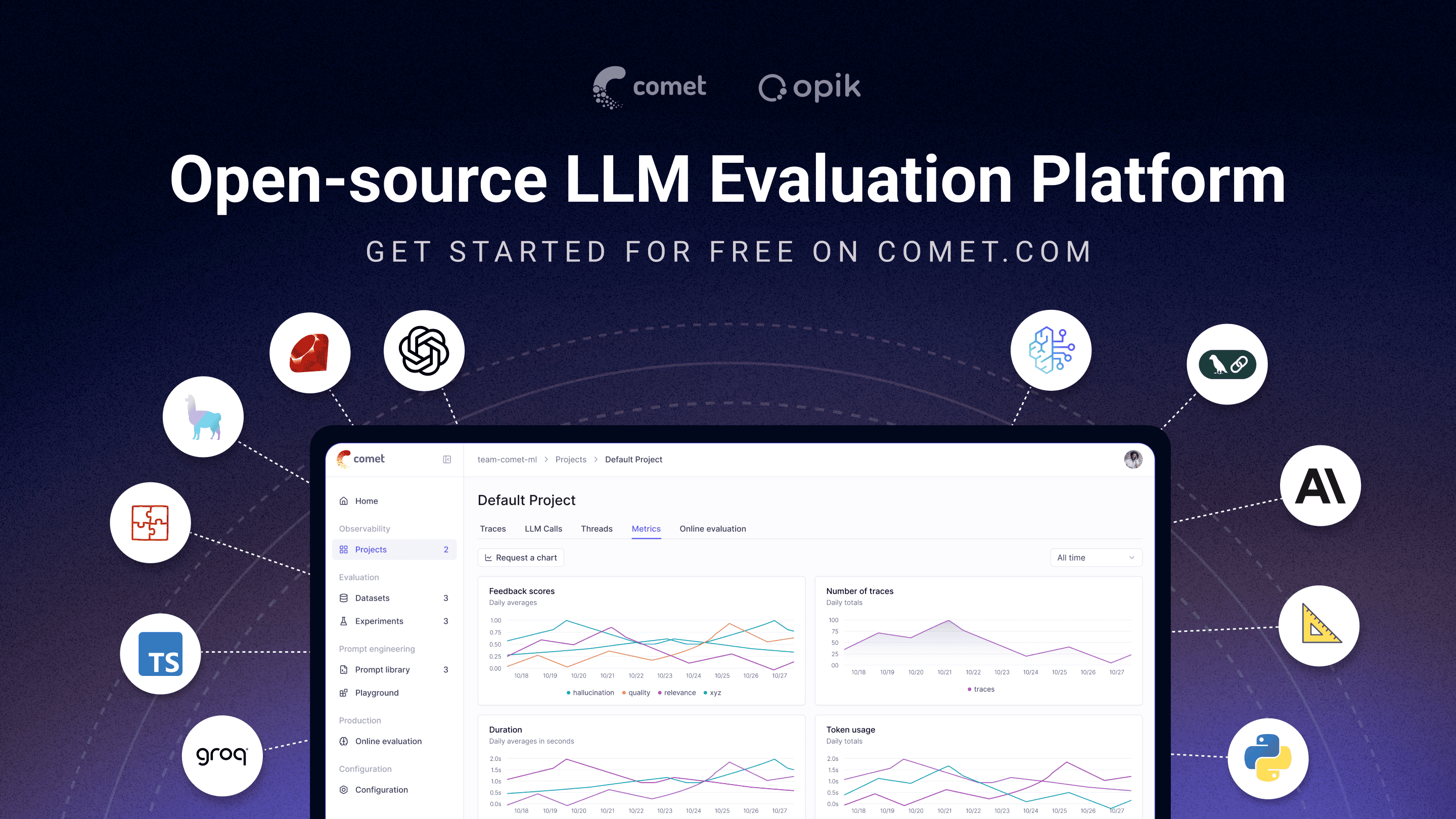
 Opik — это платформа с открытым исходным кодом для отладки, оценки и мониторинга LLM-приложений, RAG-систем и агентных рабочих процессов. В ней есть трассировка, автоматическая оценка и дашборды для работы в продакшене.
Opik — это платформа с открытым исходным кодом для отладки, оценки и мониторинга LLM-приложений, RAG-систем и агентных рабочих процессов. В ней есть трассировка, автоматическая оценка и дашборды для работы в продакшене.Это просто клиентский SDK или полноценная серверная платформа?И то и другое: в комплект входят клиентские SDK для Python и TypeScript, которые встраиваются в код, а также полноценный серверный бэкенд с возможностью самостоятельного развертывания и веб-дашборд. Можно использовать облако Comet или развернуть всю систему самостоятельно.
И то и другое: в комплект входят клиентские SDK для Python и TypeScript, которые встраиваются в код, а также полноценный серверный бэкенд с возможностью самостоятельного развертывания и веб-дашборд. Можно использовать облако Comet или развернуть всю систему самостоятельно.Как мне начать трейсинг своего LLM-приложения?Установите Python SDK, затем оберните любую функцию декоратором @track, чтобы записывать каждый вызов (включая вложенные вызовы агентов и пайплайнов) в Opik. Также доступен SDK для TypeScript.
Установите Python SDK, затем оберните любую функцию декоратором @track, чтобы записывать каждый вызов (включая вложенные вызовы агентов и пайплайнов) в Opik. Также доступен SDK для TypeScript.Нужно ли мне поднимать свой сервер или можно без этого обойтись?Можно обойтись без собственной инфраструктуры, используя облако Comet.com. Также можно развернуть систему самостоятельно с помощью Docker Compose (через входящие в состав скрипты opik.sh/opik.ps1) или с помощью Kubernetes и Helm для крупных развертываний.
Можно обойтись без собственной инфраструктуры, используя облако Comet.com. Также можно развернуть систему самостоятельно с помощью Docker Compose (через входящие в состав скрипты opik.sh/opik.ps1) или с помощью Kubernetes и Helm для крупных развертываний.Правда ли полная платформа бесплатна для развертывания на своих серверах, в отличие от конкурентов?Да. В отличие от LangSmith, Arize AX или Weave, где для развертывания на своих серверах нужен тарифный план Enterprise, полная платформа Opik для наблюдаемости, оценки и оптимизации распространяется по лицензии Apache-2.0 и может быть развернута самостоятельно без коммерческой лицензии.
Да. В отличие от LangSmith, Arize AX или Weave, где для развертывания на своих серверах нужен тарифный план Enterprise, полная платформа Opik для наблюдаемости, оценки и оптимизации распространяется по лицензии Apache-2.0 и может быть развернута самостоятельно без коммерческой лицензии.Для кого это создано?Для ML-инженеров, которые создают агентов на основе LLM, для команд ИИ, переходящих от прототипа к продакшену, и для команд, которым нужна наблюдаемость с открытым исходным кодом, которую можно развернуть в собственной инфраструктуре.
Для ML-инженеров, которые создают агентов на основе LLM, для команд ИИ, переходящих от прототипа к продакшену, и для команд, которым нужна наблюдаемость с открытым исходным кодом, которую можно развернуть в собственной инфраструктуре.Чем Opik отличается от LangSmith или Langfuse?Opik полностью распространяется по лицензии Apache-2.0 и может быть развернут самостоятельно, включая сервер. LangSmith и Arize AX для собственного развертывания требуют тарифный план Enterprise. Ядро Langfuse также открыто (MIT), но корпоративные модули коммерческие.
Opik полностью распространяется по лицензии Apache-2.0 и может быть развернут самостоятельно, включая сервер. LangSmith и Arize AX для собственного развертывания требуют тарифный план Enterprise. Ядро Langfuse также открыто (MIT), но корпоративные модули коммерческие.Могут ли Claude Code или Cursor использовать Opik напрямую?Да. Одна команда для установки (нужен uv, SDK не требуется) позволяет агентам для программирования, таким как Claude Code, Cursor, VS Code Copilot, Codex или opencode, читать трейсы и запускать оценки прямо из чата через MCP-сервер.
Да. Одна команда для установки (нужен uv, SDK не требуется) позволяет агентам для программирования, таким как Claude Code, Cursor, VS Code Copilot, Codex или opencode, читать трейсы и запускать оценки прямо из чата через MCP-сервер.Привязан ли Opik к конкретному агентному фреймворку, например LangChain?Нет, Opik не привязан к фреймворку. Он поддерживает собственный SDK, OpenTelemetry и нативные интеграции со многими фреймворками, включая LangChain, LlamaIndex, Google ADK и Autogen.
Нет, Opik не привязан к фреймворку. Он поддерживает собственный SDK, OpenTelemetry и нативные интеграции со многими фреймворками, включая LangChain, LlamaIndex, Google ADK и Autogen.Могут ли отправлять трейсы в Opik языки, отличные от Python и TypeScript?Да. Поскольку у Opik есть собственная поддержка OpenTelemetry, любой язык с SDK OpenTelemetry, включая Java, Ruby и .NET, может отправлять в него трейсы.
Да. Поскольку у Opik есть собственная поддержка OpenTelemetry, любой язык с SDK OpenTelemetry, включая Java, Ruby и .NET, может отправлять в него трейсы.What are similar projects?langfuse, mlflow, overmind, phoenix, bifrost, headroom, Tracely-ai, voltagent
langfuse, mlflow, overmind, phoenix, bifrost, headroom, Tracely-ai, voltagentWhich topics is it in?llama-index, playground, llm-observability, guardrails, tracing, llmops, llm-evaluation, langchain, vscode, opencode, evaluation, ci
llama-index, playground, llm-observability, guardrails, tracing, llmops, llm-evaluation, langchain, vscode, opencode, evaluation, ci