




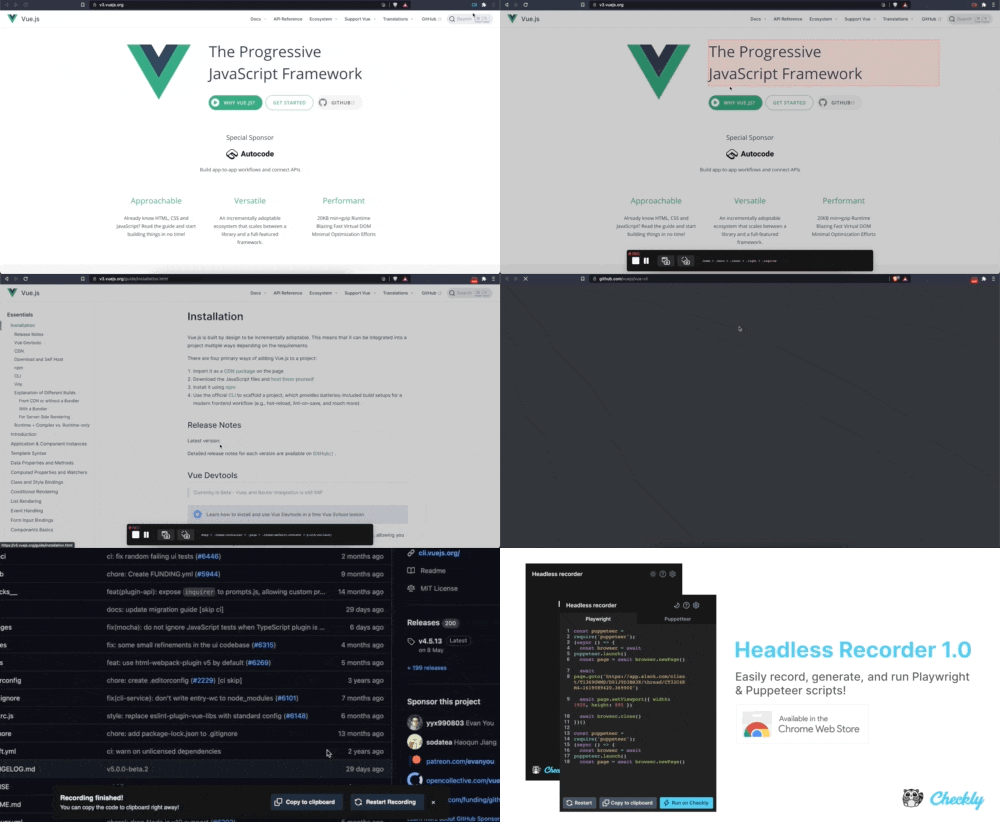
 to
to  to indicate it is ready for more input from you.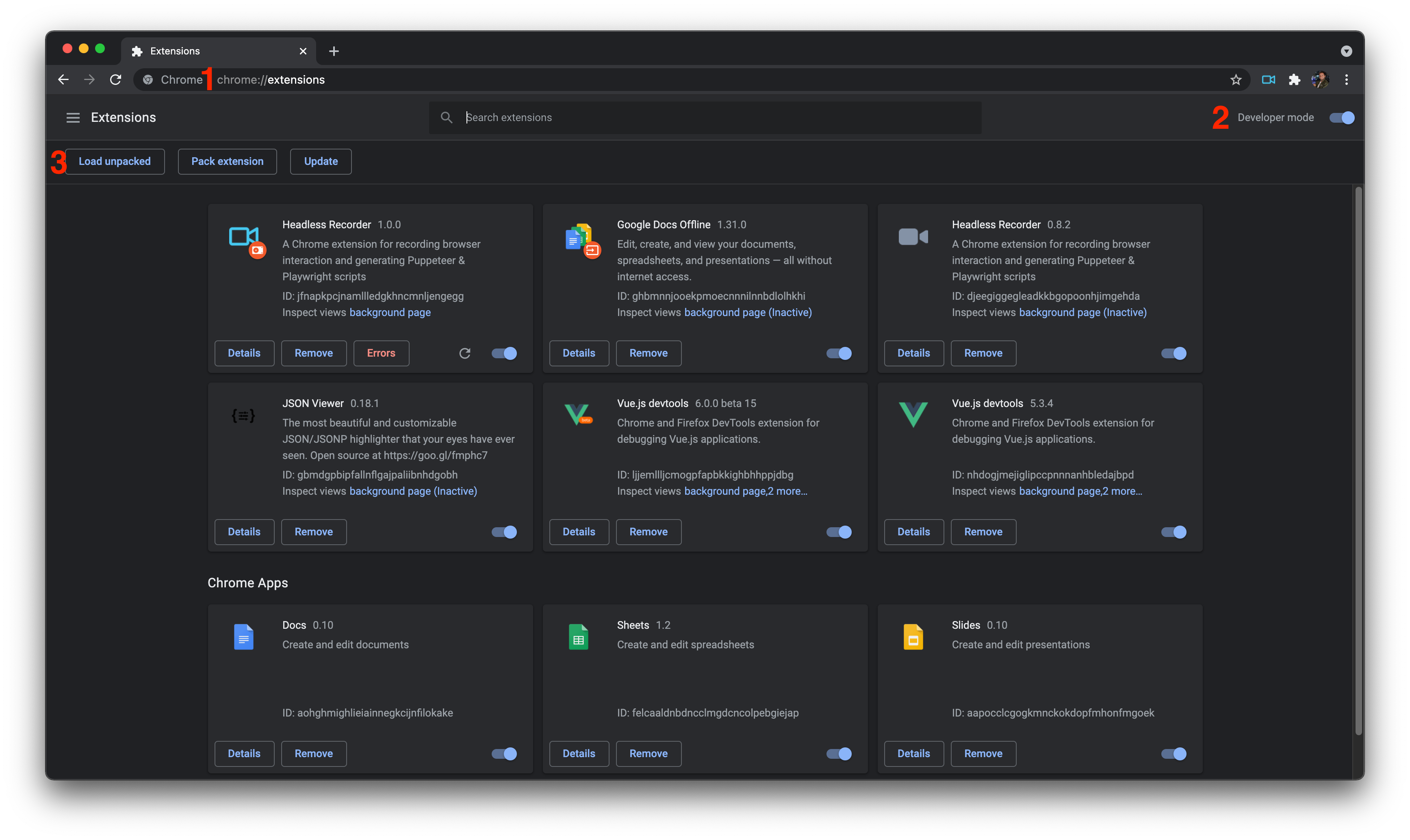

这是什么?
 Headless Recorder 是一款 Chrome 扩展程序,可以录制你在浏览器中的点击和输入操作,并据此生成可直接运行的 Playwright 或 Puppeteer 脚本。
Headless Recorder 是一款 Chrome 扩展程序,可以录制你在浏览器中的点击和输入操作,并据此生成可直接运行的 Playwright 或 Puppeteer 脚本。这是浏览器扩展程序还是独立工具?它是一款基于 Vue 构建的 Chrome 扩展程序,需要从 Chrome Webstore 安装;它不是命令行工具,也不是桌面应用。
它是一款基于 Vue 构建的 Chrome 扩展程序,需要从 Chrome Webstore 安装;它不是命令行工具,也不是桌面应用。我该如何开始录制脚本?点击扩展图标,然后按下红色的录制按钮,再与页面进行交互:点击链接、在输入框中输入内容并按 Tab 键确认,并在各步骤之间等待页面跳转完成。
点击扩展图标,然后按下红色的录制按钮,再与页面进行交互:点击链接、在输入框中输入内容并按 Tab 键确认,并在各步骤之间等待页面跳转完成。这个项目还在维护吗?不再维护。该项目已于 2022 年 12 月 16 日完全停止维护,不会再有任何更新、支持或新功能计划。
不再维护。该项目已于 2022 年 12 月 16 日完全停止维护,不会再有任何更新、支持或新功能计划。我能不从应用商店安装,而是在本地运行它吗?可以。你可以克隆代码仓库并进行构建,然后在开发者模式下通过 chrome://extensions 从 dist 目录加载未打包的扩展程序。
可以。你可以克隆代码仓库并进行构建,然后在开发者模式下通过 chrome://extensions 从 dist 目录加载未打包的扩展程序。它会捕获哪些类型的操作?它会捕获 click、dblclick、change、keydown、select、submit、load 和 unload 等事件,还可以自动插入 waitForNavigation 和 setViewPort 调用。
它会捕获 click、dblclick、change、keydown、select、submit、load 和 unload 等事件,还可以自动插入 waitForNavigation 和 setViewPort 调用。除了录制,它还有其他调试功能吗?有。它还能预览 HTML 元素的 CSS 选择器,截取整页或单个元素的截图,并提供暂停、继续、重新开始等控制功能以及深色模式。
有。它还能预览 HTML 元素的 CSS 选择器,截取整页或单个元素的截图,并提供暂停、继续、重新开始等控制功能以及深色模式。我能否直接运行生成的脚本,而无需复制到其他地方?可以。生成的脚本可以直接在 Checkly 上运行,Checkly 是维护本项目的公司。
可以。生成的脚本可以直接在 Checkly 上运行,Checkly 是维护本项目的公司。这个项目的灵感来自哪里?README 中称它是 Segment.io 的 Daydream 和 ui-recorder 项目的精神续作。
README 中称它是 Segment.io 的 Daydream 和 ui-recorder 项目的精神续作。What are similar projects?assay, midscene, dev-browser, browser, playwright, chromeless, BrowserKitten, camofox-browser
assay, midscene, dev-browser, browser, playwright, chromeless, BrowserKitten, camofox-browserWhich topics is it in?testing-tool, qa, puppeteer, extension, chrome, code-generation, playwright, chrome-extension, web-scraping, browser-automation, vue, testing
testing-tool, qa, puppeteer, extension, chrome, code-generation, playwright, chrome-extension, web-scraping, browser-automation, vue, testing