




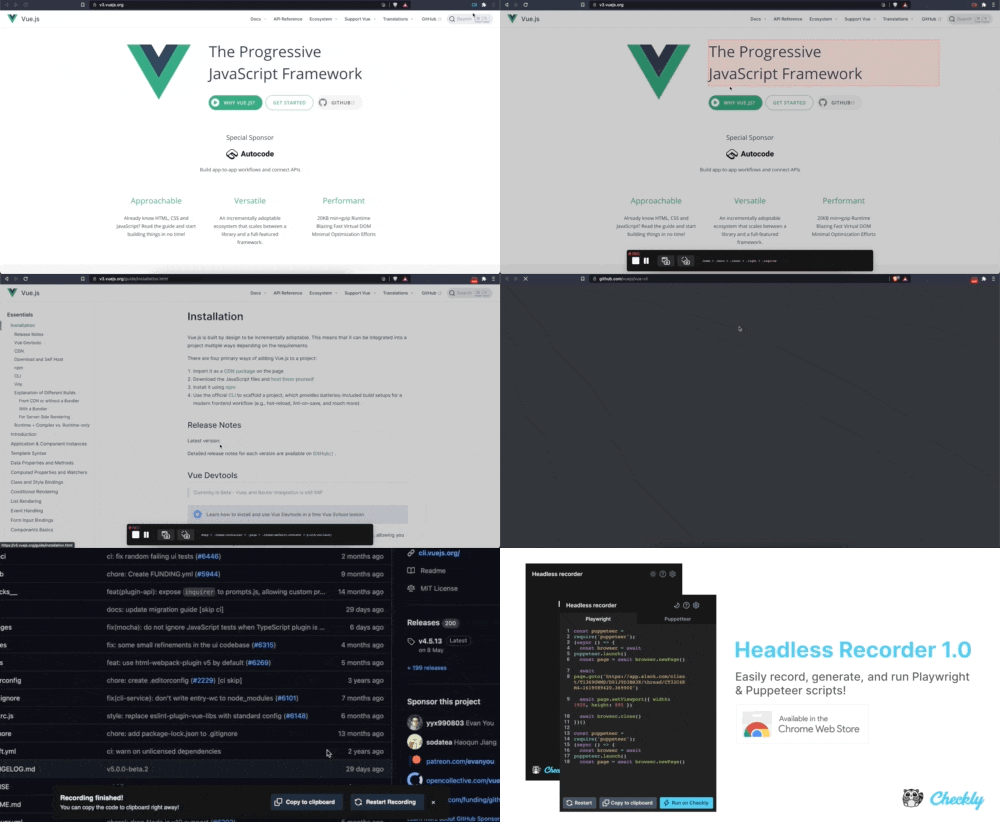
 to
to  to indicate it is ready for more input from you.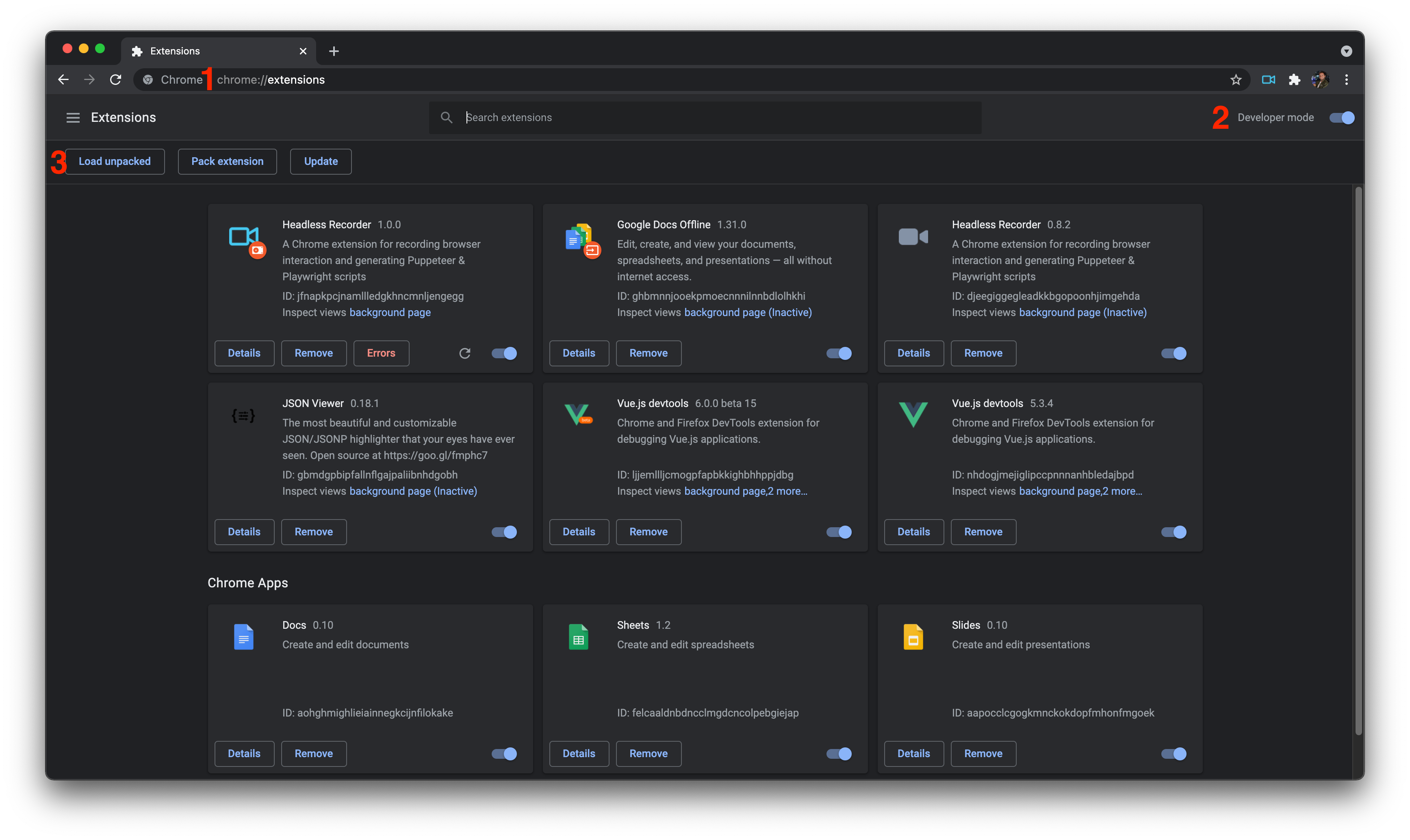

What is this?
 Headless Recorder is a Chrome extension that records your clicks and typing in the browser and generates a ready-to-run Playwright or Puppeteer script from them.
Headless Recorder is a Chrome extension that records your clicks and typing in the browser and generates a ready-to-run Playwright or Puppeteer script from them.Is this a browser extension or a standalone tool?It is a Chrome extension (built with Vue) that you install from the Chrome Webstore; it is not a CLI or desktop app.
It is a Chrome extension (built with Vue) that you install from the Chrome Webstore; it is not a CLI or desktop app.How do I start recording a script?Click the extension icon and hit the red record button, then interact with the page; click links, type into inputs and hit tab to confirm, and wait for navigations to complete between steps.
Click the extension icon and hit the red record button, then interact with the page; click links, type into inputs and hit tab to confirm, and wait for navigations to complete between steps.Is this project still maintained?No, it was fully deprecated on Dec 16th 2022 with no further changes, support, or new features planned.
No, it was fully deprecated on Dec 16th 2022 with no further changes, support, or new features planned.Is there a way to run it locally instead of from the store?Yes, you can clone the repo, build it, then load the unpacked extension from the dist directory via chrome://extensions in developer mode.
Yes, you can clone the repo, build it, then load the unpacked extension from the dist directory via chrome://extensions in developer mode.What kinds of actions does it capture?It captures click, dblclick, change, keydown, select, submit, load and unload events, and can also insert waitForNavigation and setViewPort calls automatically.
It captures click, dblclick, change, keydown, select, submit, load and unload events, and can also insert waitForNavigation and setViewPort calls automatically.Does it have any extra debugging features besides recording?Yes, it can preview CSS selectors for HTML elements and take full-page or element screenshots, plus pause/resume/restart controls and dark mode.
Yes, it can preview CSS selectors for HTML elements and take full-page or element screenshots, plus pause/resume/restart controls and dark mode.Can I run the generated script directly without copying it elsewhere?Yes, generated scripts can be run directly on Checkly, the company that maintains this project.
Yes, generated scripts can be run directly on Checkly, the company that maintains this project.What inspired this project?The README credits it as the spiritual successor to Segment.io's Daydream and the ui-recorder project.
The README credits it as the spiritual successor to Segment.io's Daydream and the ui-recorder project.What are similar projects?assay, midscene, dev-browser, browser, playwright, chromeless, BrowserKitten, camofox-browser
assay, midscene, dev-browser, browser, playwright, chromeless, BrowserKitten, camofox-browserWhich topics is it in?testing-tool, qa, puppeteer, extension, chrome, code-generation, playwright, chrome-extension, web-scraping, browser-automation, vue, testing
testing-tool, qa, puppeteer, extension, chrome, code-generation, playwright, chrome-extension, web-scraping, browser-automation, vue, testing