













Что это такое?
 BrowserOS — монорепозиторий, в котором выпускаются два браузера на основе форков Chromium с открытым исходным кодом: «BrowserOS neo», вспомогательный браузер, которым управляют ваши ИИ-агенты (они подключаются по MCP к инструментам вроде Claude Code или Codex), и «BrowserOS», браузер, которым вы управляете сами, с ИИ-агентом, встроенным в каждую новую вкладку.
BrowserOS — монорепозиторий, в котором выпускаются два браузера на основе форков Chromium с открытым исходным кодом: «BrowserOS neo», вспомогательный браузер, которым управляют ваши ИИ-агенты (они подключаются по MCP к инструментам вроде Claude Code или Codex), и «BrowserOS», браузер, которым вы управляете сами, с ИИ-агентом, встроенным в каждую новую вкладку.BrowserOS neo — это тот же продукт, что и BrowserOS?Нет, это два разных браузера из одного репозитория. BrowserOS neo — браузер, которым управляет ИИ: агенты работают во вкладках, а вы наблюдаете за ними или просматриваете их действия в записи. BrowserOS — браузер, которым управляете вы, со встроенным ИИ-ассистентом. Они могут работать одновременно.
Нет, это два разных браузера из одного репозитория. BrowserOS neo — браузер, которым управляет ИИ: агенты работают во вкладках, а вы наблюдаете за ними или просматриваете их действия в записи. BrowserOS — браузер, которым управляете вы, со встроенным ИИ-ассистентом. Они могут работать одновременно.Как запустить BrowserOS neo?Скачайте установщик для macOS, Windows или Linux x64 (AppImage или DEB), затем одним кликом импортируйте логины, закладки и расширения из Chrome и подключите агента, например Claude Code или Codex.
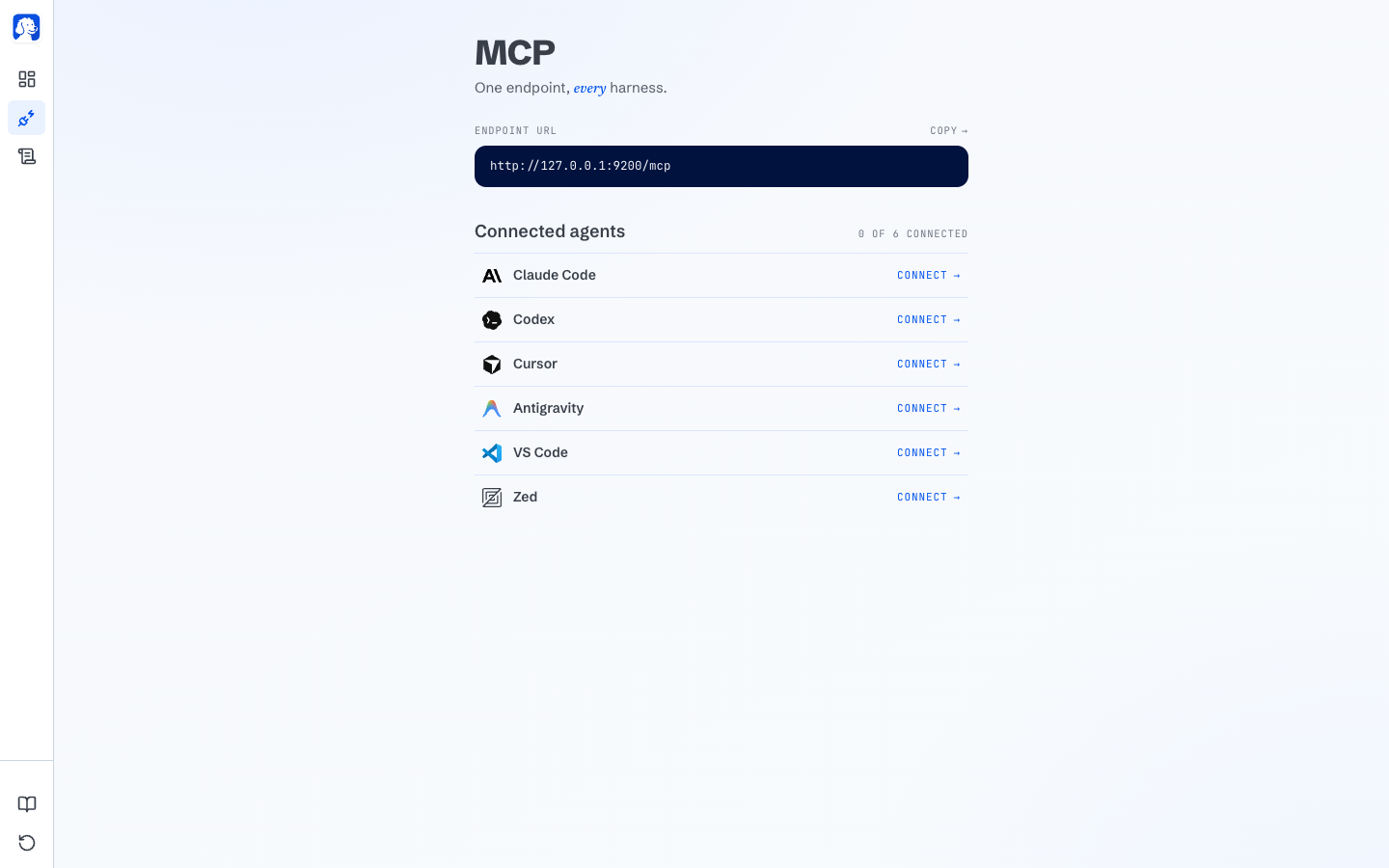
Скачайте установщик для macOS, Windows или Linux x64 (AppImage или DEB), затем одним кликом импортируйте логины, закладки и расширения из Chrome и подключите агента, например Claude Code или Codex.Каких ИИ-агентов для программирования можно подключить к BrowserOS neo?Любой агент с поддержкой MCP работает сразу: Claude Code, Codex, Cursor, VS Code, Zed, OpenCode, Hermes, OpenClaw и Antigravity подключаются одним кликом.
Любой агент с поддержкой MCP работает сразу: Claude Code, Codex, Cursor, VS Code, Zed, OpenCode, Hermes, OpenClaw и Antigravity подключаются одним кликом.Есть ли при установке подводные камни, о которых мне стоит знать?Сборки для Linux пока только для x64, а аппаратные требования приложения совпадают с требованиями Google Chrome, поэтому на очень старых компьютерах могут возникнуть проблемы.
Сборки для Linux пока только для x64, а аппаратные требования приложения совпадают с требованиями Google Chrome, поэтому на очень старых компьютерах могут возникнуть проблемы.Для кого предназначен BrowserOS neo?Для тех, кто уже пользуется ИИ-агентами для программирования (Claude Code, Codex, Cursor и др.) и хочет, чтобы эти агенты выполняли реальные задачи на сайтах, где вы уже вошли в аккаунт, например бронировали авиабилеты или вели соцсети, а не работали в пустой изолированной среде.
Для тех, кто уже пользуется ИИ-агентами для программирования (Claude Code, Codex, Cursor и др.) и хочет, чтобы эти агенты выполняли реальные задачи на сайтах, где вы уже вошли в аккаунт, например бронировали авиабилеты или вели соцсети, а не работали в пустой изолированной среде.Какие операционные системы поддерживаются?Оба браузера работают на macOS, Windows и Linux (сборки для Linux — x64, в виде пакетов AppImage или DEB).
Оба браузера работают на macOS, Windows и Linux (сборки для Linux — x64, в виде пакетов AppImage или DEB).Покидают ли мой компьютер какие-либо данные о моих просмотрах?Нет, сессии, скриншоты и история хранятся локально в ~/.browserclaw/ и никогда не загружаются. Отправляются только анонимные события без содержимого (например, подключение и отключение агента, версия, ОС), и их можно отключить в настройках.
Нет, сессии, скриншоты и история хранятся локально в ~/.browserclaw/ и никогда не загружаются. Отправляются только анонимные события без содержимого (например, подключение и отключение агента, версия, ОС), и их можно отключить в настройках.Чем это отличается от простой автоматизации Chrome через Playwright?Playwright и похожие драйверы без графического интерфейса запускают новый процесс Chrome, в котором вы не вошли в аккаунты. Это подходит для CI, но бесполезно для задач, требующих ваших реальных аккаунтов. BrowserOS neo один раз импортирует ваши настоящие логины из Chrome и сохраняет их между сессиями агентов.
Playwright и похожие драйверы без графического интерфейса запускают новый процесс Chrome, в котором вы не вошли в аккаунты. Это подходит для CI, но бесполезно для задач, требующих ваших реальных аккаунтов. BrowserOS neo один раз импортирует ваши настоящие логины из Chrome и сохраняет их между сессиями агентов.Почему бы вместо этого не использовать облачного браузерного агента, например browser-use или Browserbase?Облачные браузеры работают в дата-центре, поэтому входить в личные аккаунты неудобно, а такие сайты, как Twitter и LinkedIn, часто блокируют IP-адреса дата-центров. BrowserOS neo работает локально на 127.0.0.1, поэтому выглядит и ведёт себя как ваше обычное домашнее подключение.
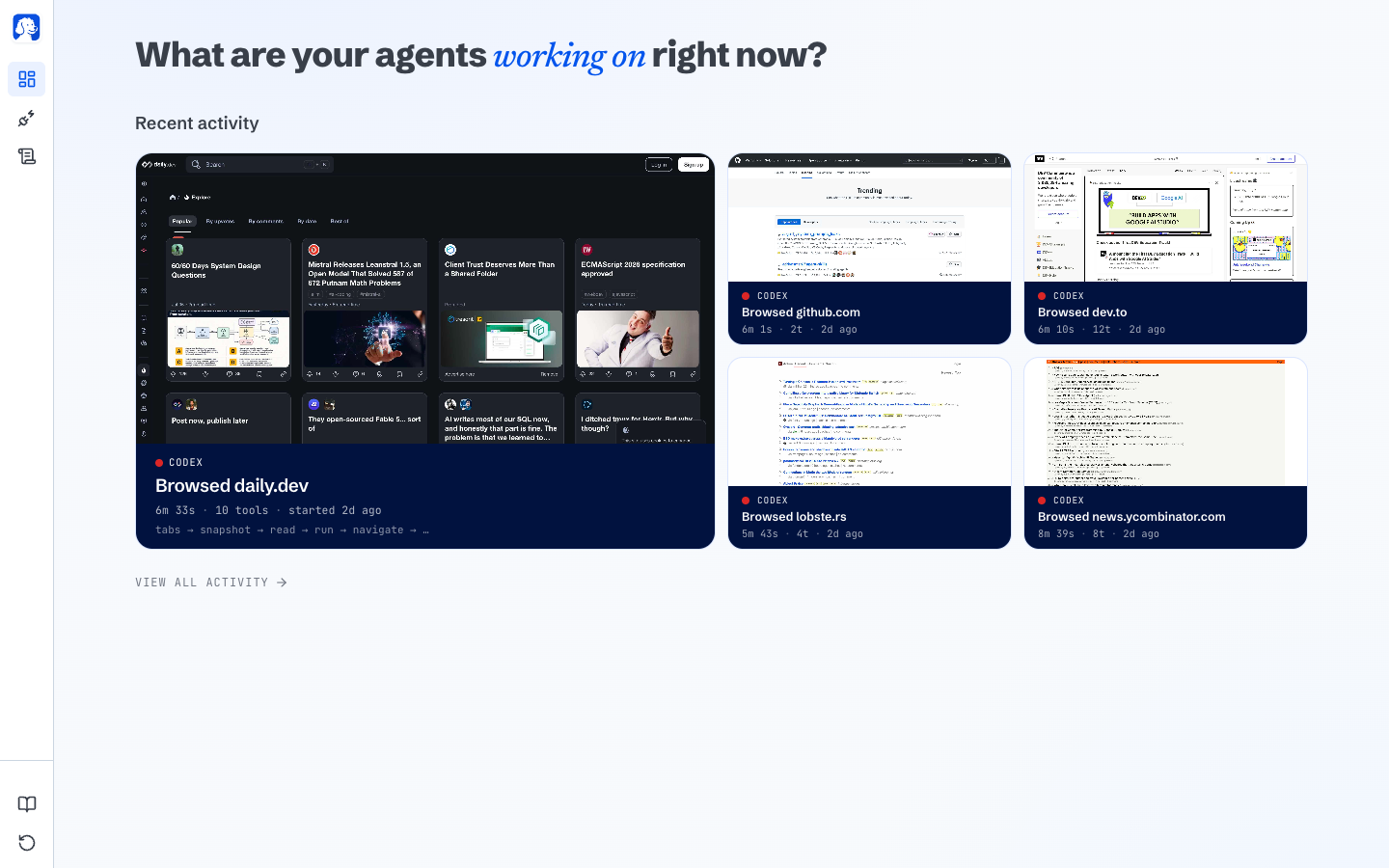
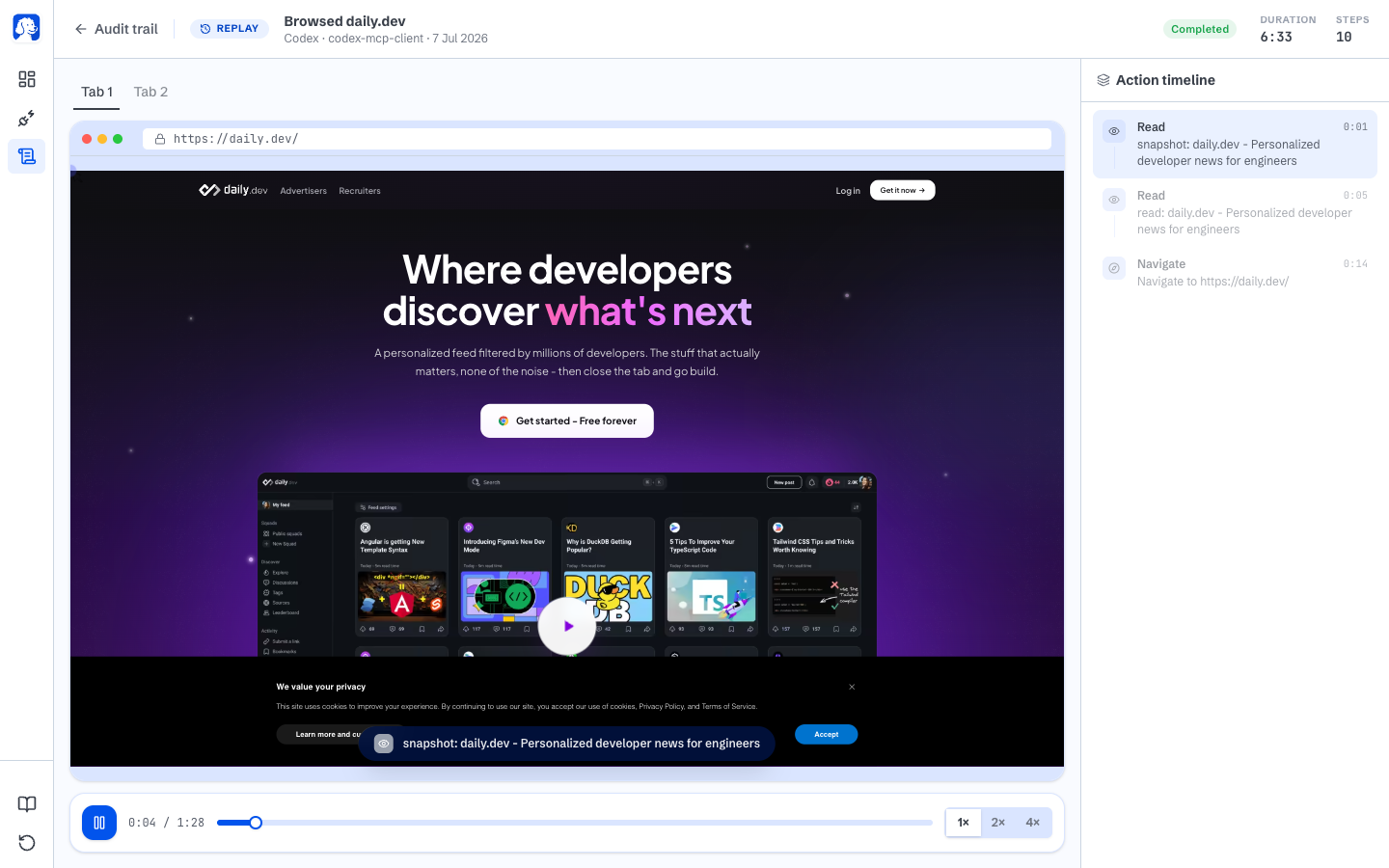
Облачные браузеры работают в дата-центре, поэтому входить в личные аккаунты неудобно, а такие сайты, как Twitter и LinkedIn, часто блокируют IP-адреса дата-центров. BrowserOS neo работает локально на 127.0.0.1, поэтому выглядит и ведёт себя как ваше обычное домашнее подключение.Что на самом деле показывает функция живой панели и воспроизведения?Каждая новая вкладка превращается в живой просмотр того, что сейчас делает каждый агент (сайт, действие, прогресс). Каждая сессия сохраняется как локальное видео с возможностью перемотки и пошаговой временной шкалой действий, к которой можно вернуться позже.
Каждая новая вкладка превращается в живой просмотр того, что сейчас делает каждый агент (сайт, действие, прогресс). Каждая сессия сохраняется как локальное видео с возможностью перемотки и пошаговой временной шкалой действий, к которой можно вернуться позже.Тратит ли BrowserOS neo меньше токенов ИИ, чем альтернативы?В README указано, что для одной и той же задачи BrowserOS neo расходует меньше токенов, чем альтернативы, например расширение Claude для Chrome или браузер Codex. Это связано с инструментами, созданными специально для работы с вебом.
В README указано, что для одной и той же задачи BrowserOS neo расходует меньше токенов, чем альтернативы, например расширение Claude для Chrome или браузер Codex. Это связано с инструментами, созданными специально для работы с вебом.What are similar projects?coral, davinci-resolve-mcp, headroom, wigolo, bb-browser, gemini-notebook-mcp-cli, brigade, mcp-for-blender
coral, davinci-resolve-mcp, headroom, wigolo, bb-browser, gemini-notebook-mcp-cli, brigade, mcp-for-blender