







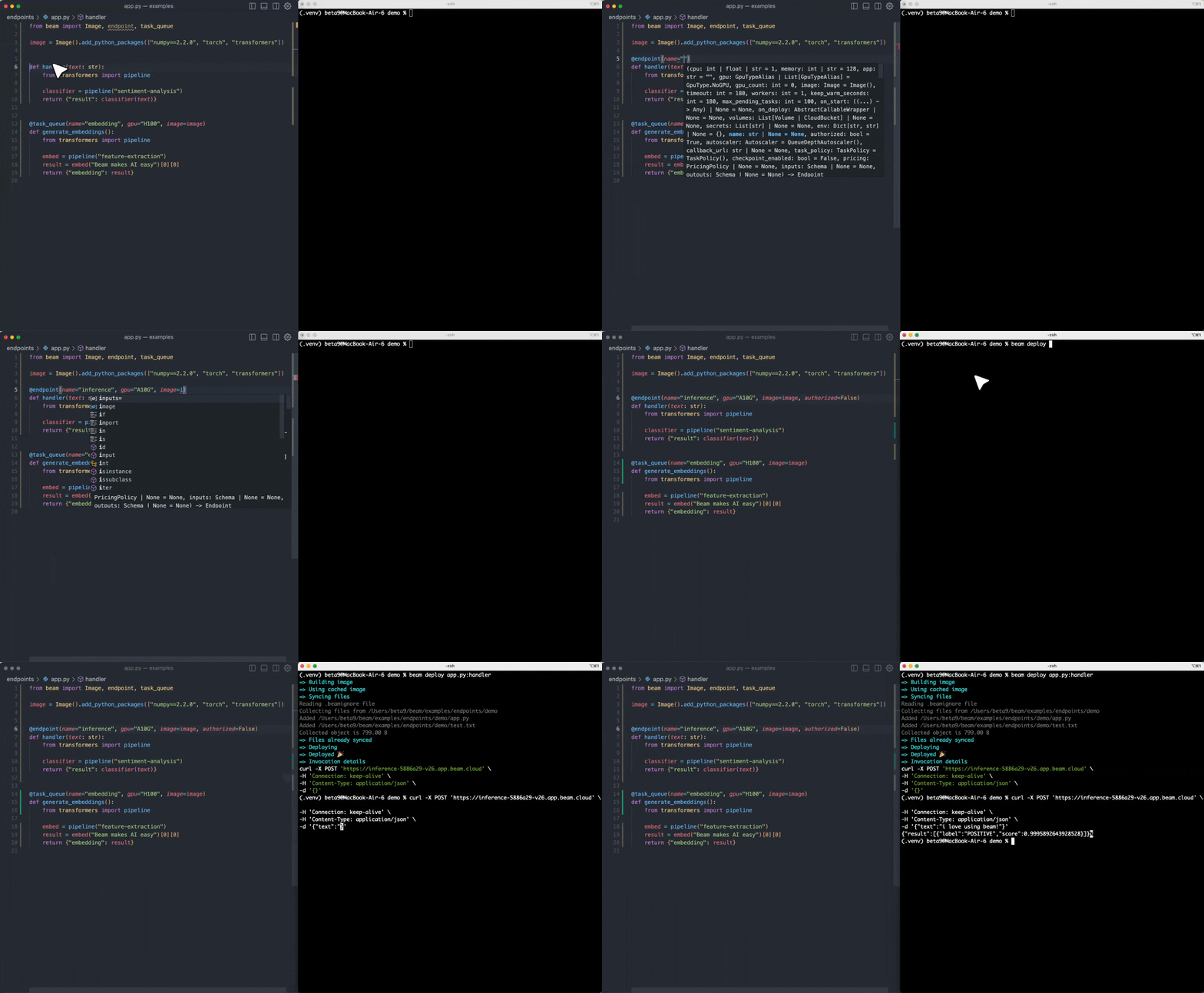
What is this?
 An open-source runtime for serverless AI workloads — it runs Python code in autoscaling GPU containers that scale to zero. It's also the engine powering Beam, a fully managed cloud.
An open-source runtime for serverless AI workloads — it runs Python code in autoscaling GPU containers that scale to zero. It's also the engine powering Beam, a fully managed cloud.Is this a cloud service, or do I run it myself?Either. Beta9 is the open-source engine you can self-host for free; Beam is the fully managed cloud built on top of it if you'd rather not run the infrastructure yourself.
Either. Beta9 is the open-source engine you can self-host for free; Beam is the fully managed cloud built on top of it if you'd rather not run the infrastructure yourself.What's the quickest way to get something running?Fastest route is the managed cloud: create an account, then follow the Getting Started guide. To run the engine yourself, self-host Beta9 via the Installation section of the repo.
Fastest route is the managed cloud: create an account, then follow the Getting Started guide. To run the engine yourself, self-host Beta9 via the Installation section of the repo.Do I write Python to use it, or do I need to know Go?You write Python: decorated Python functions get deployed and scaled as containers. Go is just the language the engine itself is written in.
You write Python: decorated Python functions get deployed and scaled as containers. Go is just the language the engine itself is written in.Is the self-hosted route really free — what's the catch?Self-hosting is free, but the license is AGPL-3.0: modify Beta9 and offer it as a service, and you must release your source. Managed hosting through Beam is the no-ops alternative.
Self-hosting is free, but the license is AGPL-3.0: modify Beta9 and offer it as a service, and you must release your source. Managed hosting through Beam is the no-ops alternative.Which GPUs can I run my workloads on?On Beam's managed cloud you can run on 4090s, H100s and more; you can also bring your own GPUs.
On Beam's managed cloud you can run on 4090s, H100s and more; you can also bring your own GPUs.What can I actually build on it?Three main workload types: autoscaling inference endpoints for custom models, isolated sandboxes for running LLM-generated code, and scheduled background tasks — the README pitches it as a Celery queue replacement.
Three main workload types: autoscaling inference endpoints for custom models, isolated sandboxes for running LLM-generated code, and scheduled background tasks — the README pitches it as a Celery queue replacement.How fast do containers start, and how far can workloads scale?Containers launch in under a second thanks to a custom container runtime, scheduler and embedded caching. Workloads fan out to hundreds of containers in parallel and scale to zero when idle.
Containers launch in under a second thanks to a custom container runtime, scheduler and embedded caching. Workloads fan out to hundreds of containers in parallel and scale to zero when idle.What comes built in for day-to-day development?Hot-reloading, webhooks and scheduled jobs are first-class features, and you can mount distributed storage volumes for persistent or shared state across containers.
Hot-reloading, webhooks and scheduled jobs are first-class features, and you can mount distributed storage volumes for persistent or shared state across containers.What are similar projects?faas, petals, Qwen3.8-Flash-Next-Dual-DGX-Sparks, GLM-5.3-Flash-EXL3-2x-DGX-Sparks-TensorFold, ColossalAI, Model-Optimizer, vllm-omni, airllm
faas, petals, Qwen3.8-Flash-Next-Dual-DGX-Sparks, GLM-5.3-Flash-EXL3-2x-DGX-Sparks-TensorFold, ColossalAI, Model-Optimizer, vllm-omni, airllmWhich topics is it in?faas, developer-productivity, distributed-computing, paas, serverless, agplv3, llm-inference, gpu-acceleration, sandbox, fine-tuning, large-language-models, distributed-systems
faas, developer-productivity, distributed-computing, paas, serverless, agplv3, llm-inference, gpu-acceleration, sandbox, fine-tuning, large-language-models, distributed-systems