openharness README

The project's README from github.com/autonomous-ai/openharness. As one markdown file: README.md.

Harness like a boss.

The ultimate harness for coding agents and beyond.
Claude Code at work. Codex at home. Hermes in the cloud. One command center.
Start with code. Then follow your curiosity and build across disciplines: CAD, circuits, robots, games and music.

Download · How it works · Beyond code · Harnesses · Device

Every agent, side by side

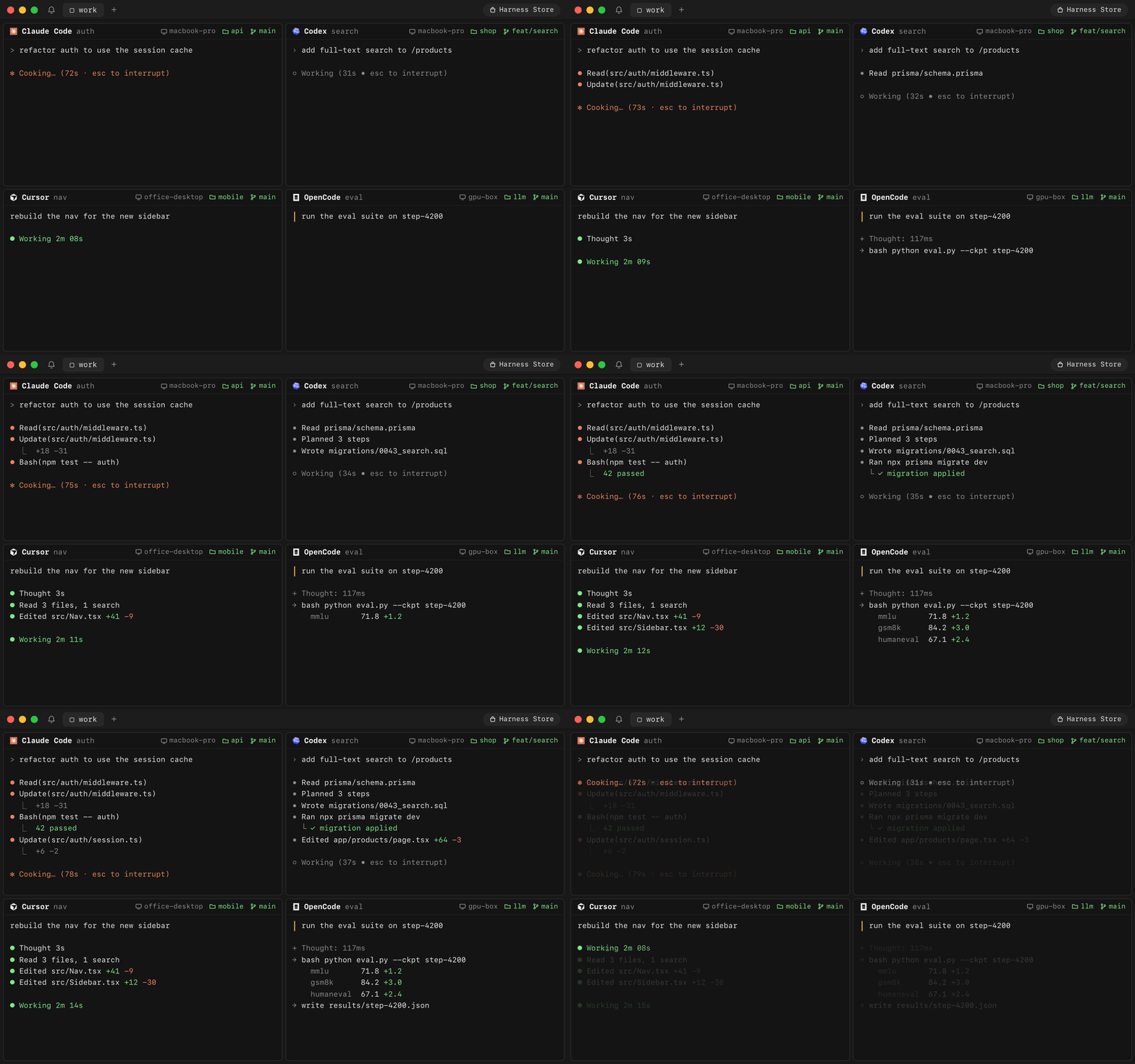
Claude Code, Codex, Cursor, OpenCode, Devin, Amp, Copilot and seven more.

Four agents working at once in one window: Claude Code and Codex on a MacBook, Cursor on an office desktop, OpenCode on a GPU box. Each pane shows its machine, project and branch.

Every machine, side by side

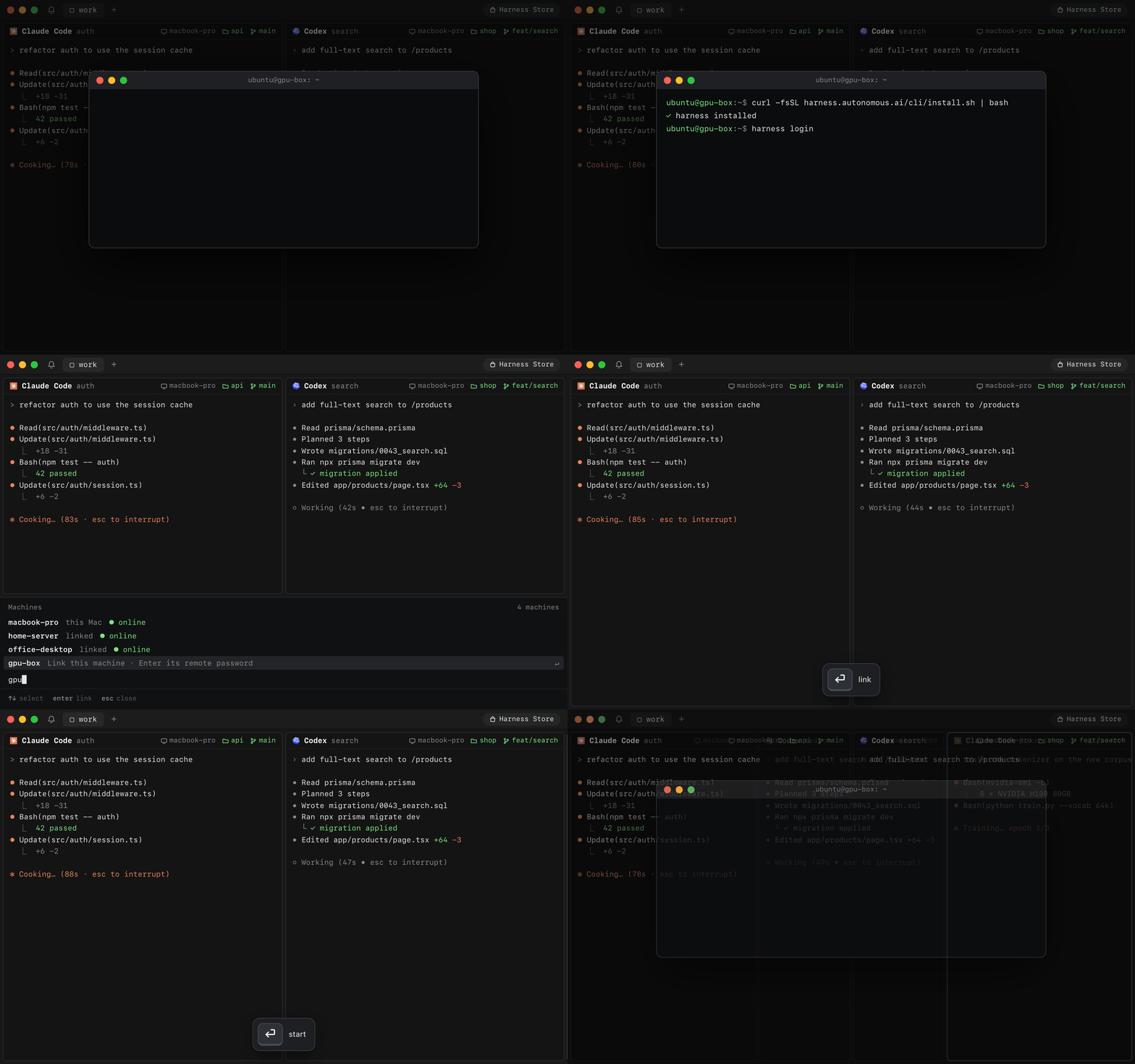
Your laptop, home server and GPU box in one window. Link each one with a password. No SSH keys. No Tailscale. No port forwarding.

A new GPU box runs four setup commands and comes online. The app links it with its password, then starts Claude Code there.

Keyboard first

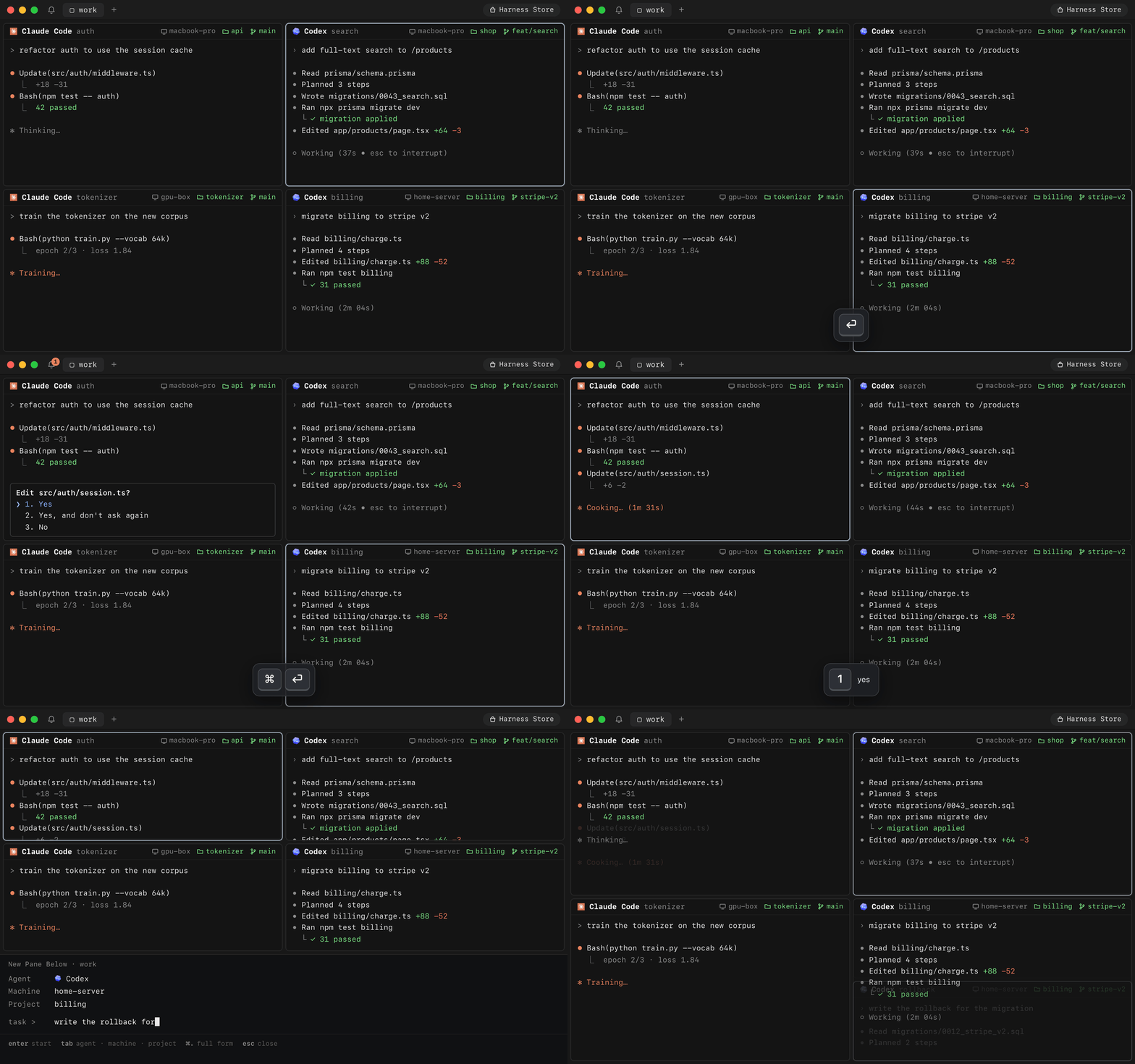
⌘O finds any session on any machine. ⇧⌘I jumps to the agent waiting on you. ⌘D splits. Every key remaps.

Keyboard only: open a session by typing a few letters, zoom it, jump to the agent asking a question and answer it, then split a new pane below.

End-to-end encrypted

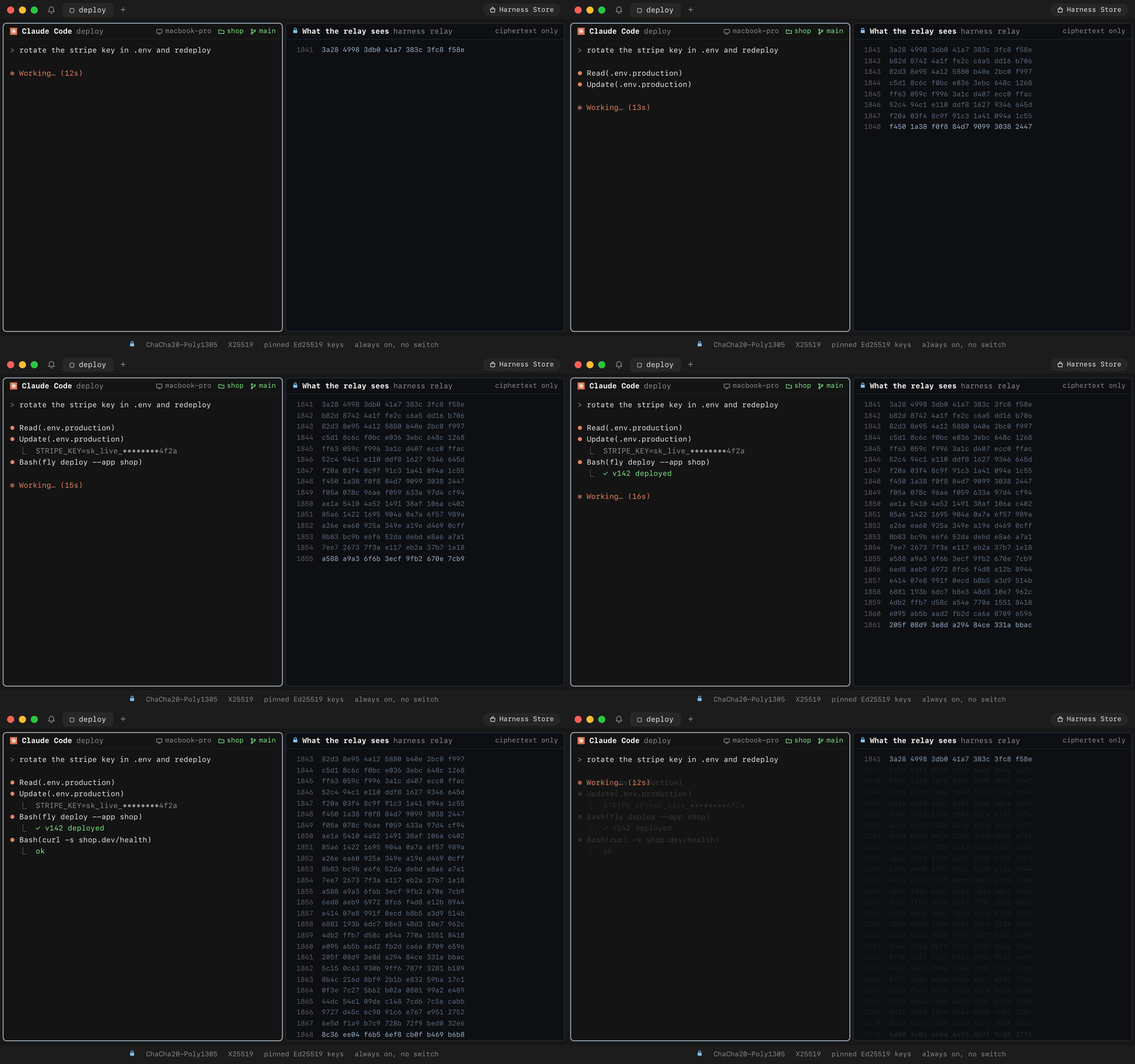
Code, keys and keystrokes are sealed on your machine. The relay forwards bytes it can't read.

On the left, an agent rotates a secret and redeploys. On the right, the same session as the relay sees it: numbered frames of ciphertext.

Fast and light

A native app, not Electron. Close it and your agents keep working.

We measure the workflows developers repeat, including their slow tails. Release build on an M2 Max; 120 observations per action, with 16 retained terminals and four visible:

Developer action Idle median Idle p95 p95 during output
Type → terminal echo 11.2 ms 18.5 ms 74.2 ms
⌘N input-ready new harness 10.6 ms 15.0 ms 14.4 ms
⌘O open anything 12.3 ms 16.1 ms 16.9 ms
Filter the session picker 10.0 ms 13.6 ms 14.9 ms
Select a session → first input echo 26.1 ms 31.1 ms 35.9 ms
⌘T new tab 13.2 ms 18.1 ms 18.0 ms
Next tab → first input echo 27.2 ms 34.2 ms 42.6 ms
Focus pane → first input echo 23.9 ms 30.6 ms 37.3 ms
Zoom a pane 55.3 ms 100.9 ms 326.0 ms
Type Find query → results 10.1 ms 13.1 ms 14.0 ms
Scroll one viewport 40.9 ms 83.2 ms 139.6 ms

Framework input to completed Flutter raster, with verified focus and results. Output is an eight-row ANSI redraw at 20 Hz. These use synthetic sessions; physical keyboard, network and display-presentation time are excluded. Output-heavy typing, zoom and scrolling remain the main latency targets.

Real terminal round trips are measured separately, through disposable PTYs on actual machines. The local installed-daemon baseline is 1.1 ms median / 7.2 ms p95, or 11.1 ms p95 during output (600 echoes per workload).

For remote machines, we compare all three routes on the same target and verify the nominated ICE pair and both binary wire directions. Three attempts per route; 200 echoes per workload per successful trial:

Target / route Idle median Idle p95 p95 during output Trials completed
Office iMac · Direct P2P 14.6 ms 135.0 ms 37.7 ms 1/3
Office iMac · Cloudflare TURN 109.8 ms 163.8 ms 175.9 ms 3/3
Office iMac · Harness relay 401.4 ms 504.7 ms 512.0 ms 3/3
Home iMac · Direct P2P Unavailable — — 0/3
Home iMac · Cloudflare TURN 108.5 ms 167.8 ms 180.2 ms 3/3
Home iMac · Harness relay 384.7 ms 503.3 ms 501.1 ms 3/3

Direct P2P was fast when it connected, but its availability varied in this run. All five failed direct-only attempts reached their PTYs through the fallback relay; they are retained as unavailable P2P trials. All 5,200 measured echoes and 390 measured control requests completed, and all 18 test terminals were deleted.

Remote trials use an isolated production transport client. These round trips exclude UI rendering; adding independent p95 values would not produce an end-to-end p95. Setup and warm reattachment are measured separately. Route methodology, failures, tails and raw observations.

Desktop app resource use with 1,000 seeded lines per retained terminal:

Retained terminals App foreground / hidden CPU App foreground / hidden footprint
1 0.08% / 0.08% 213 / 217 MiB
16 0.09% / 0.10% 304 / 306 MiB
48 0.10% / 0.08% 559 / 559 MiB

Thirty-second process snapshots; 100% CPU means one core. Memory is median physical footprint of the desktop app alone, including its terminal renderer and scrollback. The 213 MiB one-terminal result contains no Claude Code, Codex, shell, tmux, or Harness daemon process memory. Those need separate process measurements; their usage was not measured in this fixture. Hidden fixtures still recorded 12–14 interrupt wakeups/s; these measurements do not establish zero background work in a connected app.

With 16 full 10,000-line buffers and ongoing output, the fixture used about 957 / 960 MiB and 1.28% / 1.79% of one core in foreground / hidden samples.

Full results, workload definitions, limits and raw observations.

Built the way developers work

How it works

One daemon per machine runs your agents in tmux. It dials out, so no machine opens a port.

flowchart LR
  subgraph laptop["Your laptop"]
    app["Harness app"] -- loopback --> d1["daemon"]
    d1 --> a1["tmux · Claude Code · Codex"]
  end
  subgraph box["Your GPU box"]
    d2["daemon"] --> a2["tmux · OpenCode · Hermes"]
  end
  device["Harness device"] -- USB --> d1
  d1 <-. "direct WebRTC" .-> d2
  d1 <-- "ciphertext" --> relay["Harness relay · no keys"]
  relay <-- "ciphertext" --> d2

Every path is sealed end to end: ChaCha20-Poly1305, X25519 session keys, pinned Ed25519 identities. Harness picks the best path on its own.

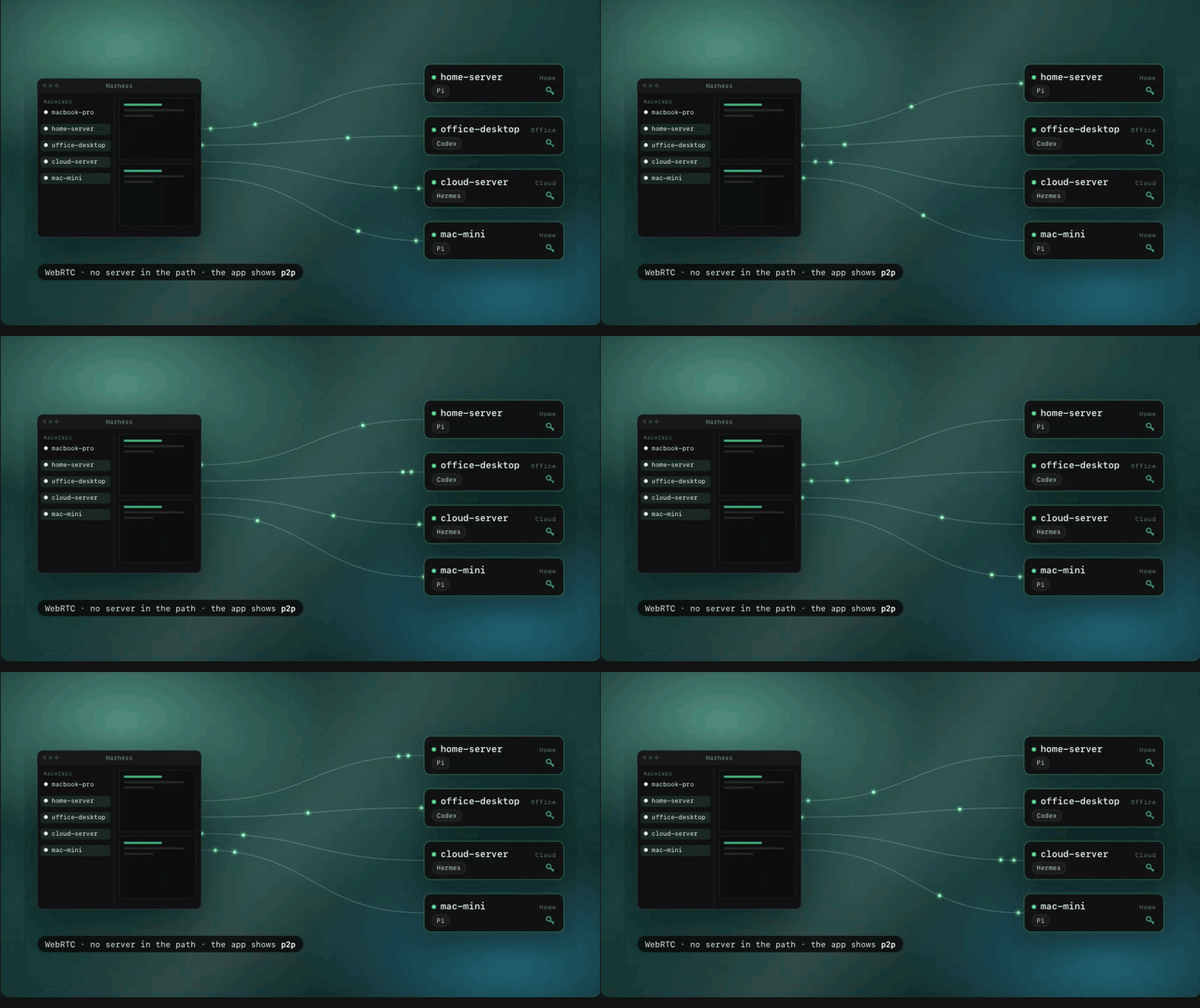
Direct. A WebRTC channel between your machines. No server in the path.

The Harness window connects straight to home-server, office-desktop, cloud-server and mac-mini over WebRTC, with no server in the path.

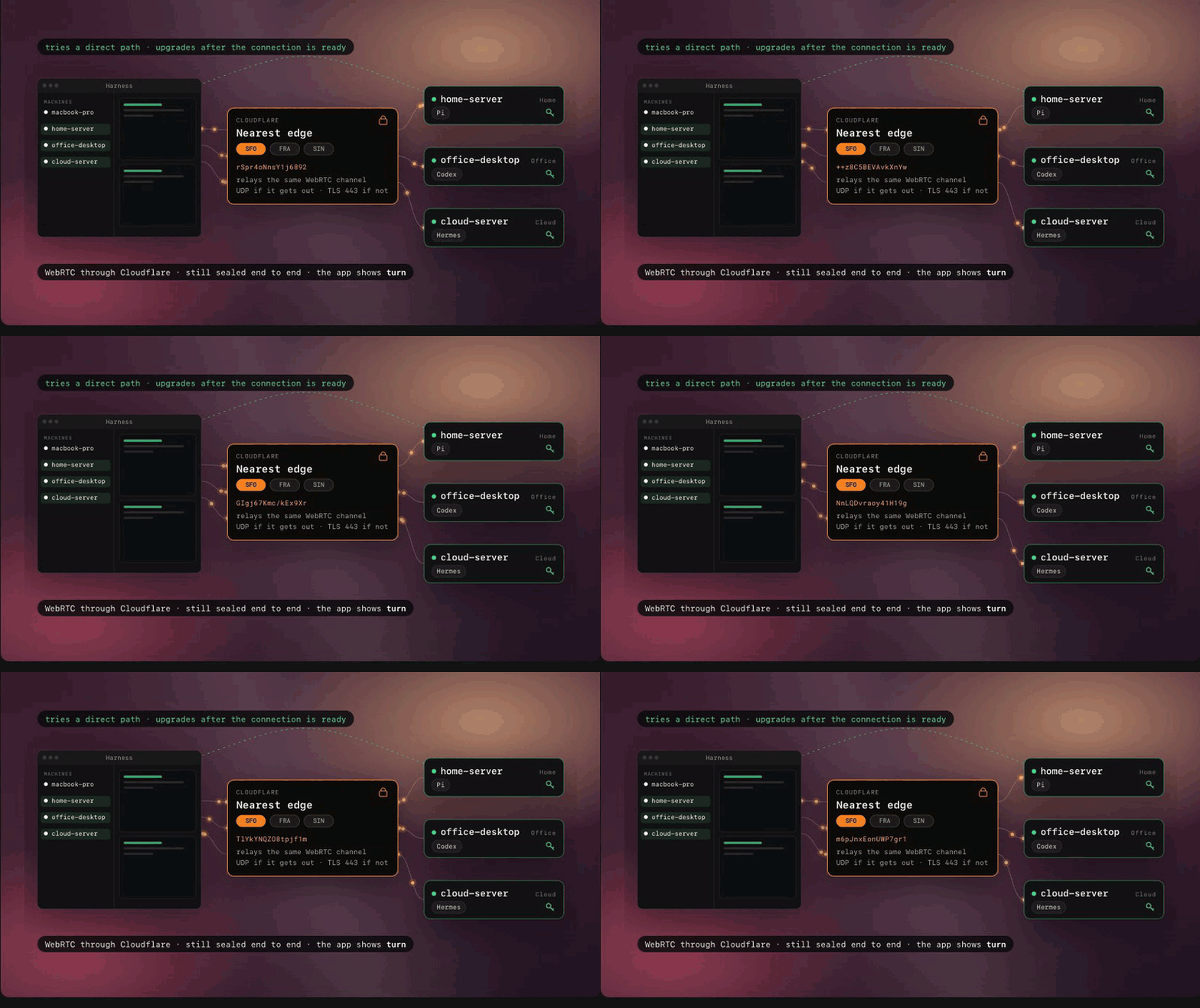
Through Cloudflare. When a firewall blocks the direct path, the same encrypted channel runs over Cloudflare's TURN network. Harness keeps trying for a direct path.

The encrypted WebRTC channel passes through the nearest Cloudflare edge when a firewall blocks the direct path.

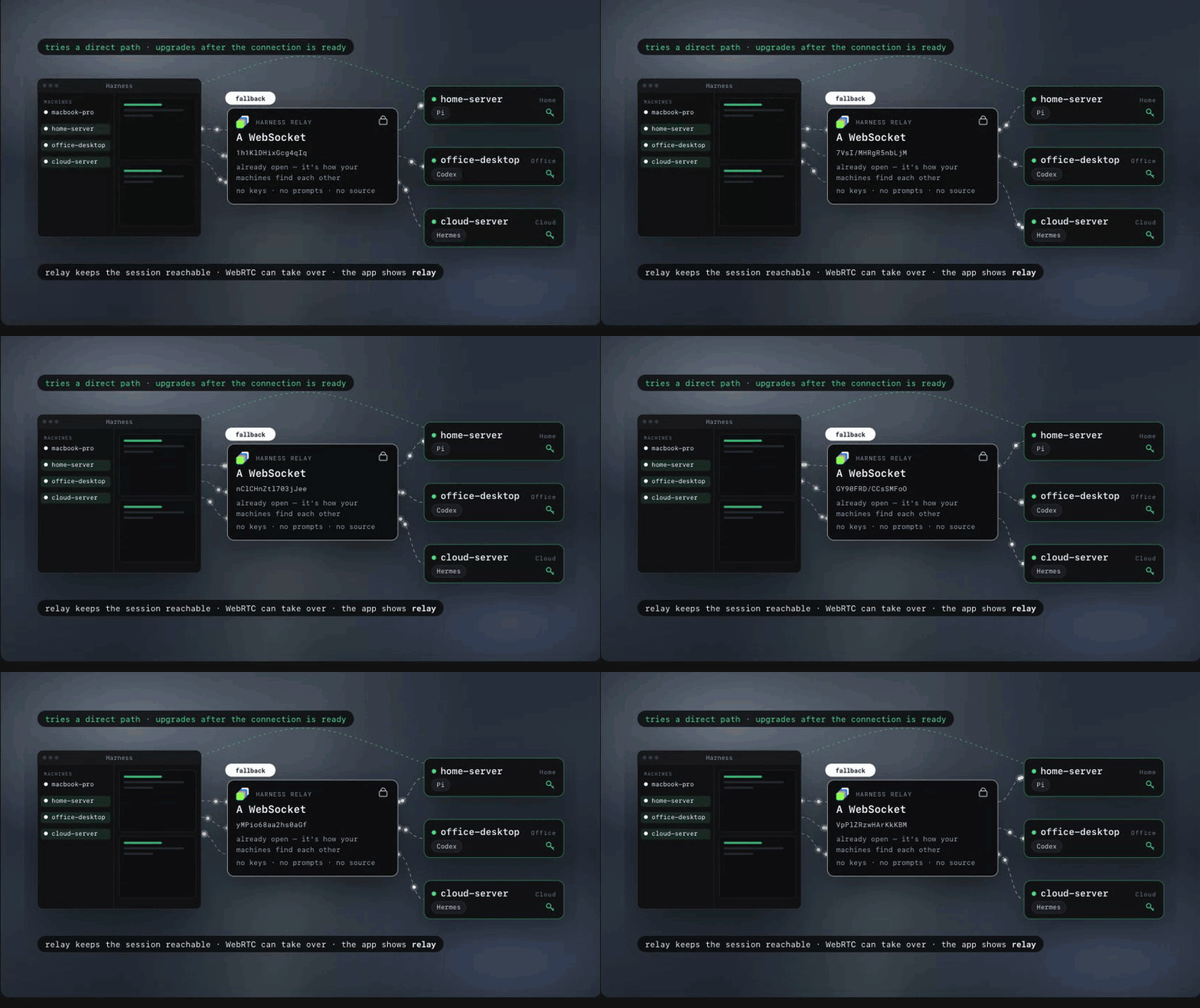
Through our relay. A fallback while WebRTC negotiates. The relay holds no keys and forwards ciphertext.

The Harness relay keeps the session reachable over its WebSocket while WebRTC negotiates. It holds no keys.

The architecture guide has the details.

Get started

Download the app for macOS or Linux.

Add a machine. Run this on it, then Machines → Link Machine in the app:

curl -fsSL https://harness.autonomous.ai/cli/install.sh | bash
harness login
harness remote-password set
harness start
Build from source

Needs Node.js 20+, tmux, Xcode and Flutter 3.47+ / Dart 3.13+:

git clone https://github.com/autonomous-ai/openharness.git
cd openharness
(cd cli && npm ci)
make install-cli
cd desktop
flutter config --enable-swift-package-manager
flutter pub get
flutter run -d macos

make install-cli installs this checkout's CLI and restarts the local daemon. See the development guide.

Beyond code: Build across disciplines

“World-class entrepreneurs are polymaths.” — Peter Thiel

Coding agents can build far more than software. Give one a harness and it works with the real tools of a craft. You steer in a live viewer. Every clip below is a real session.

Beyond code: Design

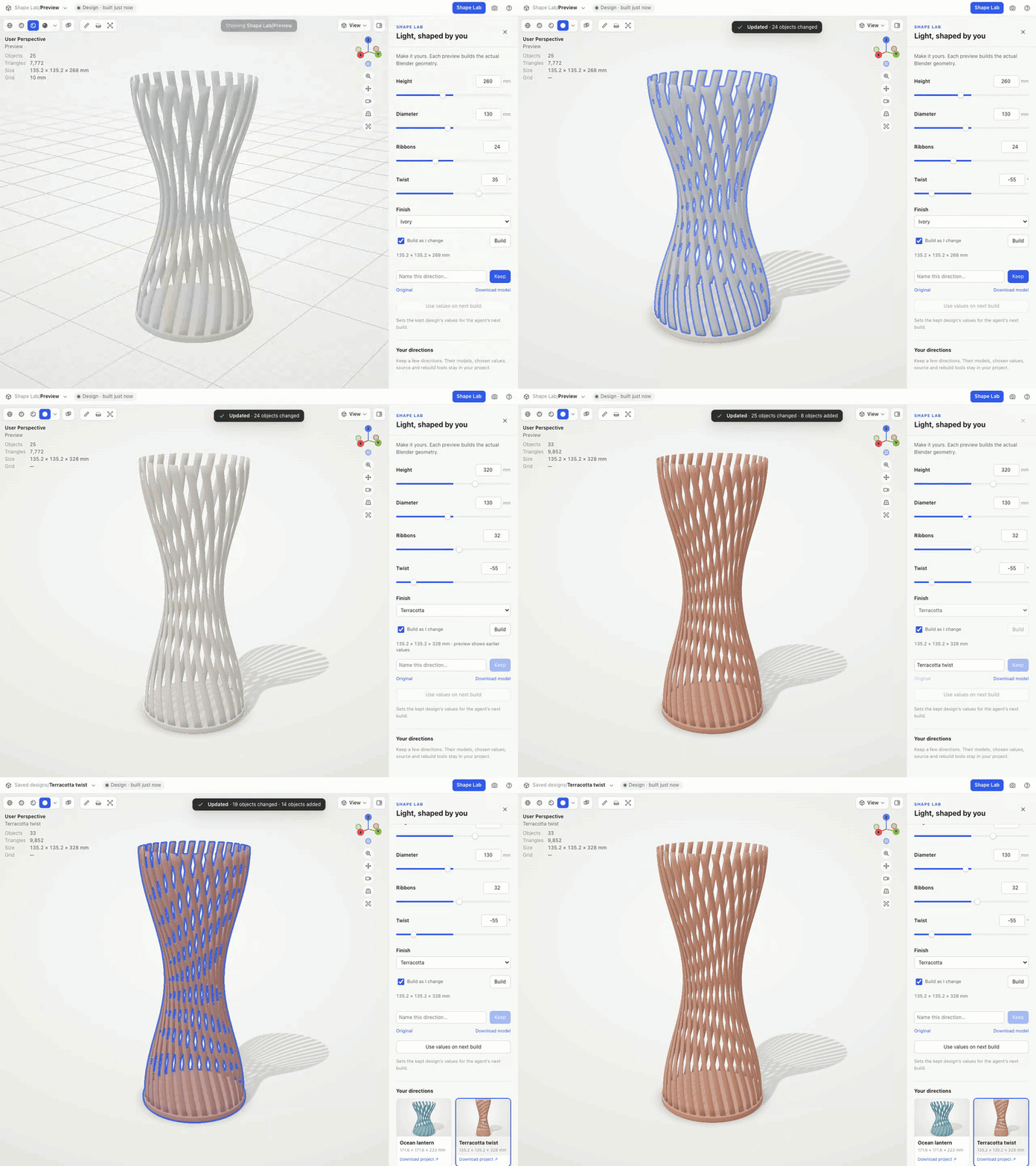
Blender. Ask for a lamp and the sliders that matter. Turn them and Blender rebuilds the geometry. Keep the versions you love.

Shape Lab in Blender: dragging height and twist sliders rebuilds a ribbon lamp, and chosen designs are kept.

Beyond code: Circuits

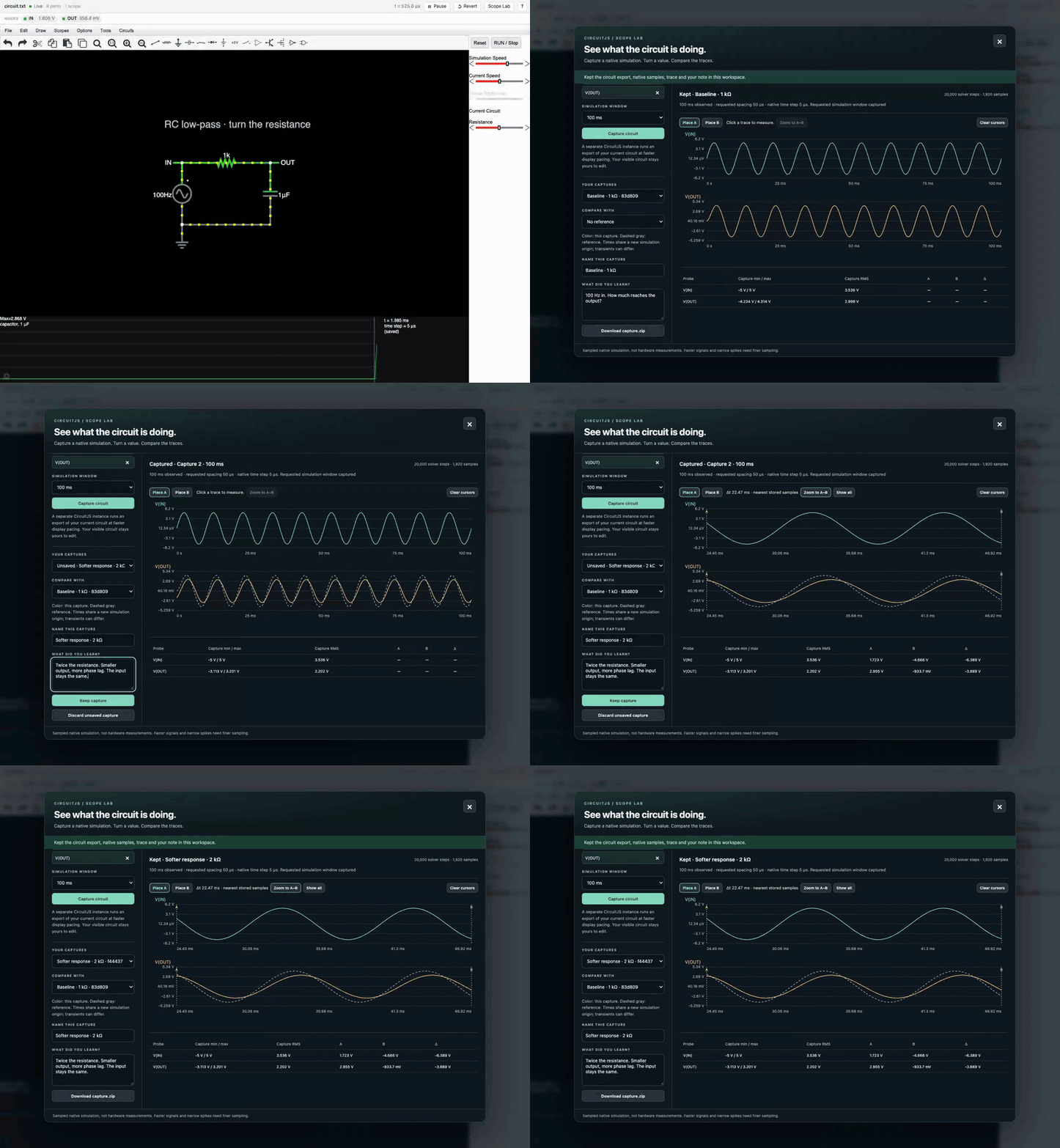
CircuitJS. Build a filter. Change one resistor. Overlay the new trace, measure the difference and keep both.

Scope Lab in CircuitJS: an RC filter captured at 1 kΩ and 2 kΩ, traces overlaid and measured with cursors.

Beyond code: Robotics

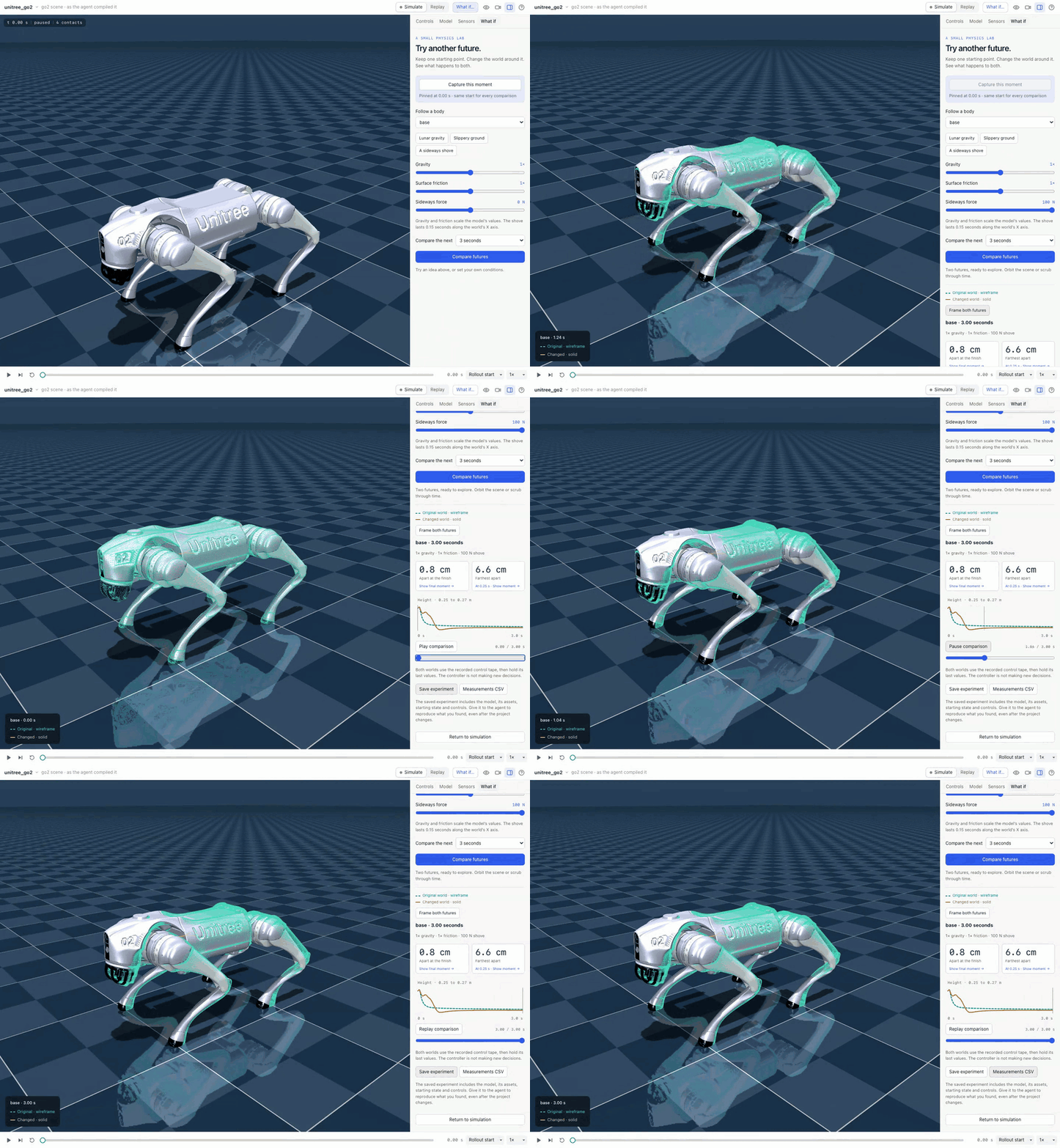
MuJoCo. Pin a moment in a robot's run. Shove it with 100 N. Watch two futures split.

A Unitree Go2 in MuJoCo: the original and shoved futures play together with a height chart.

Beyond code: Games

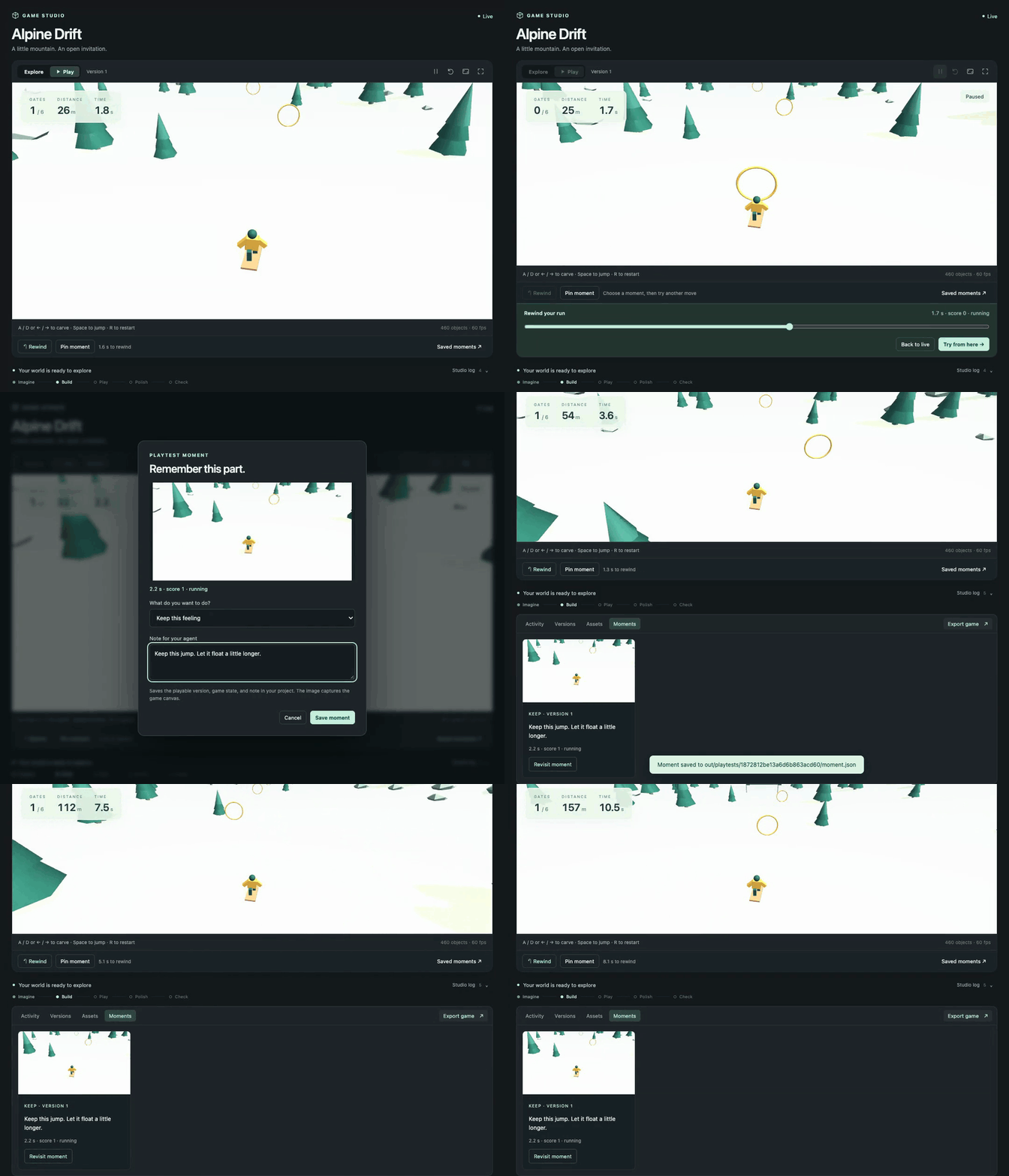
Godogen. Your agent makes a playable game. Miss a jump, rewind, try again. Pin the moment so the agent sees what you mean.

Alpine Drift, a game made with Godogen: a run is rewound, retried and a moment is pinned with feedback.

Beyond code: Music

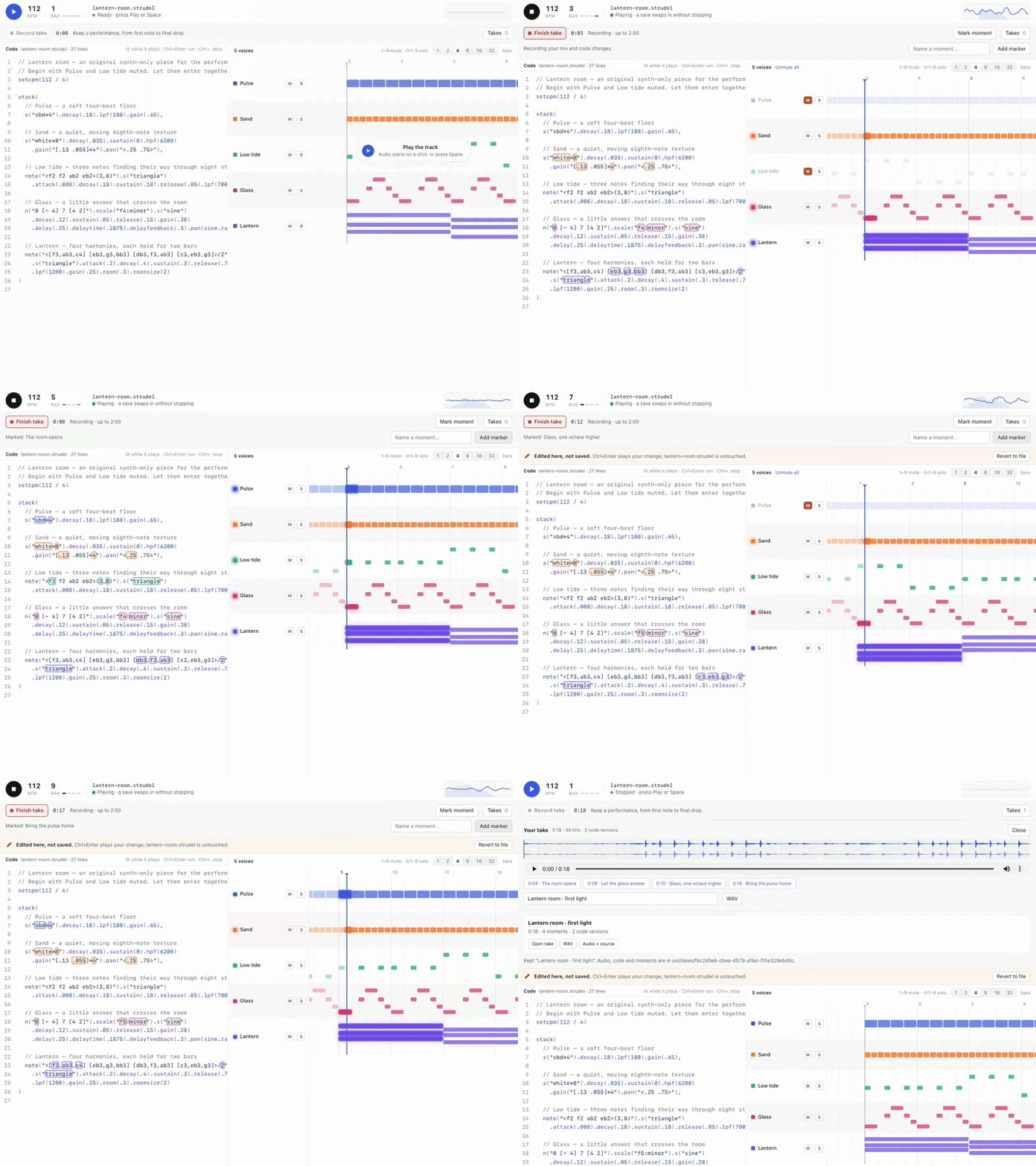
Strudel. The track is code you can perform. Bring voices in and out, mark the good parts, keep the WAV. Hear it.

A live Strudel performance: voice lanes play beside the code, and the take is kept with markers.

Beyond code: Chemistry

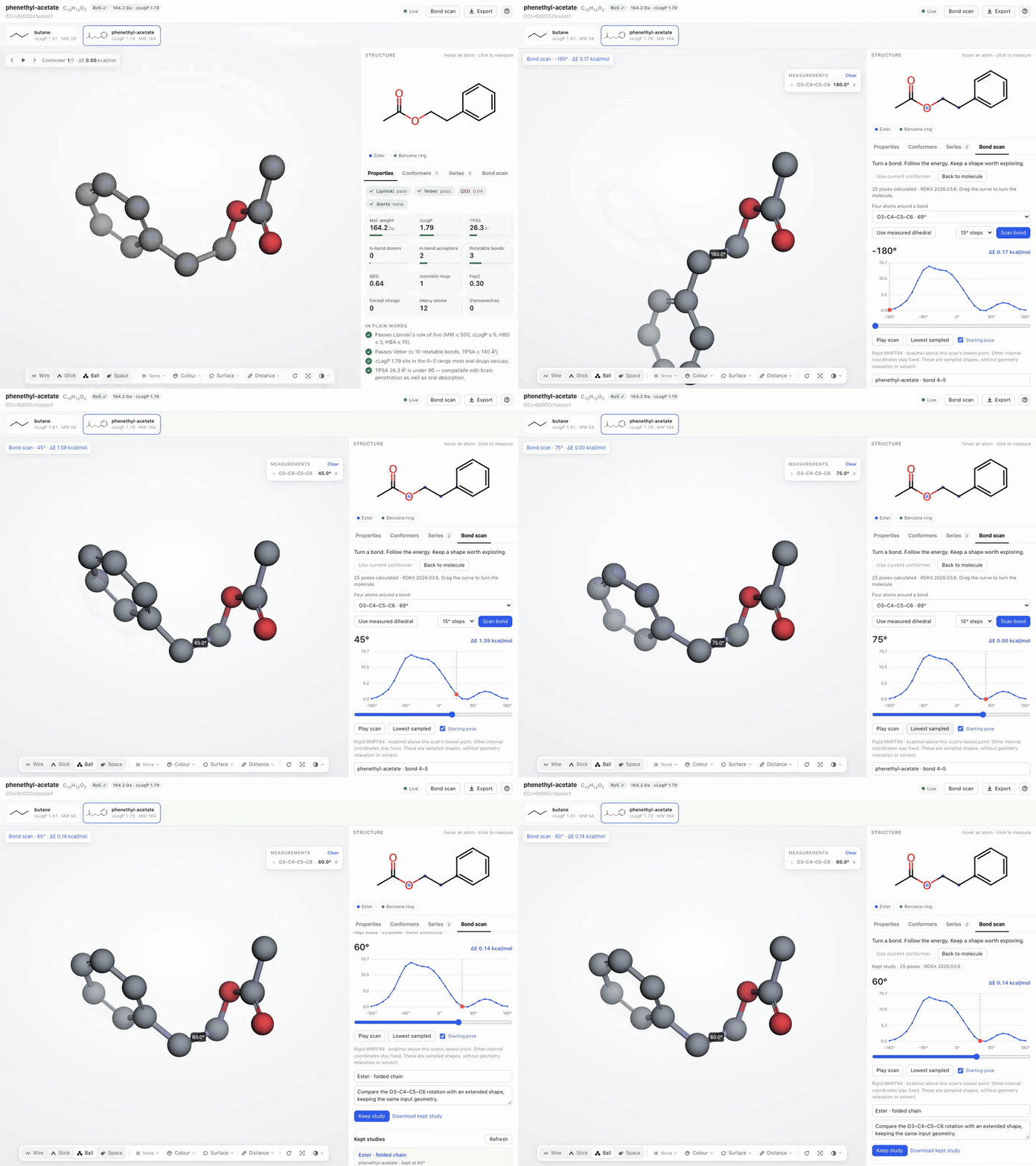
RDKit. Turn a bond and watch the molecule move. Follow the real energy curve. Keep the pose worth a closer look.

A bond scan in RDKit: the molecule rotates through sampled poses along an MMFF94 energy curve.

Beyond code: Documents

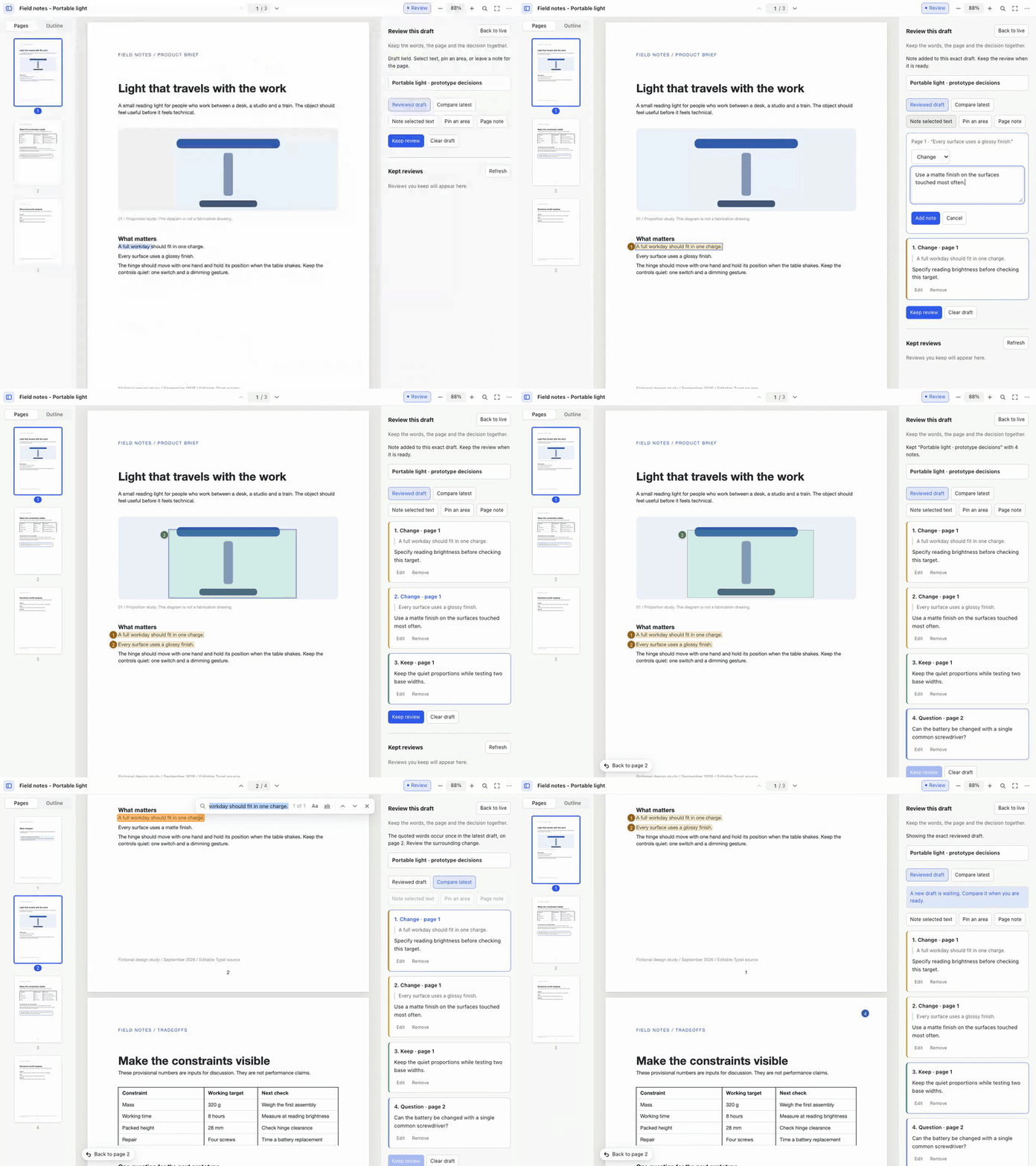
Typst. Your agent writes a real PDF. Circle a detail, quote a line, leave a note. The next draft answers it.

A Typst PDF under review: notes are pinned to an area and a sentence, then carried to the next draft.

Beyond code: Data

Jev Sheets. Test a question on a few frozen rows before you ask the whole sheet. Compare two wordings side by side.

Question Lab in Jev Sheets: two wordings of a question are compared on frozen rows, recorded with practice data.

Domain-specific harnesses (DSH)

Code is the common medium. Geometry scripts make parts. Netlists make boards. Animation code makes film.

A domain-specific harness turns a coding agent into a specialist. It brings the craft's instructions and skills, a pinned toolchain, a project template, checks and a live viewer. You chat on one side. The board, the part or the game takes shape on the other.

The agent does the reasoning. The harness brings the tools and the view. It's a folder with a harness.json, so adding a craft never touches the app.

49 harnesses in the Store

Category Agents and harnesses
Coding Claude Code, Codex, Cursor, OpenCode, Pi, Hermes, Command Code, Devin, Muse Code, Amp, Antigravity, GitHub Copilot, Grok Build, Kilo Code, Harness Monitor, Machine Monitor
Design Autonomous Workshop, Blender, Bonsai MCP, Creative Direction, Excalidraw, FreeCAD, Generative Art, OpenSCAD, text-to-cad
Engineering Autonomous Circuit, CircuitJS, Home Assistant, KiCad, Orca Slicer, Yosys
Media Comfy MCP, Manim, OpenMontage, Remotion
Music Ableton AI, JUCE Agent Toolkit, Music Studio, Score, Strudel
Productivity Jev Sheets, Marp, Typst
Science & Data autoresearch-mlx, Data Studio, Lab Bench, marimo, RDKit
Simulation DimOS, Drone Pilot, Foam-Agent, MuJoCo, SimSkill
Games Game Master, Godogen, Phaser, Voxel Worlds
Research Jev Browser, Roundtable
Local AI Grid, MLX-LM, Ollama, vLLM

Upstream open-source tools and original workflows. 10 shared viewers install alongside the harnesses that need them. Unlisted experiments are not shown.

Build your own

The next harness is the one for your craft. Wrap a tool you love or your team's toolchain. It can live here or in your own repo. From this repo:

{
  "spec": 1,
  "id": "examples/hello-world",
  "name": "Hello World",
  "engine": "codex",
  "workspace": { "template": "template", "marker": "index.html" },
  "agent": { "instructions": "AGENTS.md" },
  "viewer": { "use": "autonomous/web-viewer" }
}
harness dsh install "$PWD/store/viewers/web-viewer" --link
cp -R store/examples/hello-world ../my-harness
harness dsh check ../my-harness
harness dsh install ../my-harness --link

Press ⌘N → Hello World and say hello. The authoring guide covers the rest.

Harness device

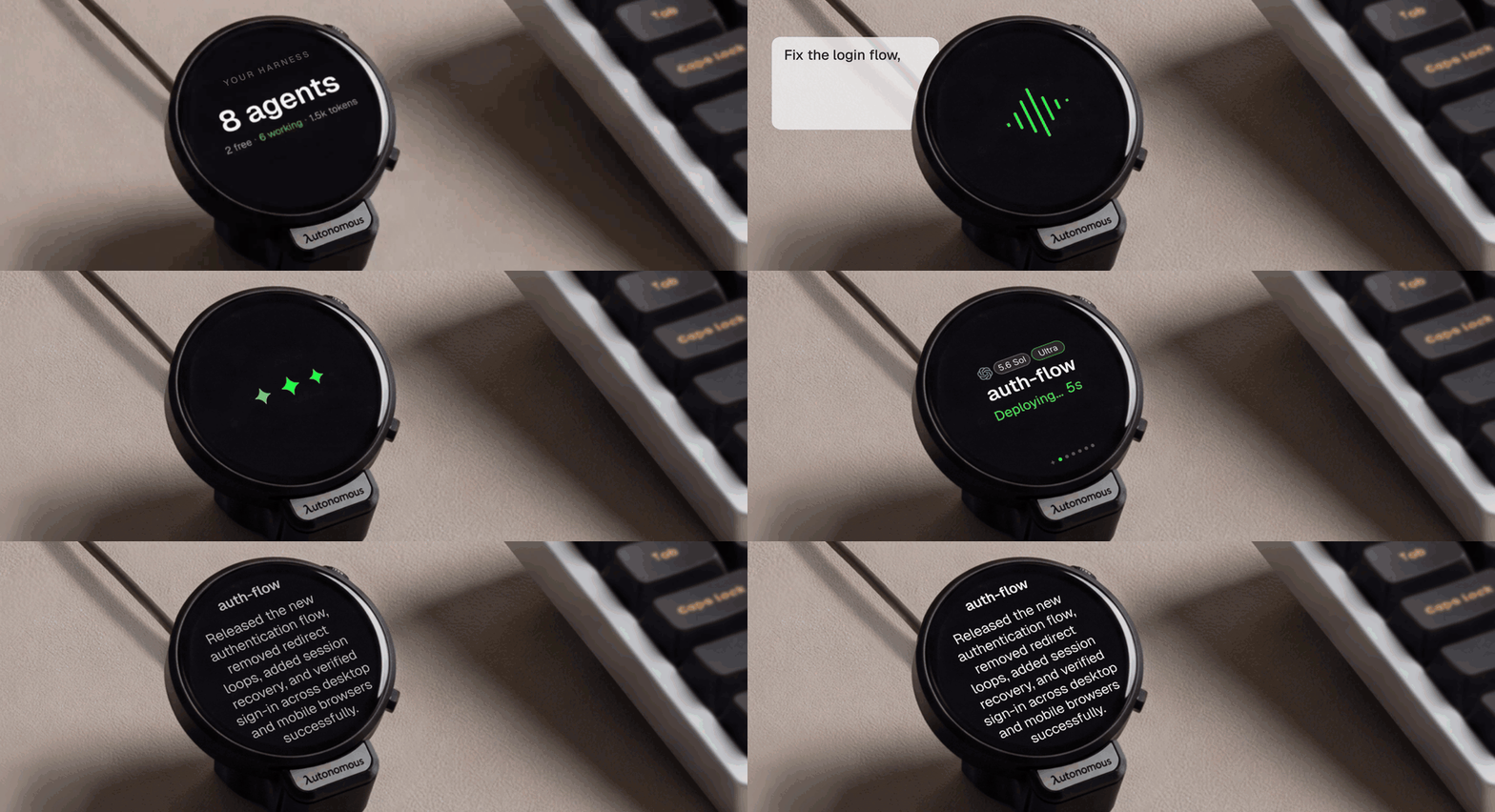
A finger taps the round Harness device, speaks a task to fix the login flow, and the device shows the agent deploying, then a summary of the shipped fix.

The optional Harness device is a round, always-on display that sits beside your keyboard and shows your agents at a glance: what each one is doing, which one has finished, and which one is waiting on you. Read a question and answer it on the screen, or tap and speak a new task, without switching windows.

It is open hardware, all the way down. This repository has everything it takes to build one:

Layer What's here
Firmware ESP32-S3, ESP-IDF, a 466 × 466 round AMOLED with touch, microphones and audio. Connects to the host's daemon over USB — no Wi-Fi setup, no account on the device.
PCB The EasyEDA Pro project, the schematic, Gerbers, the bill of materials, and pick-and-place data for assembly.
Enclosure STEP for editing and STL for printing: the housing, an iron counterweight base, the USB clamp, and the button.

Get a Harness device, or build your own from these files. The firmware guide lists the supported boards and build commands, and the hardware guide covers the design files.

Contribute

Make a harness for a tool you love. Improve terminals, engines, the daemon or the relay. Port the firmware. Start with the contribution guide.

Development · Extending · CLI · Security · MIT license; upstream tools keep their own.

openharness (autonomous-ai/openharness)

Searching Database…

Что это такое?Центр управления для ИИ-агентов, пишущих код: Claude Code, Codex, Cursor, OpenCode и другие — рядом, на всех ваших машинах, в одном нативном окне. Помимо кода он пригодится в CAD, схемотехнике, робототехнике, играх и музыке.
Это десктопное приложение или утилита для командной строки?Нативное десктопное приложение (явно не Electron) с CLI и одним демоном на машину. Каждый агент работает в собственном настоящем tmux-pane, и агенты продолжают работать после того, как вы закроете окно.
Как его запустить?Скачайте приложение для macOS или Linux, добавьте машину, выполните её команду настройки, затем выберите Machines → Link Machine. Для сборки из исходников нужны Node.js 20+, tmux, Xcode и Flutter 3.47+ / Dart 3.13+; команда make install-cli устанавливает CLI.
Каких агентов для программирования он поддерживает?Шестнадцать агентов и harness-ов, включая Claude Code, Codex, Cursor, OpenCode, Devin, Amp и GitHub Copilot. Harness никогда не оборачивает агента — он читает transcripts и использует собственные хуки вендора.
Соединение с моими машинами всегда будет напрямую (peer-to-peer)?Нет: за файрволом прямой путь через WebRTC переключается на Cloudflare TURN (задержка туда-обратно около 110–180 мс) или на relay (около 385–505 мс), при этом Harness продолжает искать прямой путь.
Он работает на Windows?В README предлагаются загрузки только для macOS и Linux; сборки для Windows не упоминается.
Мой код проходит через ваши серверы в открытом виде?Ничего читаемого не покидает ваши машины: все соединения зашифрованы сквозным образом (ChaCha20-Poly1305, X25519), а резервный relay не хранит ключей — он пересылает только шифротекст. Машины сами устанавливают исходящие соединения, поэтому ни одна из них не открывает порт.
Что эти агенты могут делать помимо кода?В Store доступны 49 предметных harness-ов: Blender и FreeCAD для дизайна, CircuitJS и KiCad для схем, MuJoCo для робототехники, Godogen и Phaser для игр, Strudel для музыки, RDKit для химии, Typst для документов.
Что именно такое предметный harness?Папка с файлом harness.json, которая превращает агента для программирования в специалиста: инструкции и навыки ремесла, закреплённый набор инструментов, шаблон проекта, проверки и live-просмотрщик. Добавление harness-а не затрагивает само приложение, а свой можно создать через ⌘N → Hello World.
Что за опциональное устройство Harness?Круглый настольный дисплей постоянного действия на базе ESP32-S3 с сенсорным AMOLED 466x466: он показывает, чем занят каждый агент, и позволяет отвечать на вопросы прямо на экране или постучать, чтобы надиктовать новую задачу. Подключается по USB, а прошивка, файлы платы и модели корпуса лежат в репозитории.
Можно ли запускать с ним локальные модели?Да — в Store есть категория Local AI с Grid, Ollama, MLX-LM и vLLM, так что модели с открытыми весами работают на ваших собственных машинах.
Size
475.4 MB
Stars
1.3K
Age
2mo
Commits · 90 Days
