












Index
If you are considering donating, please first consider donating to:


News
22 March 2026
Updated contributing guidelines for AI generated code:
Submissions where any of the code is AI generated must be marked with [AI generated].
(When code is generated by prompting either directly to an LLM or through "comment prompting".)
Not needed when AI suggestions is used in "autocomplete" mode only for boilerplate or other repetitive code.
Failure to disclose the use of AI in a PR will result in a closed PR and deliberately trying to obfuscate the use of AI will result in your account getting blocked from contributing again.
"Vibe coded" PR's where it seems like the author doesn't understand the generated code will be dismissed.
4 December 2025
Since there is a increasing amount of AI generated/assisted PR's, the following guidelines have been added to CONTRIBUTING.md:
22 September 2024
Btop release v1.4.0
Intel GPU support added, note that only GPU utilization, power usage and clock speed available to monitor. Thanks to @bjia56 for contributions.
NetBSD support added. Thanks to @fraggerfox for contributions.
See CHANGELOG.md and latest release for detailed list of new features, bug fixes and new themes.
7 January 2024
Btop release v1.3.0
Big release with GPU support added for Linux and platform support for OpenBSD. Big thanks to @romner-set (GPU support) and @joske (OpenBSD support) for contributions.
And a multitude of bugfixes and small changes, see CHANGELOG.md and latest release for detailed list and attributions.
See news entry below for more information regarding GPU support.
25 November 2023
GPU monitoring added for Linux!
Compile from git main to try it out.
Use keys 5, 6, 7 and 0 to show/hide the gpu monitoring boxes. 5 = Gpu 1, 6 = Gpu 2, etc.
Gpu stats/graphs can also be displayed in the "Cpu box" (not as verbose), see the cpu options menu for info and configuration.
Note that the binaries provided on the release page (when released) and the continuous builds will not have gpu support enabled.
Because the GPU support relies on loading of dynamic gpu libraries, gpu support will not work when also static linking.
See Compilation Linux for more info on how to compile with gpu monitoring support.
Many thanks to @romner-set who wrote the vast majority of the implementation for GPU support.
Big update with version bump to 1.3 coming soon.
28 August 2022

First release of btop4win available at https://github.com/aristocratos/btop4win
More...
16 January 2022
Release v1.2.0 with FreeBSD support. No release binaries for FreeBSD provided as of yet.
Again a big thanks to @joske for his porting efforts!
Since compatibility with Linux, macOS and FreeBSD are done, the focus going forward will be on new features like GPU monitoring.
13 November 2021
Release v1.1.0 with macOS support. Binaries in continuous-build-macos are only x86 for now.
macOS binaries + installer are included for both x86 and ARM64 (Apple Silicon) in the releases.
Big thank you to @joske who wrote the vast majority of the implementation!
30 October 2021
Work on the OSX [macOS] and FreeBSD branches, both initiated and mostly worked on by @joske, will likely be completed in the coming weeks.
The OSX [macOS] branch has some memory leaks that needs to be sorted out and both have some issues with the processes cpu usage calculation and other smaller issues that needs fixing.
If you want to help out, test for bugs/fix bugs or just try out the branches:
macOS / OSX
# Install and use Homebrew or MacPorts package managers for easy dependency installation
brew install coreutils make gcc@11 lowdown
git clone https://github.com/aristocratos/btop.git
cd btop
git checkout OSX
gmake
FreeBSD
sudo pkg install gmake gcc11 coreutils git lowdown
git clone https://github.com/aristocratos/btop.git
cd btop
git checkout freebsd
gmake
Note that GNU make (gmake) is recommended but not required for macOS/OSX but it is required on FreeBSD.
6 October 2021
macOS development have been started by @joske, big thanks :)
See branch OSX for current progress.
18 September 2021
The Linux version of btop++ is complete. Released as version 1.0.0
I will be providing statically compiled binaries for a range of architectures in every release for those having problems compiling.
For compilation GCC 11 is required.
Please report any bugs to the Issues page.
The development plan right now:
- 1.1.0 macOS [OSX] support
- 1.2.0 FreeBSD support
- 1.3.0 Support for GPU monitoring
- 1.X.0 Other platforms and features...
Windows support is not in the plans as of now, but if anyone else wants to take it on, I will try to help.
5 May 2021
This project is gonna take some time until it has complete feature parity with bpytop, since all system information gathering will have to be written from scratch without any external libraries.
And will need some help in the form of code contributions to get complete support for BSD and macOS/OSX.
Documents
CHANGELOG.md
CONTRIBUTING.md
CODE_OF_CONDUCT.md
Description
Resource monitor that shows usage and stats for processor, memory, disks, network and processes.
C++ version and continuation of bashtop and bpytop.
Features
- Easy to use, with a game inspired menu system.
- Full mouse support: all buttons with a highlighted key are clickable and mouse scrolling works in process list and menu boxes.
- Fast and responsive UI with UP, DOWN key process selection.
- Function for showing detailed stats for selected process.
- Ability to filter processes.
- Easy switching between sorting options.
- Tree view of processes.
- Send any signal to selected process.
- Pause the process list.
- UI menu for changing all config file options.
- Auto scaling graph for network usage.
- Shows IO activity and speeds for disks.
- Battery meter
- Selectable symbols for the graphs.
- Custom presets
- And more...
Themes
Btop++ uses the same theme files as bpytop and bashtop (some color values missing in bashtop themes).
See themes folder for available themes.
Btop searches the following directories for system themes:
../share/btop/themes (this path is relative to the btop executable)/usr/local/share/btop/themes/usr/share/btop/themes
The first directory that exists and isn't empty is used as the system themes directory.
The user themes directory depends on which environment variables are set:
- If
$XDG_CONFIG_HOME is set, the user themes directory is $XDG_CONFIG_HOME/btop/themes
- Otherwise, if
$HOME is set, the user themes directory is $HOME/.config/btop/themes
- Otherwise, the user themes directory is
~/.config/btop/themes
The make install command places the default themes in [$PREFIX or /usr/local]/share/btop/themes.
User created themes should be placed in the user themes directory.
Use the --themes-dir command-line option to specify a custom themes directory.
When specified, this directory takes priority over the default search paths.
Let me know if you want to contribute with new themes.
The new Process list pausing and Process following features introduce a few new theme attributes.
These attributes still need to be added to all of the existing themes (except the default one).
Process list banner attributes:
- proc_pause_bg: background color of the banner when the list is paused.
- proc_follow_bg: background color of the banner when the process following feature is active.
- proc_banner_bg: background color of the banner when the process following feature is active AND the list is paused.
- proc_banner_fg: foreground (text) color of the banner
Process following attributes:
- followed_bg: background color of the followed process in the list.
- followed_fg: foreground color of the followed process in the list.
Support and funding
You can sponsor this project through GitHub. See my sponsors page for options.
Or donate through PayPal or ko-fi.
Any support is greatly appreciated!
Prerequisites
For the best experience run within a terminal with support for:
- 24-bit truecolor (See list of terminals with truecolor support)
- 256-color terminals are supported through 24-bit to 256-color conversion when setting "truecolor" to False in the options or with "-lc/--low-color" arguments.
- 16 color TTY mode will be activated if a real tty device is detected. Can be forced with "-t/--tty" arguments.
- Wide characters (Are sometimes problematic in web-based terminals)
Also necessary is a UTF8 locale and a font that includes:
- Unicode Block “Braille Patterns” U+2800 - U+28FF (Not needed in TTY mode or with graphs set to type: block or tty.)
- Unicode Block “Geometric Shapes” U+25A0 - U+25FF
- Unicode Block "Box Drawing" and "Block Elements" U+2500 - U+259F
Optional Dependencies (Needed for GPU monitoring)
GPU monitoring is supported on Linux and on macOS with Apple Silicon GPUs.
GPU monitoring also requires a btop binary built with GPU support (GPU_SUPPORT=true flag).
See GPU compatibility section for more about compiling with GPU support.
NVIDIA
If you have an NVIDIA GPU you must use an official NVIDIA driver, both the closed-source and open-source ones have been verified to work.
In addition to that you must also have the nvidia-ml dynamic library installed, which should be included with the driver package of your distribution.
AMD
If you have an AMD GPU rocm_smi_lib is required, which may or may not be packaged for your distribution.
INTEL
Requires a working C compiler if compiling from source.
Also requires the user to have permission to read from SYSFS.
Can be set with make setcap (preferred) or make setuid or by running btop with sudo or equivalent.
Notice (Text rendering issues)
If you are having problems with the characters in the graphs not looking like they do in the screenshots, it's likely a problem with your systems configured fallback font not having support for braille characters.
See Terminess Powerline for an example of a font that includes the braille symbols.
See comments by @sgleizes link and @XenHat link in issue #100 for possible solutions.
If text is misaligned and you use Konsole or Yakuake, turning off "Bi-Directional text rendering" is a possible fix.
Characters clipping into each other or text/border misalignments are not bugs caused by btop, but most likely a fontconfig or terminal problem where the braille characters making up the graphs aren't rendered correctly.
Look to the creators of the terminal emulator you use to fix these issues if the previously mentioned fixes don't work for you.
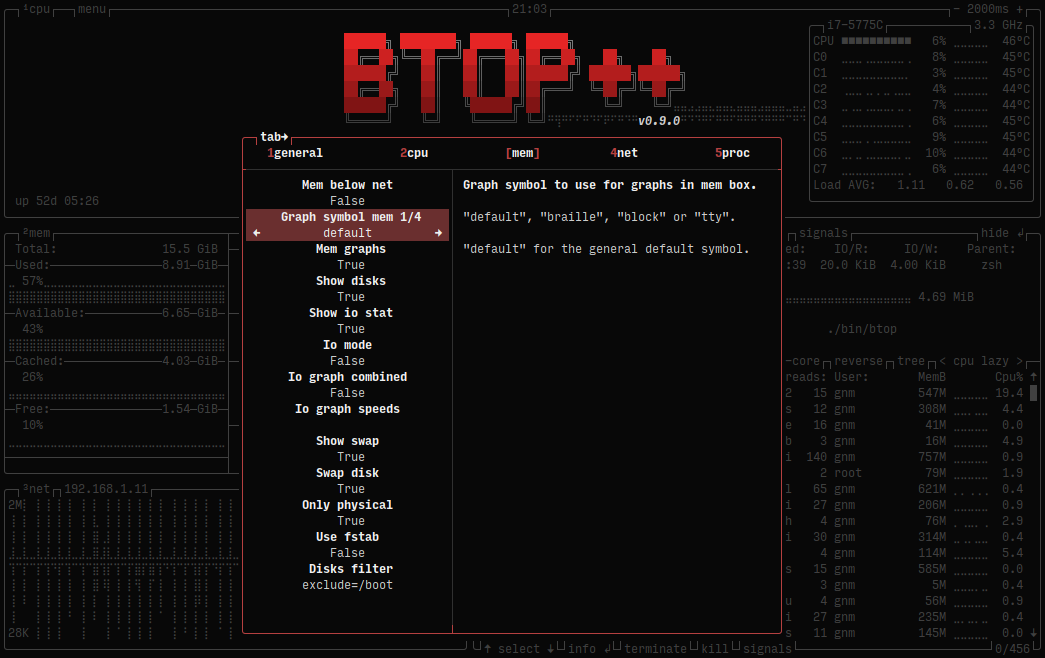
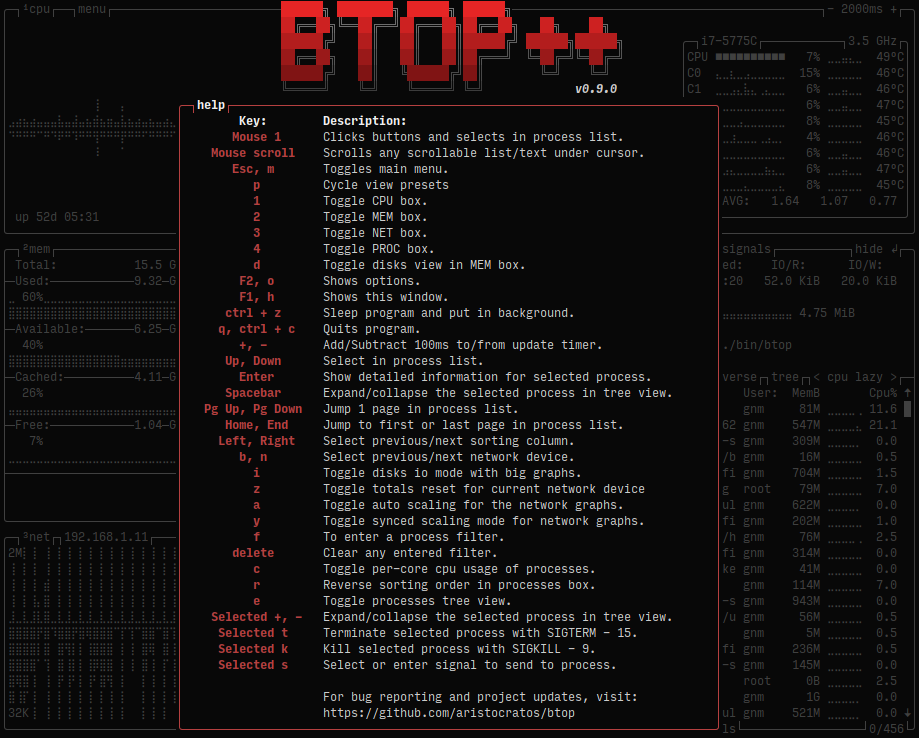
Screenshots
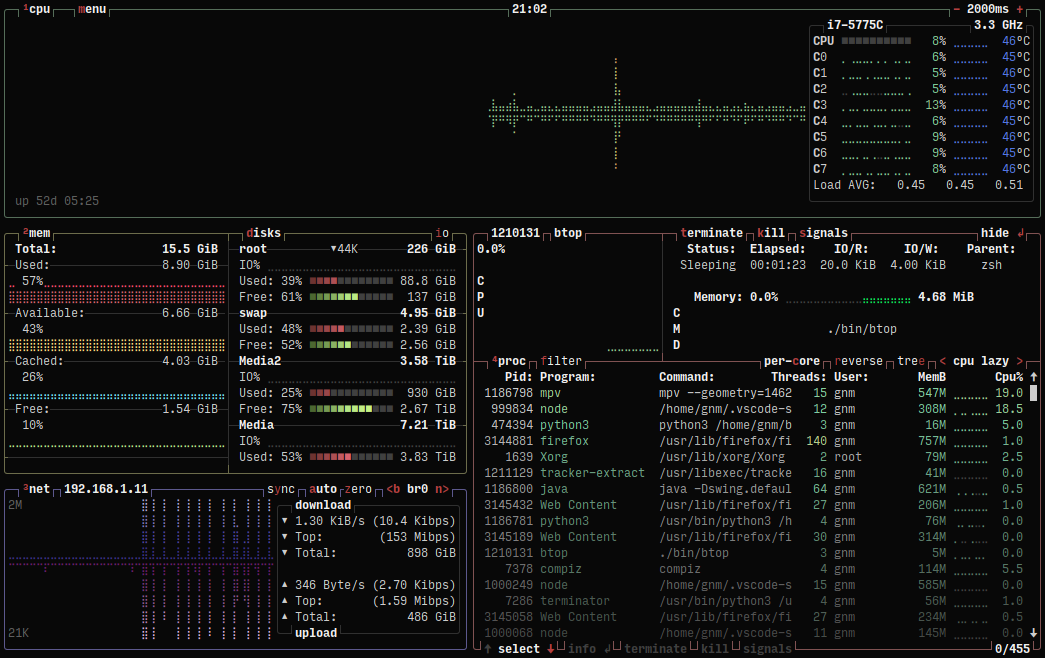
Main UI showing details for a selected process
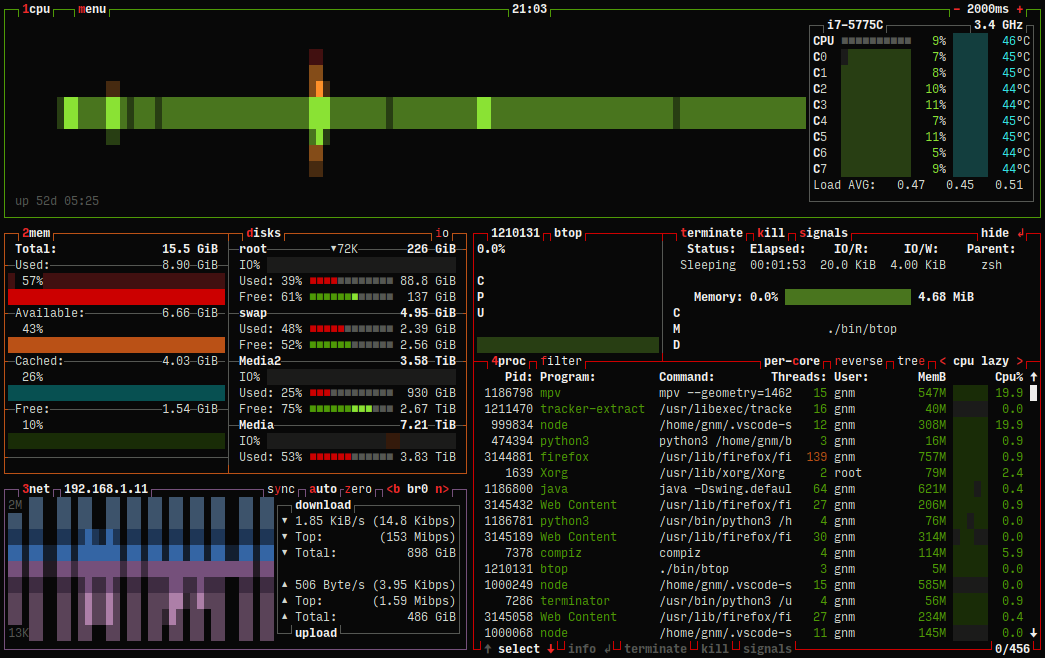
Main UI in TTY mode
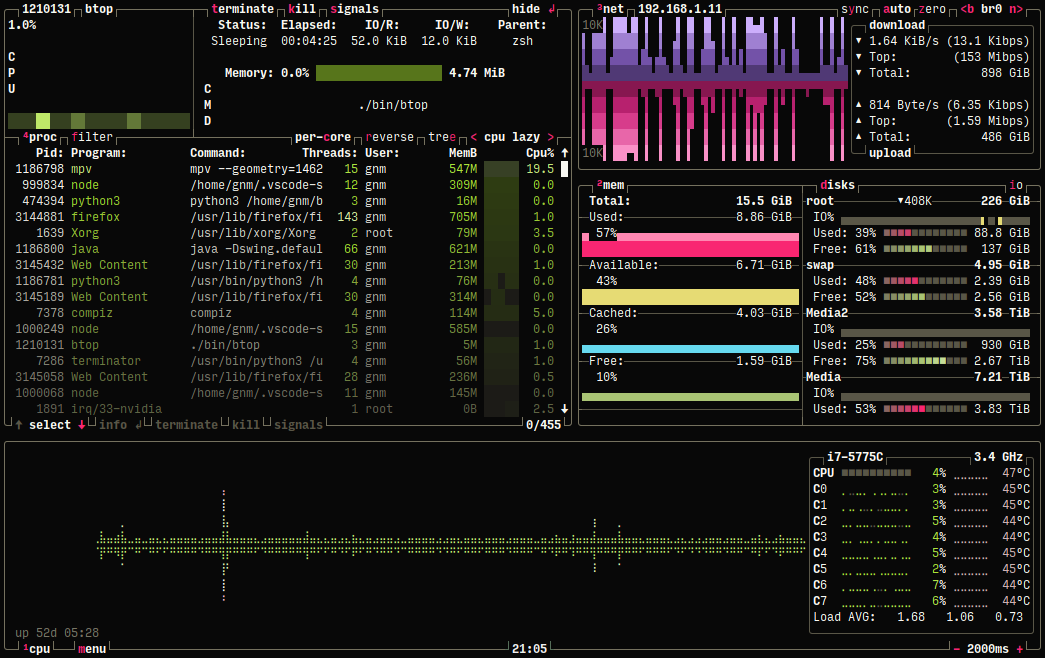
Main UI with custom options
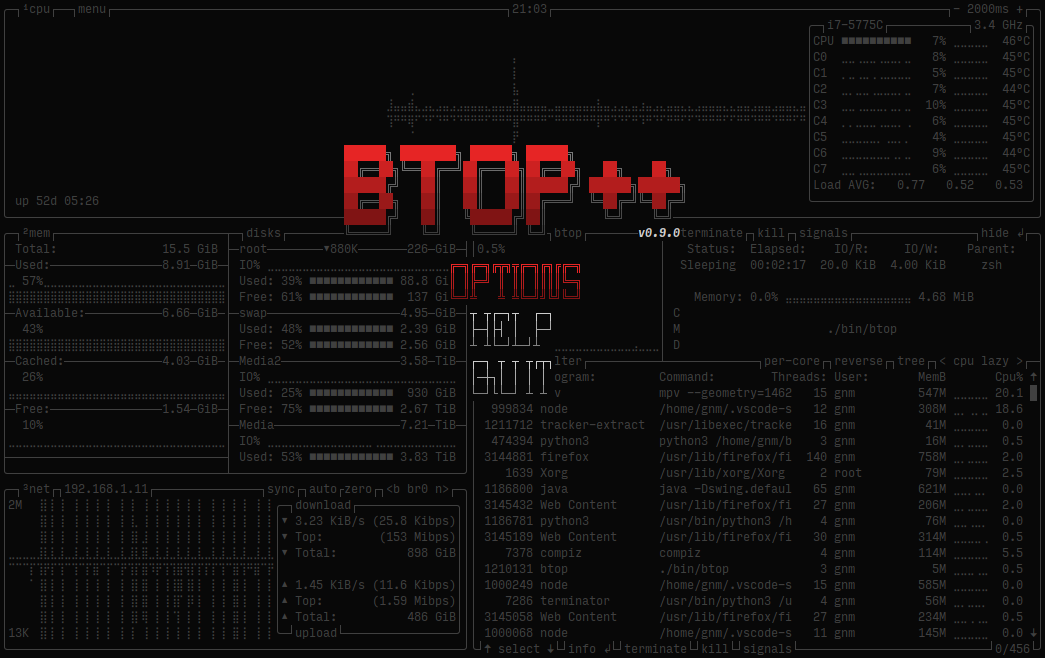
Main-menu
Installation
Binaries for Linux are statically compiled with musl and work on kernel releases 2.6.39 and newer
Download btop-(VERSION)-(ARCH)-(PLATFORM).tbz from latest release and unpack to a new folder
Notice! Use x86_64 for 64-bit x86 systems, i486 and i686 are 32-bit!
Install (from created folder)
# use "make install PREFIX=/target/dir" to set target, default: /usr/local
# only use "sudo" when installing to a NON user owned directory
sudo make install
(Optional/Required for Intel GPU and CPU wattage) Set extended capabilities or suid bit to btop
Enables signal sending to any process without starting with sudo and can prevent /proc read permissions problems on some systems.
Is required for Intel GPU support and CPU wattage monitoring.
# run after make install and use same PREFIX if any was used at install
sudo make setcap
# run after make install and use same PREFIX if any was used at install
# set SU_USER and SU_GROUP to select user and group, default is root:root
sudo make setuid
Uninstall
sudo make uninstall
Show help
make help
Binary release (from native os repo)
Binary release on Homebrew (macOS (x86_64 & ARM64) / Linux (x86_64))
Compilation Linux
Requires at least GCC 14 or Clang 19.
The Makefile also needs GNU coreutils and sed (should already be installed on any modern distribution).
GPU compatibility
Btop++ supports Nvidia and AMD GPUs and Intel IGPUs out of the box on Linux x86_64, provided you have the correct drivers and libraries.
Gpu support for Nvidia or AMD will not work when static linking glibc (or musl, etc.)!
For x86_64 Linux the flag GPU_SUPPORT is automatically set to true, to manually disable gpu support set the flag to false, like:
make GPU_SUPPORT=false (or cmake -DBTOP_GPU=false with CMake)
NVIDIA
You must use an official NVIDIA driver, both the closed-source and open-source ones have been verified to work.
In addition to that you must also have the nvidia-ml dynamic library installed, which should be included with the driver package of your distribution.
AMD
AMDGPU data is queried using the ROCm SMI library, which may or may not be packaged for your distribution. If your distribution doesn't provide a package, btop++ is statically linked to ROCm SMI with the RSMI_STATIC=true make flag.
This flag expects the ROCm SMI source code in lib/rocm_smi_lib, and compilation will fail if it's not there. The latest tested version is 5.6.x, which can be obtained with the following command:
git clone https://github.com/rocm/rocm_smi_lib.git --depth 1 -b rocm-5.6.x lib/rocm_smi_lib
With Make
Install dependencies (example for Ubuntu 24.04 Noble)
sudo apt install coreutils sed git build-essential lowdown
Clone repository
git clone https://github.com/aristocratos/btop.git
cd bto

 一个终端资源监视器,可以显示处理器、内存、磁盘、网络和进程的使用情况和统计数据。它是 bashtop 和 bpytop 的 C++ 版本和后续延续。