18.6K ·GitHub
What is this?
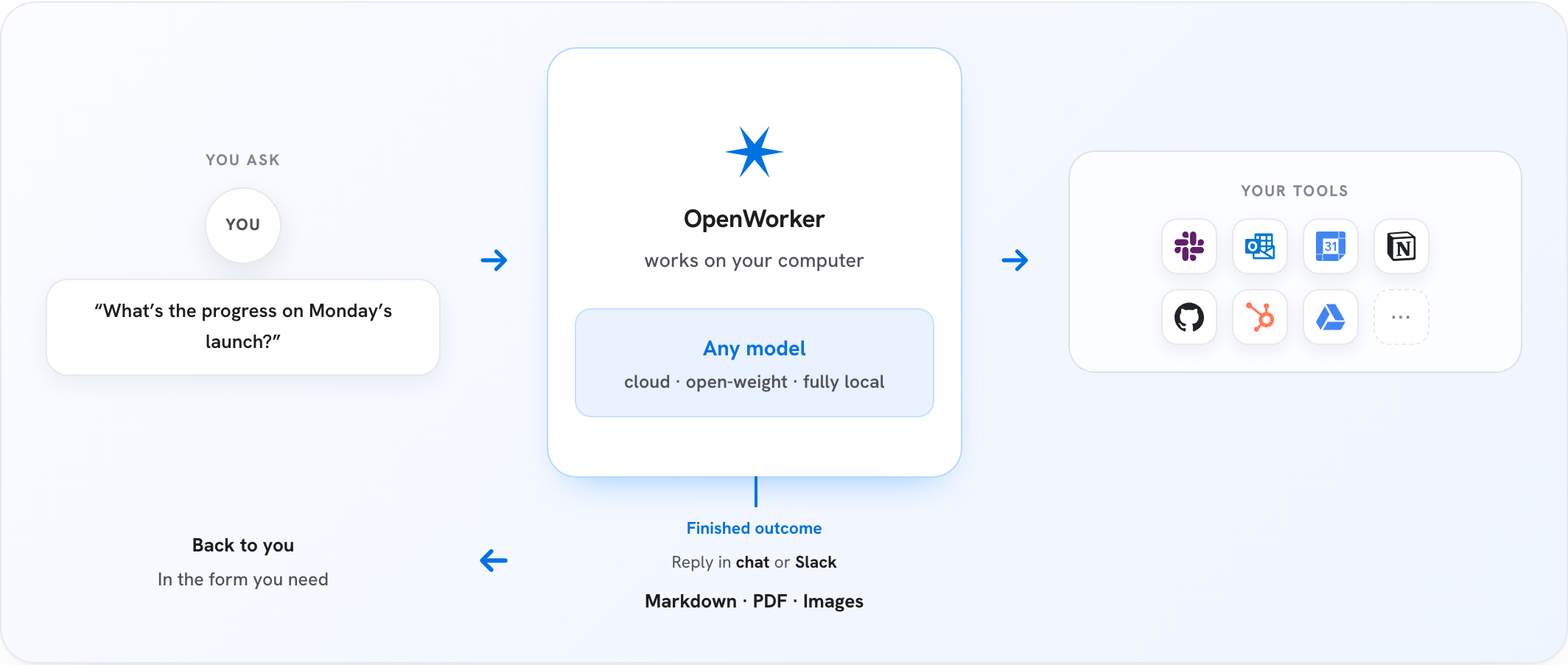
 OpenWorker is an open-source AI coworker that lives on your desktop and delivers finished work instead of just chat: reviewed code with fixes, polished documents, Slack replies with real numbers, triaged inboxes.
OpenWorker is an open-source AI coworker that lives on your desktop and delivers finished work instead of just chat: reviewed code with fixes, polished documents, Slack replies with real numbers, triaged inboxes.Is this a chatbot, or does it actually do tasks for me?It's an agentic desktop app: you describe the outcome you want, it breaks the task into steps and works across your files and connected apps, checking in before anything consequential, and hands you a finished deliverable rather than a reply or a to-do list.
It's an agentic desktop app: you describe the outcome you want, it breaks the task into steps and works across your files and connected apps, checking in before anything consequential, and hands you a finished deliverable rather than a reply or a to-do list.How do I get it running?Download the signed macOS (Apple Silicon, macOS 12+) or Windows 10/11 (x64) build, open the app, add a model API key or point it at Ollama, and ask for something real. It can also be run from source with Python 3.10+, Node 20+, and the Rust toolchain.
Download the signed macOS (Apple Silicon, macOS 12+) or Windows 10/11 (x64) build, open the app, add a model API key or point it at Ollama, and ask for something real. It can also be run from source with Python 3.10+, Node 20+, and the Rust toolchain.Which AI providers can I use with it?You bring your own key for OpenAI, Anthropic, Google Gemini, DeepSeek, Kimi, Qwen, MiniMax, Mistral, Grok, open-weight models via Together/Fireworks, or run fully local with Ollama — there's no lock-in to a single provider.
You bring your own key for OpenAI, Anthropic, Google Gemini, DeepSeek, Kimi, Qwen, MiniMax, Mistral, Grok, open-weight models via Together/Fireworks, or run fully local with Ollama — there's no lock-in to a single provider.Is the Windows build ready to use right now?It runs, but it isn't code-signed yet, so Windows SmartScreen will show a warning when you open it while signing is in progress; the macOS build is already signed and notarized.
It runs, but it isn't code-signed yet, so Windows SmartScreen will show a warning when you open it while signing is in progress; the macOS build is already signed and notarized.Can I run this on Linux, or only Mac and Windows?Only macOS (Apple Silicon, macOS 12+) and Windows 10/11 (x64) downloads are offered; Linux isn't listed as a supported build.
Only macOS (Apple Silicon, macOS 12+) and Windows 10/11 (x64) downloads are offered; Linux isn't listed as a supported build.How does OpenWorker stop itself from doing something harmful on its own?A set of dangerous, irreversible operations are human-only 'hard floors' that no mode including auto-approve can bypass. Routine actions follow a ladder from one-off approvals to standing rules to config allowlists, and every tool call is logged with its approval source and reasoning.
A set of dangerous, irreversible operations are human-only 'hard floors' that no mode including auto-approve can bypass. Routine actions follow a ladder from one-off approvals to standing rules to config allowlists, and every tool call is logged with its approval source and reasoning.Can it work inside Slack instead of its own app window?Yes — mention @OpenWorker in a Slack channel, a session opens on your desktop using your connected tools, and the finished answer comes back as a thread reply.
Yes — mention @OpenWorker in a Slack channel, a session opens on your desktop using your connected tools, and the finished answer comes back as a thread reply.What is aisuite and why does the README mention it?aisuite is a lightweight Python library giving a unified chat-completions API and agent/tools layer across LLM providers. OpenWorker's engine is built on it, and the project actually started life inside the aisuite repo before moving to its own home.
aisuite is a lightweight Python library giving a unified chat-completions API and agent/tools layer across LLM providers. OpenWorker's engine is built on it, and the project actually started life inside the aisuite repo before moving to its own home.What tools and apps can it connect to out of the box?25+ integrations including GitHub, Slack, Jira, Notion, Linear, HubSpot, Outlook, monday.com, Gmail, and Google Calendar, plus your terminal and local files, with any additional tool reachable over MCP.
25+ integrations including GitHub, Slack, Jira, Notion, Linear, HubSpot, Outlook, monday.com, Gmail, and Google Calendar, plus your terminal and local files, with any additional tool reachable over MCP.What are similar projects?laya, starnet, taskuary, evenfire, brigade, open-swe, openfang, opensquilla
laya, starnet, taskuary, evenfire, brigade, open-swe, openfang, opensquillaWhich topics is it in?jira, notion, governance, assistant, slack, code-review, tauri, workflow-automation, ollama, security-tools, gemini, anthropic
jira, notion, governance, assistant, slack, code-review, tauri, workflow-automation, ollama, security-tools, gemini, anthropic