Why Tusk
- Native and fast. No Electron and no web view. Tables with millions of rows scroll smoothly because the grid is virtualized and GPU-rendered.
- One app for 20 databases. PostgreSQL, MySQL, SQLite, SQL Server, Oracle, ClickHouse, Snowflake, BigQuery, Redis, MongoDB and more.
- Keyboard first. Everything is in the command palette (⌘⇧P), and the common actions have shortcuts.
- AI that doesn't take the wheel. Ask about your data in plain English. The agent reads your schema and writes a query into a new tab. It never runs SQL on its own.
- Your credentials stay yours. Passwords are stored in the macOS Keychain, Windows Credential Manager or Linux Secret Service. There's no account and no telemetry.
Features
Connect to anything
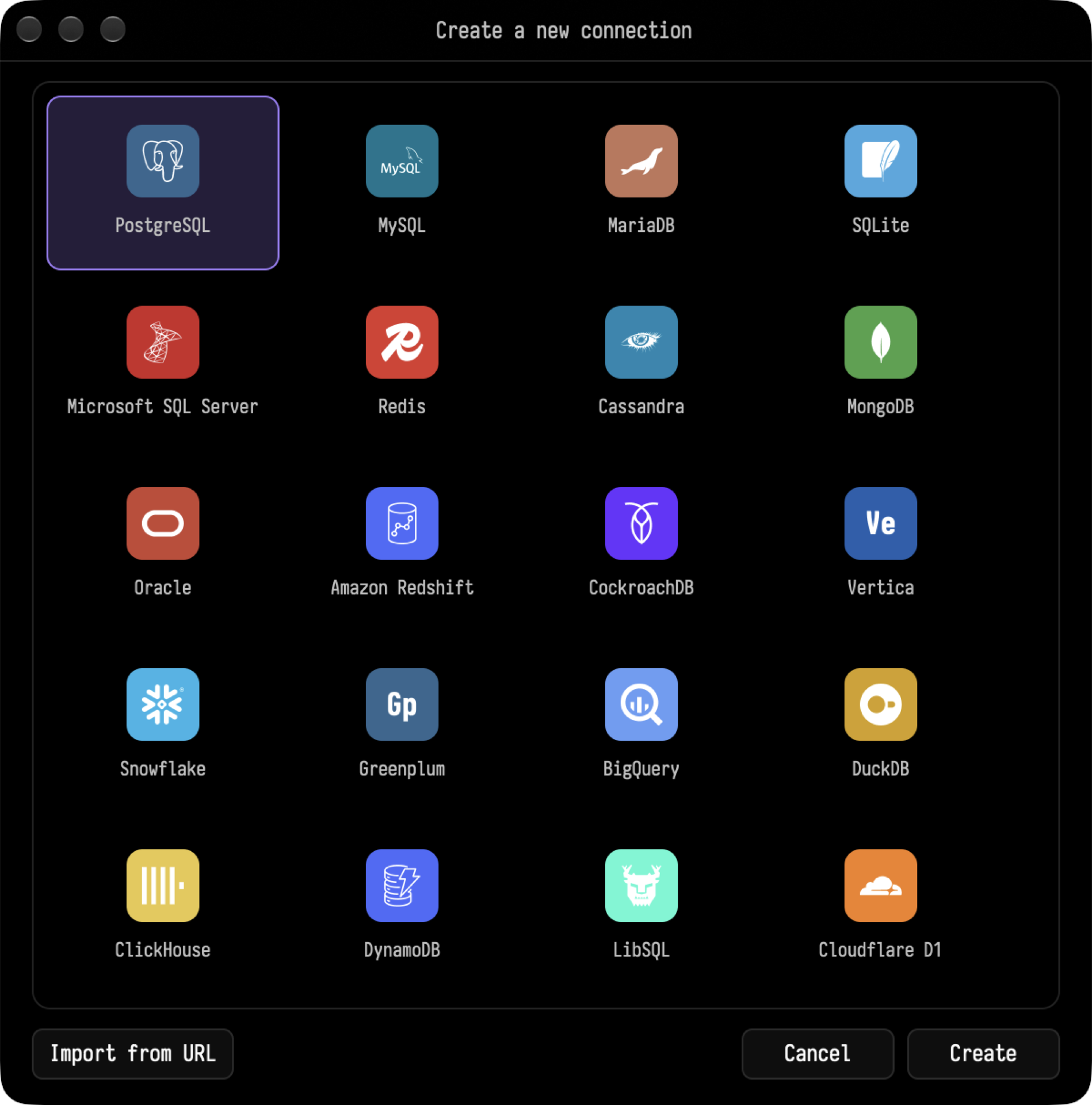
Supported engines: PostgreSQL, Amazon Redshift, CockroachDB, Greenplum, Vertica, MySQL, MariaDB, SQLite, DuckDB, LibSQL, Cloudflare D1, Microsoft SQL Server, Oracle, ClickHouse, Snowflake, BigQuery, Redis, MongoDB, Cassandra and DynamoDB.
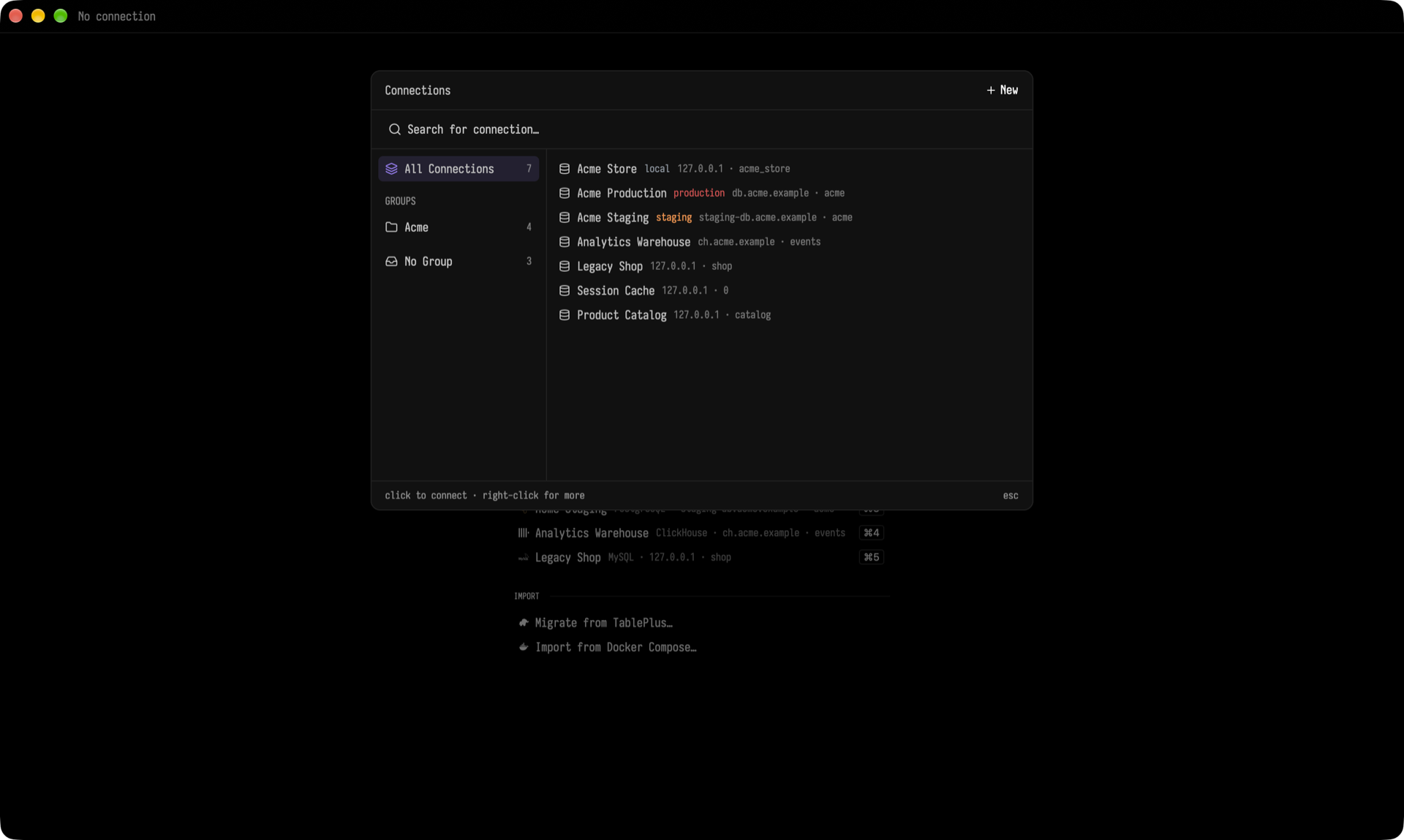
- Organize connections with groups, tags and status colors (for example, red for production).
- Connect through an SSH tunnel with a password or a key, and choose any SSL mode.
- Import existing connections from TablePlus, a Docker Compose file, or a connection URL.
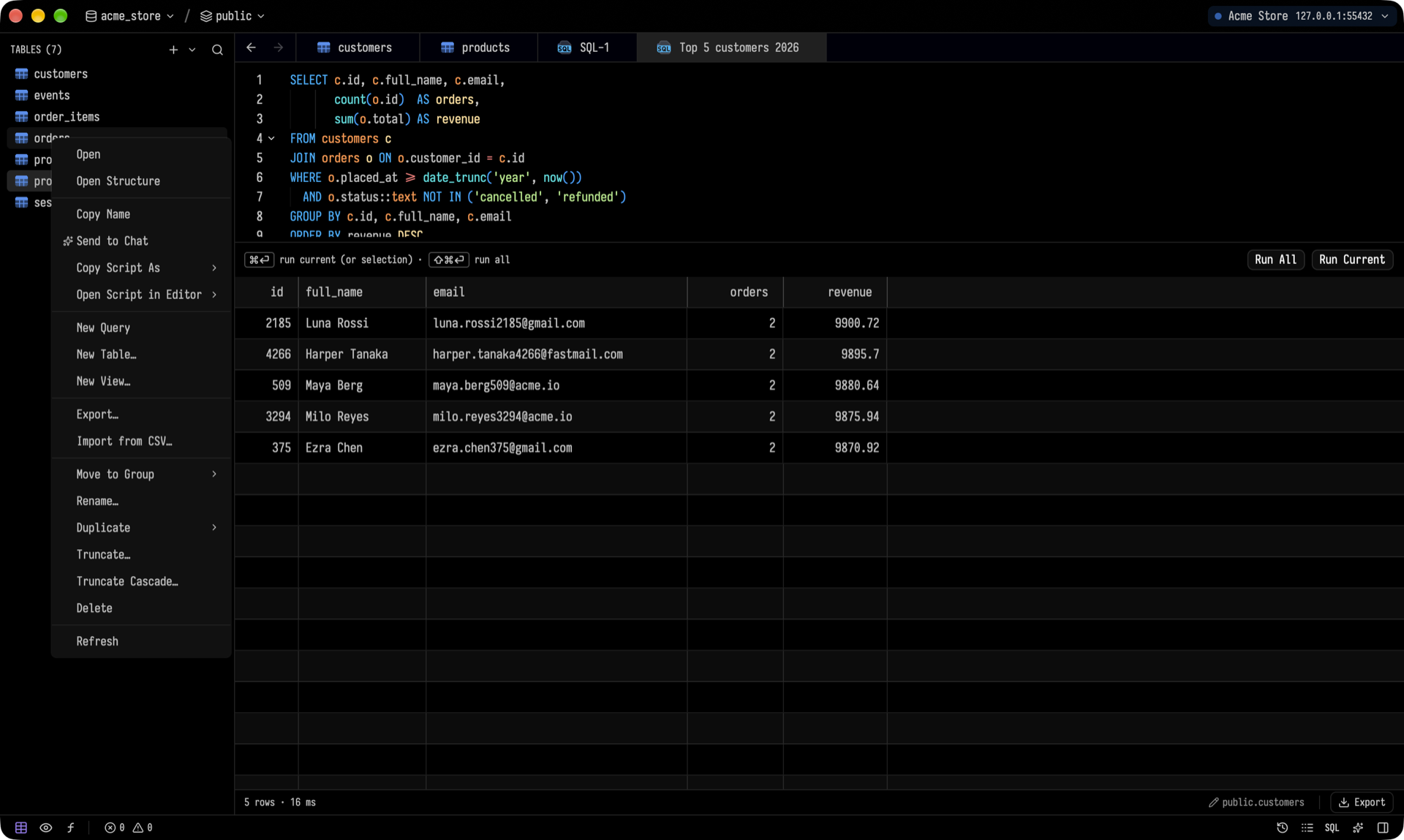
A data grid you can actually edit
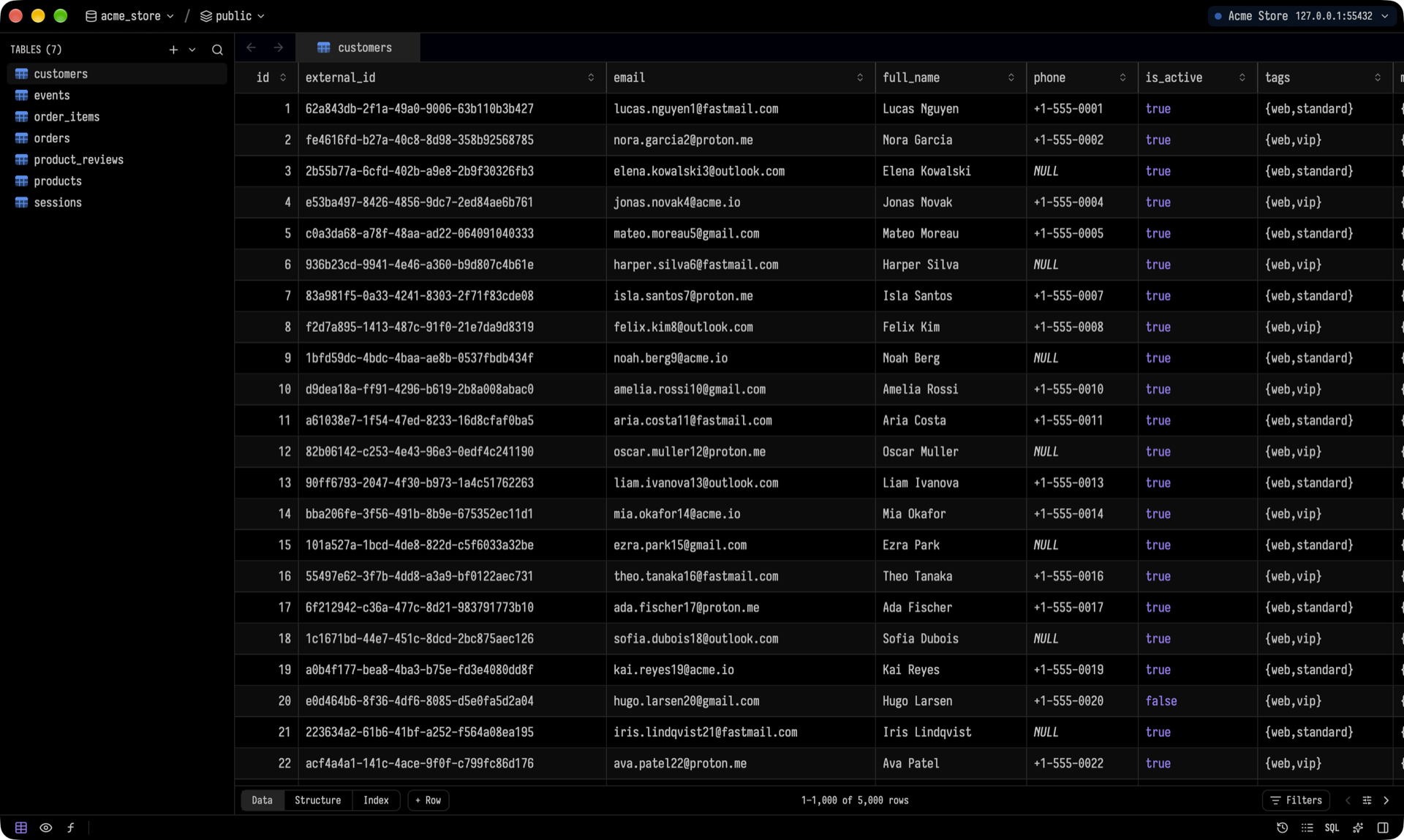
- Virtualized scrolling. Column widths fit the content, and your resized widths are remembered per table.
- Double-click a cell to edit it with a typed editor (dates, enums, numbers). Pending edits and deletes are highlighted and saved together in one transaction with ⌘S.
- Full undo and redo.
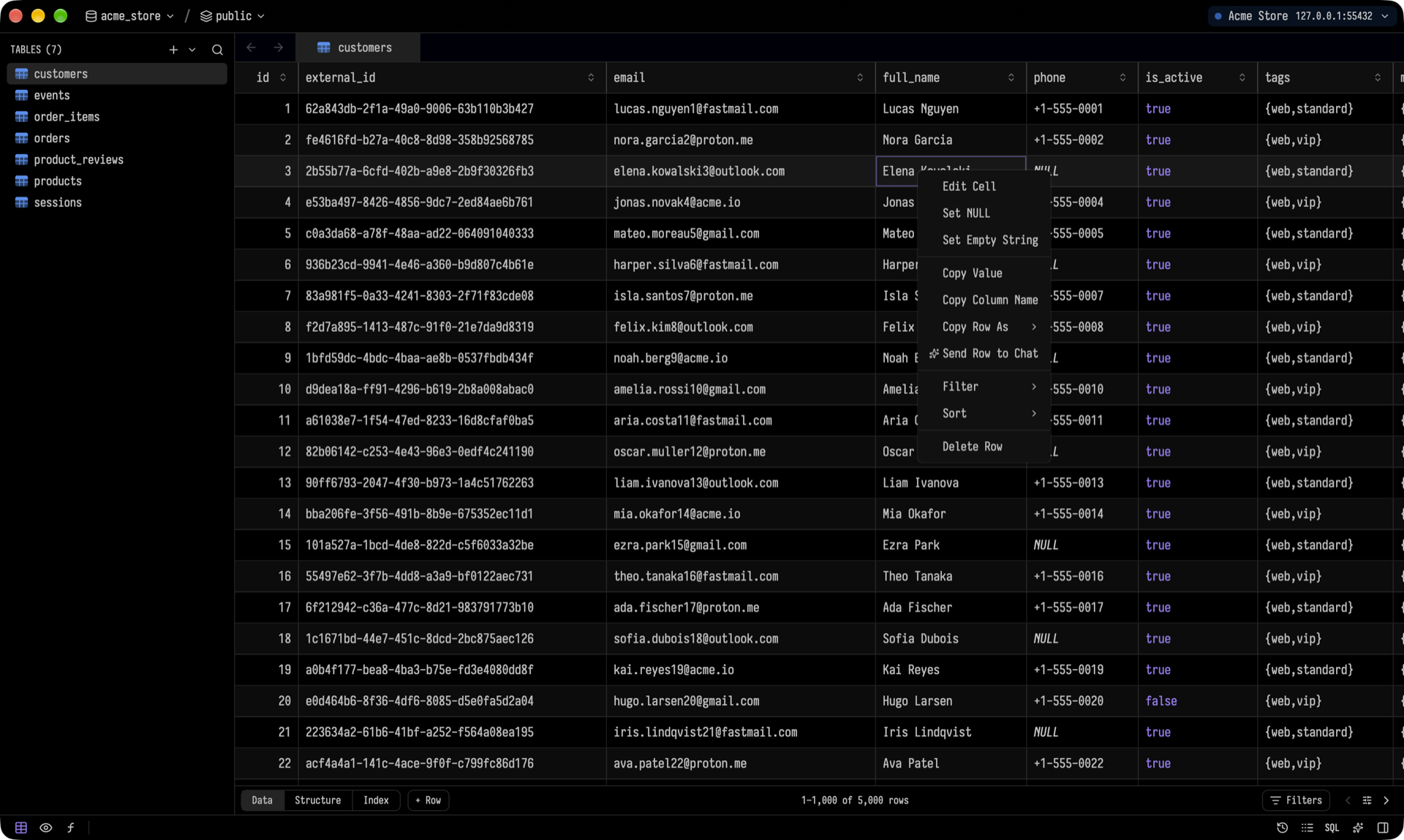
- Right-click a row to copy it as TSV, CSV, JSON,
INSERT, UPDATE or Markdown, filter by its value, sort, or set a cell to NULL or empty.
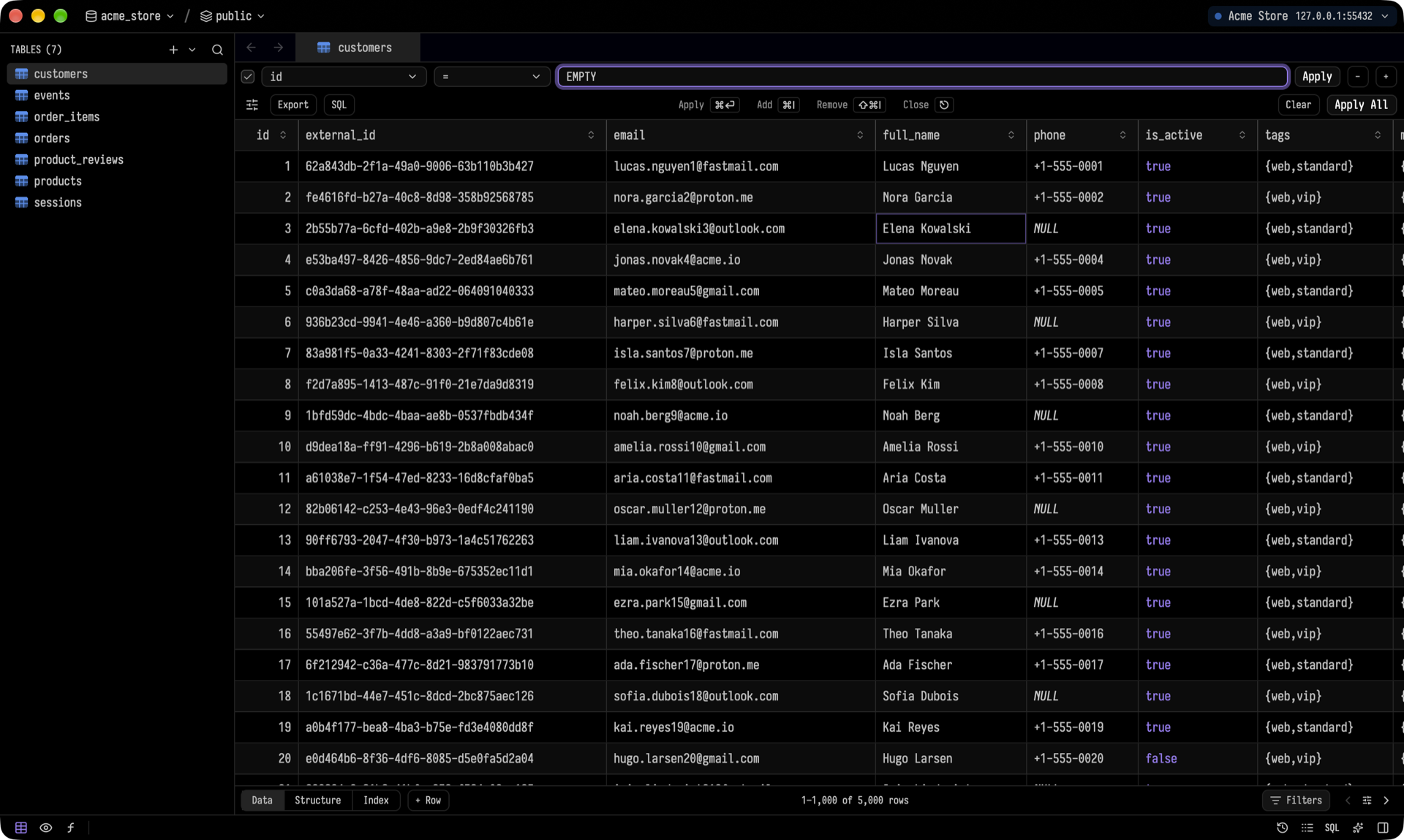
Filters support a per-column operator, raw SQL conditions, and one-click export of the filtered rows.
Structure, indexes and DDL
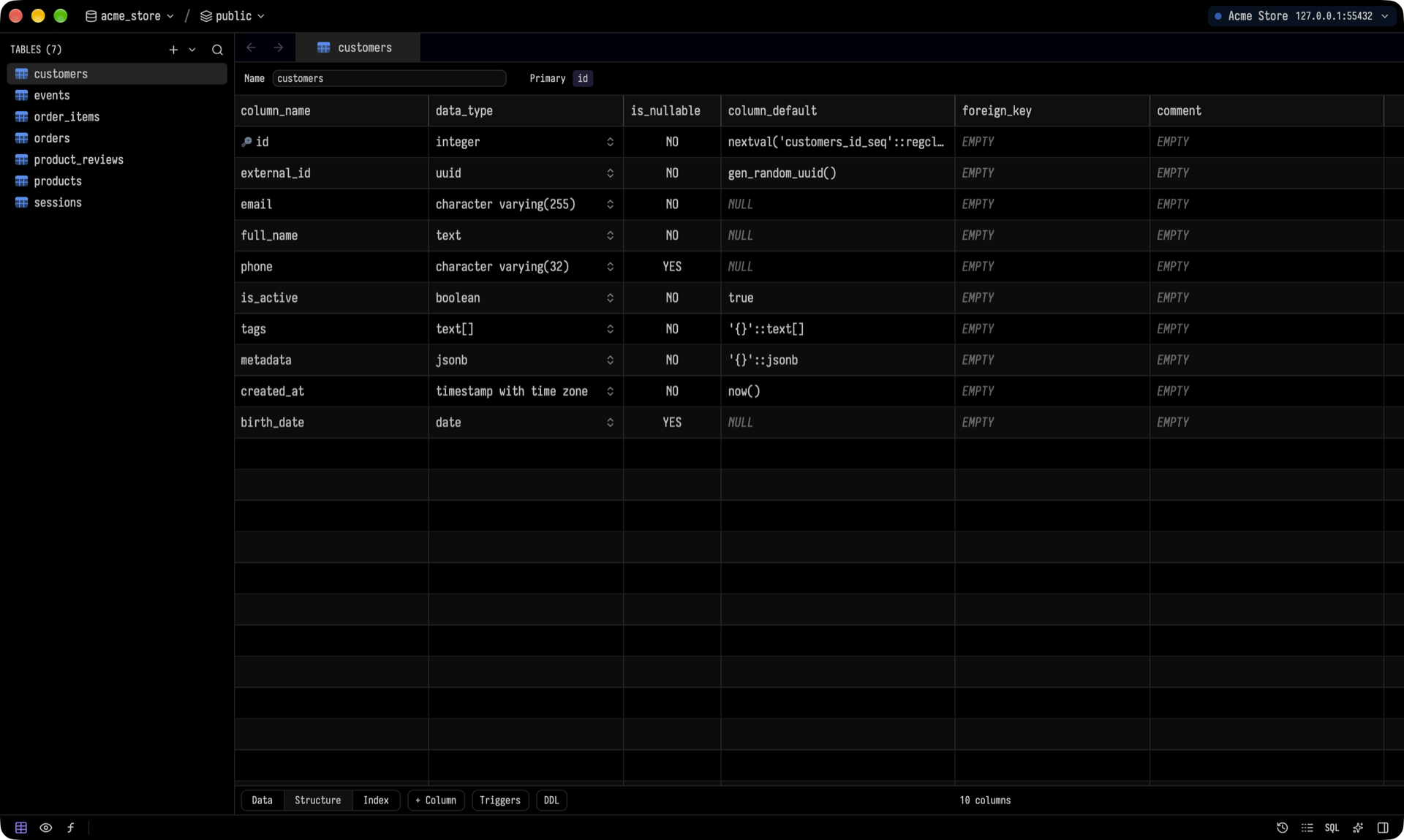
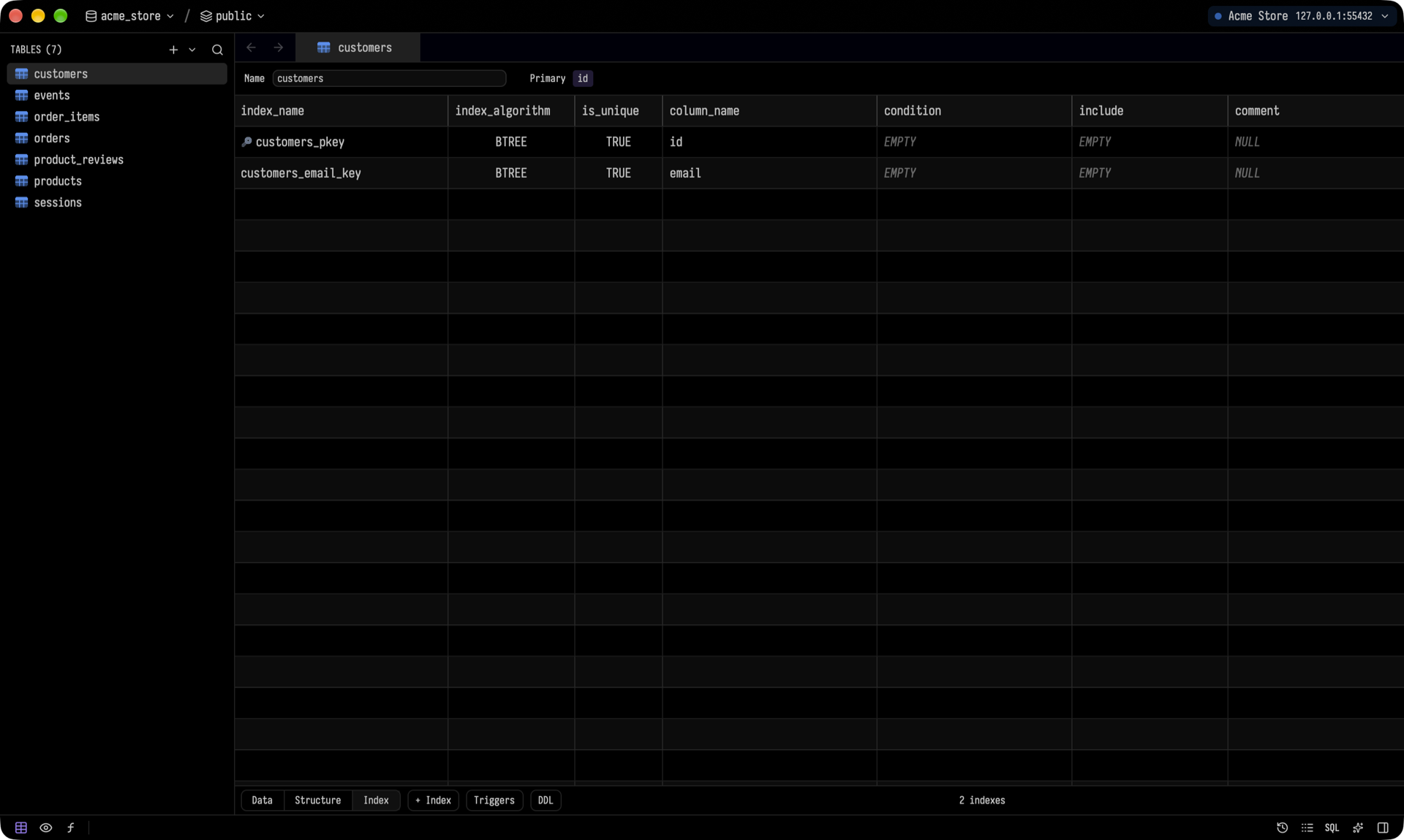
Edit columns, types, defaults, nullability, comments and indexes right in the grid. Tusk generates each engine's own DDL. If an engine can't make a change in place (for example, changing a column type in SQLite), Tusk tells you before you save, not after. You can also design new tables and views from the sidebar's + menu.
SQL editor
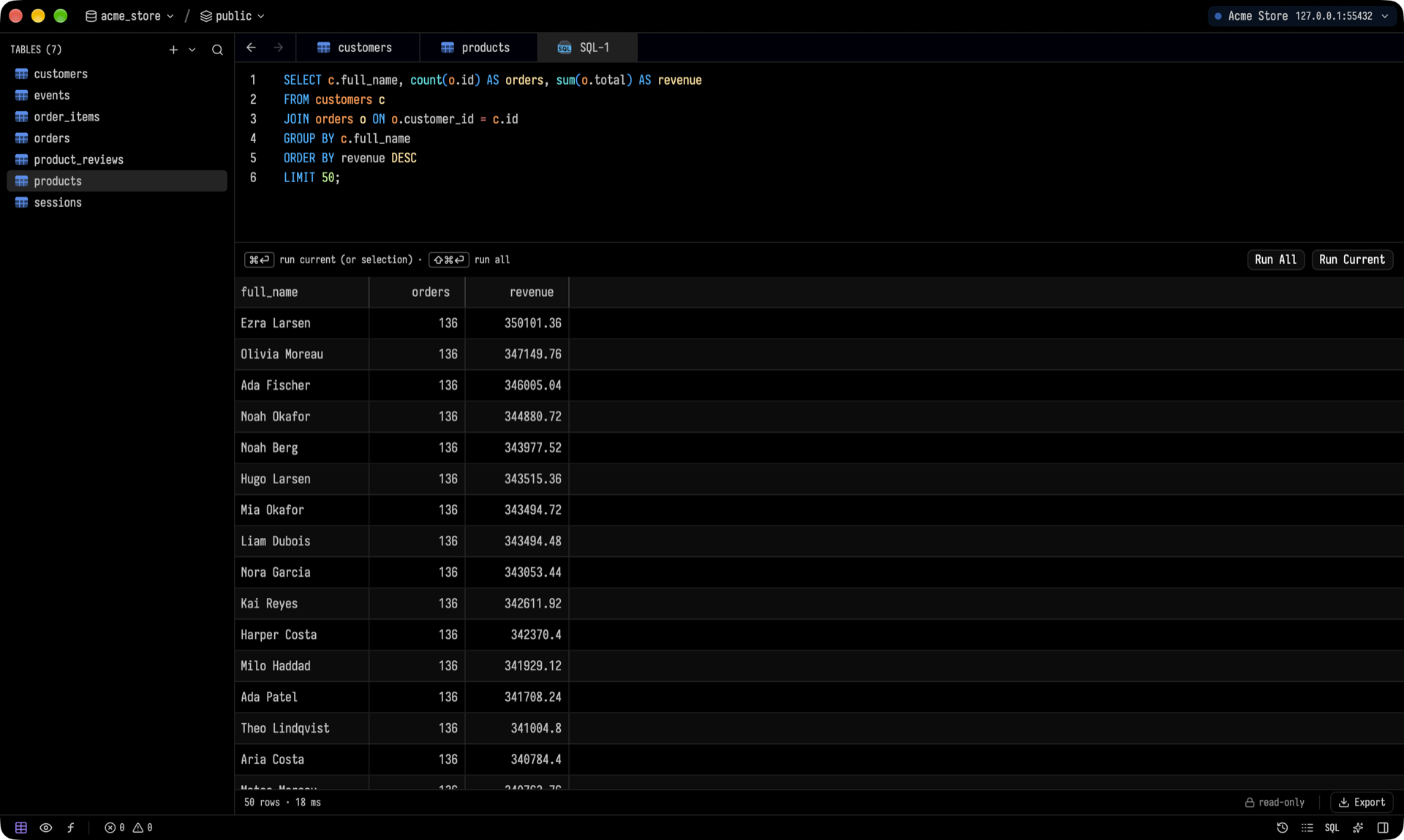
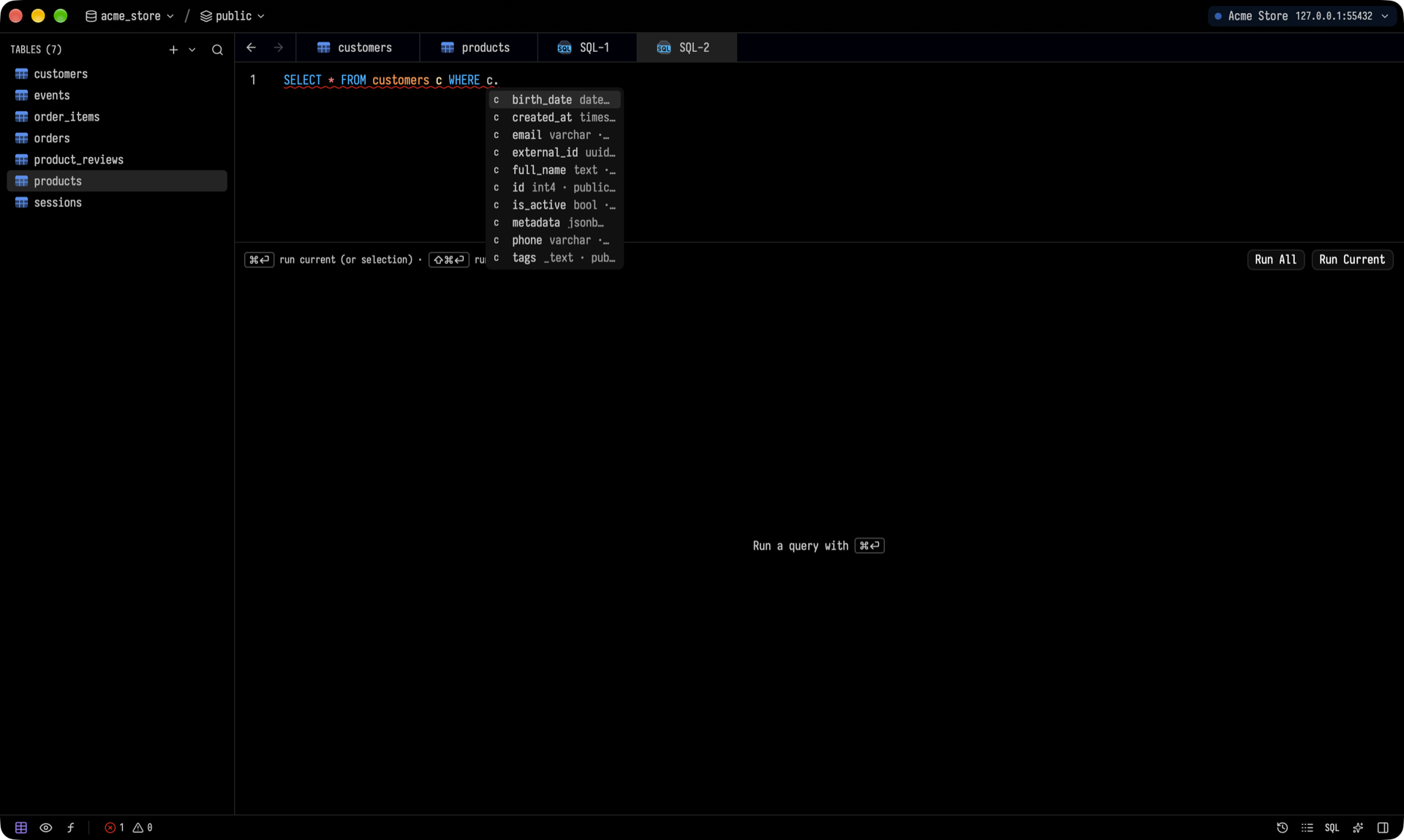
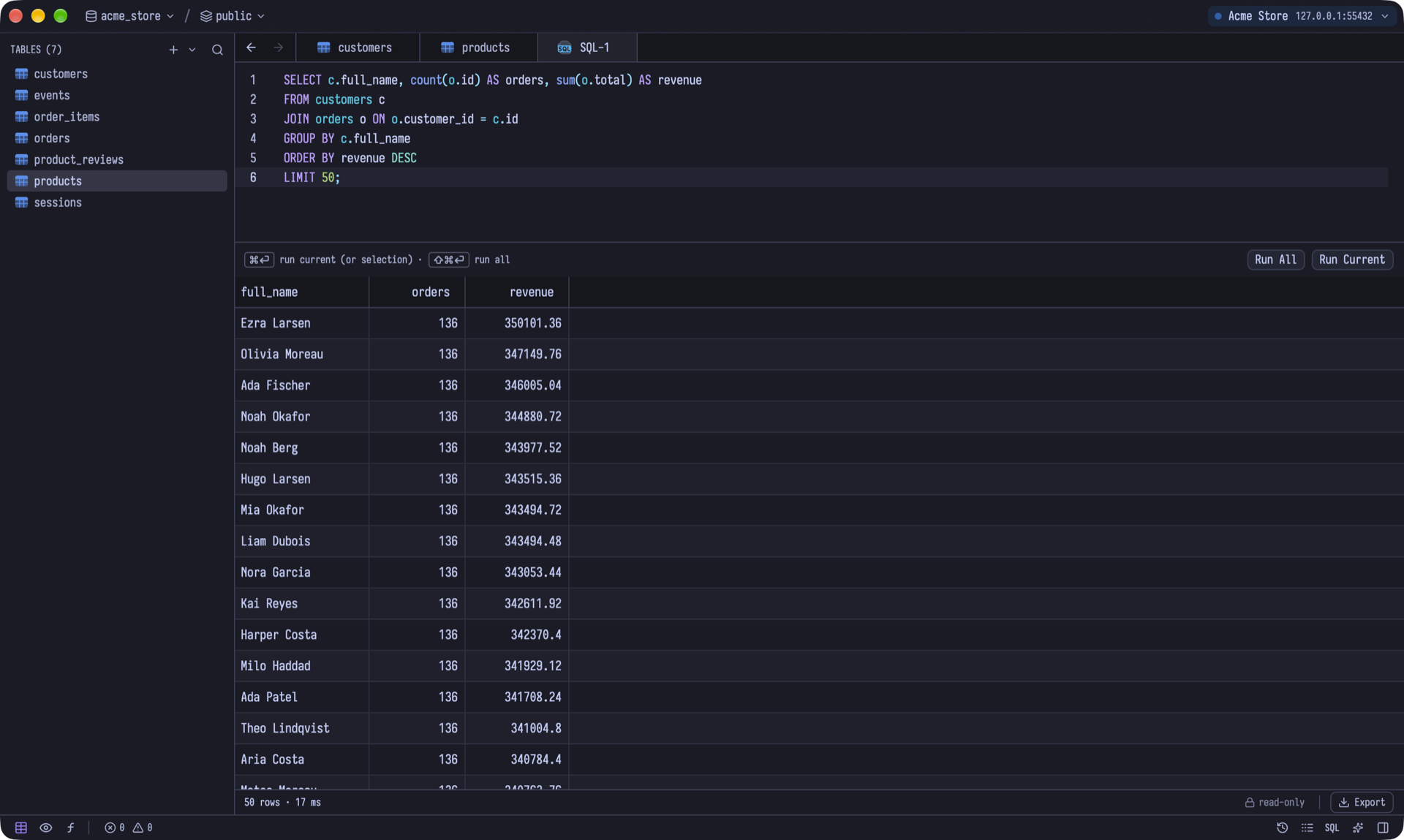
- Completions and diagnostics come from a bundled language server: postgres-language-server for Postgres, and sqls for most other SQL engines. For the rest, completions come from the live catalog.
- Run Current (⌘↵) runs the statement under the cursor. Run All (⌘⇧↵) runs everything, and each
SELECT gets its own result tab.
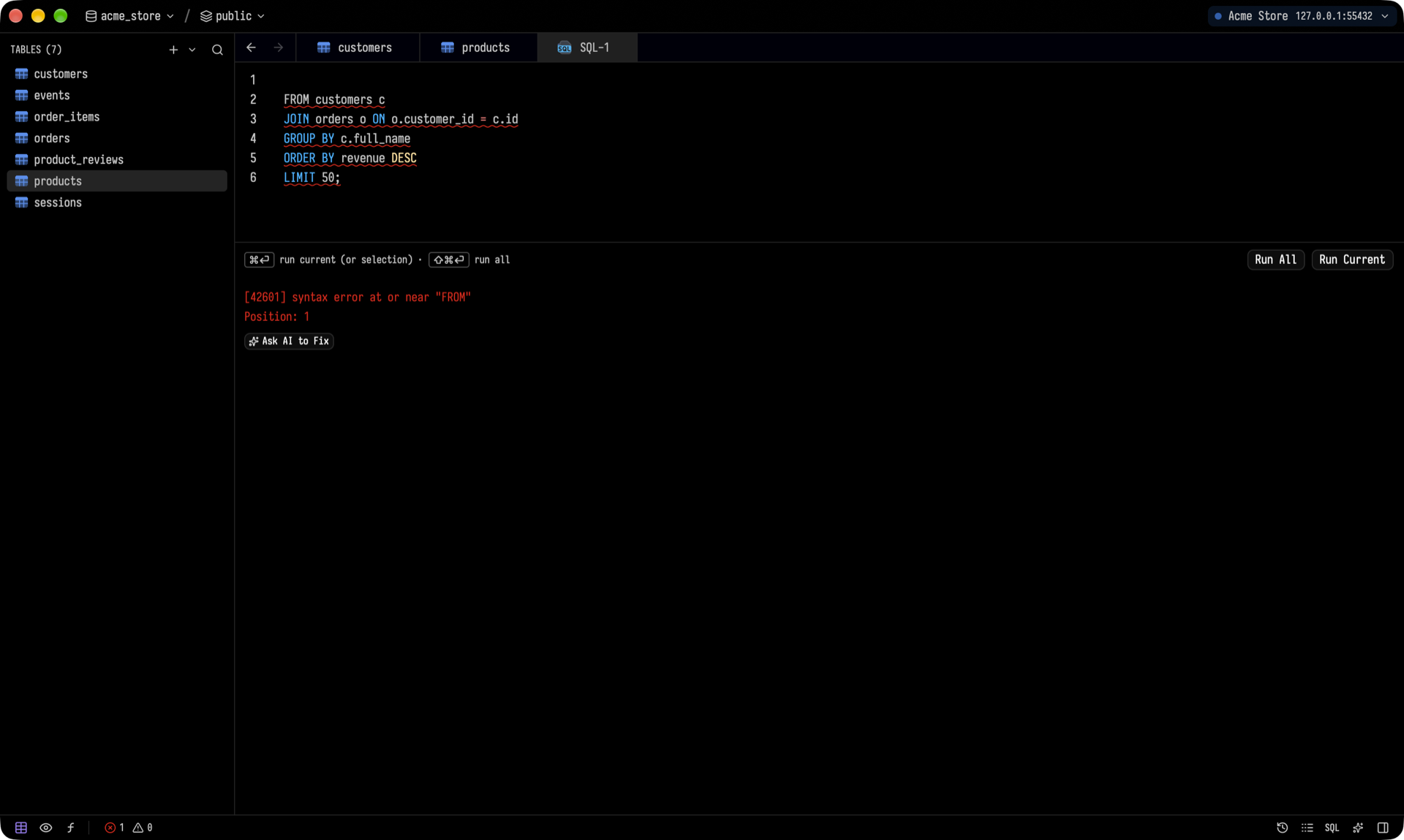
- When a query fails, Ask AI to Fix sends the error and your query to the agent.
An AI assistant that shows its work
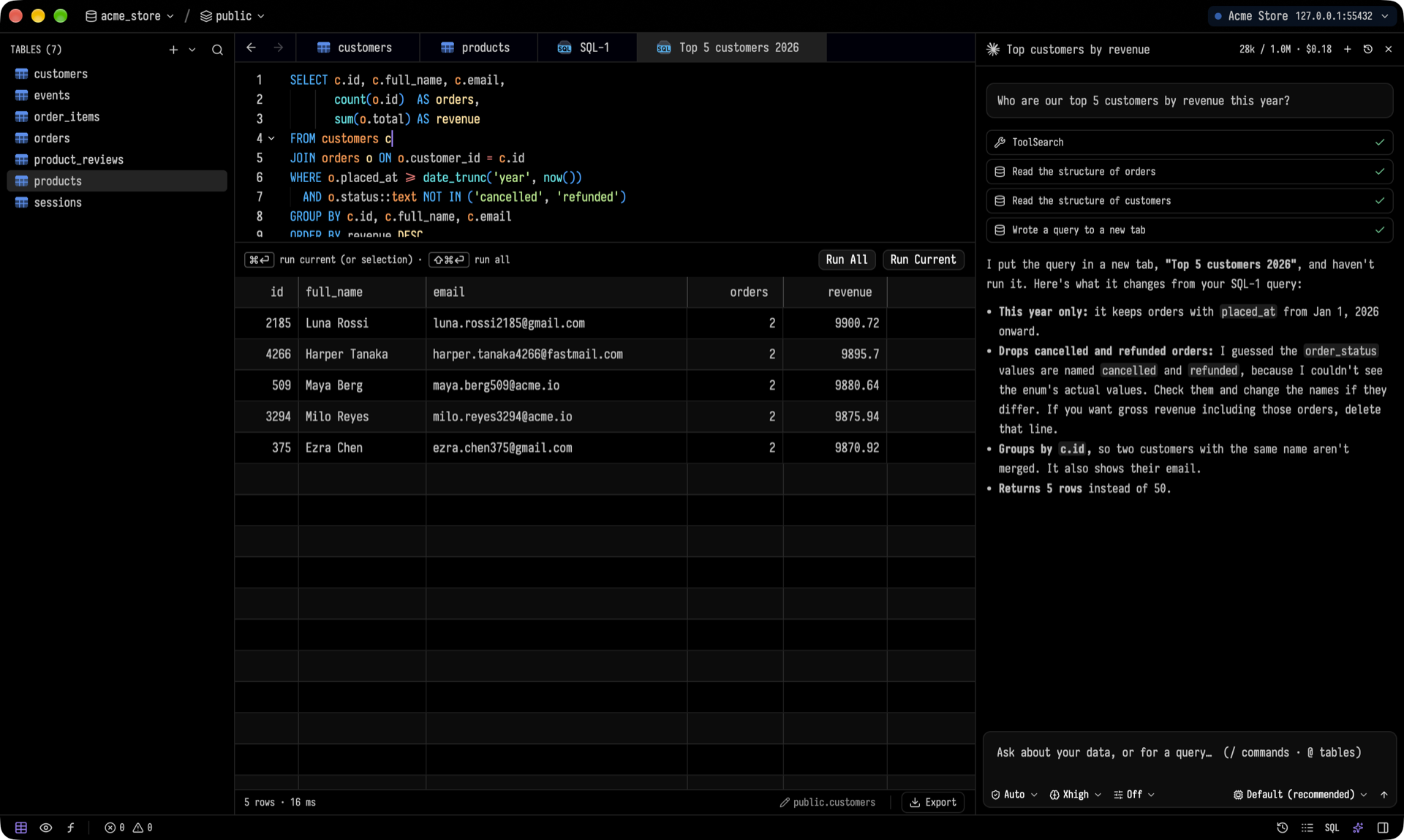
Open the AI panel with ⌘L and ask a question. The agent reads the structure of the tables it needs, writes a query into a new tab, and explains its assumptions. You review it and run it. Tusk doesn't let the agent execute SQL.
Tusk talks to agents over the Agent Client Protocol, so you can use Claude, Codex or Gemini CLI, or add your own. The agents reach your open connection through Tusk's built-in MCP server.
[!NOTE]
The agent runs on your machine through the CLI you choose, under that CLI's own account and settings. Tusk doesn't send your data anywhere itself.
Everything is one keystroke away
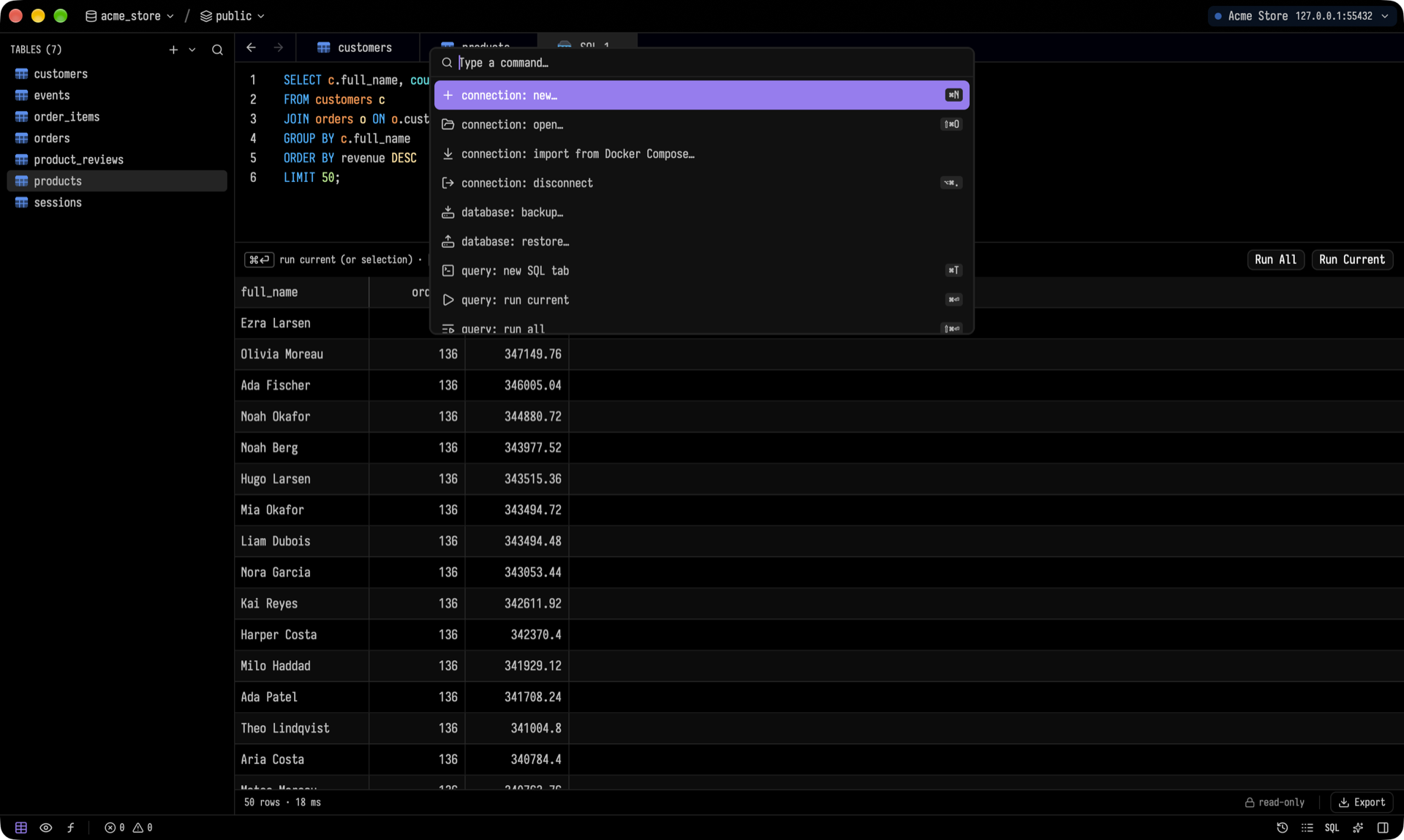
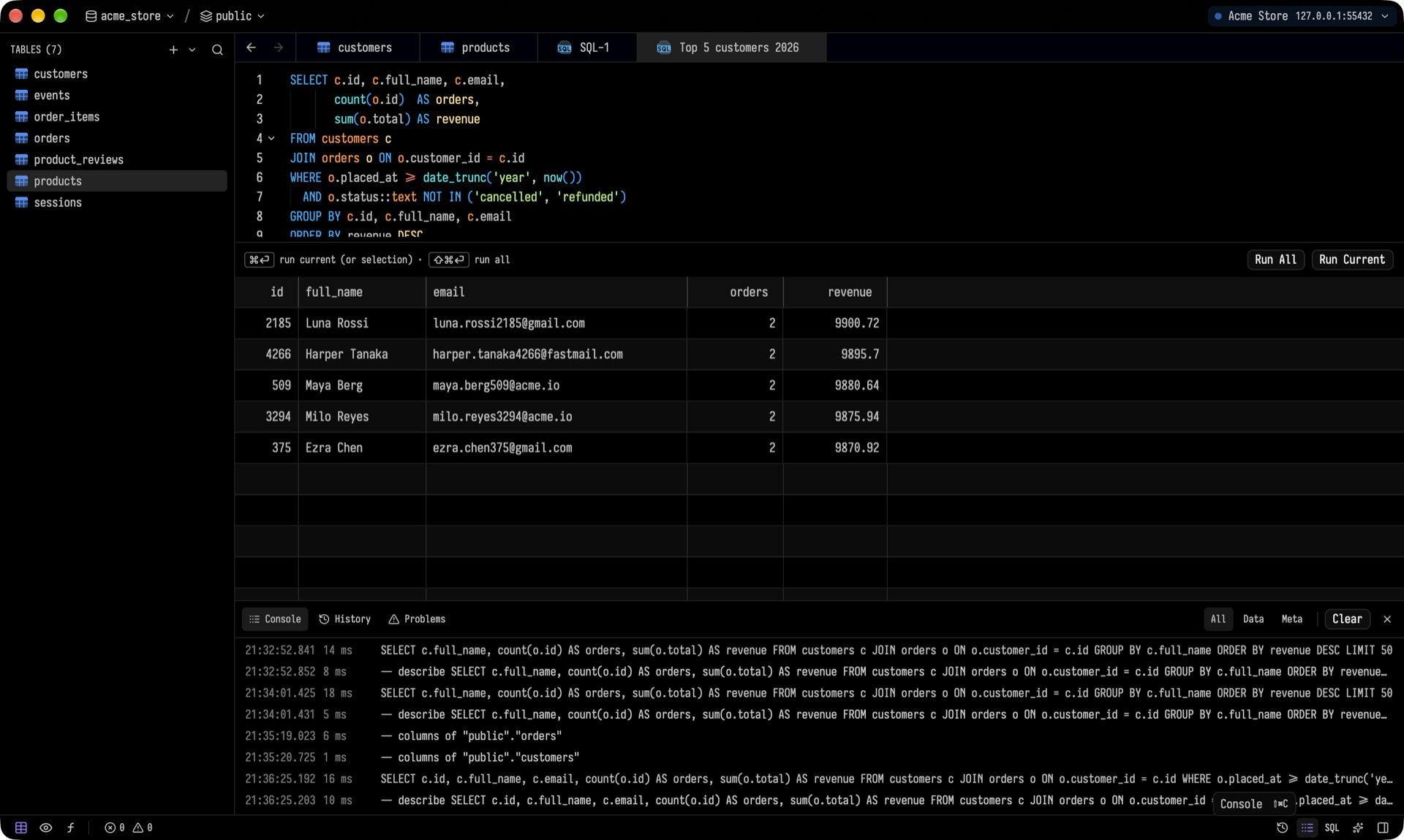
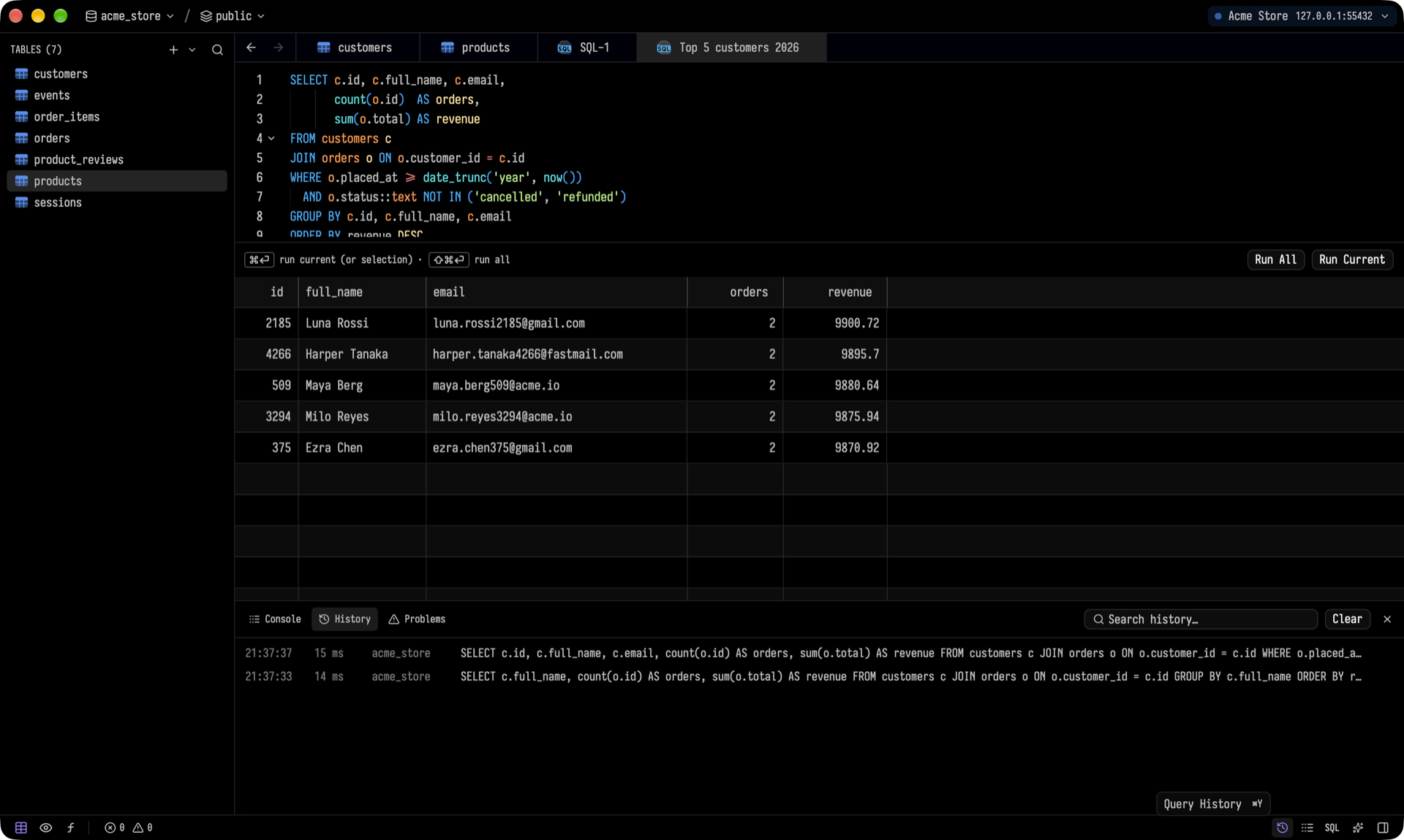
The command palette (⌘⇧P) lists every action along with its shortcut. It also switches connections, databases, schemas and themes. The console shows every statement Tusk sends. History keeps the queries you've run, and you can search it.
Make it yours
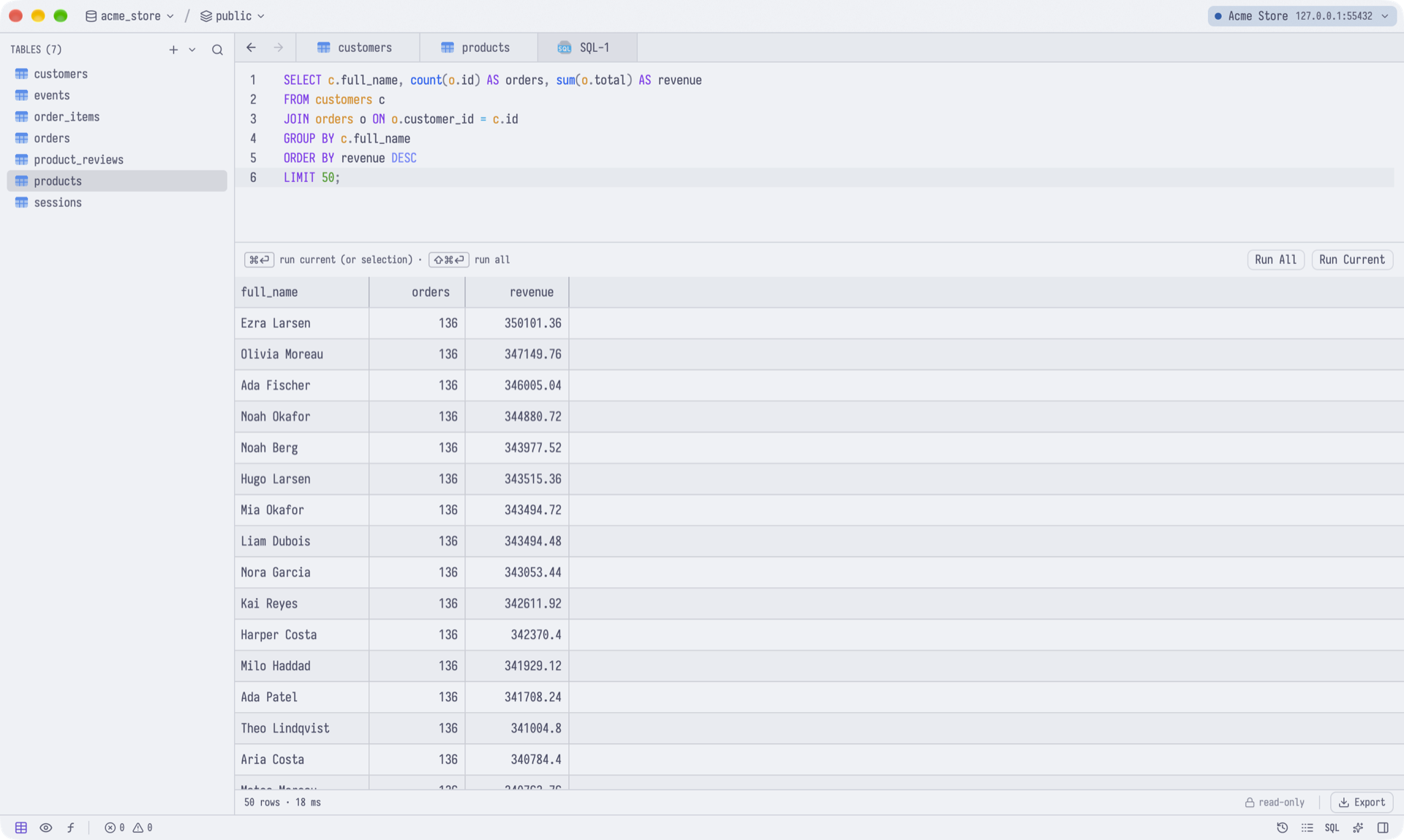
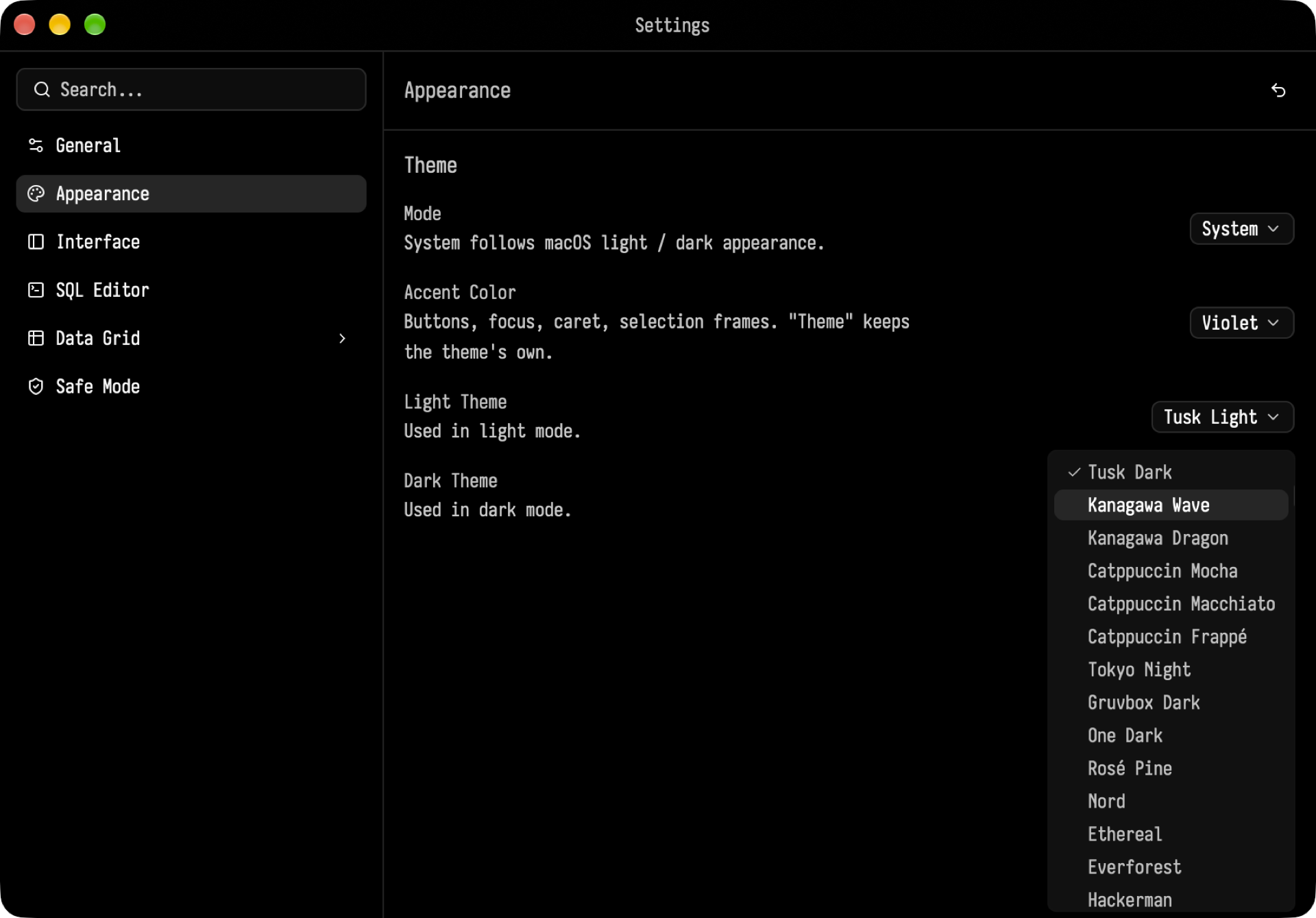
Tusk ships with more than 30 light and dark themes: Tusk, Kanagawa, Catppuccin, Tokyo Night, Gruvbox, One, Rosé Pine, Nord, Solarized and more. You can change the accent color, the UI and table fonts, the editor settings, the grid settings, and the Safe Mode confirmations for destructive statements.
Also included
- Backup and restore for PostgreSQL. The client tools are bundled on macOS; on Windows and Linux, Tusk uses the PostgreSQL client tools you install.
- Export tables and results as CSV, JSON or SQL, and import from CSV.
- Process list with cancel and kill, for every engine.
Keyboard shortcuts
On Windows and Linux, use Ctrl wherever the table shows ⌘.
| Action |
Shortcut |
| Command palette |
⌘⇧P |
| Quick open table |
⌘P |
| New connection / Open connection |
⌘N / ⌘⇧O |
| New SQL tab |
⌘T |
| Run current / Run all |
⌘↵ / ⌘⇧↵ |
| Save pending changes |
⌘S |
| Undo / Redo |
⌘Z / ⌘⇧Z |
| AI panel |
⌘L |
| Settings |
⌘, |
Getting started
[!IMPORTANT]
- macOS: macOS 14 (Sonoma) or later, Apple Silicon.
- Windows: Windows 10 or 11, x64 or ARM64.
- Linux: x86_64, on a Wayland desktop (Xwayland works as a fallback).
Download
Get the latest release from the Releases page.
macOS: download Tusk-<version>-arm64.dmg, open it and drag Tusk into Applications. Or install it with Homebrew:
brew install alpcanaydin/tusk/tusk
macOS releases are signed with a Developer ID and notarized by Apple, so they open without Gatekeeper warnings. PostgreSQL's client tools and the SQL language servers are bundled, so you don't need to install anything else.
Windows: download Tusk-<version>-windows-x64.zip (or Tusk-<version>-windows-arm64.zip on ARM), unzip it anywhere and run Tusk.exe. The build isn't code-signed yet, so SmartScreen may warn the first time: click More info ▸ Run anyway. For backup and restore, install the PostgreSQL client tools; Tusk finds them in C:\Program Files\PostgreSQL\<version>\bin, on PATH, or in TUSK_PG_BIN.
Linux:
| Distribution |
Package |
Install |
| Ubuntu 24.04 |
Tusk-<version>-ubuntu-amd64.deb |
sudo apt install ./Tusk-*-ubuntu-amd64.deb |
| Fedora |
Tusk-<version>-fedora-x86_64.rpm |
sudo dnf install ./Tusk-*-fedora-x86_64.rpm |
| Arch Linux |
Tusk-<version>-arch-x86_64.pkg.tar.zst |
sudo pacman -U ./Tusk-*-arch-x86_64.pkg.tar.zst |
The Linux packages include the SQL language servers. For backup and restore, install your distribution's PostgreSQL client tools.
Updates
On macOS, Tusk updates itself. It checks for a new version once a day and downloads it in the background. When the update is ready, a Restart to Update button appears in the top bar. If you don't click it, the update installs the next time you quit Tusk. You can also check right away with Tusk ▸ Check for Updates…. Updates are signed, and Tusk verifies each one before installing it. If you installed with Homebrew, brew upgrade tusk works too.
On Windows and Linux there's no automatic update yet: download the new zip or package from the Releases page.
Build from source
rust-toolchain.toml pins the Rust version; rustup installs it on the first build.
macOS: you need the Xcode Command Line Tools. Building Tusk.app with its icon needs Xcode 26 or later.
git clone https://github.com/alpcanaydin/tusk.git && cd tusk
cargo run --release
To build a standalone Tusk.app with the bundled language servers and PostgreSQL client tools, run:
scripts/bundle.sh # → target/release/bundle/Tusk.app
Windows build
Install the Visual Studio Build Tools with the Desktop development with C++
workload (the MSVC tools for your architecture, x64 or ARM64, and a Windows SDK),
LLVM (ring needs clang),
CMake and Git, and Rust with rustup. Then:
git clone https://github.com/alpcanaydin/tusk.git && cd tusk
cargo build --release          # → target\release\tusk.exe
The SQL language servers aren't bundled on Windows yet. Point TUSK_PGLS and
TUSK_SQLS at postgres-language-server.exe and sqls.exe to use them;
without them, completions come from the live catalog.
Linux build
To build from source, clone the repository and install the pinned Rust
toolchain with rustup. You also
need a C/C++ compiler, CMake, Go (for the SQL language server), pkg-config,
and GPUI's Wayland/Xwayland, font, and Vulkan dependencies. On Arch-based
distributions:
sudo pacman -S --needed base-devel clang cmake go git curl pkgconf wayland libxkbcommon-x11 fontconfig vulkan-icd-loader dbus gnome-keyring postgresql-libs
git clone https://github.com/alpcanaydin/tusk.git && cd tusk
cargo run --release
On Ubuntu 24.04, install build dependencies with:
sudo apt update
sudo apt install clang cmake golang-go git curl pkg-config libasound2-dev libdbus-1-dev libfontconfig-dev libwayland-dev libx11-xcb-dev libxkbcommon-x11-dev libvulkan-dev
On Fedora, install build dependencies with:
sudo dnf install clang cmake golang git curl pkgconf-pkg-config alsa-lib-devel dbus-devel fontconfig-devel wayland-devel libxcb-devel libxkbcommon-x11-devel vulkan-loader-devel
To install the binary, SQL language servers, and desktop launcher under ~/.local, run
scripts/install-linux.sh. Restart the desktop session if the launcher does
not appear immediately. Linux uses your desktop's Secret Service provider
(such as GNOME Keyring or a compatible KWallet service) for saved passwords.
The app refuses to report a password as saved when the service is unavailable.
On Linux, choose the graphics device in Settings → General → Graphics Device
and restart Tusk. The choice asks GPUI to prefer that GPU; if it cannot render
the window, GPUI falls back to another compatible device.
On a Wayland desktop, GPUI uses native Wayland when available and can use
Xwayland as a fallback. Standalone X11 sessions are not a supported target.
PostgreSQL backup and restore use pg_dump, pg_restore, and psql from
PATH (or TUSK_PG_BIN); install your distribution's PostgreSQL client tools
for these features. SQL completions use postgres-language-server and sqls
from PATH; scripts/install-linux.sh installs both. A direct cargo run
build can use TUSK_PGLS or TUSK_SQLS to locate them.
Releasing (maintainers)
Releases are built by GitHub Actions (.github/workflows/release.yml). The workflow:
- Builds the app and signs it with the Developer ID.
- Notarizes and staples both the app and the DMG.
- Signs the DMG for Sparkle and writes the update feed (
appcast.xml).
- Publishes a GitHub release with the DMG and update feed, using the notes in
docs/release-notes/<version>.md.
- Builds the Windows x64 and ARM64 zips and the Ubuntu DEB, Fedora RPM and Arch Linux packages, then attaches them to the release. A failing Windows or Linux build never holds back the macOS release.
- Updates the Homebrew cask.
Running the workflow by hand (Actions ▸ release ▸ Run workflow) is a dry run: it builds only the Windows and Linux packages.
One-time setup: run scripts/setup-release.sh. The wizard walks you through the certificate, the notarization key, the update-signing key and the Homebrew token, and checks each one. After that, a release is one command:
scripts/tag-release.sh 0.2.0 # bumps the version, commits, tags v0.2.0, pushes
To build a release locally, run scripts/release.sh. It uses the same signing and notarization credentials, stored in your keychain.
[!TIP]
If you have an Apple Development certificate, cargo run signs the dev binary with it (see scripts/sign-dev.sh). Then the Keychain's Always Allow keeps working across rebuilds. Without one, the binary runs unsigned and macOS asks for Keychain access again after each rebuild.
Try it with sample data
The repo includes a Docker Compose file that starts PostgreSQL 17 with a seeded demo database. It has three schemas, views, functions, and a 500,000-row events table.
docker compose up -d # PostgreSQL on localhost:55432
In Tusk, choose Import from Docker Compose… on the welcome screen and pick this repo's docker-compose.yml.
Run the tests
cargo test
Some integration tests need the Docker database above. Tests for other engines use their own containers and are skipped when those aren't running.
Where your data lives
| What |
Where |
| Connection profiles, groups, settings, history |
macOS: ~/Library/Application Support/tusk/; Windows: %APPDATA%\tusk\; Linux: $XDG_DATA_HOME/tusk/ (default ~/.local/share/tusk/) |
| Passwords and SSH passphrases |
macOS Keychain, Windows Credential Manager or Linux Secret Service (tusk-postgres, tusk-ssh) |
Set TUSK_DATA_DIR to use a different folder, which is handy for a clean test profile.
Built with
GPUI and gpui-component for the UI, sqlx and a native driver per engine, russh for SSH tunnels, and tree-sitter for SQL highlighting. Tusk vendors small patches to gpui-component and gpui-base in vendor/, and those keep their Apache-2.0 licenses.







 Tusk — быстрый нативный клиент баз данных с управлением с клавиатуры для macOS, Windows и Linux, написанный на Rust на GPUI (тот же GPU-ускоренный UI-фреймворк, что стоит за редактором Zed). Он подключается к 20 СУБД и включает встроенного ИИ-ассистента.