
LowCodeEngine
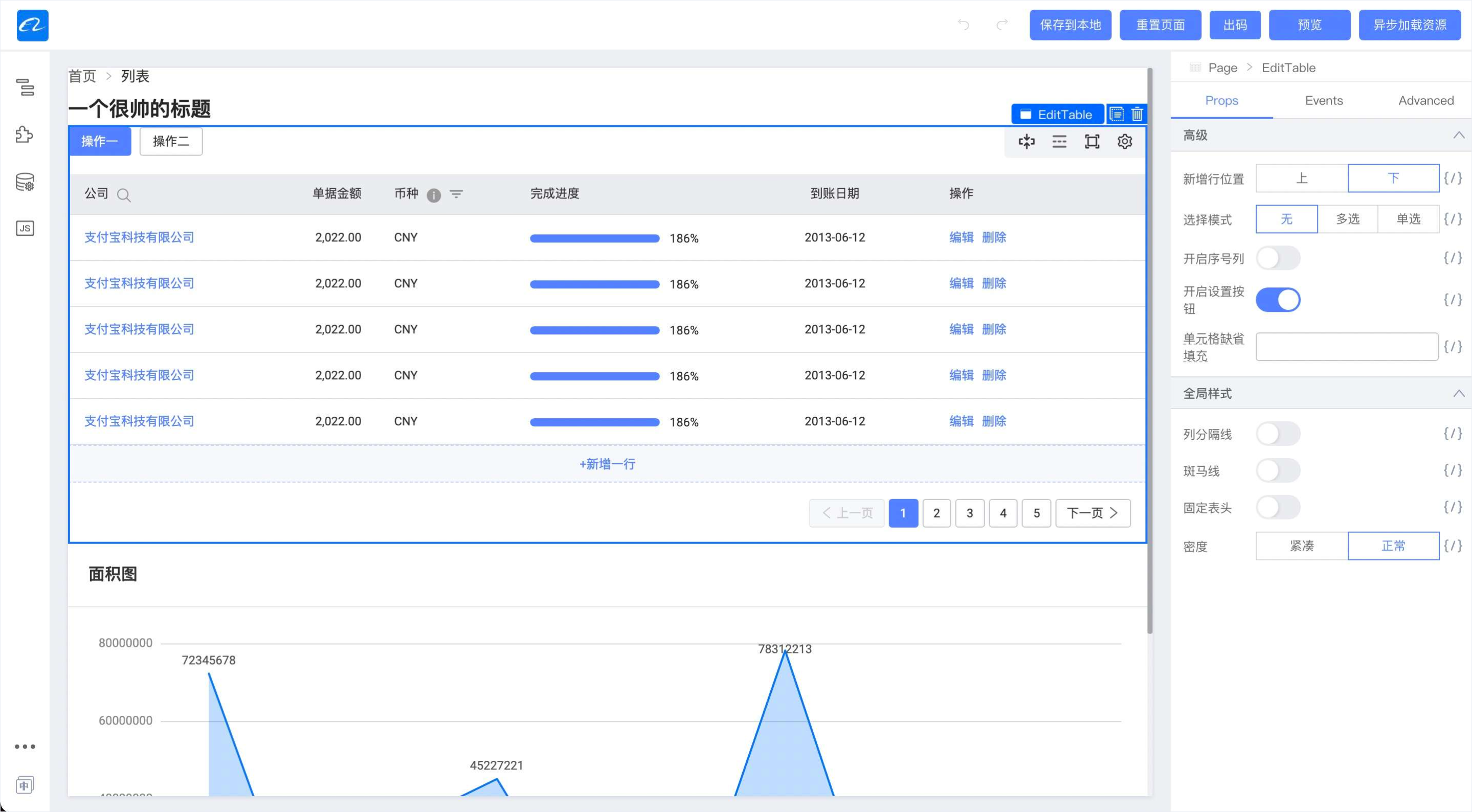
An enterprise-class low-code technology stack with scale-out design







English | 简体中文
✨ Features
- 🌈 An extension-oriented kernel engine extracted from an enterprise-level low-code platform, pursuing the design concept of the smallest kernel and the strongest ecology
- 📦 Out-of-the-box high-quality ecological elements, including material systems, setters, plugins, etc.
- ⚙️ A complete tool chain, supporting the full-link R&D cycle of ecological elements such as material systems, setters, and plug-ins
- 🔌 Powerful expansion capability, has supported nearly 100 various vertical low-code platforms
- 🛡 Developed with TypeScript, providing complete type definition files
🎯 Compatible Environments
- Modern browsers (Chrome >= 80, Edge >= 80, last 2 safari versions, last 2 firefox versions)
📚 Engine Protocol
The engine fully implements the "LowCodeEngine Basic Construction Protocol Specification" and "LowCodeEngine Material Protocol Specification". The protocol stack is a key part of whether materials in the low-code field can be circulated.

🌰 Usage example
npm install @alilc/lowcode-engine --save-dev
TIPS: Only cdn import is supported, npm package is used to provide code hinting capabilities such as typings
import { init, skeleton } from '@alilc/lowcode-engine';

skeleton.add({
  area: 'topArea',
  type: 'Widget',
  name: 'logo',
  content: YourFantasticLogo,
  contentProps: {
    logo:
      'https://img.alicdn.com/tfs/TB1_SocGkT2gK0jSZFkXXcIQFXa-66-66.png',
    href: '/',
  },
  props: {
    align: 'left',
    width: 100,
  },
});

init(document.getElementById('lce'));
Engineering configuration:
{
  "externals": {
    "@alilc/lowcode-engine": "var window.AliLowCodeEngine",
    "@alilc/lowcode-engine-ext": "var window.AliLowCodeEngineExt"
  }
}
cdn optional method:
Method 1: alifd cdn
https://alifd.alicdn.com/npm/@alilc/[email protected]/dist/js/engine-core.js

https://alifd.alicdn.com/npm/@alilc/[email protected]/dist/js/react-simulator-renderer.js
Method 2: uipaas cdn
https://uipaas-assets.com/prod/npm/@alilc/lowcode-engine/1.0.18/dist/js/engine-core.js

https://uipaas-assets.com/prod/npm/@alilc/lowcode-react-simulator-renderer/1.0.18/dist/js/react-simulator-renderer.js
Method 3: unpkg
https://unpkg.com/@alilc/[email protected]/dist/js/engine-core.js

https://unpkg.com/@alilc/[email protected]/dist/js/react-simulator-renderer.js
Method 4: jsdelivr
https://cdn.jsdelivr.net/npm/@alilc/[email protected]/dist/js/engine-core.js

https://cdn.jsdelivr.net/npm/@alilc/[email protected]/dist/js/react-simulator-renderer.js
Method 5: Use your own cdn
Pass the files under packages/engine/dist and packages/react-simulator-renderer/dist in the source code to your cdn provider
This awesome-lowcode-engine page links to a repository which records all of the tools\materials\solutions that use or built for the lowcode-engine, PR is welcomed.
💻 Local debugging
$ git clone [email protected]:alibaba/lowcode-engine.git
$ cd lowcode-engine
$ npm install
$ npm run setup
$ npm start
📢 npm access speed is slow, Alibaba employees can use tnpm, other students recommend using cnpm or specifying a mirror registry.
📢 Windows environment must use WSL, other terminals are not guaranteed to work normally
After lowcode-engine is started, several umd files are provided, which can be debugged in combination with the lowcode-demo project. Refer to the file proxy rules here.
🤝 Participation
Please read first:
- How to configure the engine debugging environment?
- About the R&D collaboration process of the engine
- Engineering Configuration of Engine
Strongly recommend reading "The Wisdom of Asking Questions", ["How to Ask Questions to the Open Source Community"](https: //github.com/seajs/seajs/issues/545) and How to Report Bugs Effectively, "How to Submit Unanswerable Questions to Open Source Projects", better questions are easier to get help. (This paragraph refers to antd)
About Pull Request:
- set the target branch to develop other than main
❤️ Contributors
Special thanks to everyone who contributed to this project.


 阿里巴巴开源的企业级低代码技术体系:一个内核引擎,采用可扩展的设计,你可以基于它扩展出自己的低代码平台。