










Что это такое?
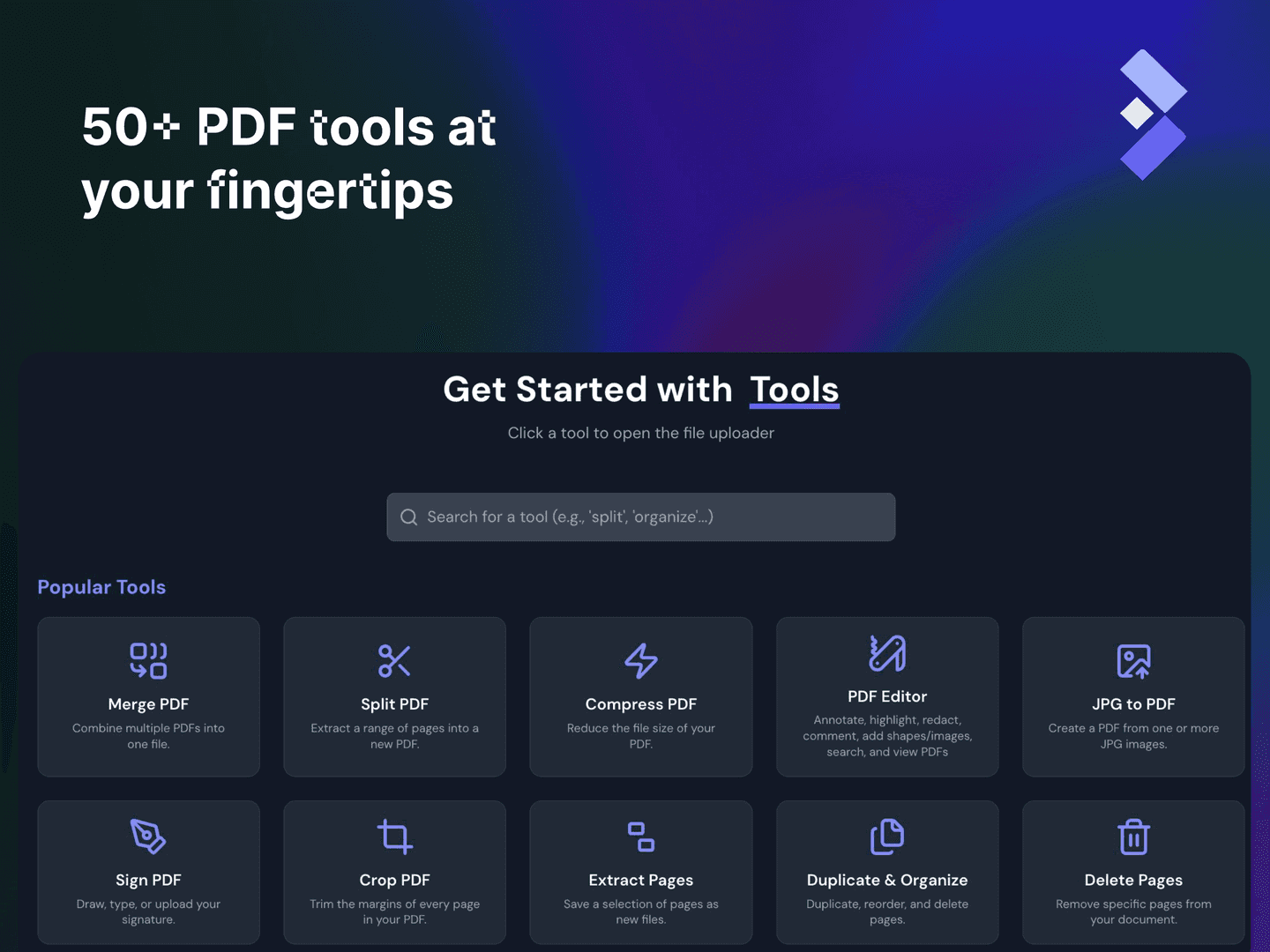
 BentoPDF — это набор инструментов для PDF, в котором приоритет отдан приватности. Он позволяет объединять, редактировать, конвертировать и управлять PDF-файлами полностью в браузере. Доступно более 50 инструментов, а файлы не обрабатываются на сервере.
BentoPDF — это набор инструментов для PDF, в котором приоритет отдан приватности. Он позволяет объединять, редактировать, конвертировать и управлять PDF-файлами полностью в браузере. Доступно более 50 инструментов, а файлы не обрабатываются на сервере.Нужно ли это устанавливать или можно просто открыть в браузере?Это веб-приложение, которое работает на стороне клиента. Можно пользоваться размещённой версией прямо в браузере или развернуть её самостоятельно (статический хостинг, Docker, Podman) для полного контроля.
Это веб-приложение, которое работает на стороне клиента. Можно пользоваться размещённой версией прямо в браузере или развернуть её самостоятельно (статический хостинг, Docker, Podman) для полного контроля.Как развернуть BentoPDF у себя?Можно развернуть через Docker Compose или Podman Compose, использовать простую самостоятельную сборку или статический хостинг на платформах вроде Vercel, Netlify, Cloudflare, AWS или Nginx/Apache.
Можно развернуть через Docker Compose или Podman Compose, использовать простую самостоятельную сборку или статический хостинг на платформах вроде Vercel, Netlify, Cloudflare, AWS или Nginx/Apache.Нужен ли мне интернет, чтобы пользоваться всеми инструментами?По умолчанию для некоторых инструментов — да. Библиотеки обработки под лицензией AGPL (PyMuPDF, Ghostscript, CoherentPDF) загружаются во время работы как WASM-модули из CDN. Однако можно настроить полностью автономную работу без интернета (air-gapped).
По умолчанию для некоторых инструментов — да. Библиотеки обработки под лицензией AGPL (PyMuPDF, Ghostscript, CoherentPDF) загружаются во время работы как WASM-модули из CDN. Однако можно настроить полностью автономную работу без интернета (air-gapped).Можно ли бесплатно встроить это в закрытый продукт?Ядро распространяется бесплатно по лицензии AGPL-3.0, которая требует открыть исходный код вашего собственного проекта. Для использования в закрытом (проприетарном) продукте есть разовая коммерческая лицензия за $79 с пожизненными обновлениями.
Ядро распространяется бесплатно по лицензии AGPL-3.0, которая требует открыть исходный код вашего собственного проекта. Для использования в закрытом (проприетарном) продукте есть разовая коммерческая лицензия за $79 с пожизненными обновлениями.Куда попадают мои PDF-файлы при использовании?Никуда не загружаются: вся работа с PDF происходит локально в браузере, поэтому ваши файлы не покидают ваше устройство.
Никуда не загружаются: вся работа с PDF происходит локально в браузере, поэтому ваши файлы не покидают ваше устройство.Сколько инструментов на самом деле входит в BentoPDF?В составе более 50 инструментов: организация страниц, редактирование, конвертация в PDF и из PDF, заполнение форм, водяные знаки, удаление данных (redaction) и многое другое. Они сгруппированы в разделы вроде Organize, Edit, Convert и Secure & Optimize.
В составе более 50 инструментов: организация страниц, редактирование, конвертация в PDF и из PDF, заполнение форм, водяные знаки, удаление данных (redaction) и многое другое. Они сгруппированы в разделы вроде Organize, Edit, Convert и Secure & Optimize.Можно ли запустить BentoPDF полностью без интернета, в режиме air-gapped?Да, поддерживается автономный режим развёртывания (air-gapped/offline). В нём модули WASM настраиваются на локальную загрузку вместо стандартного CDN jsDelivr.
Да, поддерживается автономный режим развёртывания (air-gapped/offline). В нём модули WASM настраиваются на локальную загрузку вместо стандартного CDN jsDelivr.Почему он загружает WASM-модули из CDN, а не встраивает всё в себя?Некоторые базовые функции, например конвертация в PDF/A, выравнивание перекоса при OCR (deskew) и объединение с сохранением закладок, зависят от движков под лицензией AGPL: Ghostscript, PyMuPDF и CoherentPDF. Предварительная настройка через CDN даёт работу без дополнительной настройки и при этом делает поставляемый исходный код компактным.
Некоторые базовые функции, например конвертация в PDF/A, выравнивание перекоса при OCR (deskew) и объединение с сохранением закладок, зависят от движков под лицензией AGPL: Ghostscript, PyMuPDF и CoherentPDF. Предварительная настройка через CDN даёт работу без дополнительной настройки и при этом делает поставляемый исходный код компактным.Умеет ли он конвертировать офисные документы и электронные книги, а не только изображения?Да. Помимо изображений (JPG, PNG, HEIC), он конвертирует в PDF файлы Word, Excel, PowerPoint, OpenDocument, Markdown, CSV, JSON, XML, EPUB и MOBI.
Да. Помимо изображений (JPG, PNG, HEIC), он конвертирует в PDF файлы Word, Excel, PowerPoint, OpenDocument, Markdown, CSV, JSON, XML, EPUB и MOBI.What are similar projects?PDFPatcher, pdfcraft, Stirling-PDF, revpdf-release, TeamSync-PDF-Viewer, pdfcraft, convert, ReLaXed
PDFPatcher, pdfcraft, Stirling-PDF, revpdf-release, TeamSync-PDF-Viewer, pdfcraft, convert, ReLaXedWhich topics is it in?pdf-editor, pdf-tools, pdf-viewer, pdf-converter, pdf-generation, document, converter, toolkit, self-hosting, ocr, document-processing, wasm
pdf-editor, pdf-tools, pdf-viewer, pdf-converter, pdf-generation, document, converter, toolkit, self-hosting, ocr, document-processing, wasm