



94.4K ·GitHub
What is this?
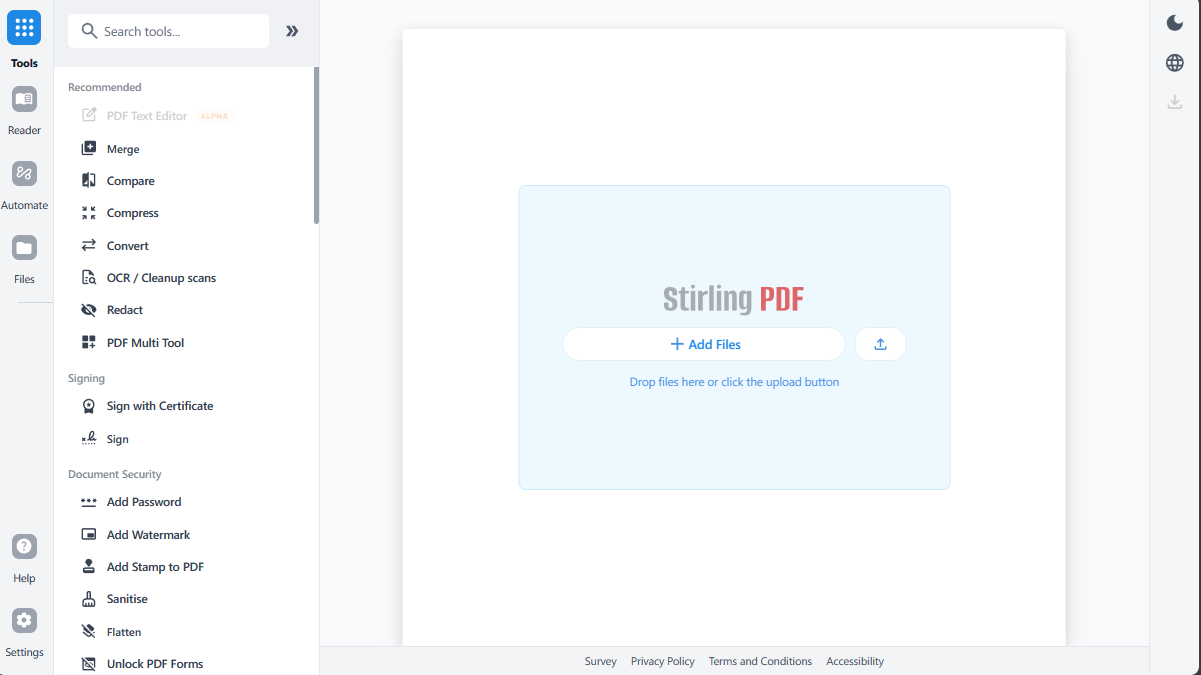
 Stirling PDF is an open-source PDF editing platform with over 50 tools for editing, merging, splitting, signing, redacting, converting, OCR-ing, and compressing PDFs.
Stirling PDF is an open-source PDF editing platform with over 50 tools for editing, merging, splitting, signing, redacting, converting, OCR-ing, and compressing PDFs.Is this a desktop app, a website, or something I host myself?It is all three: you can run it as a personal desktop client, use it through a browser UI, or deploy it on your own server with a private REST API.
It is all three: you can run it as a personal desktop client, use it through a browser UI, or deploy it on your own server with a private REST API.How do I get it running?The README points to a Quick Start step that opens the app after launching, with full installation options (including desktop and Kubernetes) covered in the Documentation Guide.
The README points to a Quick Start step that opens the app after launching, with full installation options (including desktop and Kubernetes) covered in the Documentation Guide.Do I need Docker or Java to run it myself?Not stated explicitly, but the project ships CI/deployment workflows and a Task-based command runner, and is built around a Java backend, implying Java and Task are involved for development.
Not stated explicitly, but the project ships CI/deployment workflows and a Task-based command runner, and is built around a Java backend, implying Java and Task are involved for development.Is it fully free, or are some features paywalled?The project is 'open-core', meaning some enterprise features like SSO and advanced deployment options are part of a separate paid Server Plan & Enterprise offering rather than the free core.
The project is 'open-core', meaning some enterprise features like SSO and advanced deployment options are part of a separate paid Server Plan & Enterprise offering rather than the free core.Is this meant for individuals or also for companies?Both: it works as a personal desktop/browser tool for individuals and offers enterprise-grade features like SSO, auditing, and flexible on-prem deployments for organizations.
Both: it works as a personal desktop/browser tool for individuals and offers enterprise-grade features like SSO, auditing, and flexible on-prem deployments for organizations.Does my PDF data leave my machine when I use this?No — the whole point is to edit, sign, redact, and convert PDFs without sending documents to external services, especially when self-hosted.
No — the whole point is to edit, sign, redact, and convert PDFs without sending documents to external services, especially when self-hosted.Can I automate bulk PDF processing instead of doing it one file at a time?Yes, it supports no-code automation pipelines directly in the UI, plus APIs for processing millions of PDFs programmatically.
Yes, it supports no-code automation pipelines directly in the UI, plus APIs for processing millions of PDFs programmatically.Is there an API I can integrate into my own app?Yes, REST APIs are available for nearly all of its 50+ tools, documented in the API Docs, so you can wire PDF processing into existing systems.
Yes, REST APIs are available for nearly all of its 50+ tools, documented in the API Docs, so you can wire PDF processing into existing systems.Is the interface available in languages other than English?Yes, the UI is available in more than 40 languages.
Yes, the UI is available in more than 40 languages.Can I deploy this on Kubernetes?Yes, Kubernetes is listed among the supported installation options alongside desktop and standard server deployments, detailed in the Documentation Guide.
Yes, Kubernetes is listed among the supported installation options alongside desktop and standard server deployments, detailed in the Documentation Guide.What are similar projects?bentopdf, revpdf-release, DocsGPT, PDFPatcher, pdfcraft, pdfcraft, TeamSync-PDF-Viewer, JeecgBoot
bentopdf, revpdf-release, DocsGPT, PDFPatcher, pdfcraft, pdfcraft, TeamSync-PDF-Viewer, JeecgBootWhich topics is it in?pdf-editor, pdf-tools, pdf-converter, sso, document-processing, enterprise, pdf, kubernetes, rest-api, java, hacktoberfest, productivity
pdf-editor, pdf-tools, pdf-converter, sso, document-processing, enterprise, pdf, kubernetes, rest-api, java, hacktoberfest, productivity