

manimgx README

项目的 README,来自 github.com/academa-labs/manimgx。合并为一个 markdown 文件:README.md。

ManimGX

Blazingly fast 3D animation engine for agents, compatible with Manim CE's API.
Powered by Rust and wgpu. Install with a prompt or pip. Run in the browser.

Documentation · Quickstart · Examples · API Reference

Test coverage PyPI version npm version PyPI total downloads npm monthly downloads

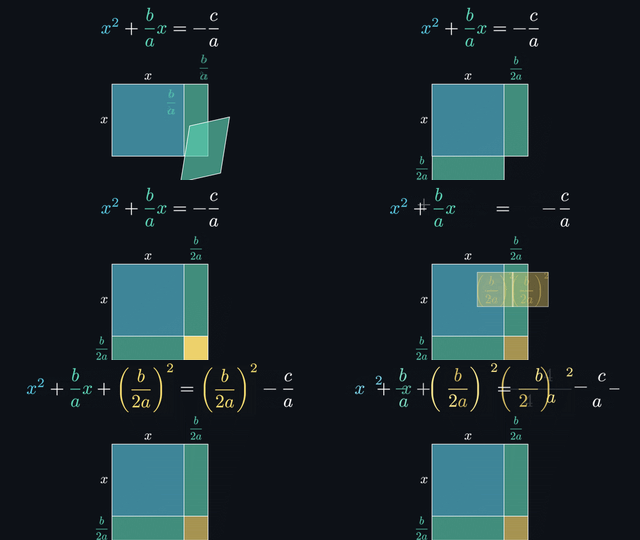
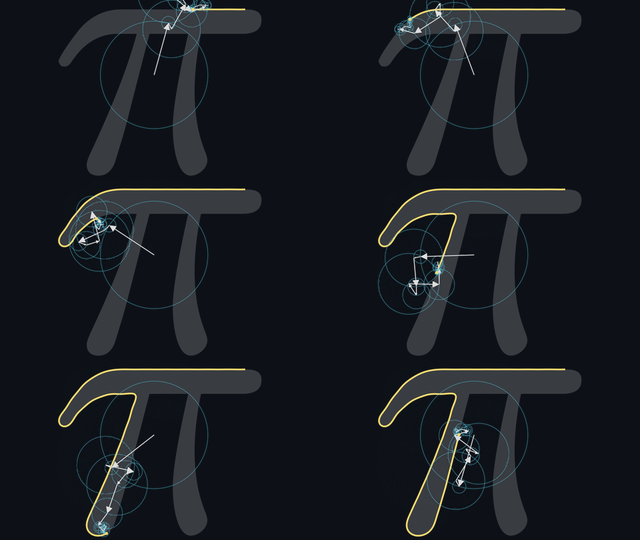
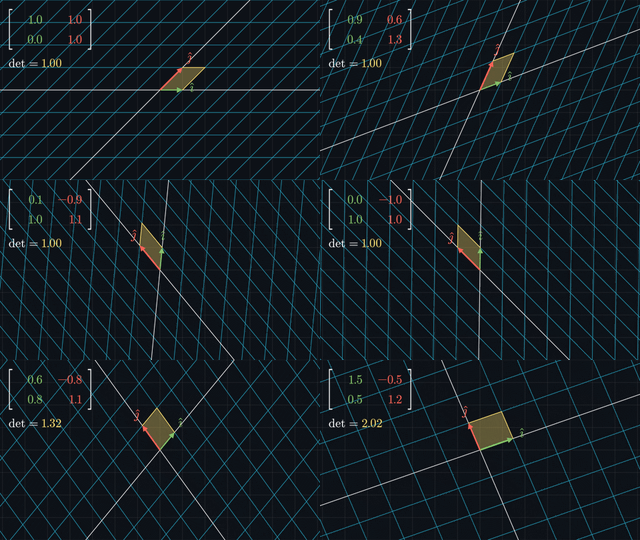
The quadratic formula: completing a square by moving colored rectangles and equation terms Fourier series: a chain of rotating arrows draws the outline of π A matrix moves the plane: a grid, basis arrows and a unit square transform together
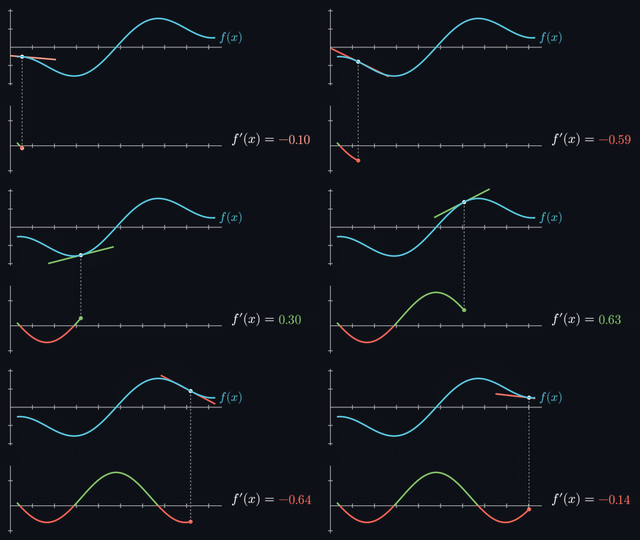
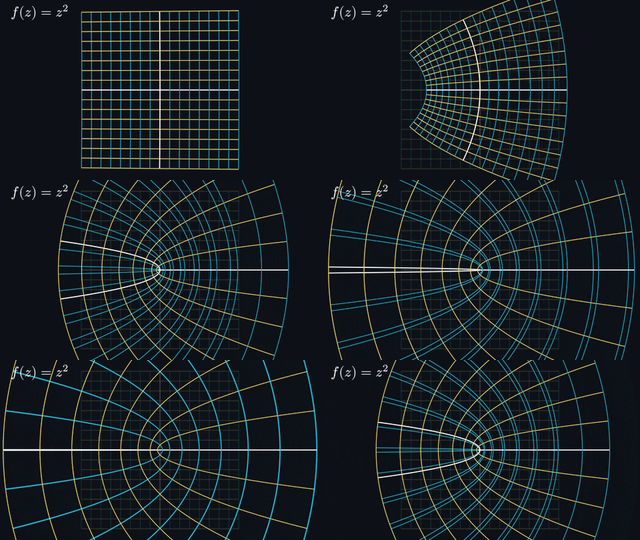
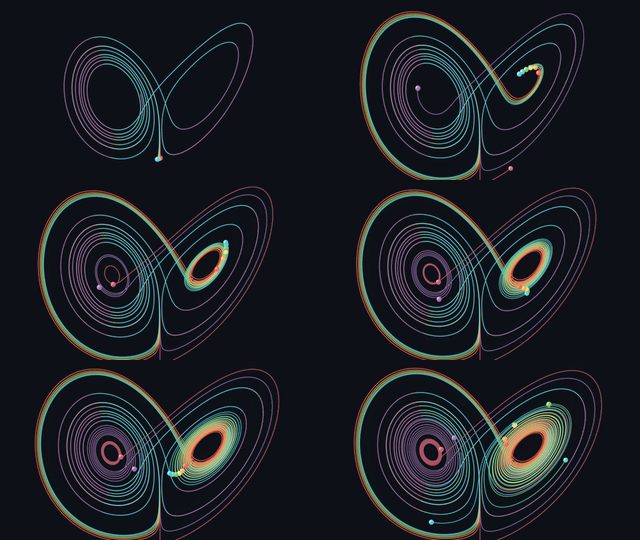
A tangent slides along a curve as its slope traces the derivative Complex functions bend a grid into parabolas, circles and rays The Lorenz attractor: nearby trajectories separate as they trace a butterfly in three dimensions
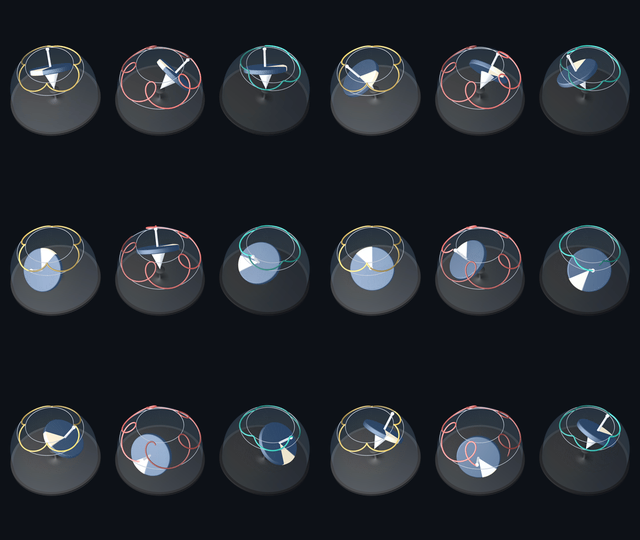
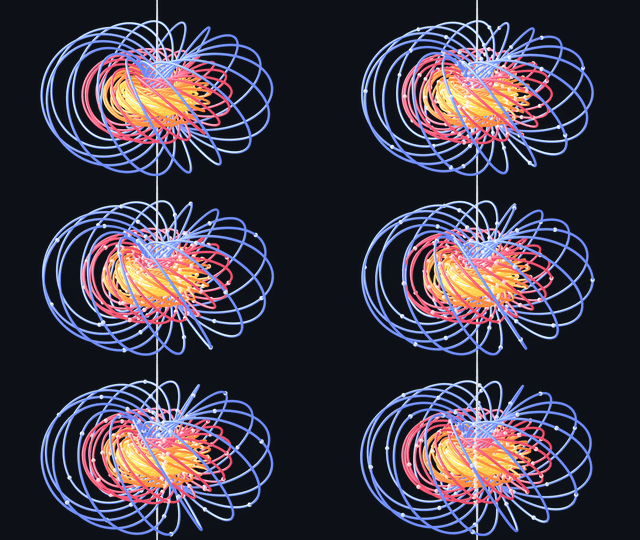
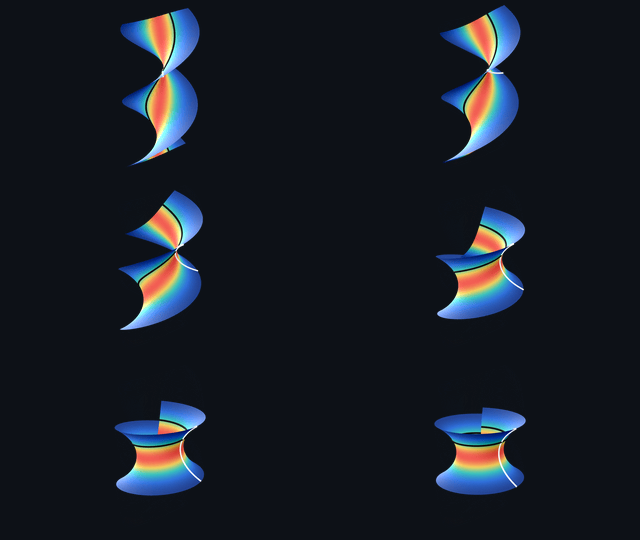
Three spinning tops precess and nod as their axes trace curves on glass spheres The Hopf fibration: colorful linked circles form nested tori as beads travel along them A rainbow helicoid bends into a catenoid while preserving its intrinsic curvature

36.2 seconds of video, rendered in 3.08 seconds. Across five scenes at 1080p60 on an Apple M4 Pro, ManimGX is 90.6× faster than ManimCE, 11.5× faster than ManimGL, and 18.7× faster than Blender Workbench, from launch to finished MP4. How it was measured: the scenes, the settings and every run.

Total render times: ManimGX 3.08 s, ManimGL 35.28 s, Blender Workbench 57.61 s, ManimCE 278.83 s, Blender EEVEE 601.40 s

All engines use the fastest encoding preset available. Lower is better.

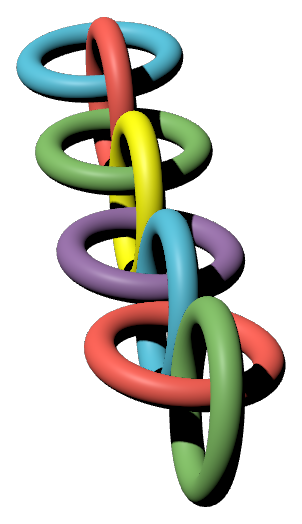
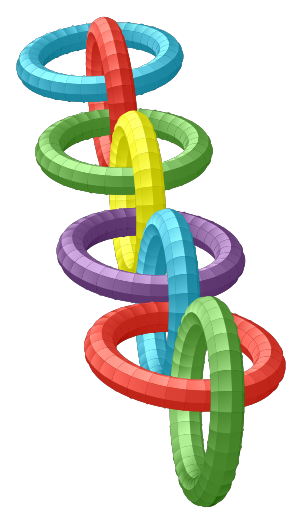
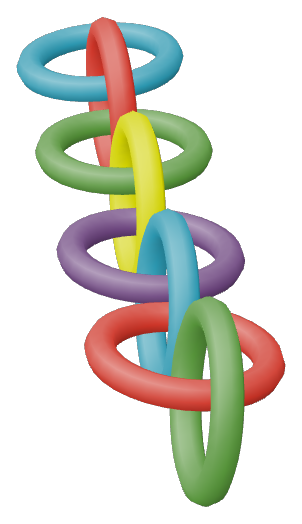
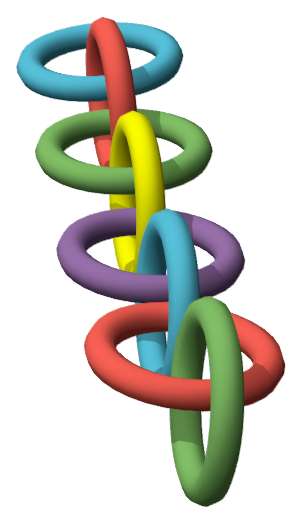
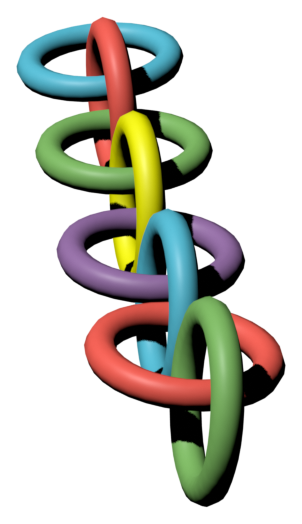
Compare the same scene. Linked rings at 2.5 seconds, rendered by each engine.

ManimGX ManimCE ManimGL Blender Workbench Blender EEVEE
Eight linked rings rendered by ManimGX at 2.5 seconds Eight linked rings rendered by ManimCE at 2.5 seconds Eight linked rings rendered by ManimGL at 2.5 seconds Eight linked rings rendered by Blender Workbench at 2.5 seconds Eight linked rings rendered by Blender EEVEE at 2.5 seconds

Get started

With a prompt. Paste into Claude Code, Codex, or Cursor. Your agent handles setup:

Follow https://manimgx.academa.ai/llms.txt.
Install ManimGX, make a 3D animation of the solar system, and open it.

With pip. Install on macOS, Linux or Windows with Python 3.13+:

pip install manimgx

Fonts, typesetting and video encoding are included. For editor setup and a guided first animation, follow the Quickstart.

From Python to MP4

Save this as scene.py:

import manimgx as m


class Hello3D(m.ThreeDScene):
    def construct(self) -> None:
        self.set_camera_orientation(phi=65 * m.DEGREES, theta=-45 * m.DEGREES)
        self.begin_ambient_camera_rotation(rate=0.5)
        cube = m.Cube(side_length=3, fill_opacity=0.3, stroke_width=2)
        self.play(m.Create(cube), run_time=2)
        self.wait(4)

Render it:

manimgx render scene.py

You get Hello3D.mp4, a 1080p60 video:

A blue cube is drawn as the camera circles it

Why ManimGX?

An API for 3D video in the age of agents. Your agent writes Python using Manim CE's API. ManimGX's Rust + wgpu engine renders the MP4, blazingly fast.

Documentation

manimgx.academa.ai has the guides, rendered examples with source code, and API reference:

For agents, llms.txt provides setup instructions and links to the documentation as Markdown.

On the shoulders of giants

Grant Sanderson created Manim. ManimGX targets the API of Manim Community Edition, the widely used community-maintained fork.

The Rust renderer uses wgpu for native GPU rendering and WebGPU in the browser. Its 3D lighting is adapted from Google's Filament: physically based materials, image-based lighting, ambient occlusion, bloom and AgX tone mapping. Typst typesets text and math, with mitex translating LaTeX input to Typst. x264 encodes native video exports as H.264; FFmpeg decodes imported audio, using libopus for Opus.

Pyodide runs Python scenes in a browser worker. Linux wheels bundle Mesa's lavapipe for Vulkan rendering on the CPU when no suitable GPU is available.

Community

ManimGX is an open-source project by Academa, created by Abdullah Geduk and Sina Atalay. We welcome contributions from the community.

Questions, bug reports and feature requests start with an issue. To contribute, read Contributing and the Developer Guide.

Changelog · Citing ManimGX

Everyone participating follows the Code of Conduct. Report vulnerabilities privately through the security policy.

License

ManimGX's own code is MIT-licensed. Native wheels include x264 and are GPL-3.0-or-later as a whole.

Bundled components retain their licenses: see the third-party notices, Linux renderer notices, and the Noto and Noto CJK font licenses.

This software uses code of FFmpeg licensed under LGPL-2.1-or-later. Complete source, including FFmpeg, is in manimgx-X.Y.Z-source.tar.xz on each GitHub release.

manimgx (academa-labs/manimgx)

正在搜索数据库…

2.8K ·GitHub
这是什么?ManimGX 是一个专为编程智能体打造的动画引擎。它使用基于 Rust 和 wgpu 的 GPU 核心,渲染 Manim 的 Python API 所编写的数学动画和 3D 视频,目标是比现有的 Manim 引擎快得多。
这是 Python 库还是独立渲染器?它是一个 Python 库,API 与 Manim Community Edition 保持一致。你用 Python 编写场景,再由基于 Rust 的引擎将其渲染为 MP4。此外还有一个 npm 包,可通过 WebGPU 在浏览器中运行同一引擎。
我该如何让它运行起来?在 Python 3.13+(macOS、Linux 或 Windows)上运行 'pip install manimgx' 进行安装,保存一个 scene.py 文件,然后渲染它即可生成 1080p60 的 MP4。你也可以把安装提示粘贴到 Claude Code、Codex 或 Cursor 中,让智能体自动完成所有配置。
我需要先安装 LaTeX 或其他工具吗?不需要。字体、基于 Typst 的排版以及视频编码都已随包附带,因此无需单独安装 LaTeX。
我现有的 Manim CE 场景能直接运行吗?ManimGX 的目标是与 Manim Community Edition 使用相同的 API,但在某些地方行为可能有所不同,因此现有场景可能需要调整。项目提供了专门的迁移指南。
能在浏览器中运行,而不必在本地运行吗?可以。npm 包 'manimgx' 通过 Pyodide 在 Web Worker 中运行 Python 场景,并使用 WebGPU 进行渲染,让你无需任何渲染服务器即可嵌入场景。
它真的是 MIT 许可证吗?ManimGX 的源代码本身采用 MIT 许可证。但由于原生 wheel 包中打包了 x264,整个编译后的 wheel 包整体受 GPL-3.0-or-later 许可证约束。它还集成了采用 LGPL 许可证的 FFmpeg 代码。
渲染是否需要独立 GPU?它会通过 wgpu(在浏览器中则通过 WebGPU)原生使用你的 GPU。但在 Linux 上,如果没有合适的 GPU,它会自动回退到基于 CPU 的 Vulkan 渲染,通过 Mesa 的 lavapipe 实现。
ManimGX 比 ManimCE 或 ManimGL 快多少?在一项基准测试中,使用 Apple M4 Pro 以 1080p60 渲染五个场景,并以从启动到输出完成 MP4 的时间计算。结果显示,ManimGX 比 ManimCE 快 90.6 倍,比 ManimGL 快 11.5 倍,比 Blender Workbench 快 18.7 倍。
manimgx inspect 是做什么的?这是一个面向智能体的反馈命令。它可在播放结束时或指定时间点生成分镜图和 2D 布局检查结果,使智能体无需观看完整渲染即可验证场景。
动画能否包含数学公式和同步语音?可以。文本和公式可以用 LaTeX 或 Typst 编写,且无需安装 LaTeX。self.say() 则可以让动画的时间与语音的字词同步。
它属于哪些主题?typst, math, webgpu, latex, vulkan, ffmpeg, wasm, 3d, video, animation, coding-agent, gplv3
大小
155.5 MB
星标
2.8K
时长
1个月
提交 · 90 天