Voice-Pro
The best AI speech recognition, translation, and multilingual dubbing solution 🚀





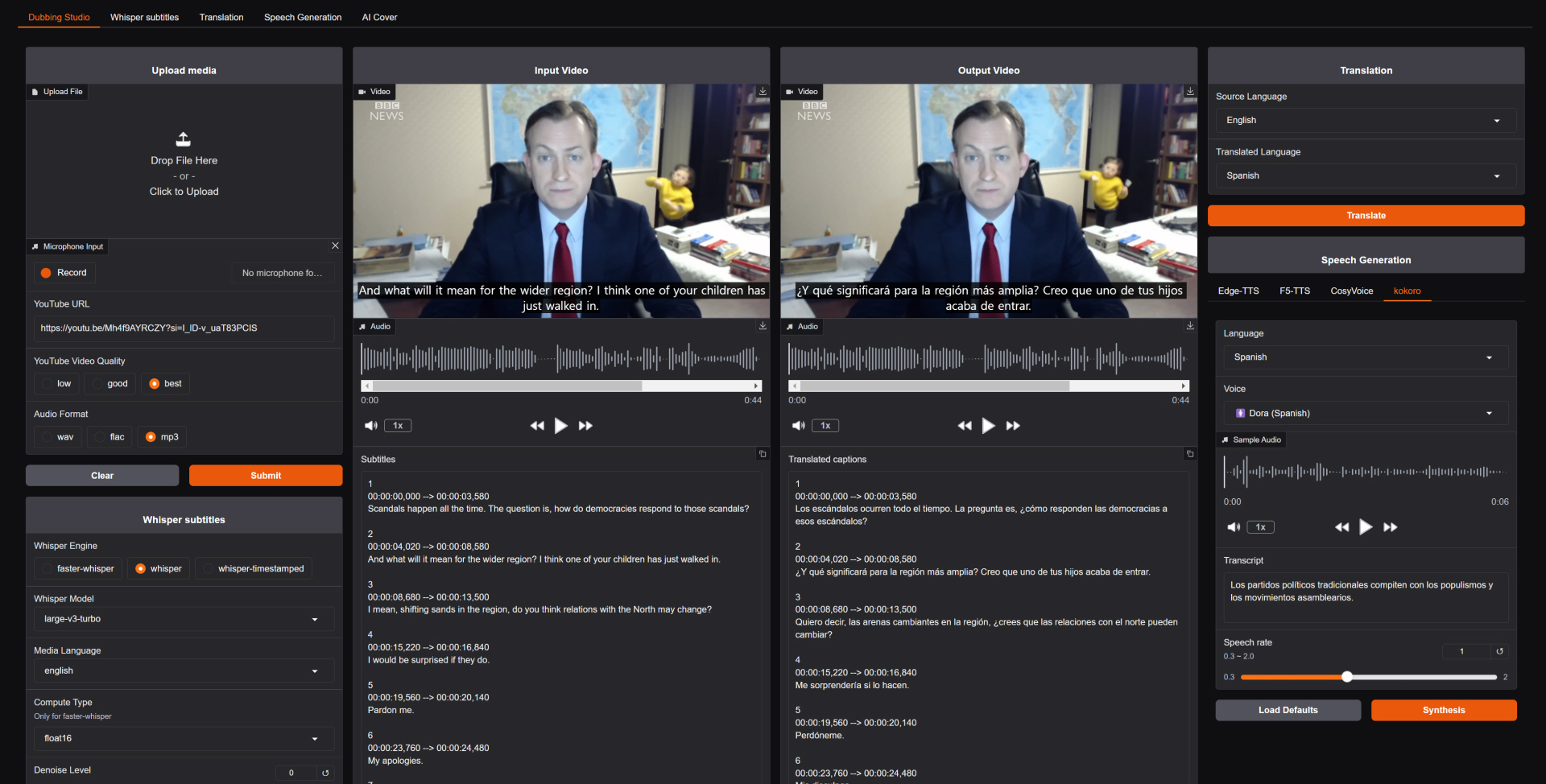
🎙️ An AI-powered web application for speech recognition, translation, and dubbing
 한국어
∙
한국어
∙
 English
∙
English
∙
 中文简体
∙
中文简体
∙
 中文繁體
∙
中文繁體
∙
 日本語
∙
日本語
∙
 Deutsch
∙
Deutsch
∙
 Español
∙
Español
∙
 Português
Voice-Pro is a state-of-the-art web app that transforms multimedia content creation. It integrates YouTube video downloading, voice separation, speech recognition, translation, and text-to-speech into a single, powerful tool for creators, researchers, and multilingual professionals.
- 🔊 Top-tier speech recognition: Whisper, Faster-Whisper, Whisper-Timestamped
- 🎤 Zero-shot voice cloning: F5-TTS, E2-TTS, CosyVoice (incl. Fun-CosyVoice3 — Korean and 8 more languages)
- 📢 Multilingual text-to-speech: Edge-TTS, kokoro (optional Azure TTS with your own keys — see Azure services)
- 🎥 YouTube processing & audio extraction: yt-dlp
- 🌍 Instant translation for 100+ languages: Deep-Translator (optional Azure Translator with your own keys)
A robust alternative to ElevenLabs, Voice-Pro empowers podcasters, developers, and creators with advanced voice solutions.
⚠️ Please Note
- Due to WeConnect development work, Voice-Pro development and updates are not possible for the time being.
- We have made all Voice-Pro code open source and completely free. Voice-Pro can now be freely distributed and modified by anyone.
- It works well on Windows with NVIDIA GPU. Operation on Mac and Linux has not been verified.
- Please leave your requests on the
 or
or  pages.
- Troubleshooting: In most cases, issues can be resolved by deleting the
installer_files folder and then running start.bat again (a clean reinstall takes only a few minutes; downloaded AI models in model/ are kept). Errors are shown in the WebUI as red toasts that stay until closed.
📰 News & History
version 4.0
- ⚡ Migrated the installer from Miniconda/pip to uv — dramatically faster, fully reproducible installs from a committed
uv.lock. Everything stays inside installer_files/ (uv, Python, packages).
- 🐍 Upgraded runtime: Python 3.12, Torch 2.8.0+cu128 (RTX 50-series supported), Gradio 6.20.
- 🎙️ Latest ASR stack: faster-whisper 1.2.1 (large-v3-turbo, distil-large-v3.5), openai-whisper 20250625, whisper-timestamped 1.15.9. whisperX was removed (its dependency pins blocked the Gradio 6 upgrade; existing configs fall back to faster-whisper).
- 🗣️ Latest TTS stack: F5-TTS 1.1.21, kokoro 0.9.4, edge-tts 7.x, and re-vendored CosyVoice (upstream main).
- 🇰🇷 New optional TTS model: Fun-CosyVoice3-0.5B — 9 languages including Korean, selectable in the CosyVoice tab (downloads from the official HF repo on first use).
- 🧹 CUDA Toolkit and Visual Studio Build Tools are no longer required — all dependencies ship prebuilt wheels, and PyTorch bundles the CUDA runtime.
- 🛡️ Friendly to restricted / corporate PCs: no administrator rights needed —
start.bat auto-downloads a portable ffmpeg if it is not installed, Whisper model downloads self-heal after interrupted/corrupted transfers, and translation automatically retries with backoff when the network rate-limits the free Google endpoint (failed lines are reported, originals kept).
- 🚨 Errors are now visible in the WebUI: every failure shows a red error toast that stays on screen until you close it (previously a 10-second warning that was easy to miss), with actionable messages for common causes (missing ffmpeg, no media registered, etc.).
- 🖥️ UI: migrated to Gradio 6 (full-width layout for all tabs, subtitle tracks shown directly in the video players).
- 🧽
uninstall.bat no longer requires administrator rights and no longer force-reboots; uninstall.bat silent runs unattended.
version 3.2
- We have been focusing on WeConnect development for the past few months and have not been able to manage Voice-Pro at all.
- We have decided to open source all Voice-Pro code.
- Voice-Pro is completely free and supports Windows, Mac, Linux.
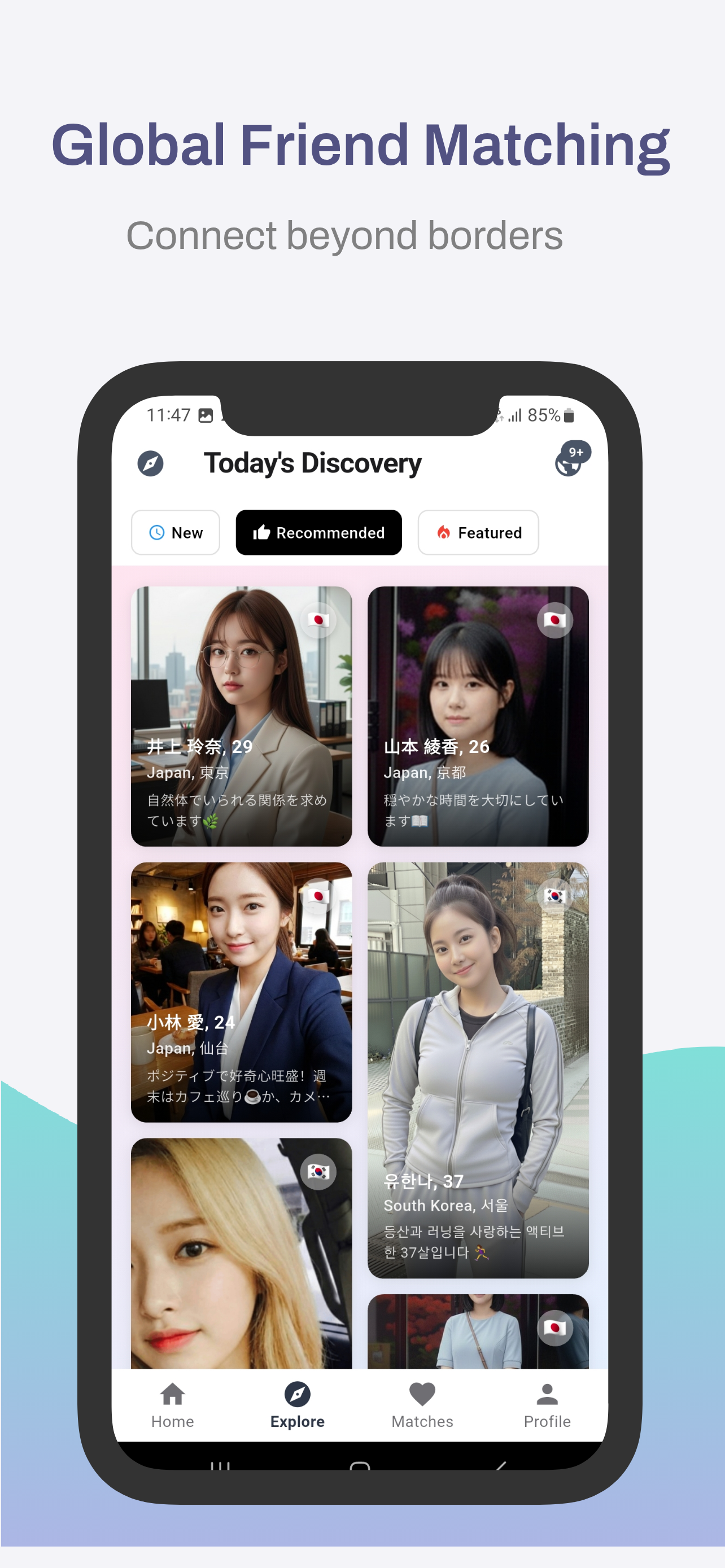
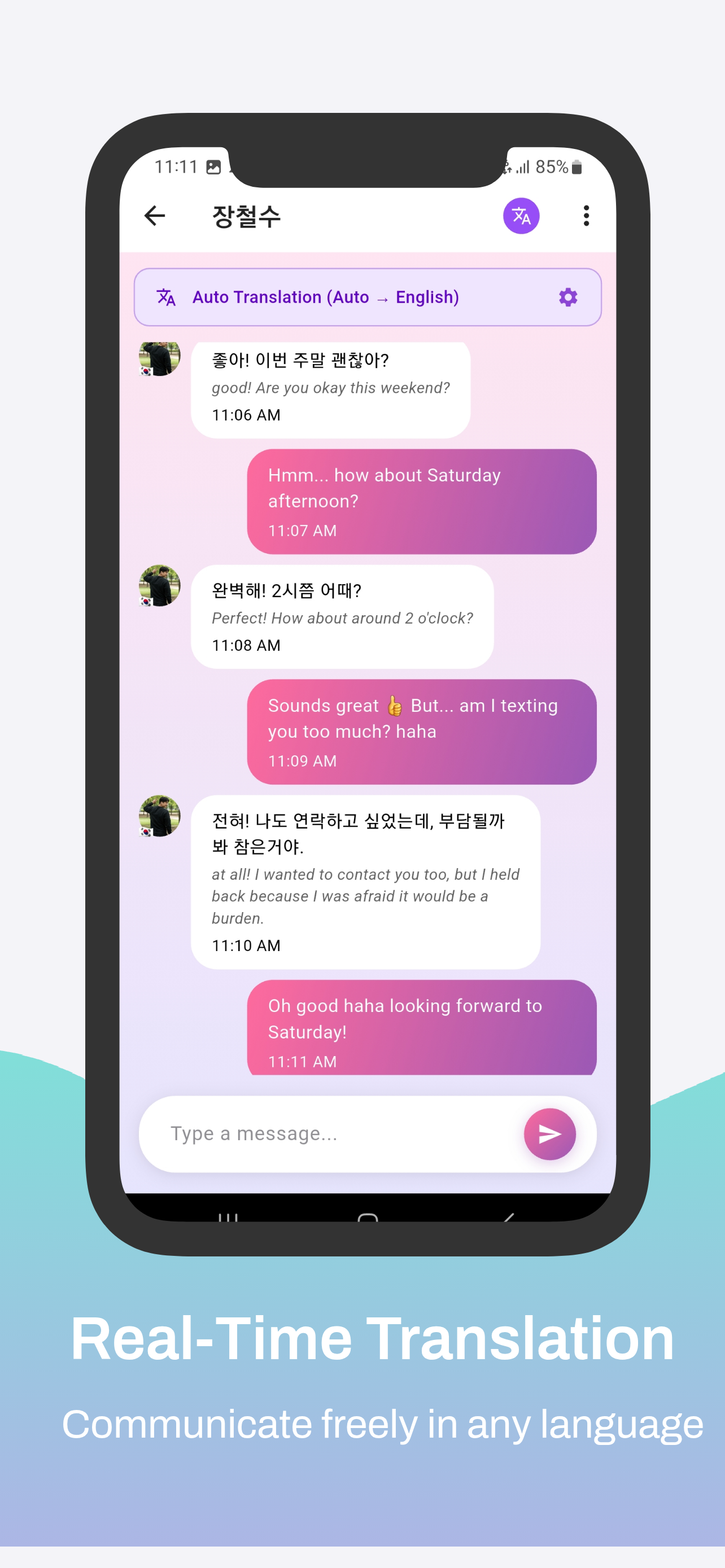
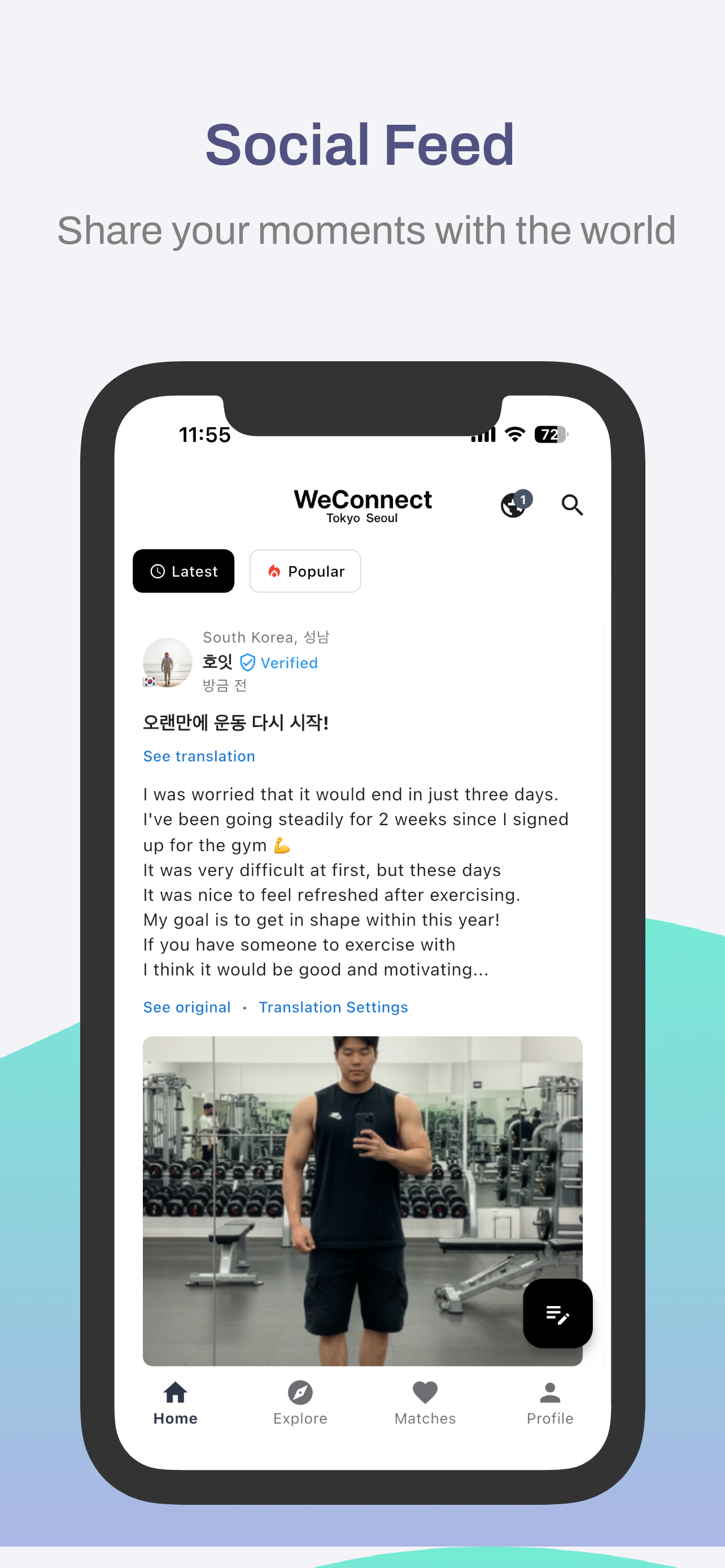
- WeConnect is an application for global cultural exchange.
- Connect with people from all over the world for meaningful cultural exchanges, language learning, and international friendships.
version 3.1
- 🪄 Support for fine-tuned models of F5-TTS
- 🌍 Supported languages
version 3.0
- 🔥 Removed the AI Cover feature.
- 🚀 Added support for m-bain/whisperX.
version 2.0
- 🐍 Built with Python 3.10.15, Torch 2.5.1+cu124, and Gradio 5.14.0.
- 🆓 Free trial supports media up to 60 seconds in length.
- 🔥 Added the AI Cover feature.
- 🎤 Introduced support for CosyVoice and kokoro.
- ⏳ Initial run downloads CozyVoice2-0.5B (9GB), which may take over an hour depending on network speed.
- 🎧 Voice samples for cloning will be continuously updated.
- 📝 Added spaCy for natural sentence-by-sentence translation and TTS.
- ☁️ Subscription version includes Microsoft Azure Translator and TTS.
- 🏪 Subscription offers unlimited usage (no 60-second limit) during the subscription period, available via
 .
.
🎥 YouTube Showcase
⭐ Key Features
1. Dubbing Studio
- YouTube video downloads & audio extraction
- Voice separation with Demucs
- Supports 100+ languages for speech recognition & translation
2. Speech Technologies
- Speech-to-Text: Whisper, Faster-Whisper, Whisper-Timestamped
- Text-to-Speech:
- Edge-TTS: 100+ languages, 400+ voices
- E2-TTS, F5-TTS, CosyVoice: Zero-shot cloning
- kokoro: Ranked #2 in HuggingFace TTS Arena
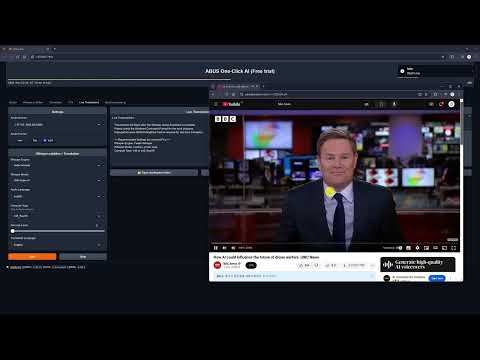
3. Real-Time Translation
- Instant speech recognition
- Multilingual translation on the fly
- Customizable audio inputs
🤖 WebUI
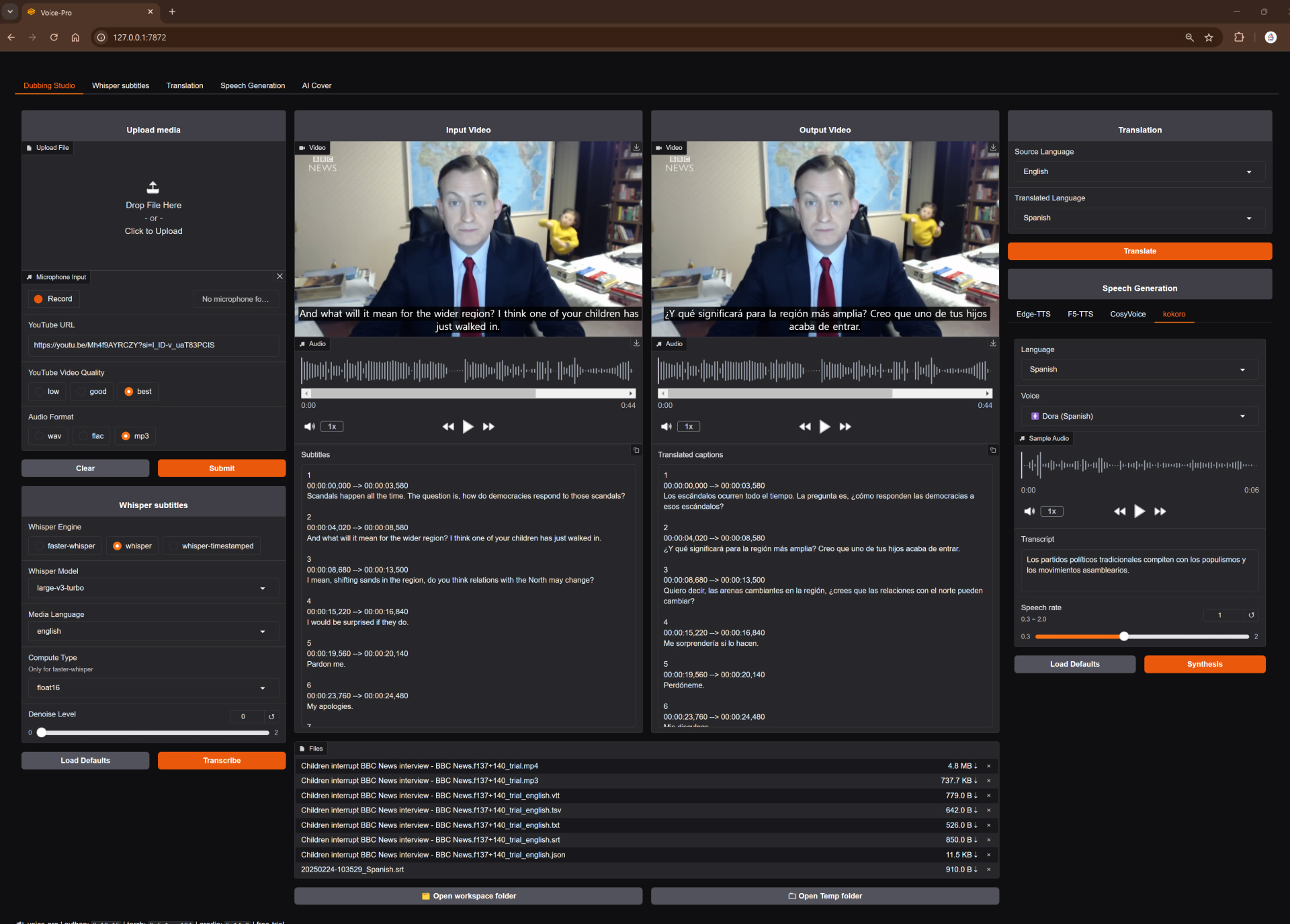
Dubbing Studio Tab
- All-in-one hub: YouTube downloads, noise removal, subtitles, translation, & TTS
- Supports all ffmpeg-compatible formats
- Output options: WAV, FLAC, MP3
- Subtitles & recognition for 100+ languages
- TTS with speed, volume, & pitch controls
Whisper Caption Tab
- Subtitle-focused: 90+ languages
- Video-integrated subtitle display
- Word-level highlighting & denoise options
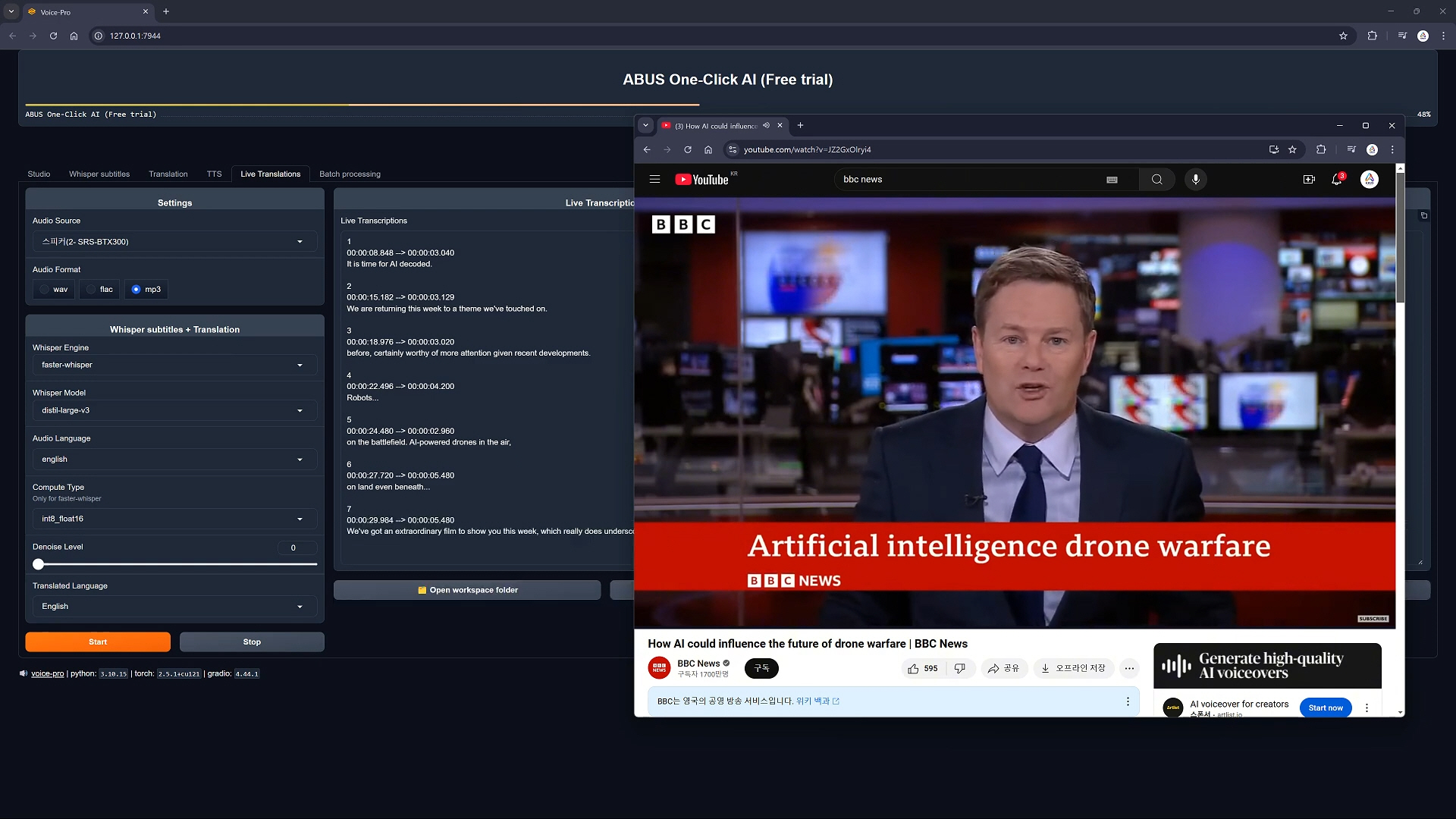
Translate Tab
- Translation for 100+ languages
- Supports subtitle files (ASS, SSA, SRT, etc.)
- Real-time voice recognition & translation
Speech Generation Tab
- Options: Edge-TTS, F5-TTS, CosyVoice, kokoro
- Celeb voice podcasts & multilingual support
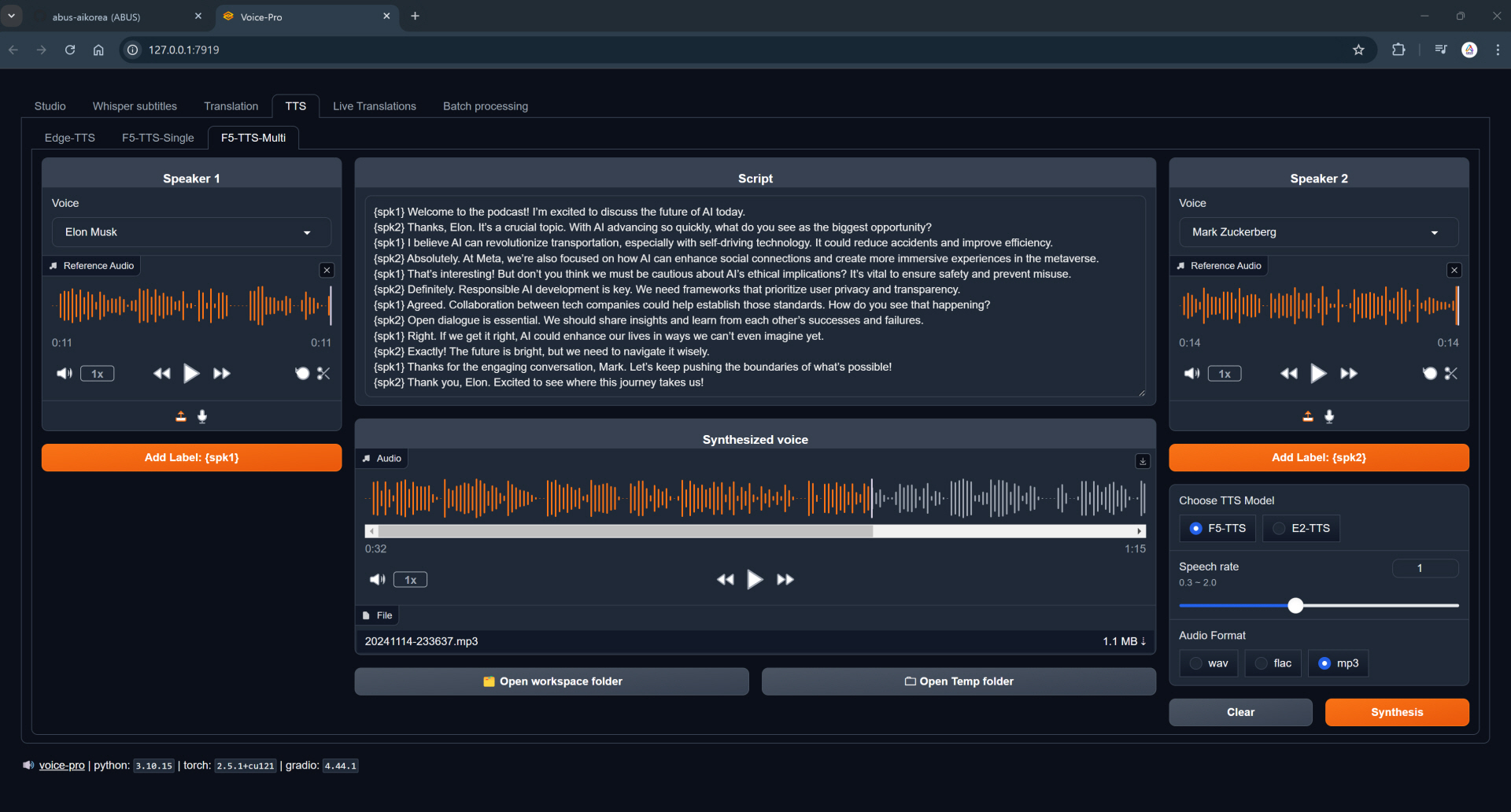
🎤✨ Reference Voice
- Please request the voice you want to add on the Issues page. Issues
English

Andrew Bustamante |

Andrew Huberman |

Avi Loeb |

Ben Shapiro |

Brett Johnson |

Brian Keating |

Coffeezilla |

Dan Carlin |

David Buss |

David Fravor |

David Kipping |

Dennis Whyte |

Donald Hoffman |

Donald Trump |

Douglas Murray |

Duncan Trussell |

Elon Musk |

Garry Nolan |

Jack Barsky |

James Sexton |

Jeff Bezos |
|
 Finnish:
  French:
  Hindi:
  Italian:
  Russian: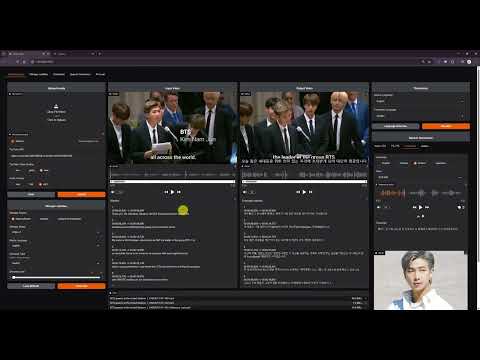






 Voice-Pro 是一款免费的开源 AI 网页应用(基于 Gradio 构建),把语音识别、零样本语音克隆、文本转语音、YouTube 下载、人声分离和多语言翻译整合到一个工具中,面向创作者和研究人员。