


Что это такое?
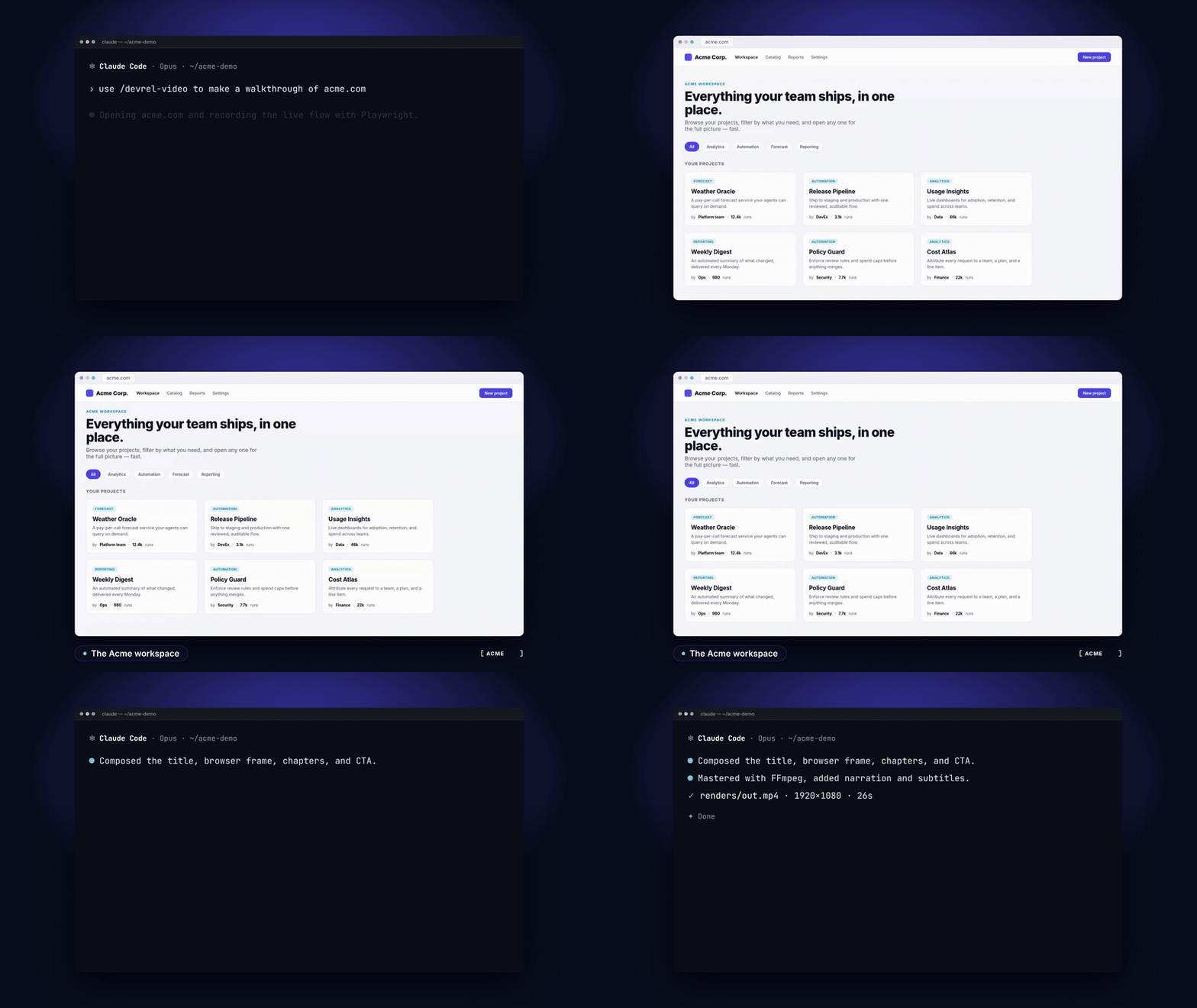
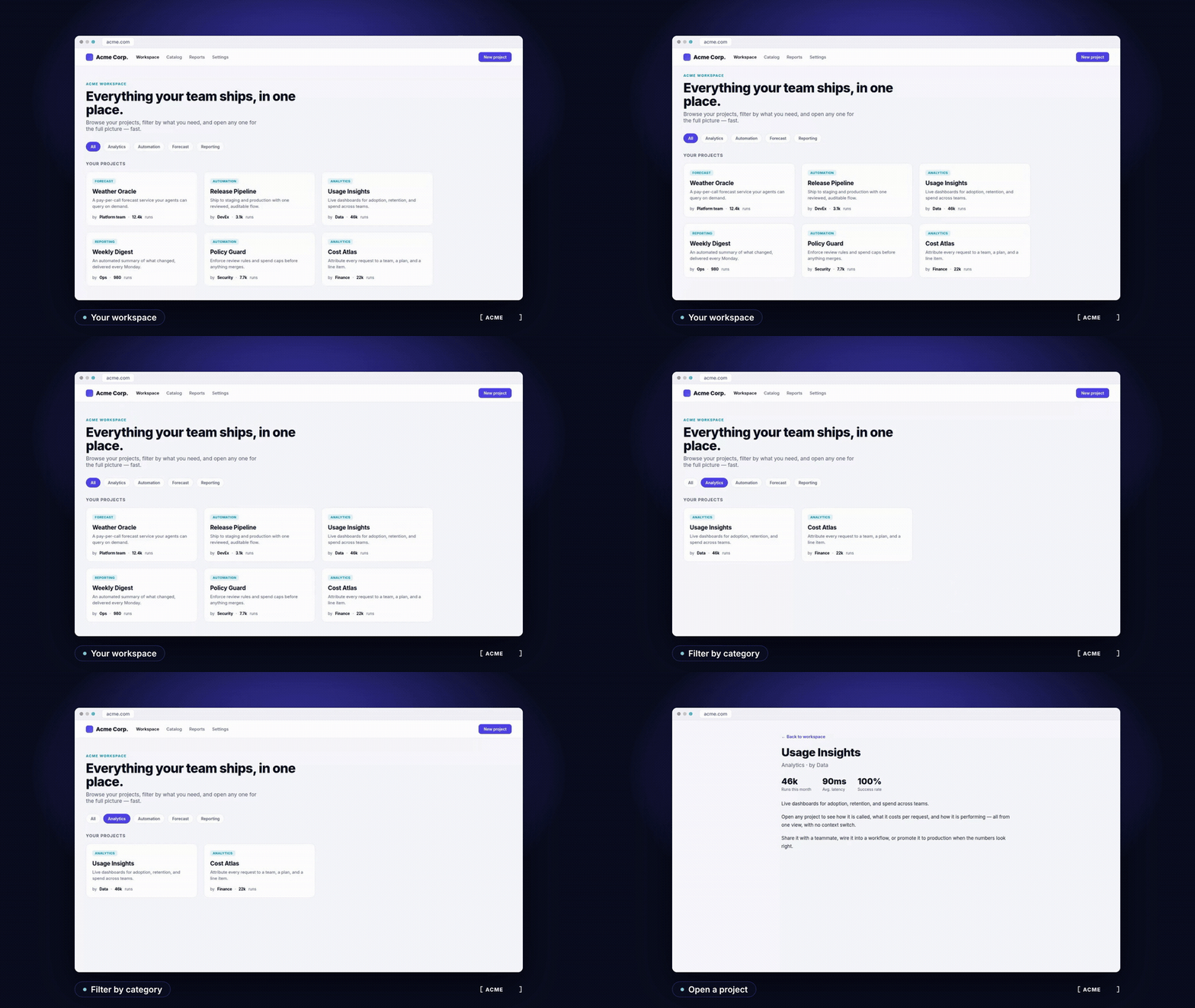
 Локальная рабочая среда для производства видео с демонстрациями продуктов, которой управляет скилл /devrel-video для Claude Code. Она записывает реальные действия в браузере с помощью Playwright, создаёт титульные карточки и призывы к действию с помощью HyperFrames и готовит итоговый файл с помощью FFmpeg.
Это отдельное приложение или скилл для Claude Code?Это скилл для Claude Code внутри склонированного проекта, поэтому вы просите Claude сделать видео по брифу, а не запускаете отдельную программу. Он координирует уже существующие инструменты, а не заменяет их.
Это скилл для Claude Code внутри склонированного проекта, поэтому вы просите Claude сделать видео по брифу, а не запускаете отдельную программу. Он координирует уже существующие инструменты, а не заменяет их.Можно попробовать без установки всего набора инструментов?Да, для планирования нужны только Git и Claude Code с выполненным входом. Склонируйте проект и попросите Claude составить бриф: вы получите описание проекта и конкретный пошаговый план сцен, а не готовое видео.
Да, для планирования нужны только Git и Claude Code с выполненным входом. Склонируйте проект и попросите Claude составить бриф: вы получите описание проекта и конкретный пошаговый план сцен, а не готовое видео.Что нужно для полного видео?Node.js 22+, FFmpeg с ffprobe, Chromium и Python-зависимости вспомогательных скриптов. Озвучка и аватары необязательны и требуют дополнительных сервисов или настройки с GPU.
Node.js 22+, FFmpeg с ffprobe, Chromium и Python-зависимости вспомогательных скриптов. Озвучка и аватары необязательны и требуют дополнительных сервисов или настройки с GPU.Есть ли что-то, что пока не умеет?Профили вывода для портретного видео и соцсетей пока в планах. Полная запись и рендеринг зависят от вашего локального набора инструментов, а офлайн-CI проверяет только исходники и отдельные утилиты.
Профили вывода для портретного видео и соцсетей пока в планах. Полная запись и рендеринг зависят от вашего локального набора инструментов, а офлайн-CI проверяет только исходники и отдельные утилиты.Где хранятся мои записи и учётные данные?Личные записи и учётные данные предназначены для хранения вне публичного репозитория. Необязательные личные настройки хранятся вне Git и выбираются через переменную окружения.
Личные записи и учётные данные предназначены для хранения вне публичного репозитория. Необязательные личные настройки хранятся вне Git и выбираются через переменную окружения.Записывает ли оно реальный продукт или имитирует интерфейс?Оно управляет продуктом в браузере через Playwright CLI, используя скрипты с явно прописанными сценами и стабильными селекторами, поэтому записи реальные. Только терминальные сцены в одном примере являются созданными вручную HTML-реконструкциями.
Оно управляет продуктом в браузере через Playwright CLI, используя скрипты с явно прописанными сценами и стабильными селекторами, поэтому записи реальные. Только терминальные сцены в одном примере являются созданными вручную HTML-реконструкциями.Что показывают два примера?Первый — озвученный обзор продукта на английском и испанском (EN/ES), построенный на локальной тестовой сборке Acme. Второй — фильм, охватывающий несколько сред: CLI и браузер. Сгенерированные файлы MP4 и аудио в репозиторий не входят, поэтому их нужно пересобрать из прилагаемых исходников.
Первый — озвученный обзор продукта на английском и испанском (EN/ES), построенный на локальной тестовой сборке Acme. Второй — фильм, охватывающий несколько сред: CLI и браузер. Сгенерированные файлы MP4 и аудио в репозиторий не входят, поэтому их нужно пересобрать из прилагаемых исходников.Можно ли использовать свой бренд и записи ведущего?Да. Бренды — это многоразовые токены в папке brands, а записи ведущего могут быть вашими собственными медиафайлами, которые хранятся вне репозитория.
Да. Бренды — это многоразовые токены в папке brands, а записи ведущего могут быть вашими собственными медиафайлами, которые хранятся вне репозитория.Что из этого можно проверить автоматически?Офлайн-CI проверяет исходники и отдельные локальные утилиты. Живые записи, вызовы сервисов, задачи на GPU и полный рендер — это ручные шаги проверки.
Офлайн-CI проверяет исходники и отдельные локальные утилиты. Живые записи, вызовы сервисов, задачи на GPU и полный рендер — это ручные шаги проверки.Какие есть похожие проекты?herk-edit-kit, saas-motion-kit, motion-video-kit, procedural-film, mortiflix-oss, guizang-product-video-skill, onetake, creator-flow
herk-edit-kit, saas-motion-kit, motion-video-kit, procedural-film, mortiflix-oss, guizang-product-video-skill, onetake, creator-flowВ каких он темах?video-production, video-editing, claude-code-skill, playwright, content-creation, harness, workflow, ffmpeg, browser-automation, video, developers, html
video-production, video-editing, claude-code-skill, playwright, content-creation, harness, workflow, ffmpeg, browser-automation, video, developers, html- Автор
- aaitor
- Размер
- 15.2 MB
- Звёзды
- 398
- Обновлён
- КоммитNov 04Релизv1.0.1Nov 02
- Возраст
- 2 мес
- Коммиты · 90 дней