



What is this?
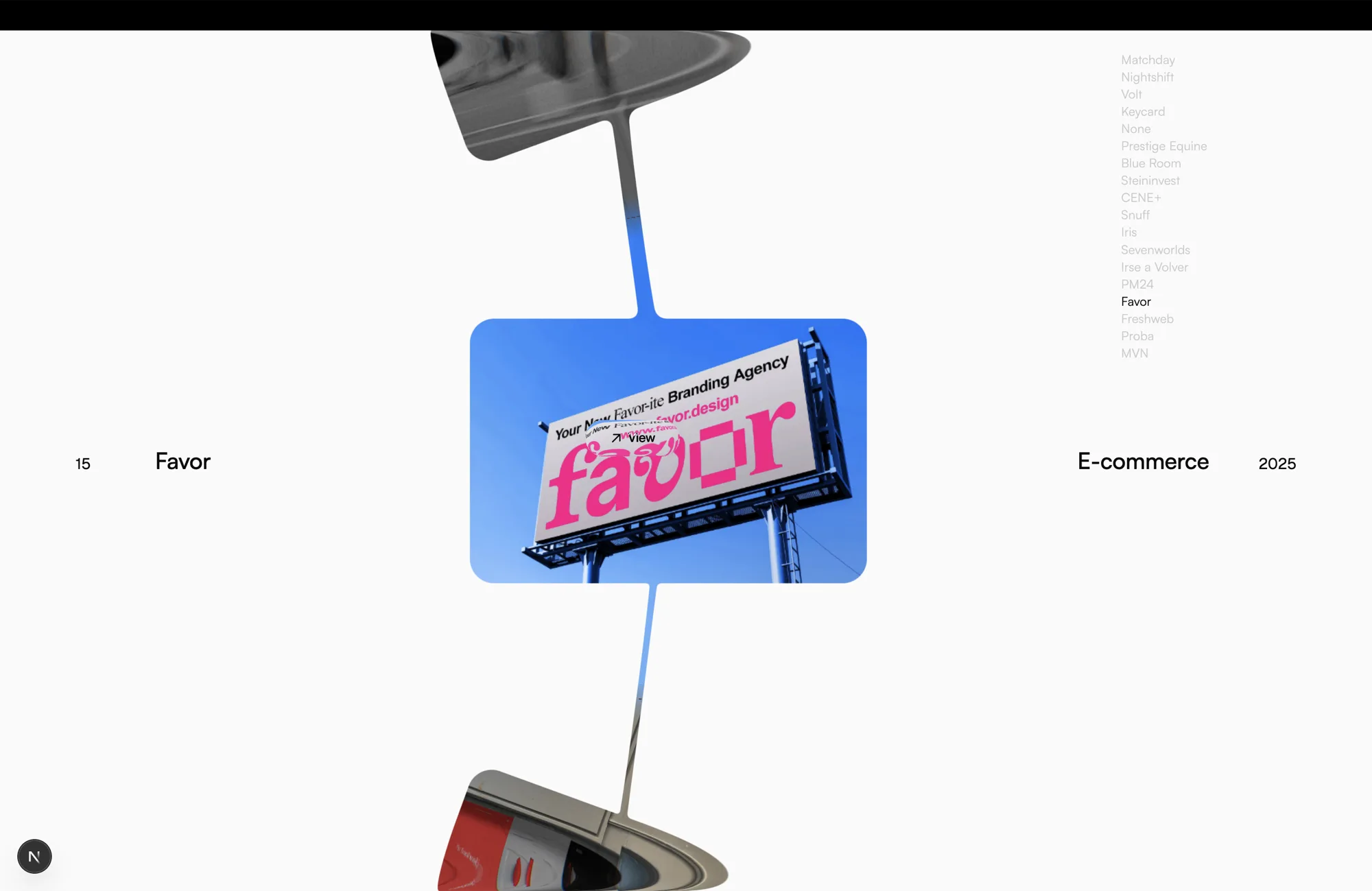
 Viscose is a portfolio carousel rendered entirely as a single WebGL fragment shader. Cards sit on a ring that's mostly off-screen; as they come together they melt into each other like liquid, and as they pull apart they draw thin threads between them.
Viscose is a portfolio carousel rendered entirely as a single WebGL fragment shader. Cards sit on a ring that's mostly off-screen; as they come together they melt into each other like liquid, and as they pull apart they draw thin threads between them.Is this a ready-made plugin or a template I build on?It's a Next.js app/template you clone and customize, not an npm package. All the shader, ring and project logic lives in the components/ring/ and components/shaders/ folders for you to edit directly.
It's a Next.js app/template you clone and customize, not an npm package. All the shader, ring and project logic lives in the components/ring/ and components/shaders/ folders for you to edit directly.How do I get it running?Clone the repo, install dependencies with npm (Node 20+ required), then run npm run dev to start the Next.js dev server.
Clone the repo, install dependencies with npm (Node 20+ required), then run npm run dev to start the Next.js dev server.What's the tech stack behind the shader effect?It's built on Next.js and React, with Three.js driving the WebGL rendering, GSAP for animation and lil-gui for the dev-only tuning panel.
It's built on Next.js and React, with Three.js driving the WebGL rendering, GSAP for animation and lil-gui for the dev-only tuning panel.Does clicking a card actually open the project?No — clicking a card only centers it, the 'View' tag promises a destination that doesn't exist yet. There's also no reduced-motion support, no keyboard navigation, and no automated tests besides lint and build.
No — clicking a card only centers it, the 'View' tag promises a destination that doesn't exist yet. There's also no reduced-motion support, no keyboard navigation, and no automated tests besides lint and build.Who would actually use this?Developers and designers who want a striking, custom-built portfolio carousel and are comfortable editing shader code and tuning ~136 parameters themselves, rather than people who want a drop-in widget.
Developers and designers who want a striking, custom-built portfolio carousel and are comfortable editing shader code and tuning ~136 parameters themselves, rather than people who want a drop-in widget.Where does this run — any browser?It runs in any modern browser, responsive down to phone widths, though the author notes the tight breakpoint drifts below ~500px.
It runs in any modern browser, responsive down to phone widths, though the author notes the tight breakpoint drifts below ~500px.Can I use the included images and fonts commercially?The MIT licence covers only the source code — the sample Behance images and the bundled PP Neue Montreal font are not covered and must be replaced or separately licensed for commercial use.
The MIT licence covers only the source code — the sample Behance images and the bundled PP Neue Montreal font are not covered and must be replaced or separately licensed for commercial use.How do I add my own projects to the ring?Everything lives in one array in components/ring/projects.js — drop an image into public/ and add a row. Note the list order is the ring order, not the filename order, so reordering rows changes the sequence.
Everything lives in one array in components/ring/projects.js — drop an image into public/ and add a row. Note the list order is the ring order, not the filename order, so reordering rows changes the sequence.How does the melt-and-thread effect actually work?The whole ring, the threads, the glass lip and the cursor tag are all drawn in one shader pass using signed distance fields blended with a smooth minimum — that soft blend is what makes neighbouring cards appear to fuse and separate like goo.
The whole ring, the threads, the glass lip and the cursor tag are all drawn in one shader pass using signed distance fields blended with a smooth minimum — that soft blend is what makes neighbouring cards appear to fuse and separate like goo.What happens on touch devices since there's no hover?Swipe turns the ring and a press-and-hold gesture triggers the hover effects, since a finger has no hover state of its own.
Swipe turns the ring and a press-and-hold gesture triggers the hover effects, since a finger has no hover state of its own.Why does a loading counter appear before the carousel starts?The counter isn't just a readout — it's the gate: the ring only launches once the counter reaches 100, while the texture atlas fills in behind it with the first card's art prioritized.
The counter isn't just a readout — it's the gate: the ring only launches once the counter reaches 100, while the texture atlas fills in behind it with the first card's art prioritized.What are similar projects?canvas-ui, WebGL-Fluid-Simulation, LinearAbilityExtThreeJS, dioramas, sylva, plasma-ui, clay-safari, particles.js
canvas-ui, WebGL-Fluid-Simulation, LinearAbilityExtThreeJS, dioramas, sylva, plasma-ui, clay-safari, particles.jsWhich topics is it in?portfolio-website, shaders, creative-coding, frontend-framework, interactive, threejs, webgl, gpu-acceleration, design, nextjs, animation, ui
portfolio-website, shaders, creative-coding, frontend-framework, interactive, threejs, webgl, gpu-acceleration, design, nextjs, animation, ui