English ·
简体中文 ·
한국어
News
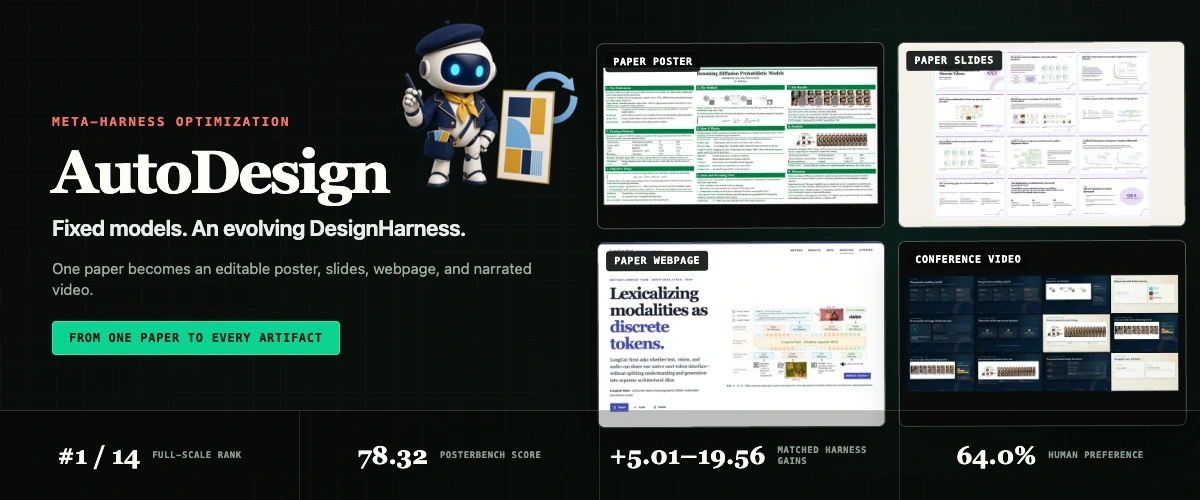
AutoDesign: Meta-Harness Optimization for Long-Horizon Agentic Design
Learn a reusable DesignHarness around fixed models, then turn one paper into an editable poster, slides, webpage, and narrated + captioned video.
Paper · arXiv:2608.13560 ↗
·
Dataset · PosterBench ↗
·
Dataset · PosterBench-mini ↗
✦ Explore the AutoDesign story ↗
·
Open the Demo Page ↗
Demos ·
Agent Skills ·
Quickstart ·
Paper Suite ·
Methodology ·
PosterBench ·
Human Evaluation ·
Outputs ·
Citation
 AutoDesign for AutoDesign · One Paper → Four Artifacts
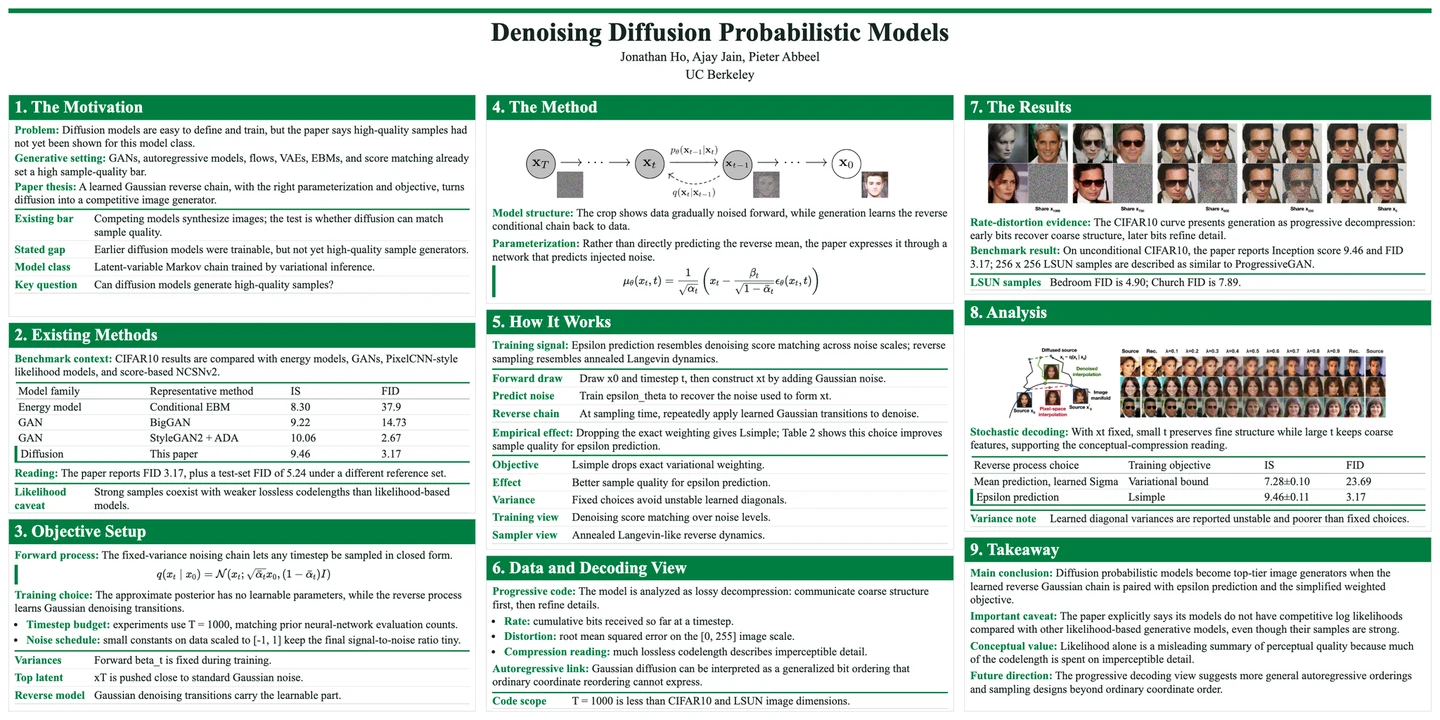
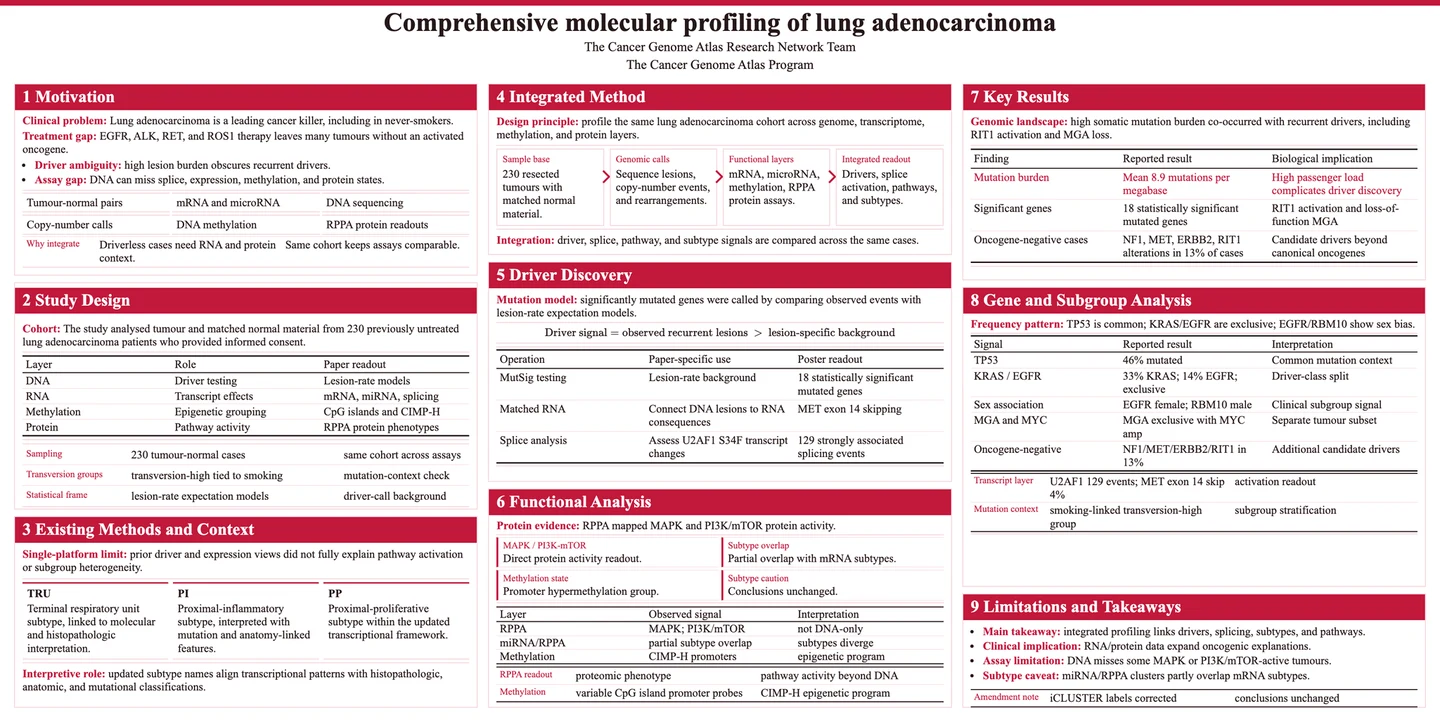
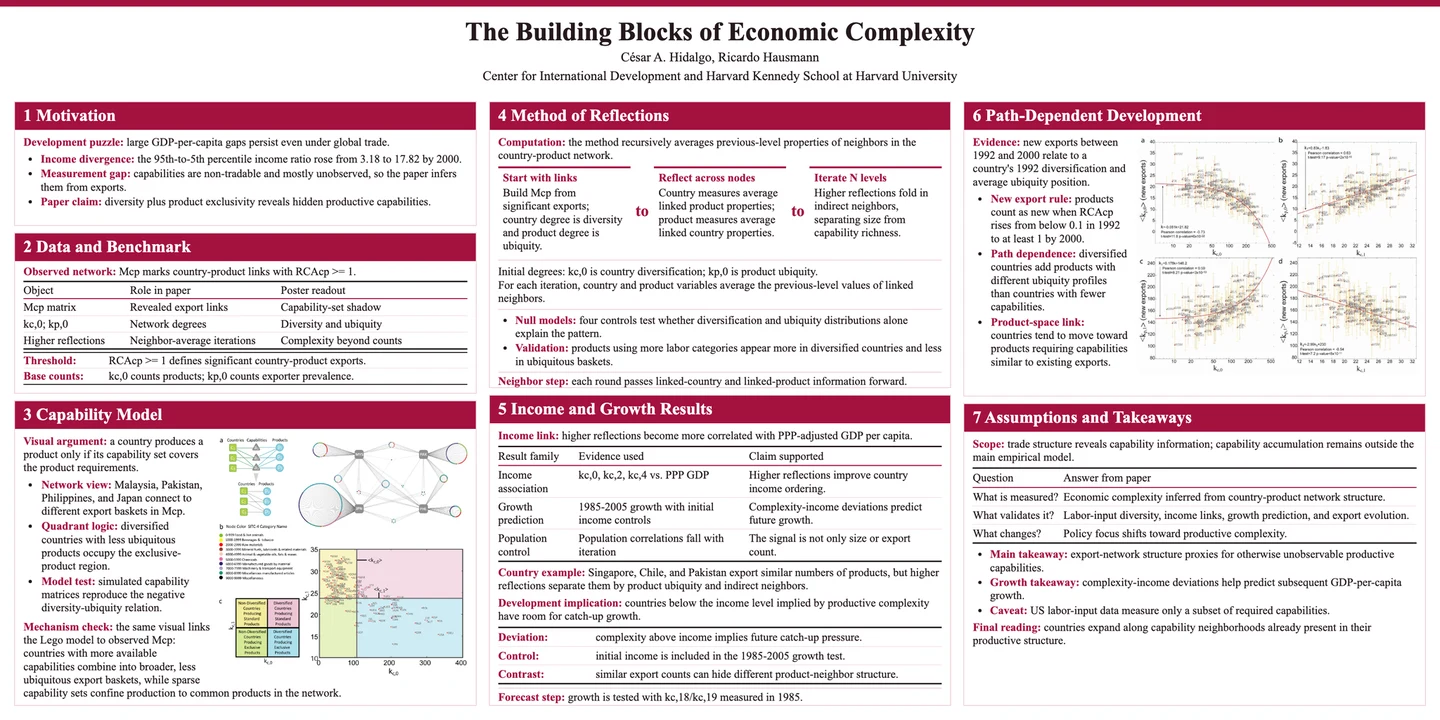
These are real outputs, not mockups. AutoDesign turned its own paper into the
paper's Figure 2 poster, a 24-slide formal academic talk, a complete editorial
research webpage, and a six-minute 1080p conference video.
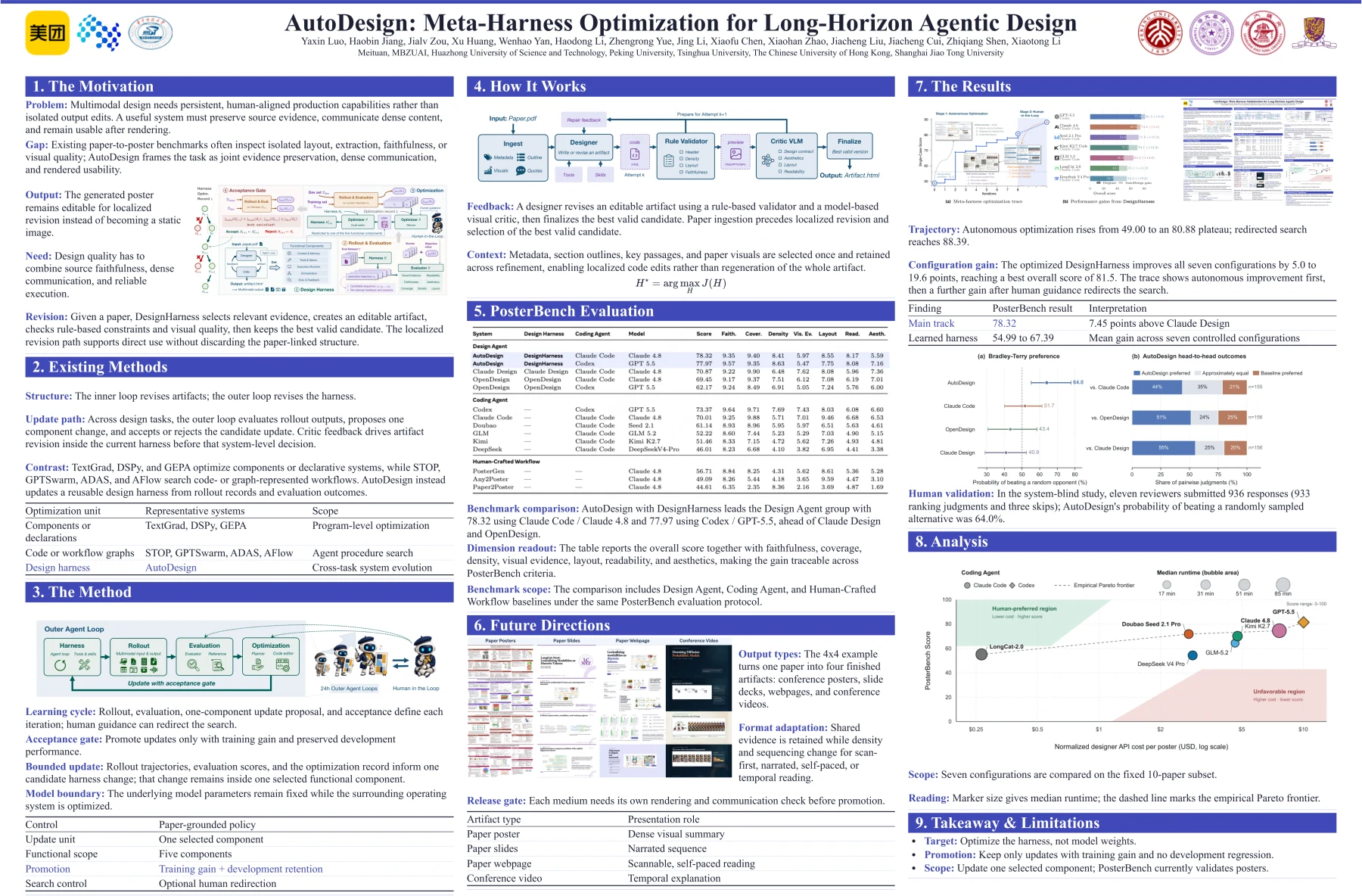
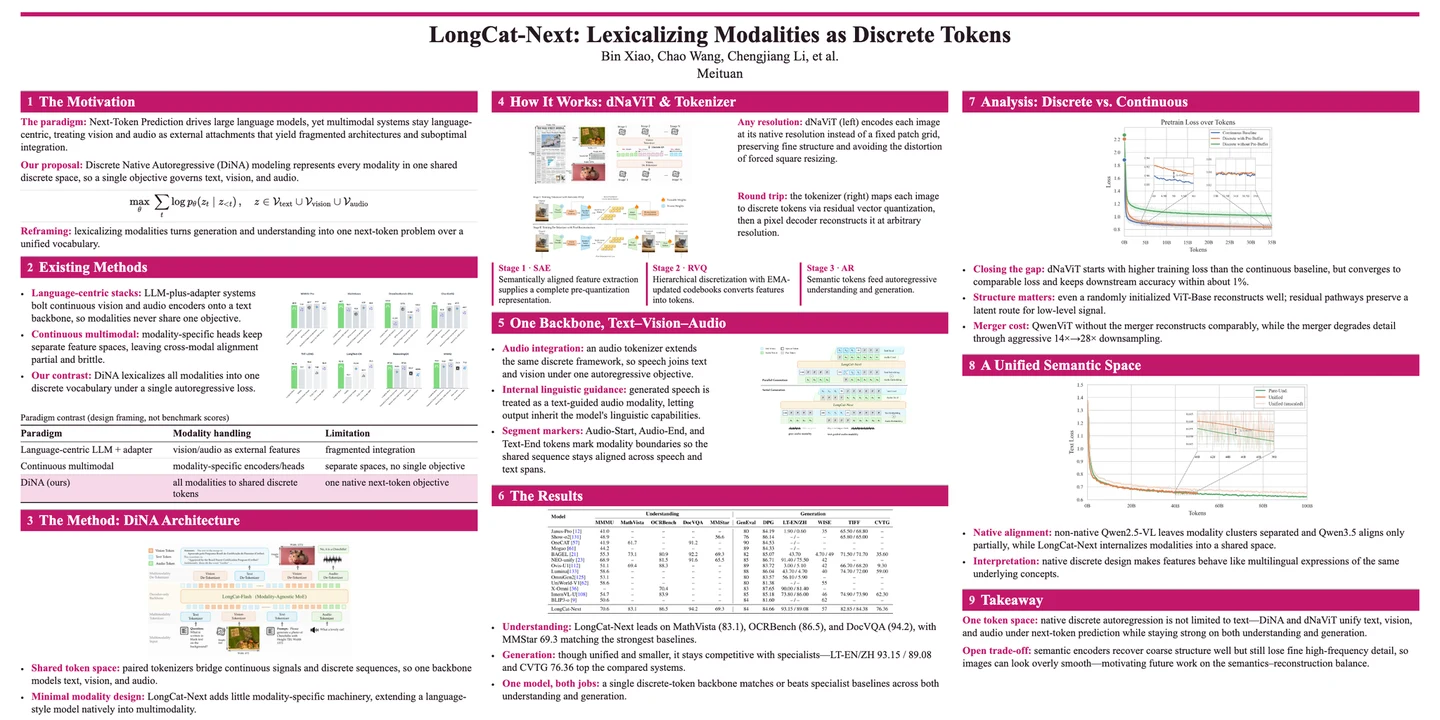
Poster · AutoDesign
Figure 2 of the paper: an information-dense, editable academic poster made by AutoDesign for itself.
Open full poster PDF ↗
|
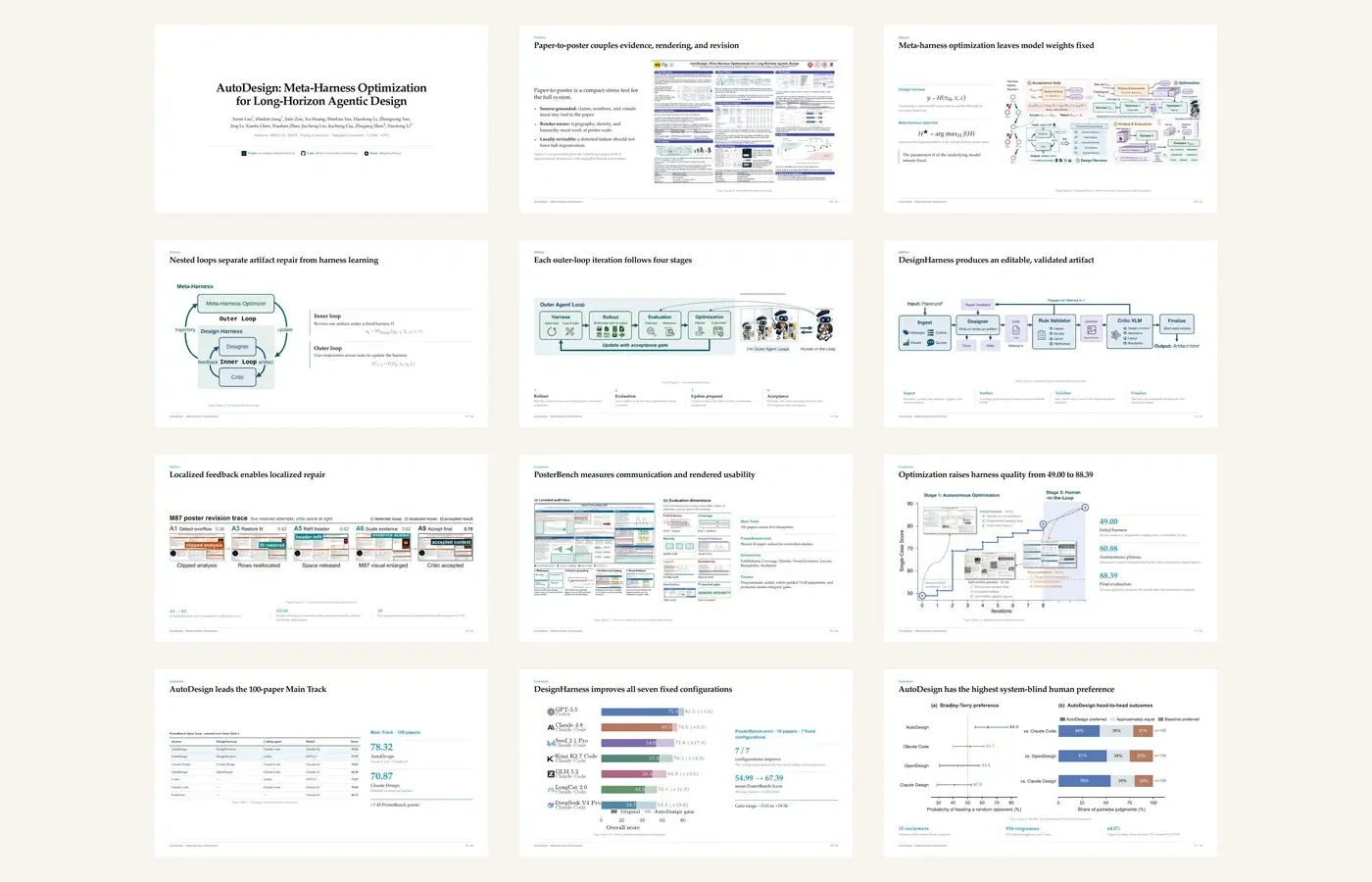
Slides · AutoDesign
A complete 24-slide formal academic conference talk made by AutoDesign for itself.
Open full slide deck PDF ↗
|
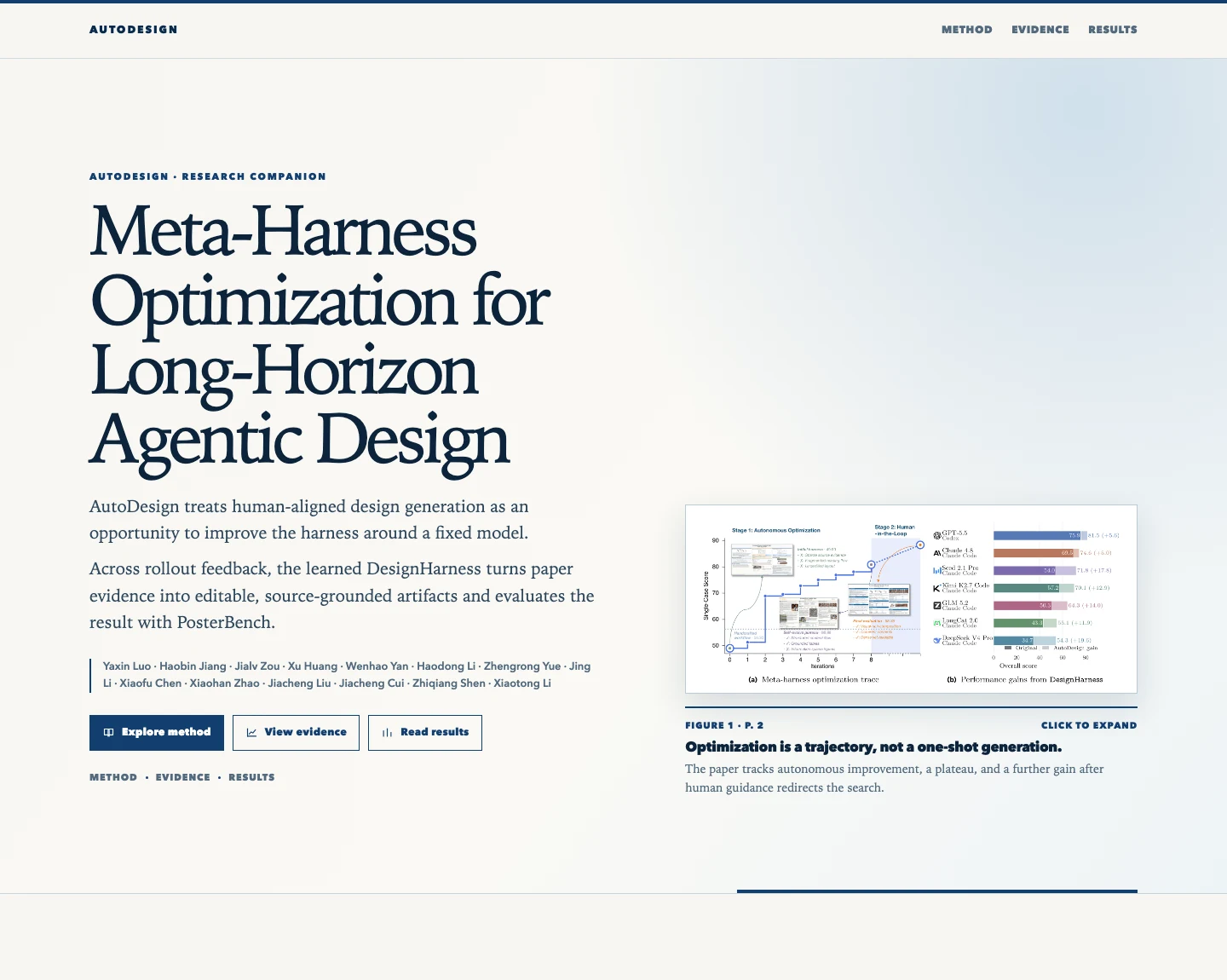
Webpage · AutoDesign
An editorial research experience that turns the paper's method, evidence, results, and limitations into an interactive story.
Download full landing page ↗
|
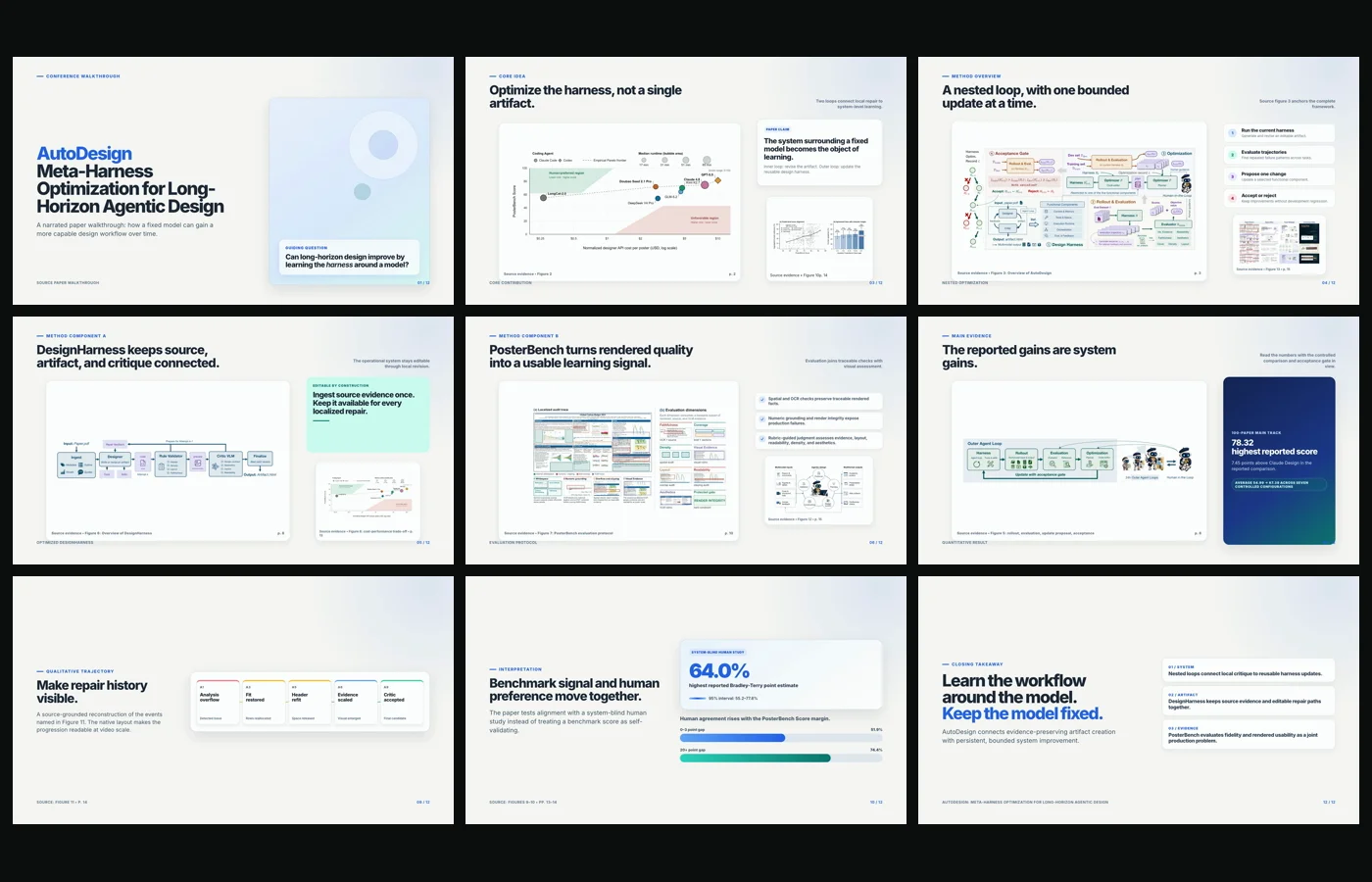
Video · AutoDesign
A six-minute 1080p conference video introducing Meta-Harness Optimization, DesignHarness, and PosterBench.
Watch MP4 ↗
|
 Agent Skills · Use AutoDesign without the server
Install the standalone Poster, PPT, Webpage, or Video Skill directly in Codex,
Claude Code, or DeepSeek Harness. Each Skill carries its own lightweight local
harness and keeps editable artifacts, evidence, attempts, and review state in
your chosen output directory—no AutoDesign application server required.
Poster is the first Skill to receive the new Agent-first v2 workflow: the host
agent can inspect the paper PDF, request deterministic crops, review the source
catalog, and repair the correct workflow stage while a read-only browser audit
checks both screen and print output. See what changed →
Open the Agent Skills install guide →
 Start locally
 One-command local launch
Prerequisites: Node.js 22+ and ffmpeg/ffprobe.
curl -fsSL https://designanything.ai/install.sh | bash
autodesign start
The launcher installs under ~/.local/share/autodesign, keeps state under
~/.autodesign, serves the bundled web/dist, and opens a browser. Run
autodesign doctor to check the installed runtime. Existing
~/.designanything state is migrated with a compatibility symlink. If the
hosted endpoint is unavailable, use the source setup below.
 Build from source
Requirements: Python 3.10+, uv, Node.js 22+,
npm, and ffmpeg/ffprobe for Video.
1. Install
uv sync
uv run python scripts/install_playwright_browsers.py
cd runtime/video && npm ci --omit=dev
cd ../../web && npm install
Configure provider keys in .env or enter them in the Web UI Settings drawer.
Do not replace an existing .env during an update.
2. Launch the workbench
Start the backend:
uv run uvicorn scripts.web_server:app --reload --port 8000
In another terminal, start the frontend:
cd web
npm run dev
Open localhost:5173. Backend health is available at
/api/health.
Upload one PDF and choose Paper All-in-One to launch the poster, slides,
webpage, and narrated-video tracks together.
3. Generate a paper poster
uv --cache-dir .uv-cache run python -m autodesign run \
  "Create a dense academic conference poster from the attached paper." \
  --from-file /absolute/path/to/paper.pdf \
  --template cvpr-landscape
Inspect final/poster.html, final/preview.png, the final manifest, and
run_events.jsonl. A file can exist after a fallback, so terminal status and
validation feedback remain part of the result.
Use a visual reference
uv --cache-dir .uv-cache run python -m autodesign run \
  "Create a paper poster using the reference's visual system." \
  --from-file /absolute/path/to/paper.pdf \
  --reference-poster /absolute/path/to/reference.png
Reference posters transfer visual systems only. Their text, claims, logos, QR
codes, figures, tables, and links never become paper evidence.
 One paper. Every artifact you need next.

Finish the paper once. Paper All-in-One packages the same source into
everything that usually comes next: a promotional webpage, conference slides,
an academic poster, and a narrated video with timed subtitles. No need to
rebuild the paper's story for each format.
Generate the complete paper suite ↗
Watch AutoDesign in action
Follow a guided local walkthrough: configure the Workbench, launch Paper
All-in-One, inspect the run, and enter each editable canvas. You can also try
the online demo in your browser; for the complete,
most reliable experience, we recommend installing AutoDesign locally.
Guided local walkthrough · Paper All-in-One → editable canvases
https://github.com/user-attachments/assets/69c25973-fedf-4273-aa33-6bd3e409c692
Open the academic poster wall
Claude 4.8 authoring route
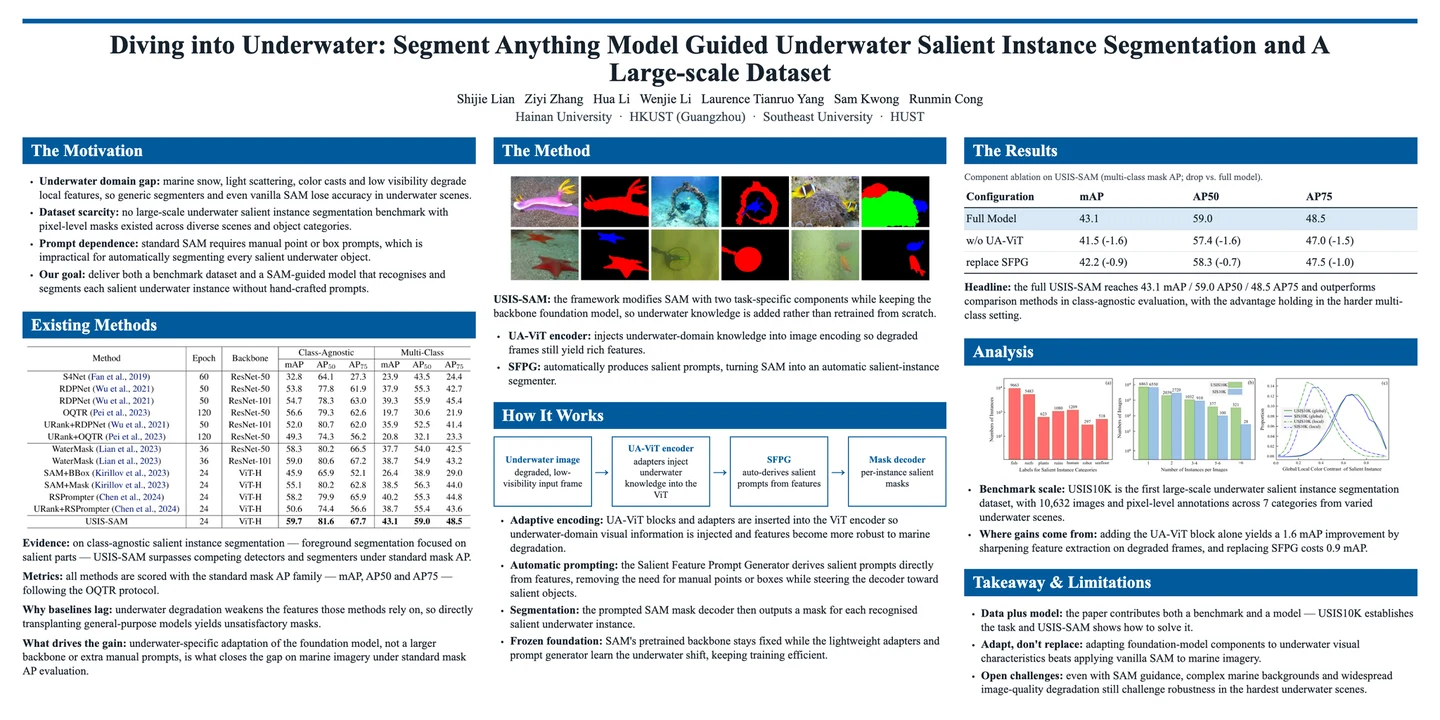
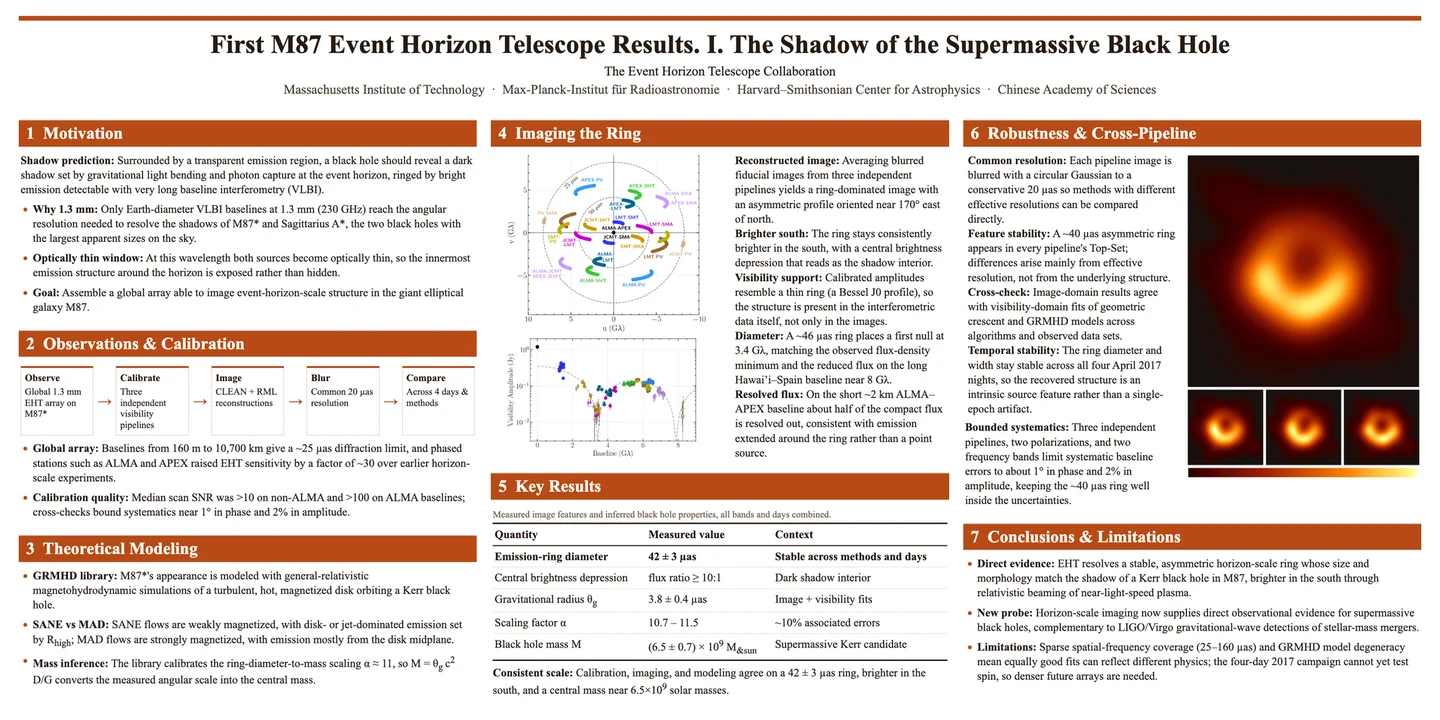
Codex GPT-5.5 xhigh authoring route
 Why AutoDesign
- The whole paper journey, in one workflow. Build the promotional webpage,
talk deck, conference poster, and narrated + captioned video from the same
source instead of restarting four times.
- Editable by default. HTML, native text, tables, and named assets remain
available for revision instead of being flattened into one image.
- Source-grounded. Claims, figures, and tables retain provenance beside the
run; a reference can transfer style, never evidence.
- Optimizes the system, not model weights. Complete trajectories expose
recurring failures, while meta-harness optimization improves one reusable
DesignHarness component at a time.
- Inspectable and local-first. Events, manifests, candidates, validation
feedback, and final files stay available on your machine.
A design harness is the system around a fixed LLM or MLLM that turns a
multimodal source into a human-facing artifact through an execution trajectory.
A meta-harness improves that surrounding system. AutoDesign therefore learns
from complete rollouts while keeping the underlying model weights fixed. Before
autonomous optimization, an evaluator coding agent uses human-annotated
reference artifacts across seven quality dimensions to implement a fixed
optimization-time evaluator. It combines rule-based checks with VLM judgments
and remains distinct from the frozen PosterBench protocol used for final system
comparison.
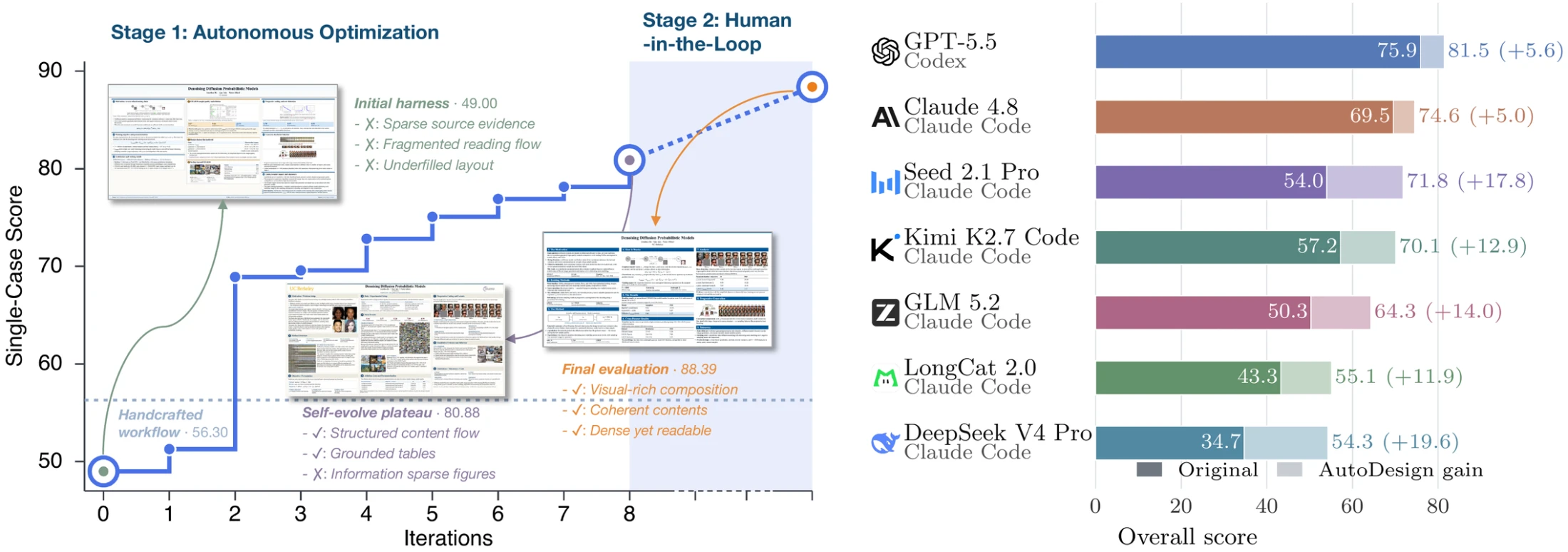
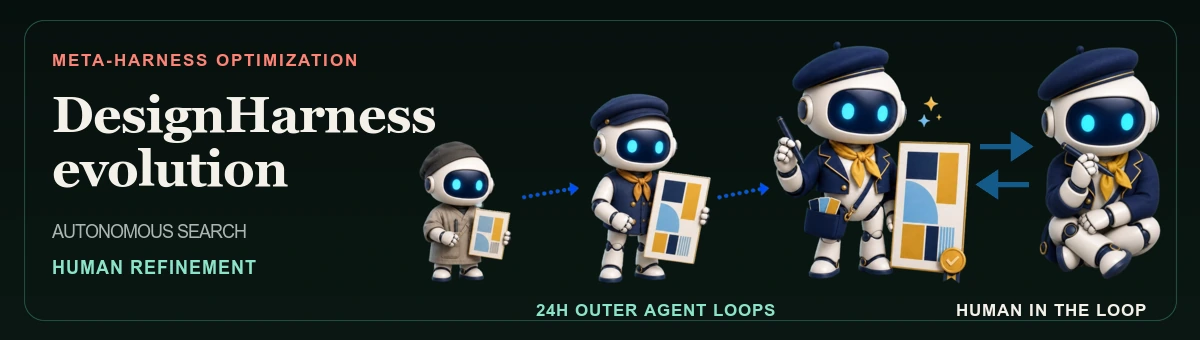
Autonomous outer-loop iterations evolve the harness through rollout,
evaluation, one-component update proposals, and acceptance. After autonomous
optimization reaches a plateau, optional Human-in-the-loop guidance can
redirect the search and further improve production poster quality.
 Two nested feedback loops
| Loop |
What it improves |
Evidence and update |
| Inner loop · artifact generation |
One editable artifact under a fixed design harness |
A Designer revises the artifact; a Critic returns feedback; their interactions form an execution trajectory |
| Outer loop · harness optimization |
The reusable design harness across tasks |
The MetaHarnessOptimizer analyzes trajectories, evaluator scores, the persistent optimization record, and optional human guidance |
Every outer-loop iteration follows four stages: rollout → evaluation → update
proposal → acceptance. The optimizer acts as a planner and code editor,
updates exactly one harness component, and retains the candidate only when
training performance improves without reducing performance on an independent
development set. Development trajectories are hidden from the update proposer.
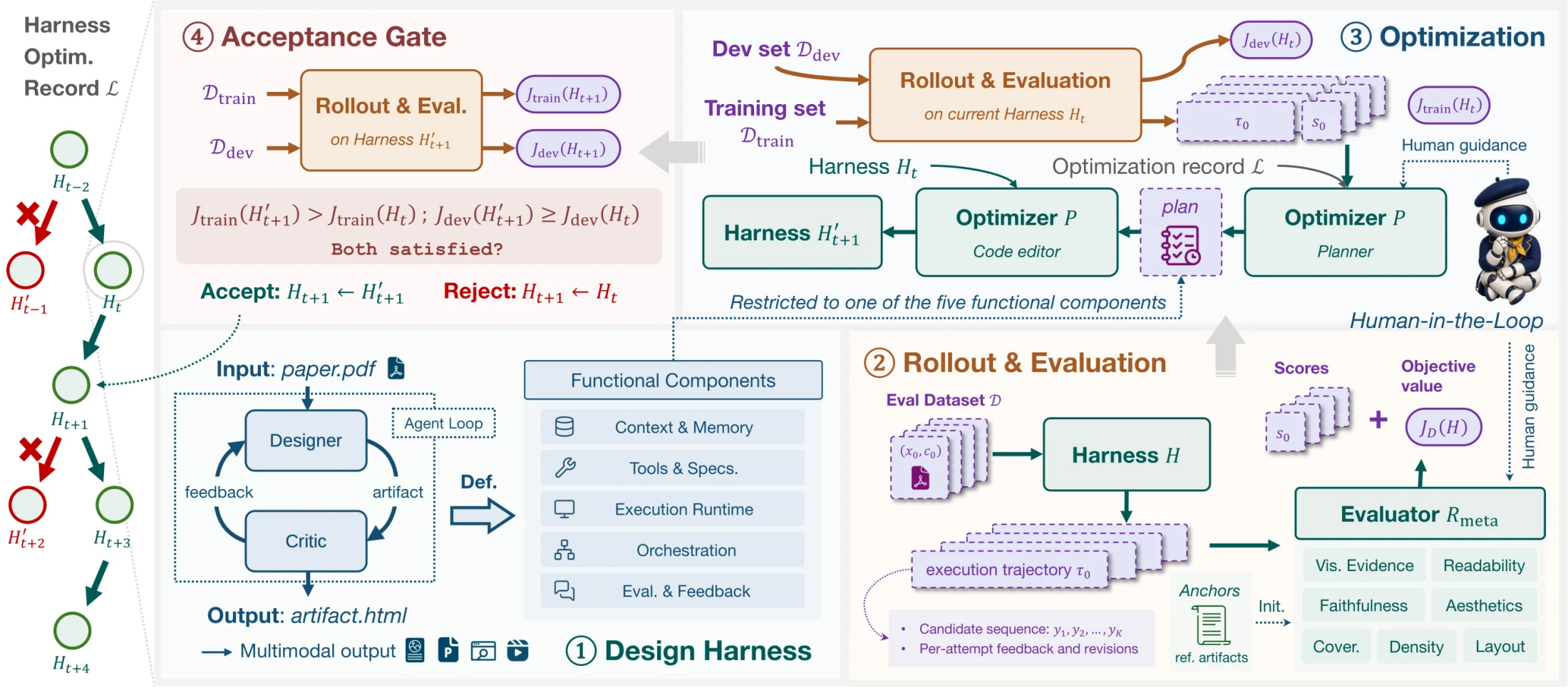
Human-in-the-loop guidance is optional. A user can give the planner
observations or high-level directions to redirect a stalled search; explicit
human input can also correct a systematic evaluator bias. Without guidance,
the outer loop runs autonomously.
Five design-harness components
| Component |
Elements optimized by the meta-harness |
| Context and Memory |
Multimodal source management, task prompts, skills, reusable assets, and persistent revision state |
| Tools and Specifications |
Tools and editable-artifact specifications for layout, typography, and provenance |
| Execution Runtime |
The workspace and runtime for authoring, rendering, validating, and exporting |
| Orchestration |
Task routing, attempt budgets, loop control, candidate selection, fallback, and finalization |
| Evaluation and Feedback |
Rule-based validation, model-based critique, and localized revision feedback |
 The optimized DesignHarness
Meta-harness optimization yields DesignHarness, the reusable
artifact-producing system. Its four stages are source ingestion, iterative
artifact generation and revision, validation with dual critics, and
finalization. Paper metadata, claims, figures, tables, and source locations
become provenance-aware context; a coding-agent Designer edits native HTML; a
rule-based validator and VLM critic return localized feedback; and the best
valid candidate is made self-contained for delivery.
The current implementation permits up to 12 refinement attempts. Blocking
checks cover unsafe or missing assets, broken provenance, severe overflow or
overlap, and required typography or layout constraints. If no candidate passes
within the budget, the retained attempt history supports a constrained fallback
before the same finalization stage.


The latest paper traces one poster run through five selected attempts. The
critic identifies a clipped analysis lane at A1; A3 restores the fit, A5 refits
the header, A6 rescales evidence, and A9 preserves the repaired composition and
is accepted. The trajectory shows that diagnostics drive localized edits while
valid layout and source-derived content survive across revisions.
 PosterBench leaderboard
PosterBench evaluates a 100-paper large set and a fixed 10-paper small set
across AI/ML, biomedicine and health, climate and earth environment, economics
and policy, and physics and astronomy. Every output is rendered to a common
poster format before scoring.
The metadata-only manifests are released on Hugging Face as
YaxinLuo/PosterBench
and
YaxinLuo/PosterBench-mini.
They can be downloaded or loaded directly with datasets without
redistributing the underlying paper PDFs.
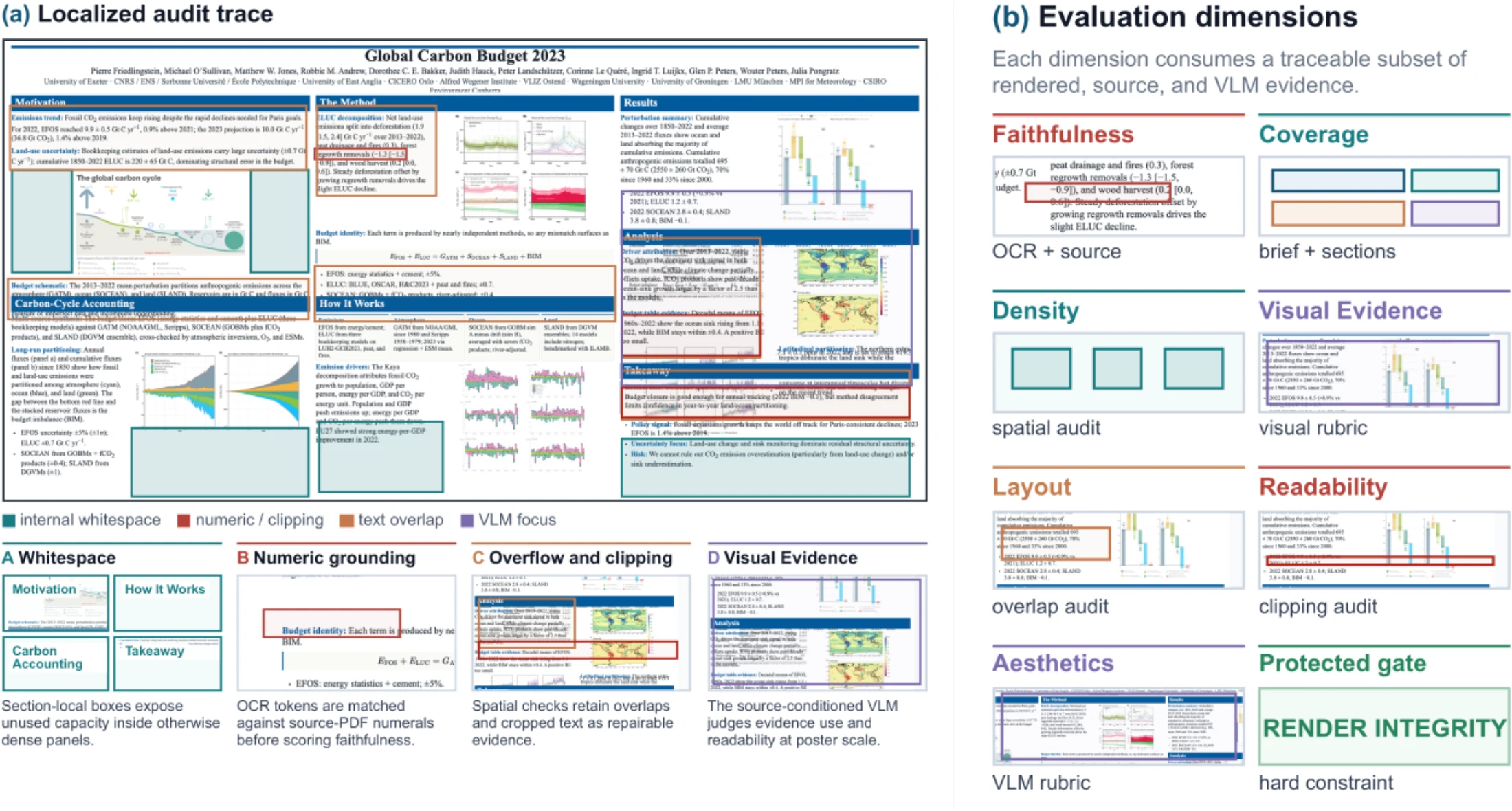
The seven dimensions are Faithfulness, Coverage, Density, Visual Evidence,
Layout, Readability, and Aesthetics, weighted
10/10/15/10/20/25/10. Programmatic evidence and source-conditioned VLM
judgments are aggregated first; then the strictest active ceiling for severe
layout damage, insufficient presentation viability, confirmed visible failure,
or protected render integrity is applied to each poster.
 Full-Scale Benchmark Main Track · 100 papers
AutoDesign achieves the two highest PosterBench Scores. With Claude Code and
Claude 4.8 fixed, it scores 78.32, exceeding Claude Design by 7.45
points and OpenDesign by 8.87 points.
 Method: meta-harness optimization
 一个开源的设计智能体与运行框架,能把一篇研究论文的 PDF 转换成四份可编辑的成果:海报、幻灯片、网页和带旁白的视频。它宣称在学术传播类成果上优于 Claude Design。