



Что это такое?
 DevSpace — это MCP-сервер, который вы размещаете у себя. Он позволяет ChatGPT (или другим MCP-совместимым клиентам, например Claude) читать, редактировать, искать и запускать код в ваших реальных локальных проектах, ничего не загружая стороннему сервису.
DevSpace — это MCP-сервер, который вы размещаете у себя. Он позволяет ChatGPT (или другим MCP-совместимым клиентам, например Claude) читать, редактировать, искать и запускать код в ваших реальных локальных проектах, ничего не загружая стороннему сервису.Это приложение, которое я открываю, или сервер, который я запускаю на своём компьютере?Это сервер, который вы запускаете сами на своём компьютере и открываете наружу через туннель, которым управляете. ИИ-клиент подключается к нему по протоколу MCP, а не по размещённому веб-сервису или настольному приложению с графическим интерфейсом.
Это сервер, который вы запускаете сами на своём компьютере и открываете наружу через туннель, которым управляете. ИИ-клиент подключается к нему по протоколу MCP, а не по размещённому веб-сервису или настольному приложению с графическим интерфейсом.Как подключить ChatGPT к моему компьютеру с помощью этого?Запустите туннель, выполните 'devspace serve', затем укажите MCP-клиенту публичный URL с /mcp и подтвердите подключение паролем владельца. После этого можно попросить ChatGPT открыть одобренную папку проекта.
Запустите туннель, выполните 'devspace serve', затем укажите MCP-клиенту публичный URL с /mcp и подтвердите подключение паролем владельца. После этого можно попросить ChatGPT открыть одобренную папку проекта.Что нужно установить перед запуском?Нужны Node >=22.19, npm, Git и Bash-совместимая оболочка. В Linux и macOS она есть по умолчанию, а в Windows потребуется Git Bash, WSL, MSYS2 или Cygwin.
Нужны Node >=22.19, npm, Git и Bash-совместимая оболочка. В Linux и macOS она есть по умолчанию, а в Windows потребуется Git Bash, WSL, MSYS2 или Cygwin.Работает ли это на Windows сразу, без дополнительной настройки?Нет. С обычным PowerShell или cmd.exe это пока не поддерживается, поэтому пользователям Windows для рабочей настройки нужен Git Bash или WSL.
Нет. С обычным PowerShell или cmd.exe это пока не поддерживается, поэтому пользователям Windows для рабочей настройки нужен Git Bash или WSL.Как это не даёт ИИ трогать файлы, которые я не разрешал?Вы сами явно выбираете, какие локальные папки разрешены, а подключение должно быть подтверждено паролем владельца, который знаете только вы.
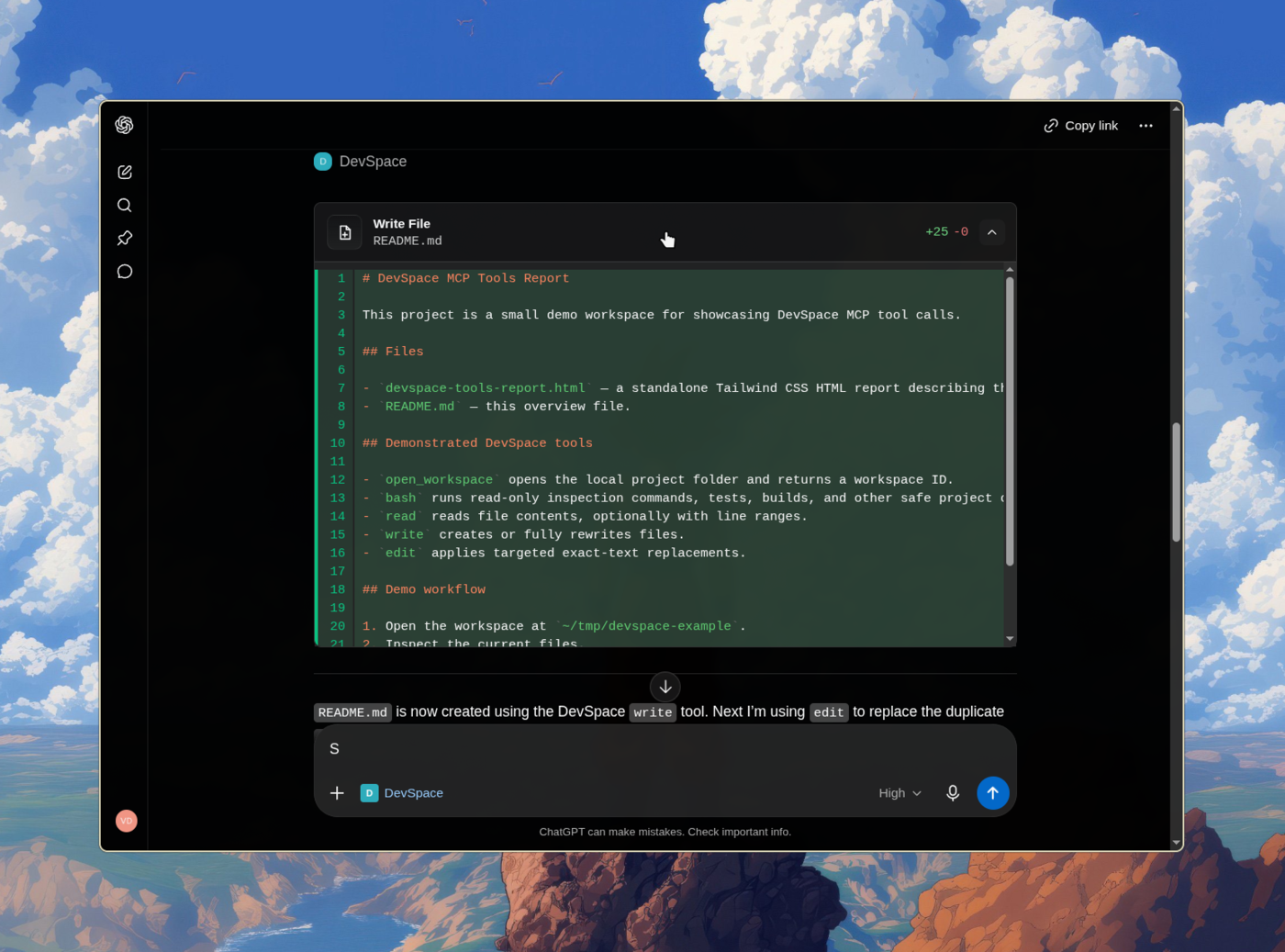
Вы сами явно выбираете, какие локальные папки разрешены, а подключение должно быть подтверждено паролем владельца, который знаете только вы.Что ChatGPT реально может делать после подключения?Он может читать, создавать и редактировать файлы в открытом рабочем пространстве, искать по коду и запускать команды оболочки для тестов, сборок и git. Также он может использовать изолированные Git worktree для параллельных сессий программирования и следовать инструкциям проекта из AGENTS.md и CLAUDE.md.
Он может читать, создавать и редактировать файлы в открытом рабочем пространстве, искать по коду и запускать команды оболочки для тестов, сборок и git. Также он может использовать изолированные Git worktree для параллельных сессий программирования и следовать инструкциям проекта из AGENTS.md и CLAUDE.md.Это только для ChatGPT?Нет. Поскольку DevSpace открывает стандартную MCP-точку подключения, к тому же /mcp-серверу могут подключаться и другие MCP-совместимые хосты, например Claude, Hermes, Grok Bot и OpenClaw.
Нет. Поскольку DevSpace открывает стандартную MCP-точку подключения, к тому же /mcp-серверу могут подключаться и другие MCP-совместимые хосты, например Claude, Hermes, Grok Bot и OpenClaw.Почему автор создал DevSpace, а не стал ждать встроенной функции программирования в ChatGPT?Автор полагает, что ChatGPT станет операционной системой, которая координирует субагентов. Поэтому он создал DevSpace как раннее, открытое и доступное для проверки средство, чтобы MCP-хосты могли напрямую работать с файлами локальных проектов.
Автор полагает, что ChatGPT станет операционной системой, которая координирует субагентов. Поэтому он создал DevSpace как раннее, открытое и доступное для проверки средство, чтобы MCP-хосты могли напрямую работать с файлами локальных проектов.What are similar projects?ruflo, openrig, deer-flow, webcodex, headroom, pstack-claude, wigolo, operator-memory
ruflo, openrig, deer-flow, webcodex, headroom, pstack-claude, wigolo, operator-memoryWhich topics is it in?pi-coding-agent, harness, chatgpt, model-context-protocol, agent-orchestration, mcp-server, coding-agent, claude, codex, agent, claude-code, mcp
pi-coding-agent, harness, chatgpt, model-context-protocol, agent-orchestration, mcp-server, coding-agent, claude, codex, agent, claude-code, mcp