
12.1K ·GitHub
Что это такое?
 Obsidian Git — это сторонний плагин, который добавляет в Obsidian.md систему контроля версий Git прямо в приложение. С его помощью можно создавать коммиты, делать pull и push изменений вашего хранилища, не выходя из Obsidian.
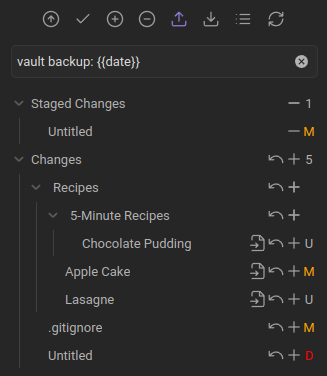
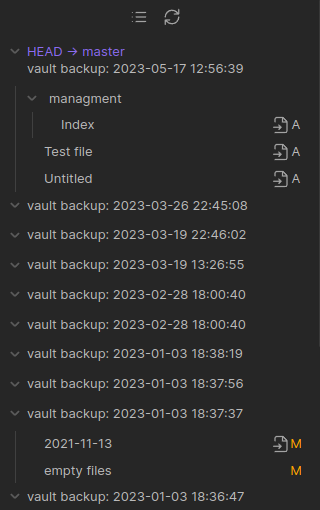
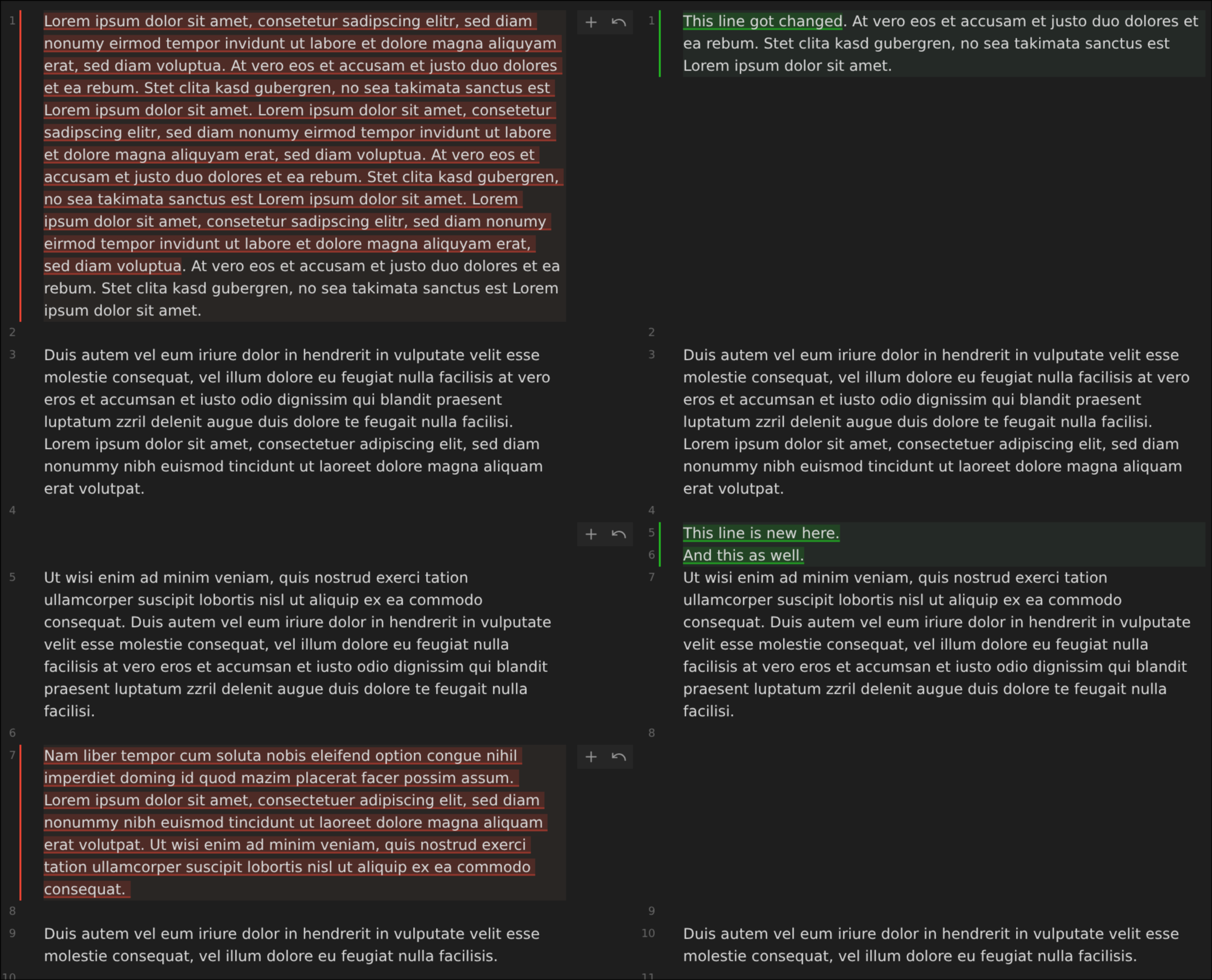
Obsidian Git — это сторонний плагин, который добавляет в Obsidian.md систему контроля версий Git прямо в приложение. С его помощью можно создавать коммиты, делать pull и push изменений вашего хранилища, не выходя из Obsidian.Это отдельное приложение или оно работает внутри Obsidian?Это плагин, который работает внутри приложения Obsidian и добавляет в ваше хранилище панель Source Control, панель History, панель Diff и значки изменений на полях редактора.
Это плагин, который работает внутри приложения Obsidian и добавляет в ваше хранилище панель Source Control, панель History, панель Diff и значки изменений на полях редактора.Как начать пользоваться им в моём хранилище?Установите его из раздела сторонних плагинов Obsidian, затем создайте новый репозиторий или клонируйте существующий удалённый репозиторий с помощью команд плагина. После этого можно использовать Commit-and-sync, чтобы по расписанию создавать коммиты, делать pull и push.
Установите его из раздела сторонних плагинов Obsidian, затем создайте новый репозиторий или клонируйте существующий удалённый репозиторий с помощью команд плагина. После этого можно использовать Commit-and-sync, чтобы по расписанию создавать коммиты, делать pull и push.Нужно ли устанавливать Git отдельно или он поставляется вместе с плагином?На компьютере плагин использует уже установленный в системе Git. На мобильных устройствах он переходит на isomorphic-git, реализацию Git на JavaScript, так как полноценная программа Git там не запускается.
На компьютере плагин использует уже установленный в системе Git. На мобильных устройствах он переходит на isomorphic-git, реализацию Git на JavaScript, так как полноценная программа Git там не запускается.Хорошо ли он работает на телефоне?Поддержка мобильных устройств экспериментальная: автор прямо предупреждает, что она очень нестабильна. Возможны сбои при клонировании и pull, нет аутентификации по SSH, ограничен размер репозитория, не поддерживаются rebase и подмодули.
Поддержка мобильных устройств экспериментальная: автор прямо предупреждает, что она очень нестабильна. Возможны сбои при клонировании и pull, нет аутентификации по SSH, ограничен размер репозитория, не поддерживаются rebase и подмодули.Одинаково ли он работает в Linux, macOS и Windows?На компьютерах — да. Но в Linux не поддерживается сборка Obsidian в формате Snap, а Flatpak не рекомендуется из-за ограничений песочницы. Вместо них лучше установить Obsidian через менеджер пакетов или в формате AppImage.
На компьютерах — да. Но в Linux не поддерживается сборка Obsidian в формате Snap, а Flatpak не рекомендуется из-за ограничений песочницы. Вместо них лучше установить Obsidian через менеджер пакетов или в формате AppImage.Можно ли управлять несколькими Git-репозиториями из одного хранилища?Да, есть необязательная поддержка подмодулей, которая позволяет работать с несколькими репозиториями, но только на компьютере.
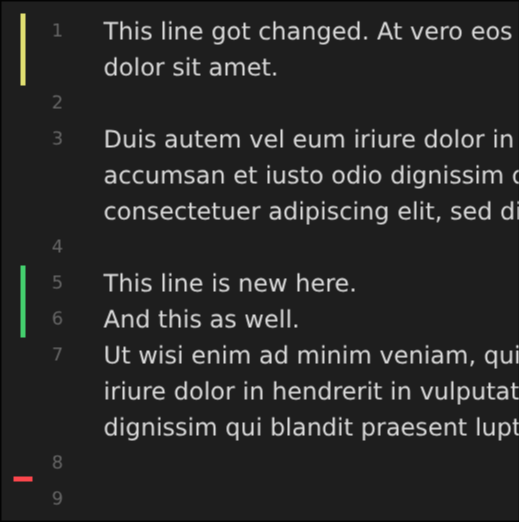
Да, есть необязательная поддержка подмодулей, которая позволяет работать с несколькими репозиториями, но только на компьютере.Можно ли видеть построчные изменения во время редактирования заметки?Да, плагин может показывать прямо в редакторе значки добавленных, изменённых и удалённых строк и фрагментов, а также предоставляет команды, чтобы добавлять в индекс (stage) и откатывать (reset) отдельные фрагменты.
Да, плагин может показывать прямо в редакторе значки добавленных, изменённых и удалённых строк и фрагментов, а также предоставляет команды, чтобы добавлять в индекс (stage) и откатывать (reset) отдельные фрагменты.Можно ли открыть историю файла на GitHub прямо из Obsidian?Да, есть команды, которые открывают текущий файл или его историю прямо на GitHub в браузере, но это работает только на компьютере.
Да, есть команды, которые открывают текущий файл или его историю прямо на GitHub в браузере, но это работает только на компьютере.Что использовать, если мобильная синхронизация слишком нестабильна?Автор советует GitSync — отдельное приложение, не связанное с этим плагином, доступное на Android и iOS, как более надёжный вариант мобильной синхронизации.
Автор советует GitSync — отдельное приложение, не связанное с этим плагином, доступное на Android и iOS, как более надёжный вариант мобильной синхронизации.What are similar projects?claudian, qiaomu-book-reader-legacy, yaos, vault-graph, quartz, open-knowledge, seafile, claude-obsidian
claudian, qiaomu-book-reader-legacy, yaos, vault-graph, quartz, open-knowledge, seafile, claude-obsidianWhich topics is it in?obsidian-md, obsidian-plugin, diff, history, obsidian, sync, version-control, knowledge-management, note-taking, github, git, plugin
obsidian-md, obsidian-plugin, diff, history, obsidian, sync, version-control, knowledge-management, note-taking, github, git, plugin