



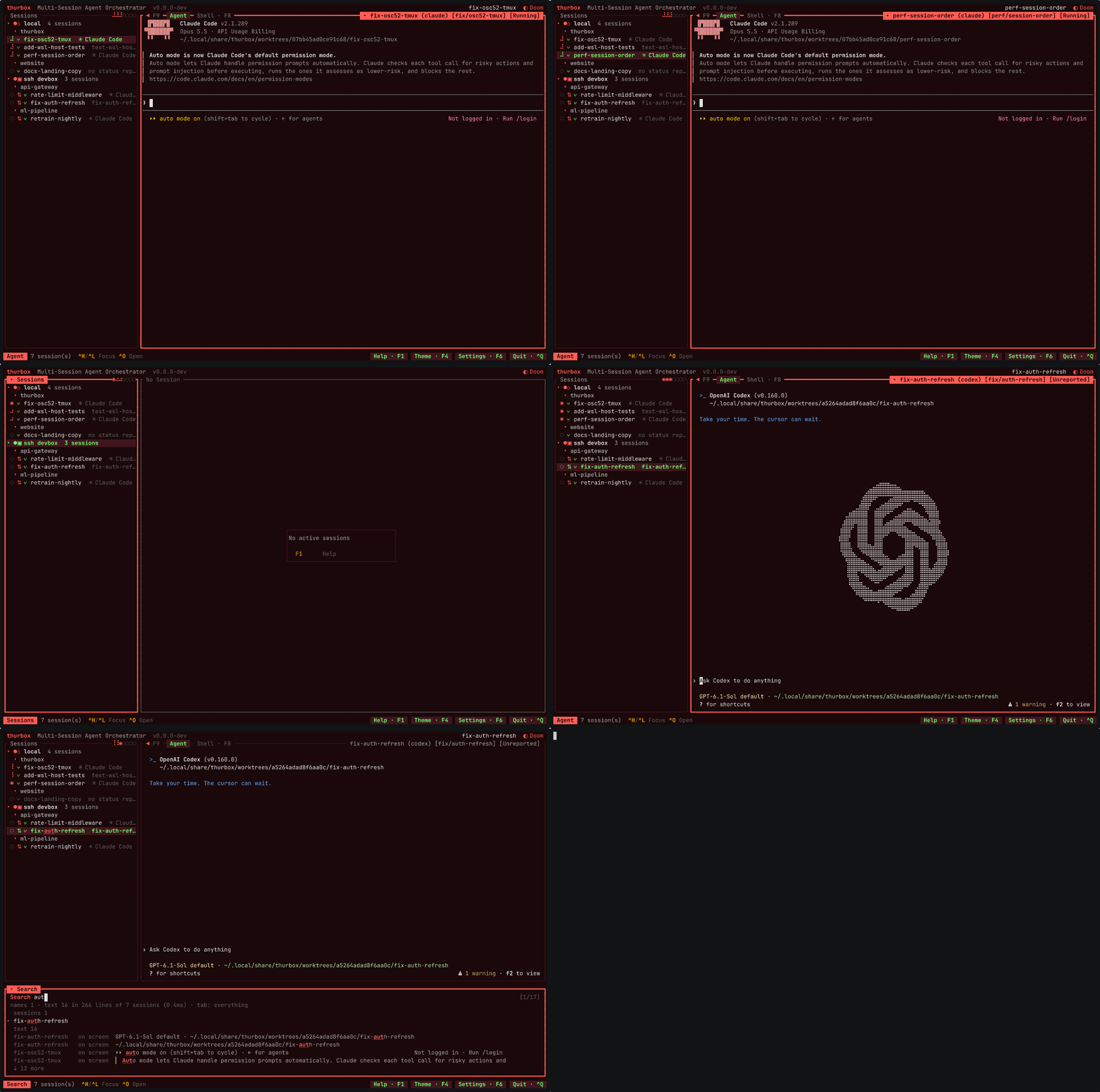
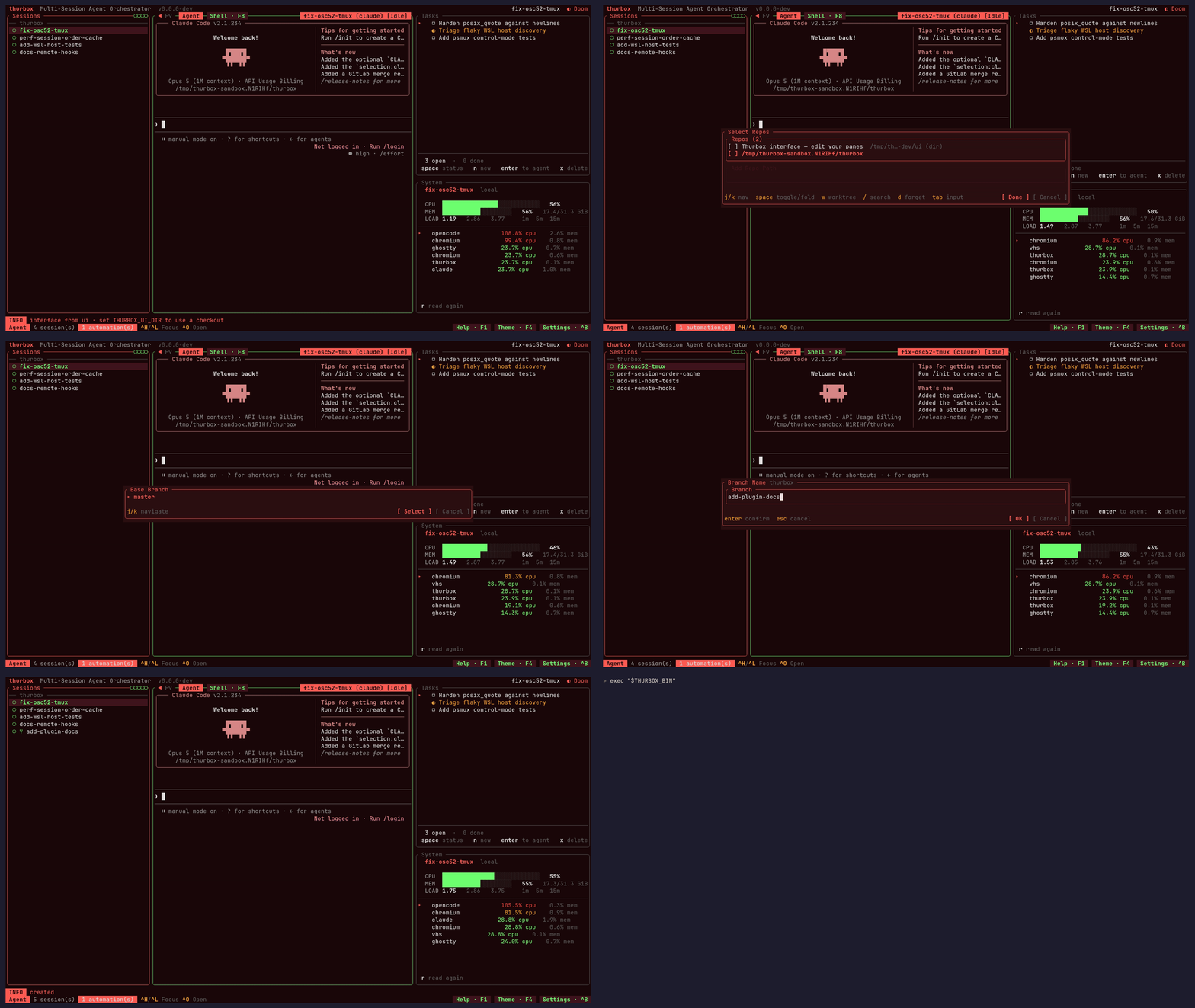
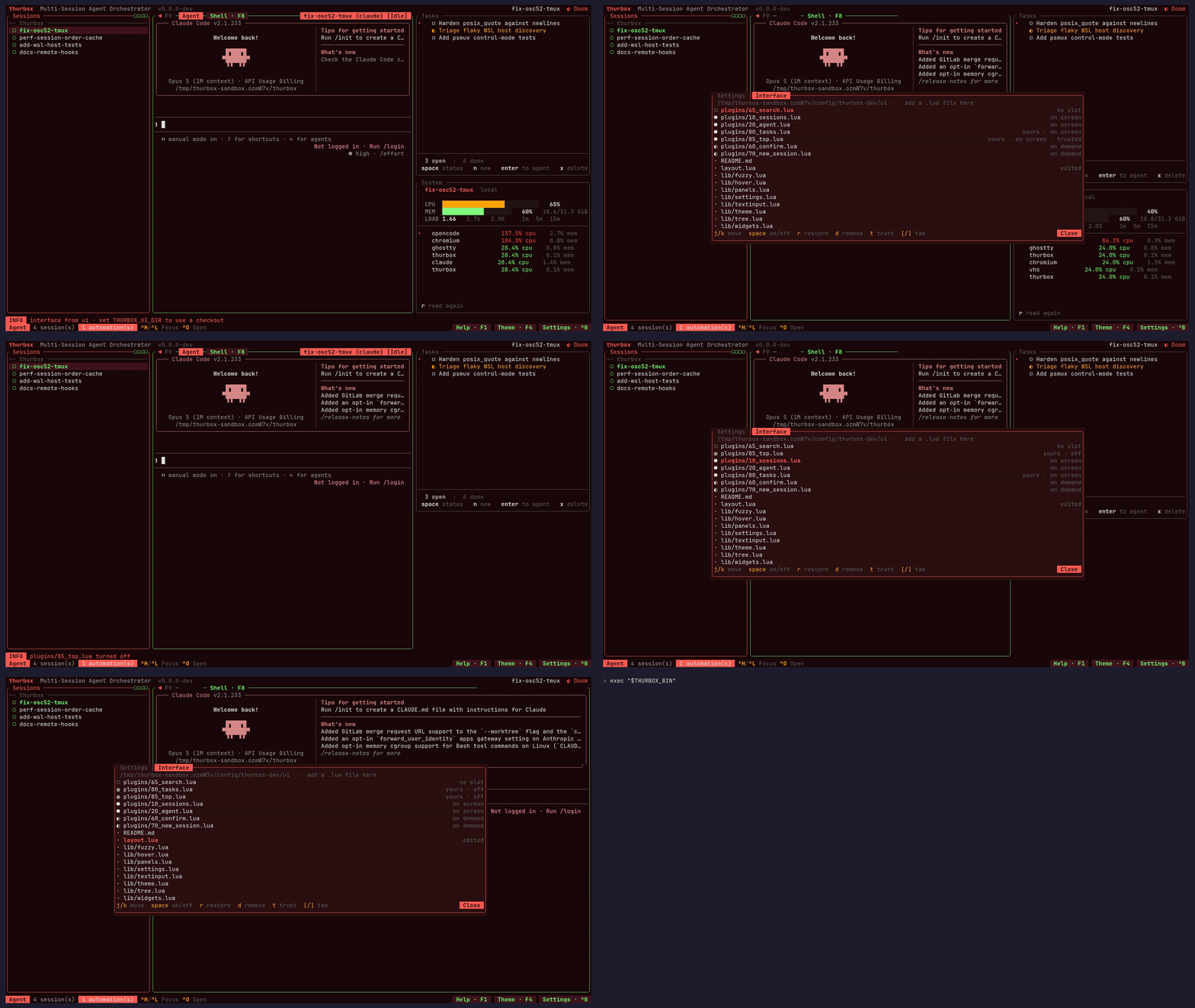
Что это такое?
 Thurbox — это терминальный интерфейс, который одновременно запускает несколько агентов для программирования — Claude Code, Codex, Antigravity, opencode, aider или любой CLI, который вы опишете сами, — каждый в своей постоянной сессии, которая продолжает работать после выхода из TUI.
Это заменяет tmux или работает поверх него?Работает поверх терминального мультиплексора: thurbox управляет сессиями, но для того, чтобы агенты оставались живыми между перезапусками, ему нужен запущенный tmux (или psmux/RMUX как альтернативы).
Работает поверх терминального мультиплексора: thurbox управляет сессиями, но для того, чтобы агенты оставались живыми между перезапусками, ему нужен запущенный tmux (или psmux/RMUX как альтернативы).Как это запустить?Запустите скрипт установки в Linux/macOS или команду PowerShell в Windows — они установят и TUI thurbox, и headless-исполняемый файл thurbox-cli с проверкой контрольной суммы. Также пакеты есть для Nix/NixOS, Homebrew, AUR, winget и Chocolatey.
Запустите скрипт установки в Linux/macOS или команду PowerShell в Windows — они установят и TUI thurbox, и headless-исполняемый файл thurbox-cli с проверкой контрольной суммы. Также пакеты есть для Nix/NixOS, Homebrew, AUR, winget и Chocolatey.Что нужно установить до запуска?tmux 3.2+ (или psmux 3.3.7+ в нативной Windows, либо RMUX 0.10.0+ как альтернатива, которую нужно включить вручную), git и хотя бы один CLI агента для программирования, например Claude Code или Codex.
tmux 3.2+ (или psmux 3.3.7+ в нативной Windows, либо RMUX 0.10.0+ как альтернатива, которую нужно включить вручную), git и хотя бы один CLI агента для программирования, например Claude Code или Codex.Достаточно ли удалить исполняемый файл, чтобы деинсталлировать это?Нет — если просто удалить исполняемые файлы, сессии в мультиплексоре продолжат работать, а хуки и навыки останутся в конфигурационных каталогах ваших агентов, поэтому нужно выполнить отдельные шаги удаления.
Нет — если просто удалить исполняемые файлы, сессии в мультиплексоре продолжат работать, а хуки и навыки останутся в конфигурационных каталогах ваших агентов, поэтому нужно выполнить отдельные шаги удаления.Работает ли это на Windows, или только на Linux/macOS?Поддерживаются Linux, macOS, Windows (через установку в PowerShell и psmux как мультиплексор) и Nix/NixOS с модулем flake; также можно управлять агентами, работающими удалённо по SSH или внутри WSL.
Поддерживаются Linux, macOS, Windows (через установку в PowerShell и psmux как мультиплексор) и Nix/NixOS с модулем flake; также можно управлять агентами, работающими удалённо по SSH или внутри WSL.Продолжит ли работа идти, если я закрою thurbox или перезагружу ноутбук?Да — каждый агент работает внутри постоянной сессии мультиплексора, которая переживает сбои, перезапуски TUI и перезагрузки; закрытие thurbox комбинацией Ctrl+Q ничего не останавливает.
Да — каждый агент работает внутри постоянной сессии мультиплексора, которая переживает сбои, перезапуски TUI и перезагрузки; закрытие thurbox комбинацией Ctrl+Q ничего не останавливает.Можно ли запускать агентов на другой машине из того же списка сессий?Да: хосты объявляются в hosts.toml, а удалённые сессии SSH или WSL отображаются в том же списке под своим хостом, при этом TUI остаётся локальным.
Да: хосты объявляются в hosts.toml, а удалённые сессии SSH или WSL отображаются в том же списке под своим хостом, при этом TUI остаётся локальным.Как настроить интерфейс?Каждая панель и список сессий — это обычные Lua-файлы в ~/.config/thurbox/, которые можно редактировать, удалять или заменять; F10 перезагружает их на лету, а встроенное расширение ui-skill позволяет даже попросить самого запущенного агента перестроить интерфейс за вас.
Каждая панель и список сессий — это обычные Lua-файлы в ~/.config/thurbox/, которые можно редактировать, удалять или заменять; F10 перезагружает их на лету, а встроенное расширение ui-skill позволяет даже попросить самого запущенного агента перестроить интерфейс за вас.Для чего нужен thurbox-cli?Это headless-утилита, которая создаёт, управляет, снимает вывод и завершает сессии из скрипта, читая и записывая ту же базу данных, что и TUI.
Это headless-утилита, которая создаёт, управляет, снимает вывод и завершает сессии из скрипта, читая и записывая ту же базу данных, что и TUI.Могут ли несколько репозиториев использовать одну сессию агента?Да — одна сессия может охватывать несколько репозиториев, каждый из которых размещён в собственном git worktree общей ветки, поэтому агенты не конфликтуют за одну рабочую копию, а Ctrl+S синхронизирует их с базовой веткой.
Да — одна сессия может охватывать несколько репозиториев, каждый из которых размещён в собственном git worktree общей ветки, поэтому агенты не конфликтуют за одну рабочую копию, а Ctrl+S синхронизирует их с базовой веткой.Какие есть похожие проекты?shipyard, worktrunk, MiMo-Code, openrig, fractal, hyperfide-oss, gastown, emdash
shipyard, worktrunk, MiMo-Code, openrig, fractal, hyperfide-oss, gastown, emdashВ каких он темах?wsl, lua, ssh, tui, orchestration, cli-tool, git, multi-agent, coding-agent, productivity, rust, codex
wsl, lua, ssh, tui, orchestration, cli-tool, git, multi-agent, coding-agent, productivity, rust, codex- Автор
- Thurbeen
- Размер
- 507.4 MB
- Звёзды
- 120
- Обновлён
- КоммитNov 18Релизv3.17.1Nov 18
- Возраст
- 9 мес
- Коммиты · 90 дней