


这是什么?
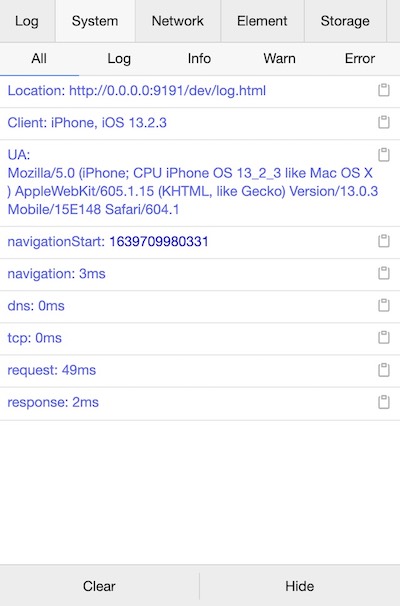
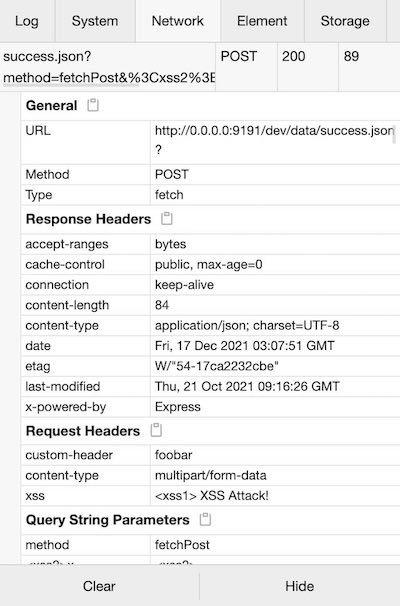
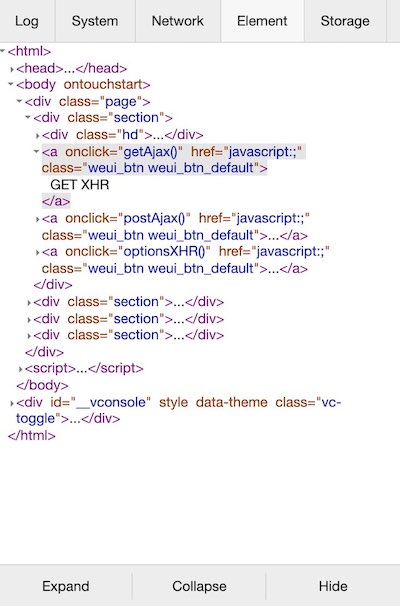
 一款轻量、可扩展的前端开发者调试工具,用于调试移动端网页:它会在页面上直接显示一个控制台,在手机上就能查看日志、网络请求、元素和存储内容。
一款轻量、可扩展的前端开发者调试工具,用于调试移动端网页:它会在页面上直接显示一个控制台,在手机上就能查看日志、网络请求、元素和存储内容。这是浏览器扩展,还是要加到我页面里的代码?是要加到你项目里的代码,不是扩展:它不依赖任何框架,在 Vue、React 或其他任何框架里都能用,控制台界面直接渲染在页面上。
是要加到你项目里的代码,不是扩展:它不依赖任何框架,在 Vue、React 或其他任何框架里都能用,控制台界面直接渲染在页面上。怎么把它加到项目里?两种方式:npm install vconsole(推荐)然后引入,或者在 HTML 里加一个 CDN 的 script 标签。
两种方式:npm install vconsole(推荐)然后引入,或者在 HTML 里加一个 CDN 的 script 标签。用之前需要额外装什么东西吗?不需要额外装什么:它就是一个普通的 npm 包,只有几个很小的运行时依赖(core-js、@babel/runtime、copy-text-to-clipboard),也不需要跑任何服务端组件。
不需要额外装什么:它就是一个普通的 npm 包,只有几个很小的运行时依赖(core-js、@babel/runtime、copy-text-to-clipboard),也不需要跑任何服务端组件。它只能在手机上用,还是电脑上也可以?它主要面向移动端网页,因为手机上用不了完整的开发者工具;不过它就是随页面加载的普通脚本,页面能在哪运行,它就能在哪运行。
它主要面向移动端网页,因为手机上用不了完整的开发者工具;不过它就是随页面加载的普通脚本,页面能在哪运行,它就能在哪运行。它能用在微信小程序里,还是只支持普通移动网页?都可以:它现在是微信小程序官方的调试工具,仓库里除了普通网页版构建,还专门提供了 wx 版构建。
都可以:它现在是微信小程序官方的调试工具,仓库里除了普通网页版构建,还专门提供了 wx 版构建。可以免费使用吗,包括商业用途?可以——它基于 MIT License 发布,可以免费使用并嵌入任何项目,商业项目也没问题。
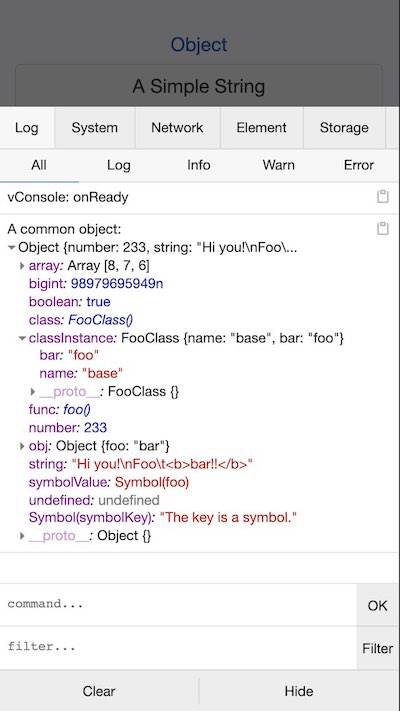
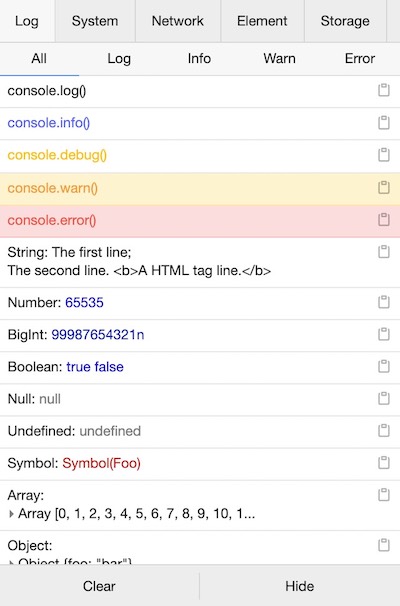
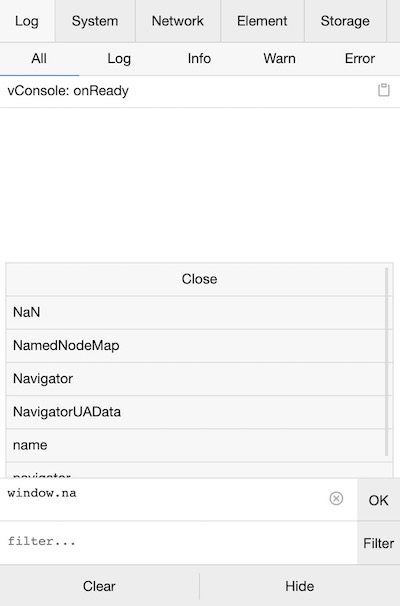
可以——它基于 MIT License 发布,可以免费使用并嵌入任何项目,商业项目也没问题。用它能查看哪些东西?控制台日志(log、info、error 等)、来自 XMLHttpRequest、Fetch 和 sendBeacon 的网络请求、实时更新的 HTML 元素树、系统和性能信息,还有一个可以手动执行 JS 的命令行。
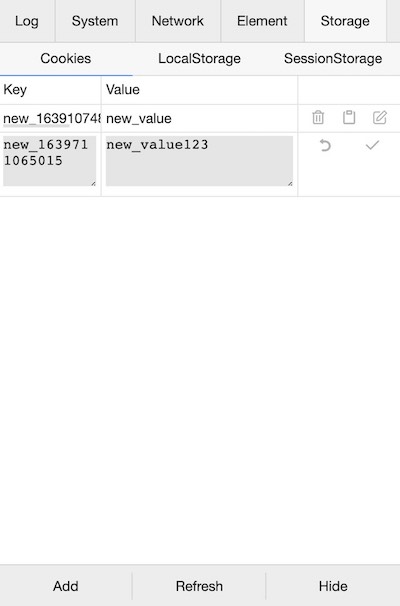
控制台日志(log、info、error 等)、来自 XMLHttpRequest、Fetch 和 sendBeacon 的网络请求、实时更新的 HTML 元素树、系统和性能信息,还有一个可以手动执行 JS 的命令行。我能在面板里直接编辑存储的数据吗?可以——Storage 面板支持对 Cookies、LocalStorage 和 SessionStorage 的条目进行添加、编辑、删除或复制。
可以——Storage 面板支持对 Cookies、LocalStorage 和 SessionStorage 的条目进行添加、编辑、删除或复制。可以自己加面板或功能吗?可以,它支持自定义插件,文档里讲了怎么写一个;社区还维护了一些扩展,比如 vconsole-webpack-plugin、vite-plugin-vconsole 和一个 vue-devtools 插件。
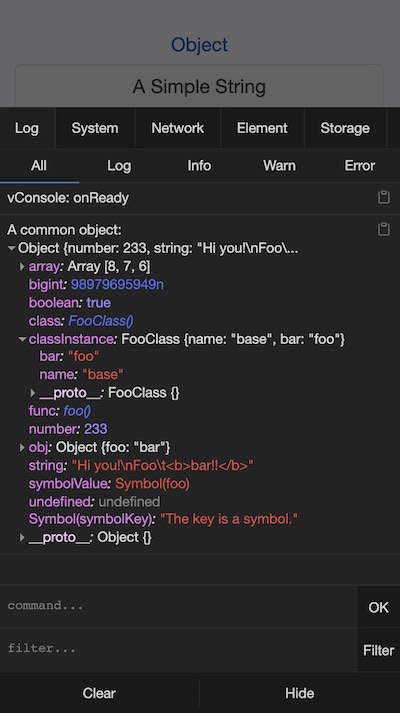
可以,它支持自定义插件,文档里讲了怎么写一个;社区还维护了一些扩展,比如 vconsole-webpack-plugin、vite-plugin-vconsole 和一个 vue-devtools 插件。它有深色模式吗?有——项目展示截图里同时有浅色和深色主题。
有——项目展示截图里同时有浅色和深色主题。What are similar projects?eruda, better-scroll, react-grab, devtools-v6, qiankun, debug, react-scan, redux-devtools-extension
eruda, better-scroll, react-grab, devtools-v6, qiankun, debug, react-scan, redux-devtools-extension