




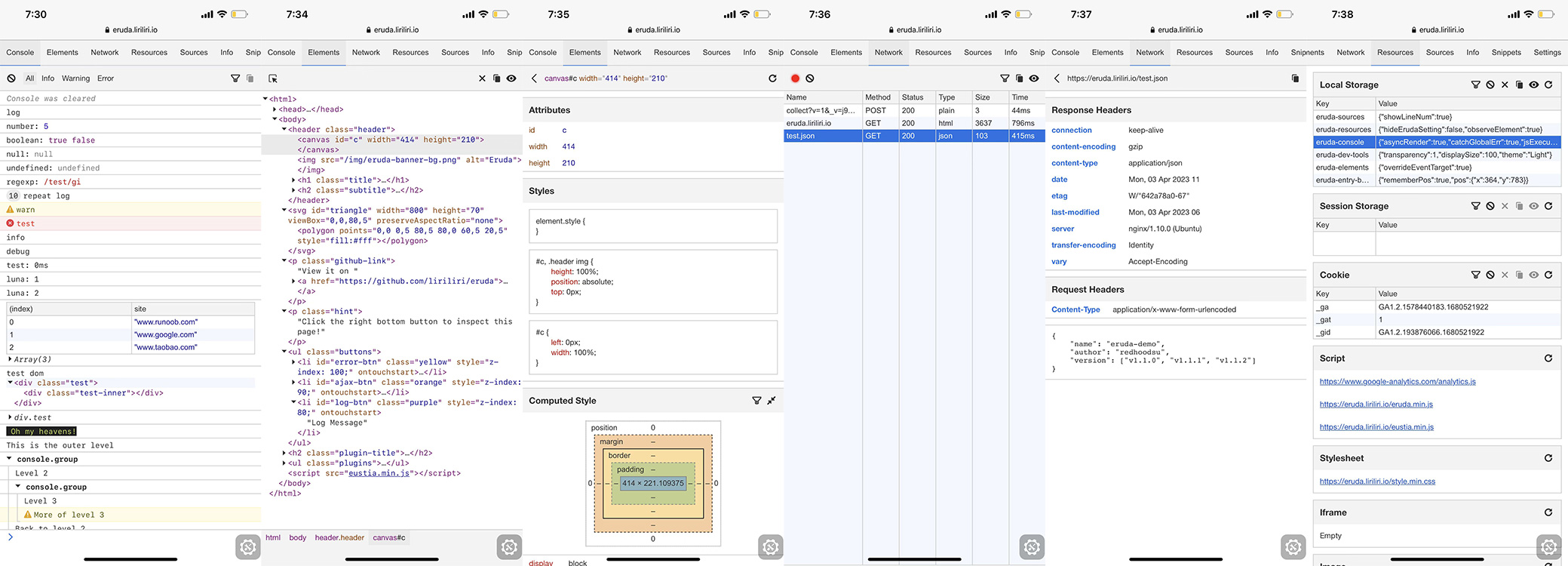


What is this?
 Eruda is a console and devtools panel for mobile browsers, letting you debug web pages on a phone the same way you'd use Chrome DevTools on desktop.
Eruda is a console and devtools panel for mobile browsers, letting you debug web pages on a phone the same way you'd use Chrome DevTools on desktop.Is it a standalone app or something I embed in a page?It's a JavaScript library you drop into a webpage as a script; it then overlays a floating DevTools-like panel on that page.
It's a JavaScript library you drop into a webpage as a script; it then overlays a floating DevTools-like panel on that page.How do I add it to my site?Install it via npm, or just include it directly from jsDelivr or cdnjs as a script tag on your page.
Install it via npm, or just include it directly from jsDelivr or cdnjs as a script tag on your page.Do I need any build tools or frameworks to use it?No, it works as a plain script tag or npm package with no required framework; it's built on the author's own 'licia' utility library and 'luna' UI components.
No, it works as a plain script tag or npm package with no required framework; it's built on the author's own 'licia' utility library and 'luna' UI components.Can I try it before installing?Yes, there's a live demo you can browse directly on your phone at eruda.liriliri.io.
Yes, there's a live demo you can browse directly on your phone at eruda.liriliri.io.Are there related tools for automatic injection or specific frameworks?Yes: 'eruda-android' auto-loads eruda in a webview, 'eruda-webpack-plugin' integrates it into webpack builds, and 'eruda-vue-devtools' adds Vue-specific debugging panels.
Yes: 'eruda-android' auto-loads eruda in a webview, 'eruda-webpack-plugin' integrates it into webpack builds, and 'eruda-vue-devtools' adds Vue-specific debugging panels.What related project handles remote debugging instead?The author also maintains 'chii', a remote debugging tool, and 'chobitsu', a JavaScript implementation of the Chrome DevTools protocol, which are separate but related projects.
The author also maintains 'chii', a remote debugging tool, and 'chobitsu', a JavaScript implementation of the Chrome DevTools protocol, which are separate but related projects.What are similar projects?vConsole, better-scroll, debug, vuex, react-scan, fastclick, swiper, mint-ui
vConsole, better-scroll, debug, vuex, react-scan, fastclick, swiper, mint-ui