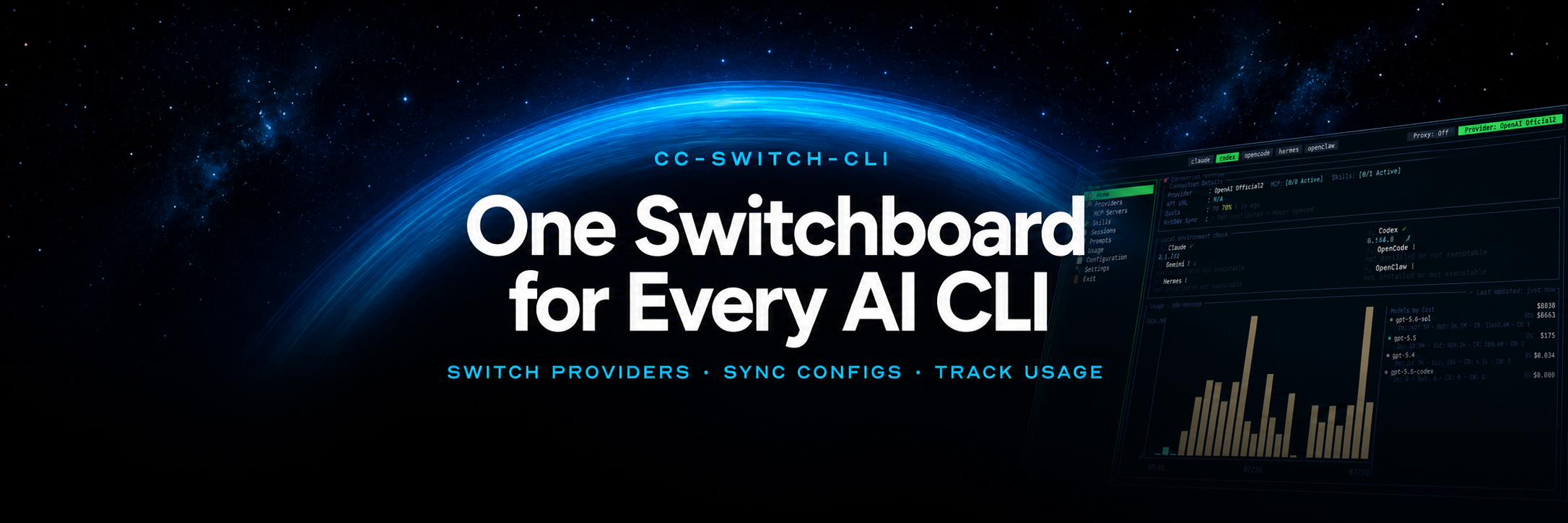
CC-Switch CLI
Manage Claude Code, Codex, Gemini, OpenCode, Hermes, OpenClaw, and Pi from one interactive TUI or scriptable CLI.




English | 中文
📖 About
This project is a CLI fork of CC-Switch.
🔄 The WebDAV sync feature is fully compatible with the upstream project.
Changelog: CHANGELOG.md

Thanks to AICodeMirror for sponsoring this project! AICodeMirror provides highly reliable official relay services for Claude, Codex, and Gemini, supporting enterprise-grade concurrency, fast invoice issuance, and dedicated 24/7 technical support. Official Codex access is available for as little as 7% of the standard price, with additional discounts on account top-ups!
AICodeMirror also offers an exclusive benefit to users of the CC-Switch CLI project: register through this link to receive 20% off your first top-up.

|
Thanks to ClaudeAPI for supporting this project! ClaudeAPI is a Claude-focused API access provider built on official and AWS channels, offering high stability, low latency, and full support for Claude Code, Codex, Agent workflows, and enterprise use cases. It also supports business onboarding, team usage management, and invoicing. Exclusive offer for CC-Switch CLI users: register via this exclusive link to receive free trial credits and get started with Claude Code instantly.
|
|
PatewayAI is an API relay service tailored for seasoned AI developers. It offers full‑fledged support for Claude and Codex model families. All models are sourced from high‑quality official channels with no diluted or counterfeit outputs. Transparent billing details are available for full traceability.
Enjoy rates as low as 95% off official pricing. Sign up via this link to receive trial credits, and stay tuned for periodic promotional campaigns to earn free credits.
The platform also delivers enterprise‑grade concurrency capacity, a dedicated admin dashboard, formal contracts and invoicing support. Earn up to $150 in mutual referral bonuses.
|
|
Thanks to Cubence for sponsoring this project! Cubence is an API relay service provider dedicated to offering stable and efficient services to its customers. Operating since September 2025, it has provided support for various models such as Claude code, Codex, and Gemini. Register via this link and use the CCSCLI discount code when topping up to enjoy a 10% discount.
|
|
One API, every top model! OpenModel is a production-grade, high-availability AI API gateway that makes your applications truly fast and stable: automatic failover, smart routing to the best-performing channel, and a production-grade SLA. An SLA that far surpasses any single provider — making stability your core competitive advantage. Works directly with Claude Code, Codex, and Gemini CLI. Register via this link to get started.
|

|
Thanks to Qiniu Cloud AI for sponsoring this project! Qiniu Cloud AI is an enterprise-grade large-model MaaS platform from Qiniu Cloud (HKEX: 02567), offering one-stop access to 150+ mainstream models worldwide, compatibility with the protocols of major global model vendors, and full-modality coverage across text, image, audio, video, and file processing — serving over 1.69 million enterprise and developer users.
Exclusive benefits: enterprise users can claim 12 million free tokens, and referring friends can earn up to tens of billions of tokens. Register via this link.
|
|
Thanks to Fenno.ai for sponsoring this project! Fenno.ai is a stable, efficient API relay provider currently focused on Codex relay. It is compatible with both the OpenAI and Anthropic protocols and plugs smoothly into mainstream coding tools such as Codex, Claude Code, and OpenCode, reliably sustaining enterprise workloads of hundreds of billions of tokens per day, with corporate (B2B) settlement and invoicing for both domestic and overseas entities.
Exclusive benefit for CC-Switch CLI users: register via this link to subscribe to a great-value Coding Plan — ¥9.9 for $150 of credit — and earn up to a 20% reward for referrals; the more you invite, the more you get!
|

|
Thanks to PackyCode for sponsoring this project! PackyCode is a reliable and efficient API relay service provider, offering relay services for Claude Code, Codex, Gemini, and more.
PackyCode provides special discounts for our software users: register via this link and use promo code cc-switch-cli when recharging to get 10% off.
|

|
Thanks to DDS for sponsoring this project! DDS Hub is a reliable and high-performance Claude API proxy service. DDS Hub provides cost-effective domestic Claude direct acceleration services for both individual and enterprise users. We offer stable and low-latency Claude Max number pools, with full support for Claude Haiku, Opus, Sonnet and other flagship models. Invoices are available for recharges of 1000 RMB or more. Enterprise customers can also enjoy customized grouping and dedicated technical support services.
Exclusive benefit for CC-Switch CLI users: register via this link and enjoy an extra 10% credit on your first recharge (please contact the group admin to claim after recharging)!
|
📸 Screenshots
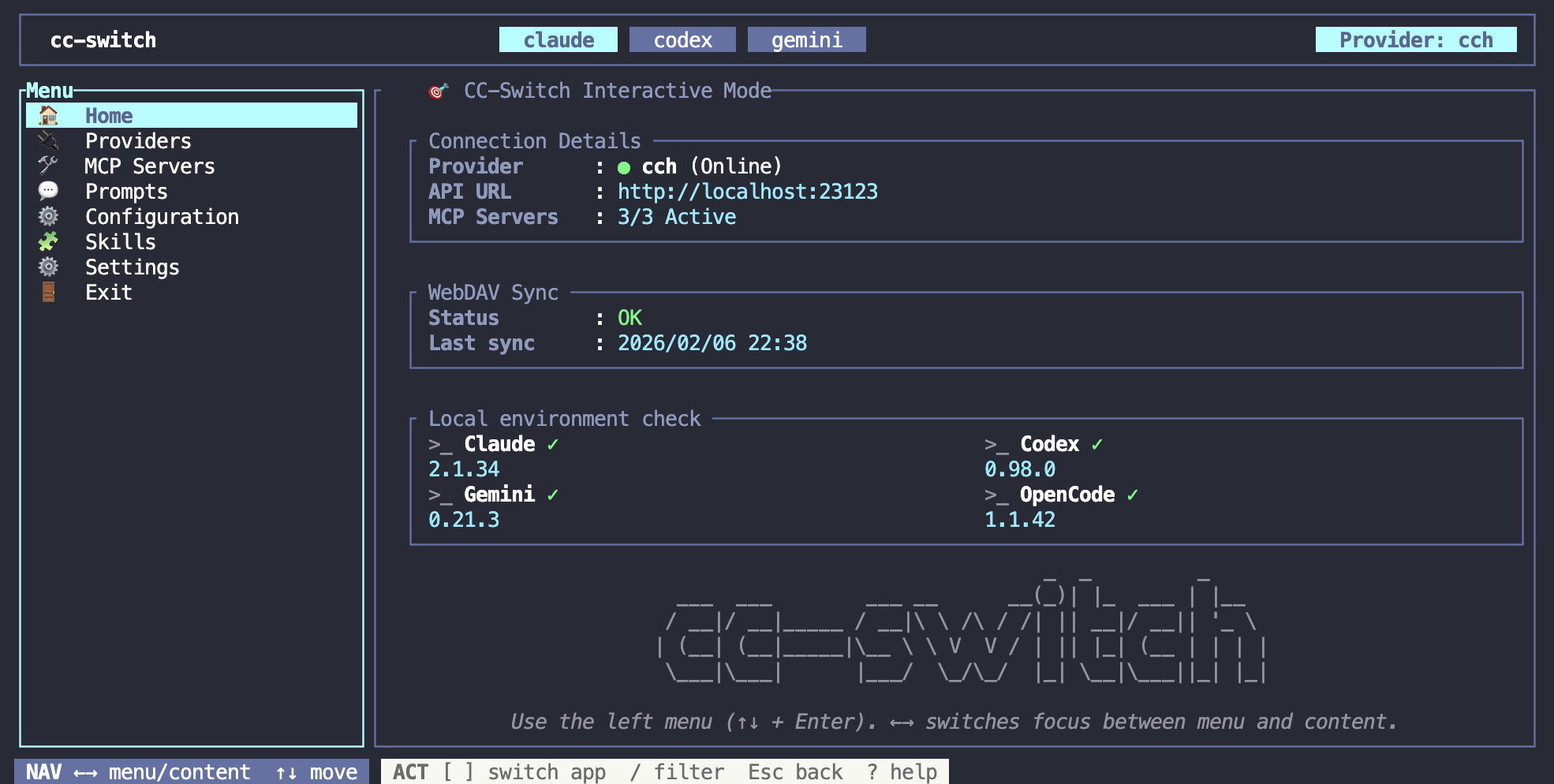
Home
| Switch |
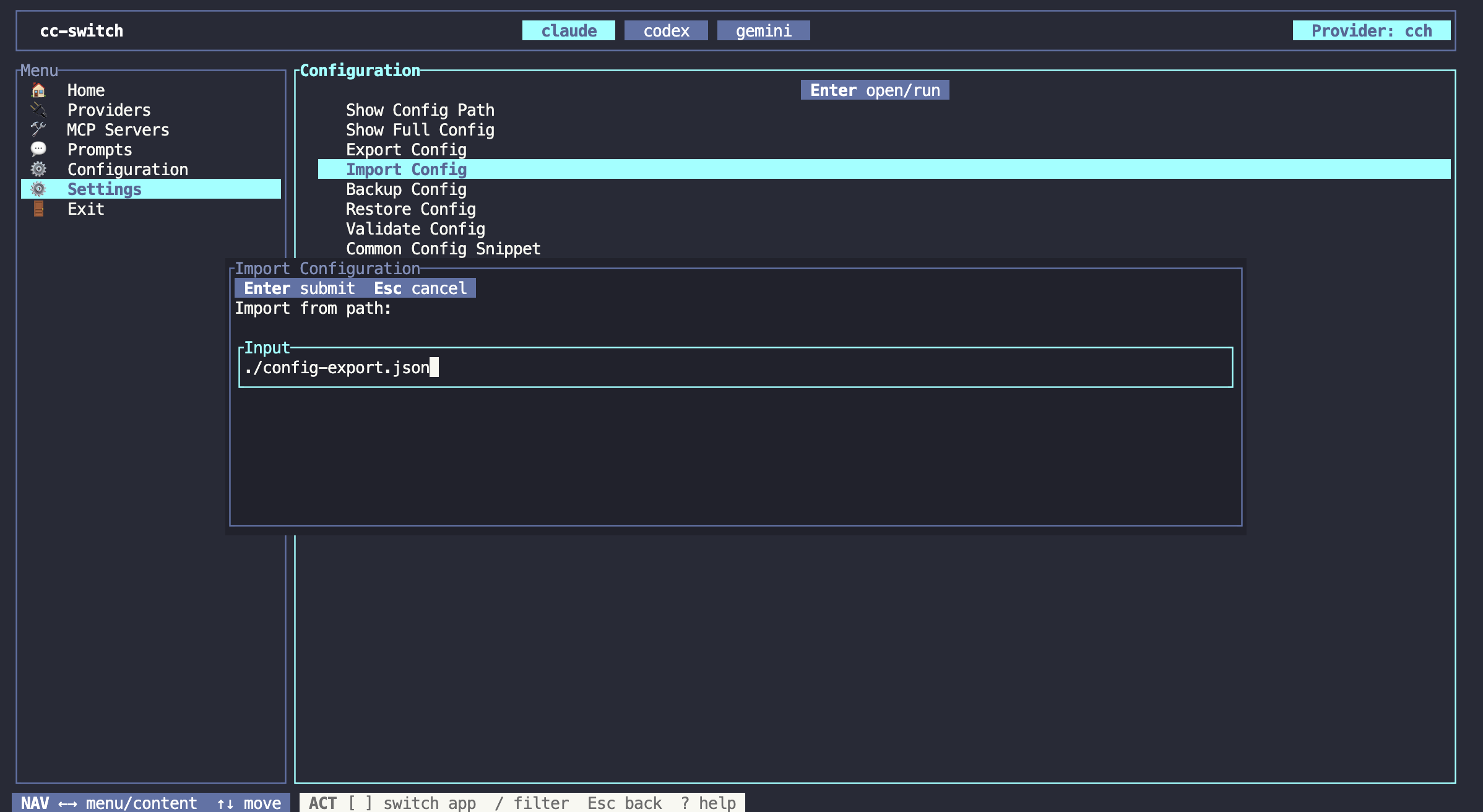
Settings |
 |
 |
🚀 Quick Start
TUI Mode (Recommended)
cc-switch
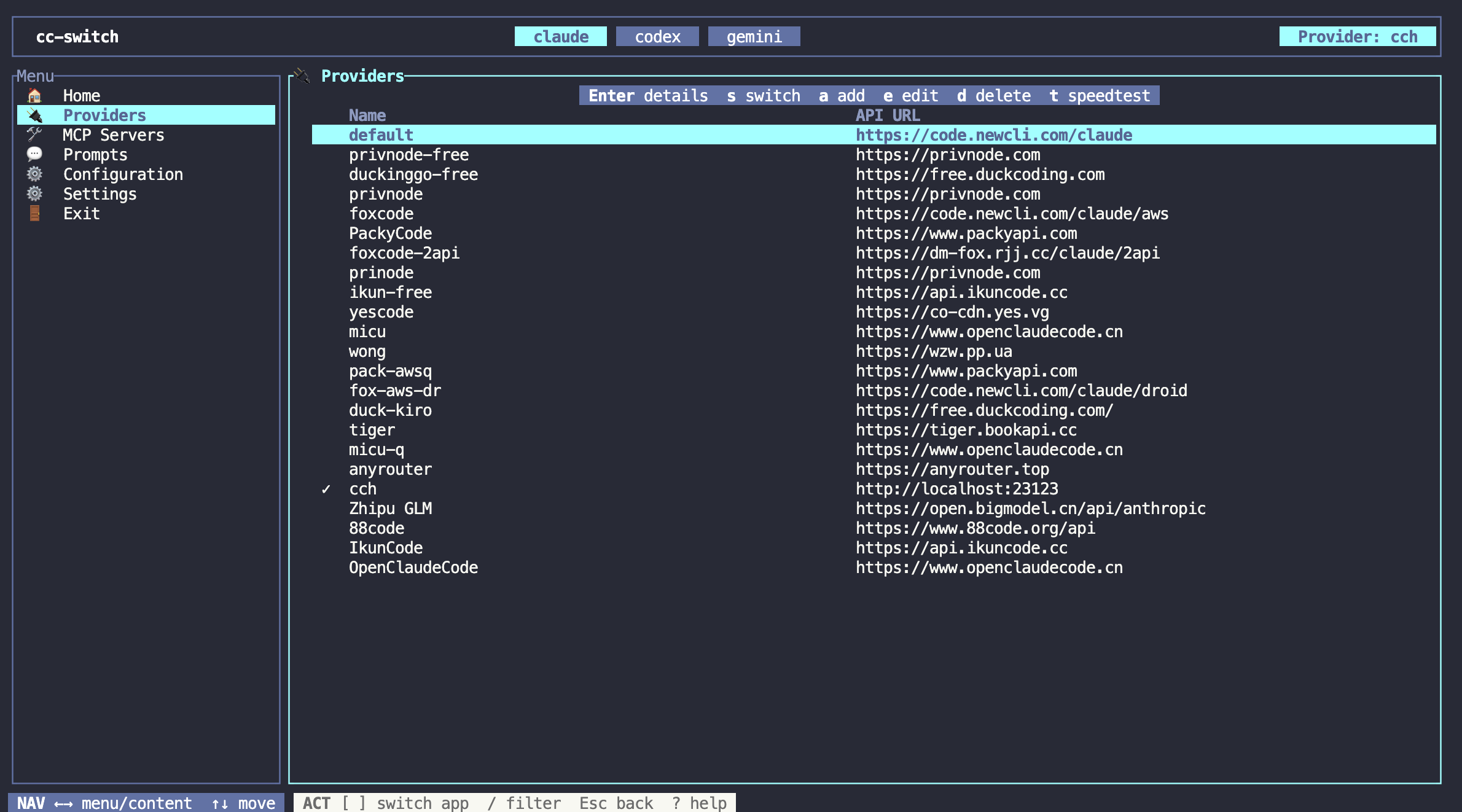
Use the full-screen interface to switch providers, manage accounts, review sessions, and inspect proxy status.
Command-Line Mode
cc-switch provider list              # List providers
cc-switch provider switch <id>       # Switch provider
cc-switch use <id>                   # Switch provider (shortcut)
cc-switch provider export <id>       # Export a Claude provider to a standalone settings file
cc-switch provider stream-check <id> # Check provider stream health
cc-switch start claude <id>          # Launch Claude with this provider without switching globally
cc-switch start codex <id>           # Launch Codex with this provider without switching globally
cc-switch start codex <id> --shared-sessions # Share persistent Codex history across providers
cc-switch start claude <id> --dry-run # Preview the launch without starting Claude
cc-switch auth list                  # List managed ChatGPT/Codex OAuth accounts
cc-switch sessions list --all        # Review saved assistant sessions
cc-switch sessions sync-usage --all  # Import local session token/cost usage
cc-switch config webdav show         # Inspect WebDAV sync settings
cc-switch env tools                  # Check local CLI tools
cc-switch mcp sync                   # Sync MCP servers
cc-switch proxy show                 # Inspect proxy routes and status

# Use the global `--app` flag to target specific applications:
cc-switch --app claude provider list    # Manage Claude providers
cc-switch --app codex mcp sync          # Sync Codex MCP servers
cc-switch --app gemini prompts list     # List Gemini prompts
cc-switch --app hermes provider list    # Manage Hermes providers
cc-switch --app openclaw provider list  # Manage OpenClaw providers
cc-switch --app pi provider list        # Manage Pi providers

# Supported apps: `claude` (default), `codex`, `gemini`, `opencode`, `hermes`, `openclaw`, `pi`
Use cc-switch start when you want different providers in multiple terminals. It only affects the Claude or Codex session launched by that command; provider switch and use still change the global provider. In the TUI, select a provider on the Providers page and press o for the same behavior.
On macOS/Linux, add --shared-sessions to start codex to share the configured Codex home's sessions, archived sessions, and SQLite history index. Each provider uses a persistent, private directory under that home's .cc-switch-launches/; these directories must remain in place because Codex records session paths through them. Different providers can run concurrently; a second shared launch of the same provider is rejected while the first is running. Codex's per-thread writer locks are shared too, so close an active session before resuming it from another provider. Login changes are saved back to that provider, while launch-specific configuration is kept out of the saved provider settings. Native --model, resume, and fork arguments are supported; --config, --profile, and --oss overrides are not supported in shared mode.
Shared launches use the existing unified custom provider identifier without changing the global history setting. To include older official sessions, use the existing Unified Codex session history setting and its optional migration. Cross-provider continuation still depends on the upstream accepting the old conversation's content, including encrypted reasoning. The default temporary launch and the TUI o shortcut remain unchanged.
See the "Features" section for full command list.
📥 Installation
Method 1: Quick Install (macOS / Linux)
Windows users: see Manual Installation below.
curl -fsSL https://github.com/SaladDay/cc-switch-cli/releases/latest/download/install.sh | bash
This installs cc-switch to ~/.local/bin. Set CC_SWITCH_INSTALL_DIR to change the target directory.
- If the target already exists, the installer prompts in TTY and refuses to overwrite in non-interactive shells unless
CC_SWITCH_FORCE=1 is set.
- On Linux, auto mode uses the static musl build and never falls back to glibc. Set
CC_SWITCH_LINUX_LIBC=glibc only when you explicitly need a compatible glibc build.
Manual Installation
macOS
# Download Universal Binary (recommended, supports Apple Silicon + Intel)
curl -LO https://github.com/saladday/cc-switch-cli/releases/latest/download/cc-switch-cli-darwin-universal.tar.gz

# Extract
tar -xzf cc-switch-cli-darwin-universal.tar.gz

# Add execute permission
chmod +x cc-switch

# Move to PATH
sudo mv cc-switch /usr/local/bin/

# If you encounter "cannot be verified" warning
xattr -cr /usr/local/bin/cc-switch
Linux (x64)
# Download
curl -LO https://github.com/saladday/cc-switch-cli/releases/latest/download/cc-switch-cli-linux-x64-musl.tar.gz

# Extract
tar -xzf cc-switch-cli-linux-x64-musl.tar.gz

# Add execute permission
chmod +x cc-switch

# Move to PATH
sudo mv cc-switch /usr/local/bin/
Linux (ARM64)
# For Raspberry Pi or ARM servers
curl -LO https://github.com/saladday/cc-switch-cli/releases/latest/download/cc-switch-cli-linux-arm64-musl.tar.gz
tar -xzf cc-switch-cli-linux-arm64-musl.tar.gz
chmod +x cc-switch
sudo mv cc-switch /usr/local/bin/
Windows
# Download the zip file
# https://github.com/saladday/cc-switch-cli/releases/latest/download/cc-switch-cli-windows-x64.zip

# After extracting, move cc-switch.exe to a PATH directory, e.g.:
move cc-switch.exe C:\Windows\System32\

# Or run directly
.\cc-switch.exe
Method 2: Install via Homebrew
If you are using Homebrew on your machine, you can use Homebrew to install cc-switch.
brew install cc-switch-cli
Update:
brew upgrade cc-switch-cli
If you installed cc-switch via Homebrew, please use Homebrew to upgrade cc-switch, instead of the built-in update feature, as this breaks Homebrew formulae’s own upgrade functionality.
Method 3: Build from Source
Prerequisites:
Build:
git clone https://github.com/saladday/cc-switch-cli.git
cd cc-switch-cli/src-tauri
cargo build --release

# Binary location: ./target/release/cc-switch
Install to System:
# macOS/Linux
sudo cp target/release/cc-switch /usr/local/bin/

# Windows
copy target\release\cc-switch.exe C:\Windows\System32\
✨ Features
🔌 Provider Management
Manage API configurations for Claude Code, Codex, Gemini, OpenCode, Hermes, OpenClaw, and Pi.
Pi provider management follows Pi's native additive model: membership comes from models.json.providers. CC-Switch does not modify Pi login credentials or its global default provider/model.
The Pi TUI keeps the same table/form/shortcut conventions as the other apps and exposes Presets, System Prompts, and Prompt Templates as separate pages.
Features: One-click switching, standalone Claude settings export, multi-endpoint support, API key management, remote model discovery, and per-app diagnostics such as speed testing or stream health checks where supported.
cc-switch provider list              # List all providers
cc-switch provider current           # Show current provider
cc-switch provider switch <id>       # Switch provider
cc-switch use <id>                   # Switch provider (shortcut)
cc-switch provider add               # Add new provider
cc-switch provider edit <id>         # Edit existing provider
cc-switch provider duplicate <id>    # Duplicate a provider
cc-switch provider delete <id>       # Delete provider
cc-switch provider export <id>       # Export to ./.claude/settings.local.json for Claude auto-load
cc-switch provider speedtest <id>    # Test API latency
cc-switch provider stream-check <id> # Run stream health check
cc-switch provider fetch-models <id> # Fetch remote model list
cc-switch provider export <id> --output ~/.claude/settings-demo.json # Custom settings file path
🔐 Managed Accounts
Manage ChatGPT/Codex OAuth accounts locally and reuse them across provider profiles, including using a Codex OAuth account as a Claude Code provider through the local proxy.
Features: device-flow login, account listing, default account selection, account removal, and provider binding without copying long-lived tokens into each provider.
cc-switch auth status                # Show managed account status
cc-switch auth login                 # Sign in with ChatGPT/Codex OAuth
cc-switch auth list                  # List signed-in accounts
cc-switch auth default <account-id>  # Set the default account
cc-switch auth remove <account-id>   # Remove an account
🛠️ MCP Server Management
Manage Model Context Protocol servers across Claude, Codex, Gemini, OpenCode, and Hermes.
Features: Unified management, multi-app support, stdio/http/sse transports, authenticated remote-server headers, automatic sync, and TOML/JSON live-config adapters.
cc-switch mcp list                   # List all MCP servers
cc-switch mcp add                    # Add new MCP server (interactive)
cc-switch mcp edit <id>              # Edit MCP server
cc-switch mcp delete <id>            # Delete MCP server
cc-switch mcp enable <id> --app claude   # Enable for specific app
cc-switch mcp disable <id> --app claude  # Disable for specific app
cc-switch mcp validate <command>     # Validate command in PATH
cc-switch mcp sync                   # Sync to live files
cc-switch mcp import --app claude    # Import from live config
💬 Prompts Management
Manage system prompt presets for AI coding assistants.
Cross-app support: Claude (CLAUDE.md), Codex (AGENTS.md), Gemini (GEMINI.md), OpenCode (AGENTS.md), Hermes (AGENTS.md), OpenClaw (AGENTS.md), Pi (AGENTS.md, native system prompts, and prompt templates).
cc-switch prompts list               # List prompt presets
cc-switch prompts current            # Show current active prompt
cc-switch prompts activate <id>      # Activate prompt
cc-switch prompts deactivate         # Deactivate current active prompt
cc-switch prompts create [name]      # Create a prompt preset, optionally naming it up front
cc-switch prompts rename <id> [name] # Rename prompt preset, interactive if name is omitted
cc-switch prompts edit <id>          # Edit prompt preset
cc-switch prompts show <id>          # Display full content
cc-switch prompts delete <id>        # Delete prompt
cc-switch --app pi prompts system edit append # Edit APPEND_SYSTEM.md
cc-switch --app pi prompts templates list     # List Pi prompt templates
🎯 Skills Management

 Это кроссплатформенный инструмент CLI/TUI, который позволяет управлять конфигурациями API-провайдеров для Claude Code, Codex, Gemini CLI, OpenCode, Hermes, OpenClaw и Pi из одного интерактивного терминального интерфейса или из командной строки для скриптов.