
system README

The project's README from github.com/PhreshOS/system. As one markdown file: README.md.

PhreshOS

PhreshOS

An open-source, self-hosted system for apps built with web technologies.

Website · Documentation · Live demo · Releases

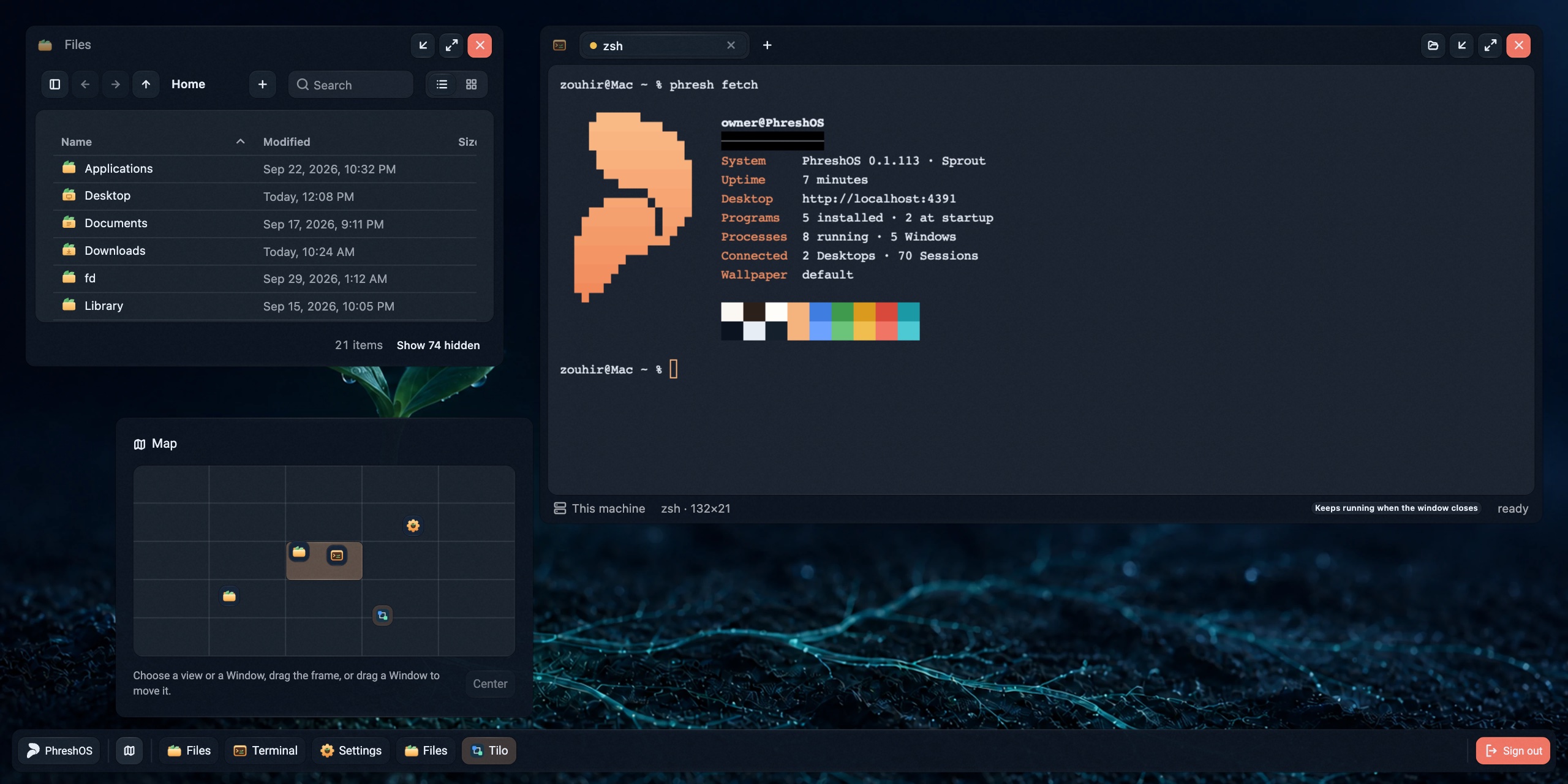
The PhreshOS Desktop: Terminal showing phresh fetch, Files, and the Map with windows beyond the view

PhreshOS runs on the machine you install it on, keeps your Programs running there, and gives you a Desktop in the browser to use them from. Programs are built with the web tools you already know. The System gives each of them a place to run, one sign-in, communication with other Programs, storage, and permissions, so a Program only holds its own logic.

Everything on the Desktop, from the file manager to Settings and the wallpaper, is a Program built on the System, not part of it.

This repository is the System: the service that runs on your machine, and the Desktop it serves.

What Programs get

Try it

The live demo gives you a disposable Desktop for an hour, with nothing to install.

To install PhreshOS on macOS or Linux, you need Node.js 24.15 or newer:

[!NOTE] Windows is not fully supported yet. The System installs and runs there, but some Programs do not work.

npm install --global @phreshos/cli
phresh system install

The command installs the System as a service of your user, starts it, and prints the Desktop's address, usually http://localhost:4300. The first visit creates the owner account. See Installation to update, stop, or remove it, or to change where it keeps its data.

Then create your first Program:

phresh create my-program
cd my-program
phresh dev

What the System does

The System owns the running state of PhreshOS:

The browser shows this state; it does not hold it. A Desktop, a Node script, and the phresh command all reach the same System, through contracts defined in @phreshos/core. See The System for the full model.

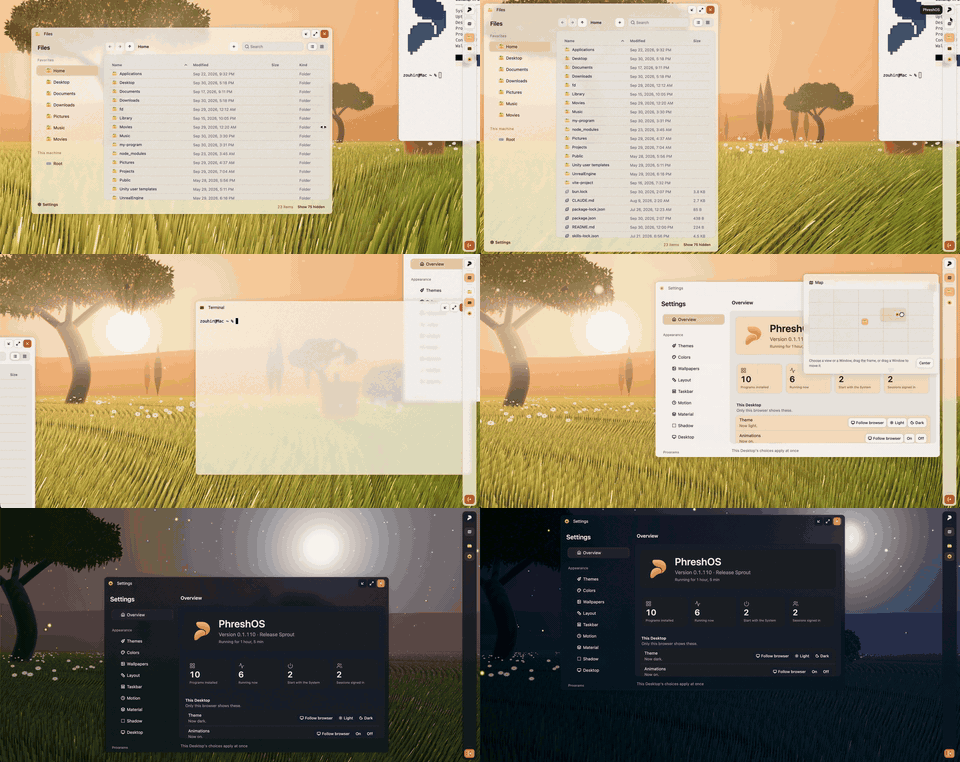
Terminal, Files, and Settings on the PhreshOS Desktop

Development

You need Bun 1.3 and Node.js 24.15 or newer.

bun install --frozen-lockfile
bun run dev

dev runs the System from source, with its data in storage/ in this repository and the Desktop on the first free port from 5300. An installed System uses ~/.phreshos and ports from 4300, so both can run side by side. PHRESHOS_HOME and PHRESHOS_PORT choose another home or port.

Command Does
bun run check Type-checks the source
bun run build Builds the server and the Desktop into dist/
bun run test Runs the tests in tests/
bun run verify Runs check, build, and test, including a test that packs the release, installs it in a temporary folder, and boots it
bun run pack Builds the release archive and its checksum

The source has three parts: source/server is the System, source/client is the Desktop, and source/shared holds what both use.

Repository Role
core The contracts shared by every part of PhreshOS
client The SDK for a Program's Client Endpoint, in its Window
server The SDK for a Program's Server Endpoint
node The SDK for Node.js code that reaches a running System
react React bindings for the SDKs
react-ui The component library the Desktop and Programs draw with
cli The phresh command: installs the System, builds Programs, and reaches the running System
website phreshos.com and its documentation

Contributing

See CONTRIBUTING.md. To report a vulnerability privately, see SECURITY.md.

License

MIT. Copyright © 2026 Zohayr SLILEH.

system (PhreshOS/system)

Searching Database…

282 ·GitHub
这是什么?PhreshOS 是一个开源的自托管系统,运行在你控制的机器上,并提供一个基于浏览器的桌面(Desktop),用于使用以 Web 技术构建的应用(称为“Programs”)。
它是一个应用,还是更像一个操作系统平台?它是一个完整的系统,而不只是一个库:一个后台服务(即 System)负责管理 Programs、权限、存储和登录,外加通过浏览器提供的桌面 UI。Programs 本身则使用提供的 SDK 单独构建。
我怎么让 PhreshOS 跑起来?在 macOS 或 Linux 上装有 Node.js 24.15+ 时,一条安装命令即可把 System 设置为用户级服务、启动它并打印桌面的地址;首次访问会创建所有者账号。你也可以试用在线演示,它会提供一小时的临时桌面,无需安装任何东西。
运行它需要安装什么?安装和运行 System 需要 Node.js 24.15 或更新版本。若要从源码构建或开发 Programs,还需要 Bun 1.3。
它在 Windows 上能完全正常工作吗?还不能——System 本身可以在 Windows 上安装和运行,但一些 Programs 在那里无法正常工作。
我的数据会留在自己的机器上吗?会——PhreshOS 是自托管的,因此 System 和你各 Programs 的数据都运行并保存在你安装它的那台机器上,而不是第三方服务器上。
PhreshOS 中的“Program”到底是什么?Program 是构建在 System 之上的应用,拥有自己的服务器端和客户端端点;System 为它提供运行环境、登录、存储、通信和权限,因此 Program 只需承载自己的逻辑。
AI 智能体能和我使用相同的应用吗?可以——AI 智能体可以通过 phresh 命令行和 SDK 使用相同的 Programs,与此同时人类也可以在桌面上使用它们。
这个仓库包含一切吗,包括 SDK 和 CLI?不包含——这个仓库只有 System 和桌面。各 SDK(core、client、server、node)、React 绑定、组件库、phresh CLI 和网站分别位于各自独立的相关仓库中。
我怎么为 PhreshOS 构建自己的 Program?你使用已经熟悉的 Web 工具(JS/Web 前端加一个服务器),配合 Server/Client/Node SDK 和 phresh CLI,后者负责构建 Programs 并与运行中的 System 通信。
What are similar projects?puter, PiG, executor, claude-code, daedalOS, wigolo, oh-my-pi, Airsec
Creator
PhreshOS
Size
34.9 MB
Stars
282
Age
1mo
Commits · 90 Days