















10.3K ·GitHub
Что это такое?
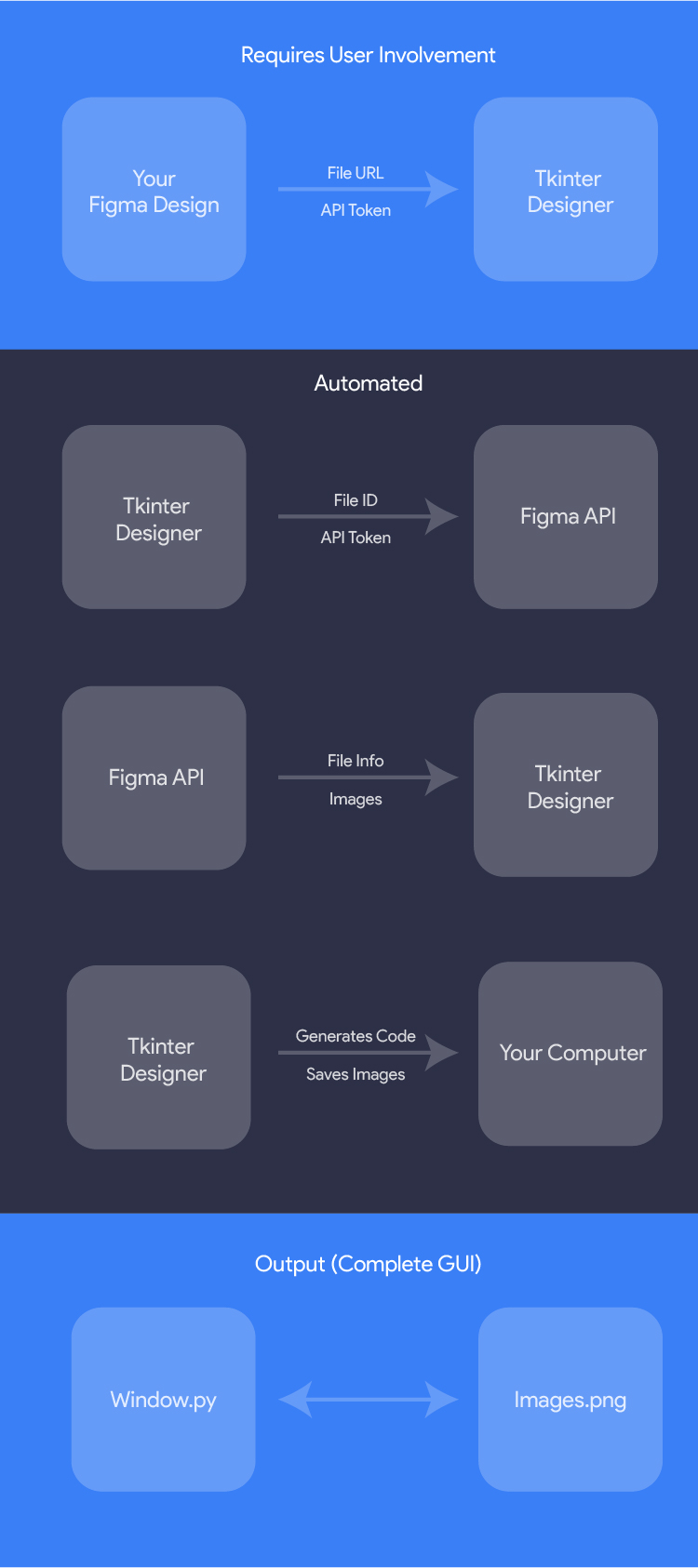
 Tkinter Designer — это инструмент, который превращает макеты из Figma в работающие GUI на Python Tkinter: он читает ваш файл с дизайном через Figma API и генерирует весь код и картинки, которые нужны для интерфейса.
Tkinter Designer — это инструмент, который превращает макеты из Figma в работающие GUI на Python Tkinter: он читает ваш файл с дизайном через Figma API и генерирует весь код и картинки, которые нужны для интерфейса.То есть я рисую интерфейс в Figma, а он сам пишет код на Python?Именно так — это генератор кода, а не библиотека. Вы вставляете ссылку на файл в Figma и API-токен, а он разбирает дизайн и выдаёт код для Tkinter вместе с файлами изображений. Работа идёт через CLI, кроме того, в комплекте есть и собственный GUI.
Именно так — это генератор кода, а не библиотека. Вы вставляете ссылку на файл в Figma и API-токен, а он разбирает дизайн и выдаёт код для Tkinter вместе с файлами изображений. Работа идёт через CLI, кроме того, в комплекте есть и собственный GUI.Как его запустить?Установите пакет через pip (нужен Python 3.9 или новее), затем запустите Tkinter Designer и вставьте ссылку на свой файл в Figma и API-токен.
Установите пакет через pip (нужен Python 3.9 или новее), затем запустите Tkinter Designer и вставьте ссылку на свой файл в Figma и API-токен.Нужно ли что-то ещё в Figma, кроме самого дизайна?Только аккаунт Figma, в котором лежит ваш дизайн — инструмент авторизуется с помощью Figma API-токена, чтобы прочитать файл. Кроме этого понадобится лишь Python 3.9+.
Только аккаунт Figma, в котором лежит ваш дизайн — инструмент авторизуется с помощью Figma API-токена, чтобы прочитать файл. Кроме этого понадобится лишь Python 3.9+.Есть ли подводные камни при вставке ссылки на Figma?Да — берите URL в кавычки в командной строке: в ссылках Figma часто встречаются параметры с ? и &, которые ломают команду без кавычек. А ещё если перед копированием ссылки выделить конкретный фрейм, то именно он и будет сгенерирован.
Да — берите URL в кавычки в командной строке: в ссылках Figma часто встречаются параметры с ? и &, которые ломают команду без кавычек. А ещё если перед копированием ссылки выделить конкретный фрейм, то именно он и будет сгенерирован.Может ли он сделать приложение с несколькими экранами?Да. Помимо вывода одного фрейма он умеет генерировать приложение на Tkinter с классами, или одно приложение с навигацией «Назад/Далее» между несколькими фреймами Figma; в сгенерированных приложениях можно также применить тему ttk.
Да. Помимо вывода одного фрейма он умеет генерировать приложение на Tkinter с классами, или одно приложение с навигацией «Назад/Далее» между несколькими фреймами Figma; в сгенерированных приложениях можно также применить тему ttk.Как подключить свою логику к сгенерированному интерфейсу?Сгенерированный gui.py можно импортировать из другого файла на Python без автоматического запуска mainloop — так вы сможете привязать свои команды к виджетам и позже перегенерировать интерфейс.
Сгенерированный gui.py можно импортировать из другого файла на Python без автоматического запуска mainloop — так вы сможете привязать свои команды к виджетам и позже перегенерировать интерфейс.Я изменил дизайн в Figma — как обновить сгенерированный GUI?Запустите CLI снова с флагом -f: он очистит существующую папку сборки и заново сгенерирует всё по обновлённому дизайну.
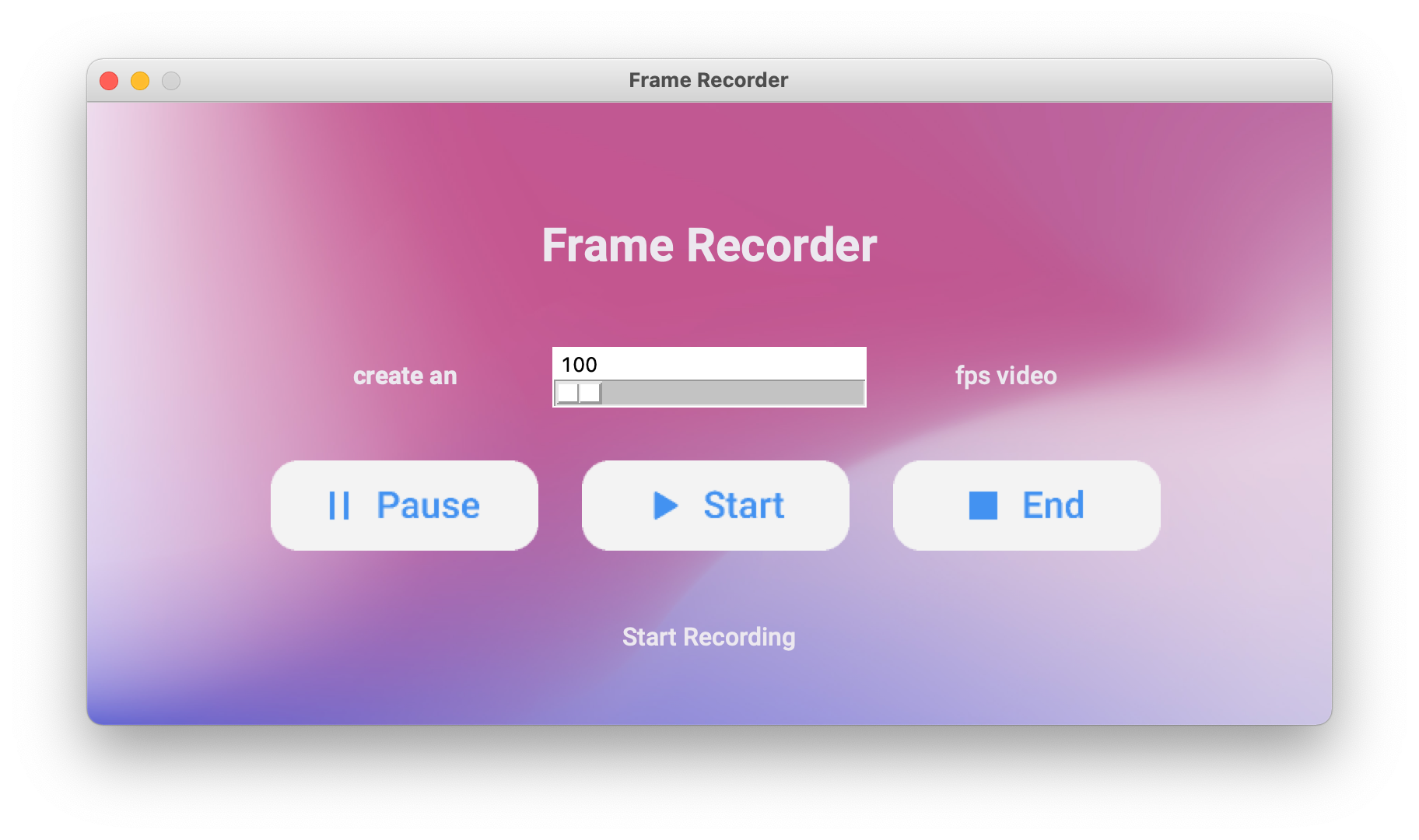
Запустите CLI снова с флагом -f: он очистит существующую папку сборки и заново сгенерирует всё по обновлённому дизайну.Сам Tkinter Designer сделан с помощью Tkinter Designer?Да — в README отмечается, что даже собственный GUI Tkinter Designer был создан с помощью Tkinter Designer, так что это заодно наглядная демонстрация того, что умеет инструмент.
Да — в README отмечается, что даже собственный GUI Tkinter Designer был создан с помощью Tkinter Designer, так что это заодно наглядная демонстрация того, что умеет инструмент.What are similar projects?PySimpleGUI, CustomTkinter, Gooey, Filee, The-Complete-FAANG-Preparation, pyinstaller, rustcast, Core-Framework
PySimpleGUI, CustomTkinter, Gooey, Filee, The-Complete-FAANG-Preparation, pyinstaller, rustcast, Core-FrameworkWhich topics is it in?easy-to-use, design-tool, learn, fast, figma, drag-and-drop, python3, code-generation, beginner-friendly, hacktoberfest, ui, desktop
easy-to-use, design-tool, learn, fast, figma, drag-and-drop, python3, code-generation, beginner-friendly, hacktoberfest, ui, desktop