English | 简体中文 | 繁體中文 | 日本語 | 한국어
ParkerLabel
Runs entirely on the CPU—no GPU required.
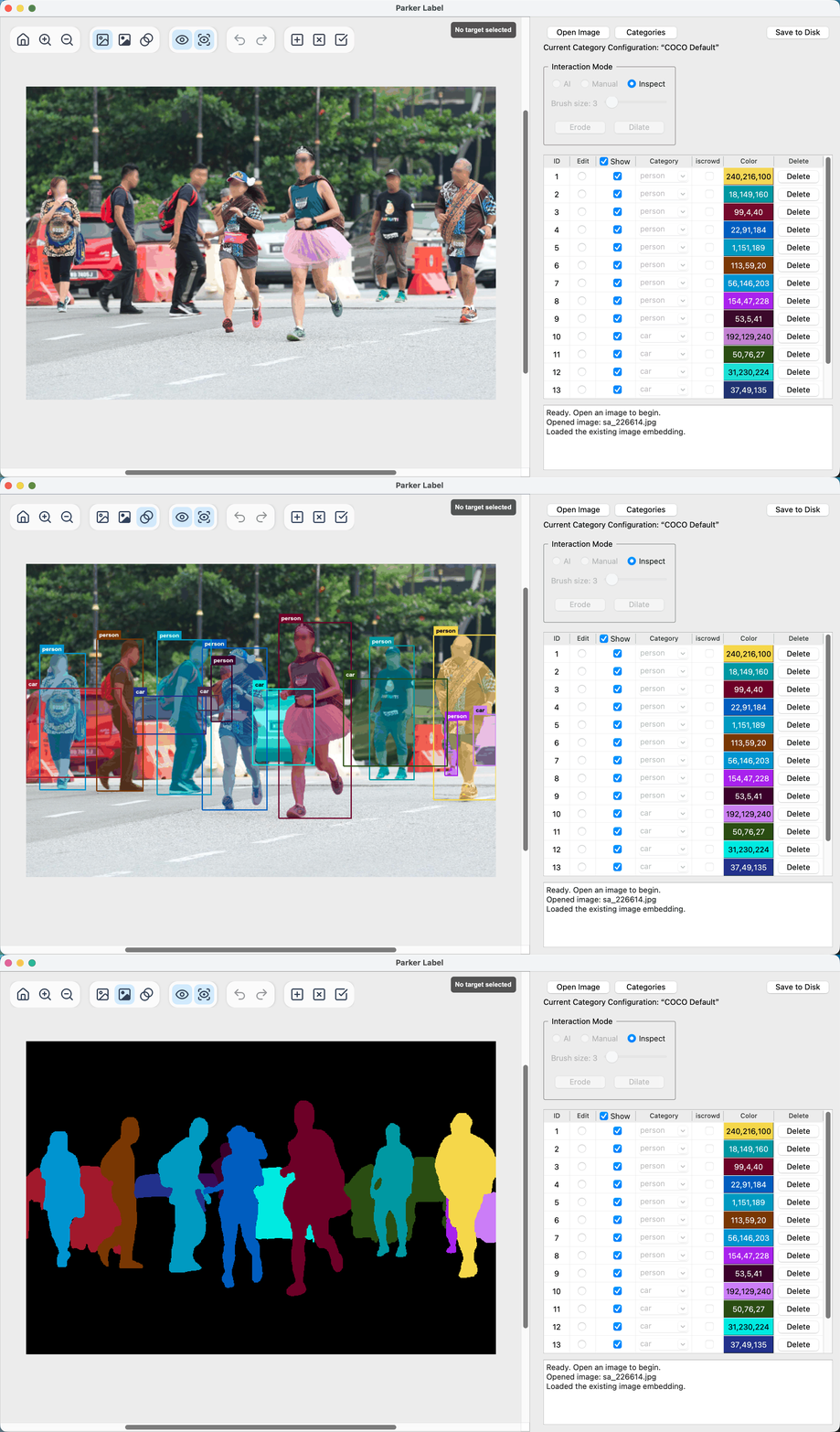
A lightweight, polished AI-assisted interactive annotation tool for object detection and instance segmentation.
Each interactive mask-decoder inference takes approximately 20 ms on Apple M5 Pro and Intel Core i9-14900KF CPUs.




🎬 Project Overview
Run
Use a portable release
Download a published application package for your platform from GitHub Releases or Baiduyun (extraction code: md7r). Releases named models-* contain ONNX models, not application packages.
On macOS and Windows, you need to move the entire extracted ParkerLabel folder to a writable location before opening it.
The macOS package is ad-hoc signed but is not notarized by Apple. The first launch may therefore be blocked by macOS. After attempting to open the app once, open System Settings → Privacy & Security, scroll to the security section, and choose Open Anyway.
On Windows, Microsoft Defender SmartScreen may show Windows protected your PC when you first launch the app. Click More info, then Run anyway.
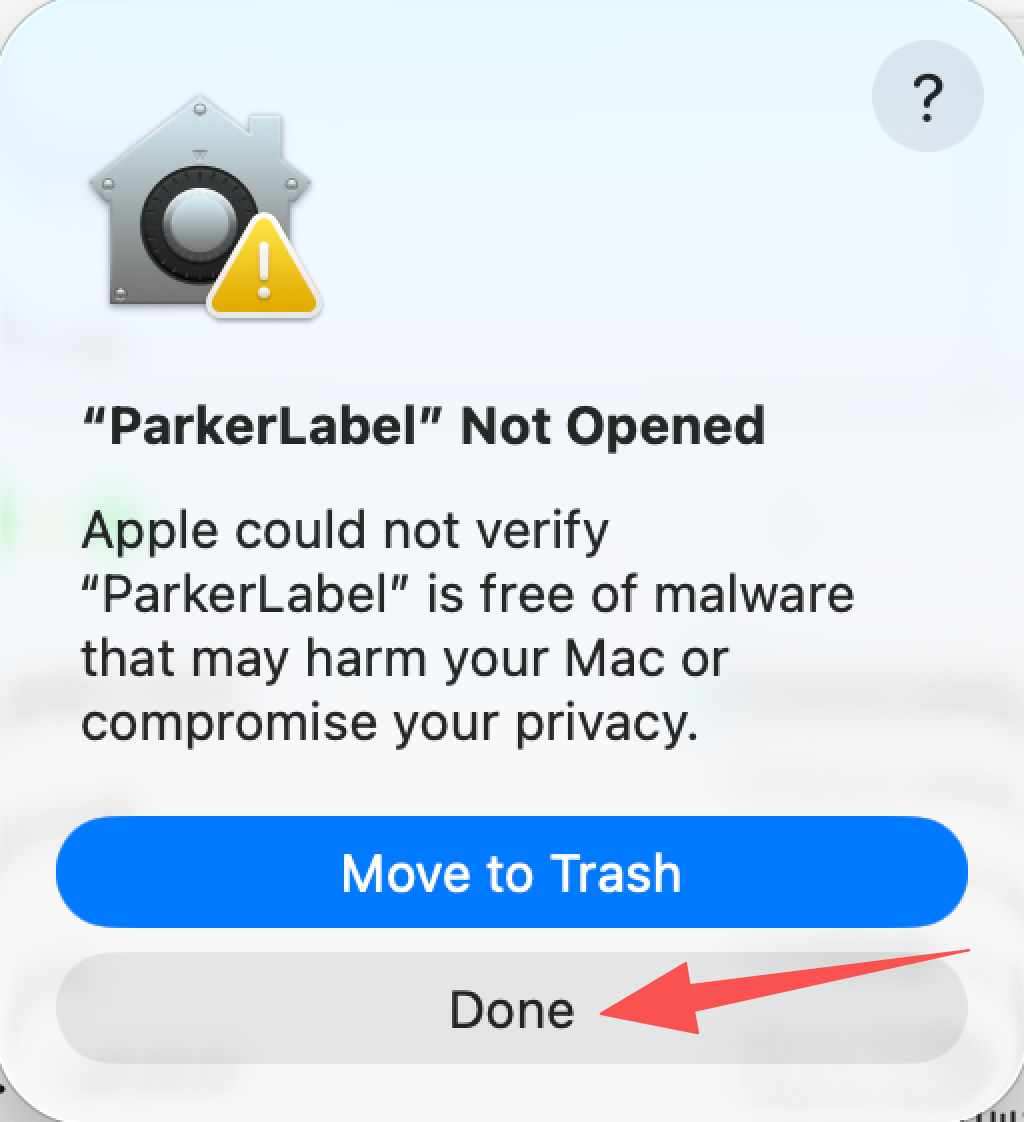
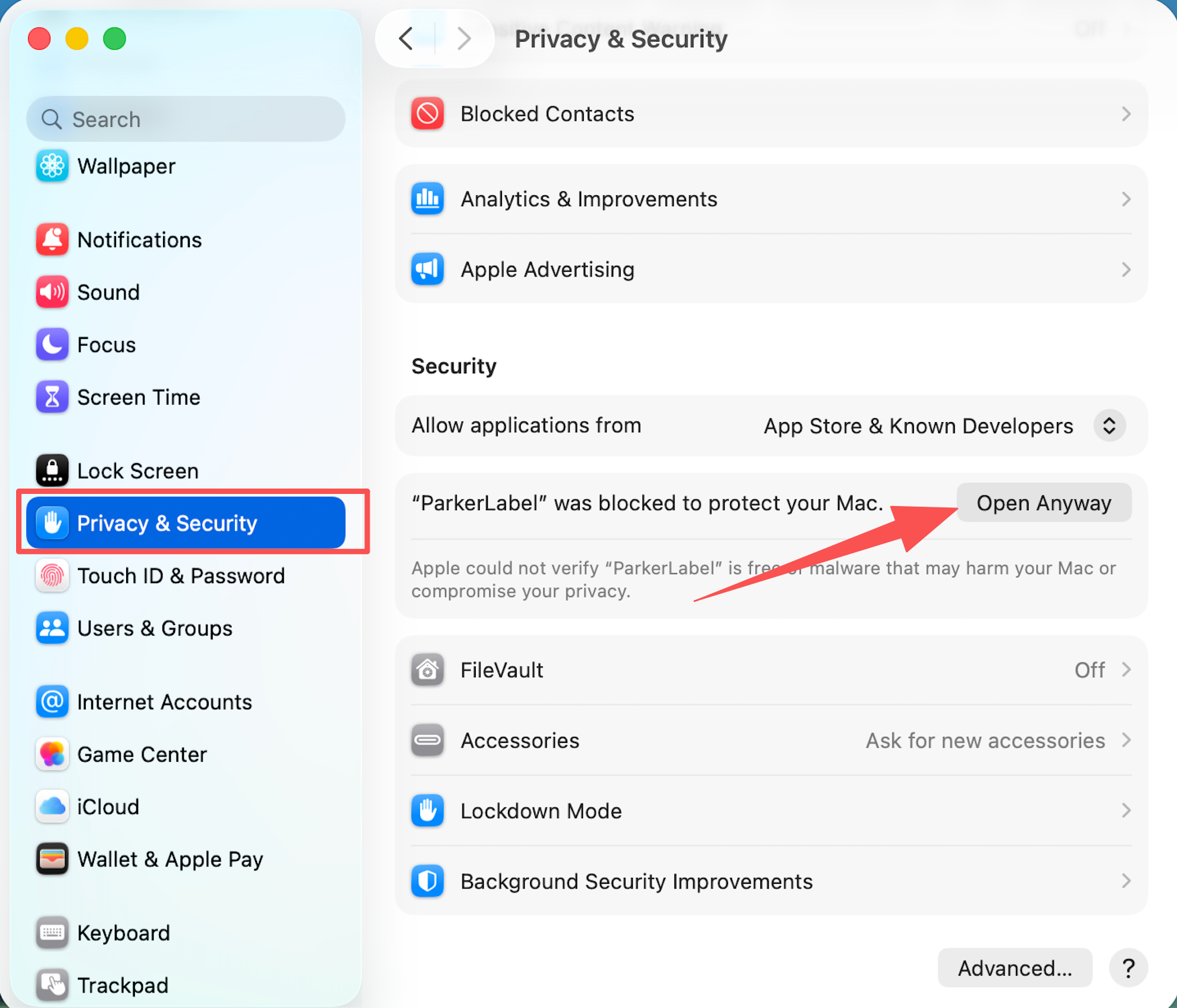
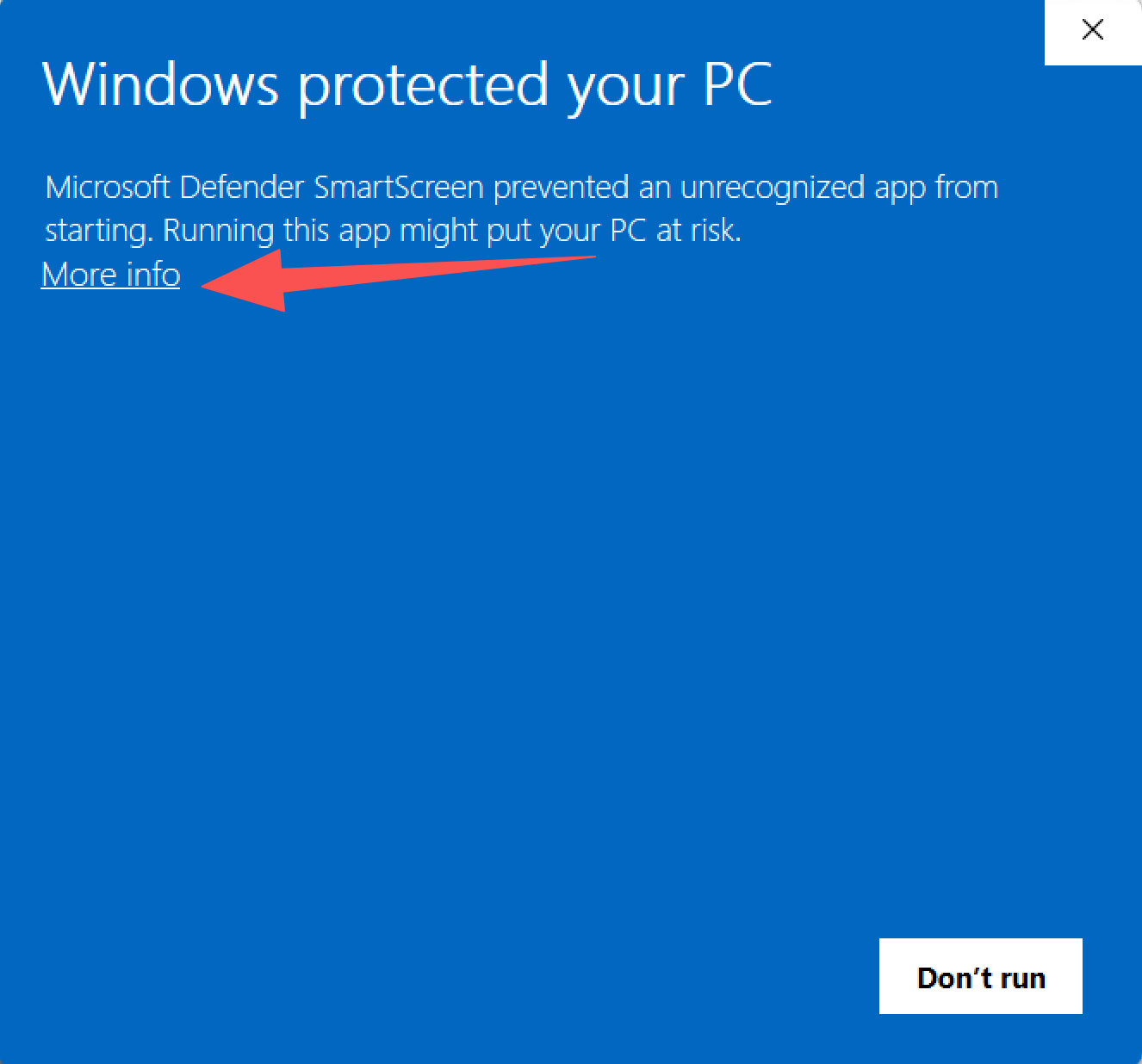
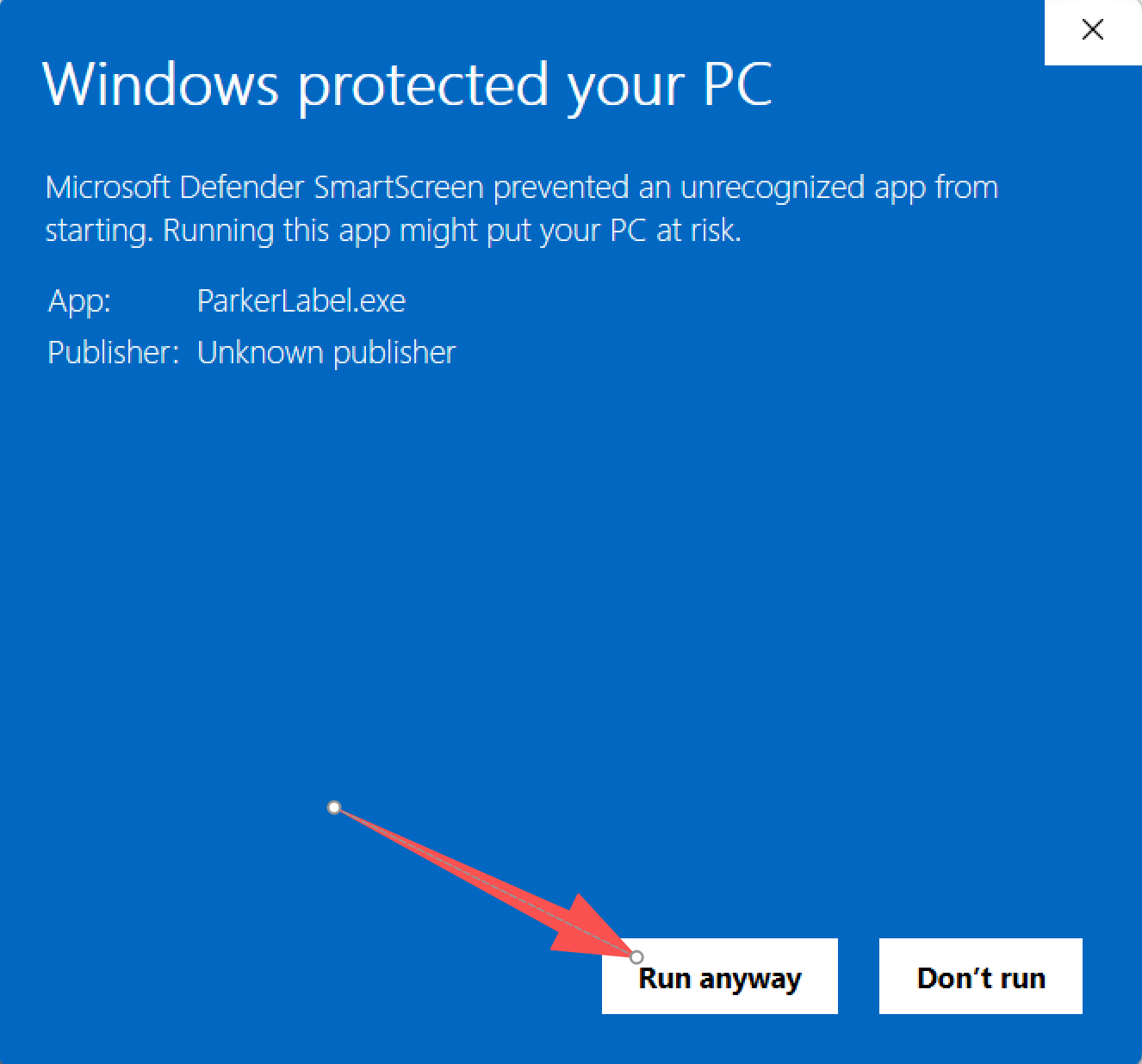
These warnings alone do not mean ParkerLabel is malicious. Portable releases are built with GitHub Actions; you can review the build workflow and build instructions.
Run from source
Install a Conda distribution if you do not already have one. Miniforge is recommended, but other Conda distributions also work. Clone the project from GitHub or Gitee:
git clone https://github.com/Parker-Lyu/ParkerLabel.git
Or:
git clone https://gitee.com/Parker-Lyu/ParkerLabel.git
Then create a Python 3.11 environment, install the dependencies, and start ParkerLabel:
cd ParkerLabel
conda create -n parker-label -c conda-forge python=3.11 -y
conda activate parker-label
python -m pip install -r requirements.txt
python main.py
ParkerLabel automatically verifies and downloads missing ONNX models into pretrain/.
Overview
ParkerLabel supports 中文(简体), 中文(繁體), English, 日本語, 한국어, Deutsch, Français, Italiano, and Español. Use Settings → Interface Language to change the interface language and Settings → Tooltips to control contextual hints.
Use Settings → Keyboard Shortcuts to view, change, clear, or restore key bindings. AI, Manual, and Inspect modes use Q, W, and E by default. In AI mode, positive and negative clicks guide MobileSAM to generate a mask for the current target. The image toolbar uses S to toggle AI prompt points in the overlay view and C to toggle quality checks. Saved bindings take effect immediately and persist across launches.
Category configurations
ParkerLabel includes a read-only configuration containing the 80 standard COCO object-detection categories. Users can create an empty category configuration or copy any existing configuration—including the built-in COCO configuration—to create a new version. Saved configurations are immutable; further changes are made by copying a configuration into another version. User-created configurations are stored in the selected configs/categories/ directory.
Each annotation is bound to a category configuration by its UUID and SHA-256 digest. If another configuration is active, ParkerLabel offers to switch to the required one. The annotation opens read-only if that configuration is unavailable, fails integrity checks, or the user declines the switch.
Portable settings, including the startup category selection, are stored in configs/settings.ini. The application log is configs/app.log; it is cleared on each launch and limited to two 1 MB files while the app runs.
Annotation files
Each source image uses three neighboring artifact files:
.npy stores the reusable image embedding..json stores per-instance category, bounding box, area, and uncompressed COCO RLE at source-image resolution..mask.png stores a flattened color preview at source-image resolution. When instances overlap, later instances appear on top. The JSON instance masks remain authoritative.
The per-image JSON uses COCO annotation fields but is not a complete COCO dataset file. A complete COCO dataset export requires top-level images, annotations, and categories arrays in one dataset JSON.
JSON fields
format identifies the local annotation schema, currently parker-label-instance-v2.category_config_uuid identifies the exact category configuration bound to the annotation.category_config_sha256 records the digest of that category configuration so unexpected changes can be detected.image records the image id, file name, width, and height.annotations contains one record per instance.id is the instance identifier within the image file.image_id links the instance to the image record.category_id references a category in the bound category configuration.category_name keeps the readable category name.color_id controls the display and preview color.bbox stores [x, y, width, height] in source-image pixels.area stores the instance pixel area at source-image resolution.iscrowd follows the COCO crowd flag convention.segmentation stores the independent instance mask as uncompressed COCO RLE.
Regenerate ONNX models
Dependencies: Install torch and torchvision using the PyTorch instructions for your platform, then run python -m pip install timm onnx onnxruntime==1.29.0. Verified versions: torch 2.13.0, torchvision 0.28.0, timm 1.0.19, onnx 1.22.0, and onnxruntime 1.29.0.
Checkpoint: Create pretrain/, then download the official MobileSAM mobile_sam.pt to pretrain/mobile_sam.pt. It is the only weight needed for both exports; no separate TinyViT or SAM checkpoint is required.
Export: From the repository root, run:
python -m mobile_sam.export_mobilesam_encoder --checkpoint pretrain/mobile_sam.pt --output pretrain/encoder.onnx
python -m mobile_sam.export_mobilesam_decoder --checkpoint pretrain/mobile_sam.pt --model-type vit_t --output pretrain/decoder.onnx
These commands regenerate the ONNX models for development. At startup, ParkerLabel checks their sizes and SHA-256 hashes against model-bundle.json and replaces mismatched files with the published models. Custom exports require a matching model manifest. mobile_sam.pt and the export dependencies are not needed at runtime. Model files in pretrain/ are excluded from Git.
Licenses
ParkerLabel's original code, including mobile_sam/export_mobilesam_encoder.py, is licensed under GPL-3.0-only.
The third-party code in mobile_sam/ retains its own licenses: MobileSAM and Segment Anything use Apache License 2.0, and the TinyViT code carries a Microsoft MIT notice. See mobile_sam/LICENSE, mobile_sam/TINYVIT_LICENSE, and mobile_sam/THIRD_PARTY.md for the license texts and attribution.
The GUI uses PyQt5 and Qt under their own licenses. Exact final-package notices, corresponding-source instructions, and Qt replacement instructions are maintained in third_party_licenses/. Model source and export provenance are recorded in docs/model-provenance.md, and the release audit procedure is in docs/release-licenses.md.
Acknowledgements
ParkerLabel's AI-assisted segmentation workflow is built on the work of:
- MobileSAM, a lightweight Segment Anything model designed for resource-efficient inference.
- Segment Anything, the original segmentation model and framework developed by Meta AI.
We thank the authors and contributors of both projects for making their work publicly available.


 ParkerLabel 是一个轻量级、AI 辅助的目标检测与实例分割交互标注工具,使用 MobileSAM 根据点击提示生成掩码。