


















What is this?
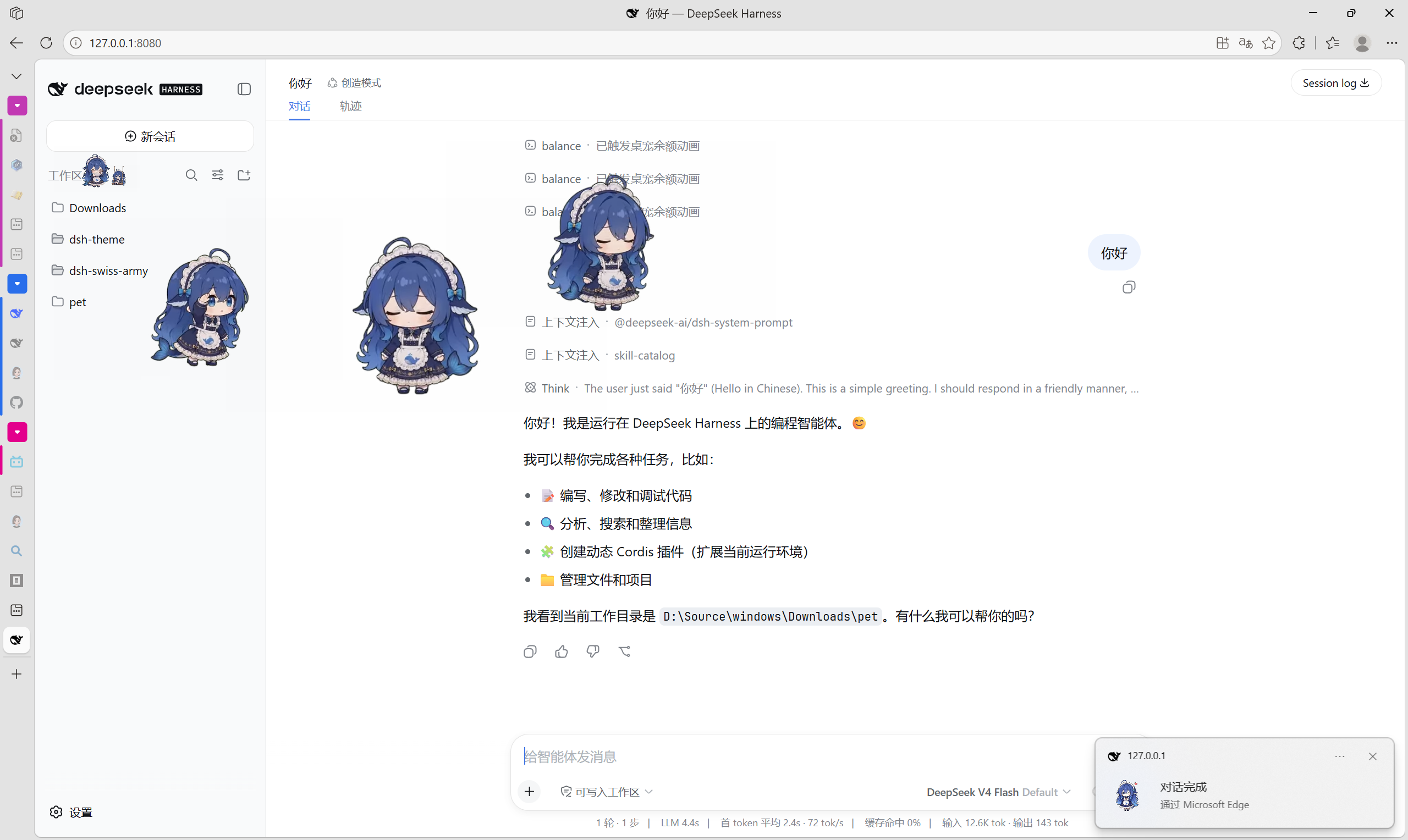
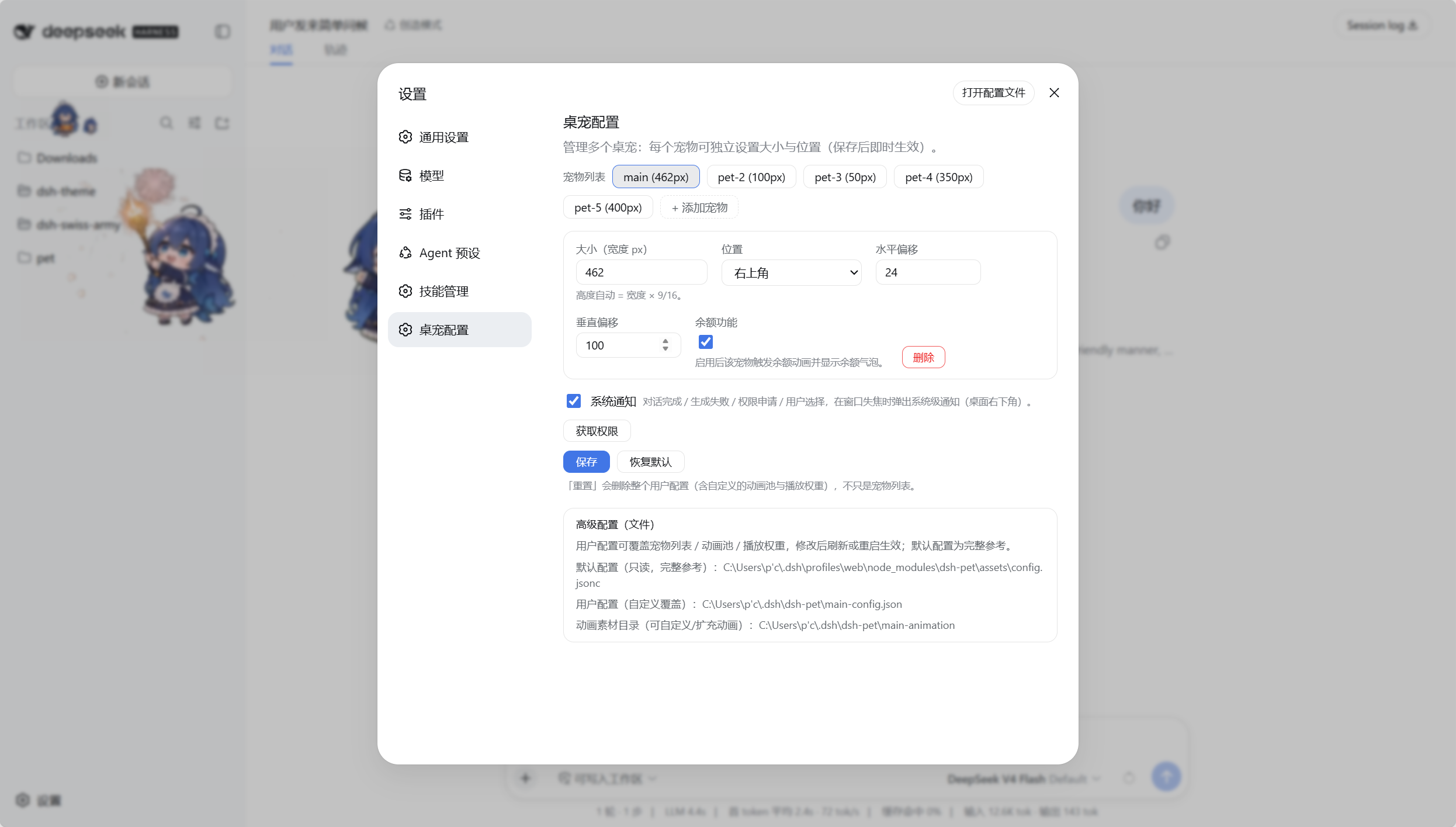
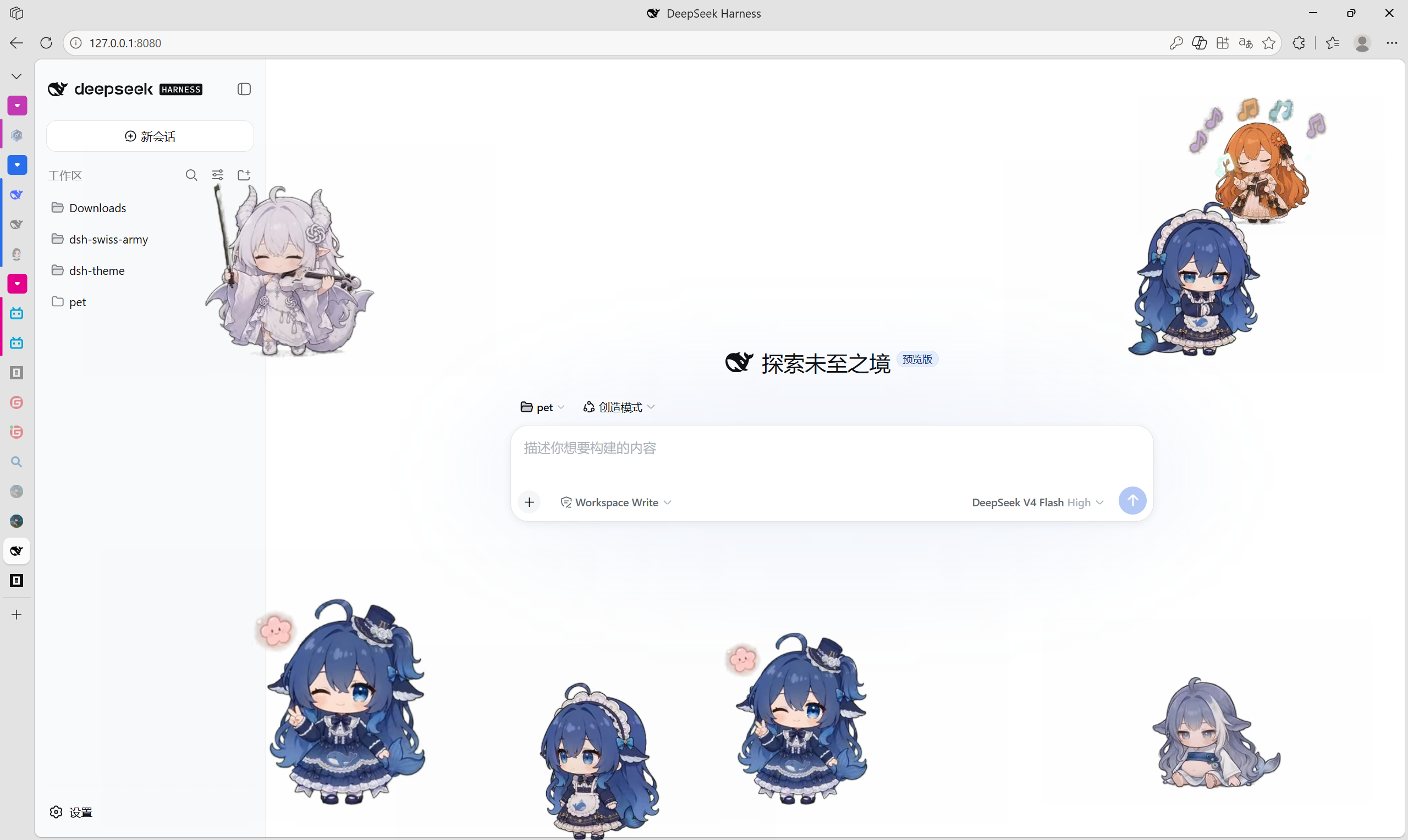
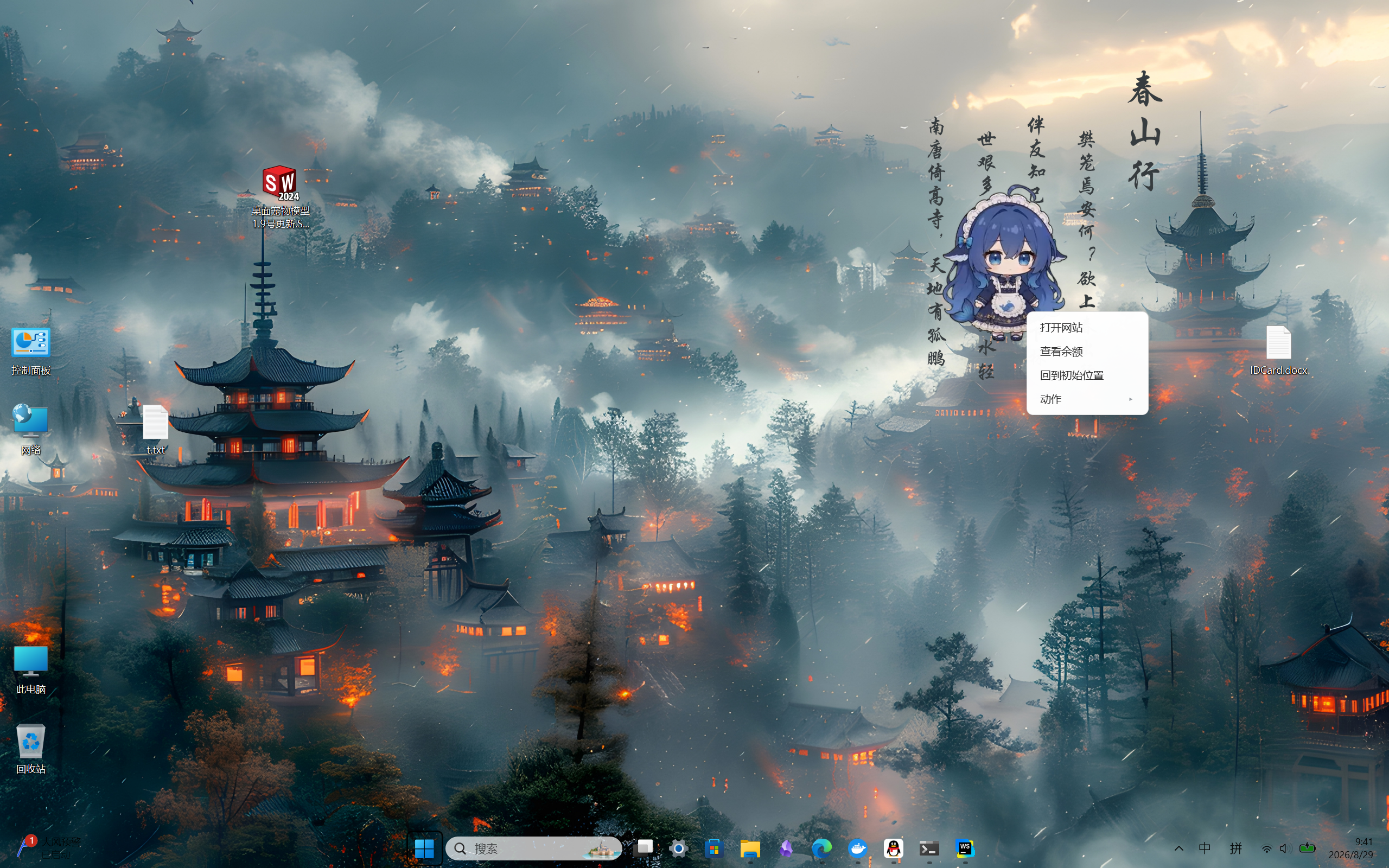
 dsh-pet is a transparent animated desktop pet plugin for DeepSeek Harness (DSH): it idles, naps, solves a Rubik's cube, codes, eats hot pot and more across 97 hand-drawn animations, with click/drag physics and an optional balance-display bubble.
dsh-pet is a transparent animated desktop pet plugin for DeepSeek Harness (DSH): it idles, naps, solves a Rubik's cube, codes, eats hot pot and more across 97 hand-drawn animations, with click/drag physics and an optional balance-display bubble.Is this a standalone app or something I add to DSH?It's a plugin for the DSH agent harness, not a standalone app. It runs by default inside the DSH web interface, but can optionally break out into its own transparent, always-on-top Electron window per pet.
It's a plugin for the DSH agent harness, not a standalone app. It runs by default inside the DSH web interface, but can optionally break out into its own transparent, always-on-top Electron window per pet.Do I need DSH already running to use this?Yes — dsh-pet is built on top of an existing DSH installation and was developed/tested against dsh 0.1.1-rc.2. For the optional desktop overlay it also needs Electron, which the plugin auto-downloads to ~/.dsh/electron/ if it isn't already installed.
Yes — dsh-pet is built on top of an existing DSH installation and was developed/tested against dsh 0.1.1-rc.2. For the optional desktop overlay it also needs Electron, which the plugin auto-downloads to ~/.dsh/electron/ if it isn't already installed.Does the desktop overlay still work if DSH Desktop blocks plugin network requests?Yes — the desktop window talks to the host through its own process-pipe bridge instead of DSH's HTTP routes, so it isn't affected by newer DSH Desktop versions that gate plain HTTP requests from plugin subprocesses.
Yes — the desktop window talks to the host through its own process-pipe bridge instead of DSH's HTTP routes, so it isn't affected by newer DSH Desktop versions that gate plain HTTP requests from plugin subprocesses.Does the desktop overlay work the same on Windows, macOS, and Linux?It's Electron-based so it runs cross-platform, but the window is deliberately never full-screen because a fullscreen transparent layered window triggers a black-screen bug in Windows' DWM compositor.
It's Electron-based so it runs cross-platform, but the window is deliberately never full-screen because a fullscreen transparent layered window triggers a black-screen bug in Windows' DWM compositor.Can I create a totally custom pet species instead of the default one?Yes — the 'pet pack' system lets you add a new species with its own config file and animation folder under $DSHHOME/dsh-pet/pet/, and the project's built-in DIY material chain can even generate the custom animation set via AI video.
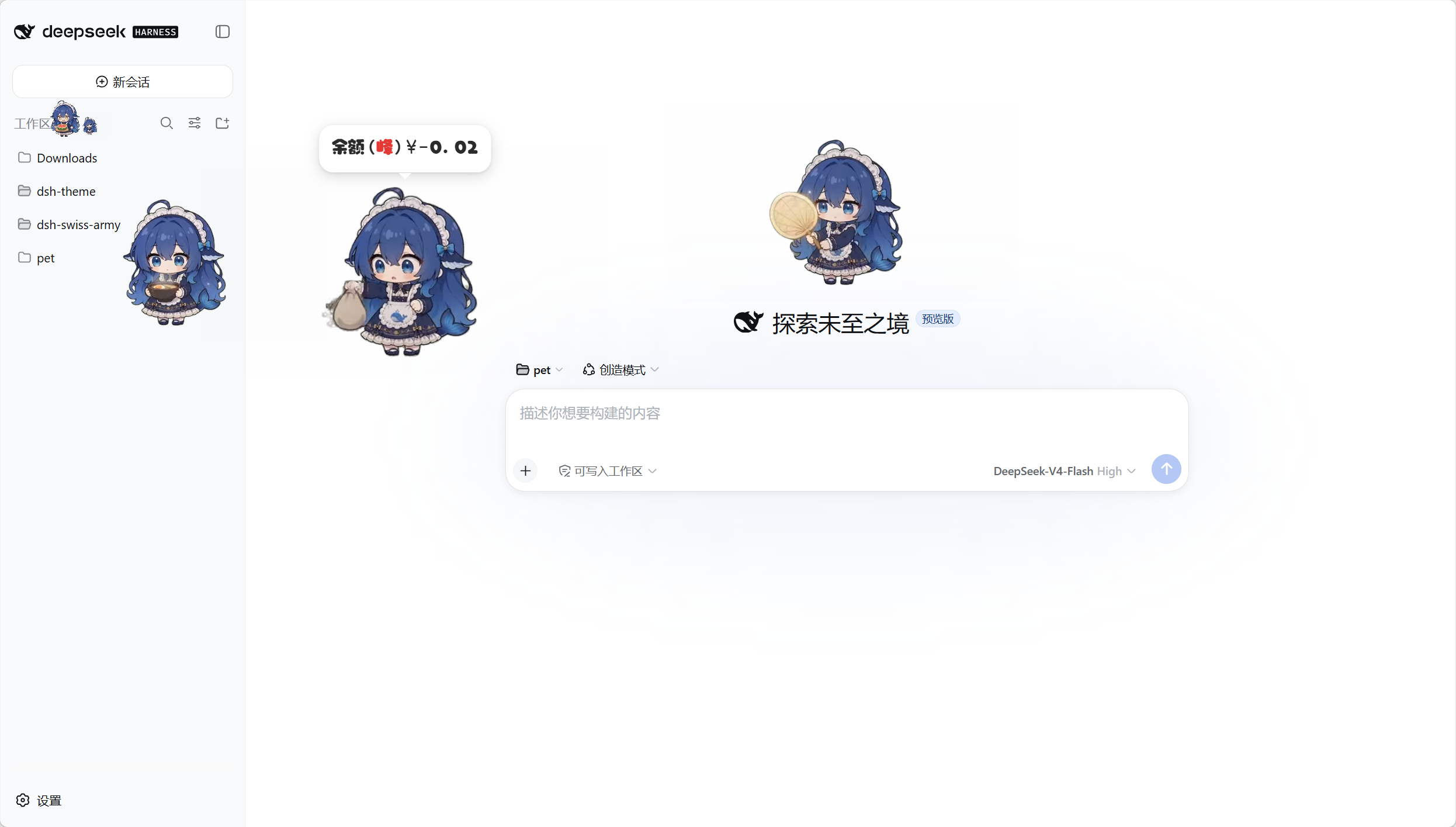
Yes — the 'pet pack' system lets you add a new species with its own config file and animation folder under $DSHHOME/dsh-pet/pet/, and the project's built-in DIY material chain can even generate the custom animation set via AI video.What does the balance display feature actually show?It polls your configured LLM provider (DeepSeek official or OpenCode Zen Go) and reflects account balance or quota usage as a six-tier pet animation plus a thought-bubble popup that auto-hides after 10 seconds.
It polls your configured LLM provider (DeepSeek official or OpenCode Zen Go) and reflects account balance or quota usage as a six-tier pet animation plus a thought-bubble popup that auto-hides after 10 seconds.How many animations does the pet ship with?97 hand-drawn, transparent VP9-alpha animations covering idle breathing, dozing, solving a Rubik's cube, coding, eating hot pot and more, chained seamlessly via weighted random selection.
97 hand-drawn, transparent VP9-alpha animations covering idle breathing, dozing, solving a Rubik's cube, coding, eating hot pot and more, chained seamlessly via weighted random selection.Can I actually interact with the pet, or is it just decorative?You can click it for a bouncy squash reaction, drag-and-throw it with spring physics and screen-edge bouncing, or right-click for a cascading menu to trigger specific animations on demand.
You can click it for a bouncy squash reaction, drag-and-throw it with spring physics and screen-edge bouncing, or right-click for a cascading menu to trigger specific animations on demand.What are similar projects?dsh-dafeiyu, dsh_desktop, Bigfish, deepseek-harness-desktop, EAC-Desktop, DSH-Launcher, cocode, oh-dsh
dsh-dafeiyu, dsh_desktop, Bigfish, deepseek-harness-desktop, EAC-Desktop, DSH-Launcher, cocode, oh-dshWhich topics is it in?desktop-pet, dsh, dsh-plugin, deepseek-harness, video-generation, electron, animation, customization, plugin, desktop, gui, desktop-app
desktop-pet, dsh, dsh-plugin, deepseek-harness, video-generation, electron, animation, customization, plugin, desktop, gui, desktop-app