

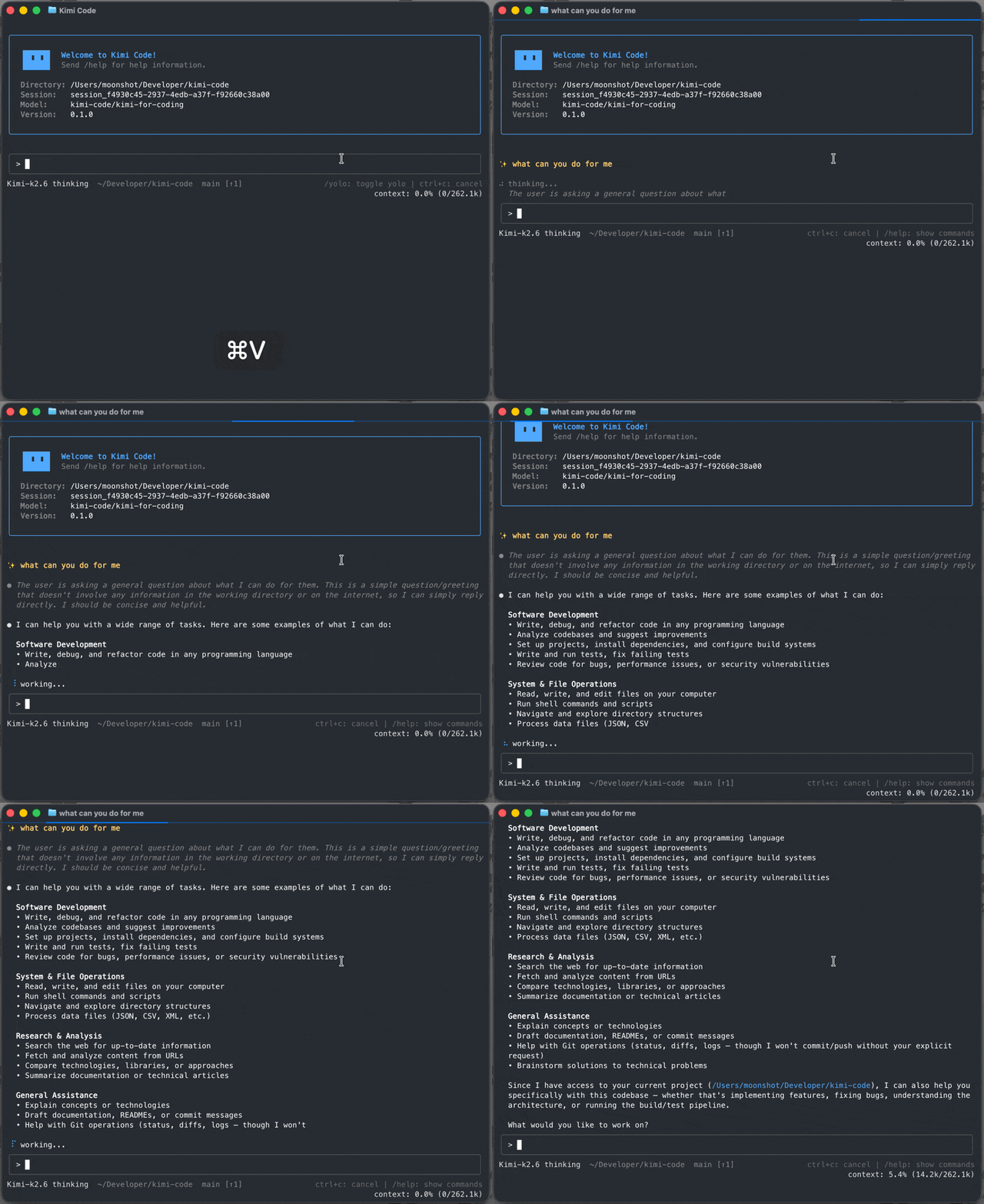
这是什么?
 Kimi Code CLI 是一个在终端里运行的 AI 编程代理,它可以读取和修改代码、运行 shell 命令、搜索文件、抓取网页,并根据收到的反馈决定下一步操作。开箱即用支持 Moonshot AI(月之暗面)的 Kimi 模型,也可以配置为使用其他兼容的服务商。
Kimi Code CLI 是一个在终端里运行的 AI 编程代理,它可以读取和修改代码、运行 shell 命令、搜索文件、抓取网页,并根据收到的反馈决定下一步操作。开箱即用支持 Moonshot AI(月之暗面)的 Kimi 模型,也可以配置为使用其他兼容的服务商。这是可以导入的库,还是独立应用?它是一个独立的终端应用,以单个可执行文件分发,而不是可以在代码中导入的库。它还提供 'acp' 子命令,让 Zed、JetBrains 等编辑器可以通过 Agent Client Protocol(代理客户端协议)驱动会话。
它是一个独立的终端应用,以单个可执行文件分发,而不是可以在代码中导入的库。它还提供 'acp' 子命令,让 Zed、JetBrains 等编辑器可以通过 Agent Client Protocol(代理客户端协议)驱动会话。我该怎么把它跑起来?运行官方安装脚本(macOS/Linux 使用 shell 命令,Windows 使用 PowerShell),无需 Node.js。然后打开一个项目,运行 'kimi' 进入交互式 TUI,并使用 '/login' 通过 Kimi Code OAuth 或 Moonshot AI 开放平台 API 密钥进行身份验证。
运行官方安装脚本(macOS/Linux 使用 shell 命令,Windows 使用 PowerShell),无需 Node.js。然后打开一个项目,运行 'kimi' 进入交互式 TUI,并使用 '/login' 通过 Kimi Code OAuth 或 Moonshot AI 开放平台 API 密钥进行身份验证。安装前需要先装 Node.js 或 Git 吗?安装或运行 CLI 都不需要 Node.js,因为它以单个可执行文件的形式发布。不过在 Windows 上,首次启动前必须先安装 Git for Windows,因为 CLI 使用随附的 Git Bash 作为 shell 环境。
安装或运行 CLI 都不需要 Node.js,因为它以单个可执行文件的形式发布。不过在 Windows 上,首次启动前必须先安装 Git for Windows,因为 CLI 使用随附的 Git Bash 作为 shell 环境。Windows 上安装时有什么需要注意的坑吗?如果 Git Bash 安装在非标准位置,你需要手动将环境变量 KIMISHELLPATH 设置为 bash.exe 的绝对路径,否则 CLI 找不到可用的 shell。
如果 Git Bash 安装在非标准位置,你需要手动将环境变量 KIMISHELLPATH 设置为 bash.exe 的绝对路径,否则 CLI 找不到可用的 shell。在 macOS、Linux 和 Windows 上使用体验一样吗?一样,安装脚本和 CLI 都支持 macOS、Linux 和 Windows。不过 Windows 需要先安装 Git for Windows,以提供 Git Bash shell 环境。
一样,安装脚本和 CLI 都支持 macOS、Linux 和 Windows。不过 Windows 需要先安装 Git for Windows,以提供 Git Bash shell 环境。如果我把视频拖进聊天框会怎样?代理可以观看你拖入的屏幕录制或演示片段并据此行动,比如把参考片段转换成 LUT,把长视频剪成短视频,或把屏幕录制转换成可用的代码。
代理可以观看你拖入的屏幕录制或演示片段并据此行动,比如把参考片段转换成 LUT,把长视频剪成短视频,或把屏幕录制转换成可用的代码。子代理是怎么工作的?Kimi Code CLI 可以在相互隔离的上下文中调度内置的 coder、explore 和 plan 子代理,让它们并行完成专注的任务,同时保持主对话的整洁。
Kimi Code CLI 可以在相互隔离的上下文中调度内置的 coder、explore 和 plan 子代理,让它们并行完成专注的任务,同时保持主对话的整洁。不手动编辑 JSON 也能添加 MCP 服务器吗?可以,'/mcp-config' 命令让你通过对话的方式添加、编辑和认证 Model Context Protocol(模型上下文协议)服务器,无需手动修改配置文件。
可以,'/mcp-config' 命令让你通过对话的方式添加、编辑和认证 Model Context Protocol(模型上下文协议)服务器,无需手动修改配置文件。能从任意 GitHub 仓库安装插件吗?可以,技能、MCP 服务器和数据源既可以从官方市场安装,也可以从任意 GitHub 仓库安装,并且在添加之前会先显示每次安装的信任级别。
可以,技能、MCP 服务器和数据源既可以从官方市场安装,也可以从任意 GitHub 仓库安装,并且在添加之前会先显示每次安装的信任级别。What are similar projects?qwen-code, DeepSeek-Reasonix, Baize, oh-my-pi, pi-shadow-mind, grok-build, claurst, MiMo-Code
qwen-code, DeepSeek-Reasonix, Baize, oh-my-pi, pi-shadow-mind, grok-build, claurst, MiMo-CodeWhich topics is it in?acp, marketplace, hooks, ai-coding, coding-agents, oauth, tui, model-context-protocol, video, agentic-ai, multi-agent, agents
acp, marketplace, hooks, ai-coding, coding-agents, oauth, tui, model-context-protocol, video, agentic-ai, multi-agent, agents