




PicGo README

The project's README from github.com/Molunerfinn/PicGo. As one markdown file: README.md.

Special thanks to:
NocoBase sponsorship

NocoBase, AI + No-Code Build reliable business systems

Sponsored by:
Neon sponsorship

Fast Postgres Databases for Teams and Agents


中文 | English

PicGo Logo

PicGo

The Ultimate Image Uploader for Efficient Creators

📖 Overview

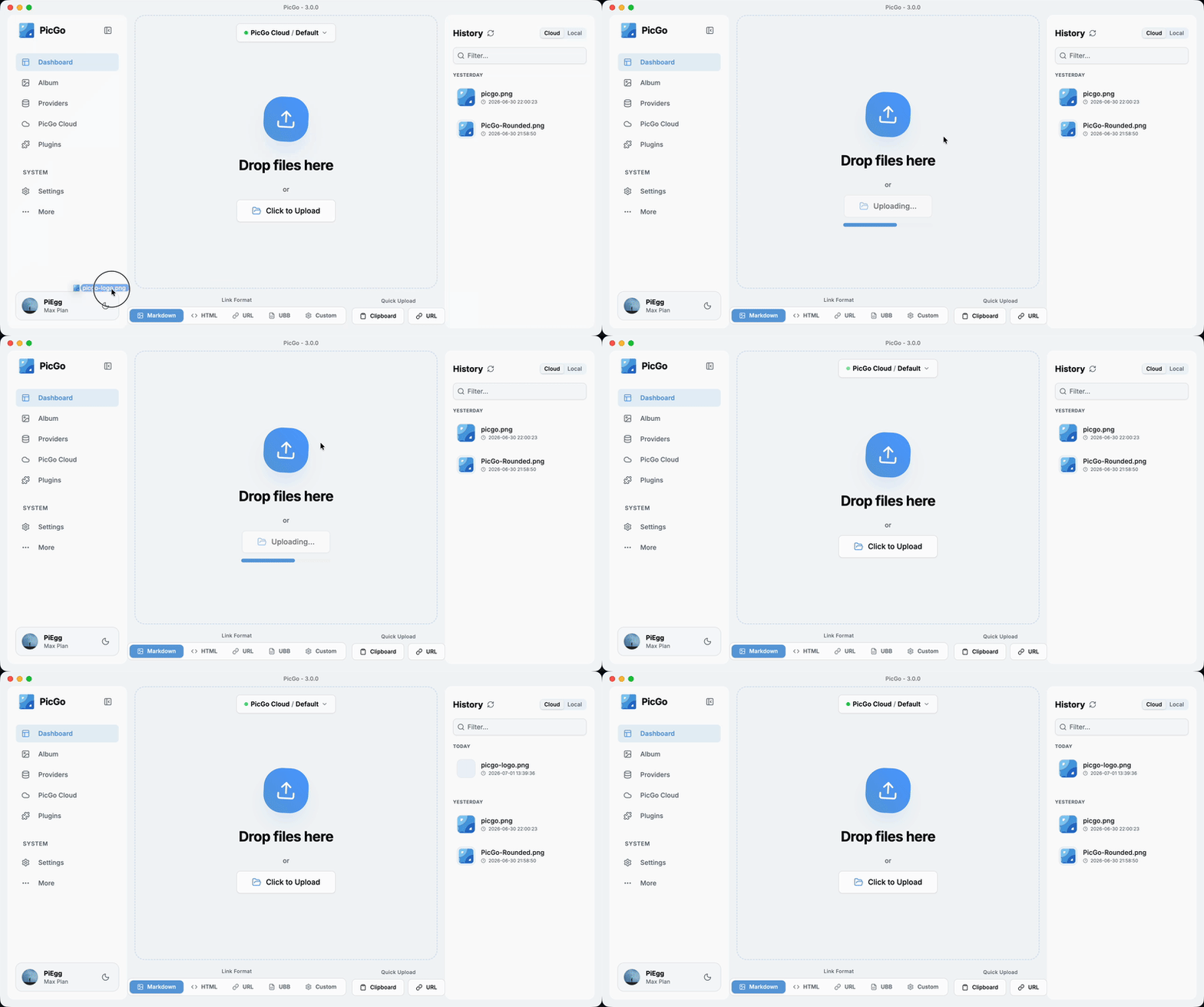
PicGo aims to make image uploading a seamless part of your creative workflow.

Whether you’re writing a blog post, taking notes, or authoring developer docs, PicGo helps you upload images in one step and automatically copies the resulting link—so you can stay focused on creating, not uploading.

Supported Image hosts

PicGo supports mainstream Image hosts out of the box, and can be extended indefinitely through its plugin system:

Note: PicGo itself will no longer add new third-party Image hosts by default. You can build Image host plugins yourself—see PicGo-Core.

✨ Key Features

PicGo is built around a fast, low-friction image upload experience:

⚡ Smooth writing flow

🚀 Fast uploads

🧩 Powerful plugin ecosystem

🤖 AI-friendly

More and more writing is handed off to AI. But the screenshots and charts it produces sit on your disk as ![](./chart.png), and they need to become real links before you publish. PicGo lets AI upload them too:

Both reuse the image hosts and plugins you already configured in PicGo—nothing to set up twice. Read more in this post.

🛠 Developer-friendly

There’s more to discover—development progress is tracked in Projects.

If you’re new to PicGo, start with the User Guide. If you run into issues, check the FAQ and closed issues.

Download & Install

Source Link / Installation Platform Notes
GitHub Releases https://github.com/Molunerfinn/PicGo/releases All Downloads may be slow in mainland China
Shandong University mirror https://mirrors.sdu.edu.cn/github-release/Molunerfinn_PicGo All Thanks to the mirror for hosting
Scoop scoop bucket add extras & scoop install picgo Windows Thanks to @huangnauh and @Gladtbam
Chocolatey choco install picgo Windows Thanks to @iYato
Homebrew brew install picgo --cask macOS Thanks to @womeimingzi11
AUR yay -S picgo-appimage Arch Linux Thanks to @houbaron
Nix nix-shell -p picgo Nix/NixOS Thanks to @qrzbing

Screenshots

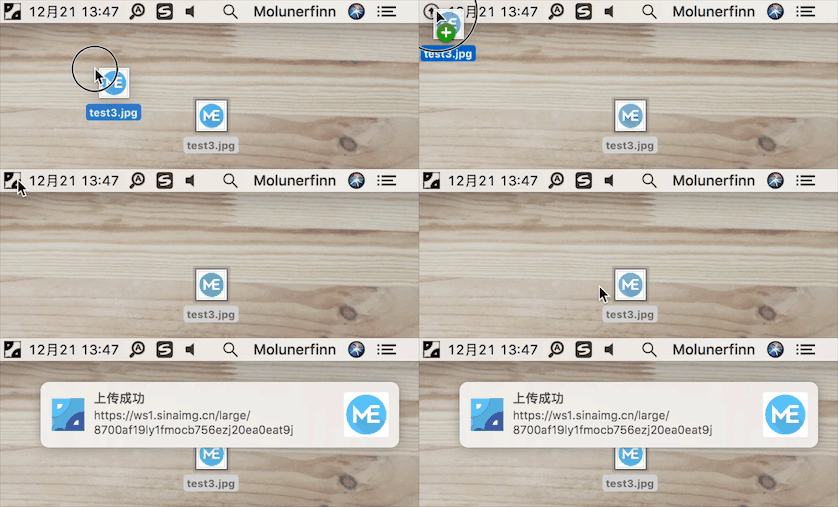
picgo-menubar

Development

Currently tested on macOS and Windows only. Linux has not been fully tested.

If you want to learn, contribute, modify, or build PicGo yourself:

For an Electron-vue learning series, see: Electron-vue development

  1. Install Node.js and Git, and make sure you’re familiar with npm basics.
  2. Clone the repo: git clone https://github.com/Molunerfinn/PicGo.git and enter the directory.
  3. Install dependencies with pnpm. If you don’t have it yet, install it from the pnpm website first.
  4. On macOS you’ll need Xcode; on Windows you’ll need Visual Studio.
  5. For contributing, see CONTRIBUTING.md.

Development mode

Run pnpm run dev to start the dev workflow with hot reload. Note: dev mode can be unstable and the process may crash—if that happens:

ctrl+c # stop dev mode
pnpm run dev # restart

On Windows, after dev mode starts, PicGo’s tray icon will appear in the bottom-right system tray area.

Production build

To build release artifacts locally, run pnpm run build. After a successful build, the installer files will be generated under dist.

Note: If your network is unstable, electron-builder may fail to download Electron binaries. You can set an alternative mirror before building:

export ELECTRON_MIRROR="https://npmmirror.com/mirrors/electron/"
# On Windows: set ELECTRON_MIRROR=https://npmmirror.com/mirrors/electron/ (no quotes)
pnpm run build

Electron binaries are stored under ~/.electron/. If you need to refresh them, delete that directory and rebuild.

Sponsorship

If you like PicGo and it helps your workflow, feel free to buy me a coffee.

Alipay:

WeChat Pay:

GitHub Sponsors:

Sponsor PicGo on GitHub

License

MIT

Copyright (c) 2017 - Now Molunerfinn

PicGo (Molunerfinn/PicGo)

Searching Database…

27.4K ·GitHub
这是干什么的?一款免费开源的桌面图床上传工具:拖拽、粘贴或按快捷键发送图片,PicGo 会把它上传到你的图床(GitHub、Imgur、阿里云 OSS 等 60 多家),并自动复制链接——专为写博客、笔记和文档的人打造。
它是桌面应用,还是要装在我的编辑器里?它是一个基于 Electron 的独立跨平台桌面应用,常驻在 macOS、Windows 和 Linux 的系统托盘里;Obsidian、Typora、VS Code、Neovim 等编辑器可以通过原生支持或社区插件接入它。
我需要自己有图床账号才能用吗?需要——你要为所用的图床配置账号或令牌(GitHub、SM.MS、七牛等开箱即用,更多可通过插件支持)。只有从源码构建 PicGo 时才需要 Node.js。
有什么需要留意的吗?Linux 是测试最少的平台——项目只在 macOS 和 Windows 上做过完整测试。另外 PicGo 默认不再新增第三方图床;新图床以社区插件的形式出现,基于 PicGo-Core 构建。
它开箱支持哪些图床?内置:七牛、腾讯云 COS、又拍云和阿里云 OSS(国内服务商),外加 GitHub、SM.MS 和 Imgur。插件可以增加 AWS S3、Cloudflare R2、MinIO 等更多图床——项目自称支持 60 多家图床服务。PicGo 本身默认不再新增图床;你可以通过 PicGo-Core 编写图床插件。
日常上传的流程是什么样的?你完全不用离开编辑器:拖拽、剪贴板粘贴、快捷键或右键菜单(macOS/Windows)都能上传。可自定义的全局快捷键(macOS 上是 Command+Shift+U,Windows/Linux 上是 Ctrl+Shift+U)能从任何地方打开上传窗口,链接会自动以 Markdown、HTML、纯 URL 或自定义模板的形式复制。
除了添加图床,插件还能做什么?插件生态还包括图片压缩、加水印、重命名和 Markdown 图片迁移;精选插件合集收录在 Awesome-PicGo 里。
AI 编程助手也能通过 PicGo 上传图片吗?可以。PicGo 提供官方 Agent Skills,教会任何兼容 skills 的 AI 工具何时以及如何上传图片,还有一个 DeepSeek Harness 插件——两者都会复用你已配置好的图床和插件。另外还有 HTTP API(v2.2.0+),任何工具都能用普通请求触发上传。
Size
7.6 MB
Stars
27.4K
Age
8y
Commits · 90 Days