Cinematic Skill
Narrated cinematic films, built entirely from code, by your coding agent.



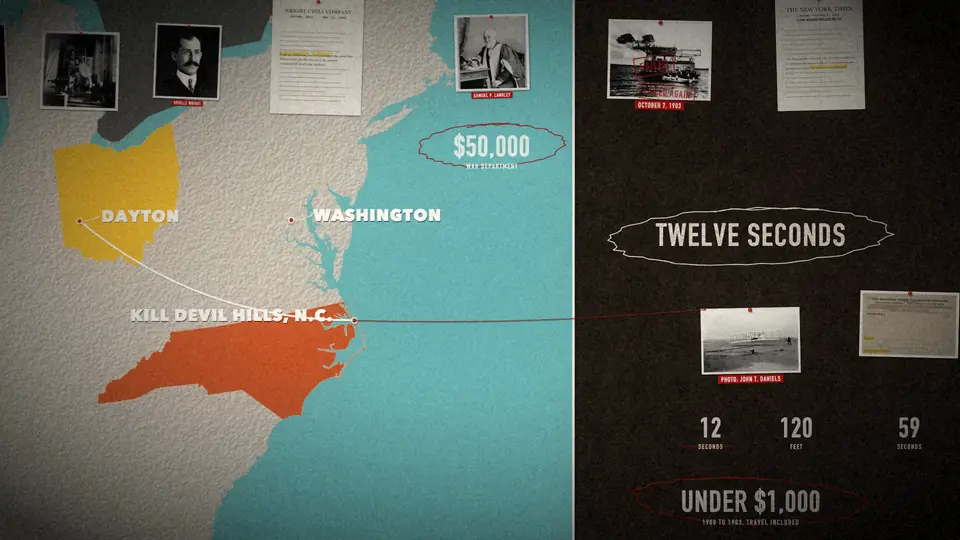
Ask your agent for "a 90 second documentary about the Wright brothers" and it writes the script, records a voice, finds public-domain photos with their licences, and builds one continuous camera move over a single designed world. Stamps slam, highlighters swipe and numbers roll up on the exact word the narrator says. It finishes with sound effects, an optional score and burned-in captions.
Nothing is generated video. Every frame is drawn by code (Skia, in Python), so the film renders the same every time, changes are cheap, and a new voice re-times the whole film by itself.
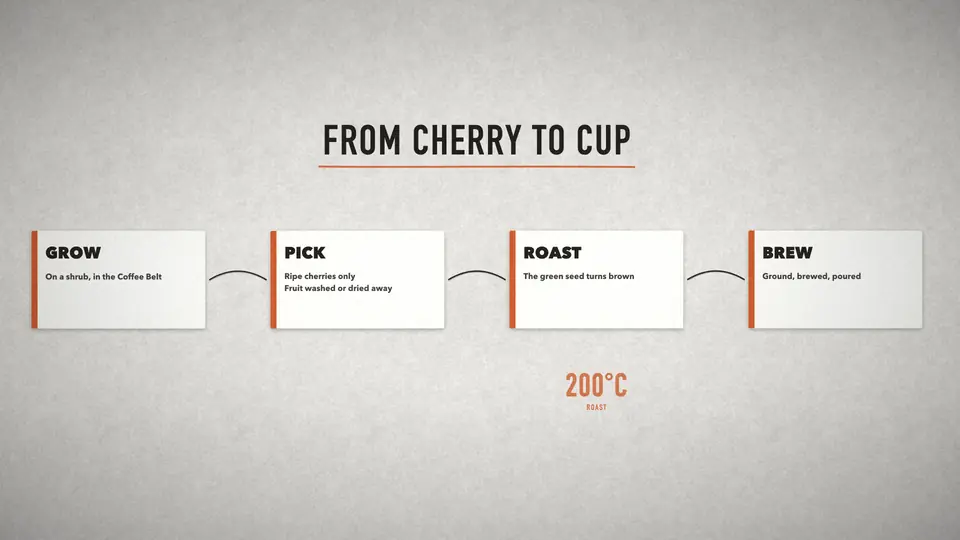
Left: the final frame of "Twelve Seconds", the 90 second documentary that ships as the worked example, made from seven public-domain photos. Right: the starter explainer that every new project begins as.
Install
npx skills add Moh4696/cinematic-skill
That uses the npx skills CLI (Node 22.20+). It installs for Claude Code, Codex, Cursor, Gemini CLI, OpenCode and dozens more. Start a new agent session afterwards.
Claude Code plugin
/plugin marketplace add Moh4696/cinematic-skill
/plugin install cinematic-skill@cinematic-skill
Codex plugin
codex plugin marketplace add Moh4696/cinematic-skill
codex plugin add cinematic-skill@cinematic-skill
Gemini CLI
gemini extensions install https://github.com/Moh4696/cinematic-skill
Without Node: the shell installer
curl -fsSL https://raw.githubusercontent.com/Moh4696/cinematic-skill/main/install.sh | bash
It clones to ~/.cinematic-skill and links the skill into every coding agent it finds. Run it again to update. From a clone: ./install.sh --claude --codex, ./install.sh --dir path/to/skills, ./install.sh --copy, ./install.sh --uninstall.
Then install what the scripts use:
pip install -r requirements.txt # skia-python, numpy, pillow (scipy optional)
ffmpeg must be on your PATH. The skill's check_setup.py checks everything and says what's missing.
What it makes
| Kind |
Look |
Images |
| Documentary, history, true crime |
Cork evidence wall, slate |
Archive photos and documents, black and white |
| Product launch, brand or founder story |
Studio, charcoal |
Your own product shots and photos, in colour |
| Science, engineering, how it works |
Blueprint, paper |
Diagrams, archive or AI stills |
| Tech, space, trailers |
Night |
Screenshots, renders, AI stills |
The items work on every look:
- photos and torn newspaper clippings
- typeset documents with real quotes
- clean cards
- big distressed type and rolling counters
- stamps, pen circles and highlighter swipes
- red string between prints
- maps of any country, with filled regions, routes and markers
A spotlight follows the camera so each line has one hero.
How it works
- Story. The agent researches, fact-checks and writes the script: one idea per line, and time only moves forward after the opening. Each line also says what the camera shows. A beat table with a chronology lint goes to you for approval.
- Voice. A free scratch voice (macOS
say or espeak-ng) times the film first. The final voice can be any TTS or a person, recorded one section at a time and split into timed lines automatically. Suspect cuts get flagged.
- Images. Wikimedia Commons search and download, with each licence recorded. Non-free files are refused. You can also add your own photos or AI stills.
credits.md is written for you.
- Scene. A short Python file places items on the voice's timing (
doc.W(line, "word")) and keys the camera.
- Review. The agent renders stills and contact strips of every move and checks them for known mistakes before showing you a draft.
- Sound and finish. It synthesises the sound effects (nothing to license) and mixes them with the voice and an optional score, ducked and loudness-normalised. A memory-aware parallel render follows, then four caption styles and an SRT.
The agent stops for your approval after the beat table, the look, and a 30 second draft.
Try the example
cd skills/cinematic-film/scripts
python3 new_project.py ~/wright --example
python3 fetch_commons.py get --project ~/wright
python3 make_map.py --project ~/wright && python3 prep_assets.py --project ~/wright
python3 tts_say.py --project ~/wright && python3 split_takes.py --project ~/wright && python3 build_narration.py --project ~/wright
python3 render.py --project ~/wright --size 1280x720 --out out/draft.mp4 --audio audio/narration.m4a
On a 16 GB laptop the 92 second film renders at 1080p in about 6 minutes.
Credits
Built from a 5 minute documentary about Al Capone that exploraX made with an agent, then opened up to any subject. The rules and code here were written from what broke along the way. The example film uses public-domain photographs from Wikimedia Commons; see its photos.json.
Works well with
- Open 3D Skills: three.js scenes, scroll films and frame-exact recording, from the same author. Its
motion-assets skill plans AI stills.
Feedback
Open an issue or a pull request, or find me on X at @exploraX_.
License
MIT License · Copyright (c) 2026 exploraX

 一个代理技能,可以完全通过代码制作带旁白的电影感短片。你的编程代理负责撰写脚本、录制配音、查找公有领域的照片,并制作一个与旁白时间对齐的连续运镜。