


808 ·GitHub
Что это такое?

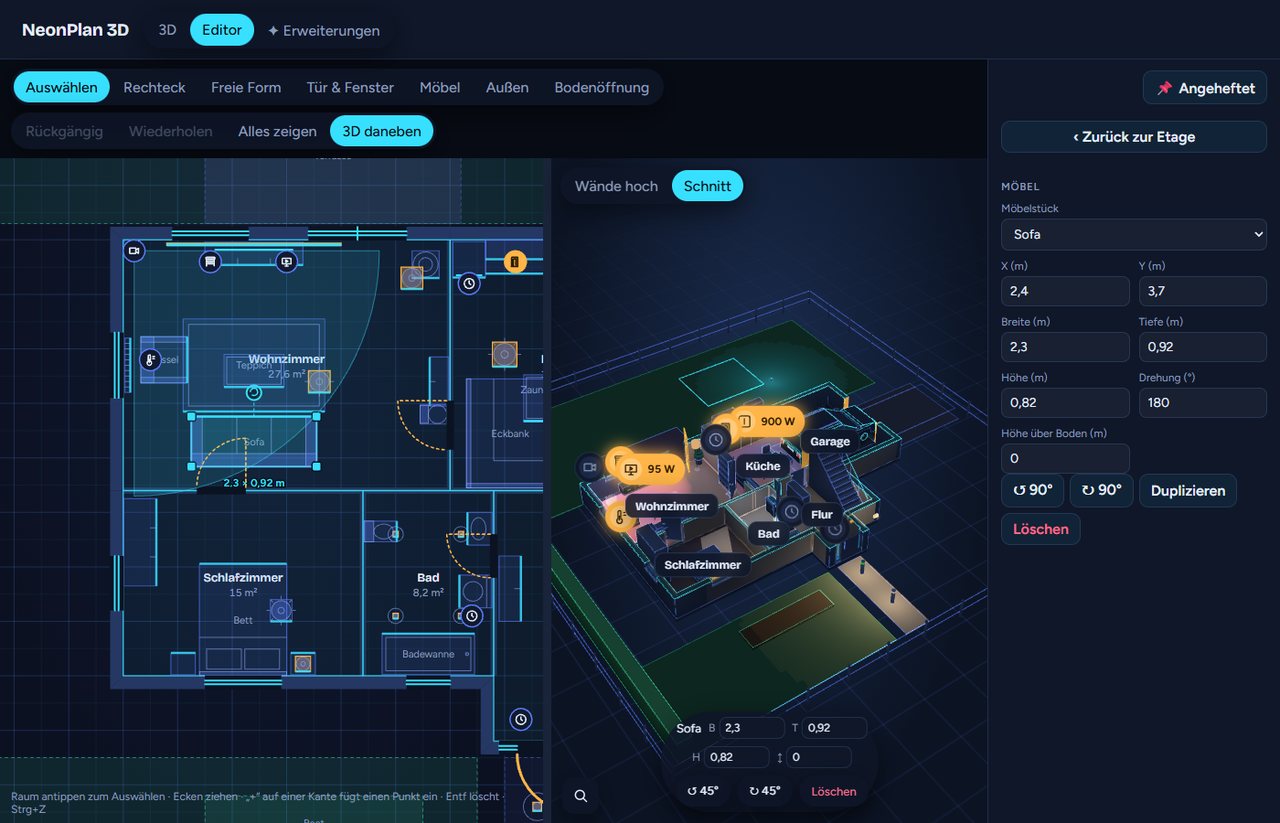
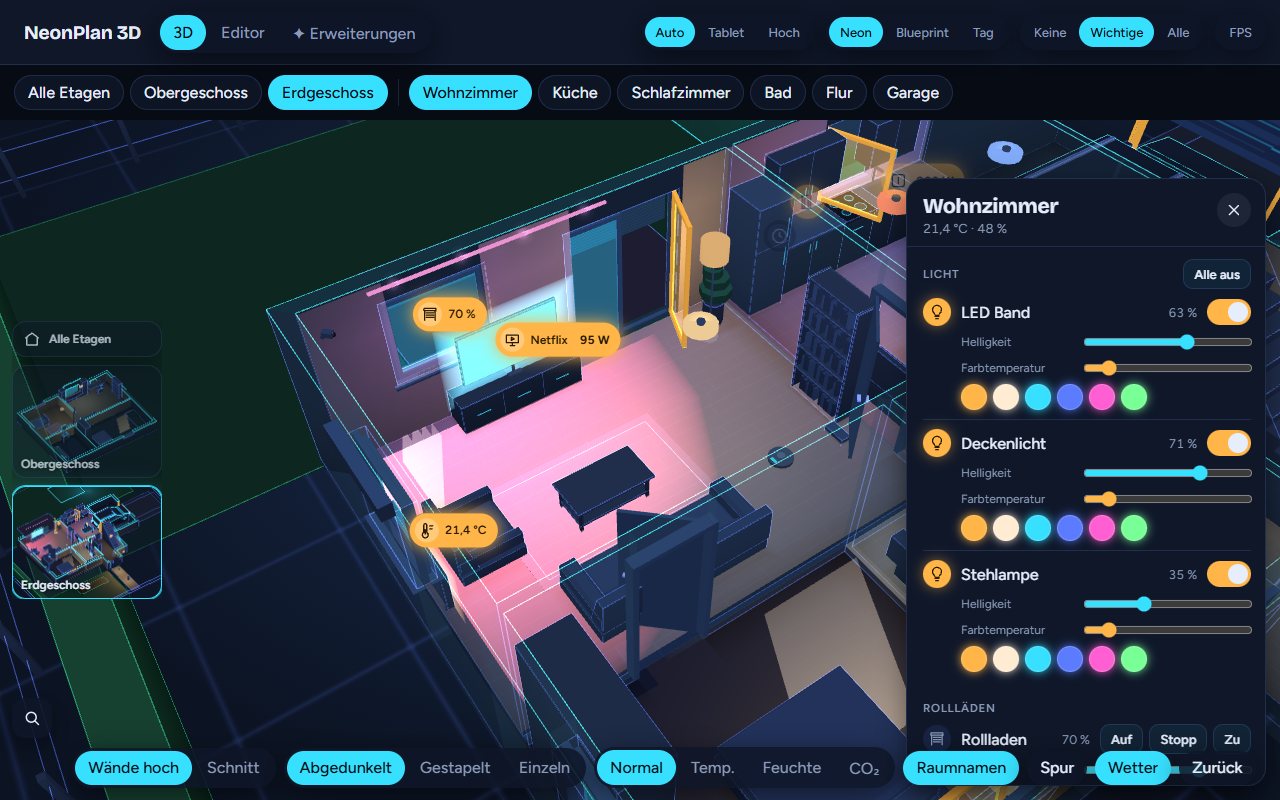
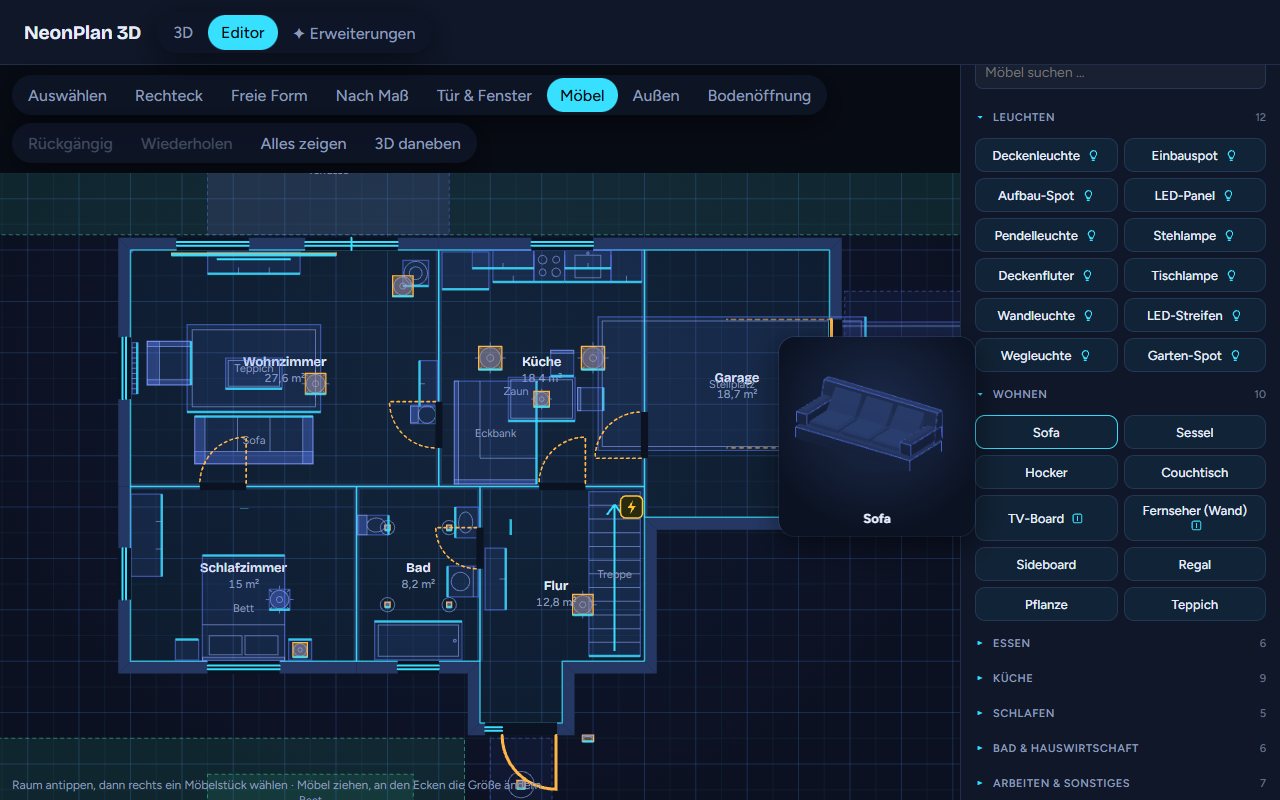
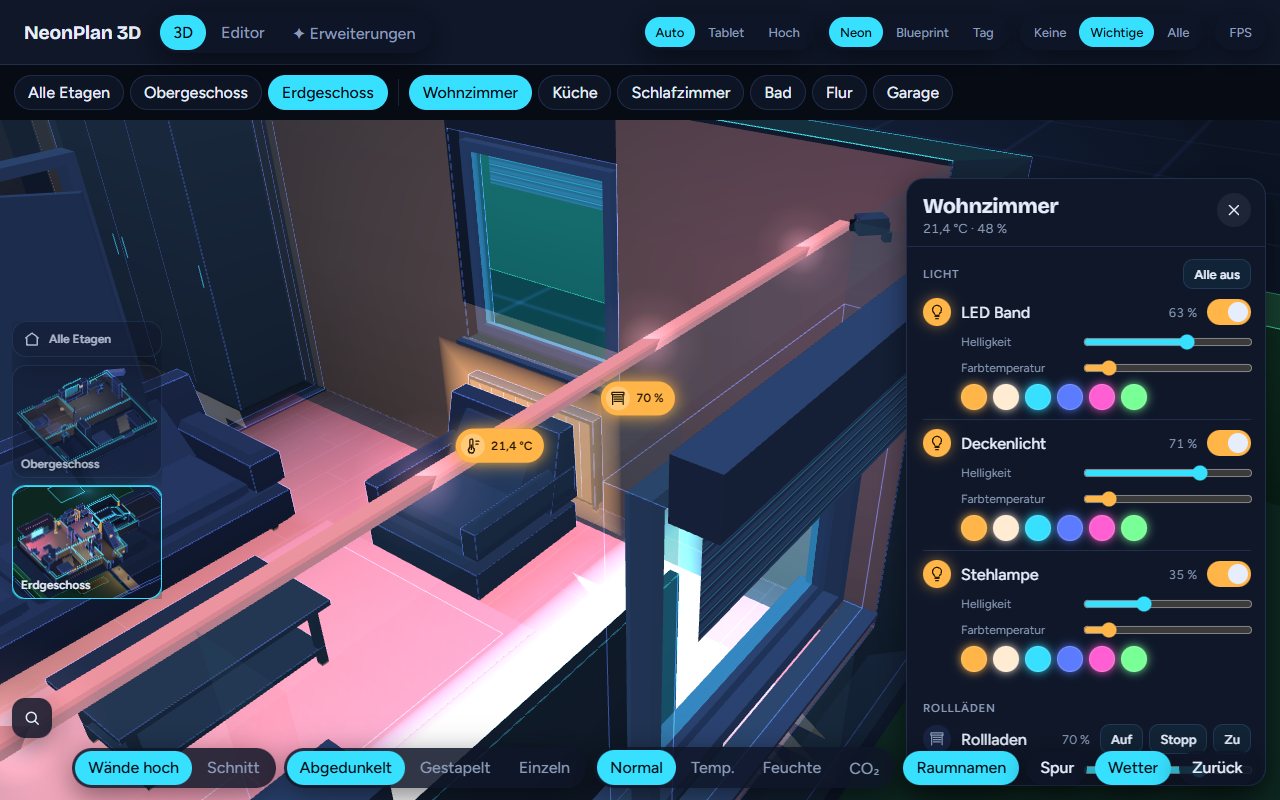
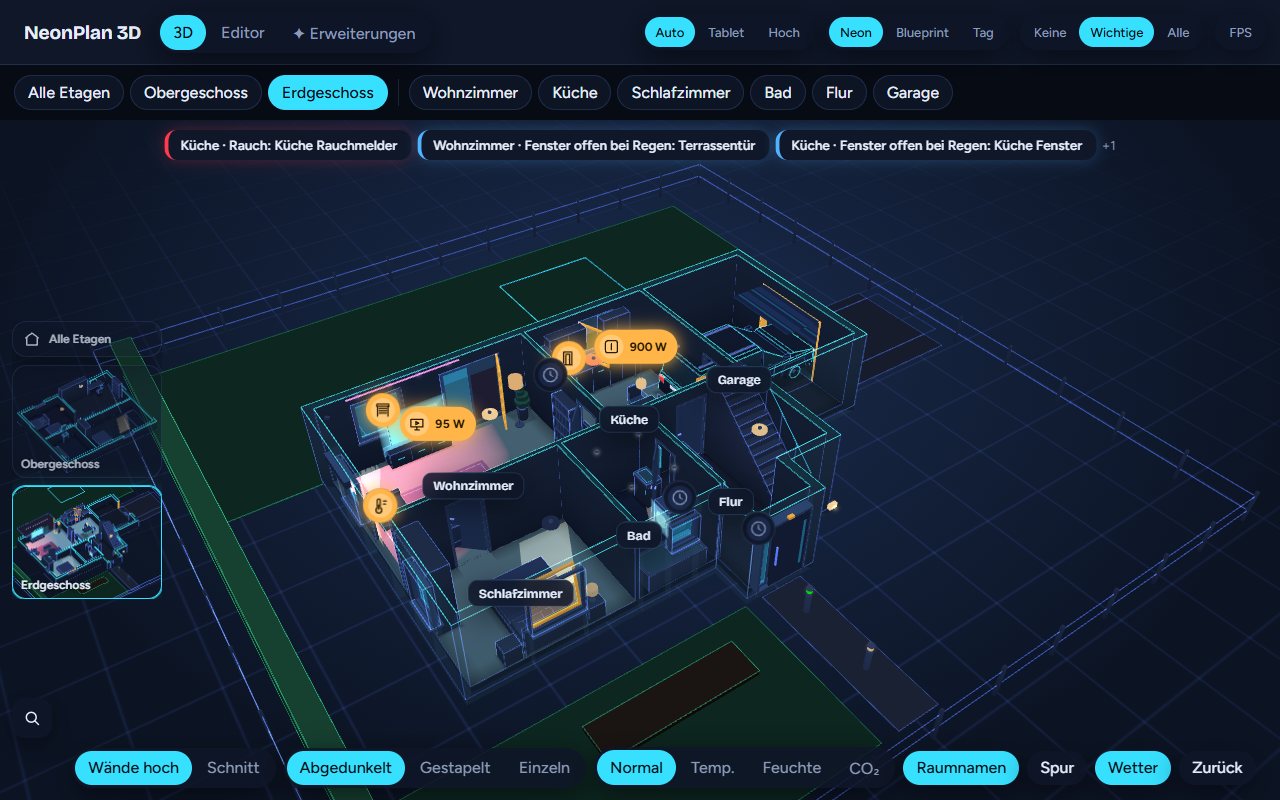
 NeonPlan 3D позволяет нарисовать свой дом в виде комнат, стен, дверей, окон и мебели прямо внутри Home Assistant, а затем в живом 3D-виде в неоновом стиле управлять светом, шторами, климатом, медиа и камерами.
NeonPlan 3D позволяет нарисовать свой дом в виде комнат, стен, дверей, окон и мебели прямо внутри Home Assistant, а затем в живом 3D-виде в неоновом стиле управлять светом, шторами, климатом, медиа и камерами.Это отдельное приложение или аддон для Home Assistant?Это кастомная интеграция для Home Assistant плюс карточка дашборда Lovelace (custom:neonplan3d-card), устанавливаемые через HACS, — а не отдельное самостоятельное приложение.
Это кастомная интеграция для Home Assistant плюс карточка дашборда Lovelace (custom:neonplan3d-card), устанавливаемые через HACS, — а не отдельное самостоятельное приложение.Какая версия Home Assistant мне нужна?Нужен Home Assistant 2025.1 или новее; HACS — рекомендуемый способ установки.
Нужен Home Assistant 2025.1 или новее; HACS — рекомендуемый способ установки.Всё здесь бесплатно, или за некоторые функции надо доплачивать?Базовая интеграция и карточка дашборда бесплатны и под лицензией MIT; пакеты мебели и Pro-аддоны вроде камеры-кокпита, погодных эффектов и живых экранов — опциональные платные дополнения, которые продаются отдельно на mastershort.de.
Базовая интеграция и карточка дашборда бесплатны и под лицензией MIT; пакеты мебели и Pro-аддоны вроде камеры-кокпита, погодных эффектов и живых экранов — опциональные платные дополнения, которые продаются отдельно на mastershort.de.Отправляет ли он данные моего дома в облако?Нет — план, картинки и пакеты хранятся локально в .storage Home Assistant; в интернет он выходит раз в день, только если вы ввели лицензионный ключ, чтобы проверить обновления пакетов, отправляя ключ и анонимный отпечаток установки.
Нет — план, картинки и пакеты хранятся локально в .storage Home Assistant; в интернет он выходит раз в день, только если вы ввели лицензионный ключ, чтобы проверить обновления пакетов, отправляя ключ и анонимный отпечаток установки.Можно ли попробовать без установки Home Assistant?Да, есть онлайн-демо в браузере с вымышленными демо-данными, где можно вращать дом, щёлкать светом и открывать редактор — ничего устанавливать не нужно.
Да, есть онлайн-демо в браузере с вымышленными демо-данными, где можно вращать дом, щёлкать светом и открывать редактор — ничего устанавливать не нужно.Что реально можно контролировать в 3D-виде?Можно тапать по светильникам, чтобы включать и выключать их (свайп для яркости, долгое нажатие для цвета), двигать жалюзи, открывать двери и окна, видеть, как поля обзора камер краснеют при движении, и смотреть, что играет на телевизорах — плюс устройства климата и медиа.
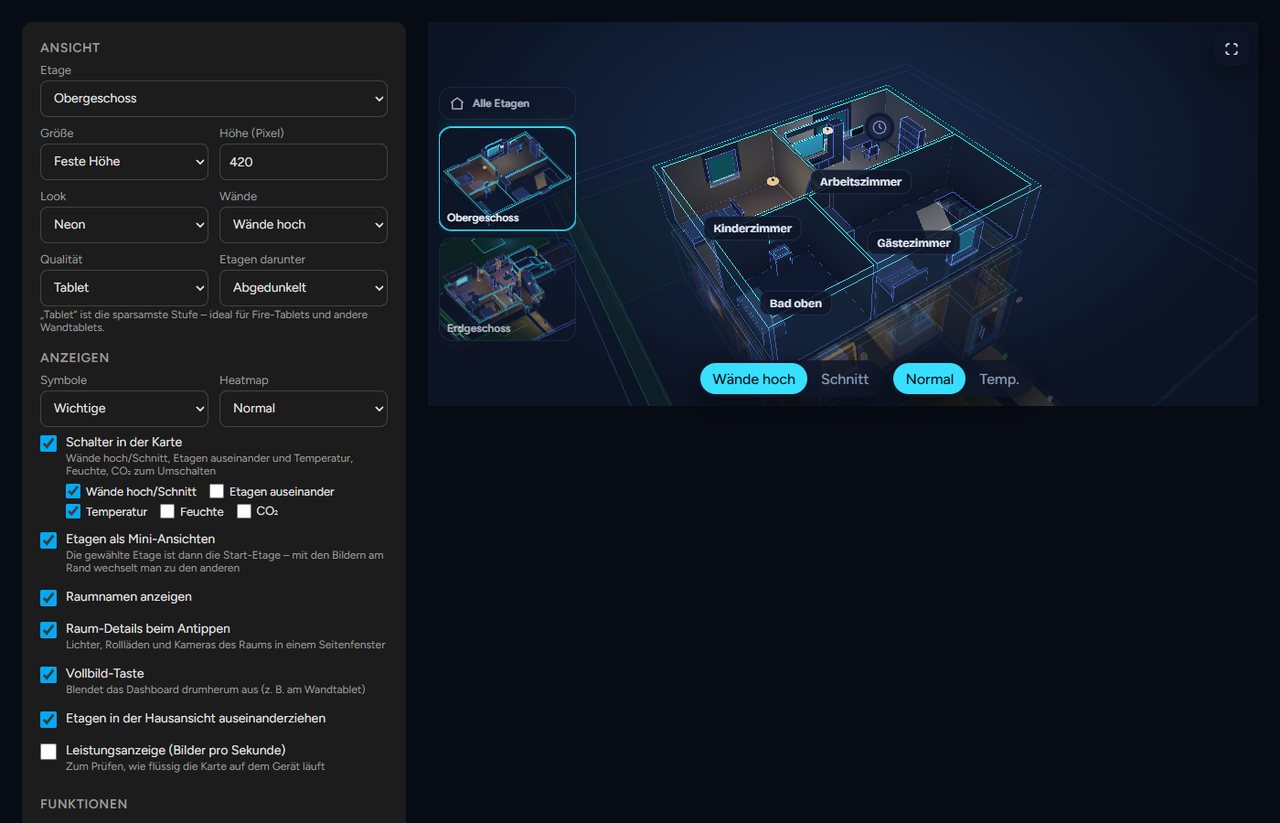
Можно тапать по светильникам, чтобы включать и выключать их (свайп для яркости, долгое нажатие для цвета), двигать жалюзи, открывать двери и окна, видеть, как поля обзора камер краснеют при движении, и смотреть, что играет на телевизорах — плюс устройства климата и медиа.Он подходит для планшета, закреплённого на стене?Да — в нём есть kiosk-режим с возвратом при простое и ночным затемнением, кнопки сцен, предупреждения о дыме, газе, воде, тревоге и открытых окнах под дождём, плюс настройка качества для планшета, подогнанная под Fire tablets.
Да — в нём есть kiosk-режим с возвратом при простое и ночным затемнением, кнопки сцен, предупреждения о дыме, газе, воде, тревоге и открытых окнах под дождём, плюс настройка качества для планшета, подогнанная под Fire tablets.Сколько мебели входит по умолчанию?Вместе с интеграцией идут 40 встроенных моделей мебели и светильников, а дополнительные тематические пакеты мебели доступны как платные аддоны.
Вместе с интеграцией идут 40 встроенных моделей мебели и светильников, а дополнительные тематические пакеты мебели доступны как платные аддоны.What are similar projects?espectre, EchoMuse, ha_xiaomi_home, Tasmota, glasshouse, techo5, zigbee2mqtt, core
espectre, EchoMuse, ha_xiaomi_home, Tasmota, glasshouse, techo5, zigbee2mqtt, coreWhich topics is it in?sensors, smart-home, home-assistant, home-automation, threejs, iot, visualization, editor, 3d, customization, dashboard, local-first
sensors, smart-home, home-assistant, home-automation, threejs, iot, visualization, editor, 3d, customization, dashboard, local-first