










What is this?
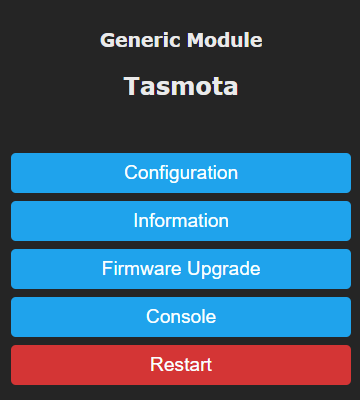
 Tasmota is an open-source alternative firmware for ESP8266 and ESP32 based smart devices, adding a webUI, OTA updates, timer/rule automation and entirely local control over MQTT, HTTP, Serial or KNX.
Tasmota is an open-source alternative firmware for ESP8266 and ESP32 based smart devices, adding a webUI, OTA updates, timer/rule automation and entirely local control over MQTT, HTTP, Serial or KNX.So it runs on the smart device itself, not on my computer?Right — it replaces the stock firmware on the ESP chip inside the device. Your computer is only needed for flashing or compiling; the project is written for PlatformIO.
Right — it replaces the stock firmware on the ESP chip inside the device. Your computer is only needed for flashing or compiling; the project is written for PlatformIO.How do I get it onto a device?Easiest is the Tasmota WebInstaller, which flashes the firmware straight from the browser. Alternatively download released binaries and flash them per the installation guide, or compile your own build with PlatformIO.
Easiest is the Tasmota WebInstaller, which flashes the firmware straight from the browser. Alternatively download released binaries and flash them per the installation guide, or compile your own build with PlatformIO.Does it need a vendor cloud or account to work?No — devices are controlled entirely locally over MQTT, HTTP, Serial or KNX, so nothing depends on a vendor cloud service.
No — devices are controlled entirely locally over MQTT, HTTP, Serial or KNX, so nothing depends on a vendor cloud service.What happens if an update goes wrong?You must be ready to flash the device over the serial programming interface if an OTA upgrade fails, so test updates before applying them and always back up the device configuration first.
You must be ready to flash the device over the serial programming interface if an OTA upgrade fails, so test updates before applying them and always back up the device configuration first.Do I need special skills or an electrician to use it safely?Initial flashing is beginner-friendly, but mains-powered devices carry electrocution danger if installed improperly — call an electrician if unsure, and never do serial flashing while the device is connected to AC power.
Initial flashing is beginner-friendly, but mains-powered devices carry electrocution danger if installed improperly — call an electrician if unsure, and never do serial flashing while the device is connected to AC power.Which devices can it be flashed onto?ESP8266 and ESP32 based devices; Sonoff and Tuya hardware is called out explicitly. One caveat for custom builds: ESP8285 based devices only support Flash Mode DOUT, other modes may seem to brick them.
ESP8266 and ESP32 based devices; Sonoff and Tuya hardware is called out explicitly. One caveat for custom builds: ESP8285 based devices only support Flash Mode DOUT, other modes may seem to brick them.What if my device is not in the list of supported modules?Try Templates first. If it is not in the Tasmota Device Templates Repository either, you can create your own Template — the README only asks you not to request new devices unless they require additional code for new features.
Try Templates first. If it is not in the Tasmota Device Templates Repository either, you can create your own Template — the README only asks you not to request new devices unless they require additional code for new features.Does it work with Home Assistant?Yes — Home Assistant discovery is a long-standing part of the project, started by Erik Montnemery and maintained by community contributors, so Tasmota devices can announce themselves to Home Assistant automatically.
Yes — Home Assistant discovery is a long-standing part of the project, started by Erik Montnemery and maintained by community contributors, so Tasmota devices can announce themselves to Home Assistant automatically.Is it only for Sonoff and Tuya brands?No, those are just the best-known targets. Any ESP8266/ESP32 based device can run it, and the community Templates Repository serves as the database of supported devices.
No, those are just the best-known targets. Any ESP8266/ESP32 based device can run it, and the community Templates Repository serves as the database of supported devices.Does it support Zigbee devices?Yes, ESP32 builds gained Zigbee support — credited to Stephan Hadinger, who also enhanced Hue emulation, LVGL and Berry scripting support.
Yes, ESP32 builds gained Zigbee support — credited to Stephan Hadinger, who also enhanced Hue emulation, LVGL and Berry scripting support.What are similar projects?WLED, espectre, esphome, muse-gadget-sdk, oomwoo, hermes-gadget-sdk, EchoMuse, esp8266_deauther
WLED, espectre, esphome, muse-gadget-sdk, oomwoo, hermes-gadget-sdk, EchoMuse, esp8266_deautherWhich topics is it in?esp8266, sensors, smart-home, arduino, mqtt, home-assistant, home-automation, microcontroller, esp32, webui, firmware, iot
esp8266, sensors, smart-home, arduino, mqtt, home-assistant, home-automation, microcontroller, esp32, webui, firmware, iot