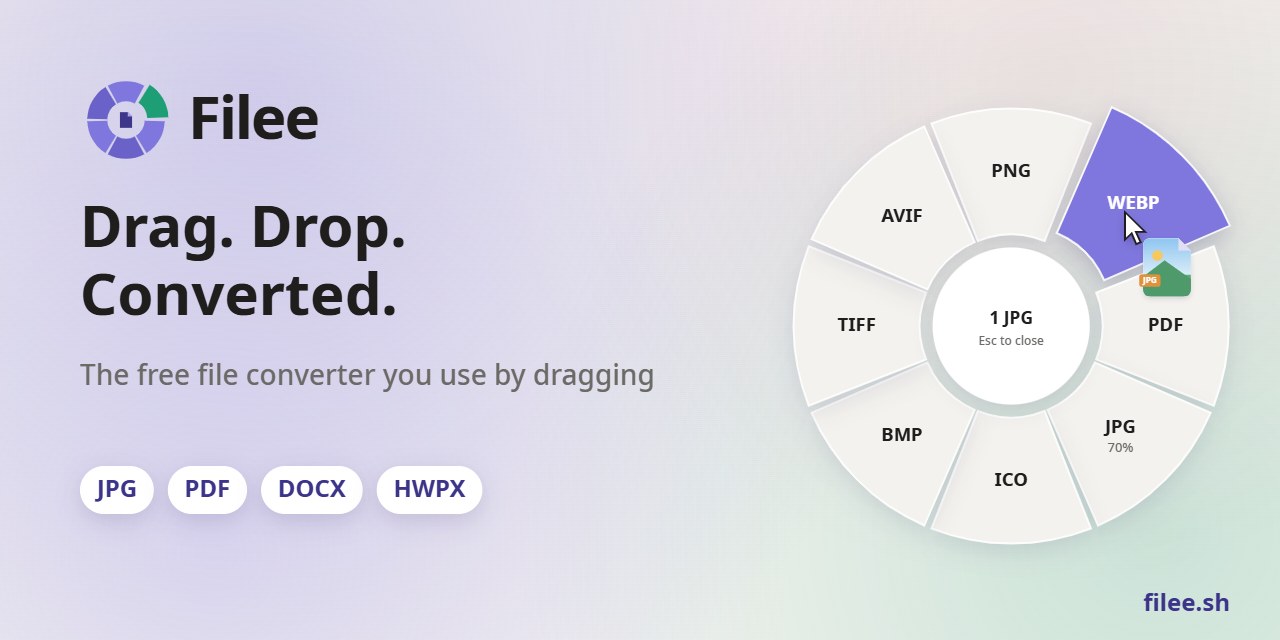
A free, open-source file converter you use by dragging.
Hold a key (Ctrl, Option on macOS), drag files and drop them on a format in the donut that opens at your cursor.
Website ·
Download ·
Install ·
Command line ·
Docs





English · 한국어 · 简体中文
Right at your cursor
No app window to open. The formats appear where you already are, only the ones that make sense for the files you drag. |
180 formats, no other software
Images, PDF, Word, Excel, PowerPoint, HWP, e-books, archives, fonts and CAD work without Office, Hancom Office or LibreOffice. |
Stays on your computer
Nothing is uploaded. Filee works offline and saves the result next to the original. |
See it in action

Watch the 27-second video and try the interactive demo on filee.sh
Install
Download from Releases.
Windows 10/11 (64-bit)
Run Filee-<version>-win-Setup.exe. It asks for administrator rights once and installs Filee for all users. Setup
also offers the File Explorer menu entry, starting at sign-in, the filee command and the optional engines
(video and audio with FFmpeg, about 100 MB; rare formats with LibreOffice, calibre, Ghostscript or Pandoc).
Without installing: unzip Filee-<version>-win-Portable.zip and run Filee.exe.
When a new release is out, Filee shows it in the menu and the tray. Update downloads the installer, checks its
SHA-256 against the release and installs it, keeping your settings and engines. The portable copy opens the release
page instead.
macOS 14 or later (preview)
- Download
Filee-<version>-osx-arm64.tar.gz (Apple silicon) or Filee-<version>-osx-x64.tar.gz (Intel).
- Open Terminal in the extracted folder and run
./install.sh. It copies Filee.app to ~/Applications and adds
the filee command to ~/.local/bin.
- The build is not notarized yet, so macOS blocks the first start. Allow it in System Settings → Privacy & Security
→ Open Anyway.
- Filee asks for Accessibility permission, which Option+drag needs. It starts working as soon as you
switch Filee on.
"Convert with Filee" appears when you right-click files in Finder. FFmpeg and Ghostscript come from Homebrew
(brew install ffmpeg ghostscript); Filee finds them by itself.
Linux x64 and ARM64 (preview)
- Download
Filee-<version>-linux-x64.tar.gz or Filee-<version>-linux-arm64.tar.gz.
- Run
./install.sh in the extracted folder. It installs for your user only (no root), adds Filee to the app menu
and the filee command to ~/.local/bin. Python 3 is required.
Drag gestures need an X11 session (on Ubuntu, "Ubuntu on Xorg" on the login screen). Wayland doesn't let apps watch
global input, so there Filee works through the drop zone and the right-click action in Nautilus, Nemo, Thunar or
Dolphin. Ubuntu 24.04 is the tested baseline; INSTALL.txt in the package lists the system libraries.
Features
- Donut toolbar at the cursor. Hold a modifier (Ctrl, Option on macOS) and drag files.
Modifiers, mouse button, drag distance, a hold gesture and a keyboard shortcut for the selected files are all
configurable, and apps where gestures should never fire can be picked from the running apps.
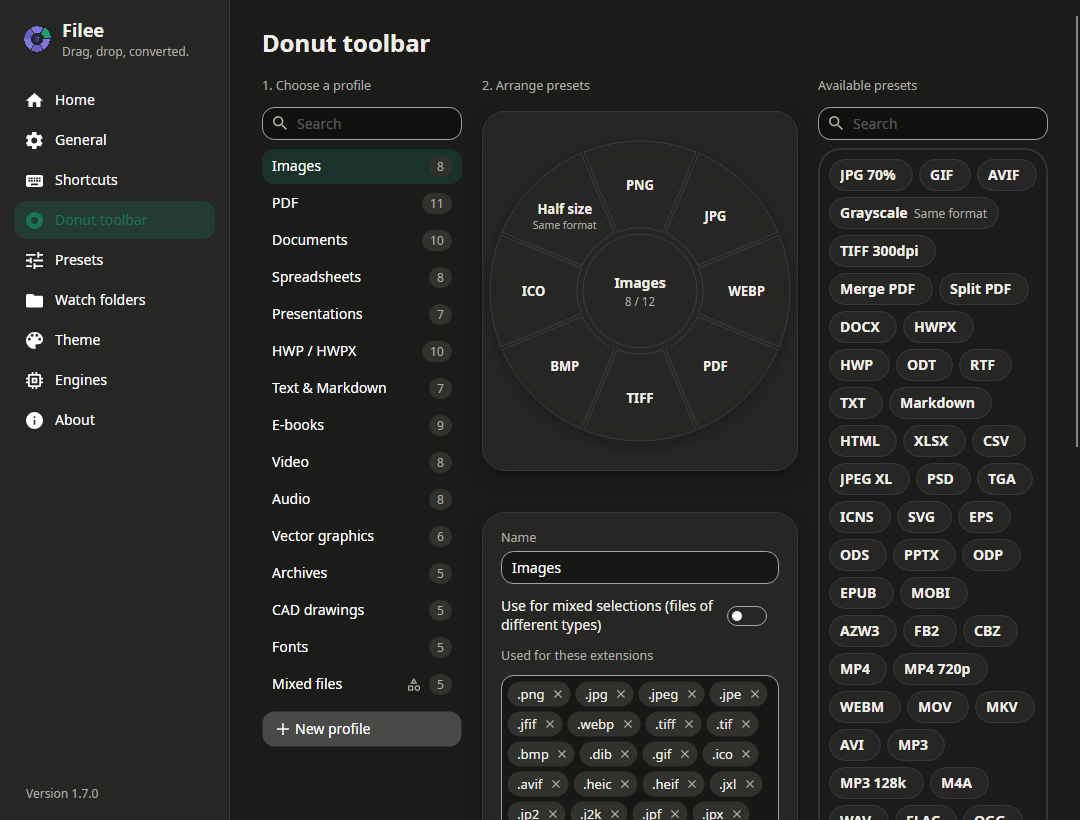
- One toolbar per file type. Images, PDF, documents, spreadsheets, presentations, HWP, text, e-books, video,
audio, vector graphics, archives, CAD, fonts and mixed selections. Arrange presets on a live donut by drag and drop,
search the profiles and presets, add extensions as tags.
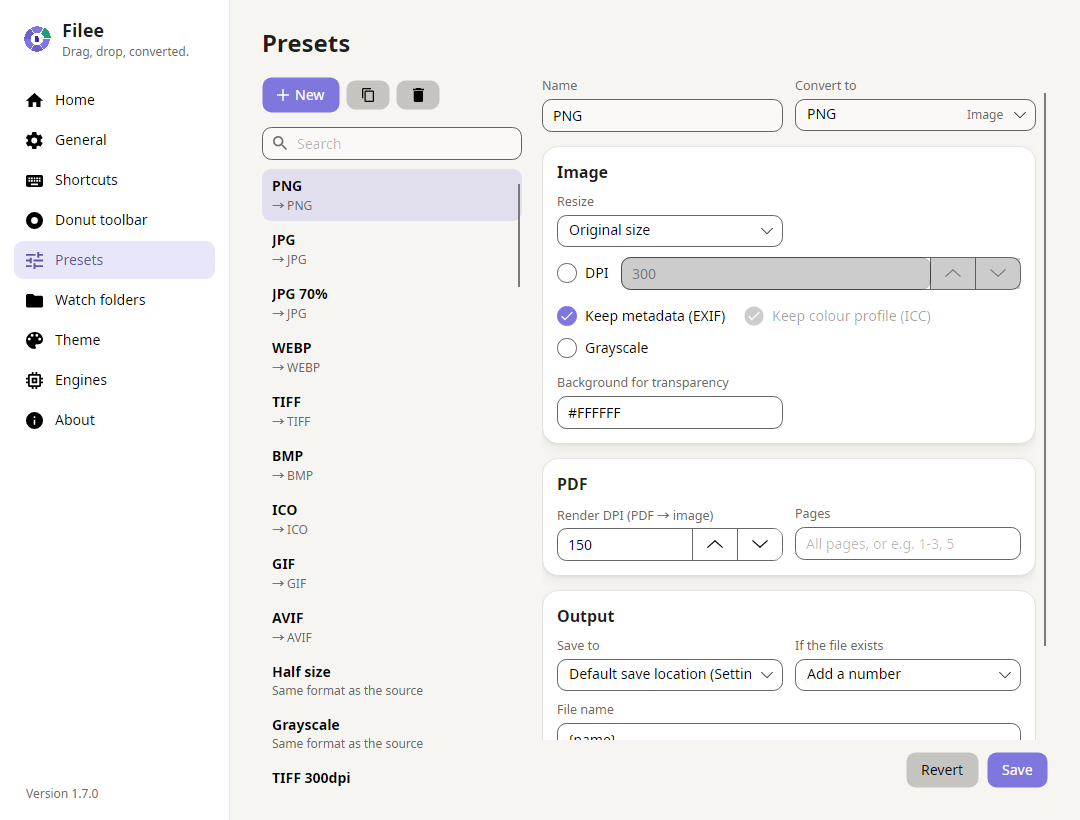
- Presets. Quality, size, DPI, metadata, PDF merge, split and page ranges, video quality and resolution, audio
bitrate, channels and WAV format, archive level, output folder, file names, conflict handling and keeping the
original file dates. TIFF presets can join every file into one multi-page TIFF.
- Batch conversion. One file or a hundred, in parallel; one failure never stops the rest. "One ZIP" packs any
files into an archive, "Merge PDF" makes one PDF.
- Multi-step routes. Filee finds conversions that need several steps (HWP → HWPX → DOCX, EPUB → HWPX → PDF → PNG),
each step with the engine that does it best.
- Four ways in. The drag gesture, the file manager's right-click menu (and Send To on Windows), a keyboard shortcut
on the selected files, and the drop zone in the main window.
- Watch folders. Files that land in a folder you choose are converted once their download or copy is complete.
Keep the originals or move them aside, so the folder works like an inbox. Optionally convert only some files
(
*.heic, scan_* or a regular expression, entered as tags), give converted files their own name rule and
replace parts of names with ready-made or your own regular expressions, with a live preview.
- Engines you can see. Settings → Engines lists every engine with its version and what it converts. FFmpeg,
calibre, Pandoc, Ghostscript and LibreOffice already on your computer are found and used instead of a download.
- Light, dark or system theme, your accent colour and a Reduce animations switch.
- English, 한국어, 简体中文, following the system language.
Screenshots
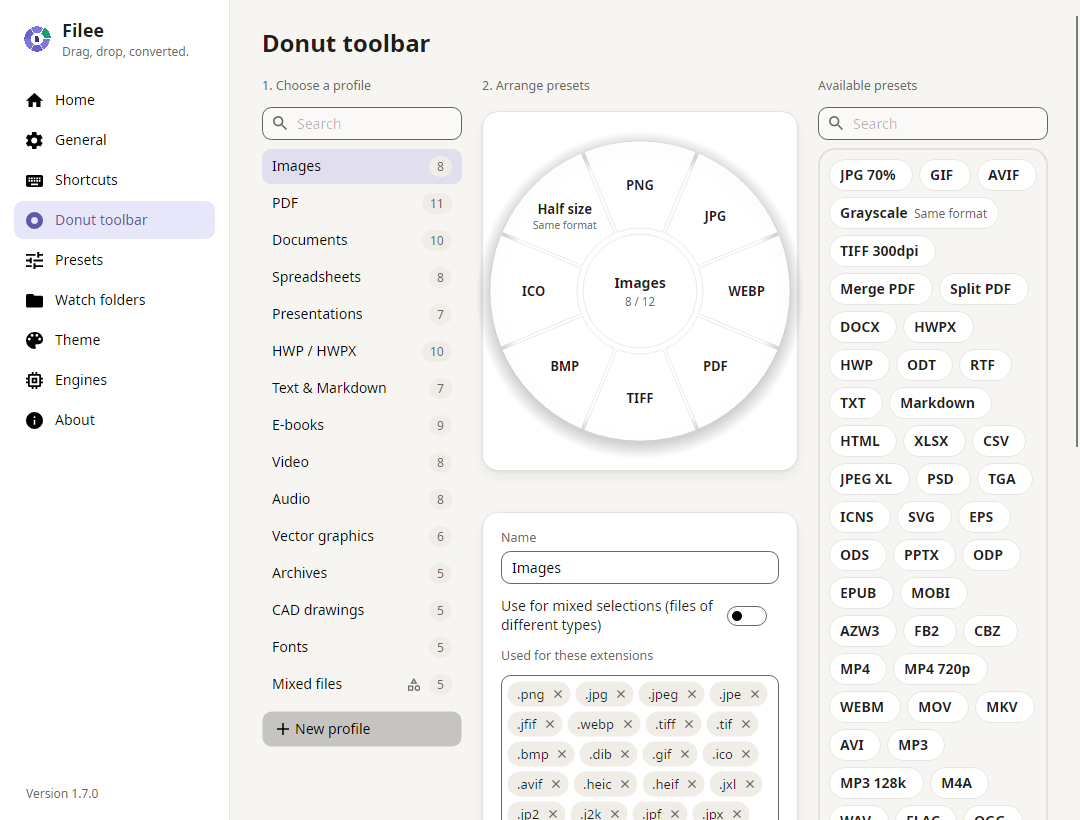 |
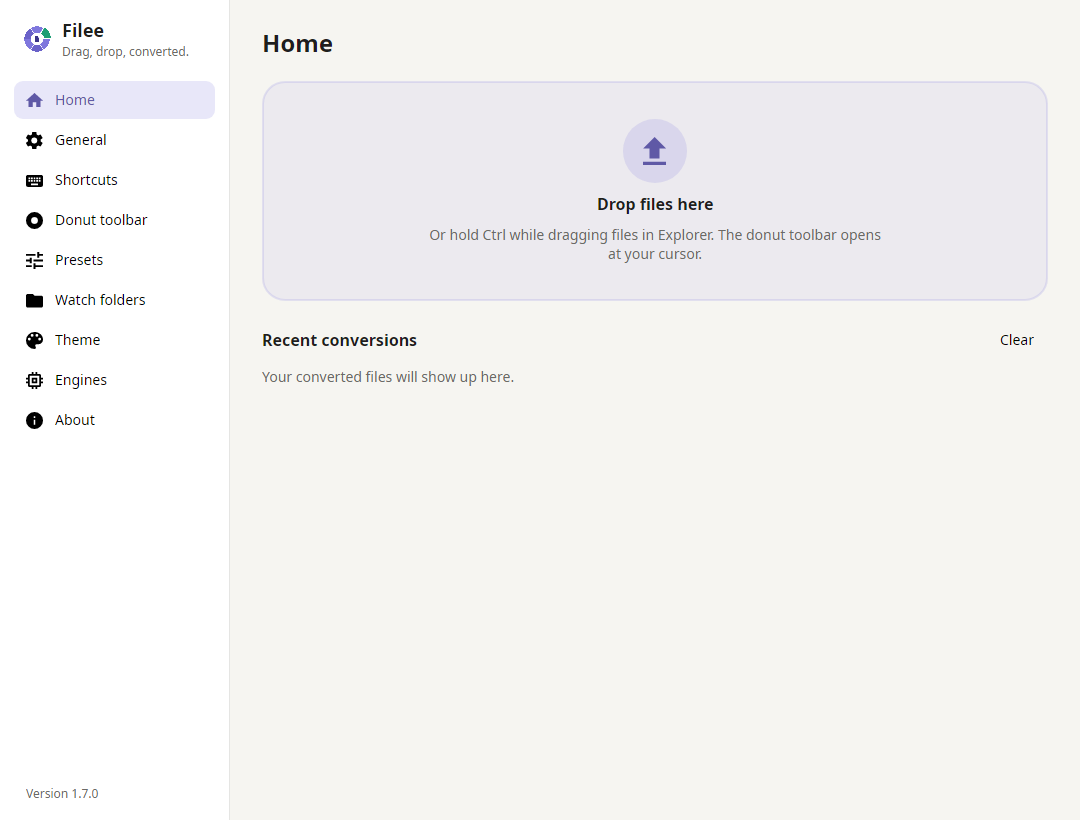 |
| Arrange the donut by drag and drop, one profile per file type |
Home: drop zone and recent conversions |
 |
 |
| Presets: quality, size, PDF pages, output folder and file names |
Dark theme |
| From |
To |
| Images: JPG, PNG, WEBP, AVIF, TIFF, BMP, GIF, ICO, ICNS, JPEG XL, JPEG 2000, PSD/PSB, TGA, PPM, HEIC; GIMP XCF, camera RAW (CR2, CR3, NEF, ARW, DNG, …) read |
any of these (HEIC⁵), PDF, resized, grayscale |
| Vector: SVG, SVGZ, EMF, WMF, AI · EPS, PS¹ · CDR, VSD, CGM, ODG² |
PDF (vector), PNG and other images, SVG ↔ SVGZ, PDF → EPS/PS¹ |
| PDF |
DOCX, HWPX, TXT, PNG, JPG, TIFF, CBZ; merge, split, page ranges |
| Documents: DOCX, DOCM, DOTX, EML · DOC, ODT, RTF, WPS, WPD, Pages, …² |
PDF, DOCX, HWPX, EPUB, TXT, HTML |
| Spreadsheets: XLSX, XLSM, XLS, ODS, CSV, TSV · Numbers, ET² |
PDF, XLSX, ODS, CSV, TSV, HWPX, HTML |
| Presentations: PPTX, PPTM, POTX, PPSX · PPT, ODP, Keynote² |
PDF, PNG, JPG, DOCX, HWPX |
| HWP: HWP, HWPX |
PDF, PNG, DOCX, HWPX ↔ HWP, TXT, Markdown, HTML |
| Text: TXT, Markdown, HTML · reStructuredText, LaTeX³ |
PDF, DOCX, HWPX, EPUB |
| E-books: EPUB, MOBI, AZW3, AZW, AZW4, FB2, CBZ, CBR, CB7, HTMLZ, TXTZ · LIT, LRF, CHM, PDB, …⁴ |
PDF, EPUB, DOCX, TXT, HTML, HWPX · MOBI, AZW3⁴ |
| Video⁵: MP4, MOV, MKV, WEBM, AVI, WMV, FLV, MPEG, TS, M2TS, 3GP, OGV, VOB, … |
MP4, WEBM, MOV, MKV, AVI, GIF, MP3, M4A, 720p |
| Audio⁵: MP3, M4A, AAC, WAV, FLAC, OGG, OPUS, WMA, AIFF, AMR, … |
MP3, M4A, WAV, FLAC, OGG, OPUS, AAC |
| Archives: ZIP, 7Z, RAR, TAR, TAR.GZ, TAR.BZ2, TAR.XZ, GZ, ISO, CAB, DMG, ALZ, EGG, … |
extract, ZIP, 7Z, TAR, TAR.GZ; any files → one ZIP |
| CAD: DWG, DXF |
PDF, SVG, PNG, DWG ↔ DXF |
| Fonts: TTF, OTF, WOFF, WOFF2, EOT |
each other |
Everything without a mark works out of the box, without Microsoft Office, Hancom Office or LibreOffice (Filee
doesn't use Office or Hancom Office even when they are installed). Marked formats need an optional engine, downloaded
only when your computer doesn't have it: ¹ Ghostscript, ² LibreOffice, ³ Pandoc, ⁴ calibre, ⁵ FFmpeg.
docs/ENGINES.md lists what each engine keeps and leaves out.
Command line
The filee command converts files and watches folders without opening the app, with the same engines and presets.
On Windows, tick Add the "filee" command to PATH in Setup; on macOS and Linux, install.sh adds it.
filee convert photo.heic --to jpg
filee convert *.png --to webp --quality 80 -o converted
filee convert D:\Scans --recursive --preset to-pdf --json
filee watch D:\Inbox --to pdf --move-originals
filee formats heic
filee presets
| Command |
What it does |
filee convert |
Converts files, wildcards (*.heic) and folders with --to <format> or --preset <preset> |
filee watch |
Converts files that land in a folder until Ctrl+C |
filee formats |
Lists every format, or what one format converts to |
filee presets |
Lists the presets saved in the app |
--json prints the result for scripts and other programs. Exit codes: 0 all converted, 1 some files failed,
2 wrong arguments or a missing input, 3 nothing to convert. Every option is in the
command line guide and in filee help.
Documentation
Build from source
Requirements: .NET 10 SDK on Windows 10/11, macOS 14+ or Linux.
git clone https://github.com/KnifeLemon/Filee.git
cd Filee
pwsh build/fetch-fonts.ps1                       # optional: Noto Sans UI fonts
pwsh build/fetch-engines.ps1 -Only rhwp,pandoc   # optional engines for development (all: omit -Only, ~475 MB)
dotnet run --project src/Filee.App
dotnet test
Settings live in %APPDATA%\Filee (Windows), ~/Library/Application Support/Filee (macOS) or ~/.config/Filee
(Linux). Builds from source never touch the context menu or auto-start. pwsh build/build-installer.ps1 builds the
Windows installer into Releases/; pwsh build/build-portable.ps1, run on a Mac or Linux, builds that system's
package. More in CONTRIBUTING.md.
| Project |
What it is |
src/Filee.Core |
Formats, presets, toolbar profiles, settings, route planner, job queue. No UI, no OS APIs. |
src/Filee.Engines |
One class per conversion engine (IConverter), including the HWPX writer. |
src/Filee.Platform.Windows |
Explorer integration, context menu, auto-start. |
src/Filee.Platform.MacOS, src/Filee.Platform.Linux |
Finder service, file manager actions, gestures and auto-start on macOS and Linux. |
src/Filee.App |
Avalonia UI: donut toolbar, settings window, tray, toasts. |
src/Filee.Cli |
The filee command line (convert, watch, formats, presets) on the same engines and presets. |
tests/* |
xUnit v3 tests, including headless UI rendering. |
Contributing
Pull requests are welcome. Good first steps are adding a converter and
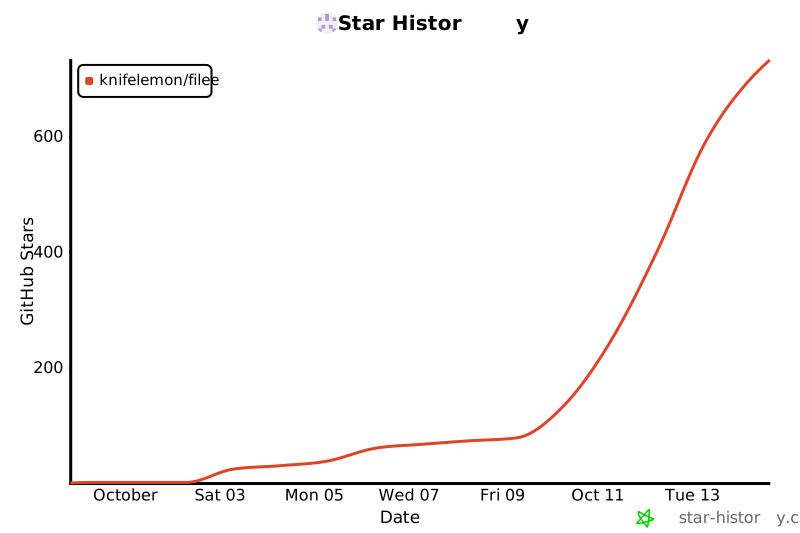
adding a language. If Filee saves you some clicks, a ⭐ helps other people find it.
Filee is free and stays free. If you'd like to support its development, you can sponsor it on
GitHub Sponsors (or Fairy from Korea).
Code signing policy
Free code signing provided by SignPath.io, certificate by
SignPath Foundation.
Filee has applied for this program. Until it is approved, releases are not code-signed and Windows SmartScreen may
warn when you run the installer ("More info" → "Run anyway"). macOS packages are ad-hoc signed and not notarized.
Only the installer and files built by this repository's GitHub Actions release workflow are signed, and every release
is approved by hand. Bundled third-party programs (rhwp, 7-Zip) keep their own publishers' files.
Privacy policy
Filee converts files on your own computer and never uploads them. It collects no usage data and sends no telemetry.
It connects to the internet only:
- to ask GitHub (
api.github.com) whether a newer release exists, shortly after start and then every few hours.
Turn this off in Settings → About ("Check for updates automatically").
- to download the conversion engines you choose to install, from the official locations pinned in
engines.json.
- when you click a link, which opens your web browser.
License
MIT. Bundled third-party components keep their own licenses, listed in THIRD-PARTY-NOTICES.md.

 Filee 是一款免费开源的文件转换工具,支持 Windows、macOS 和 Linux,可处理 180 多种格式——包括图片、PDF、Word、Excel、PowerPoint、HWP/HWPX、视频、音频、电子书、CAD 和压缩包。只需把文件拖到悬浮的格式菜单上即可,所有转换都在本地完成,不会上传文件。