
JetBrainsMono README

The project's README from github.com/JetBrains/JetBrainsMono. As one markdown file: README.md.

official JetBrains project

JetBrains Mono: a typeface made for developers

Alt text

JetBrains Mono is available as a standalone download, and is also bundled in all JetBrains IDEs. Discover more font features & design on its web page.

Default version of JetBrains Mono comes with OpenType features and ligatures (which can always be toggled on & off in the settings). If your IDE doesn’t support OpenType, use a special version of the font — JetBrains Mono NL, which doesn’t include any ligatures.

Installation

JetBrains IDEs

The most recent version of JetBrains Mono ships with your JetBrains IDE starting with v2019.3.

Select JetBrains Mono in the IDE settings: go to Preferences/Settings → Editor → Font, and then select JetBrains Mono from the Font dropdown.

Brew (macOS only)

Install it using the font-jetbrains-mono cask:

brew install --cask font-jetbrains-mono

Manual installation

On Mac/Windows:

  1. Download font.
  2. Unzip the archive and install the font:
    • Mac. Select all font files in the folder and double-click them. Click the Install Font button.
    • Windows. Select all font files in the folder, right-click any of them, then pick Install from the menu.

Note If you have previously installed JetBrains Mono, please uninstall all previous versions to exclude conflicts and errors in rendering.

On Linux:

Open a terminal and run the following:

/bin/bash -c "$(curl -fsSL https://raw.githubusercontent.com/JetBrains/JetBrainsMono/master/install_manual.sh)"

Once JetBrains Mono is installed in your OS, you are ready to configure the editor.

Visual Studio Code

  1. From the File menu (Code on Mac) go to Preferences → Settings, or use keyboard shortcut Ctrl+, (Cmd+, on Mac).
  2. In the Editor: Font Family input box type JetBrains Mono, replacing any content.
  3. To enable ligatures, go to Editor: Font Ligatures, click Edit in settings.json, and copy this line "editor.fontLigatures": true into json file.

More ways to install

Font Styles

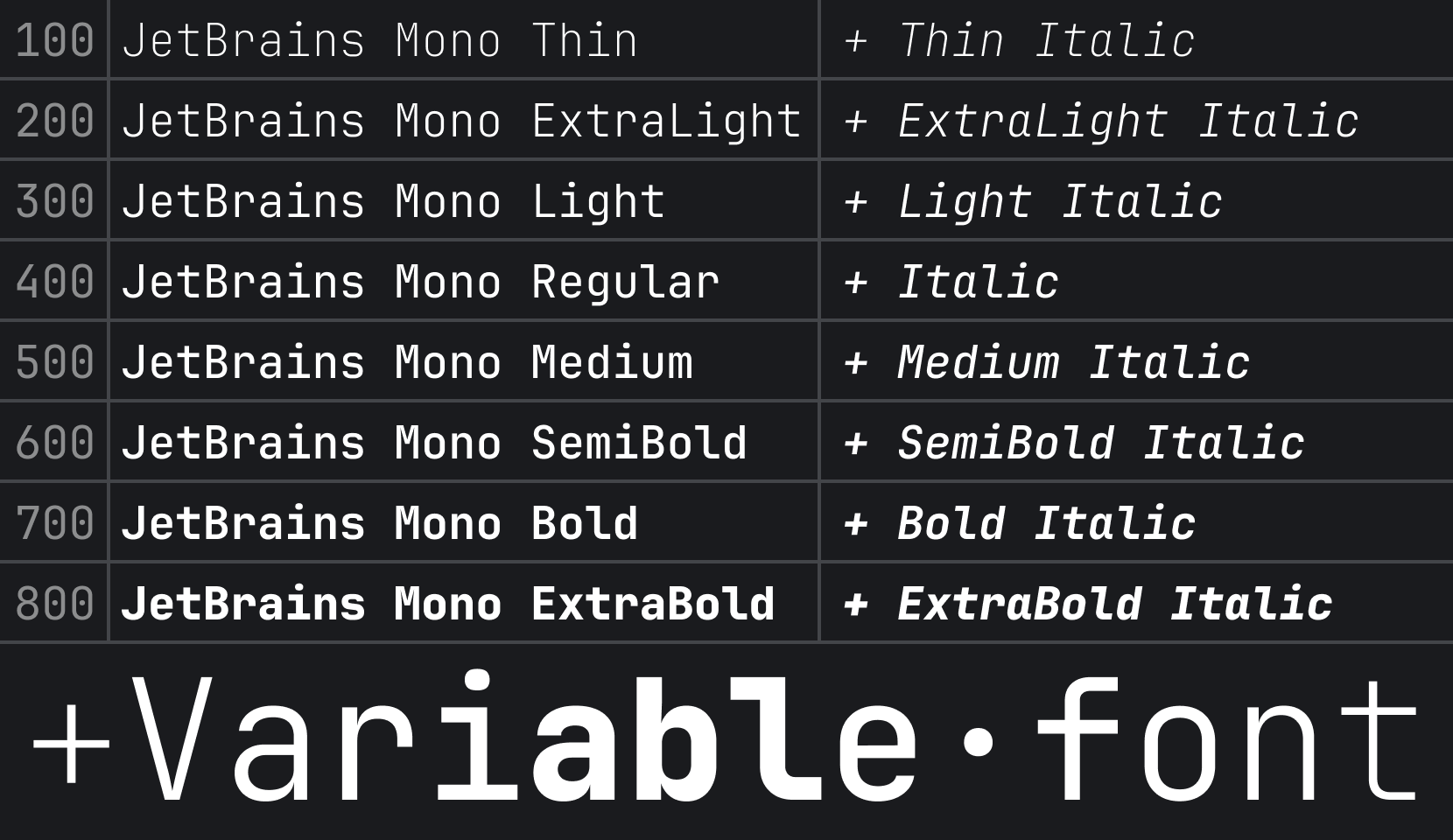
There are 8 font styles available in JetBrains Mono, from Thin to ExtraBold, each coming with its own italic version.

Alt text

Font Features

Increased x-height

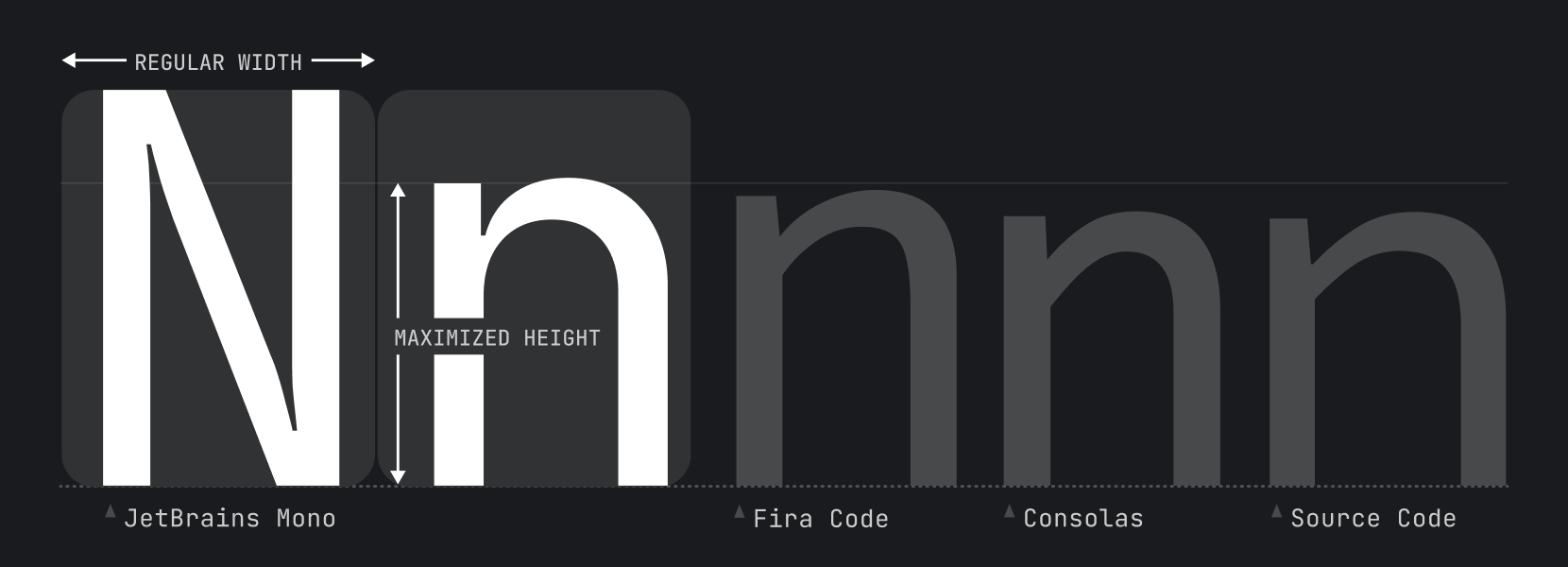
While characters remain standard in width, the height of the lowercase is maximized. This approach keeps code lines to the length that developers expect, and it helps improve rendering in small size, since each symbol occupies more pixels.

Alt text

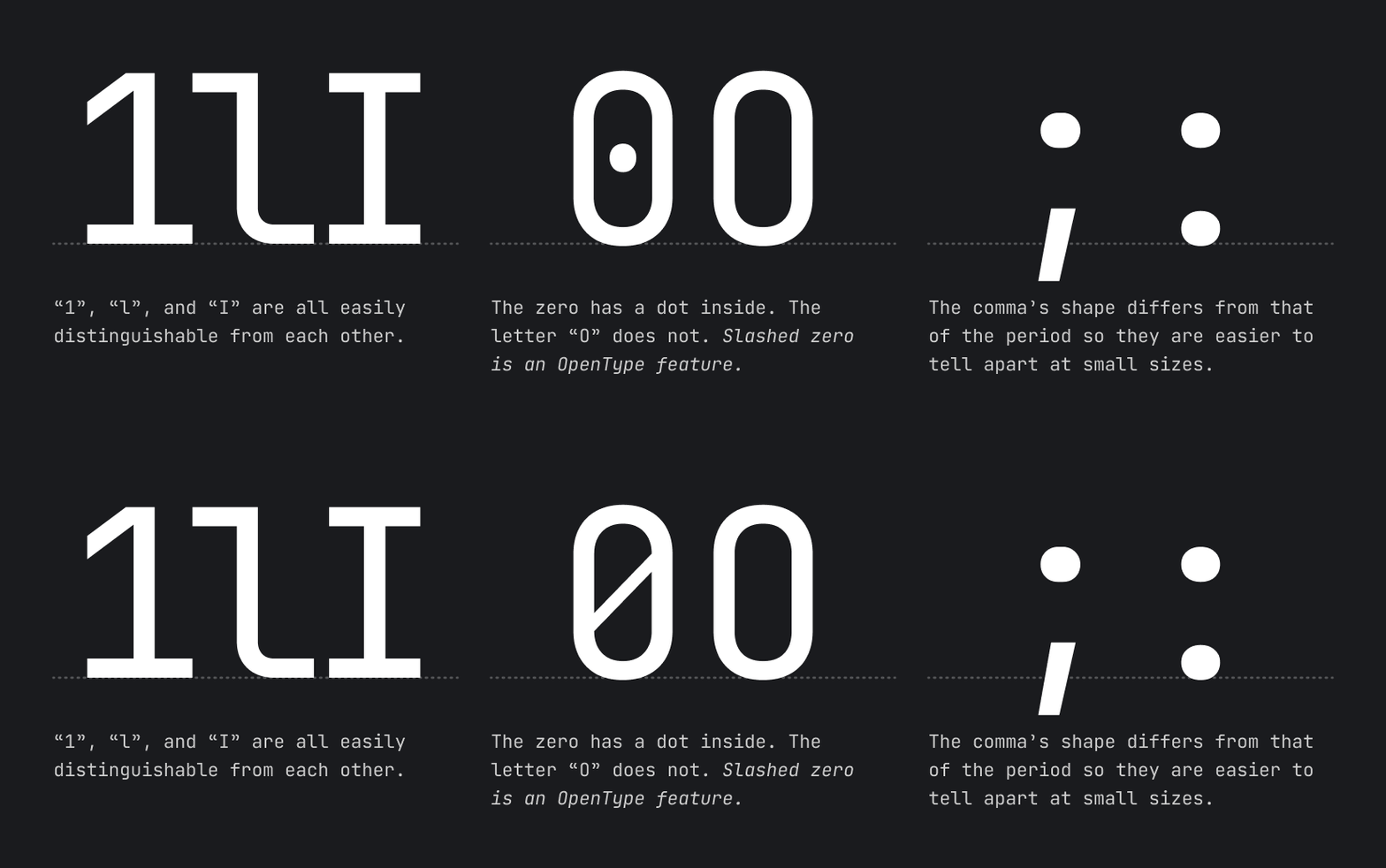
Distinctiveness of symbols

Alt text

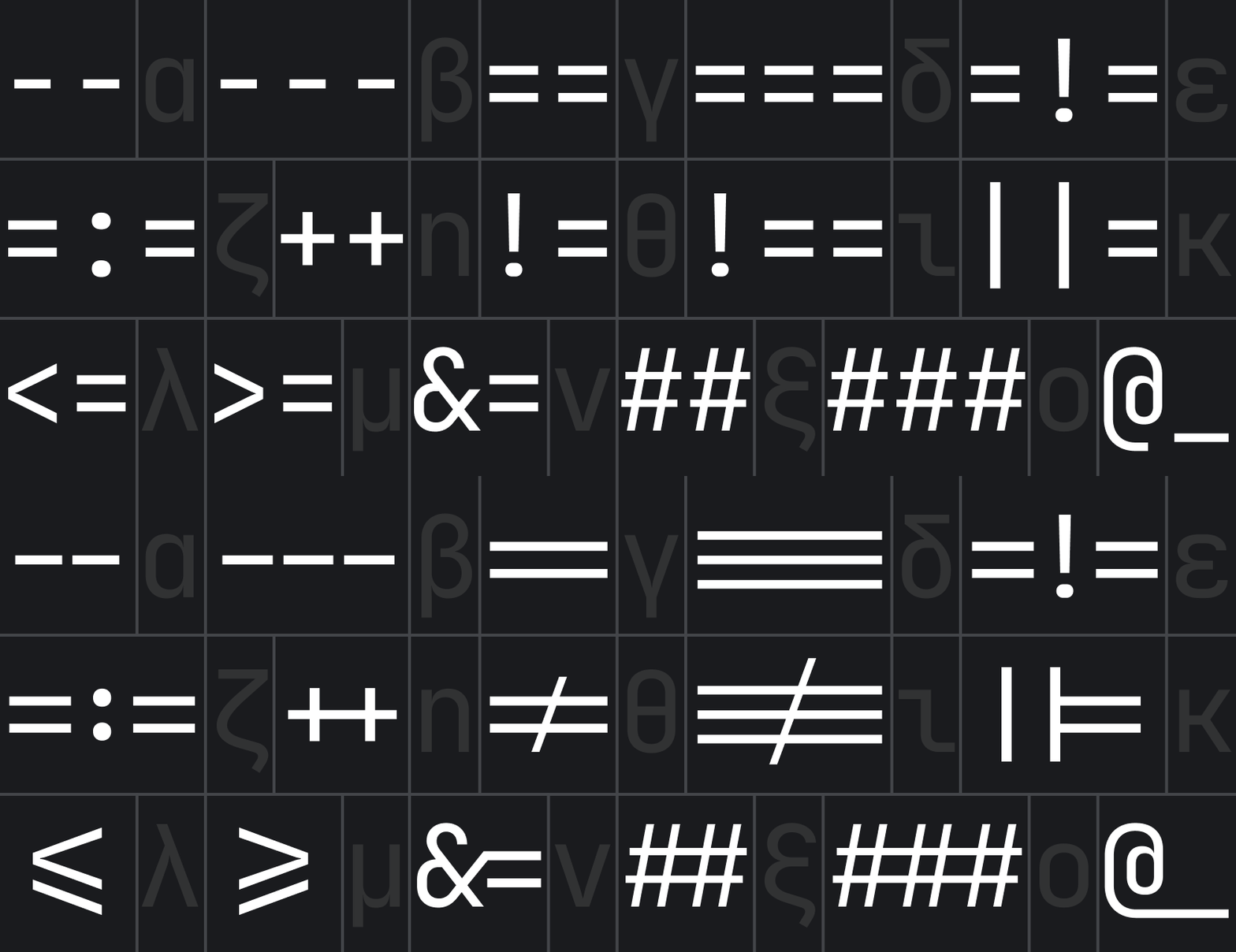
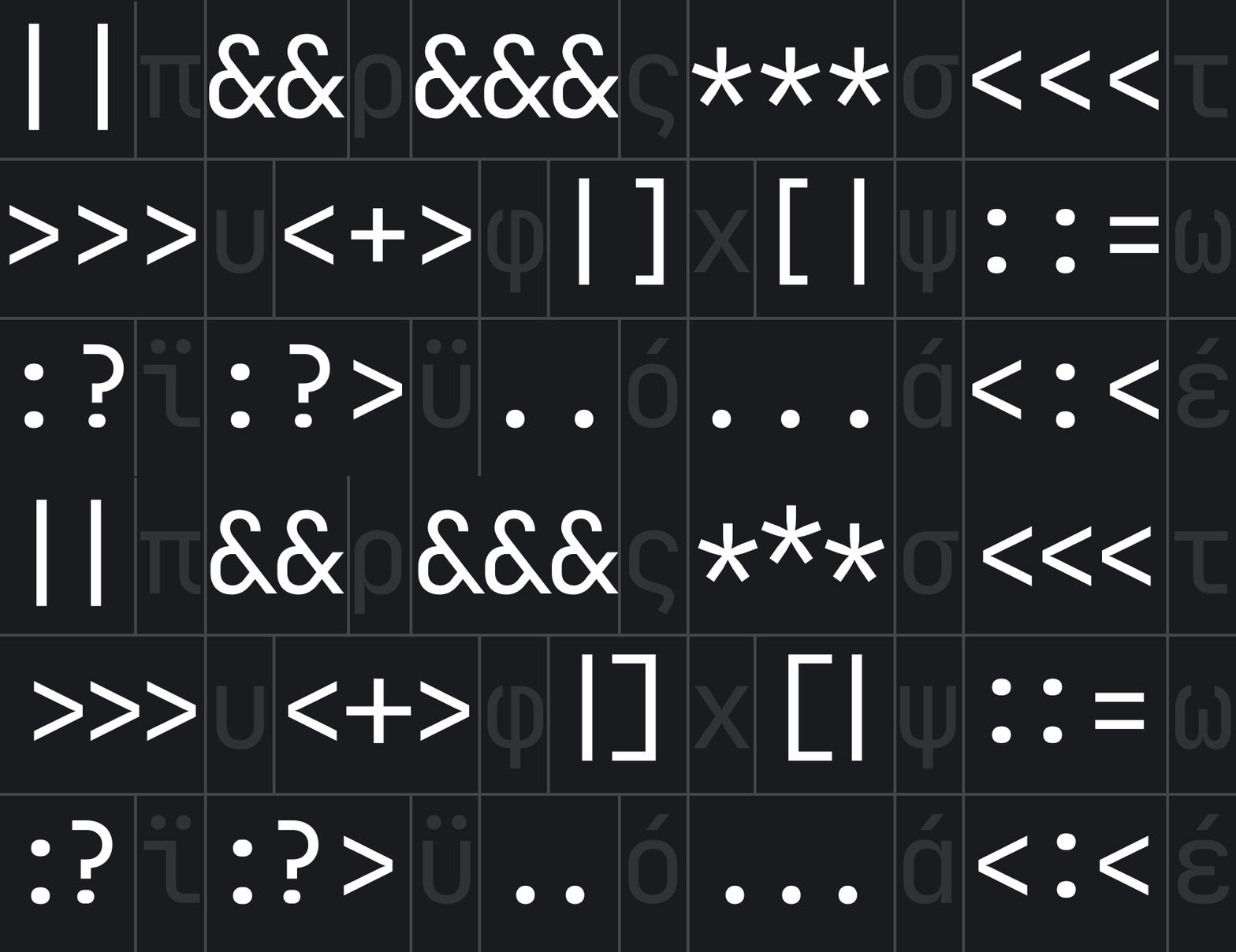
Ligatures for Code

A ligature is a character consisting of two or more joined symbols. Traditionally, it was introduced as a space-saving technique in printed texts. In code, this technique is adopted to show operators and is used mainly for two purposes:

  1. To reduce noise by merging symbols and removing details so the eyes are processing less:

Alt text

  1. To balance whitespace more efficiently by shifting the glyphs in certain cases:

Alt text

Note if your IDE doesn’t support OpenType features and ligatures, use JetBrains Mono NL instead.

OpenType features

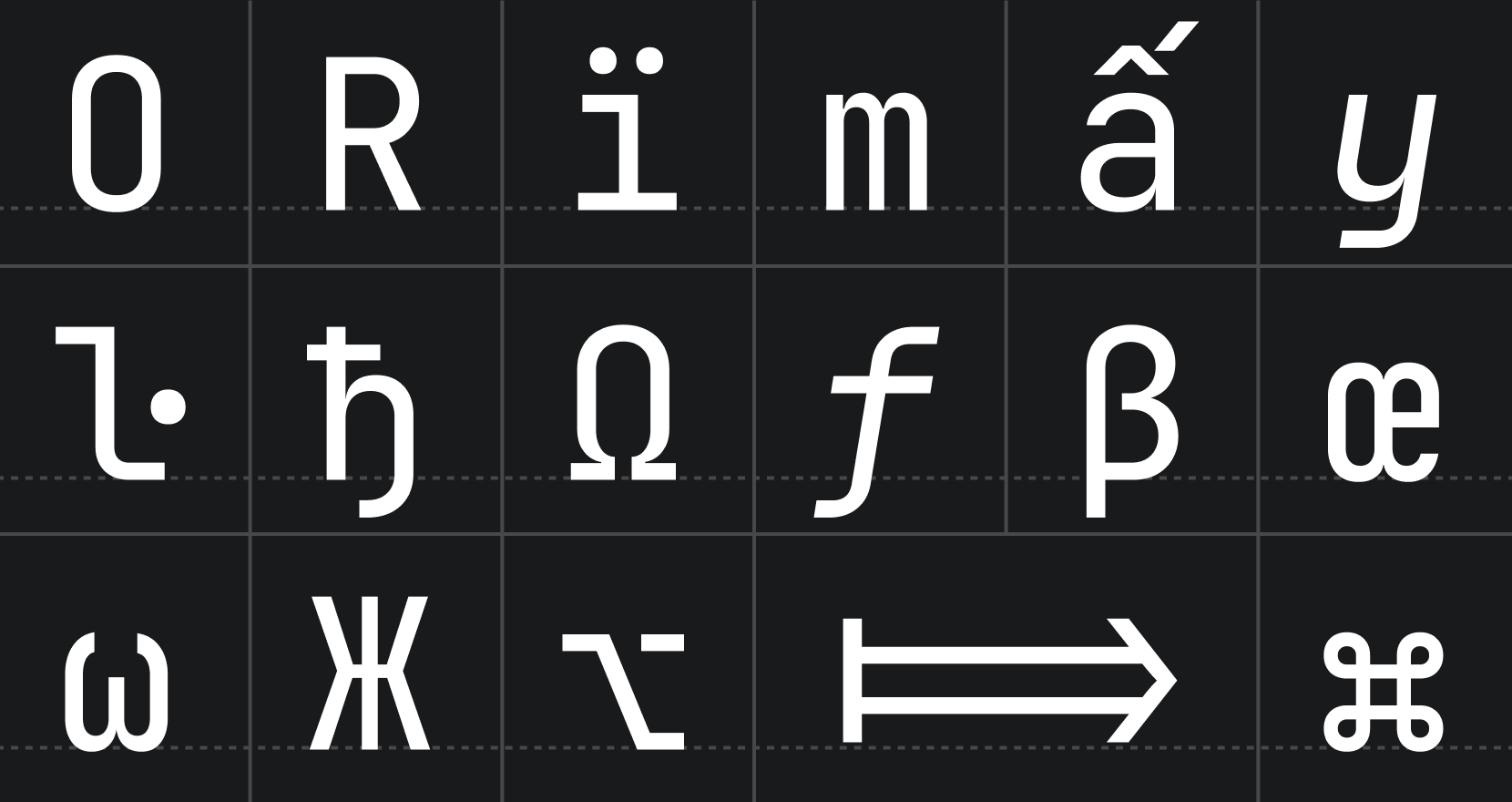
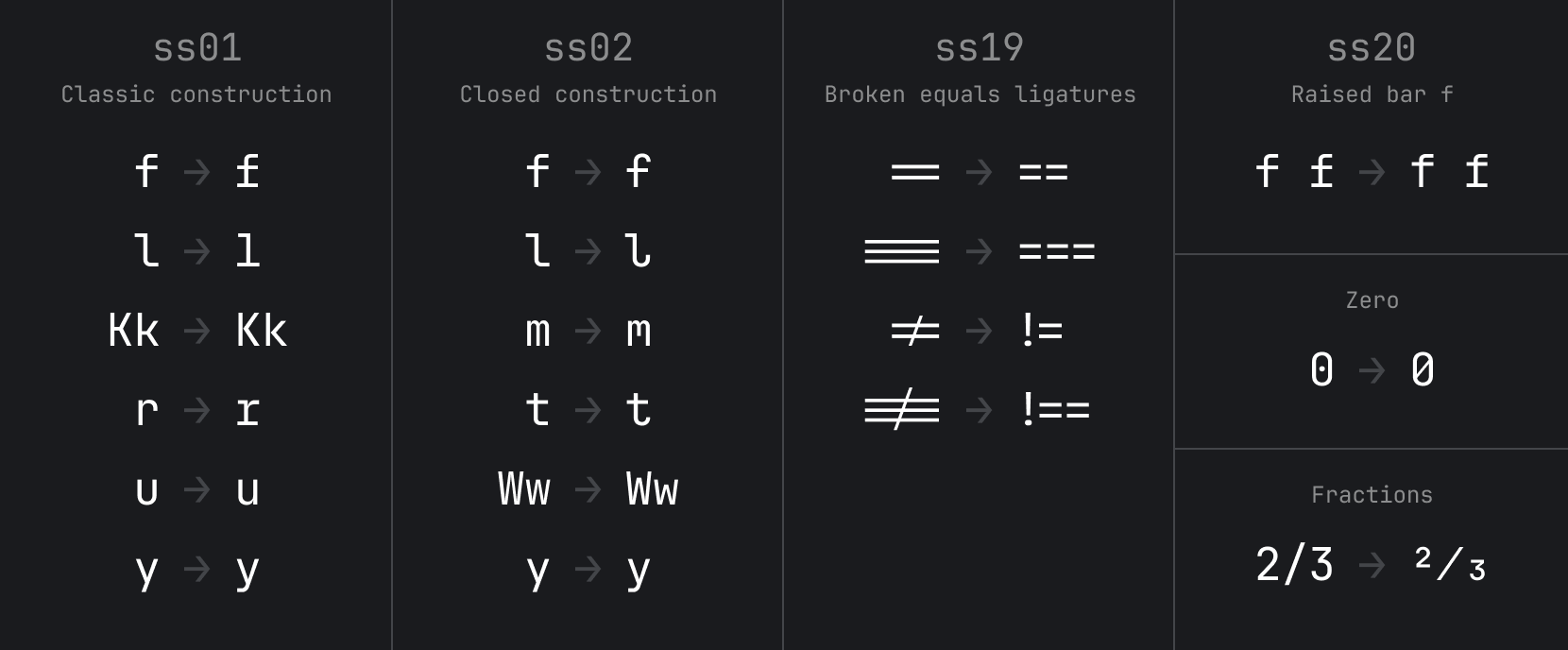
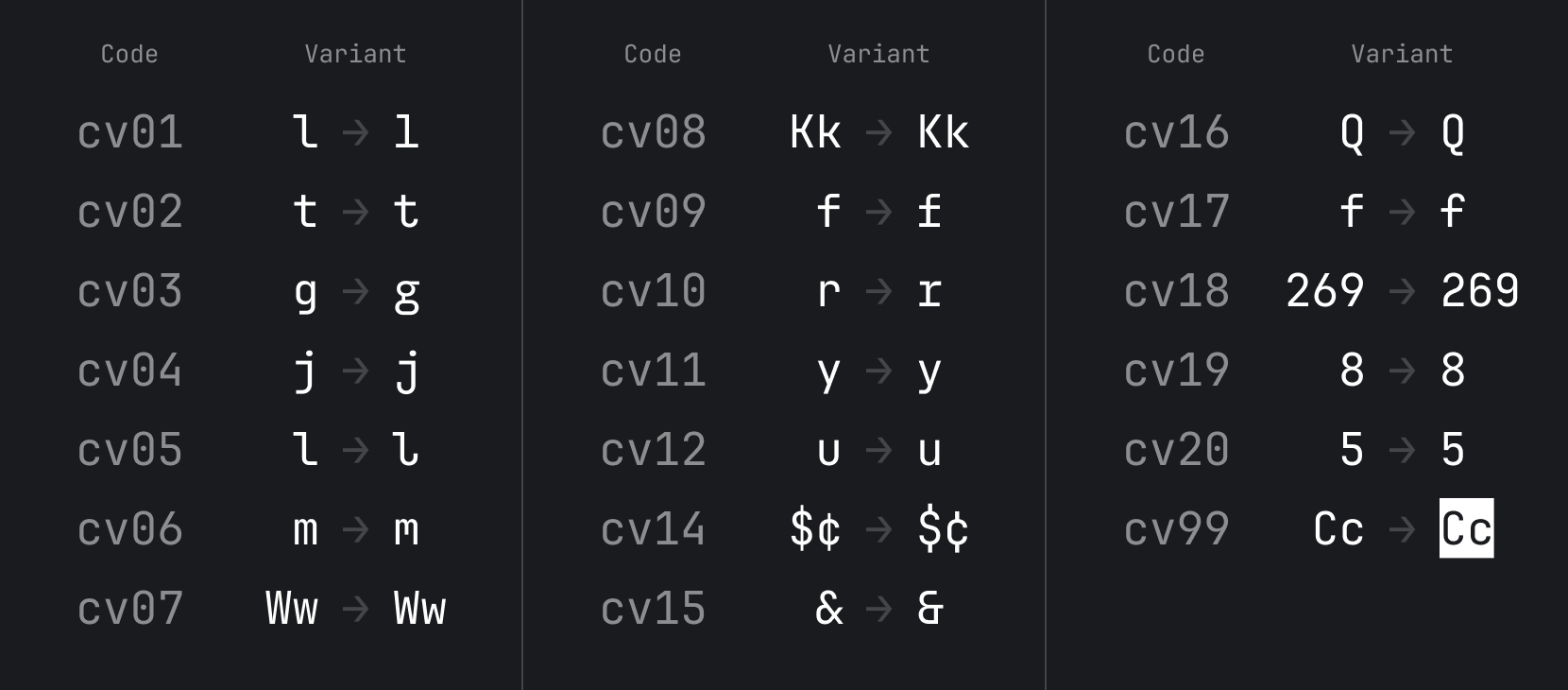
Starting from v2.304, JetBrains Mono has added support for alternate characters. Stylistic Sets ss01-20 usually change a group of characters. Character Variant cv01-99 usually changes only one character. Here are the instructions for enabling these features.

Alt text Alt text

Basic Character Set

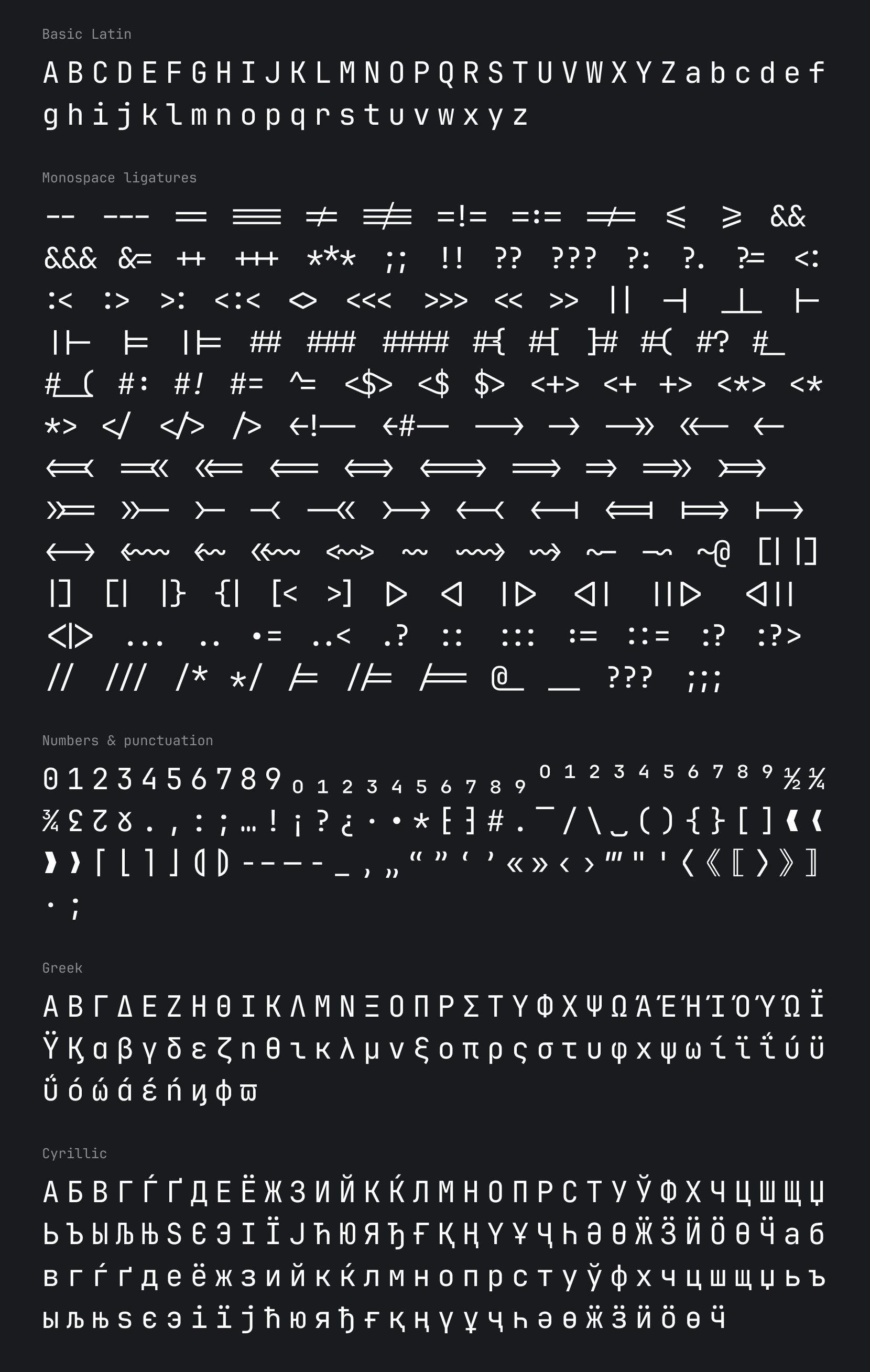
Alt text You can find full JetBrains Mono character set on our wiki page.

Building from source files

Note To build from source, you'd need Python 3.9.5 or higher (install instructions for Python available here).

The source files can be found in the "Source" folder. To open them you will need Glyphs app.
To build the .ttf, .otf, woff2 & variable .ttf you will need to:

License

JetBrains Mono typeface is available under the OFL-1.1 License and can be used free of charge, for both commercial and non-commercial purposes. You do not need to give credit to JetBrains, although we will appreciate it very much if you do.

The source code is available under Apache 2.0 License

Credits

Type designer
Philipp Nurullin

Team lead
Konstantin Bulenkov

Thanks to
Nikita Prokopov
Eugene Auduchinok
Tatiana Tulupenko
Dmitrij Batrak
IntelliJ Platform UX Team
Web Team

JetBrainsMono (JetBrains/JetBrainsMono)

Searching Database…

这是什么?JetBrains Mono 是一款免费开源的等宽字体,专为开发者打造。它既可以单独下载,也随所有 JetBrains IDE 一起附带。
它是单个字体还是完整的字体系列?它是一个包含 8 种字形的系列,从 Thin 到 ExtraBold,每种字形都配有对应的斜体。提供的格式包括 .ttf、.otf、woff2 和可变 .ttf。
我怎么把它装到电脑上?JetBrains IDE 2019.3 及更新版本已内置该字体:在 Preferences/Settings → Editor → Font 中选择 JetBrains Mono 即可。单独使用的话,把它安装到操作系统里——Mac 上双击字体文件,Windows 上右键选择“安装”——或者用 Homebrew 的 font-jetbrains-mono cask 或 Chocolatey 来安装。
连字在任何编辑器里都能用吗?连字依赖于 IDE 对 OpenType 的支持,并且可以在设置里开关。如果你的编辑器不支持 OpenType,可以使用专门的 JetBrains Mono NL 版本,它完全不带连字。
在 JetBrains IDE 之外也能用吗?可以——只要安装到操作系统里,它在任何编辑器中都能使用。README 里介绍了 VS Code 的配置方法:在 Editor: Font Family 字段填入 JetBrains Mono,并在 settings.json 中开启连字。另外还有通过 Chocolatey 和 ChromeOS 终端安装的方式。
可以商用吗?需要署名 JetBrains 吗?可以商用:该字体采用 OFL-1.1 许可证,商业和非商业用途都免费,署名受欢迎但并非必须。源代码还额外以 Apache 2.0 许可证提供。
在 VS Code 里怎么开启连字?打开 Preferences → Settings,找到 Editor: Font Ligatures,点击 Edit in settings.json,然后添加 'editor.fontLigatures': true。字体本身则在 Editor: Font Family 输入框中设置。
我之前装过旧版本,有什么要注意的吗?有:请先卸载所有旧版本的 JetBrains Mono,否则可能会出现冲突和渲染错误。
有适合网页使用的字体版本吗?构建流程会生成可变的 woff2 网页字体,所以除了桌面安装之外,还可以作为网页字体使用。
Creator
JetBrains
Size
100.4 MB
Stars
13.1K
Age
7y
Commits · 90 Days
