Overview
Run deepseek from a project directory to use the native Agent, Session, model, permission, Settings, Profile, plugin, and persistence services of DeepSeek Harness in one terminal workspace. SeekTTY is the terminal surface; Harness remains the owner of runtime state.
Models, Providers, Agent Presets, permissions, commands, tools, Settings, Skills, MCP servers, and marketplace sources are discovered from the running Harness. Capabilities added by upstream or third-party Bundles therefore appear without being hard-coded into SeekTTY.
For requirements that still need definition, the optional Clarify Host plugin adds a guided /clarify workflow. It asks focused questions, updates a reviewable Draft after each answer, and returns the accepted Draft to the composer. Harness-native /plan can then turn the submitted requirement into an implementation plan.
Quick start
Install SeekTTY on the tested official DeepSeek Harness 0.1.1-rc.2:
pnpm add --global --config.enable-global-virtual-store=false @deepseek-ai/[email protected]

dsh plugin --profile tui add --config.enable-global-virtual-store=false [email protected]

dsh --profile tui
These commands install the prebuilt Bundle through native dsh plugin reconciliation. The per-command pnpm option avoids the pnpm 11 Global Virtual Store layout that the Cordis loader in the currently tested dsh releases cannot reliably load. SeekTTY never changes global pnpm configuration. Clarify and Auxiliary Runtime are optional, not default dependencies; their historical joint acceptance is listed under Compatibility.
The exact [email protected] npm package and the GitHub Release tarball are built from the same reviewed package inputs. The 1.2.5 owner review and release checklist records the publication and verification procedure.
Bare deepseek launcher
After installing dsh, install the same SeekTTY release globally and pin Profile reconciliation to its exact npm version:
pnpm add --global --config.enable-global-virtual-store=false [email protected]
export [email protected]
deepseek
PowerShell uses the same exact npm spec:
pnpm add --global --config.enable-global-virtual-store=false '[email protected]'
$env:SEEKTTY_SPEC='[email protected]'
deepseek
deepseek requires dsh on PATH, or DSH_BIN pointing to its executable. Common launch forms include:
deepseek "check this project"
deepseek --cwd ../project
deepseek --resume
deepseek --resume <sessionId>
deepseek --profile team-tui
deepseek --version
deepseek --update
deepseek --update is self-first: it checks SeekTTY before dsh, installs at most one compatible component per run, and never installs an untested gap or future Host. DSH_BIN, local installs, and SEEKTTY_SPEC overrides are left unchanged. Update failures do not block startup. Set SEEKTTY_UPDATE=check for a post-session notice or SEEKTTY_UPDATE=0 to disable checks.
SeekTTY 1.2.5 brings a Fastfetch-style welcome page, terminal-integrated backgrounds, VS Code-grade TextMate highlighting, more reliable transcript and selection controls, and pnpm 11 installation compatibility to official Harness 0.1.1-rc.2. No Settings or Session migration is required.
What's new in 1.2.5
- Empty sessions open with a responsive DeepSeek pixel-whale welcome page and Profile runtime facts.
/welcome configures custom rows, optional safe/trusted Fastfetch information, built-in/file/local-Fastfetch logos, mixed ordering, live preview, refresh, and reset without writing welcome content into Session history.
- The canvas can inherit terminal transparency, blur, and background images through
theme, terminal, and backward-compatible explicit background modes. Overlay, panel, and ordinary code surfaces now follow the same inherited-background policy; contrast adaptation and terminal-color restoration keep text readable and terminal state recoverable.
- Imported VS Code
tokenColors are authoritative, built-in themes include detailed TextMate rules, and legacy themes receive a compatible fine-grained fallback. Highlighting is language-grammar aware while intentionally remaining visual rather than LSP-semantic.
- Live and completed Thinking blocks can be folded without streaming reopening them; transcript hit rows are aligned, and collapsed tool cards now hide both parameters and results.
- Permission switching validates native Harness results and refreshes authoritative state. Model, reasoning effort, and Agent mode have independent click targets and selectors;
/effort provides the keyboard path.
- Wide overlays use available space for full option descriptions while preserving search, selection, scroll position, and pointer geometry across resize. Hover styling and transparent surfaces are consistent across nested controls.
- Launcher provisioning, compatible updates, and TUI plugin mutations disable pnpm 11 Global Virtual Store per command. Known
store/v11/links loader failures receive precise, credential-redacted recovery without changing global pnpm configuration or bypassing native Profile reconciliation.
See the bilingual release notes for changes and the owner review checklist for verification limits and the publication procedure.
Interface
| DeepSeek light |
DeepSeek dark |
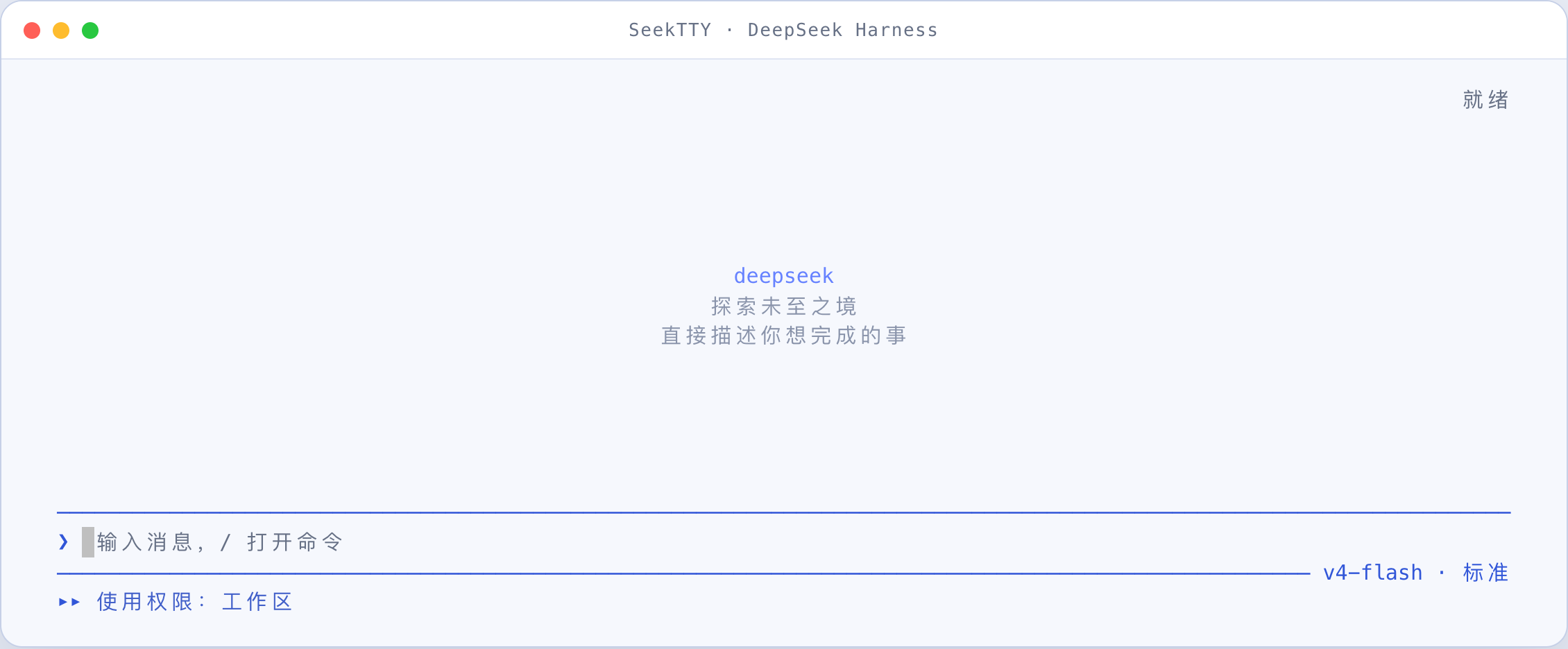 |
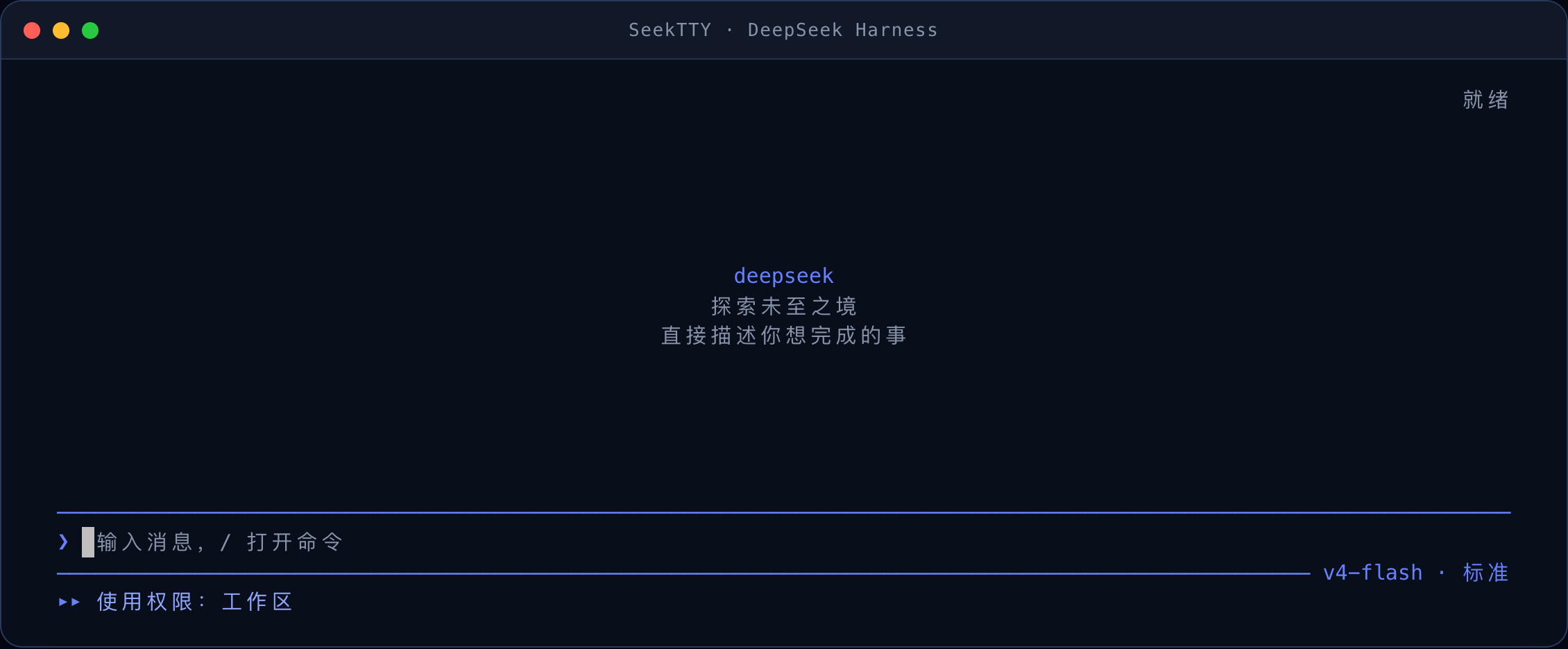 |
| TypeScript in the light interface |
Tools, file reads, and Diff in the dark interface |
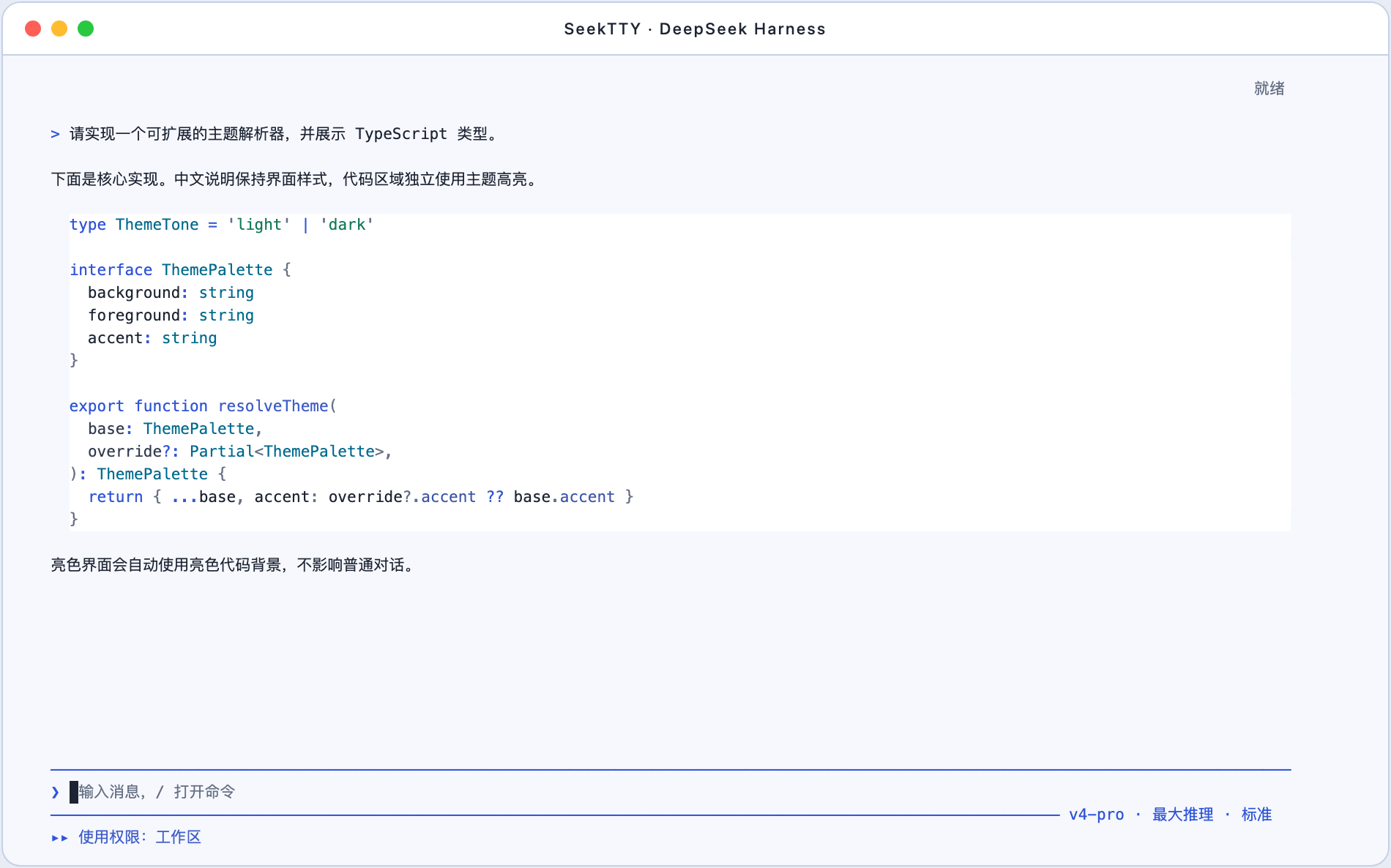 |
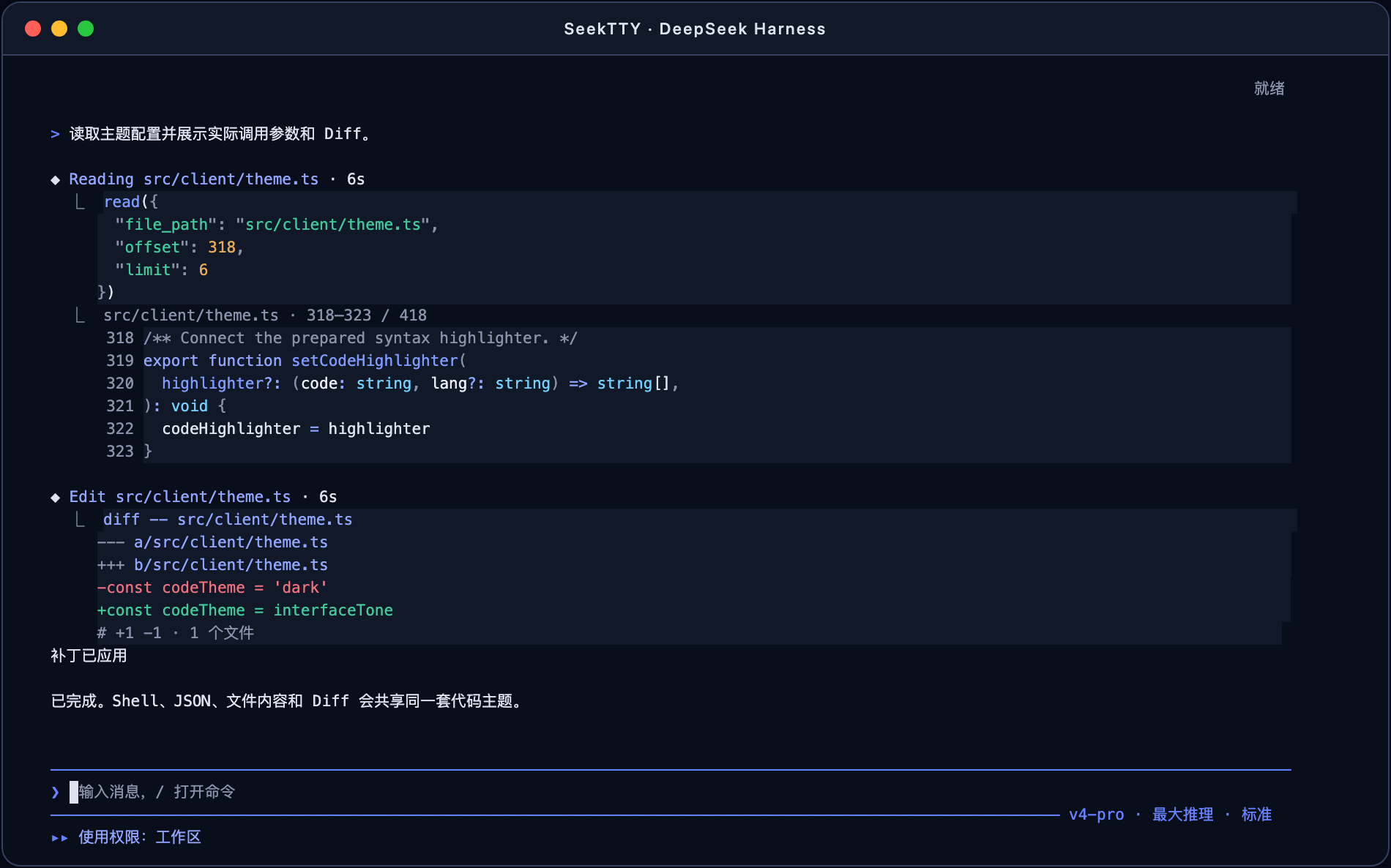 |
Full mode uses a fixed alternate-screen viewport and keeps the composer and status at the bottom. Its mouse support browses history, selects text, and clicks existing controls inside SeekTTY. F3 or /mouse native switches while idle to terminal-native mode: SeekTTY leaves the alternate screen, writes the complete loaded conversation to ordinary terminal scrollback, disables mouse reporting, and lets the terminal or tmux own scrolling, search, and selection. Backfill is sequential and reports progress; Esc stops it without stopping the Session, while Ctrl+L refreshes only the active tail. /transcript opens transcript browsing and /transcript replay explicitly writes the available conversation again. Images use a textual attachment row in native mode. Already-written history is not recolored or reflowed by SeekTTY; the terminal owns that history.
An empty session now opens with a responsive Fastfetch-style welcome page rather than sendable task suggestions. The default uses a packaged, original-color DeepSeek pixel whale plus runtime facts from the current Profile; it does not execute Fastfetch. The first-time API-key prompt remains higher priority and finishes before optional Fastfetch collection starts.
Clarify and Plan
Clarify and Plan cover consecutive stages of one workflow: Clarify helps decide what should be built; Harness-native Plan proposes how to build it.
| Component |
Responsibility |
| SeekTTY |
Detects the Clarify Remote, adds /clarify, renders the terminal interaction, supplies the active Session and draft, and returns an accepted Draft to the composer. |
| dsh-plugin-clarify |
Owns the temporary clarification process and publishes start, answer, accept, refine, cancel, and fetchDraft over clarify.wire/1. |
| dsh-plugin-auxiliary-runtime |
Runs Clarify model calls through the active model route with limits, cancellation, and a separate usage ledger. |
Start Clarify in any of these ways:
- Choose
/clarify from the command palette to use the whole composer as the seed.
- Type
/clarify some text to use its argument as the seed.
- End an existing draft with a standalone
/clarify token or line to use the preceding text as the seed.
Clarify asks one focused question at a time, carries accepted decisions forward, and refreshes the Draft preview after every answer. You can answer, refine, accept, or cancel. Accepting only writes the Draft into the ordinary composer; Enter remains the explicit send action. Run /plan after submission when an implementation proposal is useful.
Questions, options, previews, and refine feedback remain in Host memory and become stale after 15 minutes without interaction by default. The main Session receives only the Draft you explicitly submit. Auxiliary usage is stored in the official storageDomain under auxiliary_runtime; prompts, answers, model output, credentials, and filesystem paths are excluded. /status displays validated Official, Auxiliary, and derived Combined totals without changing official Agent tokenUsage.
See Compatibility and verification for the accepted release stack and current candidate boundary.
Features
| Area |
Available operations |
| Conversation |
Streaming Markdown/GFM, syntax-highlighted code, links, tables, reasoning visibility, tool-card display modes, retries, compaction, cancellation, and error states |
| Sessions and workspaces |
Create, resume, search, rename, fork, archive, reorder, copy, export, and switch workspaces without deleting project files or logs |
| Agents, models, and permissions |
Dynamic Agent Presets, Providers, models, reasoning efforts, and permission presets with per-session switching and diagnostics |
| Queue and interaction |
Queue or steer prompts during a run; edit queue entries; answer single-choice, multi-select, custom, skip, cancel, and plan-review prompts |
| Images |
Paste or attach PNG, JPEG, GIF, or WebP; enforce live Host limits; restore pending attachments; render inline when the terminal supports it |
| Plan, Goal, Todo, and compaction |
Native /plan, /goal, and /compact with plan review, goal state, Todo counts, and transcript records |
| Tools and files |
Live tool duration, highlighted parameters and results, file reads with source line numbers, Shell/JSON/Diff views, produced-file browsing, path copy, and confirmed external open |
| Subagents and background work |
Browse the owning root Session's nested Agent Tree, open child transcripts, and return with the parent viewport, draft, attachments, and tree state restored; lifecycle and continuation labels remain conservative when the Host lacks evidence |
| Profiles and Settings |
Create, copy, switch, and diagnose Profiles; edit every registered Settings namespace with Schema fallbacks, revision checks, and write-only secrets |
| Plugins, Skills, and MCP |
Plugin center, native Bundle reconciliation, dynamic Skill commands, MCP instances, load state, settings, and risk information |
| Themes and language |
Independent interface/code themes, terminal background effects, palette generation, VS Code theme import, contrast checks, NO_COLOR, and live Chinese/English switching |
| Welcome page |
Responsive DeepSeek pixel-whale terminal logo, custom rows, optional Fastfetch facts, live draft preview, and revision-protected Profile settings |
| Diagnostics and feedback |
Runtime status, actionable /doctor checks, Session feedback, Assistant-message ratings, and feedback removal |
SeekTTY reads these catalogs from the active Harness Profile. Unsupported optional capabilities degrade safely while dedicated terminal views continue to evolve.
Permission changes use the native Host command and its execution result. The menu closes on success; failures remain visible in the menu for retry. Full-access and unknown presets still require confirmation, and a session switch invalidates an open permission selection. The command adapter supports the mounted two-argument legacy contract and the three-argument images contract of official dsh 0.1.1-rc.2; unknown contracts are rejected without retrying the command.
First-run API key setup
| Dark |
Light |
 |
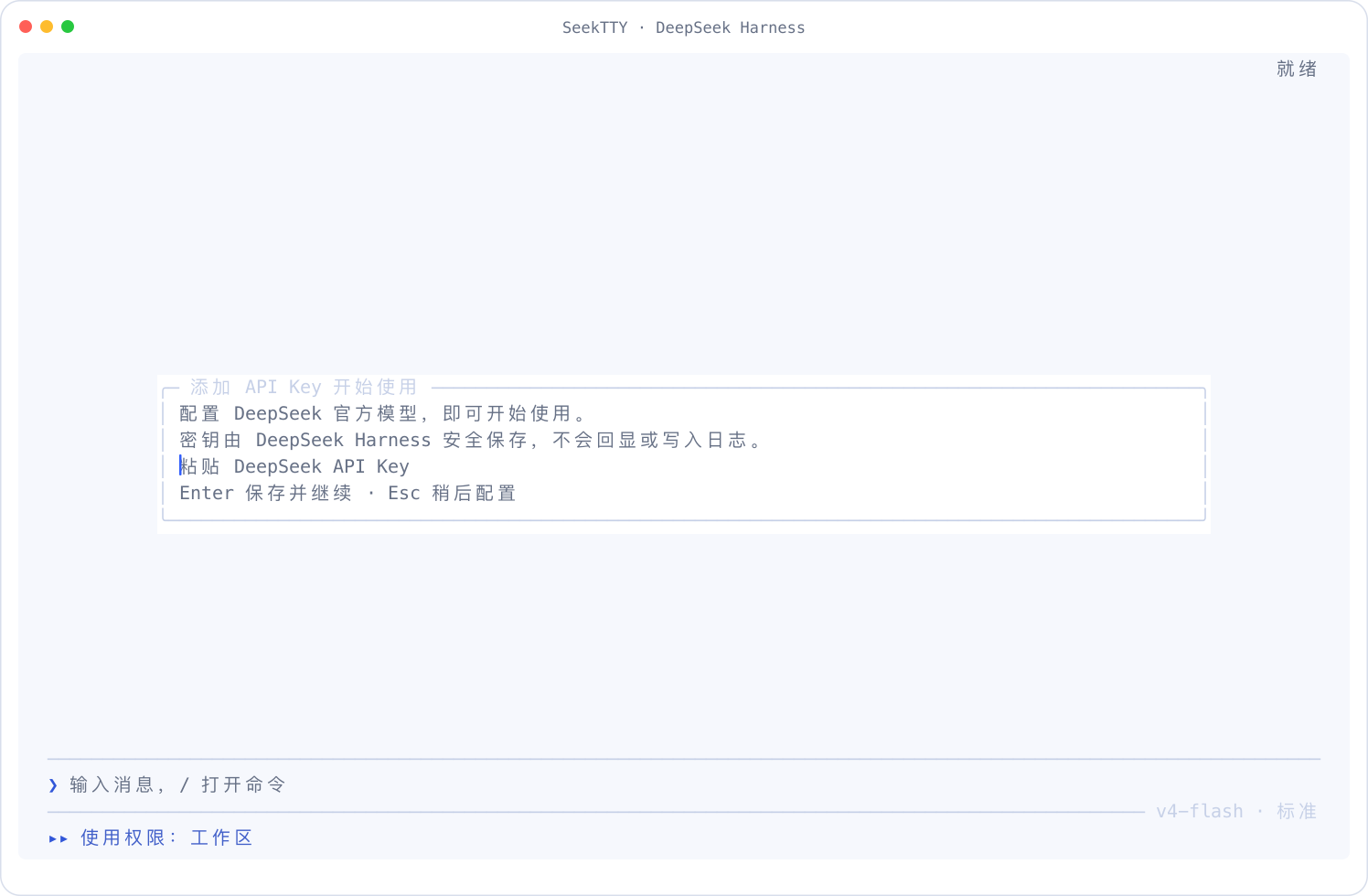 |
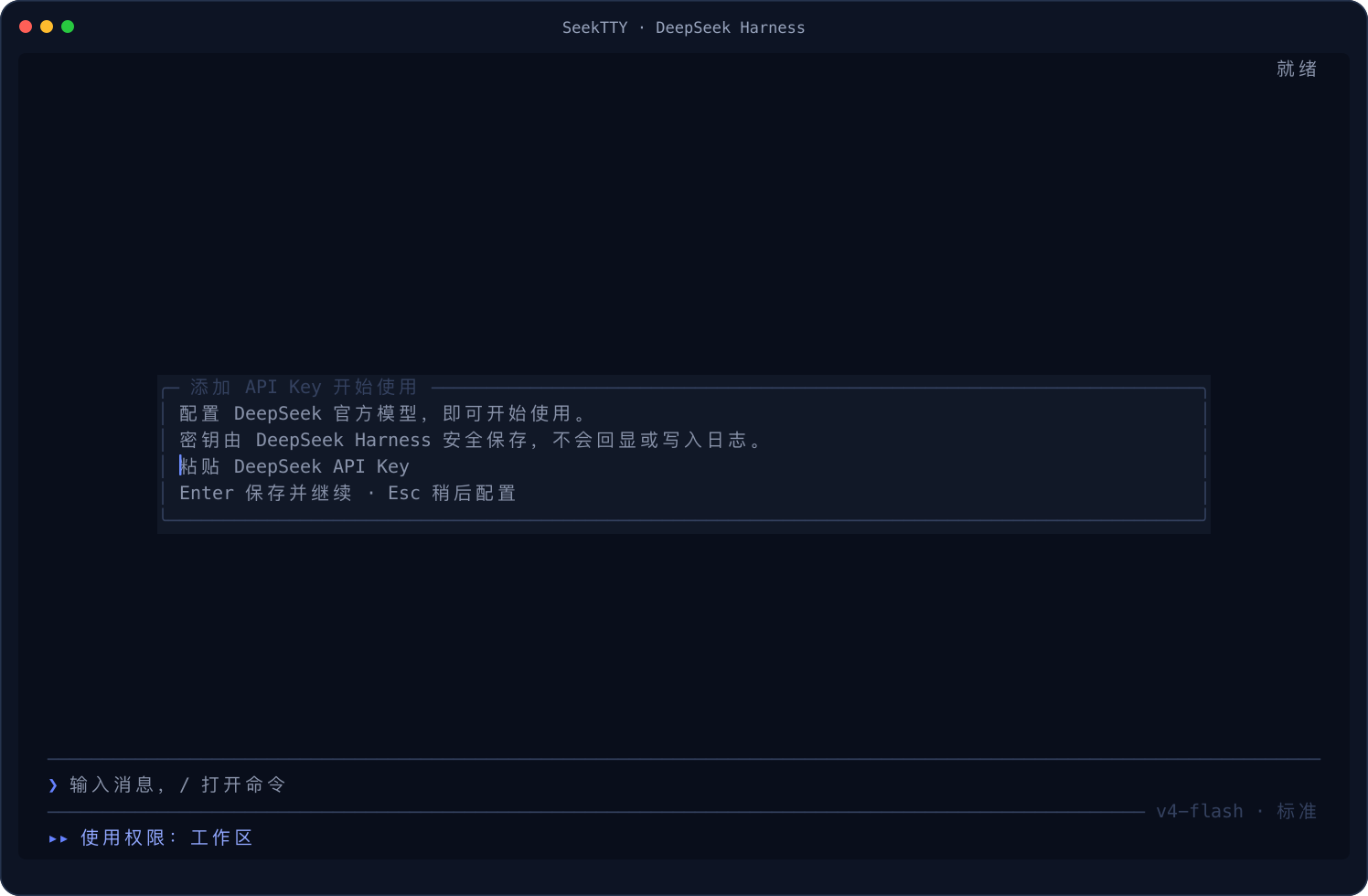
When the active Profile has no usable model Provider, SeekTTY offers the official DeepSeek quick setup, the shared Provider manager, or Configure later. Existing environment credentials, stored Harness credentials, and active ambient or keyless Providers skip it. After a generic Provider is saved, you explicitly choose the current Session model before the pending request continues.
Input is masked and passed directly to Harness credentials.set. SeekTTY does not read it back or put it in Settings, logs, screenshots, or Session data. Saving does not make a paid validation request; authentication errors follow the normal Provider path on the first real request.
Escape defers setup without blocking local surfaces such as /settings or /plugin. Pending text and attachments are preserved, and the request continues automatically after successful setup. If Provider state cannot be inspected, SeekTTY points to /settings and /doctor instead of showing an unusable form.
Provider management
Open Manage Providers… from /model, or from Models and Agent in /settings. Both entries and first-run setup use the same Harness-backed flow. It joins llm.providers, settings.describe, and value-free credentials.describe results; writes a revision-protected Settings mutation before an optional credentials.set; then re-reads Settings, credential metadata, llm.providers, and llm.models before reporting full success. A transport result that cannot be confirmed by readback is reported as unknown and is not blindly retried. Saving configuration never silently changes the current Session or the default for new Sessions.
The custom Provider path is the installed llm-pi-ai adapter's schema-described providers dictionary; route IDs follow that dictionary schema. This UI trims surrounding whitespace and excludes blank IDs, terminal-control characters, and SeekTTY's reserved menu ID. With official dsh 0.1.1-rc.2, its exposed protocol choices are OpenAI Chat Completions, OpenAI Responses, and Anthropic Messages. Add models manually for any protocol, or use llm.discoverModels where the installed adapter supports discovery. A successful model listing proves configuration discovery only; the first real request remains the authentication and inference check.
API keys are collected with a masked control and stored only through Harness Credentials. Credential Refs use the official [A-Za-z_][A-Za-z0-9_]* grammar. Read-only environment/file credentials are shown as externally managed, and key updates fail closed when metadata cannot be read. Any newly attached Ref receiving a new key must still be unconfigured and writable immediately before Settings is changed. A configured Ref can only be explicitly reused after its endpoint and Ref are shown; its value is neither read nor overwritten. Updating the key in the currently attached configured Ref is a key-only save and cannot be combined with other Settings changes. Changing an endpoint and key together always uses a different, unconfigured, writable Ref, so the Settings mutation switches to a Ref that cannot contain the old key before the new key is written. Settings and Credentials remain separate official calls, not an atomic transaction. Model edits preserve the complete schema-described model entry, including modalities, reasoning efforts, and compatibility switches.
Provider deletion is limited to a user-owned custom Settings entry that is neither the authoritative current Session route nor the default route, even when that current route is absent from the displayed model directory. References and ownership are re-read after confirmation, then the removed profile and current/default references are read again after mutation. The precheck and Settings mutation are not atomic: a concurrent selection can still create a reference in between, in which case SeekTTY reports the race instead of claiming fully verified deletion. Credentials are deliberately retained, and historical Sessions remain untouched. Saved Provider IDs cannot be renamed in place. Catalog Providers and proprietary authentication remain limited to capabilities actually described by the installed Harness adapter—this UI is not a protocol translator or a claim that every vendor-specific API has been certified.
Slash commands
Typing / opens a searchable menu that merges SeekTTY commands, Host commands for the active Agent, and user-invocable Skills.
| Category |
Commands |
| Sessions |
/new, /resume, /sessions, /rename, /fork, /archive, /export, /export md, /copy |
| Work environment |
/workspace, /profile |
| Agent |
/mode, /model, /permission, /plan, /goal, /compact |
| Runtime interaction |
/queue, /steer, /attach, /attachments, /pending |
| Runtime content |
/tools, /files, /jobs, /subagents, /trajectory |
| Extensions |
/plugin, /plugins, /skills, /mcp |
| Plugin workflow |
/clarify appears when a compatible Clarify Remote and Auxiliary Runtime are active |
| Configuration and diagnostics |
/settings, /language, /theme, /welcome, /status, /doctor, /feedback, /restart |
| Help and exit |
/help, /quit, /exit |
/plugin, /workspace, and /profile provide interactive centers and direct subcommands. Unknown commands stay inside the command surface and show nearby suggestions.
Autocomplete and overlay lists keep their scroll position: the wheel browses without moving the selection, clicking a visible row does not recenter it, and arrow keys scroll only when the selection crosses a visible edge. Hover is preview-only. The first click selects; a later click on the same armed item has no double-click deadline. Enter or a safe second click completes and runs a slash command once; Tab only completes it. File and path completions never auto-submit, and the scroll-position footer is not clickable.
Overlay footers have single-click Select/Confirm/Save and Back/Close buttons, with theme-aware hover. They share keyboard validation and navigation; dangerous confirmations remain keyboard-only. Ordinary mouse actions work immediately after startup without minimizing the terminal. Focus reports, when available, protect against accidental activation for 250 ms after refocusing.
Full-mode clipboard copy encodes text once as UTF-8. Windows uses a fixed PowerShell






 SeekTTY 是一个为 DeepSeek Harness 打造的、类似 Claude Code 的终端界面:在项目目录里运行 deepseek,就能在一个 TUI 工作区里使用智能体会话、模型和权限控制、插件以及设置。