

25K ·GitHub
What is this?
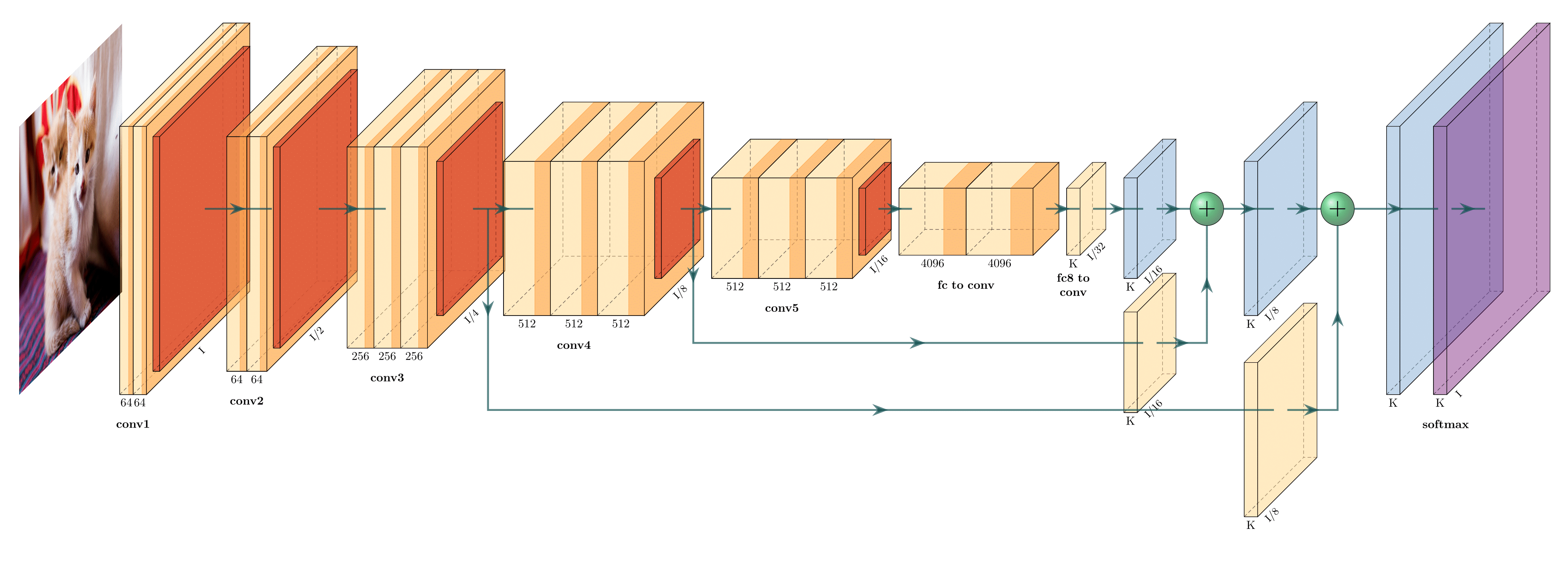
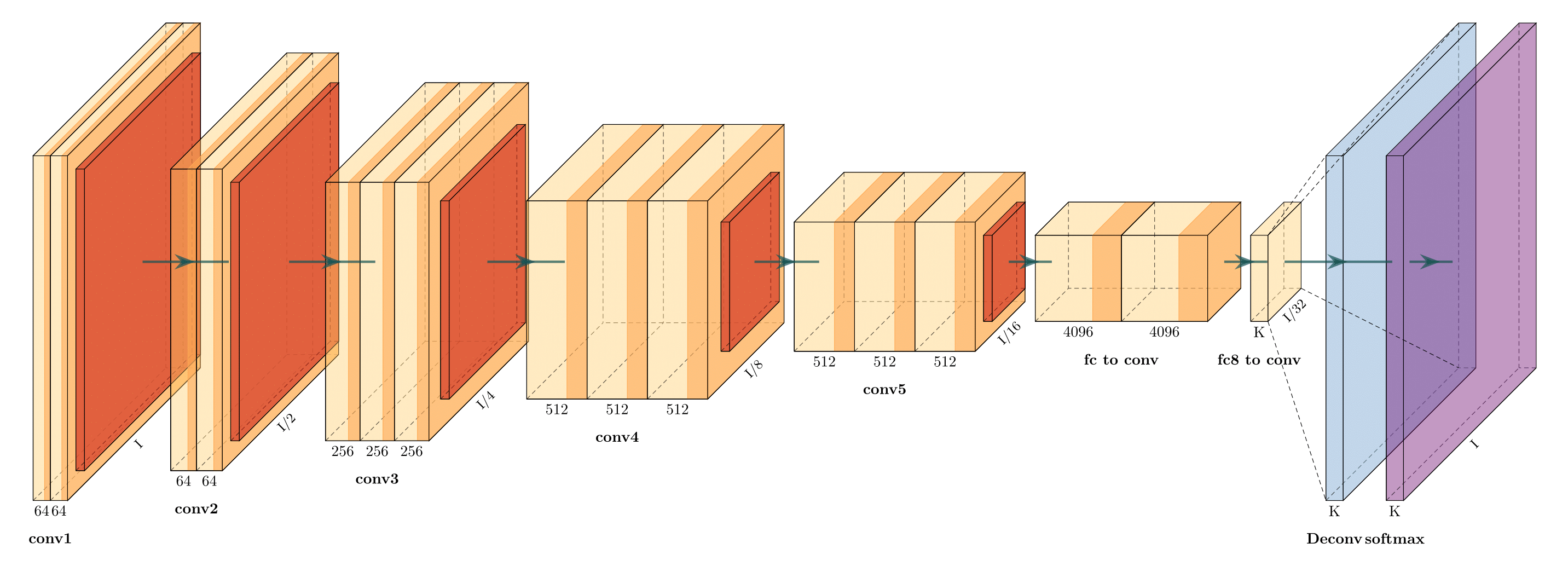
 PlotNeuralNet is a collection of LaTeX code for drawing neural network diagrams for reports and presentations, with ready-made examples like FCN-8 and FCN-32.
PlotNeuralNet is a collection of LaTeX code for drawing neural network diagrams for reports and presentations, with ready-made examples like FCN-8 and FCN-32.So I don't draw these by hand in an editor — how does it actually work?You describe your network in code and TikZ renders it as a vector diagram: either write LaTeX directly (the examples directory shows how) or use the included Python interface.
You describe your network in code and TikZ renders it as a vector diagram: either write LaTeX directly (the examples directory shows how) or use the included Python interface.How do I get it running?Install a TeX toolchain first: the packages it lists for Ubuntu 16.04/18.04, or MikTeX plus a bash runner like Git bash or Cygwin on Windows. Then run an example with bash ../tikzmake.sh myarch.
Install a TeX toolchain first: the packages it lists for Ubuntu 16.04/18.04, or MikTeX plus a bash runner like Git bash or Cygwin on Windows. Then run an example with bash ../tikzmake.sh myarch.Do I need to be a LaTeX expert to use it?No. Besides plain LaTeX usage shown in the examples directory, there is a Python interface: write a script like myarch.py describing your layers, then run bash ../tikzmake.sh myarch.
No. Besides plain LaTeX usage shown in the examples directory, there is a Python interface: write a script like myarch.py describing your layers, then run bash ../tikzmake.sh myarch.Anything it can't draw yet?The TODO list still includes an easy legend feature, more layer shapes such as TruncatedPyramid and 2DSheet, and examples for RNN-like networks; the Python interface itself is already done.
The TODO list still includes an easy legend feature, more layer shapes such as TruncatedPyramid and 2DSheet, and examples for RNN-like networks; the Python interface itself is already done.Will it work on my Mac, or is it Linux and Windows only?The README gives install steps only for Ubuntu 16.04/18.04 and for Windows via MikTeX plus Git bash or Cygwin; macOS is not mentioned.
The README gives install steps only for Ubuntu 16.04/18.04 and for Windows via MikTeX plus Git bash or Cygwin; macOS is not mentioned.What networks do the ready-made examples show?The README lists FCN-8, FCN-32 and Holistically-Nested Edge Detection as the example network representations, and points to the examples directory to see exactly how each one is built.
The README lists FCN-8, FCN-32 and Holistically-Nested Edge Detection as the example network representations, and points to the examples directory to see exactly how each one is built.Why did the author publish this?So improvements get shared: the README asks users to consolidate their improvements and bug fixes back into the project so the code helps more people.
So improvements get shared: the README asks users to consolidate their improvements and bug fixes back into the project so the code helps more people.What are similar projects?conv_arithmetic, deeplearningbook-chinese, External-Attention-pytorch, openface, awesome-deep-learning-papers, Deep-Learning-Papers-Reading-Roadmap, pix2code, Attention-Residuals
conv_arithmetic, deeplearningbook-chinese, External-Attention-pytorch, openface, awesome-deep-learning-papers, Deep-Learning-Papers-Reading-Roadmap, pix2code, Attention-ResidualsWhich topics is it in?plotting, diagrams-as-code, tex, diagrams, deep-neural-networks, presentation, latex, paper, academic, visualization, neural-network, deep-learning
plotting, diagrams-as-code, tex, diagrams, deep-neural-networks, presentation, latex, paper, academic, visualization, neural-network, deep-learning