Gogh
Color Scheme Implementer for Terminals
Gogh is a collection of color schemes for terminal emulators across Linux and macOS (plus Cygwin/Mintty on Windows) — see the Terminal Support table below for the full list. These schemes are designed to make your terminal more visually appealing and improve readability with better contrast and color differentiation.
The inspiration for Gogh came from the clean and minimalistic design of Elementary OS, but the project has since grown to include a variety of unique and beautiful options across platforms.
Run:
bash -c "$(curl -fsSL https://gogh.website/gogh)"
This project is here for anyone to use, no expectations.
If you want to buy me a coffee voluntarily, you can use this link.

Index:
|
Getting Started
|
Themes & Data
Help & Contributing
|
Project
|
⚙️ Pre-Install
In your terminal, type:
For Debian/Ubuntu:
sudo apt-get install dconf-cli uuid-runtime
For Arch Linux:
sudo pacman -S dconf util-linux
You can now install Gogh interactively (easiest), install a specific theme directly in one line, or install non-interactively (ideal for scripting).
⚙️ Install
1. Run the one-line install command:
Linux
bash -c "$(wget -qO- https://gogh.website/gogh)"
macOS
bash -c "$(curl -fsSL https://gogh.website/gogh)"
Fish or NuShell
bash -c 'bash -c "$(wget -qO- https://gogh.website/gogh)"'
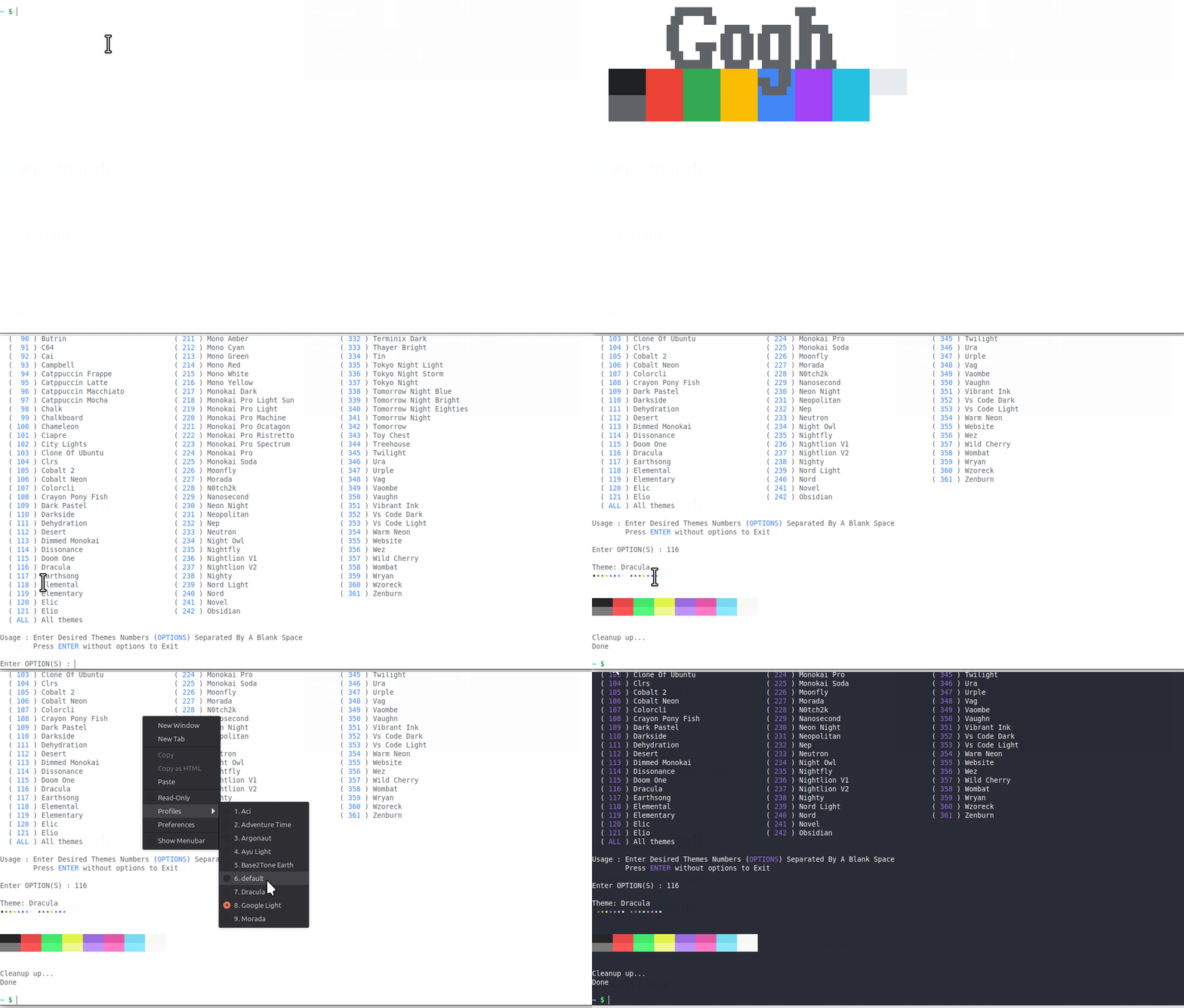
2. Select your theme from the interactive list.
DEMO:
⚡ Install a Specific Theme
Already know which theme you want? Skip the interactive list and pass its name after --:
bash -c "$(wget -qO- https://gogh.website/gogh)" -- "Aci"
⚙️ Install (Non-Interactive Mode)
For scripting, dotfiles, provisioning tools, CI, or container images.
- Non-Interactive Install Guide — both install methods (clone the repo, or download just the required files), selecting themes by name/slug as CLI arguments, and the full environment variable reference (
TERMINAL, GOGH_NONINTERACTIVE, GOGH_USE_NEW_THEME, and the GOGH_*_SCRIPT path overrides).
💻 Terminal Support
Here are some terminals that Gogh is supported with:
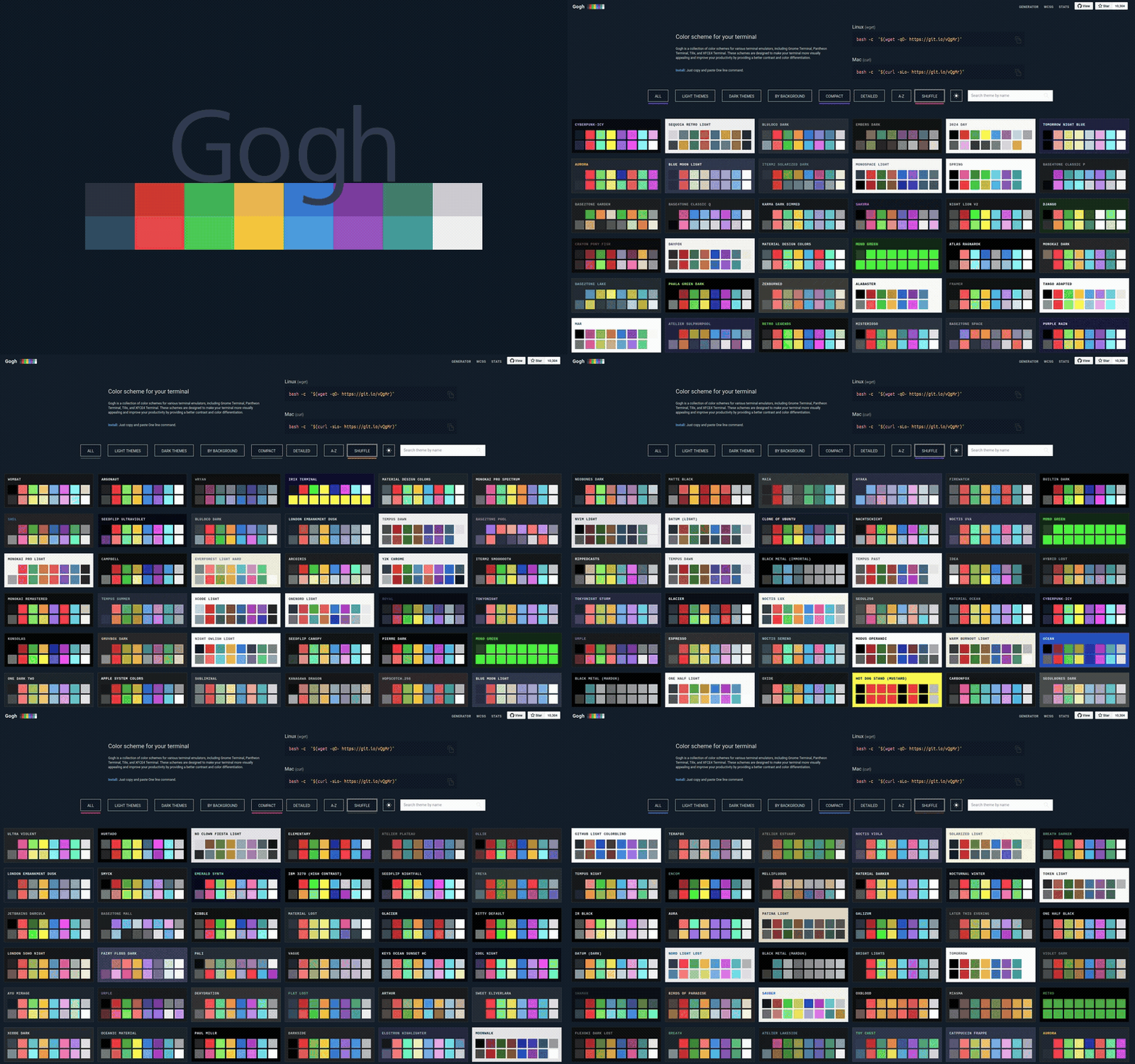
🎨 Themes
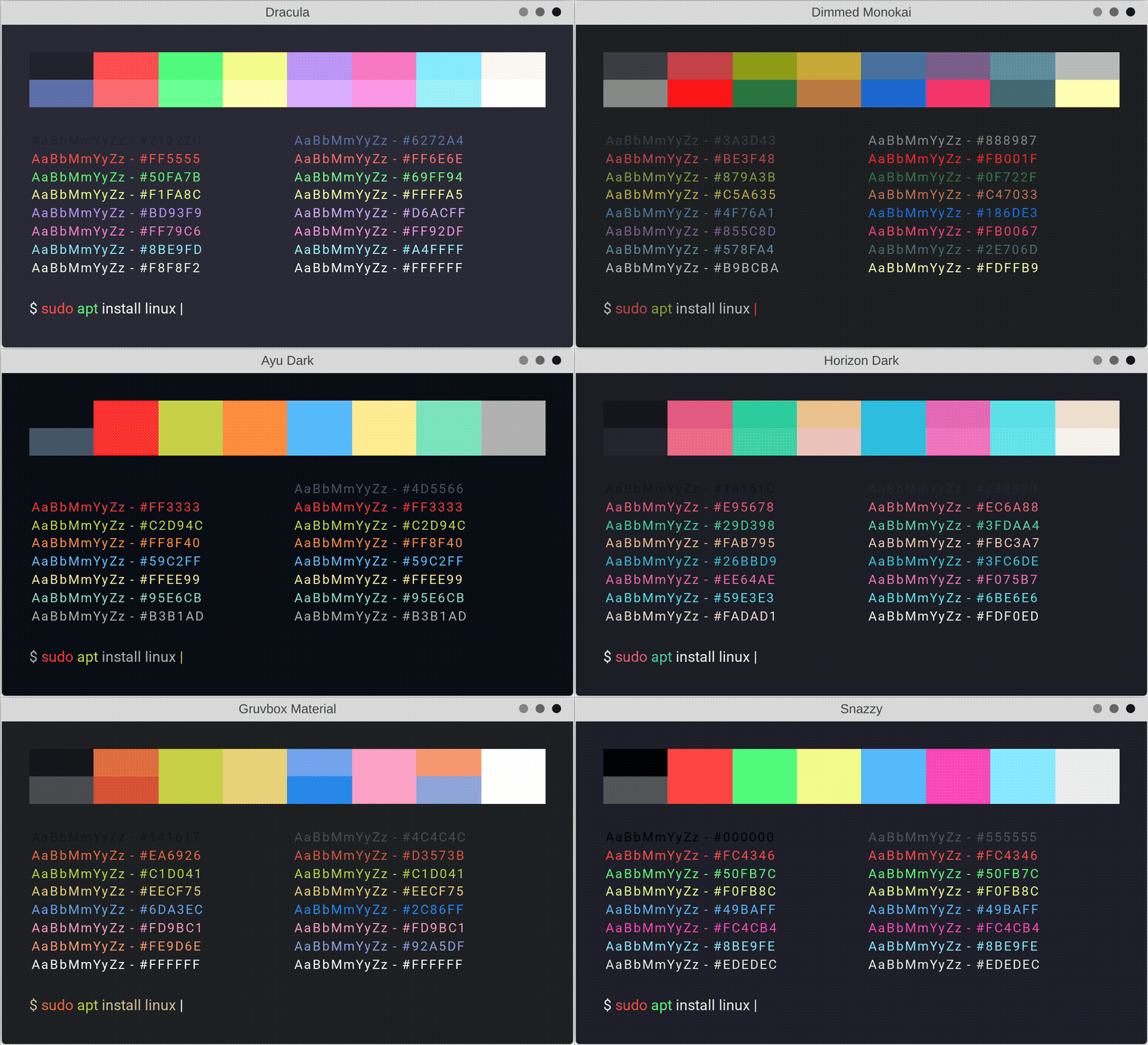
We have lots of themes in stock!
🔌 API
Theme data is also published as plain files, for scripting or pulling into your own tools — not a dedicated API, just static content, no authentication needed:
To fetch the same files through GitHub's actual REST API instead (e.g. for conditional requests via ETag, or commit history on a file) use the Contents API:
curl -s https://api.github.com/repos/Gogh-Co/Gogh/contents/data/themes.json \
  -H "Accept: application/vnd.github.raw+json"
That path is rate-limited like the rest of GitHub's REST API: 60 requests/hour unauthenticated. Add a personal access token (no special scopes needed for a public repo) to raise that to 5,000/hour:
curl -s https://api.github.com/repos/Gogh-Co/Gogh/contents/data/themes.json \
  -H "Accept: application/vnd.github.raw+json" \
  -H "Authorization: Bearer YOUR_GITHUB_TOKEN"
The raw files above aren't rate-limited this way — no token needed for those.
🔑 Color Hash
- Color Hash — how the
hash/hash_bg fields in themes.json are computed, for comparing and validating palettes across themes.
👀 WCAG - Accessibility Contrast
❓ HELP
- Issue Policy — how issues are triaged and when they're closed.
- Troubleshooting — common installation problems by platform (Arch, Debian, Elementary OS, Fedora, Termux, Ubuntu) with the fixes that worked for other users.
🖼️ Create your Own Theme!
- Contributing Guide — the single source of truth for adding a theme: the
.yml template, the field-by-field reference, the rules a theme PR needs to follow, and how to check it locally with task validate before opening the PR.
🤖 Work with Agents
master does not track agent-context files — AGENTS.md and the memory/ folder
(architecture decisions + current project status) live on a dedicated orphan branch,
meta/agents-master, so the project's own history stays focused on Gogh itself.
If you want to work on this repo with an AI coding agent, bring those files into your
working copy:
git restore --source meta/agents-master -- AGENTS.md
git restore --source meta/agents-master -- memory/
That gives you:
AGENTS.md — the entry-point pointer any agent should read first.memory/STATUS.md — the real, current state of the project (what's in progress,
what's uncommitted).memory/decisions/ — Architecture Decision Records (ADRs) for choices already made,
with their rationale, so an agent doesn't re-propose something already settled.
Note: tool-specific folders such as .agents/ and .claude/ (agent skills) are
intentionally left out of this — there isn't an established, tool-agnostic standard
yet for how skills should be structured or shared, so for now they stay local/
untracked rather than committed to either branch.
🌱 First commit:
Nov 18, 2013 - aa9871e
:heart: Credits:
- Credits — the full theme-by-theme author list.
:heart: Contributors:
Many thanks to all who have participated in this project.
@contributors
🧠 Author (contributor)
I cannot claim to be the only author of this project. Without the help of the people who have contributed, this would not have been possible. Therefore, that's why all contributors are listed first in this document. While I am listed as the author, the true authors are all those who are mentioned in the document. I would like to express my gratitude to all of them, as well as to future contributors.
This project is here for anyone to use, no expectations.
If you want to buy me a coffee voluntarily, you can use this link.
🖌️ Why Gogh?
There is no blue without yellow and without orange.
-- Vincent Van Gogh --
📣 Mentions
- Mentions — the full list of blogs, forums, videos, and comparison sites that have mentioned Gogh.
📜 License
Gogh is dual-licensed under either the MIT license or the
Apache License, Version 2.0, at your option.
🌟 Star History





 Gogh 是一套适用于 Linux 和 macOS 终端模拟器(以及 Windows 上的 Cygwin/Mintty)的配色方案合集,目的是通过更好的对比度和色彩区分,让你的终端更美观、更易读。