



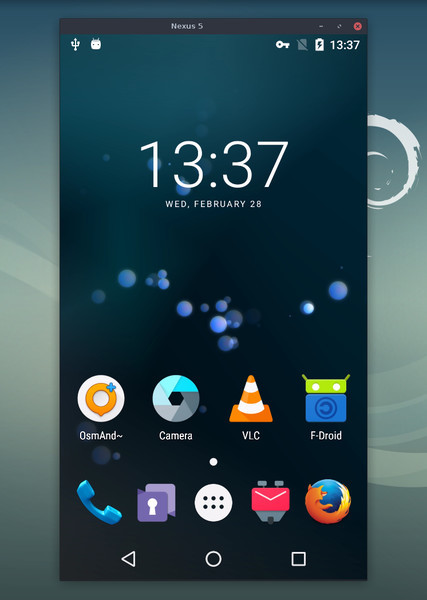
Что это такое?
 scrcpy (произносится «скрин копи») показывает экран вашего Android-устройства на компьютере и позволяет им управлять: он передаёт видео и звук по USB или TCP/IP, и вы можете управлять телефоном с клавиатуры и мыши.
scrcpy (произносится «скрин копи») показывает экран вашего Android-устройства на компьютере и позволяет им управлять: он передаёт видео и звук по USB или TCP/IP, и вы можете управлять телефоном с клавиатуры и мыши.Нужно ли что-то устанавливать на телефон?Ничего — это приложение для компьютера под Linux, Windows и macOS. Оно не требует root-доступа и не оставляет на Android-устройстве ничего установленного.
Ничего — это приложение для компьютера под Linux, Windows и macOS. Оно не требует root-доступа и не оставляет на Android-устройстве ничего установленного.Что нужно, чтобы начать транслировать экран телефона?Установите приложение для своей ОС, включите отладку по USB в настройках разработчика на телефоне, затем подключите кабель или соединитесь по TCP/IP.
Установите приложение для своей ОС, включите отладку по USB в настройках разработчика на телефоне, затем подключите кабель или соединитесь по TCP/IP.Моя версия Android будет поддерживаться?Подойдёт любое устройство с Android 5.0 (API 21) или новее; передача звука требует Android 11+, а трансляция камеры — Android 12+.
Подойдёт любое устройство с Android 5.0 (API 21) или новее; передача звука требует Android 11+, а трансляция камеры — Android 12+.Есть ли устройства, где управление сразу не заработает?Да — на некоторых телефонах, например на Xiaomi, нужно дополнительно включить «Отладку по USB (настройки безопасности)» и перезагрузить устройство, прежде чем заработает управление с клавиатуры и мыши.
Да — на некоторых телефонах, например на Xiaomi, нужно дополнительно включить «Отладку по USB (настройки безопасности)» и перезагрузить устройство, прежде чем заработает управление с клавиатуры и мыши.Трансляция отправляет что-то в интернет?Нет. scrcpy работает без аккаунта, без рекламы и без интернета — экран и звук передаются по вашему собственному соединению USB или TCP/IP.
Нет. scrcpy работает без аккаунта, без рекламы и без интернета — экран и звук передаются по вашему собственному соединению USB или TCP/IP.Насколько плавная трансляция на практике?Рассчитывайте на 30~120 к/с в зависимости от устройства, разрешение 1920×1080 и выше, задержку 35~70 мс и примерно одну секунду до появления первого изображения.
Рассчитывайте на 30~120 к/с в зависимости от устройства, разрешение 1920×1080 и выше, задержку 35~70 мс и примерно одну секунду до появления первого изображения.Что он умеет помимо простой трансляции экрана?Он записывает экран, транслирует его при выключенном экране Android, копирует и вставляет в обе стороны, запускает приложения на виртуальных экранах, эмулирует физические клавиатуру и мышь по HID, поддерживает геймпады и имеет OTG-режим.
Он записывает экран, транслирует его при выключенном экране Android, копирует и вставляет в обе стороны, запускает приложения на виртуальных экранах, эмулирует физические клавиатуру и мышь по HID, поддерживает геймпады и имеет OTG-режим.Может ли он использовать камеру телефона или работать как веб-камера?Да — на Android 12+ он может транслировать камеру и записывать её в MP4, а на Linux может выдавать фронтальную камеру устройства как веб-камеру через V4L2.
Да — на Android 12+ он может транслировать камеру и записывать её в MP4, а на Linux может выдавать фронтальную камеру устройства как веб-камеру через V4L2.Какие горячие клавиши обязательно нужно знать во время работы?Правый клик выполняет BACK, средний клик — HOME, Alt+f переключает полноэкранный режим, а запуск scrcpy -m1024 для снижения разрешения может заметно повысить производительность.
Правый клик выполняет BACK, средний клик — HOME, Alt+f переключает полноэкранный режим, а запуск scrcpy -m1024 для снижения разрешения может заметно повысить производительность.What are similar projects?escrcpy, QtScrcpy, Recordly, Captura, WebRTC-Experiment, my-tv, screenity, rustdesk
escrcpy, QtScrcpy, Recordly, Captura, WebRTC-Experiment, my-tv, screenity, rustdeskWhich topics is it in?sdl2, screencast, recording, adb, mouse, screen-recording, webcam, screen-capture, usb, remote-desktop, remote-control, keyboard
sdl2, screencast, recording, adb, mouse, screen-recording, webcam, screen-capture, usb, remote-desktop, remote-control, keyboard