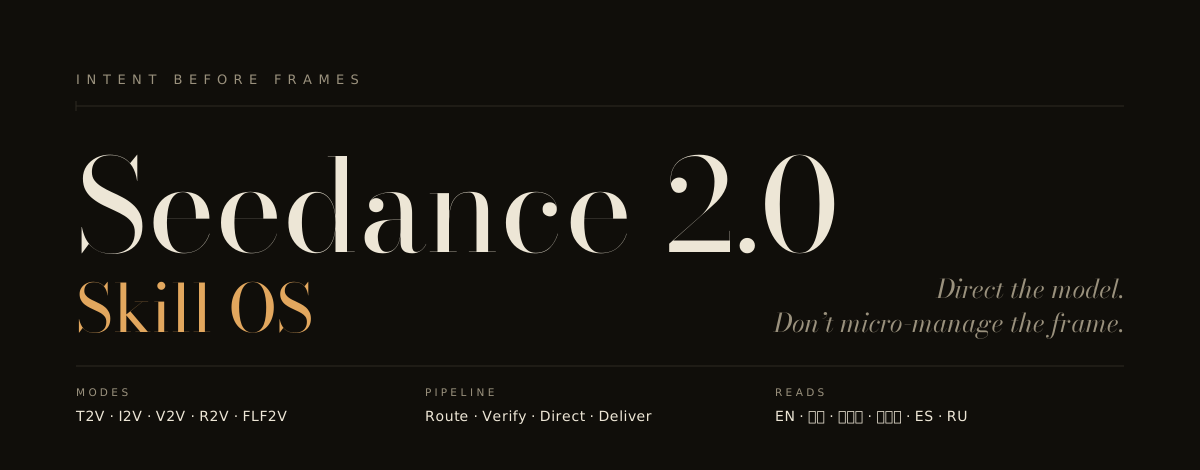
Turn an idea into a directed video prompt. Seedance 2.0 Skill OS is an agent
skill for planning shots, binding references and continuing from an accepted
clip. Your video provider handles generation and its costs.
After installation, tell your agent what happens and what must stay fixed:
Use seedance-20. A person finishes a paper fan at a workbench. Keep it quiet,
with one static shot and no music. Give me the prompt only.
One possible draft:
Locked tabletop shot. Two hands
finish the last fold of a paper
fan and let go. The fan settles
on the wood. Hold still for one
beat. Warm desk-lamp light;
dry paper rustle and room tone.
No music.
Why these choices: one visible action, a clear endpoint, a fixed camera and
an explicit sound choice. Duration and aspect ratio belong in your provider's
controls when that surface owns them. This is an unrendered teaching example;
it does not establish successful folding, motion or audio generation.
For another treatment, choose calm observation, a playful gag or a step-by-step
demonstration. Tell the agent which one you want to keep. A draft can be revised
without submitting a paid generation request.
AI-generated teaching concept, not Seedance output. The still illustrates
material, framing and light; it does not prove the action or sound will render.
Image provenance and prompts.
Get a local copy, then run the installer from that folder. This example selects
Codex user scope; other clients and replacement details are below.
git clone https://github.com/Emily2040/seedance-2.0.git
cd seedance-2.0
python scripts/install_codex_skill.py --client codex --scope user
Download ZIP also works: extract it and run the installer inside that folder.
Restart your client, then select seedance-20. Review the
security policy before configuring optional provider tools.
Prompt preparation does not authorize paid generation.
Installation by client, replacement and recovery details
Client support for Agent Skills is still tool-specific. See observed compatibility and the host smoke protocol for tested revisions and explicit gaps. Codex documents a skill as a directory with a required SKILL.md, optional scripts/, references/, assets/, and optional agents/ metadata.
Codex scans .agents/skills locations from the working directory upward, plus user/admin/system skill locations. A repository root with SKILL.md is shaped like a skill folder, but it still needs to be installed/copied under a scanned skills directory or distributed as a plugin for automatic discovery.
Step 1 — get the files
Every install path below runs from inside a local copy of this repository, so start here:
git clone https://github.com/Emily2040/seedance-2.0.git
cd seedance-2.0
Without git installed, use the green Code → Download ZIP button on the repository page, unzip it, and change into the unzipped folder instead. Nothing else on this page works until one of those two has happened.
Step 2 — install it into your client
The installer is not Codex-only. Choose a client and scope below, or point --dest at another client's documented skills parent directory:
# Codex — user scope at ~/.agents/skills
python scripts/install_codex_skill.py --client codex --scope user

# Claude Code — personal install at ~/.claude/skills
python scripts/install_codex_skill.py --client claude-code --scope user

# One existing project, outside this source checkout
python scripts/install_codex_skill.py --client codex --scope project --project-root /path/to/project

# Any other client — use its documented skills parent directory
python scripts/install_codex_skill.py --dest /path/to/client/skills
Choose either --dest or --client with --scope; project scope requires an
existing --project-root and never guesses from your current directory. The
scope guide
explains the paths. No-option commands preserve the historical
$CODEX_HOME/skills or ~/.codex/skills default for existing workflows; they do
not migrate old copies. Use the same destination options with the read-only
install_doctor.py before deciding on replacement.
The command stages and validates the repository before promoting it to
<dest>/seedance-20, then prints where it landed. Concurrent installers
sharing that destination are serialized. Add --force only to replace a
complete existing install. Automatic retry is limited to states for which every
authority record required by the phase reached is present, has flushed file
contents and, on POSIX, a flushed containing-directory publication, and still
validates. Each payload file is first written under a transaction-derived
sibling name, bounded by the recorded size, synced, checked against the recorded
digest, atomically published at its final stage pathname, and followed by a
containing-directory sync on POSIX. A crash therefore leaves that final pathname
absent or complete, never truncated. The copy-sibling basename is capped at 34
ASCII bytes, shorter than the provenance marker already created before copying;
on POSIX it shortens further if the stage reports a smaller component limit.
Shortened names retain a transaction-and-path digest, and any namespace
collision makes staging fail closed before payload copying begins. This bound
applies only to copy siblings: the installer still requires the filesystem to
represent its longer stage and authority names, so it makes no end-to-end claim
for unusually small component limits. Recoverable states include an
exact empty stage before provenance publication; after complete provenance
publication, source-identical final payload files plus the one exact transaction-
bound in-progress sibling; an exact torn prefix of the installer's expected
provenance or completion record; and a deletion workspace bound by its external
transaction journal (plus the exact empty terminal workspace left if that
journal was already removed). Malformed, swapped, or otherwise untrusted records
and late or unexpected bytes are preserved for inspection. A truncated file at
an expected final payload pathname and an unbound temp-like file are likewise
never claimed for automatic cleanup.
So are the deliberately fail-closed hard-death windows after a quarantine is
renamed but before its authority marker is published, or after a private
deletion workspace is created but before its external journal is published.
During replacement, the previous copy remains available for rollback until the
validated stage is promoted. Restart your client afterwards so seedance-20
appears in its skill list.
On Windows, authority and deletion handles share reads only and remain open
through their consuming action; a pre-existing or newly requested writable or
deletion handle therefore makes the installer fail closed. On POSIX, verified
objects are moved into a journal-bound mode-0700 workspace before unlink,
which excludes other OS accounts and narrows the deletion namespace. POSIX
flock and owner-only directory permissions are not mandatory isolation from a
hostile process running as the same account. Such a process may retain or open
writable descriptors and mutate either the workspace or its containing skills
directory; all of those capabilities are outside the portable guarantee. The
installer preserves mismatches it observes, but makes no stronger exclusion
claim against that same-account adversary.
On POSIX, authority records are flushed before their containing directory, and
transaction namespace renames and removals are followed by directory fsync.
Each copied payload file is individually fsynced before its atomic rename, and
that file's containing stage directory is fsynced after the rename. The
transaction does not recursively flush the supplied skills-directory ancestry;
that ancestry is assumed to have the durability expected by the caller.
Only manifest-declared files and their implied directories are created. Source
permissions are not inherited: POSIX stage/live directories are normalized to
0700 and files to 0600. Named streams, extended attributes, and resource
forks on the source root, declared files, or implied directories are refused
before transaction authority is published, because the portable install
contract cannot represent them.
Installs skip the quarantined references/migrated/ history, the image gallery (about 18 MB of PNGs), the test suite, and the network-capable evaluator. The installer replaces the omitted gallery embeds with one repository link, so the installed README does not contain broken local asset targets.
A destination inside this repository is refused rather than attempted because it would mutate the source authority domain while the payload is being authenticated. For a project-local install, run the script from the project you are installing into, by absolute path, as above.
This repository keeps dense facts in references so the active skill stays small.
For a client that imports a local skill folder, first prepare the filtered payload in a new staging directory outside this checkout:
Import the resulting skills/seedance-20/ folder, or run the installer with --dest set directly to the skills parent directory your client scans. Keep the directory name seedance-20 and its relative layout. A raw repository clone or a client-managed GitHub import may include the evaluator, provider helpers, tests and archives; it does not carry the installer's filtered-payload guarantee. Inspect how that client packages files before using a direct import. See manual transfer and verification.
Treat the table below as common local targets to verify in your own client, not a universal support guarantee.
Platform
Typical install target (verify in your client)
Claude Code
~/.claude/skills/seedance-20/ (personal) or .claude/skills/seedance-20/ (project) — both via scripts/install_codex_skill.py --dest
Codex
project .agents/skills/seedance-20/ or user ~/.agents/skills/seedance-20/; no-option installer keeps its historical path
Google Antigravity
.agents/skills/seedance-20/ (workspace) or ~/.gemini/config/skills/seedance-20/ (global across Antigravity products)
OpenClaw
workspace skills/seedance-20/ or ~/.openclaw/skills/seedance-20/ via openclaw skills install (ClawHub-compatible; skills already carry openclaw: metadata)
Hermes Agent
~/.hermes/skills/seedance-20/ (primary); a project skills/seedance-20/ directory is discovered only after its parent is added to skills.external_dirs in ~/.hermes/config.yaml
Gemini CLI-style workspace
.gemini/skills/seedance-20/
GitHub Copilot workspace
.github/skills/seedance-20/
Cursor workspace
.cursor/skills/seedance-20/
Windsurf workspace
.windsurf/skills/seedance-20/
Trae (ByteDance)
.trae/skills/seedance-20/
Qwen Code (Alibaba)
.qwen/skills/seedance-20/ or ~/.qwen/skills/seedance-20/
OpenCode
.opencode/skills/seedance-20/ (also reads .claude/skills/ and .agents/skills/)
Amp (Sourcegraph)
.agents/skills/seedance-20/ or ~/.config/agents/skills/seedance-20/
.junie/skills/seedance-20/ or ~/.junie/skills/seedance-20/
Several of these clients share the .agents/skills/ convention — Codex, Google Antigravity, OpenCode, Amp, and Goose all read it — so one install under .agents/skills/seedance-20/ can serve them together, and .claude/skills/ is read by many as a compatibility path. Install once as the seedance-20 root skill; its sub-skills and references resolve by relative path.
Evidence status
Repository checks cover routing, state, packaging, source integrity and
declared document structure. Passing them is not a rendered-quality verdict.
Live model scores and rendered-pilot results remain pending. The
comparison protocol
and 48-attempt pilot plan
describe how to collect evidence without inventing results.
Six languages have quickstarts and vocabulary; independent native review is
pending. Full Spanish and Russian READMEs are not provided. See the
coverage contract.
Provider capabilities are surface-specific and dated. Check the
surface matrix before choosing controls.
Workflow index, model status and professional reference library
What This Skill Does
This skill package turns Seedance 2.0 work into a repeatable assistant workflow:
Routes vague ideas into short creative interviews instead of premature prompt dumps.
Directs each scene before drafting: reads its dramatic function, sets one directorial voice, and makes camera, light, blocking, performance, and sound serve a single intention instead of a generic "cinematic" look - and holds that voice across every clip of a long story.
Writes full or compressed prompts for T2V, I2V, V2V, R2V, FLF2V, edit, extend, audio-aware, and first/last-frame workflows.
Separates every reference asset by role: identity, environment, motion, camera rhythm, audio tempo, style, or endpoint.
Keeps model and platform claims source-dated so API, pricing, region, quota, and model-ID details are not guessed.
Plans into model strengths before drafting: a capability map, a fidelity-allocation model, and a working model of the generator's mechanics that explains why every rule works.
Runs the shoot like a producer after generation: five-verdict take triage, one-variable retakes, attempt budgets, and cost-aware drafting.
Provides front-page reader paths plus deeper multilingual cinematic vocabulary in English, 中文, 日本語, 한국어, Spanish, and Russian, including role binding, first/last-frame phrasing, edit/extend wording, safety wording, audio cues, continuation wording, and post-production text handling.
Adds original community-informed examples for Chinese, Japanese, Korean, Russian-English, and Spanish-English prompt structures.
Adds professional filmmaker workflows for treatment-to-shot-list planning, shot contracts, continuity ledgers, ACES/color handoff, audio post, subtitles/localization, aspect-ratio variants, campaign cutdowns, delivery/QC, and client review packets.
Handles safe false-positive repairs by clarifying benign production context, not by hiding unsafe intent.
Rewrites unsafe celebrity, protected IP, private-person, brand, logo, song, or voice requests into safer creative equivalents.
Diagnoses failed outputs with concrete repair levers: camera, lighting, motion, reference role, duration, framing, audio, or safety wording.
Ships validation scripts, eval cases, source data, and design checks so maintainers can review changes before release.
Final hardening contract
The 2026-08-05 audit closed four concrete gaps in the current v6.7.0 tree:
Boundary
Current behavior
Frame extraction
extract_last_frame.py shares a 120-second FFmpeg budget across probe/decode/verify/encode; use --timeout-seconds to choose another positive limit. It bounds pipe output, retains 800 diagnostic bytes and restricts input protocols to file/pipe. Timeout cleanup may add up to 10 seconds; this is not a filesystem sandbox. Current -fps_mode passthrough and legacy -vsync 0 remain supported.
Copyable prompts
Generic reference-package examples use canonical @Video1 and @Image1 when the repository authors the tag; user- or interface-supplied spellings such as [Video 1] and @Image 1 remain byte-preserved. Continuations begin from accepted footage's observed end state, and showcase prompts carry brief-specific behavior, props, timing, sound, and endpoints.
Evaluator ledgers
A new ledger is published from a retained file descriptor or handle relative to a retained directory descriptor or handle. Late destination claimants and namespace substitutes remain untouched; unsupported safe-publication paths fail closed.
Windows release tooling
Runner trust follows the exact venv launcher CPython installs across 3.11–3.13, including the 3.13 launcher variants. The Windows CI matrix exercises all three supported versions.
These checks verify repository contracts, prompt structure, and the tested local tooling. They do not guarantee the subjective quality of every generated clip, prove that every third-party agent host auto-loads the skill, or replace a live Seedance generation benchmark. See the v6.7.0 release note for the full audit result.
Making Videos Longer Than One Generation
Do not blindly ask the skill to extend the original prompt. A continuation must be based on accepted generated footage because Seedance may not end exactly where the original prompt expected.
Describe the complete idea and how it ends.
The skill divides it into connected clips.
Generate Clip 01.
Return the generated clip or its final frame.
The skill records what actually happened.
It writes Clip 02 from the real ending.
Repeat until the planned final outcome is reached.
The project state is the source of truth. The clip contract is the current production task. The prompt is a compiled instruction for only that task. Accepted generated footage determines wha
What is this?Seedance 2.0 Skill OS is an agent skill that helps you plan video shots, write detailed directed prompts, bind image/video/audio references, and continue from an already-accepted clip — the actual rendering is done by a separate Seedance 2.0 video provider.
Is this a video generator or just a prompt-planning tool?It is a planning skill, not a generator: it drafts and refines a directed video prompt for the Seedance 2.0 provider, but it never itself submits a generation request or pays for rendering.
How do I install it into my coding agent?Clone or download the repo, then run the installer script (e.g. scripts/installcodexskill.py) from inside that folder with --dest or --client/--scope options, restart your client, and select 'seedance-20'.
Which AI coding agents can use this skill?It works with Claude Code, Codex, Google Antigravity, OpenClaw, Hermes Agent, Gemini CLI, GitHub Copilot, Cursor, Windsurf, Trae, Qwen Code, OpenCode, Amp, Goose and Junie, several of which share the same .agents/skills/ convention.
Does passing the installer's checks mean my video will render well?No — the repository checks only cover routing, packaging and file integrity, not rendered quality; live model scores and rendered-pilot results are still pending.
What does quad-modal mean here?It means the skill can combine text prompts with image, video and audio references when planning a shot, not just a plain text description.
What happens if the installer is interrupted mid-way?Installation is transactional: each payload file is staged, digest-checked and atomically published, so a crash leaves the destination either untouched or fully installed, never truncated.
Does installing it copy the full repository, including the image gallery?No — the installer skips the roughly 18 MB image gallery, the quarantined history folder, the test suite and the network-capable evaluator, replacing gallery embeds with a link back to the repo.
Which languages have ready-made quickstarts?Six languages currently have quickstarts and vocabulary — English, Chinese, Japanese, Korean, Spanish and Russian — though full Spanish/Russian READMEs and native review are still pending.


 Seedance 2.0 Skill OS is an agent skill that helps you plan video shots, write detailed directed prompts, bind image/video/audio references, and continue from an already-accepted clip — the actual rendering is done by a separate Seedance 2.0 video provider.