 Devolutions UniGetUI
[!IMPORTANT]
Major announcement: UniGetUI has entered its next chapter with Devolutions.
Read the blog post and the official press release.




UniGetUI is a Windows-first, intuitive GUI for the most common CLI package managers on Windows 10 and 11. Cross-platform builds are also available for macOS and Linux, with support for package managers including WinGet, Scoop, Chocolatey, Homebrew, APT, DNF, Pacman, Flatpak, Snap, pip, npm, Bun, .NET Tool, PowerShell Gallery, and more.
With UniGetUI, you can discover, install, update, and uninstall software from multiple package managers through one interface.
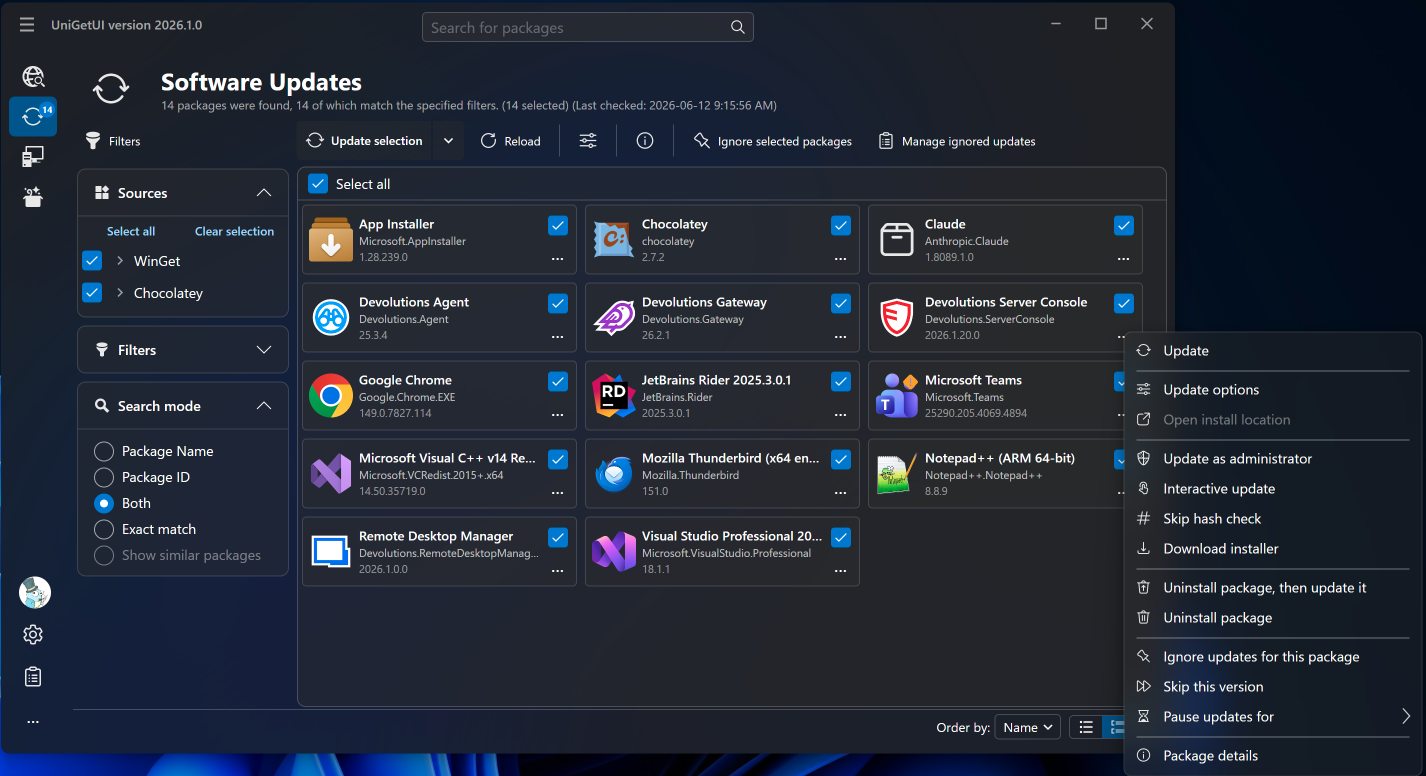 View more screenshots here
Check out the Package Managers section for more details!
Disclaimer: UniGetUI is not affiliated with the package managers it integrates with. Packages are provided by third parties, so review sources and publishers before installation.

[!CAUTION]
The official website for UniGetUI is https://devolutions.net/unigetui/.
The official source repository is https://github.com/Devolutions/UniGetUI.
Any other website should be considered unofficial, despite what they may say.
🔒 Found a security issue? Please report it via the Devolutions security page
Project stewardship
UniGetUI was created by Martí Climent and is now maintained by Devolutions. The project remains free, open source, and MIT-licensed. Devolutions' stewardship brings long-term investment, structured governance, stronger security processes, and a roadmap for broader enterprise readiness while keeping UniGetUI standalone and community-driven.
Read more in the Devolutions announcement and the official press release.
Table of contents
Installation
There are multiple ways to install UniGetUI — choose whichever one you prefer!
Windows
UniGetUI is primarily built for Windows. The Microsoft Store is the recommended installation method, but direct installer and package-manager options are also available.
Microsoft Store installation (recommended)

Download the Windows installer:
Use the installer for the best Windows experience. UniGetUI.Installer.exe is the legacy/default x64 installer alias; use the explicit architecture downloads if needed.
The .zip is portable: it keeps settings and caches next to the executable rather than in your user profile. See docs/PORTABLE.md.
Install via WinGet:

winget install --exact --id Devolutions.UniGetUI --source winget
Install via Scoop:

scoop bucket add extras
scoop install extras/unigetui
Install via Chocolatey:

choco install unigetui
NativeAOT builds
Release packages are compiled with NativeAOT on all supported platforms (Windows, macOS, and Linux) for improved startup performance and a reduced attack surface. If you want to build the same configuration locally, the repository includes helper publish profiles and a script:
pwsh ./scripts/publish-nativeaot.ps1 -Platform x64 # or arm64
This publishes src/UniGetUI.Avalonia/UniGetUI.Avalonia.csproj as a self-contained NativeAOT build into artifacts/nativeaot/win-<platform>/.
macOS
macOS builds are available from GitHub Releases. Use the .dmg for the standard installer experience, or the .tar.gz archive for a portable app bundle.
Linux
Linux builds are available from GitHub Releases. Use the .deb package for Debian/Ubuntu-based distributions, the .rpm package for Fedora/RHEL-based distributions, or the .tar.gz archive for a portable build.
The binaries require glibc 2.27 or newer (Ubuntu 18.04+, Debian 10+, RHEL 8+, Fedora 28+). On older distributions the app exits at startup with a version 'GLIBC_x.y' not found message.
Install the package that matches your distribution and architecture:
# Debian/Ubuntu-based distributions
sudo apt install ./UniGetUI.linux-x64.deb

# Fedora/RHEL-based distributions
sudo dnf install ./UniGetUI.linux-x64.rpm

# Portable archive
tar -xzf UniGetUI.linux-x64.tar.gz
./UniGetUI
Replace x64 with arm64 in the file name when using the arm64 build.
Portable installations
The .zip and .tar.gz downloads are portable in the sense that they need no installer, but they still store settings in your user profile. To make UniGetUI keep its data alongside the executable — and for the Windows installer's portable installation type — see portable mode.
Update UniGetUI
UniGetUI has a built-in autoupdater. On Windows, it can also be updated like any other package within UniGetUI when installed through WinGet, Scoop, or Chocolatey.
Features
- Install, update, and remove software from your system easily at one click: UniGetUI combines packages from the most used package managers for your platform, including WinGet, Chocolatey, Scoop, Homebrew, APT, DNF, Pacman, Flatpak, Snap, Pip, npm, Bun, and .NET Tool.
- Discover new packages and filter them to easily find the package you want.
- View detailed metadata about any package before installing it. Get the direct download URL or the name of the publisher, as well as the size of the download.
- Easily bulk-install, update, or uninstall multiple packages at once selecting multiple packages before performing an operation
- Automatically update packages, or be notified when updates become available. Skip versions or completely ignore updates on a per-package basis, or restrict automatic updating to a hand-picked set of packages.
- Schedule maintenance, with the triggers each task supports: update checks on an interval or daily/weekly at a chosen time, update installation after every update check or daily/weekly, and local or cloud backups at app start or daily/weekly.
- The system tray icon will also show the available updates and installed packages where supported, to efficiently update a program or remove a package from your system.
- Easily customize how and where packages are installed. Select different installation options and switches for each package. Install an older version or force a specific architecture where supported. [But don't worry, those options will be saved for future updates for this package*]
- Share packages with your friends using generated package links.
- Export custom lists of packages to then import them to another machine and install those packages with previously specified, custom installation parameters. Setting up machines or configuring a specific software setup has never been easier.
- Backup your packages to a local file to easily recover your setup in a matter of seconds when migrating to a new machine*. By default, each backup overwrites the previous file; enable timestamped file names to keep separate backups, and optionally choose a retention limit to keep only the most recent ones.
- Sync those backups to a secret GitHub Gist, so a new machine can restore your package list after a single sign-in.
- Review the 1,000 most recent operations in the operation history, with up to 5,000 log lines per operation kept for troubleshooting.
- On Windows, decide which desktop and Start Menu shortcuts installers are allowed to create, and pin a package's shortcuts to a Start Menu folder of your choosing — both re-applied on every upgrade.
- Drive the whole application from the command line, or from scripts through its local automation API. See the CLI reference and the IPC reference.
- Run UniGetUI as a portable app that keeps its settings next to the executable. See the portable mode reference.
Package Managers
NOTE: All package managers do support basic install, update, and uninstall processes, as well as checking for updates, finding new packages, and retrieving details from a package.
UniGetUI loads package managers based on the current platform. Windows builds include WinGet, Scoop, Chocolatey, Windows PowerShell, PowerShell 7, npm, Bun, pip, Cargo, .NET Tool, and vcpkg. macOS and Linux builds include Homebrew, PowerShell 7, npm, Bun, pip, Cargo, .NET Tool, and vcpkg; Linux builds also include distro-aware support for APT, DNF, Pacman, Snap, and Flatpak where applicable.

✅: Supported on UniGetUI
☑️: Not directly supported but can be easily achieved
⚠️: May not work in some cases
❌: Not supported by the Package Manager
Translations
UniGetUI translations are maintained directly in this repository. For the current language list, completion status, and per-language contributor attributions, see TRANSLATION.md. If you spot a translation issue or want to improve a locale, please open an issue or submit a pull request.
Screenshots
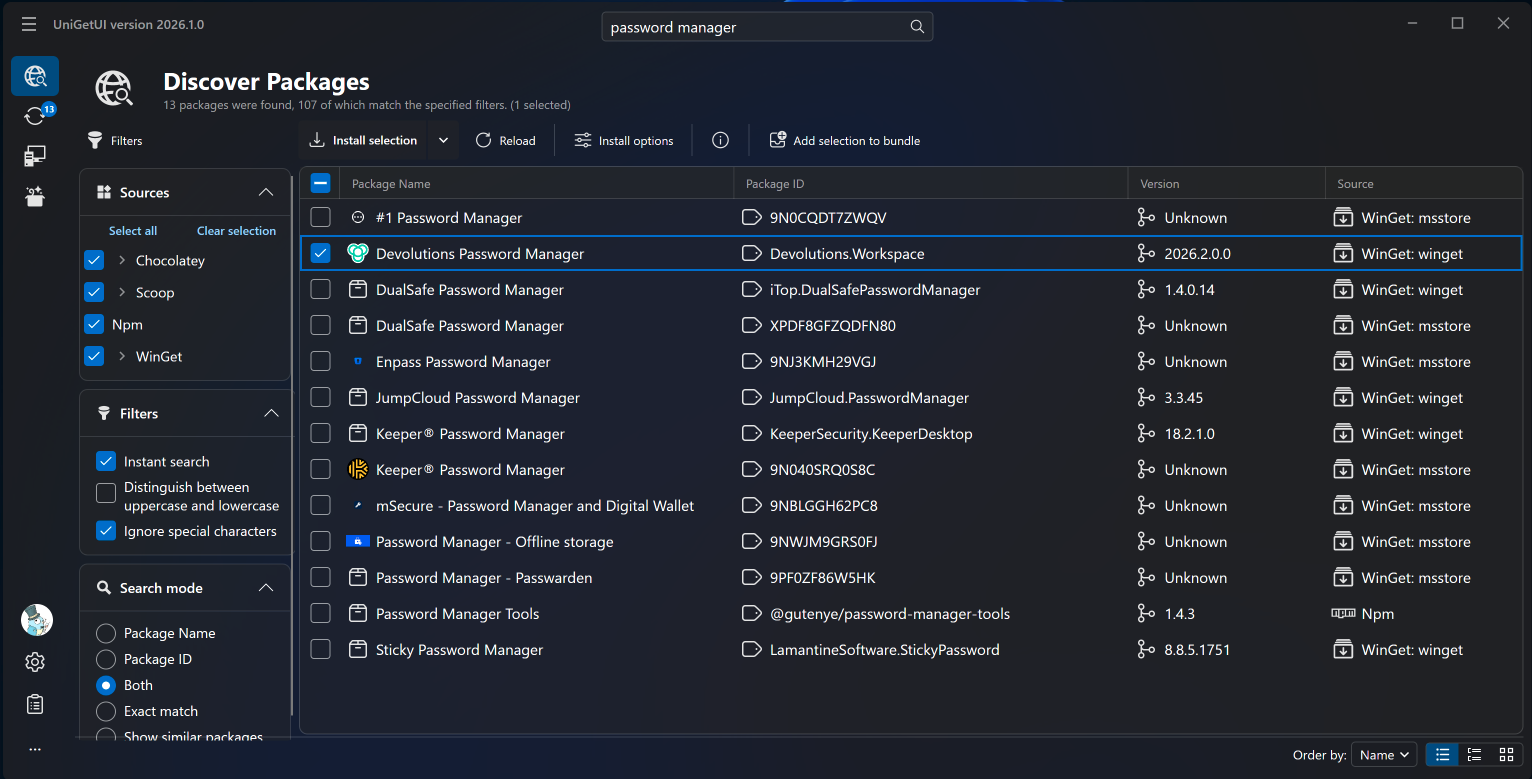
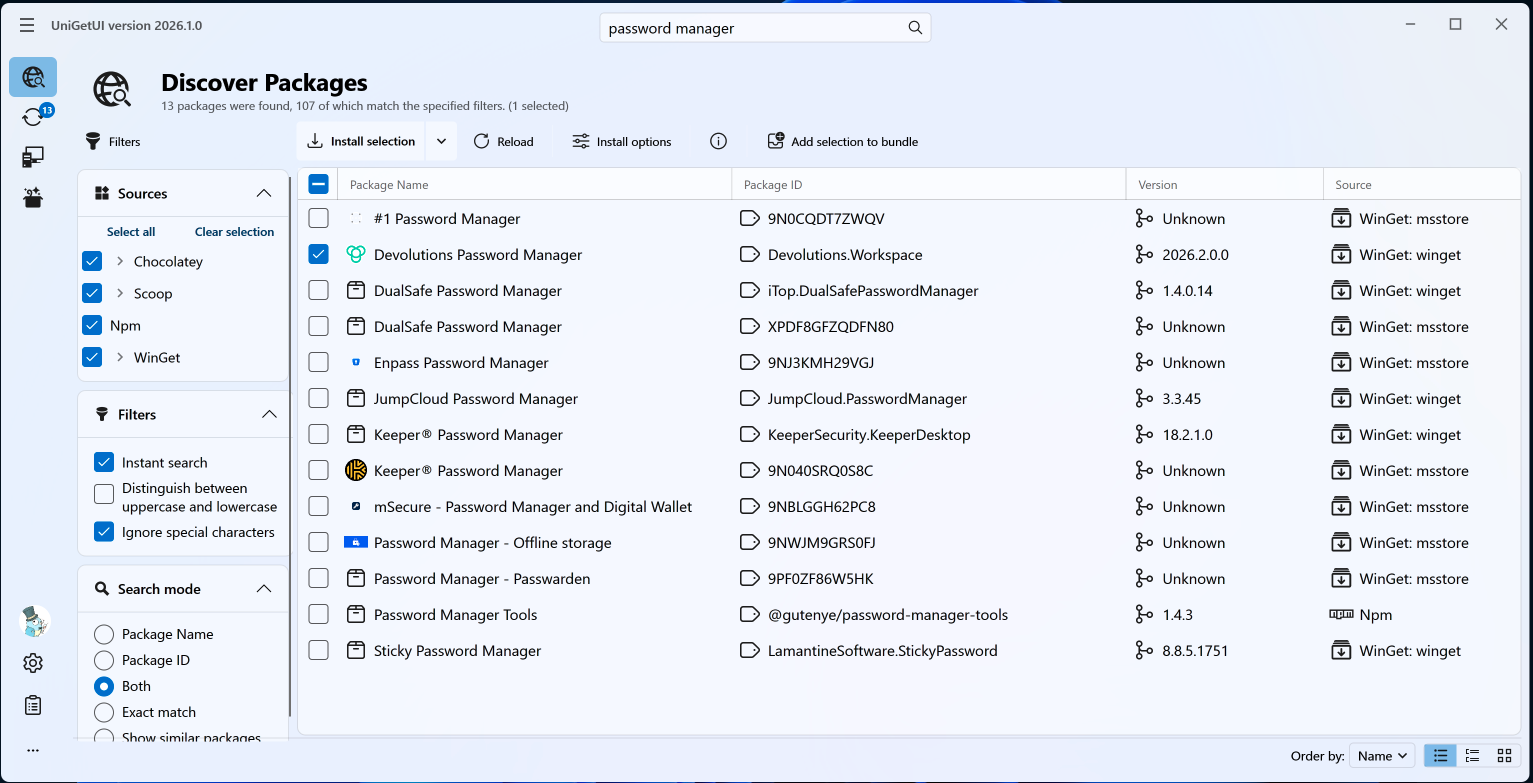
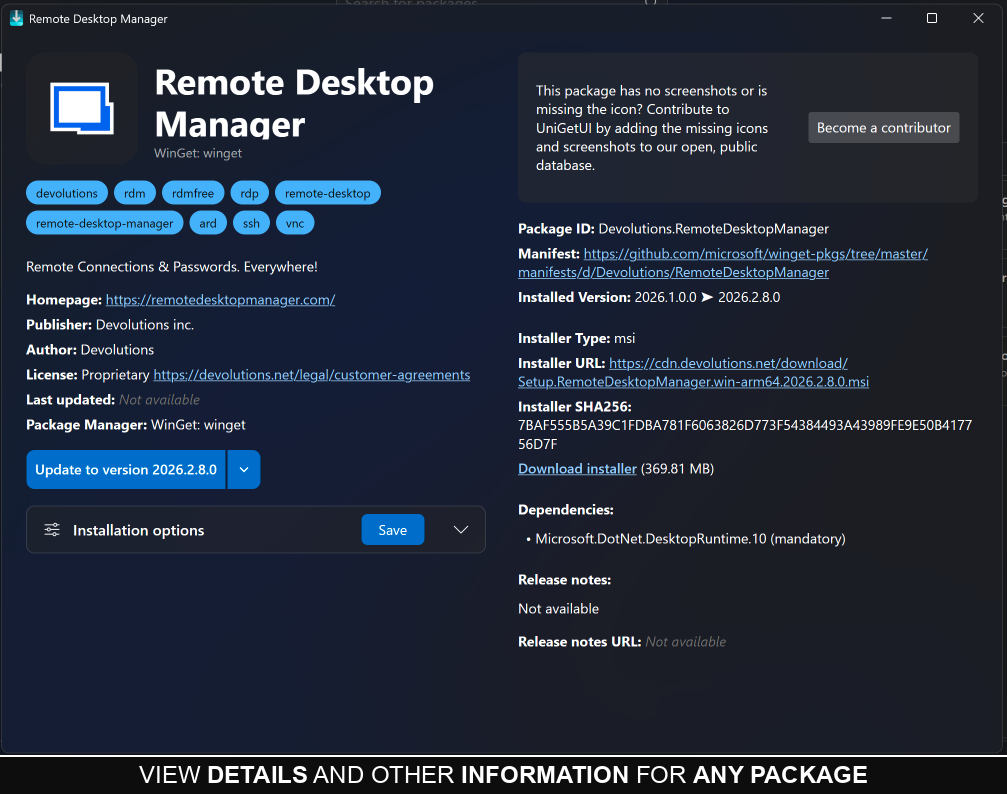
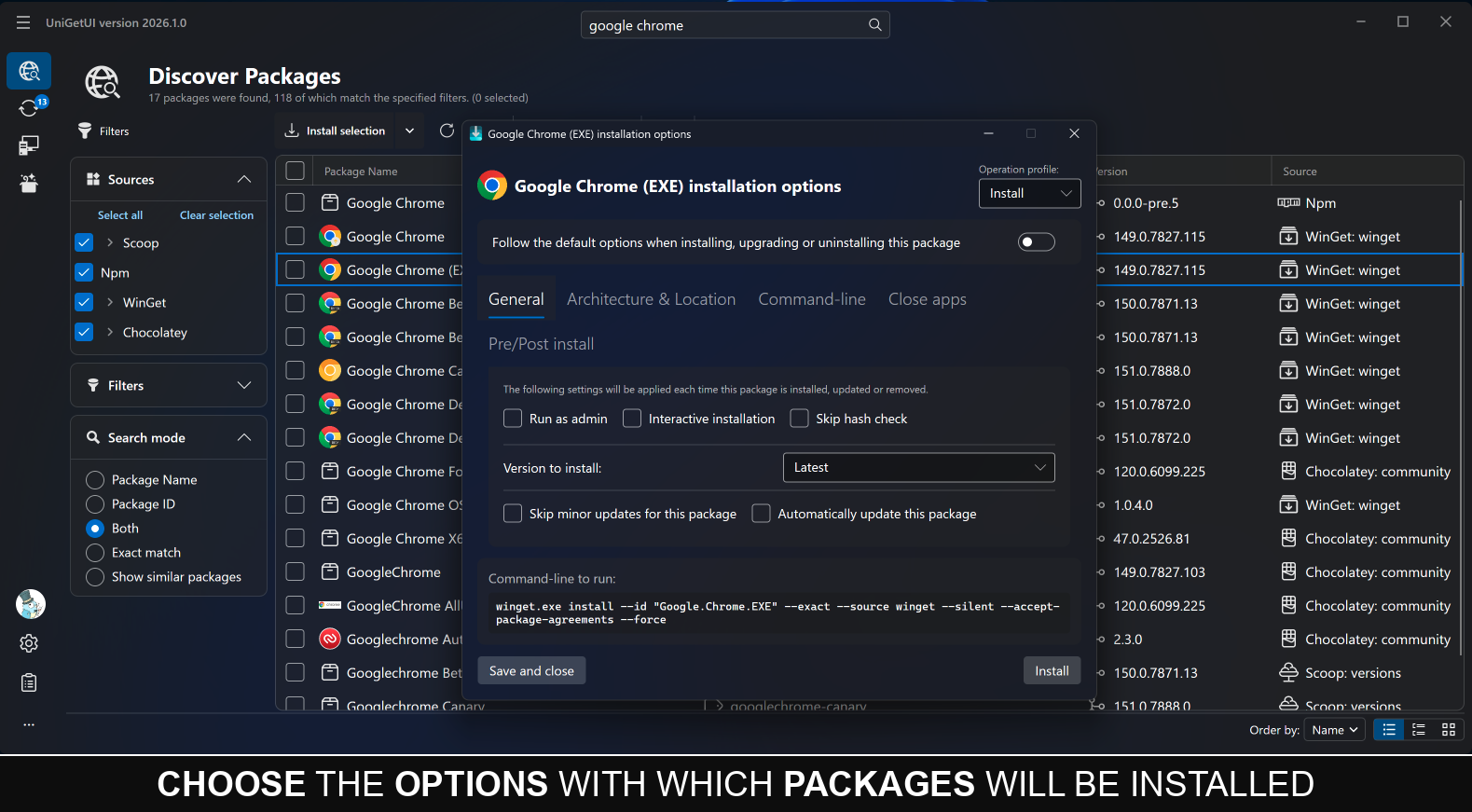
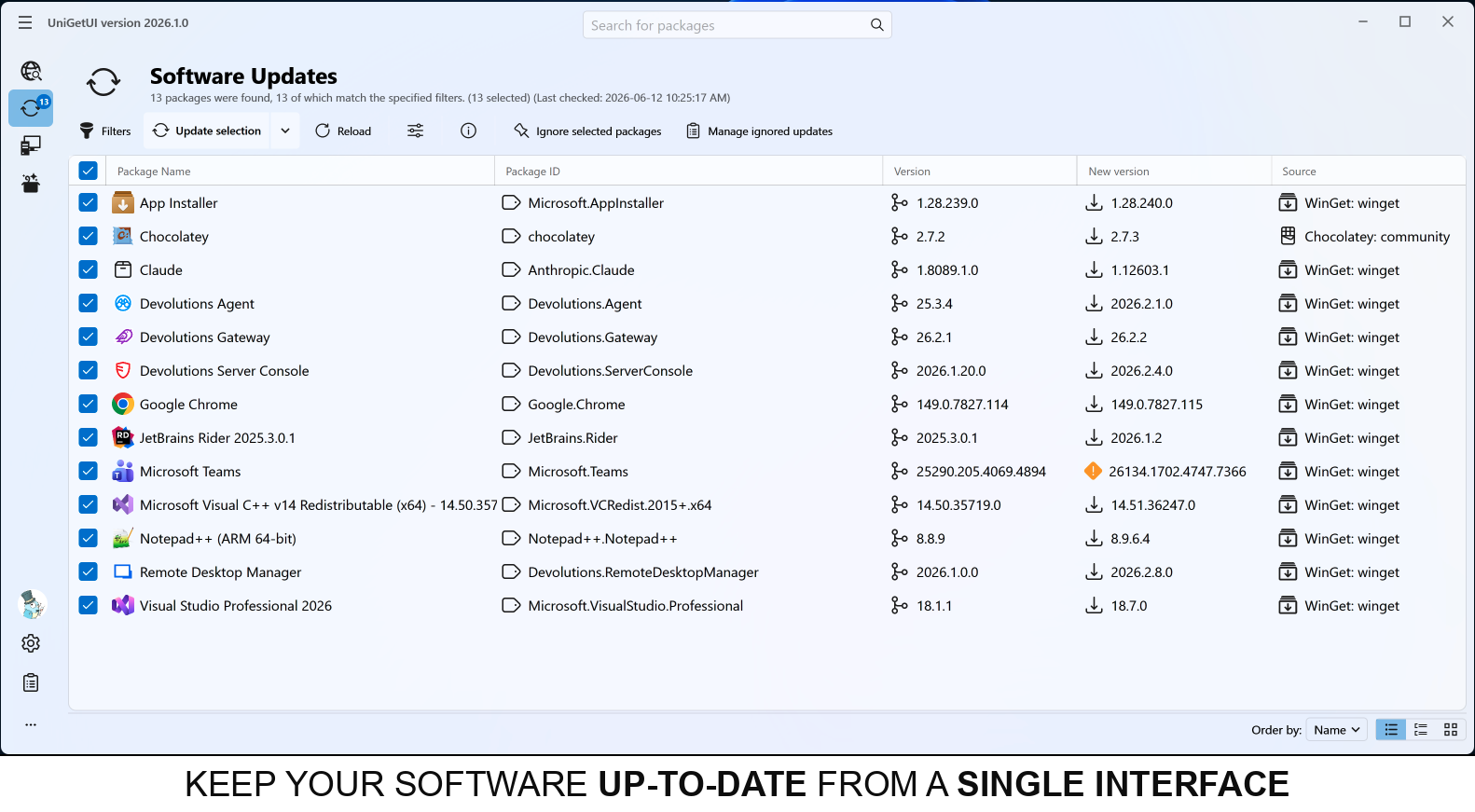
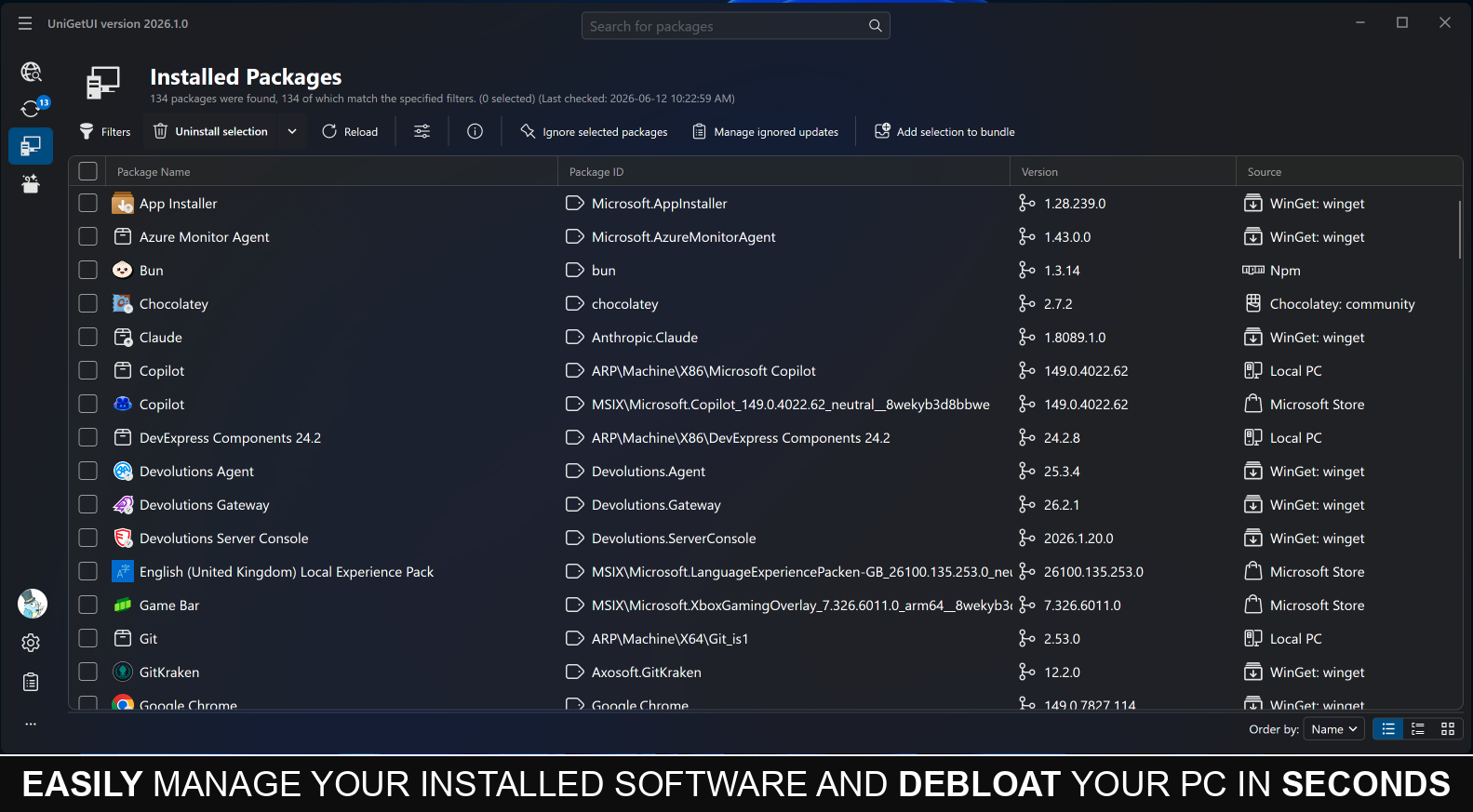
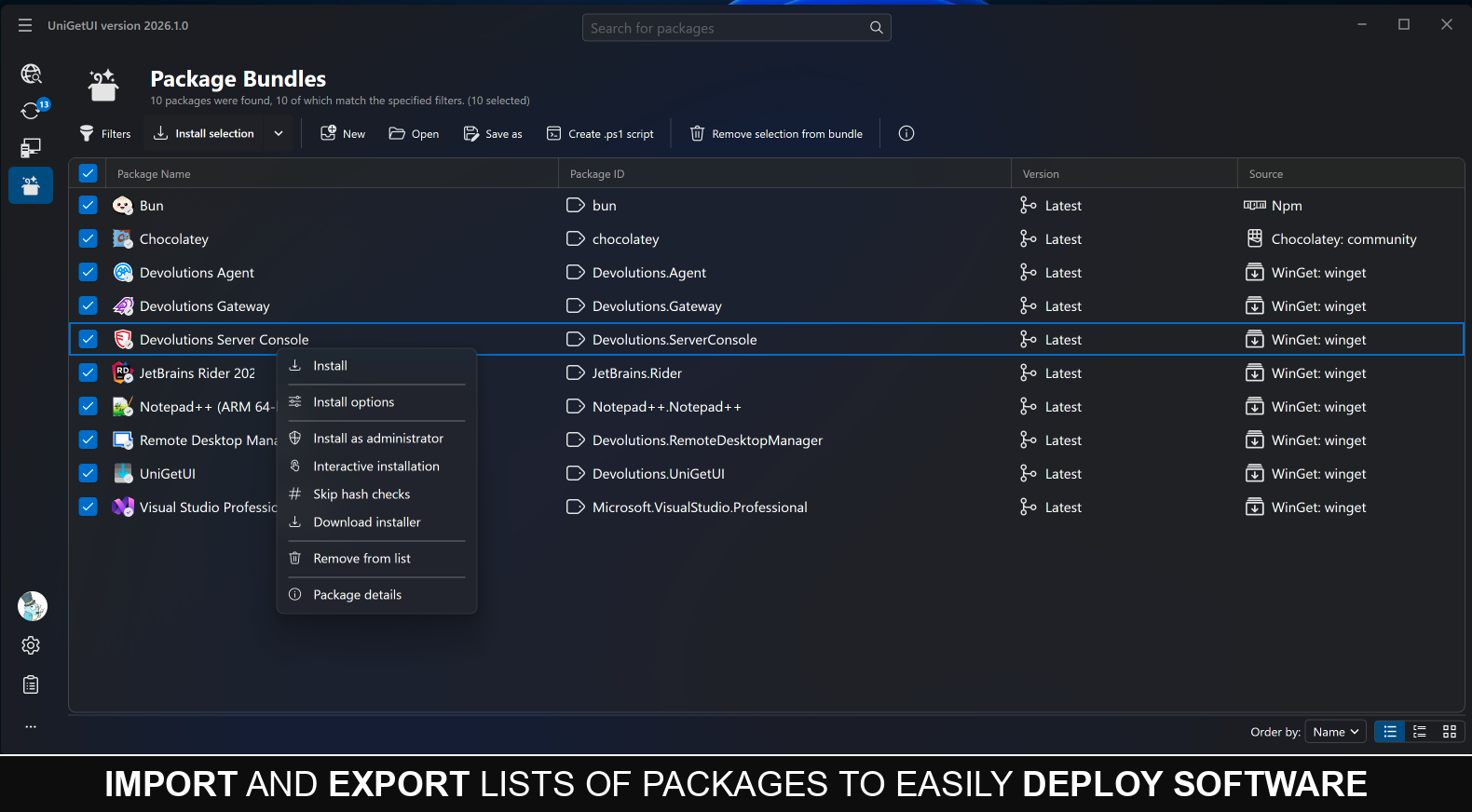
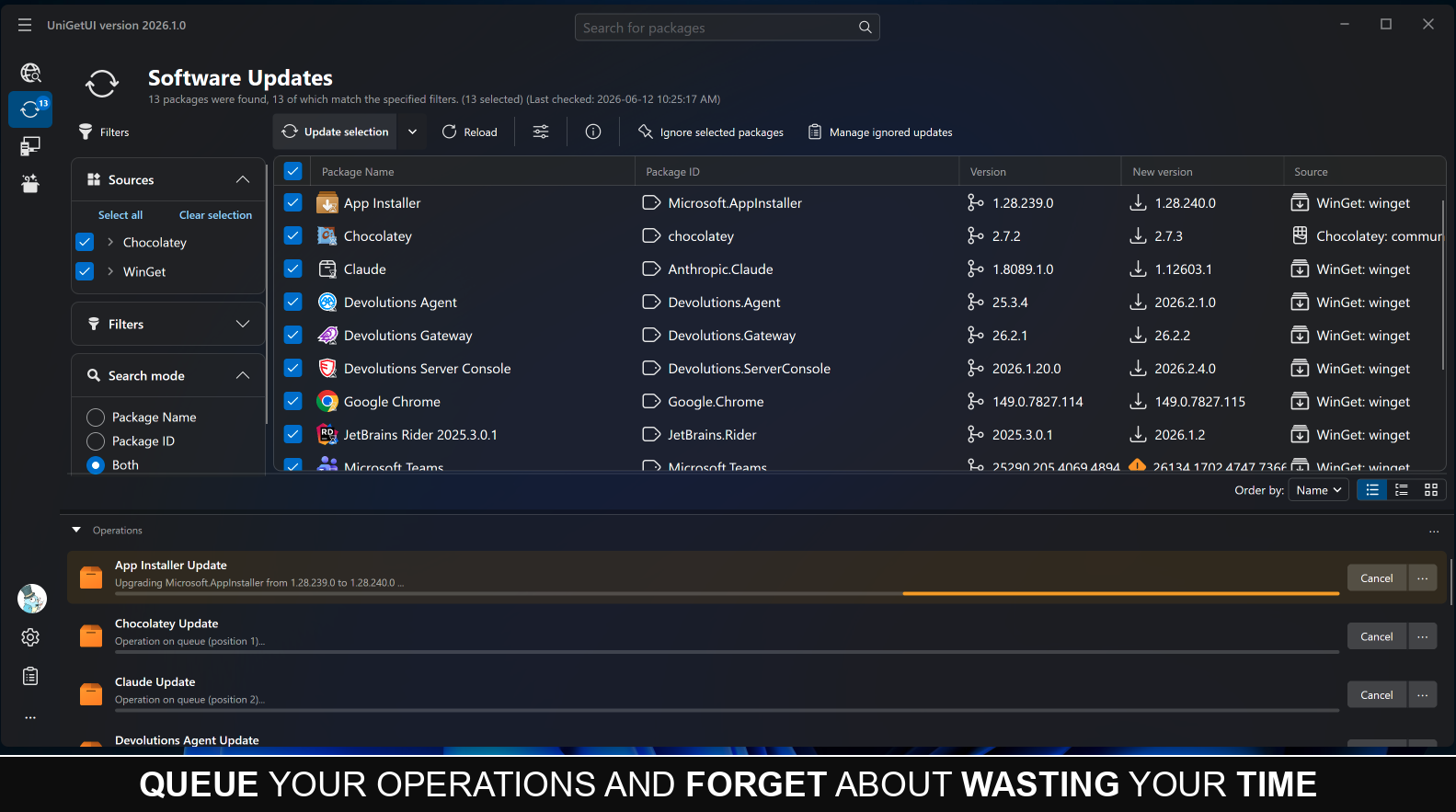
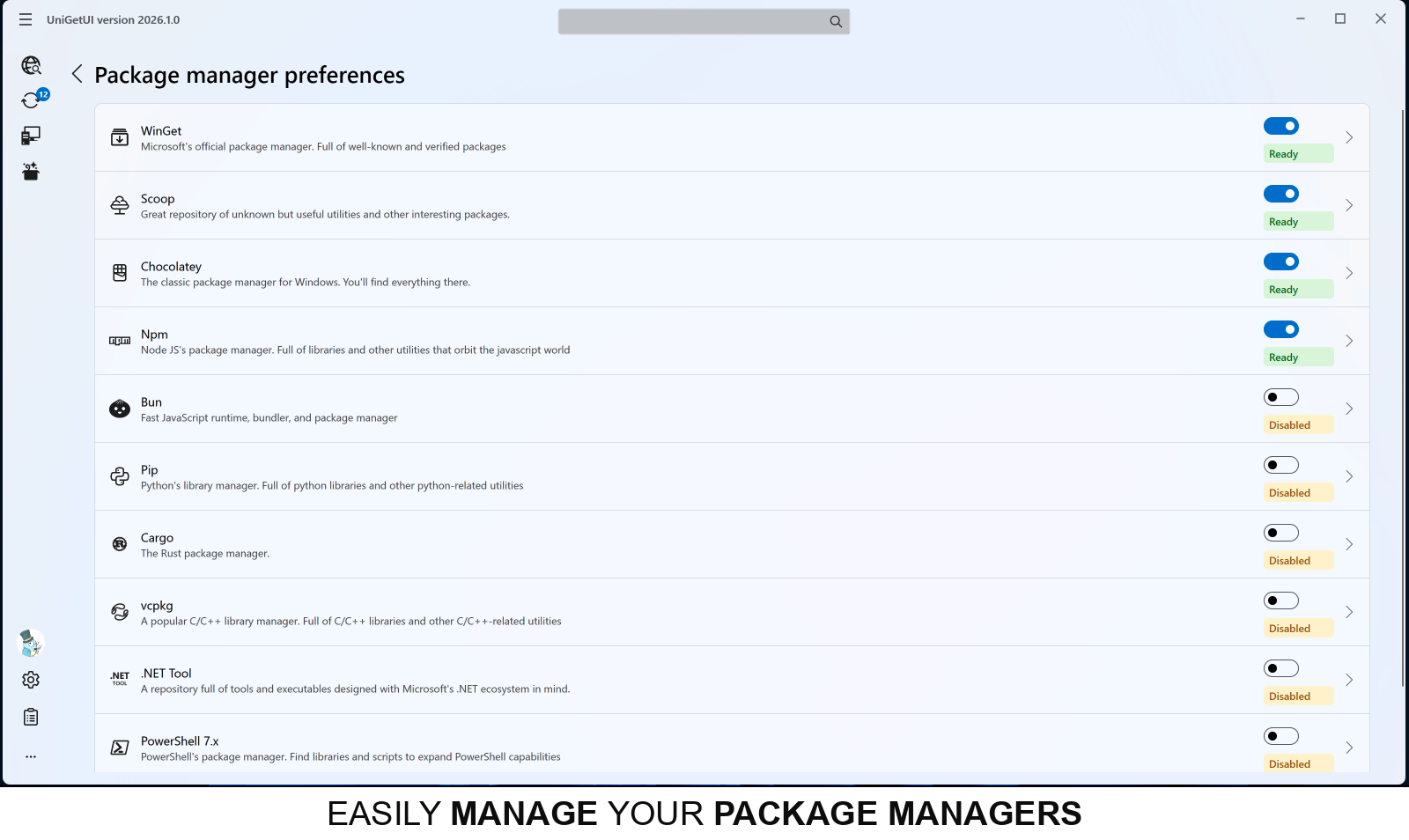
Contributions
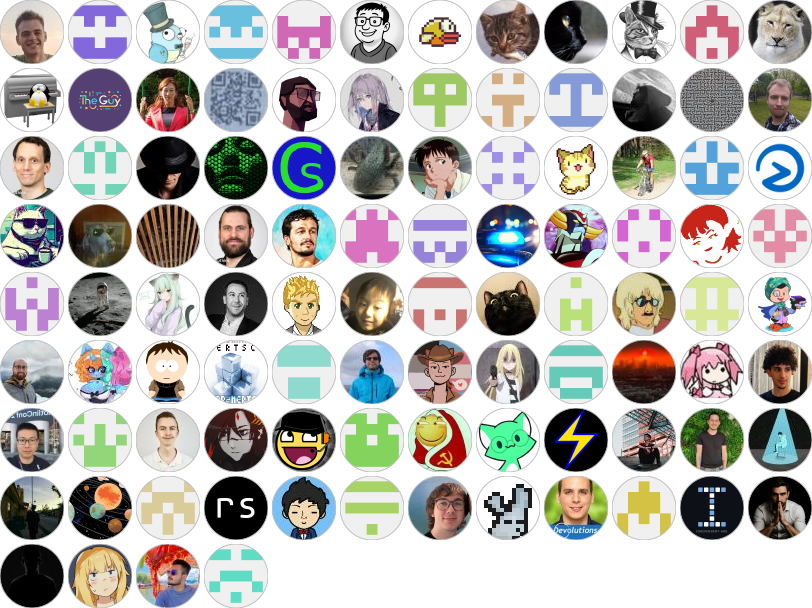
UniGetUI continues to grow thanks to its community of contributors. Devolutions is grateful to everyone who contributes code, translations, documentation, testing, and feedback to the project.
Frequently asked questions
Q: I am unable to install or upgrade a specific Winget package! What should I do?
A: This is likely an issue with Winget rather than UniGetUI.
Please check if it's possible to install/upgrade the package through PowerShell or the Command Prompt by using the commands winget upgrade or winget install, depending on the situation (for example: winget upgrade --id Microsoft.PowerToys).
If this doesn't work, consider asking for help at Winget's project page.
Q: The name of a package is trimmed with ellipsis — how do I see its full name/id?
A: This is a known limitation of Winget.
For more details, see this issue: https://github.com/microsoft/winget-cli/issues/2603.
Q: My antivirus is telling me that UniGetUI is a virus! / My browser is blocking the download of UniGetUI!
A: A common reason apps (i.e., executables) get blocked and/or detected as a virus — even when there's nothing malicious about them, like in the case of UniGetUI — is because a relatively large amount of people are not using them.
Combine that with the fact that you might be downloading something recently released, and blocking unknown apps is in many cases a good precaution to take to prevent actual malware.
Since UniGetUI is open source and safe to use, whitelist the app in the settings of your antivirus/browser.
Q: Are packages from third-party package managers safe?
A: UniGetUI and the package-manager maintainers aren't responsible for every package available for download. Packages are provided by third parties and can theoretically be compromised, regardless of whether they come from WinGet, Scoop, Chocolatey, Homebrew, APT, DNF, Pacman, Flatpak, Snap, or another source.
Some package managers and repositories implement checks to mitigate the risks of downloading malware. Even so, it's recommended that you only download software from trusted publishers.
Command-line interface:
Check out the CLI reference here and the IPC reference here.
For portable installations and where UniGetUI keeps its data, see the portable mode reference.

 UniGetUI 是一款图形界面工具,它将系统中的命令行包管理器(WinGet、Scoop、Chocolatey、Homebrew、APT、DNF、Pacman、Flatpak、Snap、pip、npm、Bun、.NET Tool 等)整合到同一个应用中,让你无需打开终端即可查找、安装、更新和卸载软件。