

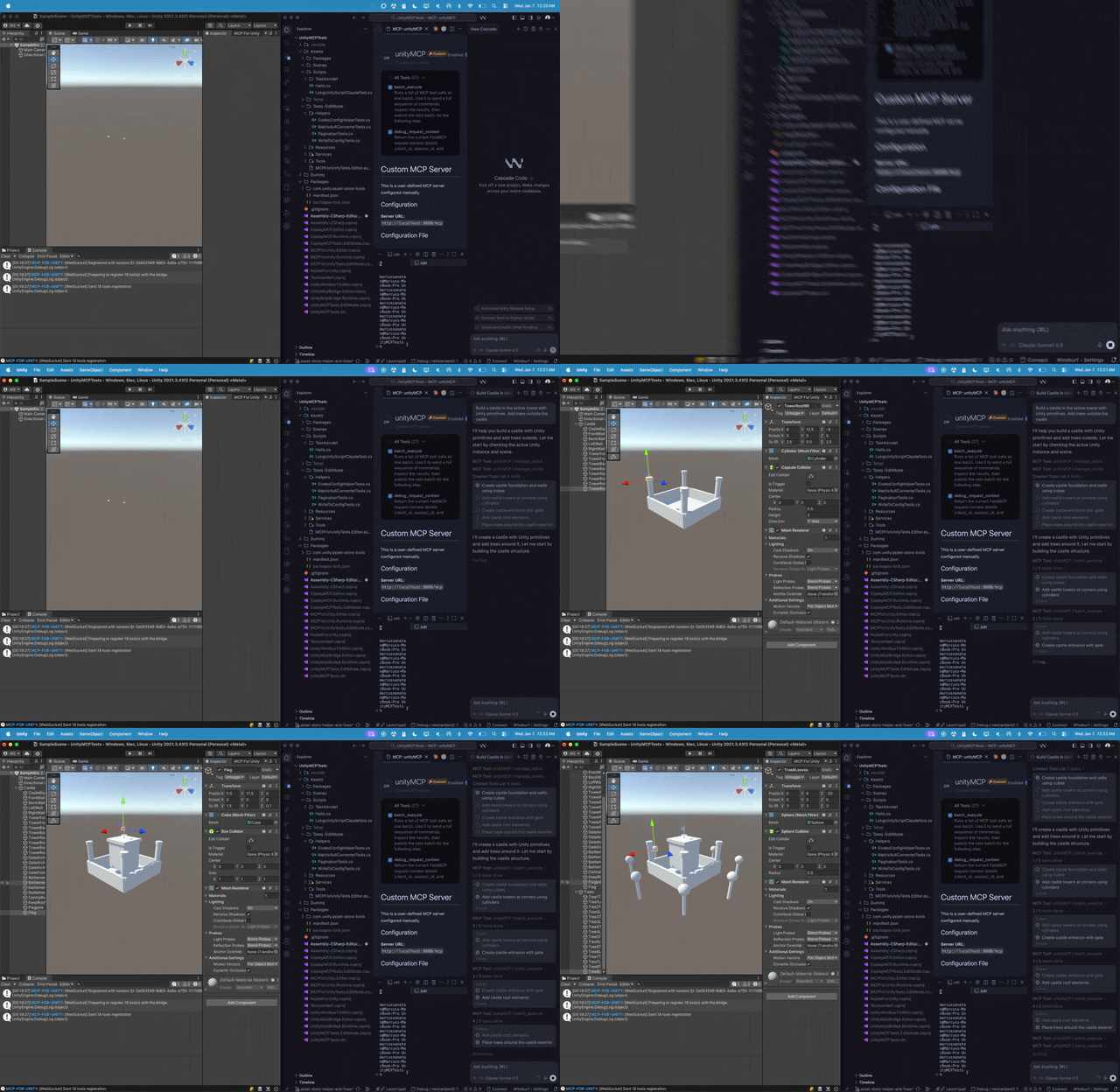
What is this?
 It is MCP for Unity, an open-source bridge that connects AI assistants like Claude or Cursor to your Unity Editor, so the LLM can manage assets, control scenes, edit scripts, and automate game dev work.
It is MCP for Unity, an open-source bridge that connects AI assistants like Claude or Cursor to your Unity Editor, so the LLM can manage assets, control scenes, edit scripts, and automate game dev work.So is it a plugin inside Unity or a separate app?Both halves of one bridge: a package you install inside the Unity Editor, plus an MCP server that exposes 47 focused tool entrypoints your AI assistant can call.
Both halves of one bridge: a package you install inside the Unity Editor, plus an MCP server that exposes 47 focused tool entrypoints your AI assistant can call.How do I get it running?Add the package from a git URL in Unity's Package Manager (or run openupm add com.coplaydev.unity-mcp), then open Window → MCP for Unity → Configure All Detected Clients.
Add the package from a git URL in Unity's Package Manager (or run openupm add com.coplaydev.unity-mcp), then open Window → MCP for Unity → Configure All Detected Clients.What do I need installed before it works?Unity 2021.3 LTS through Unity 6.x, plus Python 3.10+ which the setup manages via uv.
Unity 2021.3 LTS through Unity 6.x, plus Python 3.10+ which the setup manages via uv.Any install pitfalls to watch for?When adding the git URL, pin a release tag like #v10.0.0 to get a stable version; the openupm route installs a fixed package instead.
When adding the git URL, pin a release tag like #v10.0.0 to get a stable version; the openupm route installs a fixed package instead.Which AI assistants can I plug into it?Any MCP client works — Claude Desktop and Claude Code, Cursor, VS Code, Windsurf, Cline, Gemini CLI, and more.
Any MCP client works — Claude Desktop and Claude Code, Cursor, VS Code, Windsurf, Cline, Gemini CLI, and more.Is it free, or is there a paid tier?Completely free under the MIT license. The README also notes the project is not affiliated with Unity Technologies.
Completely free under the MIT license. The README also notes the project is not affiliated with Unity Technologies.What can the AI actually do inside the editor?Create scenes and GameObjects, edit C# scripts, manage assets, run tests, profile, and build — 47 focused tool entrypoints in total.
Create scenes and GameObjects, edit C# scripts, manage assets, run tests, profile, and build — 47 focused tool entrypoints in total.I keep several Unity projects open at once — is that supported?Yes, multi-instance routing is a documented advanced feature for working with multiple Unity instances.
Yes, multi-instance routing is a documented advanced feature for working with multiple Unity instances.Can it validate the C# scripts the AI produces?Yes — Roslyn script validation is a documented advanced feature, and tool groups let you scope access to areas like vfx, animation, ui, and testing.
Yes — Roslyn script validation is a documented advanced feature, and tool groups let you scope access to areas like vfx, animation, ui, and testing.Is this the same thing as the paid Aura assistant?No — MCP for Unity is free and MIT-licensed. Aura for Unity is a separate premium AI assistant for Unity and Unreal from the same team.
No — MCP for Unity is free and MIT-licensed. Aura for Unity is a separate premium AI assistant for Unity and Unreal from the same team.What are similar projects?headroom, OmniRoute, 9router, superpowers-zh, void, skills, mcp-for-blender, overmind
headroom, OmniRoute, 9router, superpowers-zh, void, skills, mcp-for-blender, overmind