


Что это?
 ClearAI — агентский пресет для DSH с подходом «онтология прежде всего», превращающий исследовательскую сессию в непрерывно растущую, проверенную на свидетельствах доменную онтологию; она строится через то, что авторы называют «Epistemic Loop»: вопрос, фальсифицируемое суждение, тест, свидетельство, затем ограниченный вывод.
ClearAI — агентский пресет для DSH с подходом «онтология прежде всего», превращающий исследовательскую сессию в непрерывно растущую, проверенную на свидетельствах доменную онтологию; она строится через то, что авторы называют «Epistemic Loop»: вопрос, фальсифицируемое суждение, тест, свидетельство, затем ограниченный вывод.Это отдельное приложение или плагин для чего-то?Это не отдельное приложение — это пресет/плагин агента, устанавливаемый в хост-приложение DSH (DeepSeek Harness): он добавляет слой эпистемической оценки и онтологический UI, не меняя ядро DSH.
Это не отдельное приложение — это пресет/плагин агента, устанавливаемый в хост-приложение DSH (DeepSeek Harness): он добавляет слой эпистемической оценки и онтологический UI, не меняя ядро DSH.Как установить и начать пользоваться?Рекомендуется: в боковой панели DSH зайти в Plugins → Add plugin и ввести [email protected] (версия закреплена), либо выполнить эквивалентный npm install из терминала, либо использовать установщик в одну команду. Затем перезапустите 'dsh web', начните новую сессию и выберите ClearAI в выборе пресетов.
Рекомендуется: в боковой панели DSH зайти в Plugins → Add plugin и ввести [email protected] (версия закреплена), либо выполнить эквивалентный npm install из терминала, либо использовать установщик в одну команду. Затем перезапустите 'dsh web', начните новую сессию и выберите ClearAI в выборе пресетов.Нужно ли что-то, кроме самого DSH?ClearAI требует хост-приложение DSH версии 0.1.7-alpha.1 или новее (проверено против 0.1.7-rc.2 и 0.2.0-rc.1); из рантайм-зависимостей у него только библиотека 'zod', а pnpm нужен лишь для установки.
ClearAI требует хост-приложение DSH версии 0.1.7-alpha.1 или новее (проверено против 0.1.7-rc.2 и 0.2.0-rc.1); из рантайм-зависимостей у него только библиотека 'zod', а pnpm нужен лишь для установки.Какие подводные камни установки стоит учитывать?Установка без закрепления точной версии может молча поставить более старый релиз: дефолтный minimumReleaseAge у pnpm (1440 минут) заставляет голое имя пакета или @latest откатываться к сборке перед самым последним релизом, а менеджер плагинов DSH сообщает об этом как об успехе, ничего не проверяя.
Установка без закрепления точной версии может молча поставить более старый релиз: дефолтный minimumReleaseAge у pnpm (1440 минут) заставляет голое имя пакета или @latest откатываться к сборке перед самым последним релизом, а менеджер плагинов DSH сообщает об этом как об успехе, ничего не проверяя.Остаются ли мои исследовательские данные локально?Да — ClearAI описывается как local-first платформа онтологического исследования; его состояние выводится исключительно из записи сессии без второго хранилища, а итоговые файлы лежат в clear/ вашего проекта.
Да — ClearAI описывается как local-first платформа онтологического исследования; его состояние выводится исключительно из записи сессии без второго хранилища, а итоговые файлы лежат в clear/ вашего проекта.Что именно такое Epistemic Loop?Это процесс за каждым выводом: задать вопрос, высказать суждение, которое может оказаться неверным, провести тест, который может провалиться, собрать свидетельства, затем прийти к ограниченному выводу, который становится частью онтологии; выше определённого уровня тот, кто провёл тест, не может оценивать его сам.
Это процесс за каждым выводом: задать вопрос, высказать суждение, которое может оказаться неверным, провести тест, который может провалиться, собрать свидетельства, затем прийти к ограниченному выводу, который становится частью онтологии; выше определённого уровня тот, кто провёл тест, не может оценивать его сам.Чем это отличается от других графов знаний?Большинство графов знаний растут извлечением и утверждением. ClearAI требует, чтобы каждое ребро в его онтологии было заработано через Epistemic Loop и независимо оценено, прежде чем считаться установленным.
Большинство графов знаний растут извлечением и утверждением. ClearAI требует, чтобы каждое ребро в его онтологии было заработано через Epistemic Loop и независимо оценено, прежде чем считаться установленным.Что происходит, когда два вывода противоречат друг другу?Система сама обнаруживает конфликт, подсвечивая оба противоречащих прочтения янтарным в графе, но за вас его не разрешает — отозвать или оставить любое из прочтений решает человек.
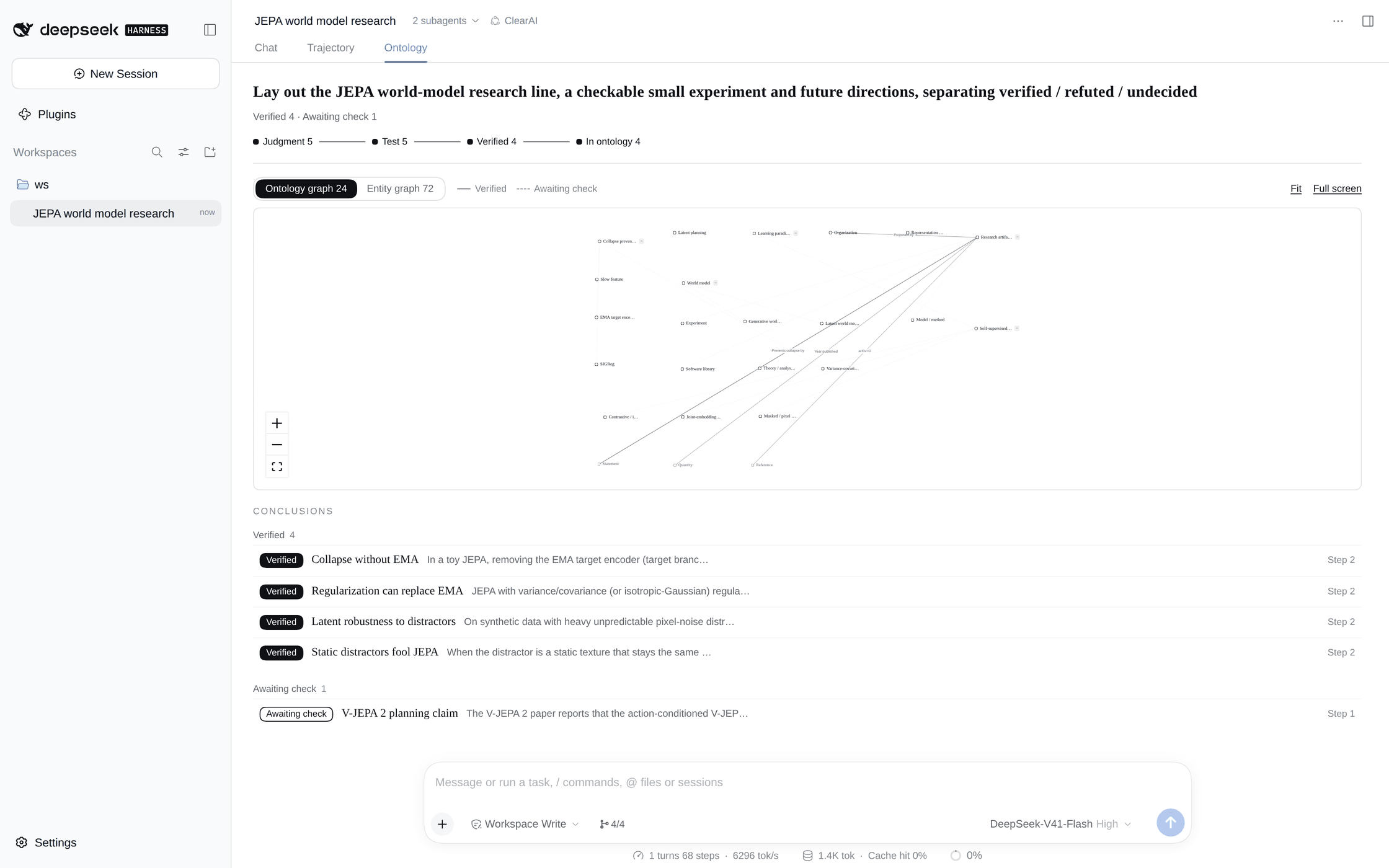
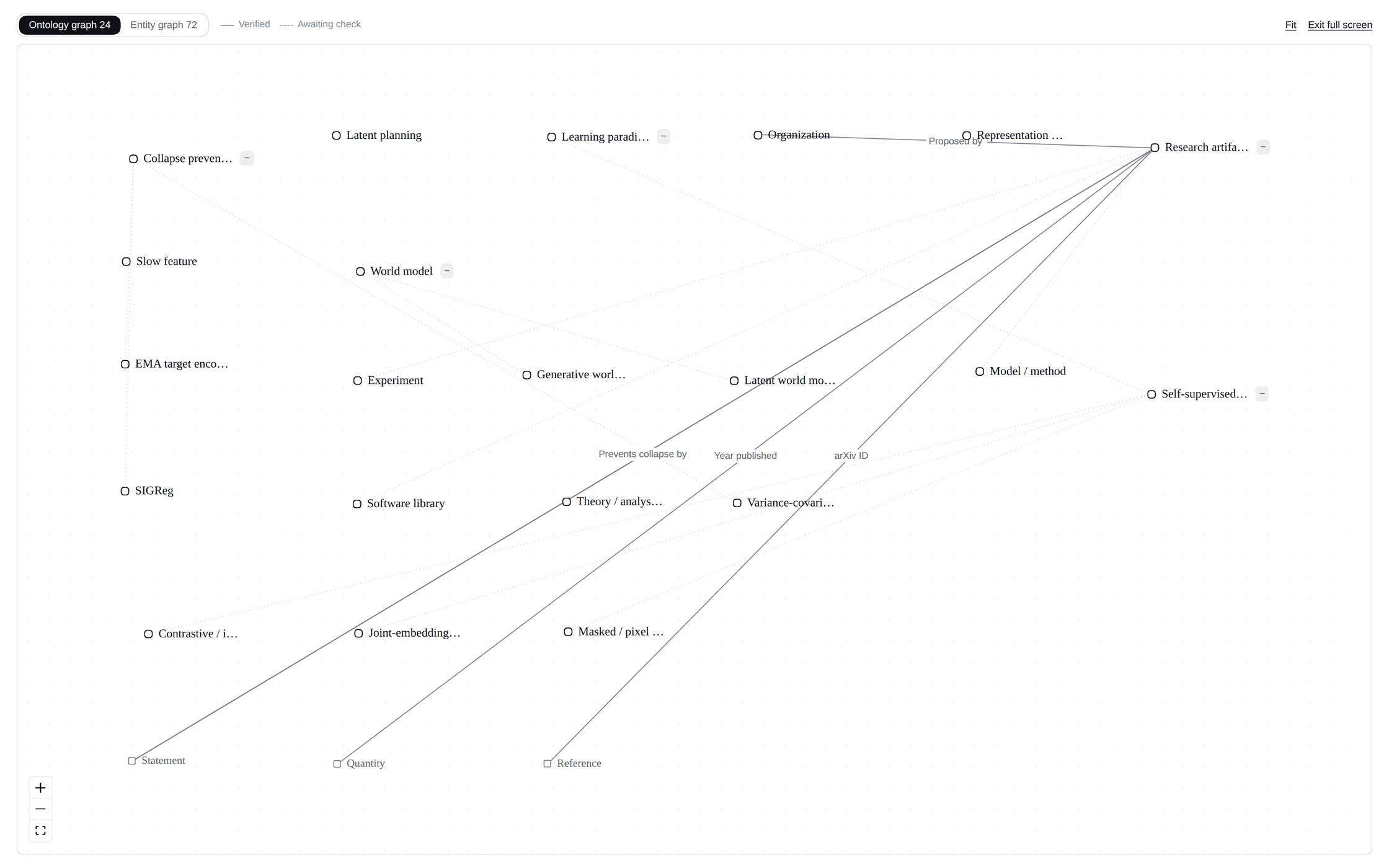
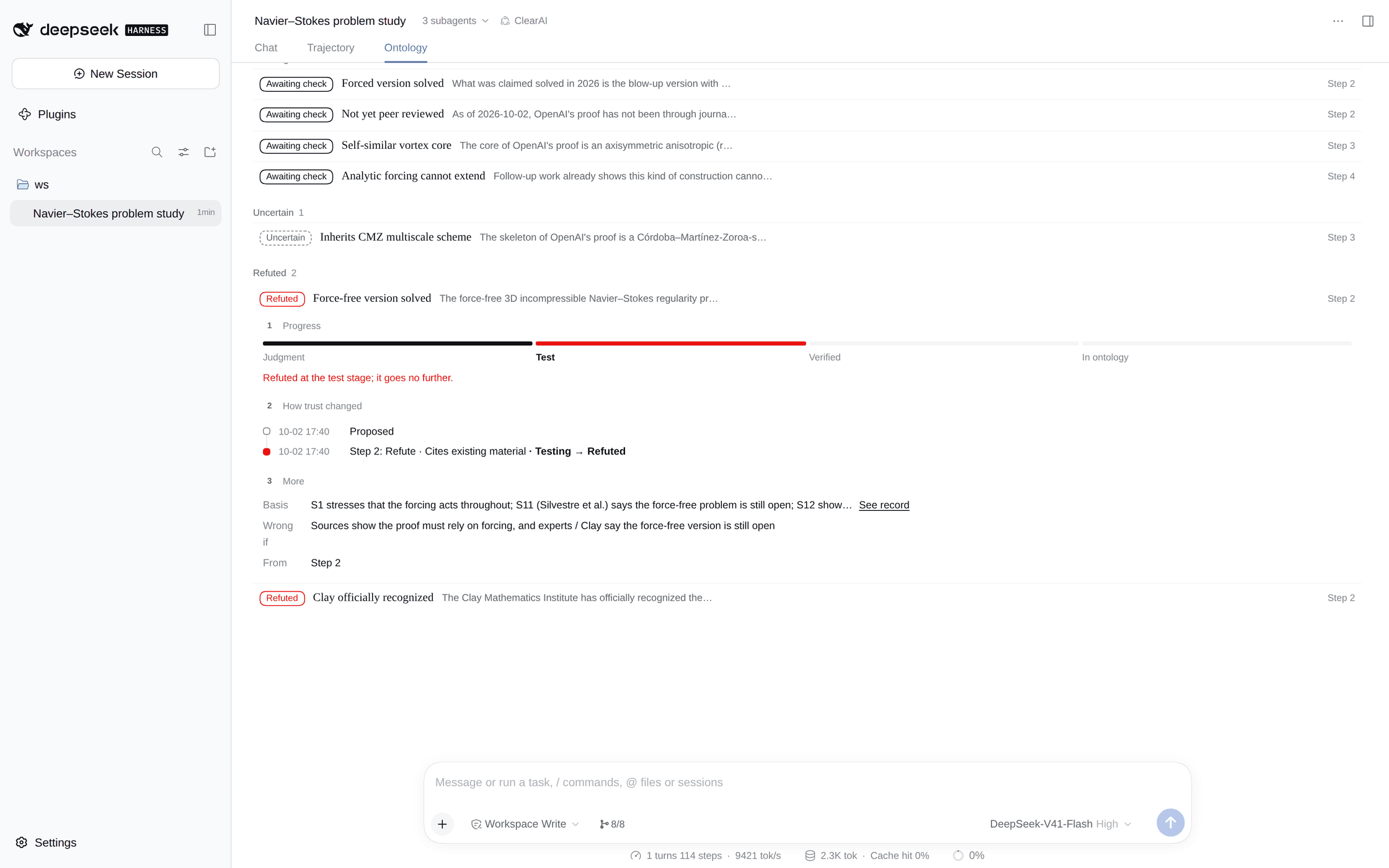
Система сама обнаруживает конфликт, подсвечивая оба противоречащих прочтения янтарным в графе, но за вас его не разрешает — отозвать или оставить любое из прочтений решает человек.Как выглядят опубликованные примеры исследовательских сессий?Показаны две сессии с реальными моделями от начала до конца: обзор литературы по world-моделям JEPA, создавший онтологию из 21 концепта, 8 отношений и 27 сущностей, и сессия «Решена ли проблема Навье–Стокса?», опровергшая два популярных утверждения и построившая онтологию из 24 концептов, 13 отношений и 59 сущностей.
Показаны две сессии с реальными моделями от начала до конца: обзор литературы по world-моделям JEPA, создавший онтологию из 21 концепта, 8 отношений и 27 сущностей, и сессия «Решена ли проблема Навье–Стокса?», опровергшая два популярных утверждения и построившая онтологию из 24 концептов, 13 отношений и 59 сущностей.What are similar projects?dsh-pocket, deepseek-harness-for-vscode, dsh-agent-team-gui, dsh-univer-office, DSH-Plugins-Marketplace, awesome-deepseek-harness, dsh-data-agent, dsh-context
dsh-pocket, deepseek-harness-for-vscode, dsh-agent-team-gui, dsh-univer-office, DSH-Plugins-Marketplace, awesome-deepseek-harness, dsh-data-agent, dsh-contextWhich topics is it in?deepseek-harness-plugin, dsh-plugins, english, knowledge-management, knowledge-graph, dsh, plugin-system, dsh-plugin, deepseek-harness, data-visualization, large-language-models, knowledge-base
deepseek-harness-plugin, dsh-plugins, english, knowledge-management, knowledge-graph, dsh, plugin-system, dsh-plugin, deepseek-harness, data-visualization, large-language-models, knowledge-base