Quit Codex Desktop completely, open a new terminal, and run codexhost.
Highlights
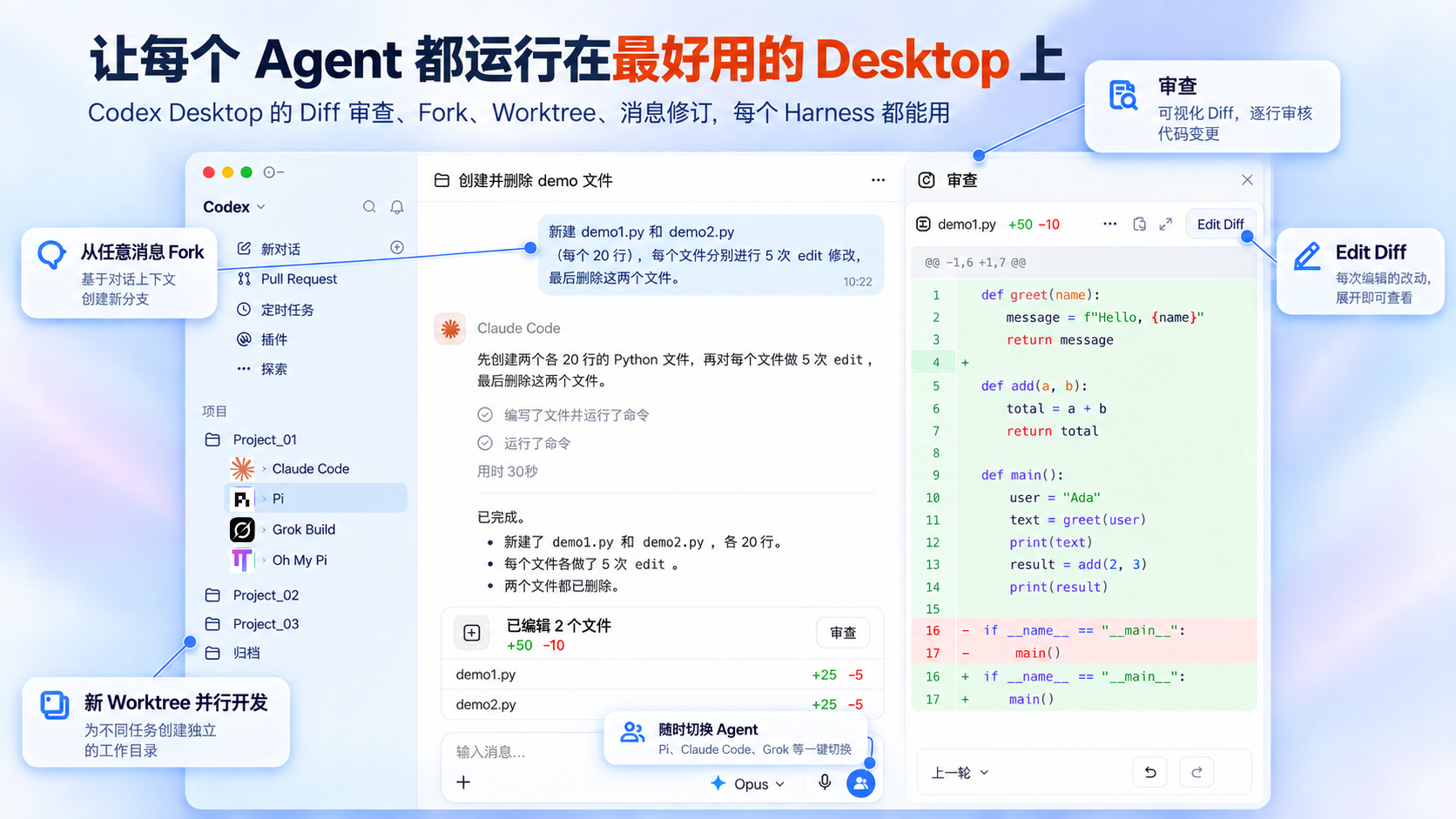
Full workspace Sessions from different Harnesses share one sidebar; switch Agents from the bottom-right of the composer
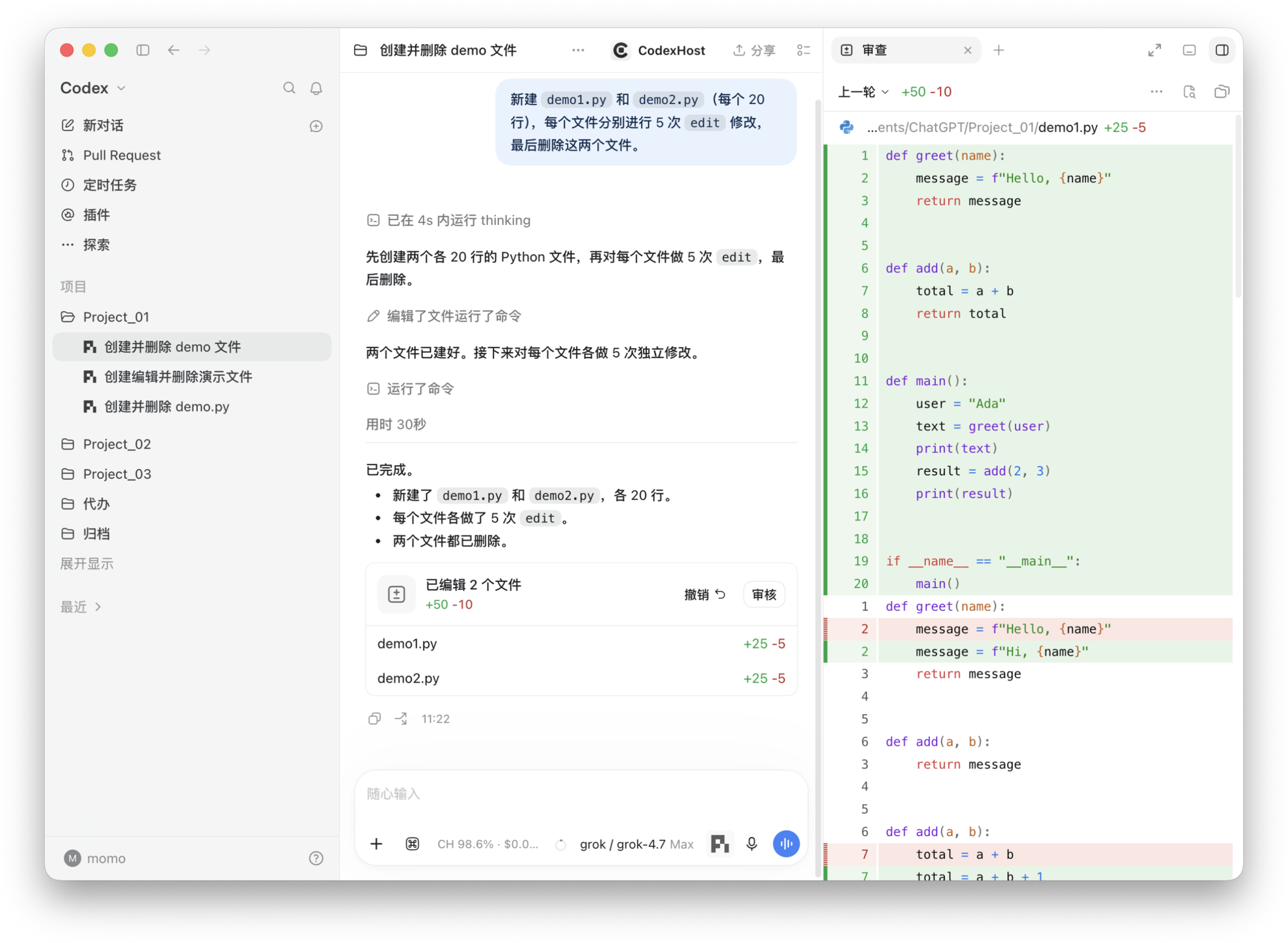
Diff review panel Every turn summarizes its changes; click Review to open the full Diff on the right
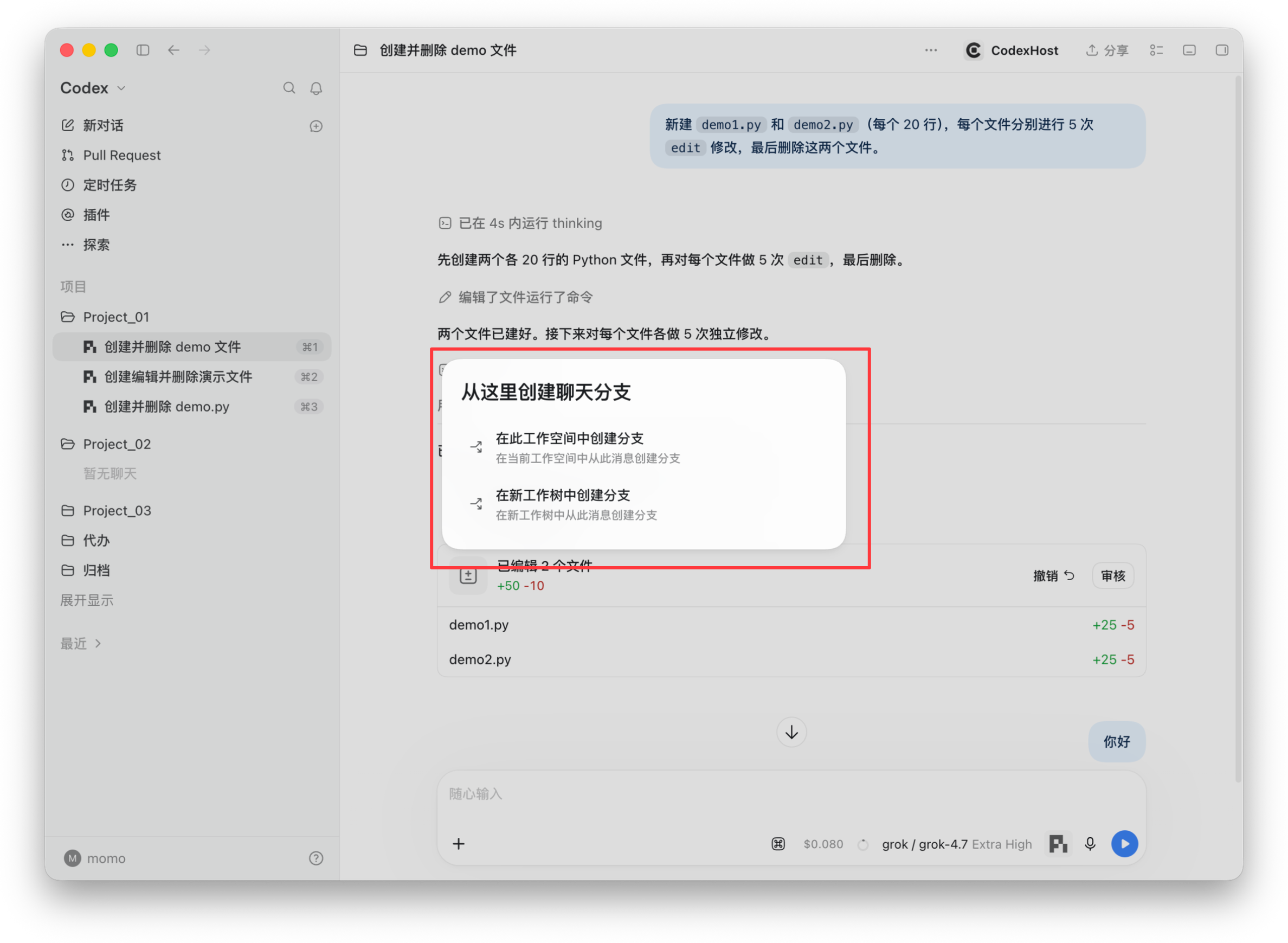
Fork from any message Branch in the current workspace, or in a new Worktree for parallel work
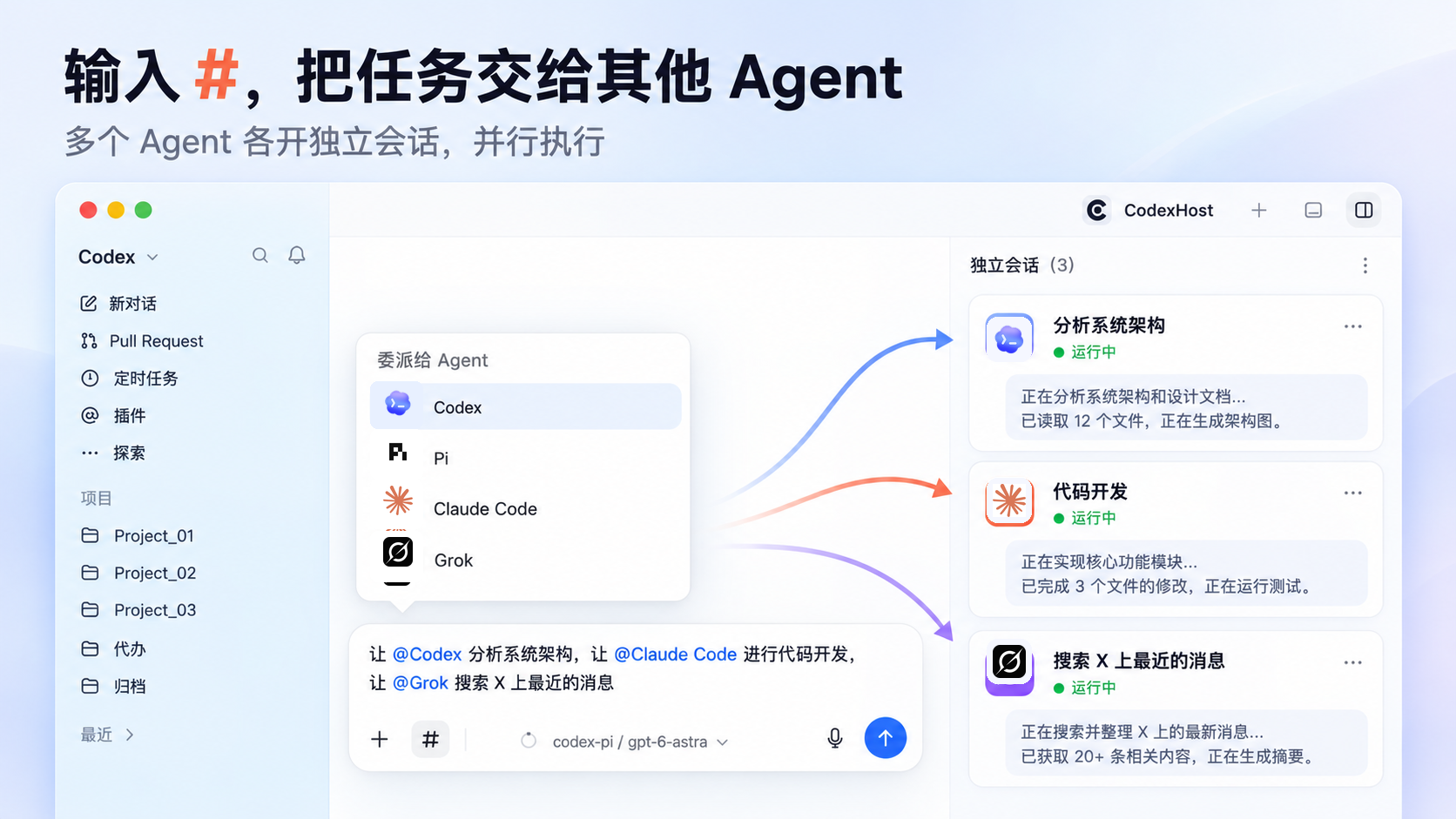
Delegate to other Agents with # Each Agent runs in its own session, in parallel · Learn more
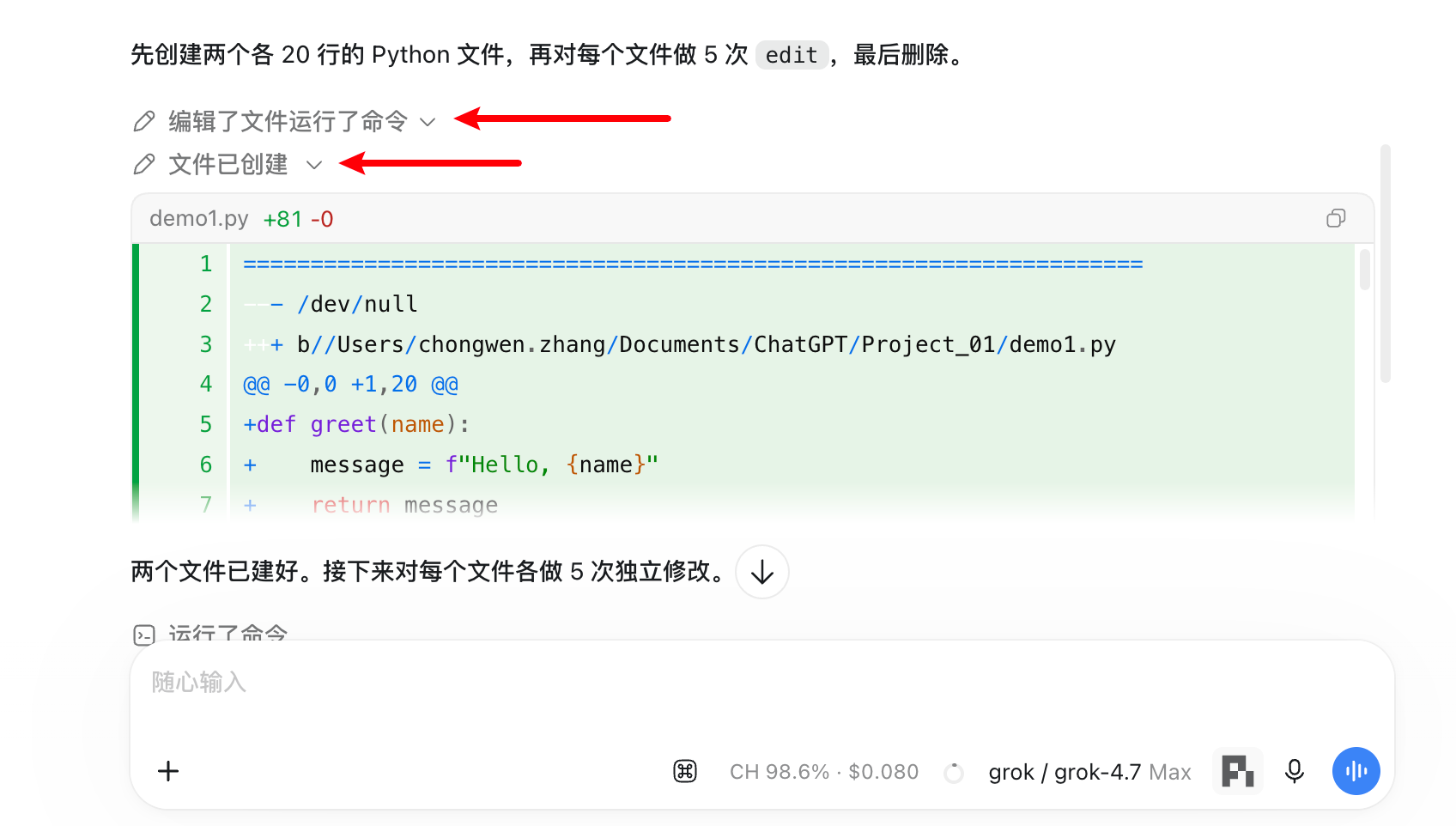
Tool calls and thinking Expand any edit, command, or thinking step to see the details
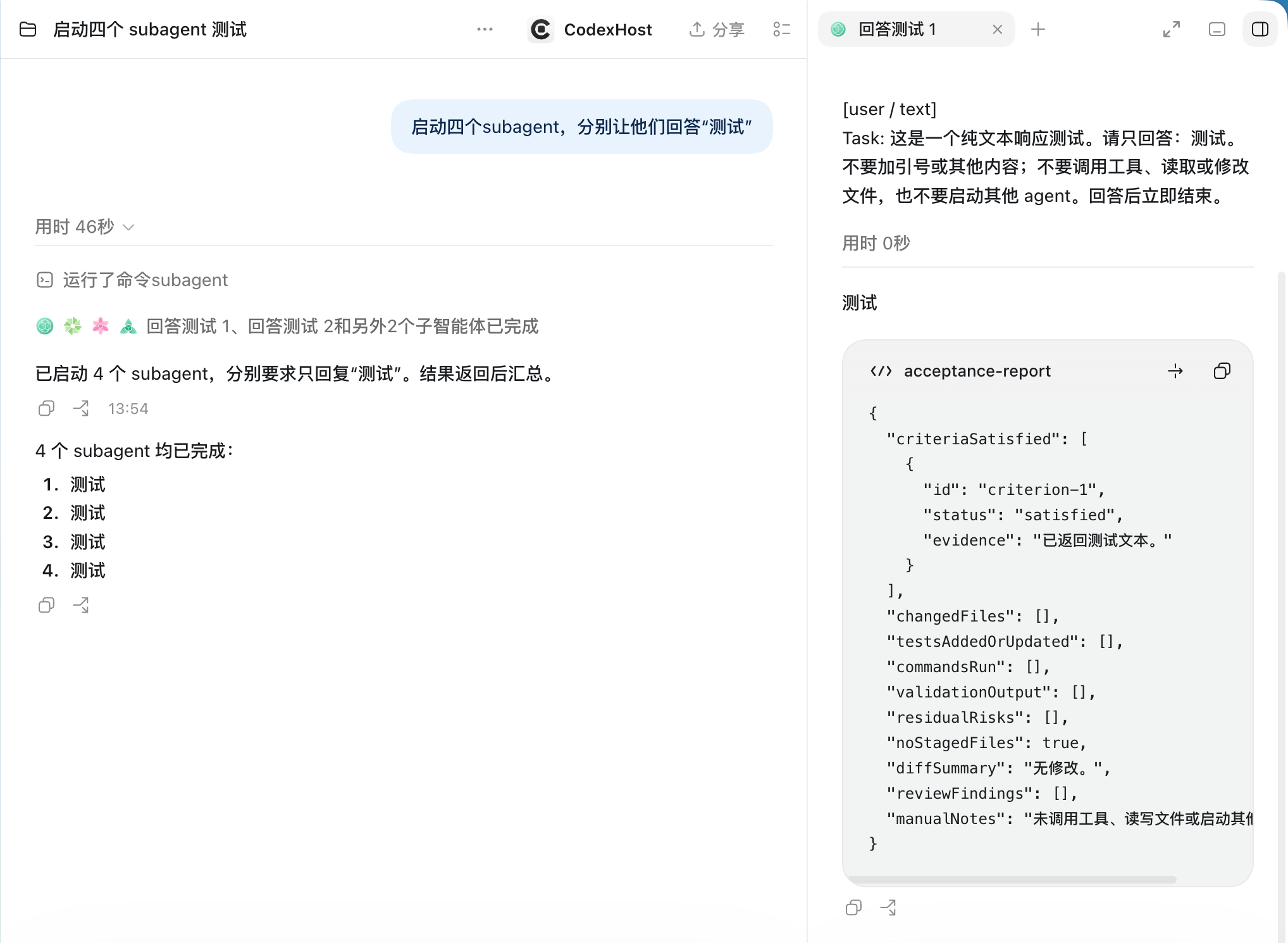
Visible Subagents Each Subagent has its own icon; open its full conversation on the right
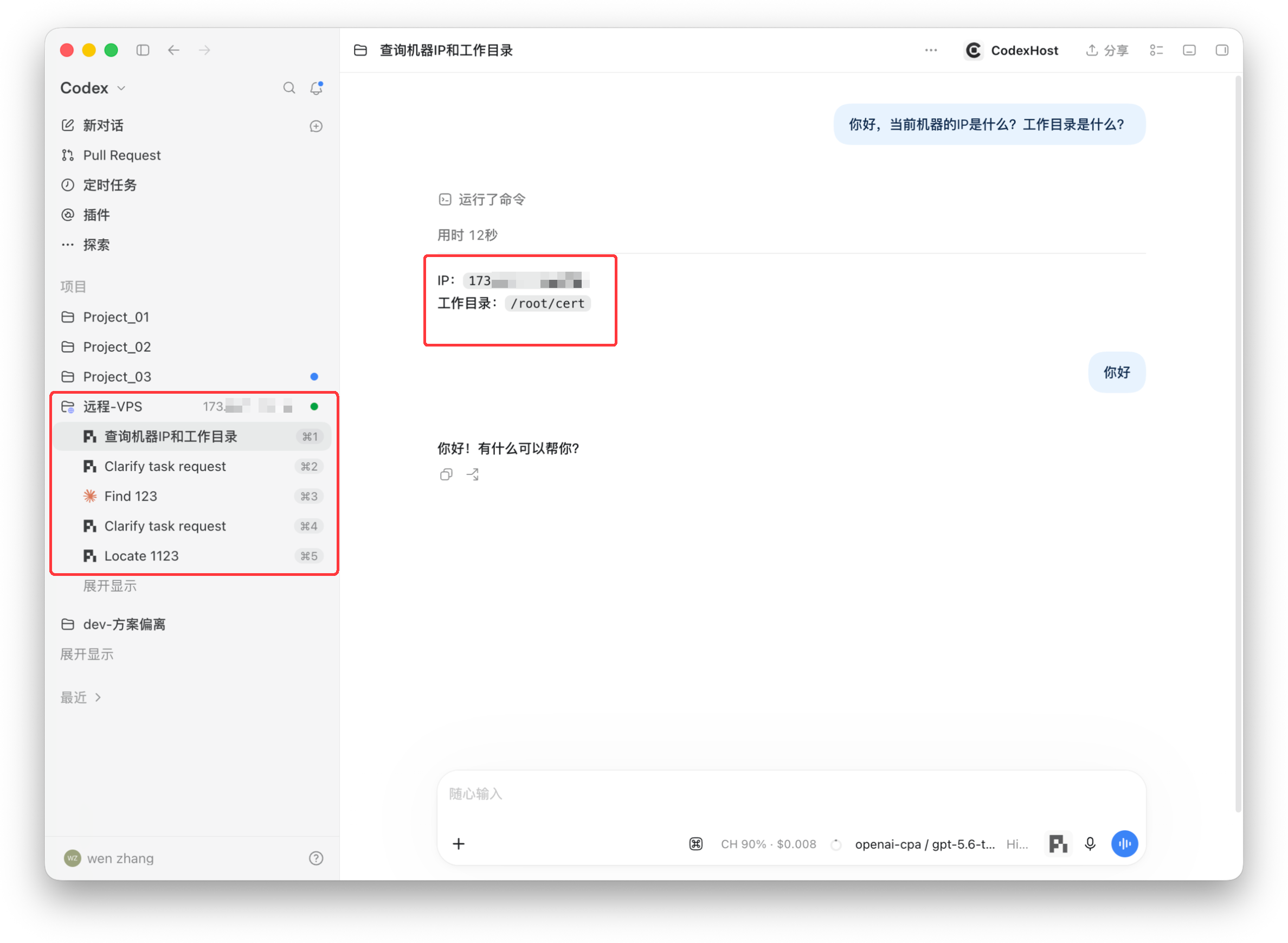
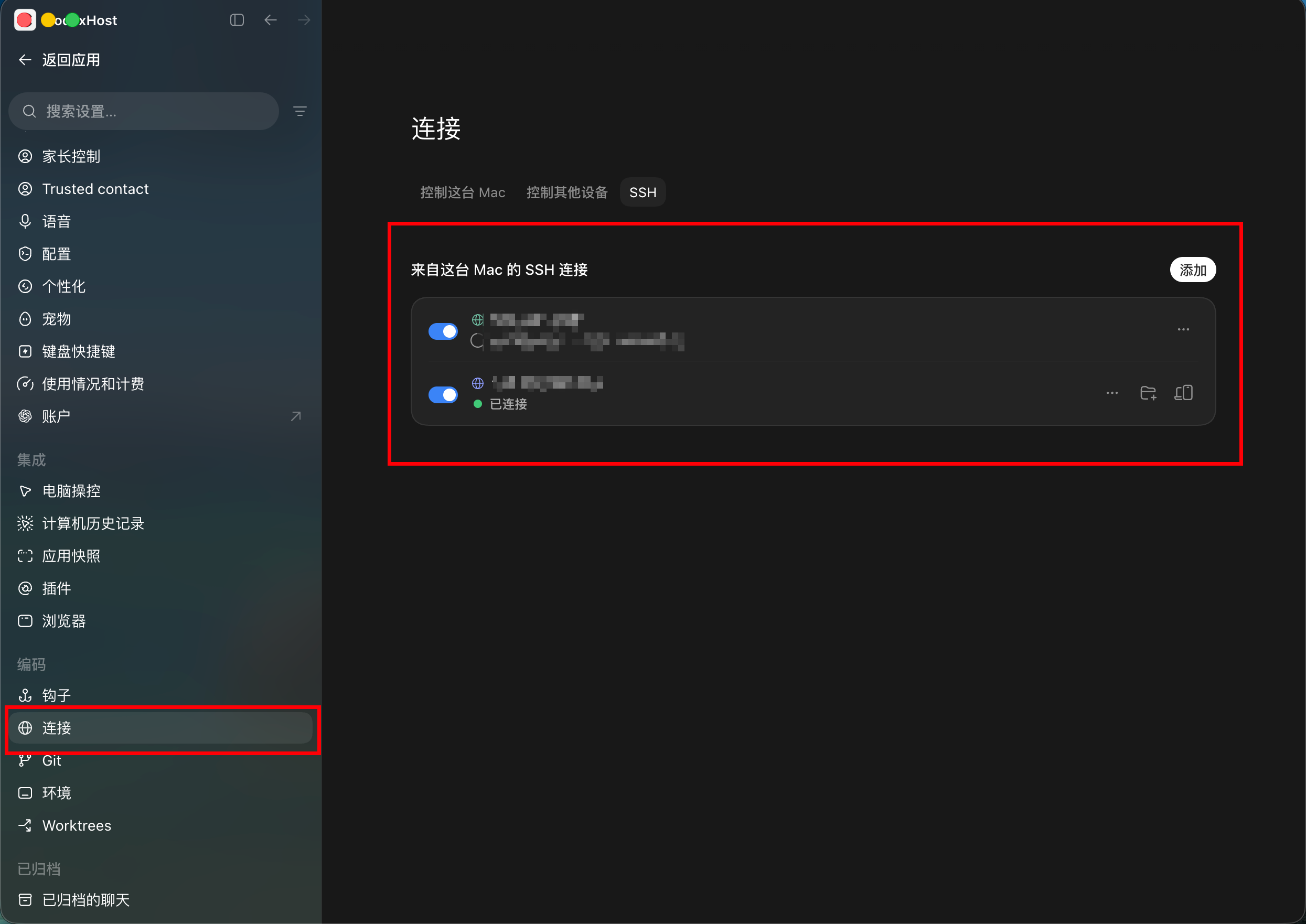
Remote development Add a VPS as a project and run Agents directly on the remote machine · Learn more
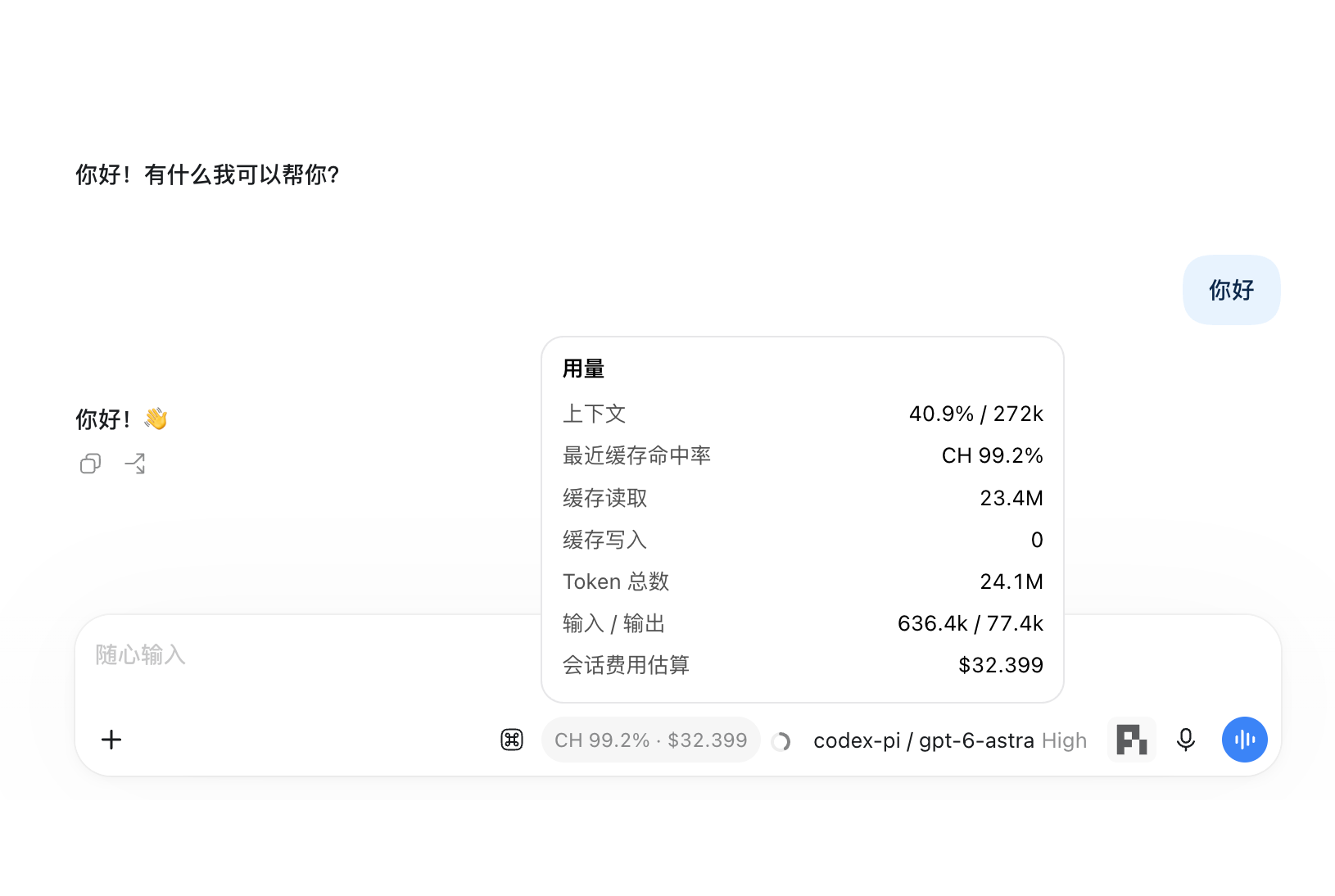
Usage at a glance Cache hit rate, cost estimate, and context usage, live
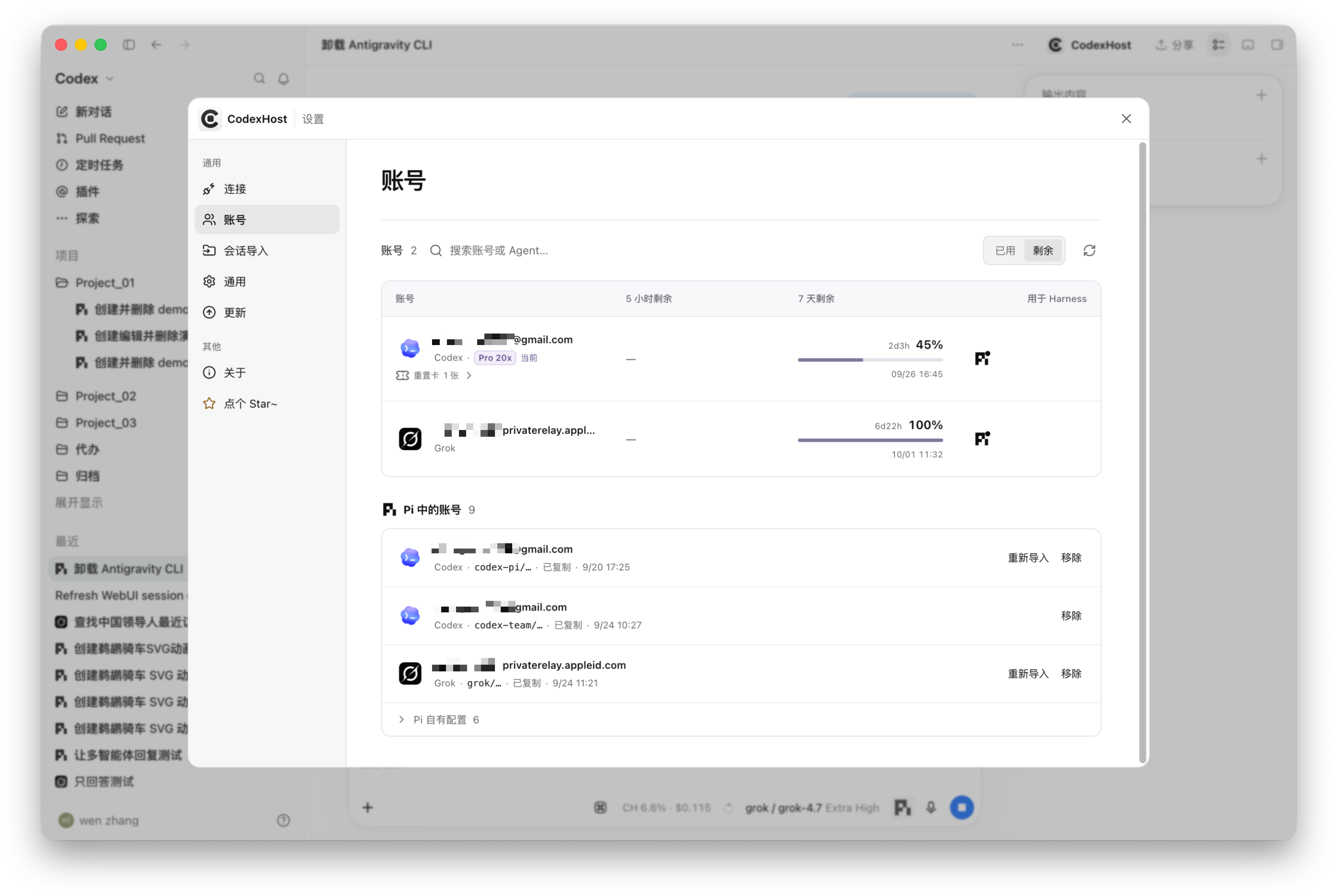
One-click account import Copy your locally signed-in Codex and Grok credentials to Pi, with live quota
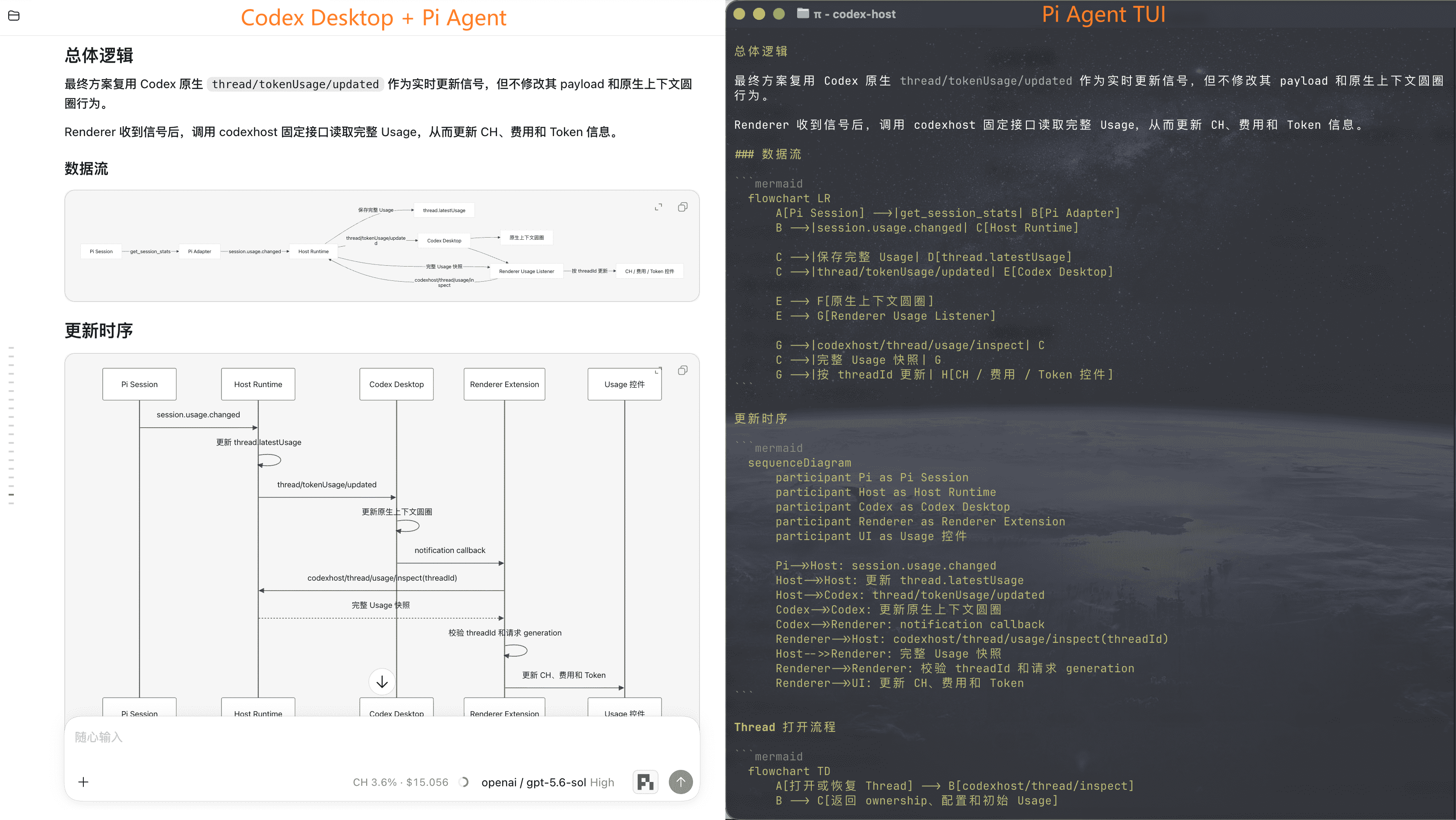
Mermaid diagram rendering Left: Codex Desktop + Pi renders the diagram; right: the Pi TUI only shows the source
Feature Status
Every Harness gets Codex Desktop's native Edit Diff, Fork, message editing, and slash commands.
Show full feature matrix
Capability
Streaming responses
✅
✅
✅
✅
✅
✅
✅
✅
✅
✅
✅
✅
✅
Tool status
✅
✅
✅
✅
✅
✅
✅
✅
✅
✅
✅
✅
✅
Edit Diff
✅
✅
✅
✅
✅
✅
✅
✅
✅
✅
✅
✅
✅
Questions / cancellation
✅
✅
✅
✅
✅
✅
✅
✅
✅
✅
✅
✅
✅
Model / Thinking selection
✅
✅
✅
✅
✅
✅
✅
✅
✅
✅
✅
✅
✅
Tool approvals
✅
✅
✅
✅
✅
✅
—
✅
✅
✅
✅
✅
✅
Permission modes
—
✅
✅
✅
✅
✅
✅
✅
✅
✅
✅
✅
✅
Cross-Agent task collaboration
✅
✅
✅
✅
✅
✅
✅
✅
—
✅
✅
✅
✅
Usage
✅
✅
✅
✅
✅
✅
✅
✅
✅
—
✅
✅
✅
Fork
✅
✅
✅
✅
✅
✅
✅
✅
✅
✅
✅
✅
◐
Context compaction
✅
✅
✅
✅
✅
✅
—
✅
✅
—
✅
✅
✅
Slash commands
✅
✅
✅
✅
✅
✅
✅
✅
✅
✅
✅
✅
✅
Edit previous message
✅
✅
✅
✅
✅
✅
✅
✅
✅
✅
✅
✅
✅
Cross-Agent Collaboration
Type # in the chat input to choose an Agent to delegate a task to, or to find commands and skills available for the selected Harness.
Ask the current Agent to hand off a self-contained task to another Harness. For example:
Have #claude-code review this change on its own and flag any compatibility risks.
Have #pi figure out why this test is flaky.
Have #omp implement this feature while I keep working on the docs.
Have #opencode verify this fix in a separate Thread and run the related tests.
CodexHost spins up a separate Native Session in the target Harness. It shows up in the Codex Desktop conversation list, so you can open it anytime to check progress or pick up the conversation.
Remote Harness
Drive Harnesses on another machine from your local Codex Desktop: tasks run remotely, the UI stays local. Both machines need the same codexhost version.
Use Harnesses on a Windows machine from another computer, built on the pairing and sign-in of Codex Desktop's official Remote Control.
Before you start, make sure official Remote Control can already run Codex tasks. No public services or ports are opened, and Harness credentials never leave the Windows machine.
Most multi-agent clients build their own chat UI and plug Harnesses in through a common protocol.
CodexHost does it differently:
Desktop: extends the official Codex Desktop via CDP / Electron Inspector — no rebuilt chat UI, no patched installer.
Protocol: a CLI Shim sits in front of the official app-server and passes native Codex requests through untouched.
Harnesses: each Harness is integrated through its own native interface where one exists (Pi over RPC, Claude Code via the Agent SDK), falling back to ACP otherwise. Streaming, tool status, diffs, approvals, and questions all render in Codex Desktop's native UI.
Orchestration: delegated tasks run as independent native sessions in the target Harness; the caller can wait for the result or let it run in the background.
Join the Community
Join the Community Scan the QR code to join our WeChat group and chat about CodexHost.
Requirements: the official Codex Desktop, Node.js 22.19+ or 24, and Rust.
git clone https://github.com/BytePioneer-AI/codex-host
cd codex-host
npm ci
npm start
Runtime Architecture
Using Pi as an example, here is how a single request flows from left to right: Desktop → shared layer → Pi plugin → native process.
Adding a Harness
Most of the work is implementing the plugin's Manifest, factory, Adapter, and Session, plus the native communication and translation logic. The Renderer still has some hard-coded wiring, so full Desktop integration takes extra work.
Tip: point your coding Agent at the in-repo codexhost-add-harness Skill. It covers plugin structure, the shared Adapter interface, capability implementation, and testing requirements.
Acknowledgements
Thanks to the LINUX DO community for their ongoing support.
Thanks to Paseo, whose approach to multi-Harness integration and architecture inspired ours.
Star History
codex-host (BytePioneer-AI/codex-host)
Choose a tag and it will appear here. With no tags selected, all catalog projects are shown.
Searching Database…
Choose a tag and it will appear here. With no tags selected, all catalog projects are shown.












 CodexHost 让你把 Pi、Claude Code 等其他 agent harness 原生地跑在 Codex Desktop 应用里,无需切换窗口就能一起使用。