












2.9K ·GitHub
Что это?
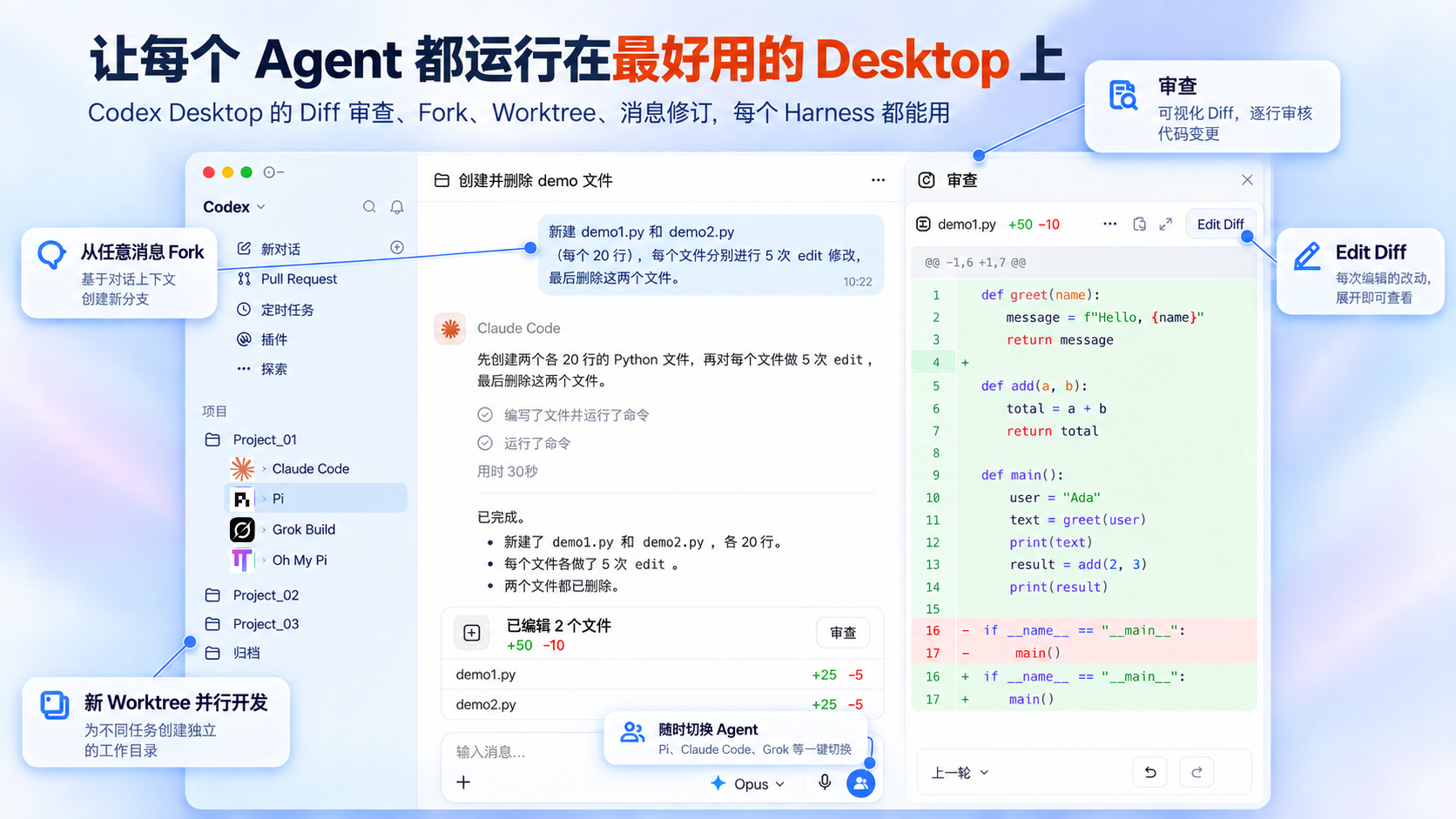
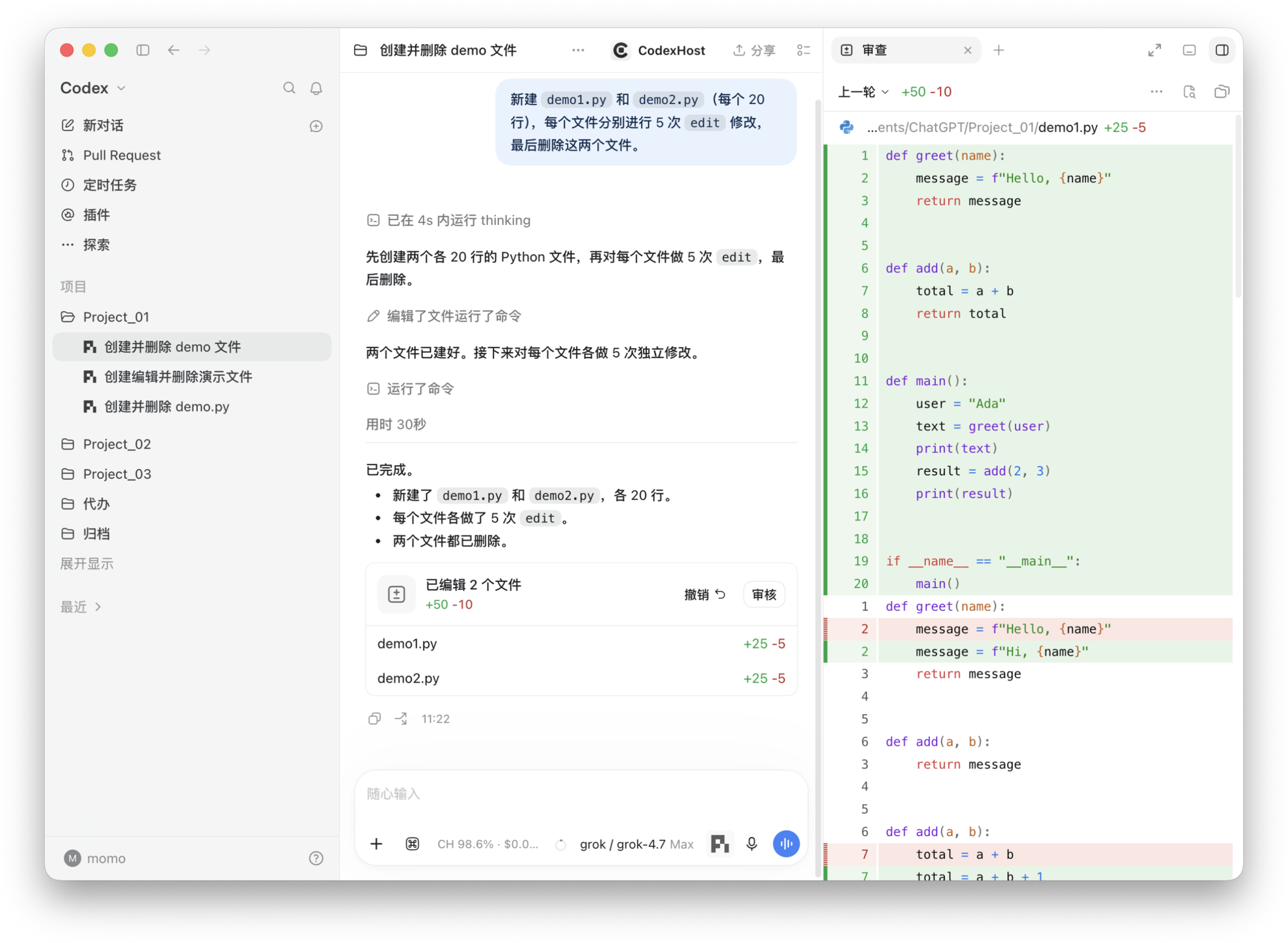
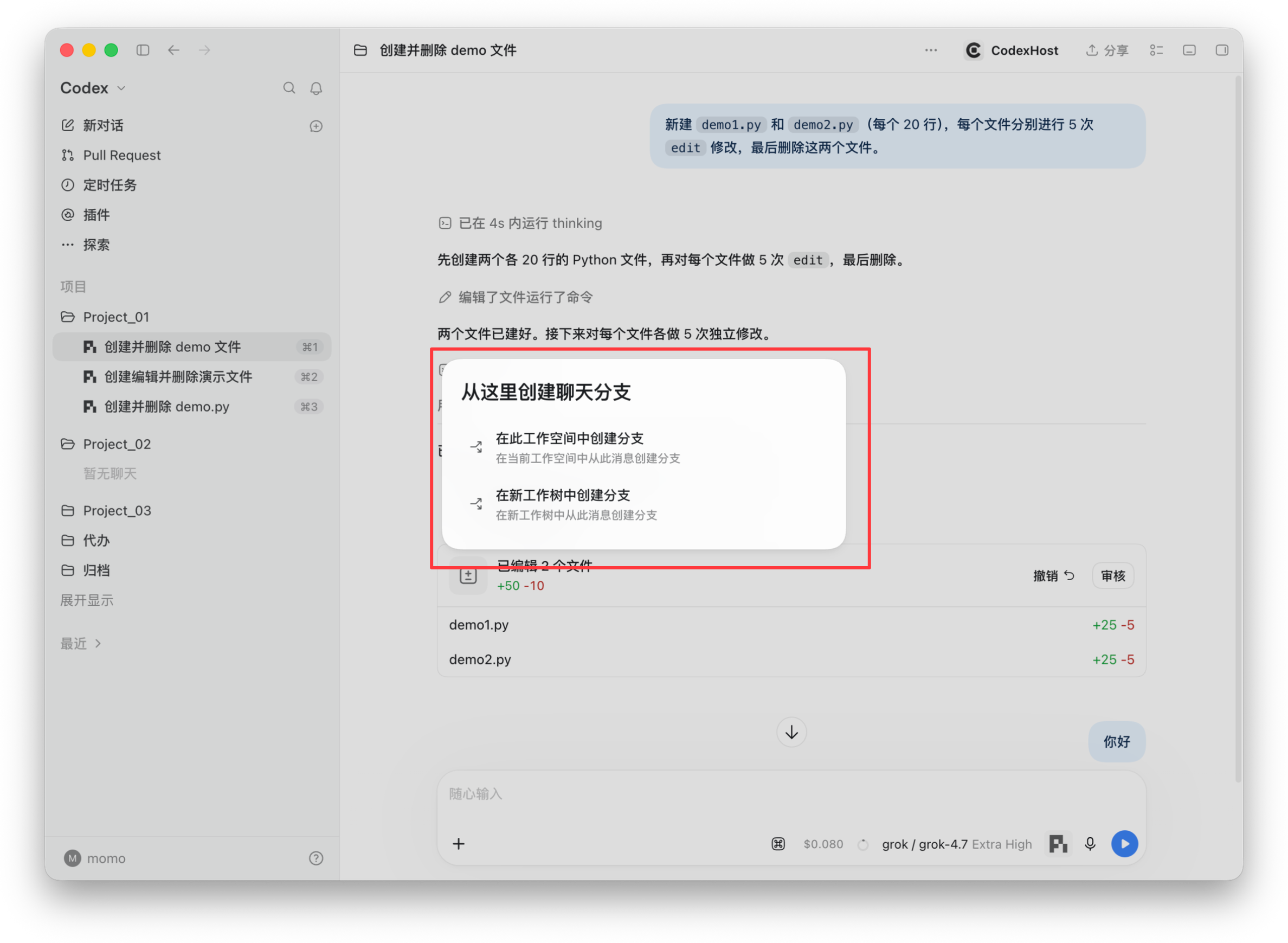
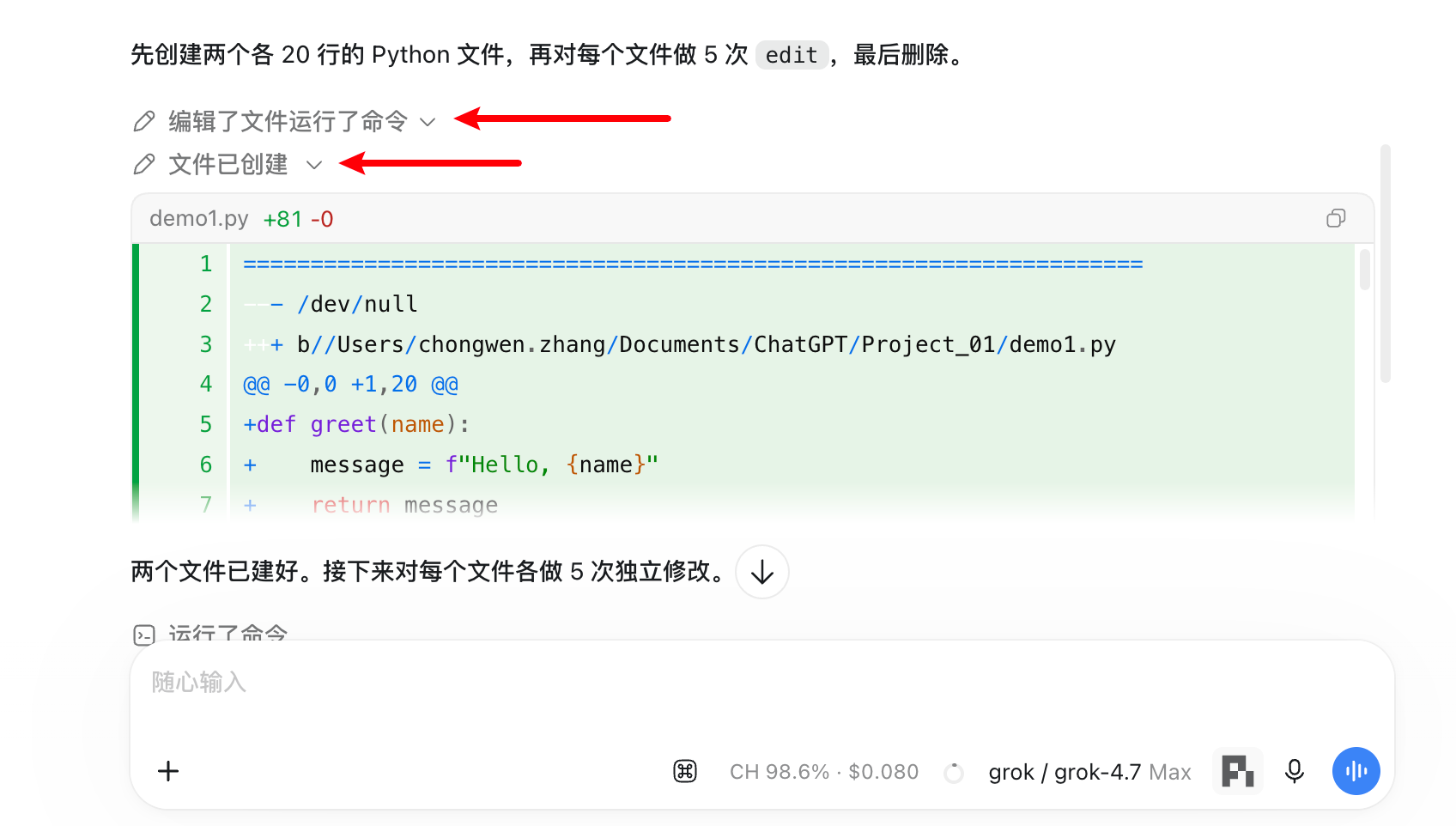
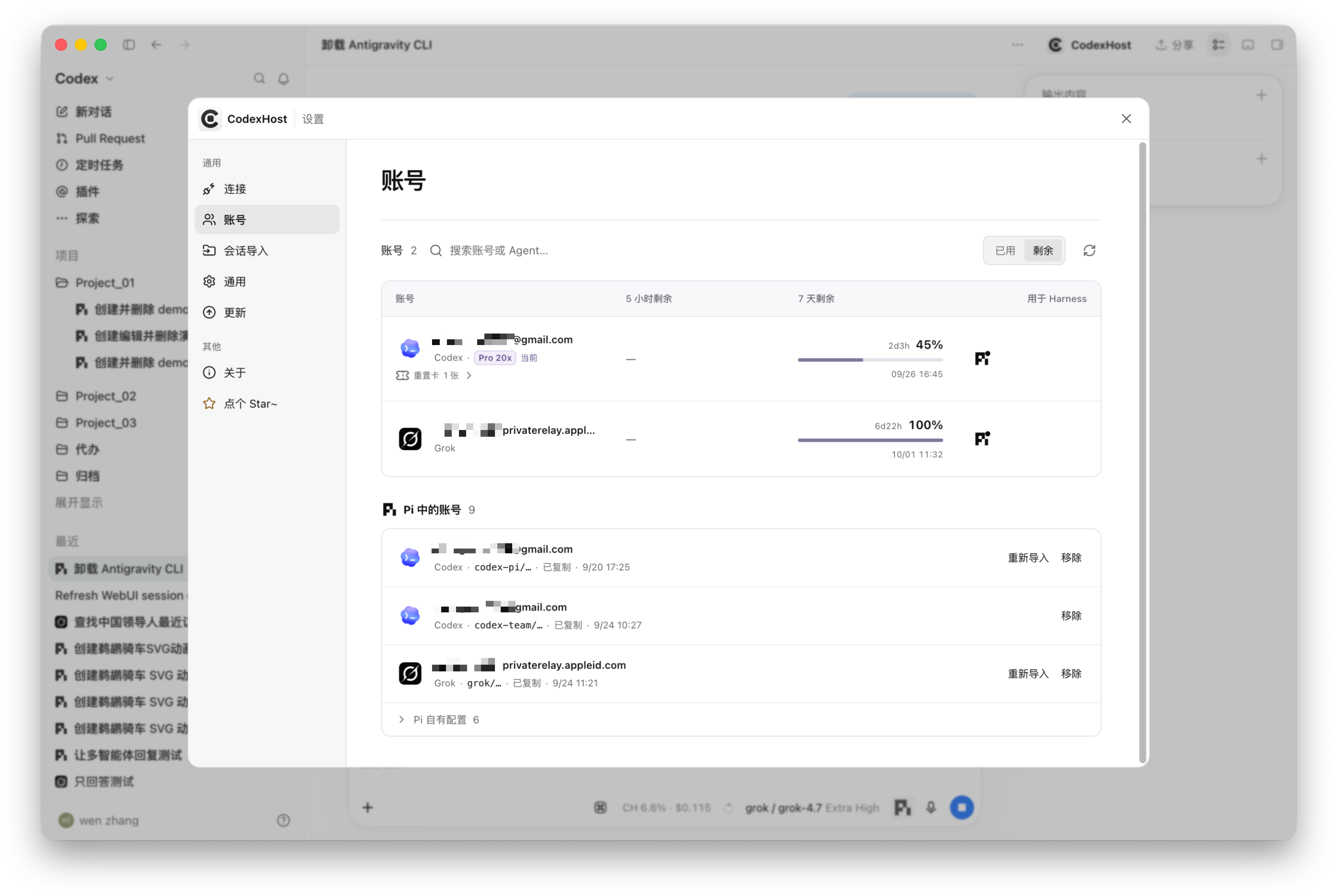
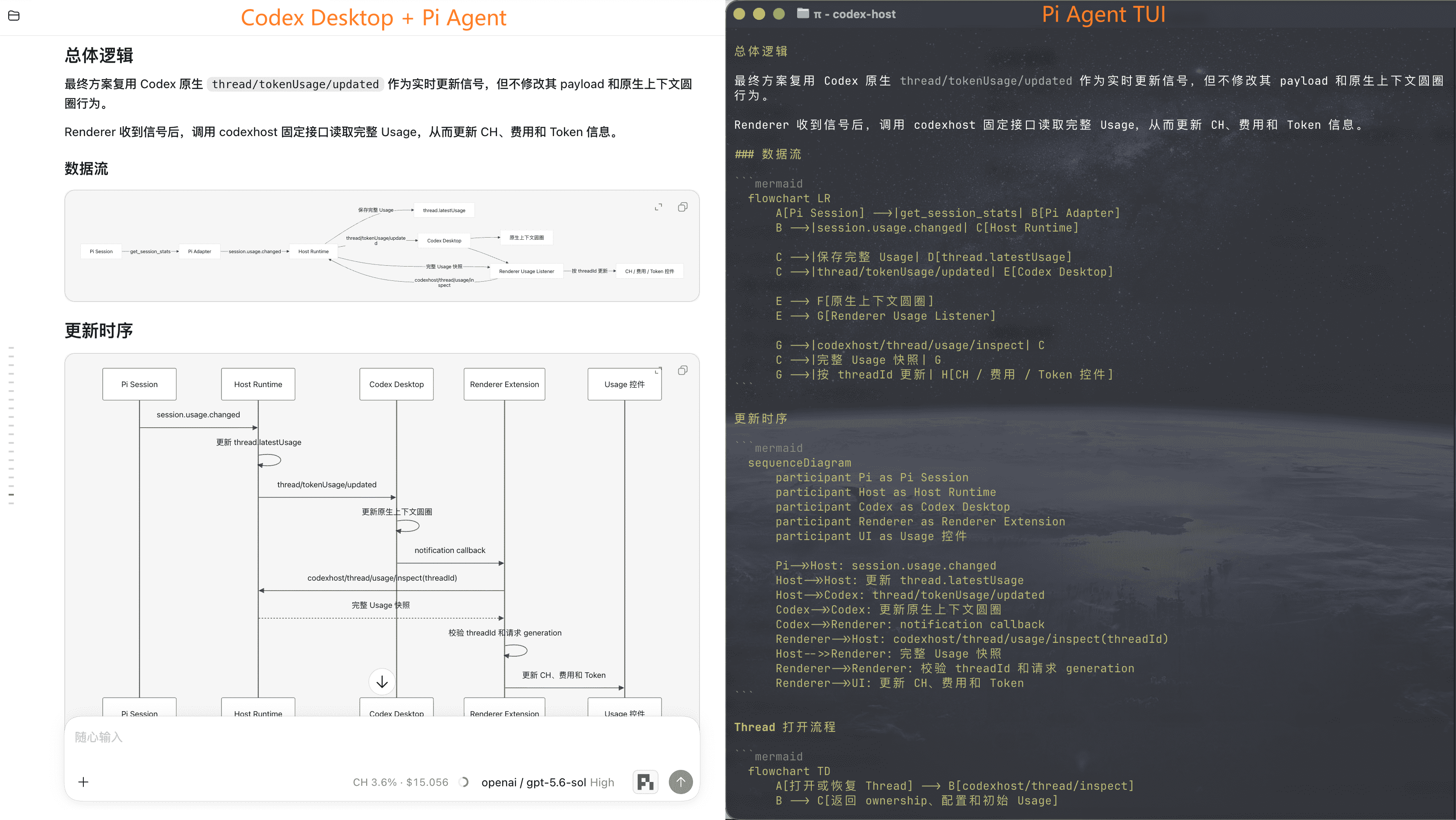
 CodexHost позволяет запускать другие агентские харнессы, вроде Pi и Claude Code, нативно внутри приложения Codex Desktop, чтобы пользоваться ими вместе без переключения окон.
CodexHost позволяет запускать другие агентские харнессы, вроде Pi и Claude Code, нативно внутри приложения Codex Desktop, чтобы пользоваться ими вместе без переключения окон.Это отдельное приложение или оно встраивается в Codex Desktop?Это не переписанный чат-клиент — он расширяет официальное приложение Codex Desktop через CDP/Electron Inspector, поэтому нативный интерфейс остаётся нетронутым, а пропатченный установщик не нужен.
Это не переписанный чат-клиент — он расширяет официальное приложение Codex Desktop через CDP/Electron Inspector, поэтому нативный интерфейс остаётся нетронутым, а пропатченный установщик не нужен.Нужно ли, чтобы Codex Desktop уже был установлен?Да, CodexHost оборачивает официальное приложение Codex Desktop, так что оно должно быть установлено заранее; для сборки из исходников дополнительно нужны Node.js 22.19+ или 24 и Rust.
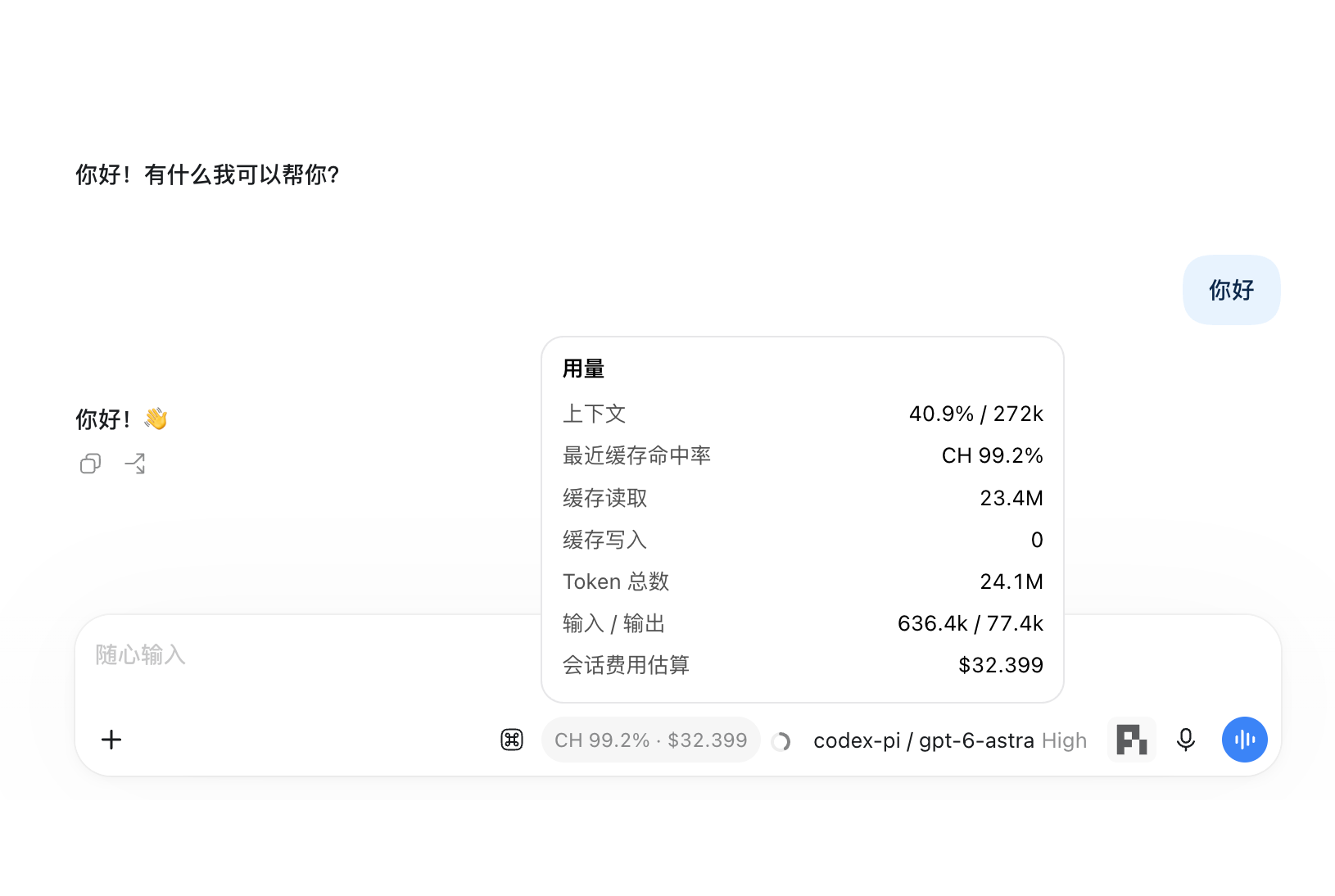
Да, CodexHost оборачивает официальное приложение Codex Desktop, так что оно должно быть установлено заранее; для сборки из исходников дополнительно нужны Node.js 22.19+ или 24 и Rust.Все харнессы поддерживают одинаковый набор функций?Нет, матрица функций показывает, что у некоторых харнессов нет подтверждения инструментов, режимов разрешений, межагентского сотрудничества, отслеживания использования или сжатия контекста, а Windows-режим удалённой работы всё ещё помечен как экспериментальный.
Нет, матрица функций показывает, что у некоторых харнессов нет подтверждения инструментов, режимов разрешений, межагентского сотрудничества, отслеживания использования или сжатия контекста, а Windows-режим удалённой работы всё ещё помечен как экспериментальный.На каких операционных системах его можно запускать?Установка через npm работает на macOS, Windows и Linux, причём Linux — и x64, и ARM64; готовые установщики есть только для macOS и Windows.
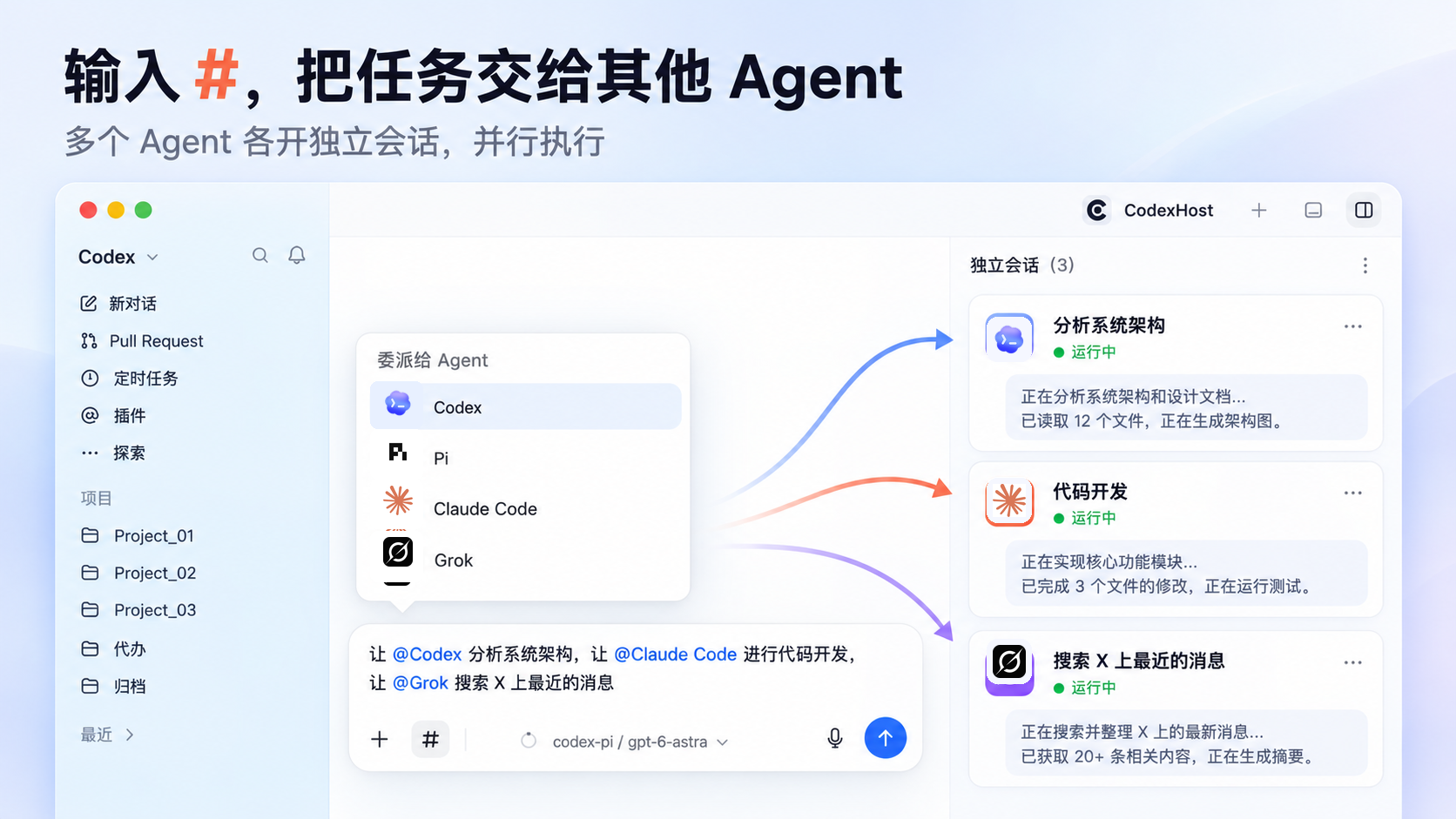
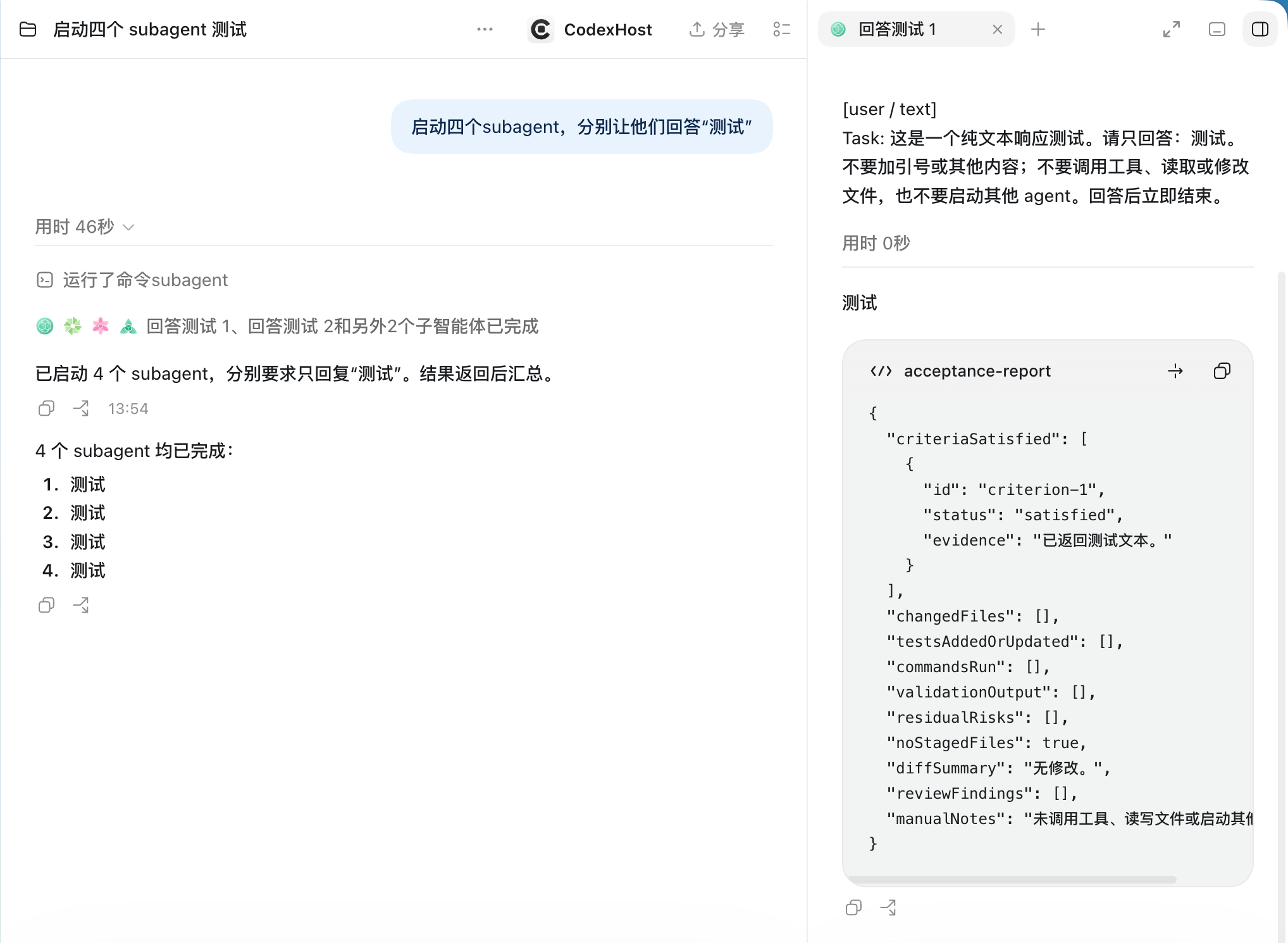
Установка через npm работает на macOS, Windows и Linux, причём Linux — и x64, и ARM64; готовые установщики есть только для macOS и Windows.Как заставить одного агента передать задачу другому?Введите '#' в поле чата, чтобы выбрать харнесс и делегировать, например 'Пусть #claude-code сам проверит это изменение'. Он развернёт отдельную нативную сессию в этом харнессе, состояние которой можно проверить в любой момент.
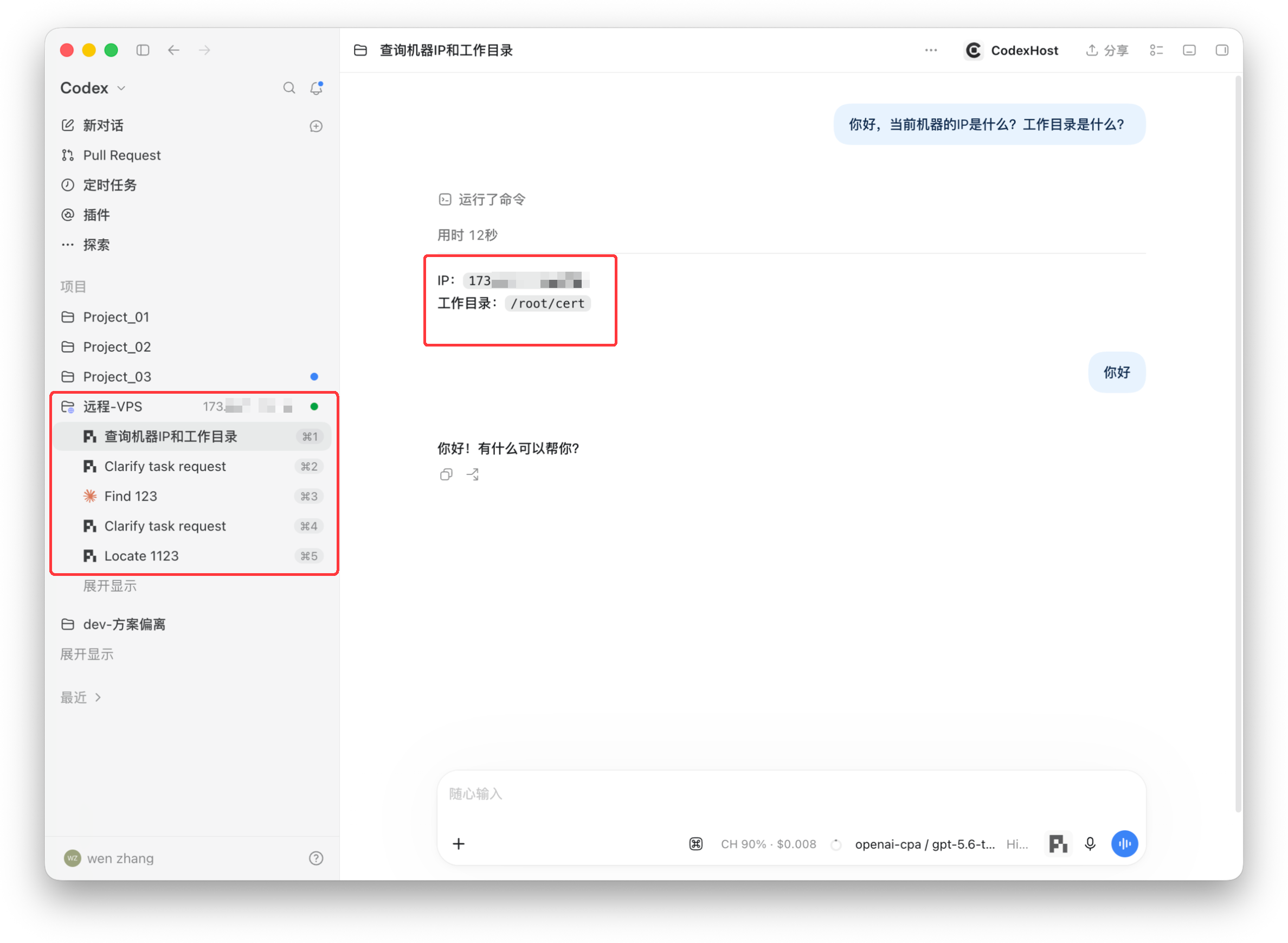
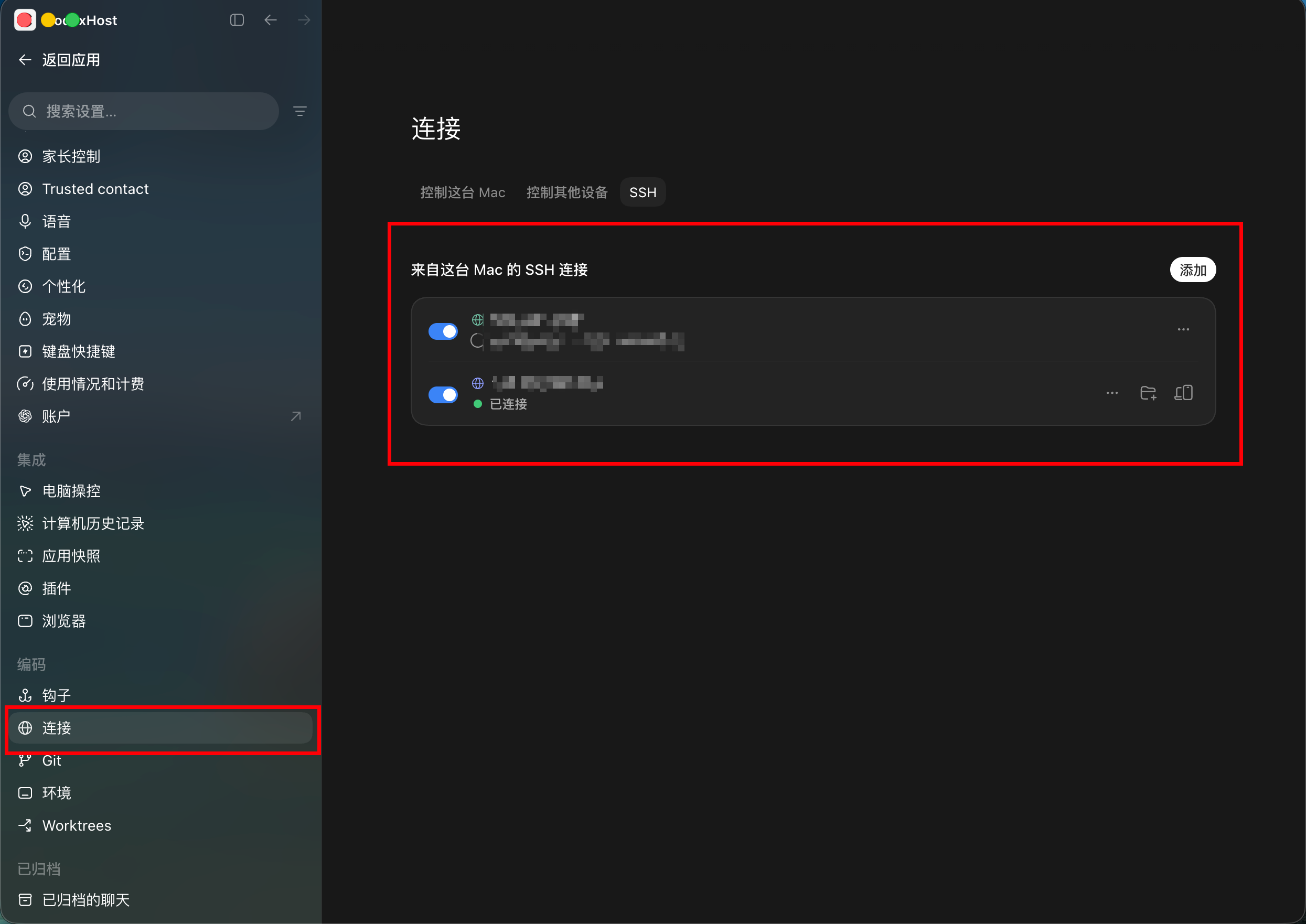
Введите '#' в поле чата, чтобы выбрать харнесс и делегировать, например 'Пусть #claude-code сам проверит это изменение'. Он развернёт отдельную нативную сессию в этом харнессе, состояние которой можно проверить в любой момент.Можно запускать харнессы на удалённой машине или VPS?Да, можно добавить удалённую машину как проект. Удалённые машины macOS/Linux подключаются по SSH, Windows использует экспериментальный режим Remote Control, и в обоих случаях интерфейс остаётся локальным, а задачи выполняются удалённо.
Да, можно добавить удалённую машину как проект. Удалённые машины macOS/Linux подключаются по SSH, Windows использует экспериментальный режим Remote Control, и в обоих случаях интерфейс остаётся локальным, а задачи выполняются удалённо.Какие агентские харнессы он реально поддерживает?Pi и Claude Code получают нативные интеграции (Pi по RPC, Claude Code через Agent SDK), а в README упомянуто ещё более десяти харнессов, включая Grok Build и OpenCode, — при отсутствии нативного хука используется протокол ACP.
Pi и Claude Code получают нативные интеграции (Pi по RPC, Claude Code через Agent SDK), а в README упомянуто ещё более десяти харнессов, включая Grok Build и OpenCode, — при отсутствии нативного хука используется протокол ACP.What are similar projects?munder-difflin, shipyard, pi-harness, openrig, ruflo, PI-Desktop, deer-flow, qwen-code
munder-difflin, shipyard, pi-harness, openrig, ruflo, PI-Desktop, deer-flow, qwen-codeWhich topics is it in?pi-agent, lgpl, remote-access, vps, agent-harness, agentic, ai-tools, ssh, harness, orchestration, agent-orchestration, electron
pi-agent, lgpl, remote-access, vps, agent-harness, agentic, ai-tools, ssh, harness, orchestration, agent-orchestration, electron