







5.5K ·GitHub
Что это такое?
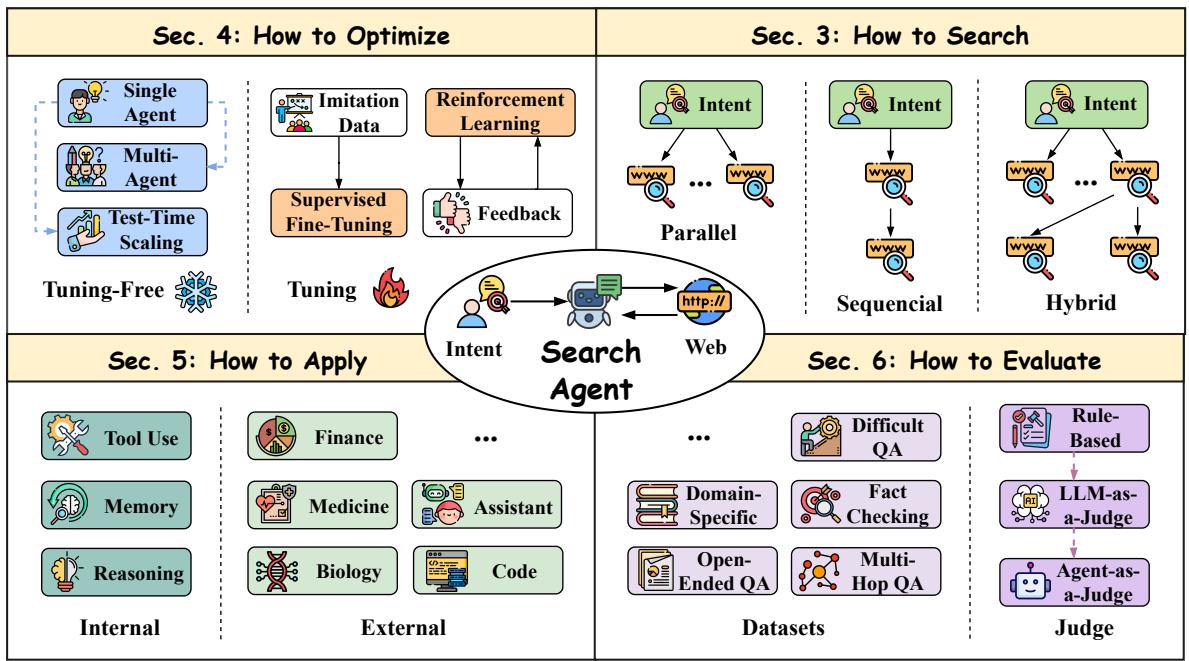
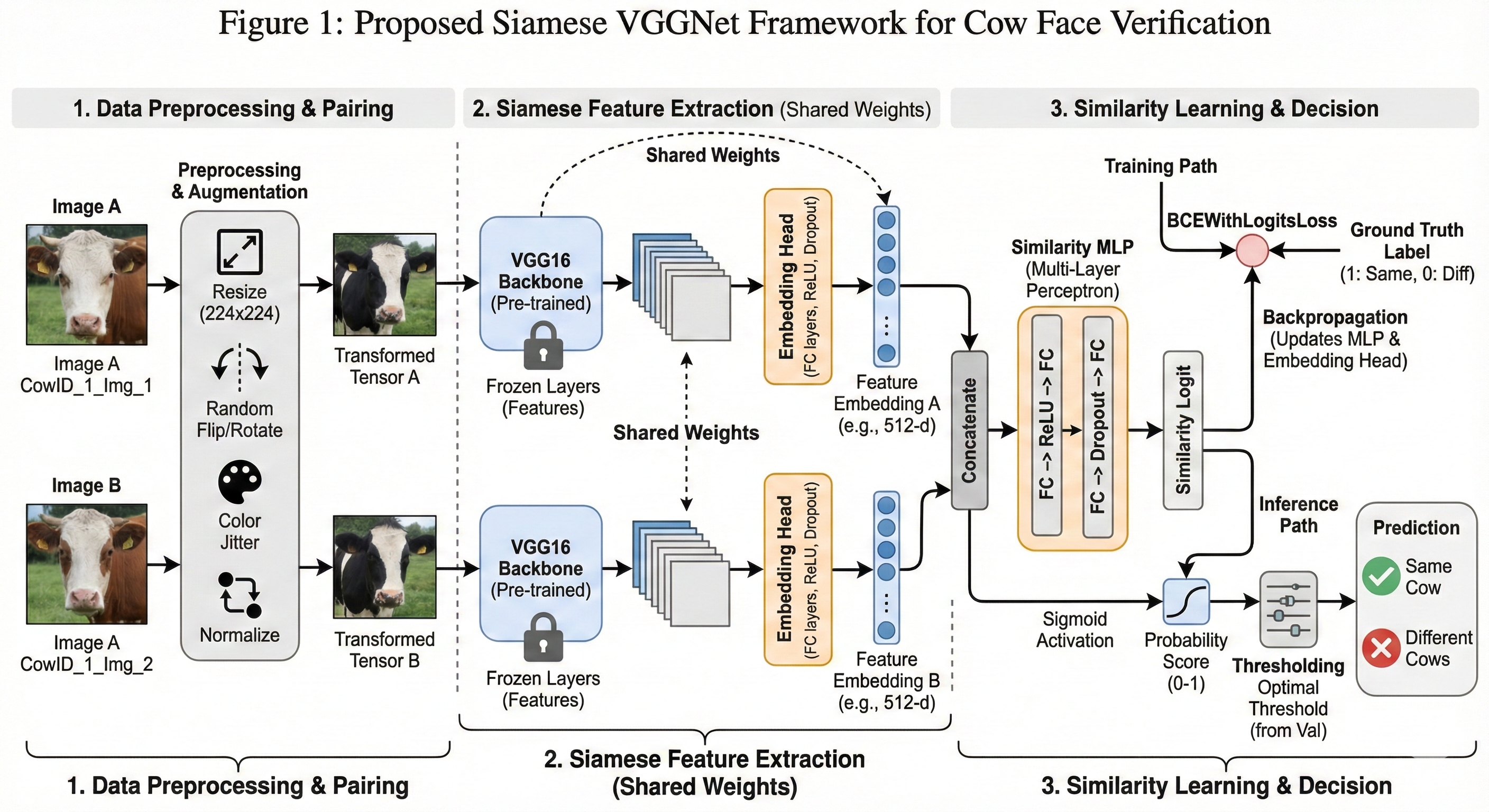
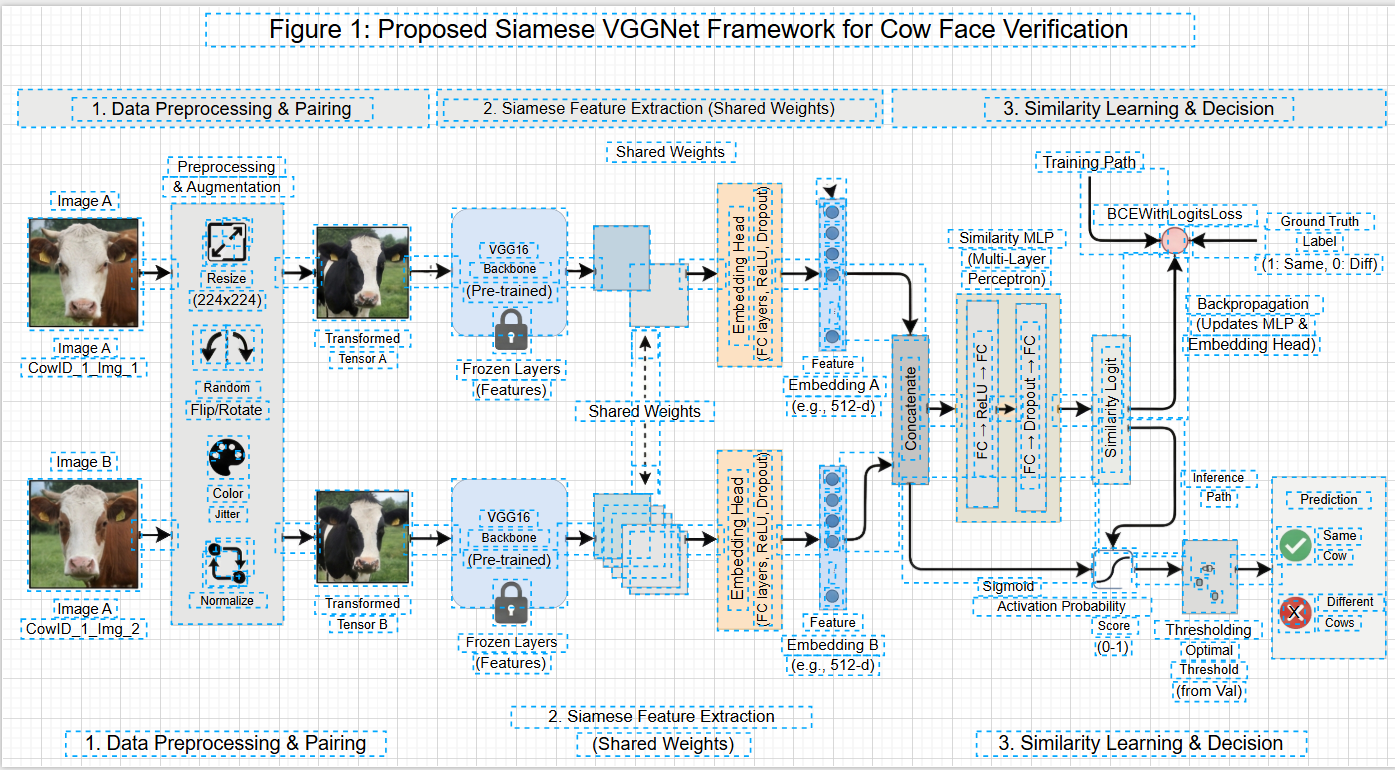
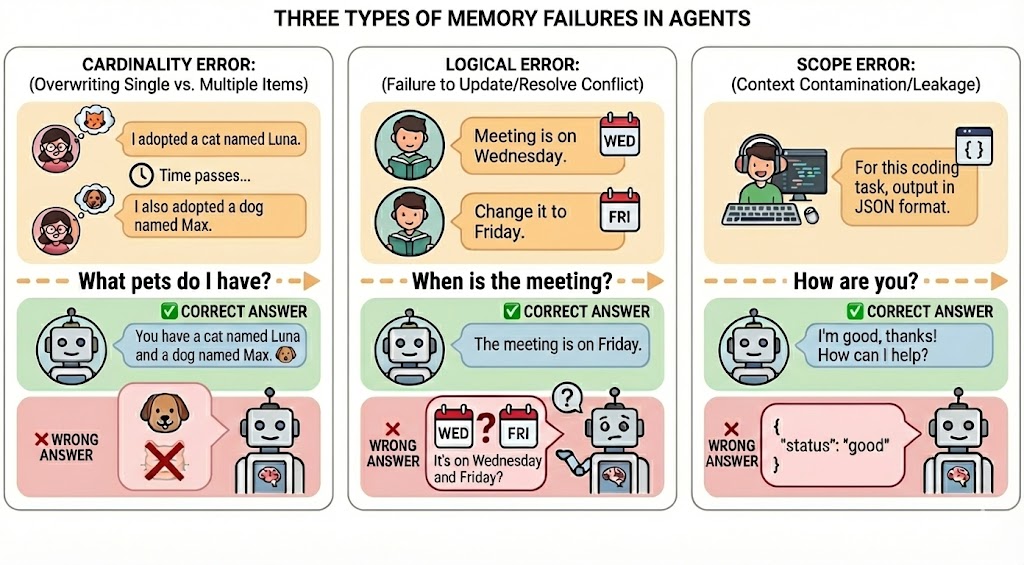
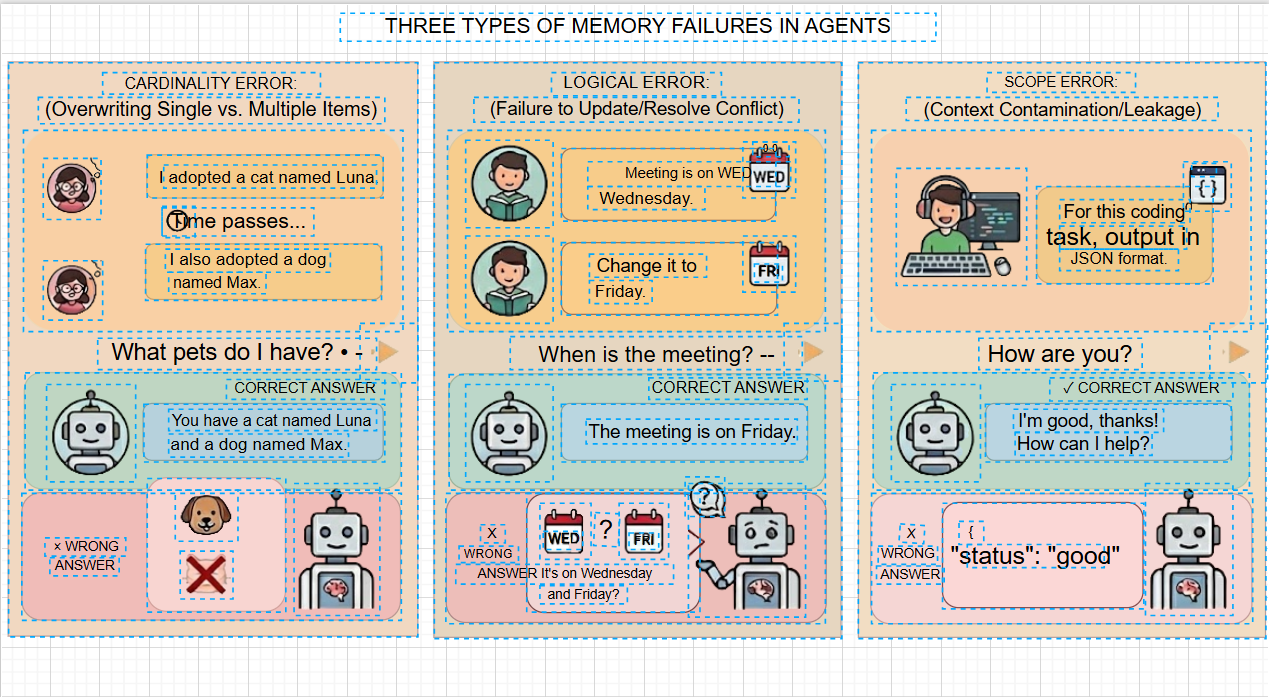
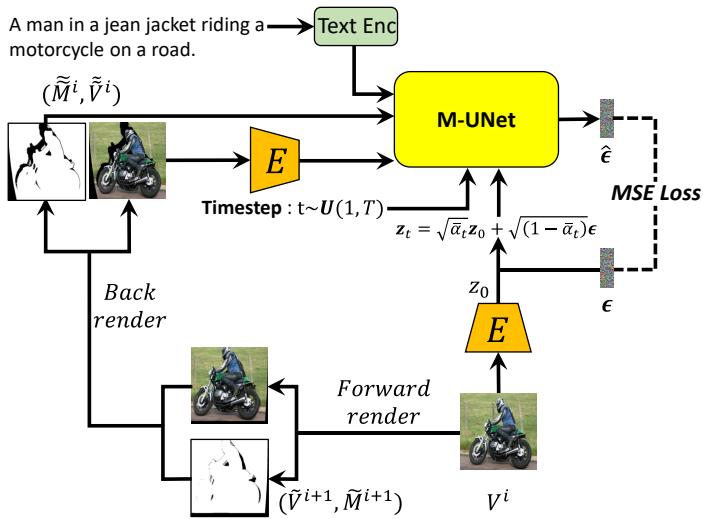
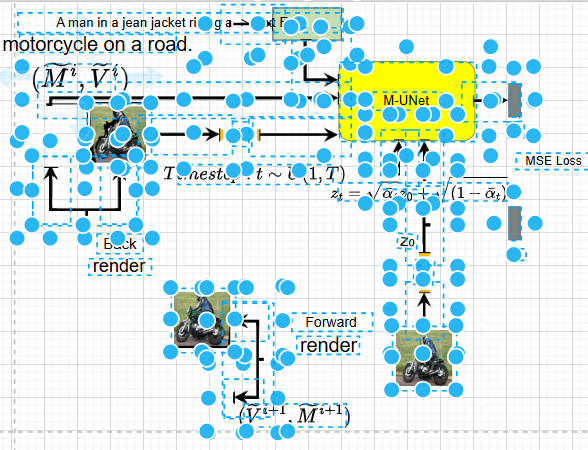
 Проект превращает изображения статичных диаграмм — блок-схемы, многоуровневые схемы архитектуры, технические чертежи, научные формулы — в полностью редактируемые файлы DrawIO. В основе лежит дообученная модель сегментации SAM 3 и мультимодальные LLM.
Проект превращает изображения статичных диаграмм — блок-схемы, многоуровневые схемы архитектуры, технические чертежи, научные формулы — в полностью редактируемые файлы DrawIO. В основе лежит дообученная модель сегментации SAM 3 и мультимодальные LLM.Это онлайн-сервис или программа, которую я запускаю сам?И то и другое. Облачная веб-платформа — рекомендуемый и более свежий вариант; этот репозиторий — локальный пайплайн с CLI и веб-API. Вы подаёте на вход картинки PNG/JPG/BMP/TIFF/WebP и получаете на выходе XML для DrawIO.
И то и другое. Облачная веб-платформа — рекомендуемый и более свежий вариант; этот репозиторий — локальный пайплайн с CLI и веб-API. Вы подаёте на вход картинки PNG/JPG/BMP/TIFF/WebP и получаете на выходе XML для DrawIO.Как настроить локальную версию?Установите Python 3.10+ с PyTorch с поддержкой CUDA, склонируйте репозиторий и запустите scripts/setupsam3.sh, затем скачайте sam3.pt с ModelScope или Hugging Face в папку models/ и укажите пути к модели в config.yaml. Обработать одну картинку можно командой python main.py -i yourfile.png.
Установите Python 3.10+ с PyTorch с поддержкой CUDA, склонируйте репозиторий и запустите scripts/setupsam3.sh, затем скачайте sam3.pt с ModelScope или Hugging Face в папку models/ и укажите пути к модели в config.yaml. Обработать одну картинку можно командой python main.py -i yourfile.png.Распознавание текста работает локально или в облаке?OCR работает полностью локально: Tesseract работает офлайн, PaddleOCR — альтернатива для смешанного текста, а Pix2Text переводит формулы в LaTeX. Полностью локальная VLM без внешних API пока есть только в планах.
OCR работает полностью локально: Tesseract работает офлайн, PaddleOCR — альтернатива для смешанного текста, а Pix2Text переводит формулы в LaTeX. Полностью локальная VLM без внешних API пока есть только в планах.Есть ли подводные камни при установке?Зафиксируйте версию paddlepaddle на 3.2.2 (в 3.3.0 известный баг) или откатитесь на Tesseract. Удаление фона через RMBG — опционально, и оно работает только после скачивания модели через его установочный скрипт.
Зафиксируйте версию paddlepaddle на 3.2.2 (в 3.3.0 известный баг) или откатитесь на Tesseract. Удаление фона через RMBG — опционально, и оно работает только после скачивания модели через его установочный скрипт.Можно ли использовать в коммерческих целях?В README сказано, что проект распространяется под Apache 2.0 — это допускает коммерческое использование и доработку при сохранении уведомления об авторских правах. Учтите, что GitHub указывает для репозитория лицензию AGPL-3.0, поэтому перед коммерческим использованием проверьте файл LICENSE.
В README сказано, что проект распространяется под Apache 2.0 — это допускает коммерческое использование и доработку при сохранении уведомления об авторских правах. Учтите, что GitHub указывает для репозитория лицензию AGPL-3.0, поэтому перед коммерческим использованием проверьте файл LICENSE.Нужна ли видеокарта с CUDA для нормальной работы?Для этапа SAM 3 настоятельно рекомендуется GPU с поддержкой CUDA. Режим на процессоре есть — через sam3.device: cpu, но README подаёт его в основном как обходной путь для ошибок несовместимости архитектуры GPU, а не как поддерживаемый вариант по умолчанию.
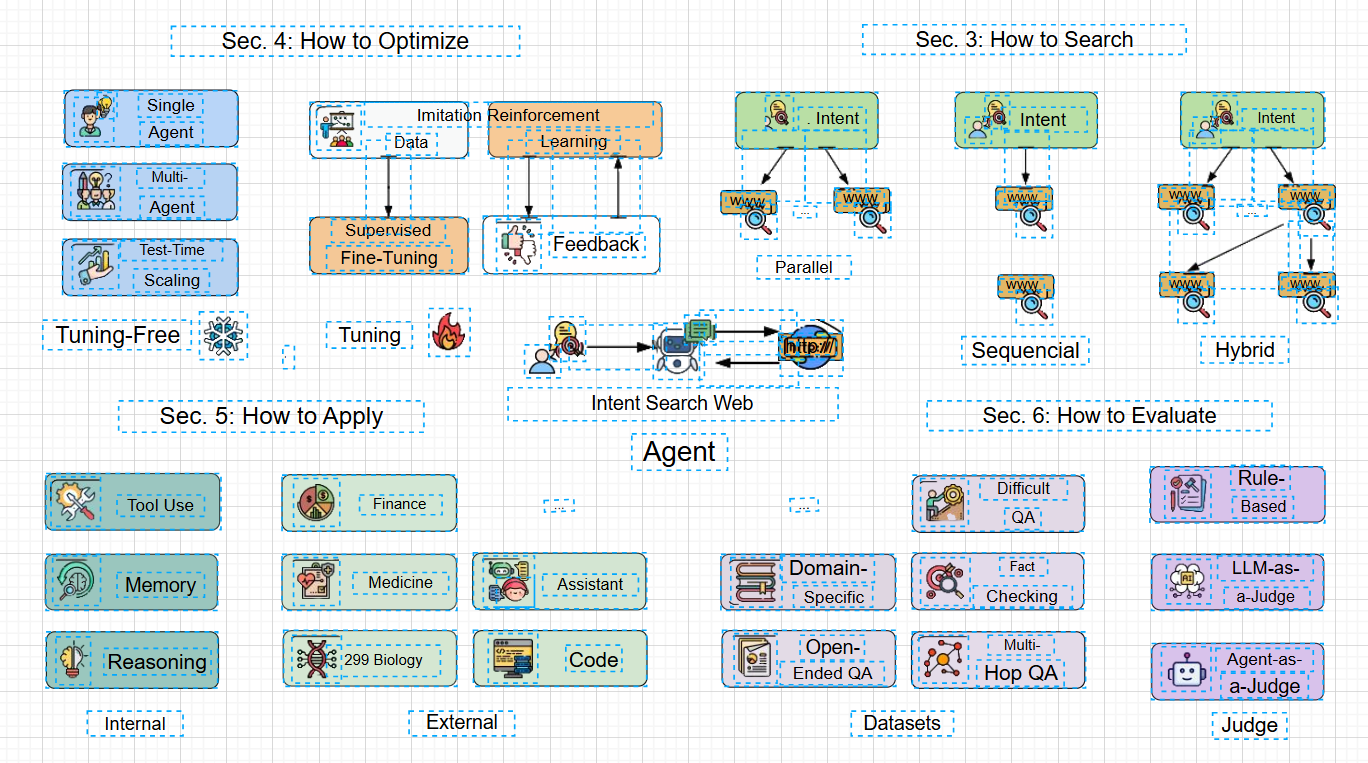
Для этапа SAM 3 настоятельно рекомендуется GPU с поддержкой CUDA. Режим на процессоре есть — через sam3.device: cpu, но README подаёт его в основном как обходной путь для ошибок несовместимости архитектуры GPU, а не как поддерживаемый вариант по умолчанию.Насколько точно восстановленный файл повторяет исходную диаграмму?В демо обещается восстановление один в один: стилей обводки, заливки и стрелок (пунктирные линии, толщина), с сохранением исходной логики расположения, цветов и иерархии элементов. Каждый элемент остаётся независимо выделяемым, так что потом можно подставить родные шаблоны DrawIO или переверстать.
В демо обещается восстановление один в один: стилей обводки, заливки и стрелок (пунктирные линии, толщина), с сохранением исходной логики расположения, цветов и иерархии элементов. Каждый элемент остаётся независимо выделяемым, так что потом можно подставить родные шаблоны DrawIO или переверстать.Что происходит внутри при обработке изображения?Дообученная SAM 3 выделяет сегменты элементов диаграммы, параллельно идёт извлечение текста — Tesseract OCR находит текстовые блоки, а фрагменты в высоком разрешении уходят в Pix2Text для перевода формул в LaTeX, — после чего пространственные и текстовые данные объединяются в один файл DrawIO XML.
Дообученная SAM 3 выделяет сегменты элементов диаграммы, параллельно идёт извлечение текста — Tesseract OCR находит текстовые блоки, а фрагменты в высоком разрешении уходят в Pix2Text для перевода формул в LaTeX, — после чего пространственные и текстовые данные объединяются в один файл DrawIO XML.Сколько стоит облачная веб-платформа?Новые зарегистрированные пользователи получают 10 бесплатных кредитов; дальше оплата по мере использования через кредитную систему, которую авторы ввели для защиты от злоупотребления ресурсами. Самостоятельный запуск репозитория ничего не стоит — только ваше железо.
Новые зарегистрированные пользователи получают 10 бесплатных кредитов; дальше оплата по мере использования через кредитную систему, которую авторы ввели для защиты от злоупотребления ресурсами. Самостоятельный запуск репозитория ничего не стоит — только ваше железо.Какие функции ещё в разработке?Ведётся работа над интеллектуальной привязкой стрелок к фигурам. Импорт пользовательских шаблонов DrawIO, оптимизированный пакетный экспорт и локальное развёртывание VLM без внешних API отмечены как запланированные.
Ведётся работа над интеллектуальной привязкой стрелок к фигурам. Импорт пользовательских шаблонов DrawIO, оптимизированный пакетный экспорт и локальное развёртывание VLM без внешних API отмечены как запланированные.What are similar projects?HivisionIDPhotos, LaTeX-OCR, AutoFigure-Edit, olmocr, video-subtitle-remover, EasyOCR, lift, DeepAnalyze
HivisionIDPhotos, LaTeX-OCR, AutoFigure-Edit, olmocr, video-subtitle-remover, EasyOCR, lift, DeepAnalyzeWhich topics is it in?segment-anything, diagram, data, latex, agplv3, ocr, multimodal, data-visualization, image-processing, computer-vision, cuda, pytorch
segment-anything, diagram, data, latex, agplv3, ocr, multimodal, data-visualization, image-processing, computer-vision, cuda, pytorch