


44.5K ·GitHub
What is this?
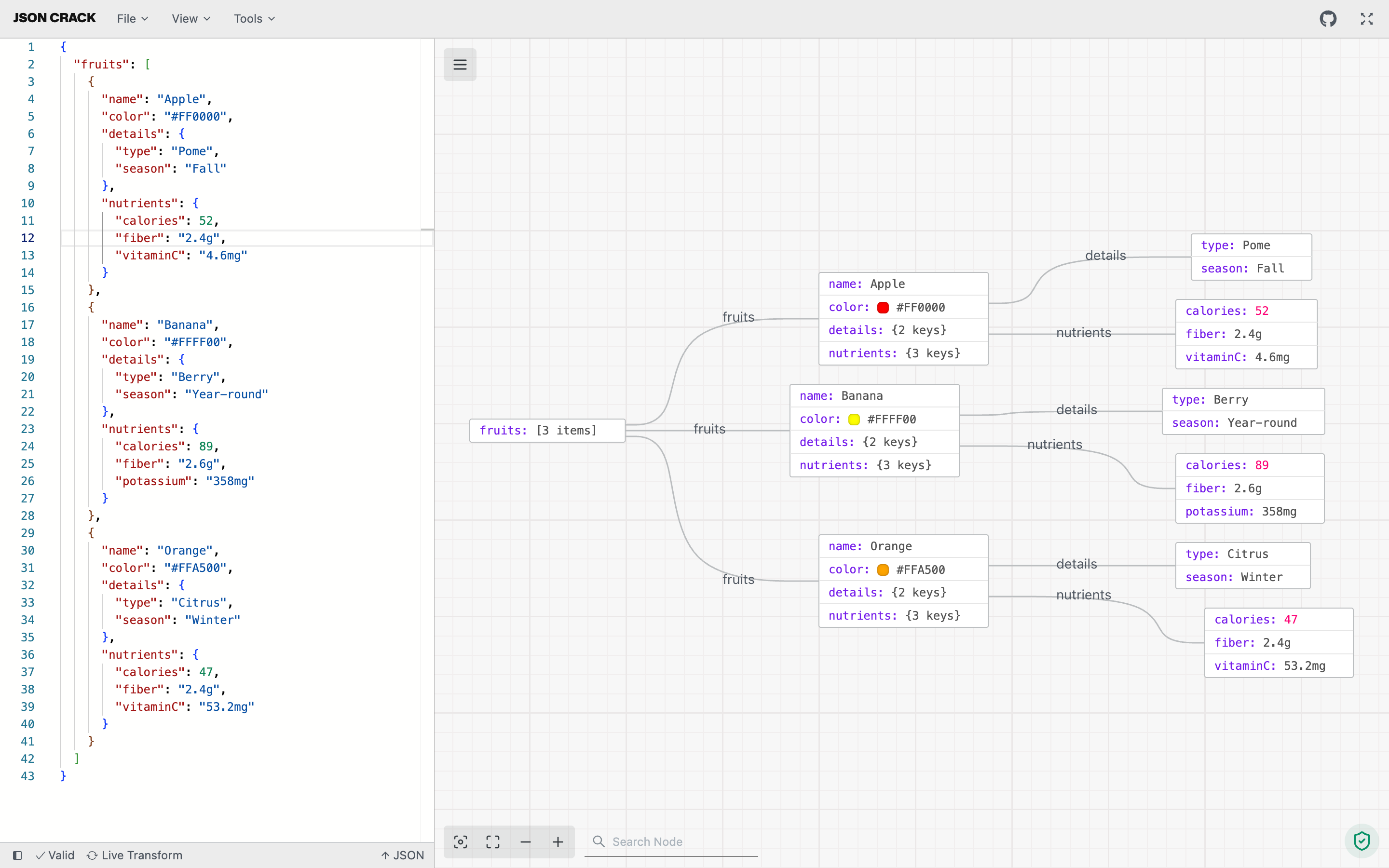
 JSON Crack is an open-source tool that visualizes JSON, YAML, XML and CSV data as interactive graphs or trees, making it easier to explore, format, and validate structured data.
JSON Crack is an open-source tool that visualizes JSON, YAML, XML and CSV data as interactive graphs or trees, making it easier to explore, format, and validate structured data.Is this a web app, or can I use it as an extension too?It is mainly a web app (built with Next.js), but the same visualizer is also packaged as a VS Code extension, a Chrome extension, and an npm package.
It is mainly a web app (built with Next.js), but the same visualizer is also packaged as a VS Code extension, a Chrome extension, and an npm package.How do I run it myself instead of using the hosted site?Clone the repo, go into the project folder, install packages with pnpm, then run the web app; there's also a `turbo run dev --filter=www` command and Docker assets under apps/www for local hosting.
Clone the repo, go into the project folder, install packages with pnpm, then run the web app; there's also a `turbo run dev --filter=www` command and Docker assets under apps/www for local hosting.What do I need installed before building it?Node.js version 24 or higher and pnpm version 10 or higher.
Node.js version 24 or higher and pnpm version 10 or higher.Is there a limit on how large a JSON file I can visualize?Yes, there's a configurable node limit for graphs, controlled by the NEXT_PUBLIC_NODE_LIMIT environment variable in apps/www/.env.
Yes, there's a configurable node limit for graphs, controlled by the NEXT_PUBLIC_NODE_LIMIT environment variable in apps/www/.env.Does my data get uploaded anywhere when I visualize it?No, all processing happens locally in your browser/app; nothing is stored on their servers.
No, all processing happens locally in your browser/app; nothing is stored on their servers.Can it convert between formats, like JSON to CSV?Yes, it can seamlessly transform data between formats, e.g. JSON to CSV or XML to JSON, for easy sharing.
Yes, it can seamlessly transform data between formats, e.g. JSON to CSV or XML to JSON, for easy sharing.Can it generate code from my JSON?Yes, it generates TypeScript interfaces, Golang structs, Kotlin data classes, Rust serde types, and JSON Schema from your data.
Yes, it generates TypeScript interfaces, Golang structs, Kotlin data classes, Rust serde types, and JSON Schema from your data.Can I export the graph as an image?Yes, you can download your visualization as PNG, JPEG, or SVG.
Yes, you can download your visualization as PNG, JPEG, or SVG.Does it support advanced querying of the data?Yes, it has advanced tools to run jq and JSON path queries directly on your data.
Yes, it has advanced tools to run jq and JSON path queries directly on your data.What are similar projects?xyflow, beautiful-mermaid, git-history, keywordpro, gitdiagram, jsonhero-web, smart-excalidraw-next, G6
xyflow, beautiful-mermaid, git-history, keywordpro, gitdiagram, jsonhero-web, smart-excalidraw-next, G6Which topics is it in?diagrams, validation, csv, graph, vscode-extension, npm-package, yaml, chrome-extension, browser-extension, visualization, data-visualization, nextjs
diagrams, validation, csv, graph, vscode-extension, npm-package, yaml, chrome-extension, browser-extension, visualization, data-visualization, nextjs