Suparagent
A workspace for AI coworkers.
Create named agents, give each a job and workspace, and bring them together to
complete real tasks. Suparagent keeps conversations, memory, routines, and
approvals in one place. Use the desktop app or host the server yourself; the
hosted service is a separate product.
Bring your own engine and provider account. Suparagent does not include a model
or model subscription.
Desktop downloads · Self-hosting · Hosted app · Watch the demo · Discord
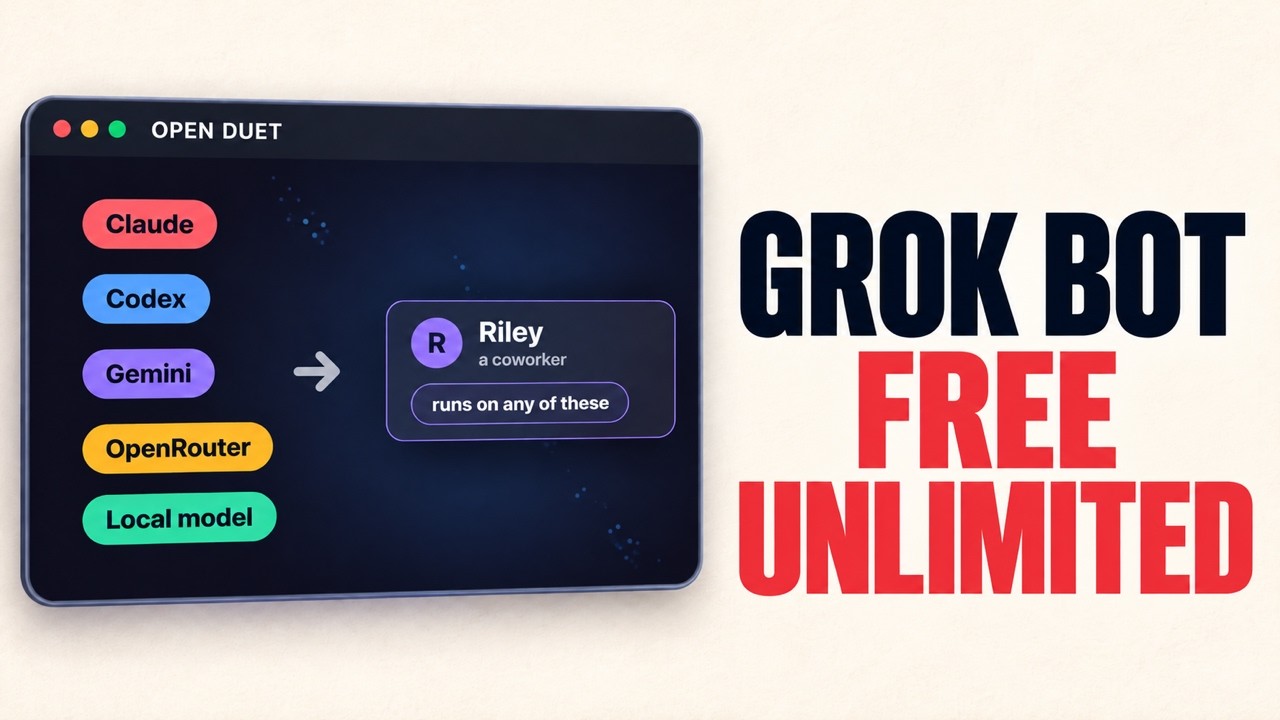
▶ Watch: Free Unlimited Grok Bot Alternative: Open-Source, Any Model, No Restrictions
Status: Suparagent is in active development. Desktop releases, self-hosting,
agent computers, and newer team features are still evolving. Review
known limitations before relying on them for important work.
Contents
Quick start
The desktop app runs from a source checkout. It needs Node.js 22 or newer,
uv, and at least one engine available on the
same computer. For a CLI engine, install it and sign in before opening Open
Duet. You can also configure an API-based engine in Settings → Engines.
Docker is only needed for the optional isolated agent computers.
git clone https://github.com/Anil-matcha/suparagent.git
cd suparagent/desktop
npm run app
On first launch, choose an engine, workspace, and approval mode. Then:
- Open Settings → Engines and confirm an engine is ready.
- Create an agent with a name, a clear job, and a workspace.
- Start a chat. Choose Ask first to pause for approval before actions that
need it.
- Add teammates or create a routine when you want to split up or repeat work.
See the Releases page for
current desktop installers and the changelog for changes.
Installers are experimental and unsigned. The assisted update flow offers a
SHA-256-verified installer for you to open; it does not install updates
automatically. The release-to-release update path has not been verified end to
end.
What you can do
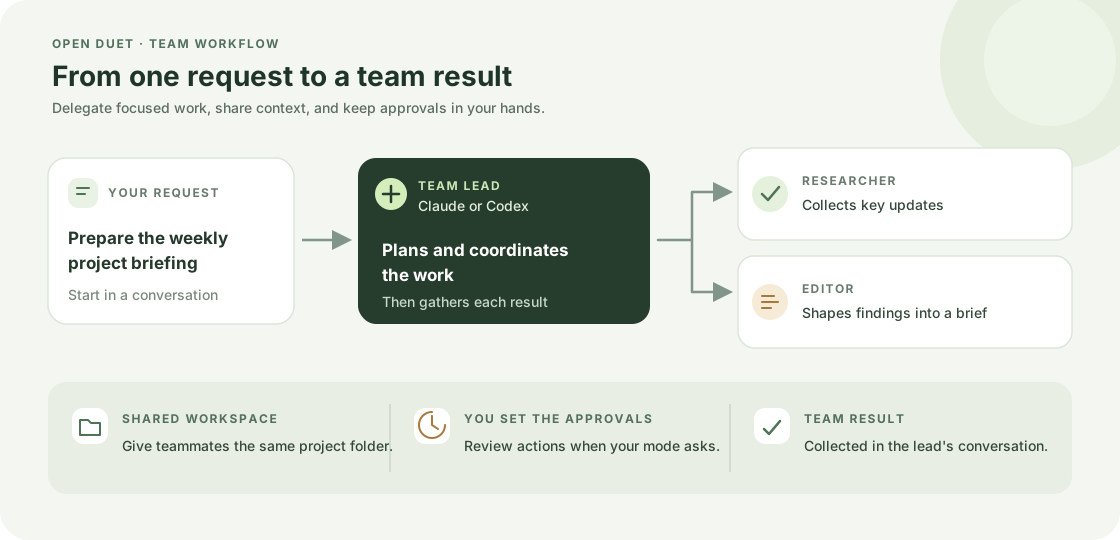
- Create agents and teams. Give agents a name, role, engine, workspace,
memory, and approval settings. A lead can delegate work to specialists or
coordinate agents in shared rooms. Team leads can use Claude or Codex. See
teams and delegated work.
- Keep useful context. Agents can save notes, recall relevant notes and
conversations, and search their history. You can review and edit what they
remember. See memory.
- Run work on a schedule. Create routines for scheduled, webhook, or manual
runs. Review each result and answer requests for approval; a routine never
approves an action by itself. See routines.
- Choose how much freedom agents have. Use Ask first, Accept edits, Approve
for me (Claude, Codex, and Cursor), or Plan only. Review tool activity and approval
decisions in the app.
- Connect tools and apps. Connect services such as GitHub, Gmail, and Google
Calendar through your own Composio key, then grant access to selected Claude
or Codex agents. Changes wait for your approval. Add individual tools from
the MCP Marketplace. See connected apps.
- See what needs your attention. The Today view gathers approvals,
questions, routine outcomes, engine failures, and due tasks. It can show
read-only Gmail and calendar items. See everyday features.
- Plan and follow work. Use a task board and calendar to assign work,
schedule one-time runs, and review conversations and attempts. See
tasks and calendar.
- Reuse instructions. Save skills and start agents from templates. Skills
are instructions you choose for a message. See skills and
templates.
- Use it from your phone. Pair the phone app with your own server to chat,
stop an answer, allow or deny a tool call, or create and edit agents and rooms.
See the phone app guide.
- Work with files and history. Search conversations, attach text and
images, import audio for transcription with your consent and credentials,
browse or download workspace files, and export your history.
Ways to run Suparagent
|
Desktop app |
Self-hosted server |
Hosted web app |
Development checkout |
| Best for |
A personal workspace on your computer |
Keeping your agents and routines available on a server you control |
Using the separately operated Suparagent service |
Contributing or changing Suparagent |
| Where workspace data lives |
Your computer |
Your server |
An account-specific hosted workspace |
Your development machine or configured database |
| Start here |
Quick start |
Self-hosting guide |
suparagent.ai |
Development setup |
| Main requirements |
Node.js 22+, uv, and an engine |
Linux server, HTTPS, Docker or Node.js and uv, and an engine |
An account and an AI provider account |
Node.js, uv, and Docker if you use PostgreSQL |
| Status |
Experimental |
Experimental; one owner who can invite teammates |
Separate hosted product |
— |
The hosted service is separate from the open-source desktop and self-hosted
core. Hosted account, workspace, and billing data are handled by Suparagent;
see the hosted service's Privacy Policy and
Terms.
Hosted plans
The hosted preview lets you use your own Boat key for sandbox compute. Paid
plans use compute operated by Suparagent, so you do not need to supply a Boat
key. In both cases, you bring your AI provider account and pay that provider
for model usage.
| Plan |
Monthly Suparagent price |
Included running compute |
Machine disk capacity |
| Free preview |
$0 |
Billed to your Boat account |
Small profile |
| Starter |
$15 |
100 hours per billing period |
51 GB |
| Standard |
$49 |
300 hours per billing period |
51 GB |
| Pro |
$99 |
720 hours per billing period |
111 GB |
Paid-plan compute hours count while the sandbox is running, including idle
time. At the limit, it stops until the next billing period or a plan change;
compute overages are not charged. The disk value is the selected machine's
capacity, not a separate storage quota. A stopped sandbox's disk is subject to
the provider's retention period, so export important files before a paid plan
ends. Paid checkout is enabled for hosted accounts; see the
Suparagent pricing page for current plans.
Engines, data, and costs
Connect an engine you already use: Claude Code or Codex CLI, Gemini CLI,
Google Gemini through Antigravity, Cursor, another command-line agent using
the Agent Client Protocol (ACP), OpenRouter, or an OpenAI-compatible API such
as Ollama or LM Studio. Available tools vary by engine; image input and agent
computers, for example, are not supported by every engine. See
engine setup and capabilities.
For desktop and self-hosted use, conversations, agent notes, routines, and
settings are stored in that instance's local data folder or server database.
Workspace files stay in the folders you assign to agents. API keys saved
through Suparagent are encrypted there; command-line sign-ins remain with the
engine installed on that machine.
When an agent answers, the selected engine receives the prompt and the context
needed for that turn. This can include text you attach, relevant notes, and
workspace content the engine reads. If the engine is a hosted service, that
information is handled under that provider's terms. You bring the provider
account, CLI sign-in, or API key; model usage may cost money.
Example: prepare a weekly project briefing
Create a lead agent and specialists, such as a researcher and an editor. Give
them the same project workspace, and set the lead's engine to Claude or
Codex. Ask the lead to prepare a briefing from the notes and reports in that
folder.
The lead can split the request into smaller tasks and hand them to the
specialists. Their work runs in separate conversations, then returns to the
lead to assemble. Follow along in chat and approve actions when the settings
require it. Once the process works well, make it a weekly routine and review
each run in the app.
Scheduling tasks
Routines run prompts on local agents on a schedule, by webhook, or on demand.
They run in the backend, so the backend must stay running. The original
Telegram bot and Boat sandbox task flow are
optional and separate from the agent workspace. See backend scheduling
details and environment settings.
Known limitations
- Suparagent is early and changing. The self-hosted server is experimental. One
person owns it and can invite teammates to work in the same workspace, with
roles and per-person permissions; everyone shares the same agents,
conversations and memory. A self-hosted server is not a multi-organization
service and has no workspaces to switch between; a hosted deployment can run
several behind an account service (see
docs/AUTH.md).
- Team delegation is new; lead agents need to use Claude or Codex.
- The phone app has been tried on an Android emulator and an Android phone, not
on iOS. It has no push notifications or store release.
- Docker computers, browser tools, and the macOS native desktop preview are
experimental and opt-in.
- Desktop installers are unsigned and have limited platform verification. See
desktop setup details.
- Connected apps are reached through Composio and tested against a fake
Composio service, not yet the real service. Only Claude and Codex agents can
use them, and changes wait for your approval.
- The MCP Marketplace, hosted cloud computers, quiet routine results, and
audio transcription have not had live-service or packaged-app qualification.
Guides
Getting started
Agents and work
Tools and customization
Project
Support
Contributing
Issues and pull requests are welcome. Start with the
contributing guide.
To propose a third-party app for the in-app MCP Marketplace, add a Community
manifest under marketplace/plugins/community/, regenerate
marketplace/catalog.json, and submit both in a pull request. See the
MCP Marketplace submission guide for the
manifest requirements and validation steps.
License
Suparagent is licensed under the Apache License 2.0.

 一个开源、可自托管的 AI 智能体工作区,用来替代 OpenAI Dots、Claude Cowork、Grok Bot 和 ChatGPT agent 这类付费产品。这个原型聚焦于编程智能体的工作流程:通过 Telegram 或浏览器运行 Claude Code 任务、审核高风险操作,以及定时执行重复的提示词。