Interface Preview
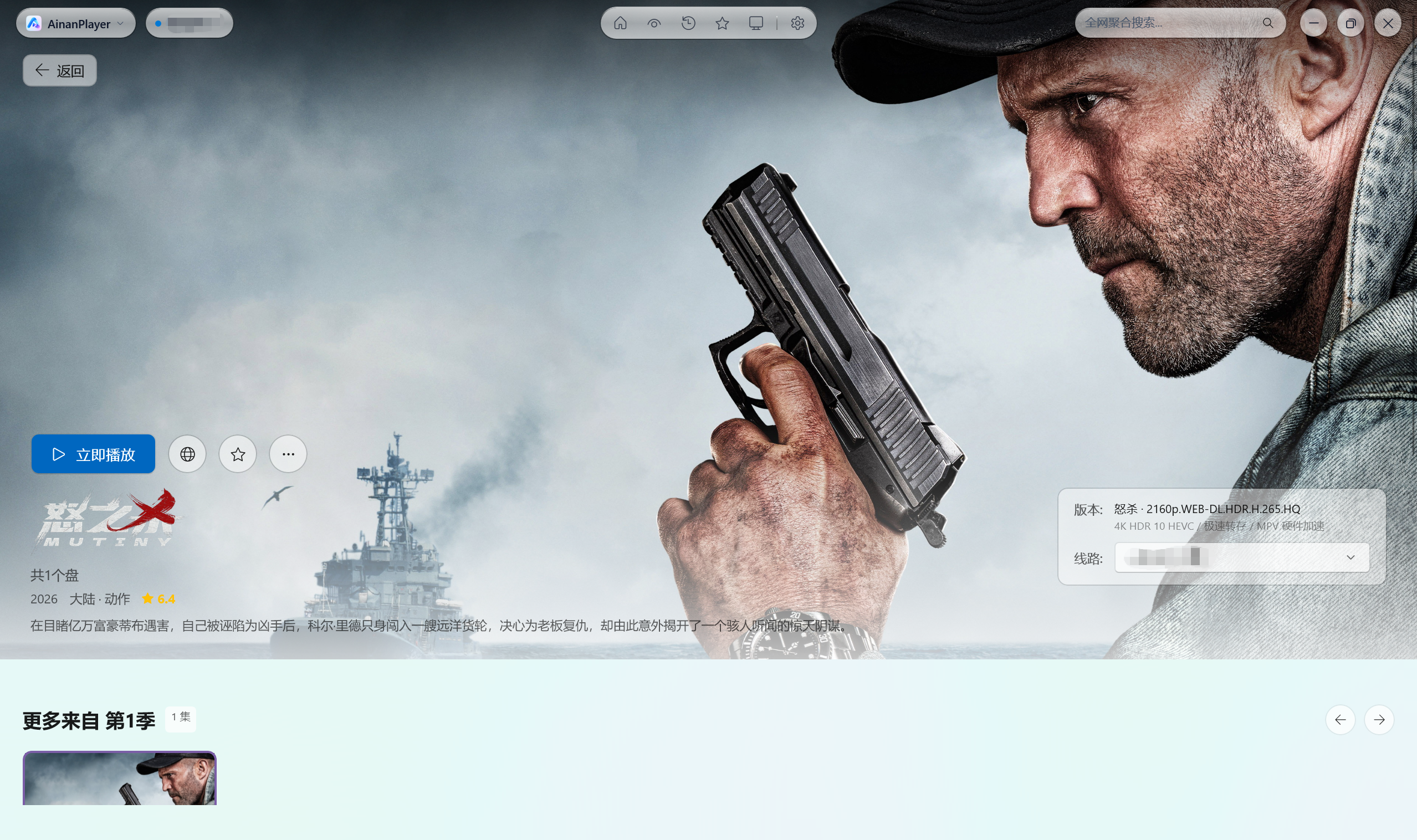
Featured Recommendations & Poster Wall (Apple TV-grade Fluid Motion)

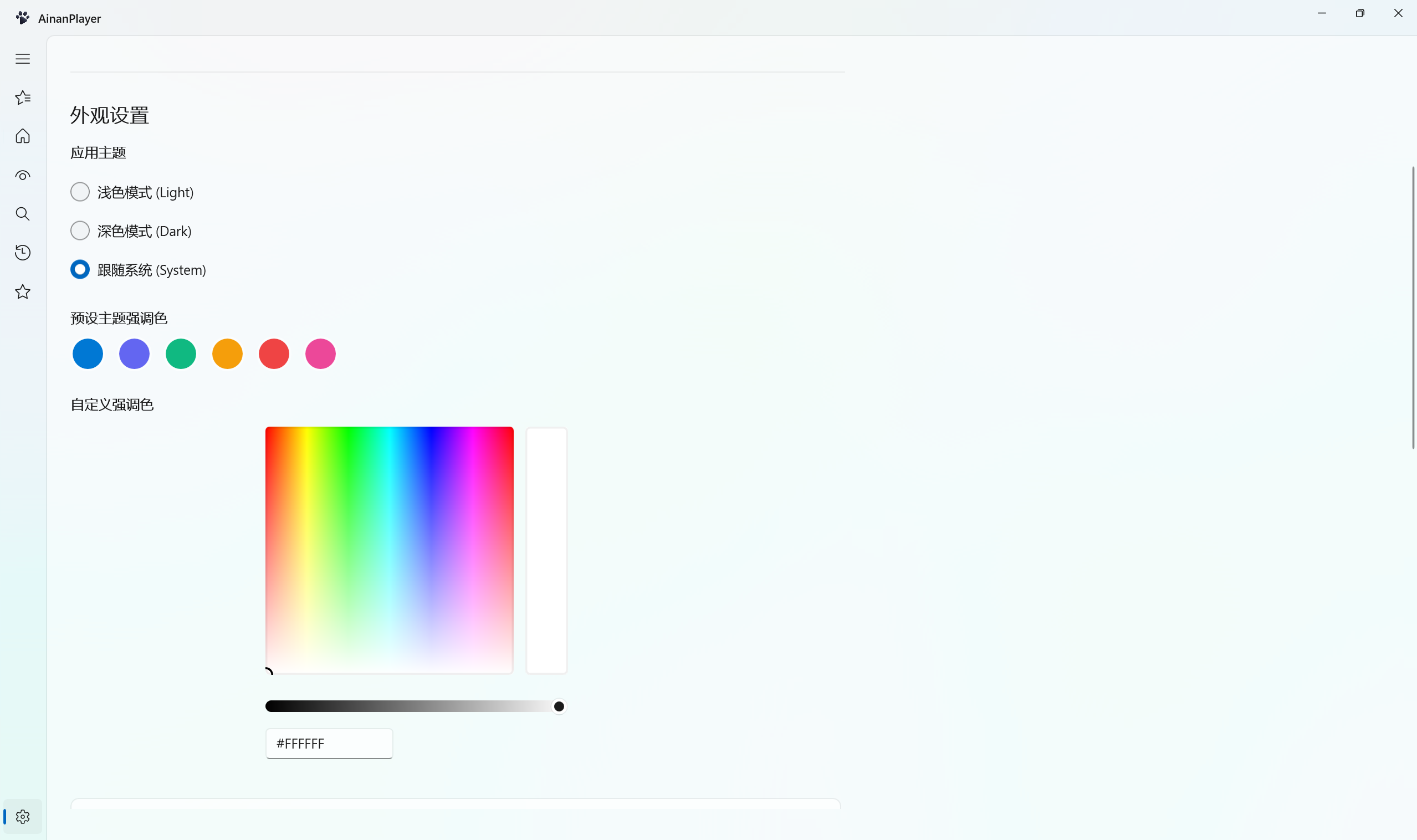
Personalization & Appearance (Seamless Light/Dark Themes & Accent Color Picker)
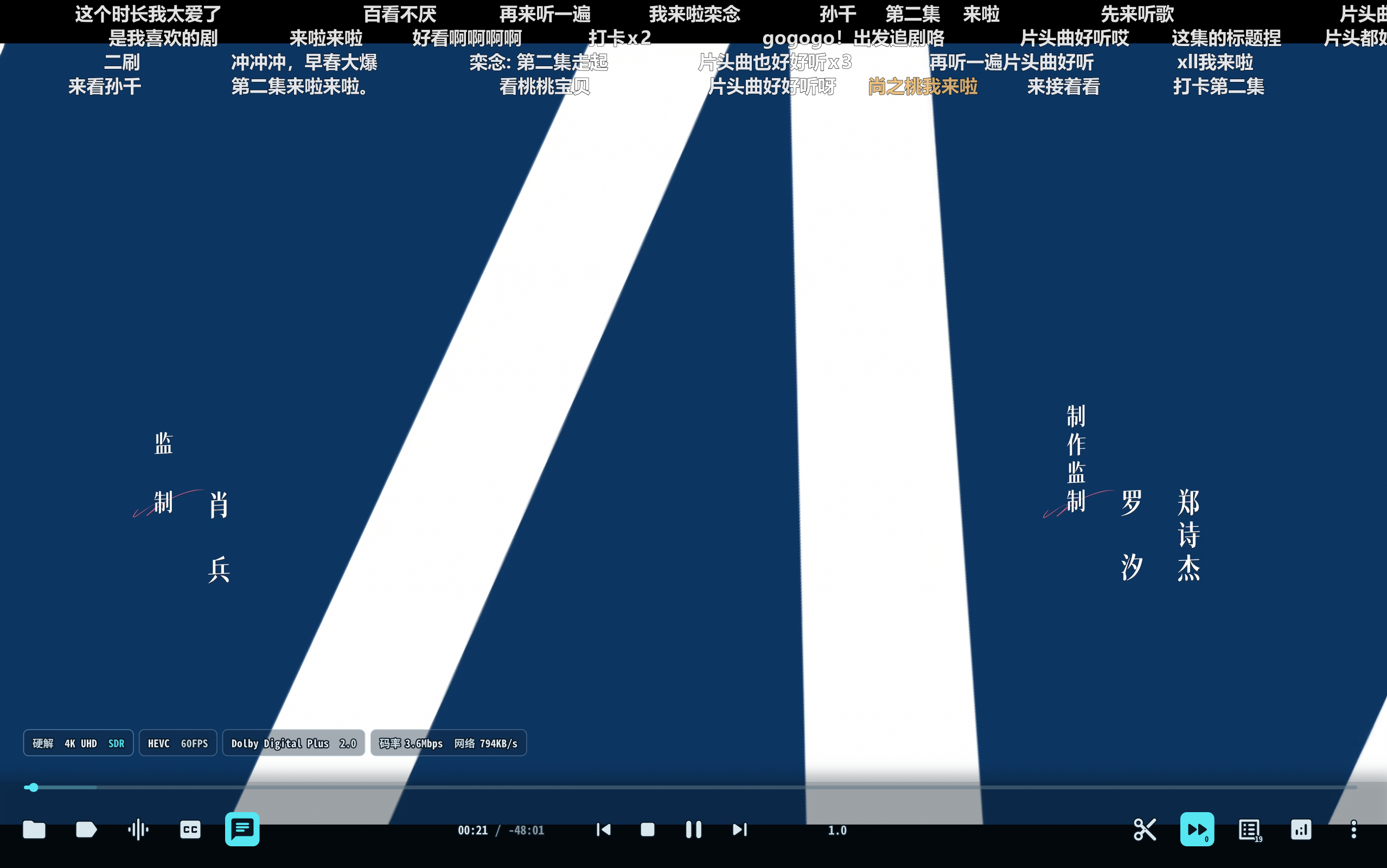
4K 60FPS Hardware Acceleration & Live Danmaku Playback (Real-Time Decoding Stats)
Key Features
- Native WinUI 3 & Fluent Design System:
- Built with Windows App SDK 1.6 and native Mica / Acrylic materials, supporting seamless real-time switching between Light, Dark, and System theme modes.
- Brand New App Icon & 4 Customizable Styles: Features an all-new official default "Classic Blue" icon crafted with continuous superellipse curvature ($n=4.8$) and transparent alpha channels. Choose between Classic Blue, Aurora Pink, Obsidian Dark, and Neon Cyber in Settings with instant live switching across Windows Taskbar and Title Bar.
- Universal Multi-Engine Spider Architecture:
- Native compatibility with CatVod, TVBox protocol ecosystems, encrypted
.js.md5 and Base64 subscriptions.
- Isolated multi-port microservice hosting, dynamic hot-loading, and intelligent crawler script caching.
- Dual Playback Engine Architecture (Built-in + External Customization):
- Built-in Portable Yaozhi-MPV Engine: Comes with a self-contained built-in Yaozhil/mpv-Yaozhi hardware acceleration environment (
runtime/mpv/mpv.exe) for out-of-the-box 4K UHD, HEVC/H.265, Dolby Vision, and 60/120FPS ultra-high framerate decoding without requiring any external player setup.
- Customizable External Yaozhi-MPV Engine: Also based on Yaozhil/mpv-Yaozhi, specify your own external
mpv.exe path to leverage your personal mpv.conf, custom Shaders (Anime4K, FSRCNNX), custom keybindings, and Lua script extensions. Globally managed under Settings.
- Integrated Cloud Drive Authorization Console:
- Scan-to-login QR code console embedded directly within the application for Quark, UC, Alibaba Cloud, Baidu Netdisk, and 115, enabling automated cloud transfer and 4K streaming.
- Kernel-Level Real-Time Playback Telemetry:
- Real-time extraction of actual decoded resolution (e.g., 1080P FHD, 4K UHD), pixel dimensions (
1920×1080, 3840×2160), video/audio codecs, and live stream bitrates.
- Cross-Source Aggregate Search & Filter:
- Asynchronous concurrent multi-site searching and multi-level category filtering to discover high-quality media across all active subscription sites.
System Requirements
- Operating System: Windows 10 (Version 1809 / Build 17763 or newer) or Windows 11 (64-bit)
- Runtime Dependencies: Fully self-contained (all required .NET 8 and Windows App SDK runtimes are bundled; no external installation required)
- Playback Engine: Both built-in and external engines are powered by Yaozhil/mpv-Yaozhi. A portable runtime is bundled out-of-the-box, with optional support for custom external Yaozhi-MPV installations.
Download & Installation
Visit the Releases Page to download the latest release:
| Package Type |
Description |
Recommended Usage |
AinanPlayer_vX.X.X_Setup.exe |
Modern graphical setup wizard with custom install path and desktop shortcut |
Recommended for most users; supports in-app updates |
AinanPlayer_vX.X.X_Portable.zip |
Portable standalone green archive |
Extract and run directly; ideal for USB drives |
Cloud Drive Authorization
To stream 4K original quality resources from cloud aggregators, authenticate your cloud accounts:
- Open AinanPlayer and navigate to "Home Recommendations" (首页推荐) on the sidebar.
- In the top source dropdown, select "Config Center" (配置中心) (or via "Settings" -> "Cloud Storage Authorization").
- Use the mobile app of your cloud drive (Quark / UC / Alibaba Cloud / Baidu Netdisk / 115) to scan the QR code.
- Once authorized, the backend will automatically handle automated transfer and high-speed direct stream parsing.
Join our official community channels for subscription updates, discussions, and release announcements:
Playback Engine & Customization
AinanPlayer hardware acceleration is fully powered by Yaozhil/mpv-Yaozhi, supporting both Built-in Out-of-the-Box and Customizable External playback modes:
- Default Built-in Playback: Ready to play immediately upon extracting or installing. Uses the bundled high-performance Yaozhil/mpv-Yaozhi hardware acceleration engine (
runtime/mpv/mpv.exe) with zero third-party dependencies required.
- Customizable External Yaozhi-MPV:
- Navigate to "Settings" -> "Playback Engine Settings".
- Toggle on "Enable External MPV Hardware Acceleration".
- Click "Browse..." to select your own Yaozhil/mpv-Yaozhi
mpv.exe path (e.g. D:\Yaozhi-MPV\mpv.exe).
- Click "Test Launch MPV" to verify. Playback will then automatically load your external shaders, scripts, and keybindings.
- Customizable Application Icons:
- Select between Classic Blue, Aurora Pink, Obsidian Dark, or Neon Cyber under "Settings" -> "Appearance" to instantly switch the Taskbar and Title Bar icons.
Support the Project
If AinanPlayer enhances your multimedia experience, donations to support ongoing development are greatly appreciated:
| WeChat Pay (微信赞赏) |
Alipay (支付宝收款) |
 |
 |
Your support enables continuous development, ecosystem enhancements, and optimal playback experiences. Thank you! ❤️
Credits & Acknowledgments
This project is built upon or inspired by the following outstanding open-source projects:
Disclaimer
- Local Tool Nature: AinanPlayer is strictly a local client and media player built on WinUI 3 and open-source media engines. The software does not host, store, broadcast, or transmit any audio, video, subtitle, or image resources.
- Third-Party Data Sources: All subscriptions, site crawlers, cloud accounts, and playback links are configured or imported by users from third-party public sources. The developers assume no liability for the validity, legality, accuracy, or availability of third-party sources.
- Lawful Usage: This project is intended for research, programming education, and multimedia technology exchange. Users must comply with local laws and intellectual property rights. Any unauthorized commercial or copyright-infringing use is strictly prohibited.
- Copyright Notice: If any copyright holder believes user-imported third-party sources infringe their rights, please contact the respective third-party hosting service or API provider directly.
License
This project is open source under the MIT License.
 AinanPlayer






 一款 Windows 原生的影视聚合与播放客户端:它从 TVBox/CatVod 类型的源拉取影视流,并在 WinUI 3 Fluent 界面中以 4K 硬件加速播放。