
Dossier
Your job search, on your own server: one profile, a tailored resume and cover letter for every job, and every application tracked from draft to offer.





Dossier keeps your career history in one profile and turns it into a clean resume. For every job you apply to, it reads the posting, shows how you match, and drafts a tailored resume and cover letter that only use facts from your profile. You refine them in a chat, download them as PDFs and track each application from draft to offer.
It's for one person on a small server: one password, your data in your own PostgreSQL database (or a single SQLite file), and an AI model of your choice. That can be a local model through Ollama or LM Studio, so your profile and documents stay on your own hardware, or a hosted one (any OpenAI-compatible API, Anthropic or Mistral), which then receives what it writes from. Privacy says what goes where.
Get started: run it on your computer in a few minutes, or self-host it on a server. The installation guide covers every way: Docker with or without Compose, Node.js, a plain Ubuntu server, CapRover, Coolify and Dokploy.
Or download the desktop app for Windows or Linux from the latest release. It runs Dossier on your computer with nothing else to install, or opens a Dossier you host. See Desktop app.
Demo

Recorded with the demo data (Jane Doe is made up) and a stand-in AI server that answers at once, played at 1.2× speed. With a real model, reading a posting and writing the documents takes from a few seconds to a few minutes.
Features
- Profile: basics, skills and languages, experience and volunteering, projects, education, certifications, publications and references, in the order you choose, with a strength meter that counts only what a profile needs. Projects (side, open-source, course or thesis work) show what you can do where your job titles don't yet. Certifications keep who issued them, their dates, credential ID and a link to verify them. Publications are cited in your own style, with bold and italics, and go on resumes word for word. Start it from an existing resume (PDF, Word or Markdown) if you like.
- Base resume: twelve themes and a theme builder, previewed live and printed to PDF on the server. Duplicate themes, or share them as files.
- Find jobs: search postings near your city, or anywhere you choose, through JSearch (LinkedIn, Indeed and more), Adzuna or FreeHire (company career pages). Save the good ones, dismiss the rest, score any of them against your profile, and start an application from a posting with one click.
- Startups: startups that are hiring, from YC startups' job posts and Hacker News' monthly “Who is hiring?” thread, kept to the ones that hire where you live or remotely from your country and ranked against your profile, with the address each one publishes for applications. Dossier reads their sites politely and follows their robots.txt. Start an application to one with a click; you decide whom to write to.
- Job agent (optional): save up to three named searches and run the enabled ones once a day, in order. It skips what you've seen, scores the new postings against your profile and keeps the best on the Agent screen, with its reasons and the searches that found them. The searches share one schedule, score/draft limits and a budget of three first-page source requests per rolling 24 hours (failed attempts count; the whole batch waits until it fits). It can prepare tailored drafts too, which wait for your review. It never sends or applies.
- New application: paste a posting; Dossier pulls out the details and requirements, matches them against your profile, and writes a tailored resume and cover letter in the tone you pick.
- Never invents experience: drafts only use facts from your profile. What the posting asks for and your profile doesn't have is shown as a gap, not made up.
- Refine: ask for changes in a chat, edit or regenerate any part (every part of the cover letter too: sender, date, recipient, greeting and sign-off, written in the letter's language), undo AI changes or go back to any earlier version, keep private notes.
- Send: an email to go with each application, to whoever the posting says to send it to, ready to copy or open in your mail app, with the resume and cover letter PDFs to attach. Edit, rewrite or refine it like the documents.
- MCP connector (optional): use Dossier from Claude, on claude.ai, in the Desktop and mobile apps or in Claude's command-line app, on your own Claude plan, or from another MCP app such as n8n. Claude can search for jobs, score them against your profile, read your profile and applications, and save the resume and cover letter it writes as a Draft, checked like Dossier's own. It never sends or deletes anything. Without an AI model of Dossier's own, Write it with Claude hands a posting to a new Claude chat. Turn it on in Settings → MCP connector (see Connecting Claude).
- Gmail and Calendar (optional): connect your Google account to send an application from your own address with its PDFs attached, see employers' replies next to each application, have the AI read what they ask and draft your answer from your profile, offer interview times you're free, and see your month and the week ahead on the dashboard, with interviews kept in step with Google Calendar both ways. Nothing is sent without your confirmation. Set it up by entering your Google OAuth client in Settings → Google, or with
DOSSIER_GOOGLE_CLIENT_ID and DOSSIER_GOOGLE_CLIENT_SECRET (see Connecting Gmail and Calendar).
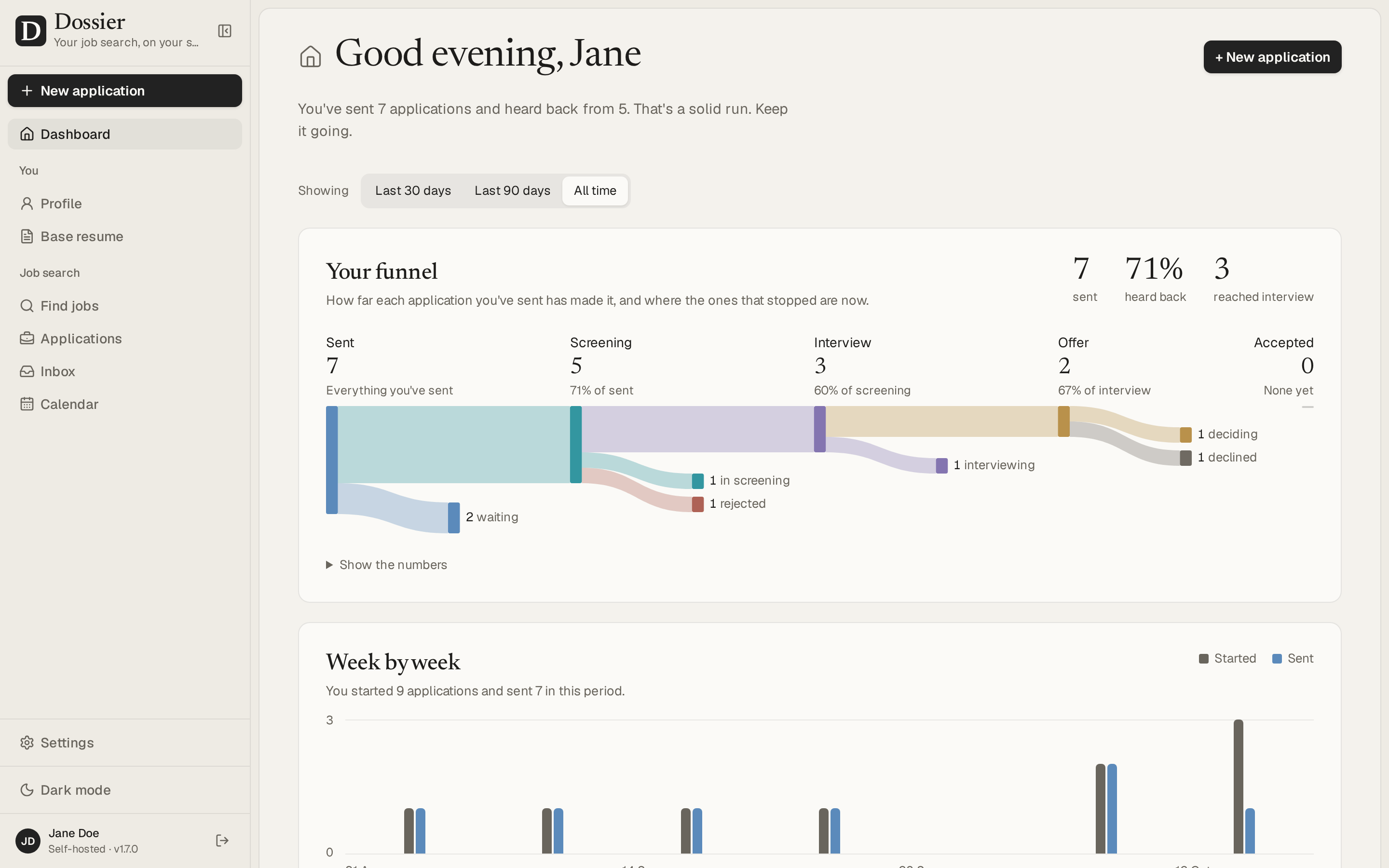
- Track: a board and a table of every application, and a dashboard with your funnel (last 30 days, 90 days or all time), a week-by-week chart, what's worth a look next, upcoming interviews included, and a calendar.
- Your data: export and import everything as one file, nightly backups, and Delete everything.
Screenshots
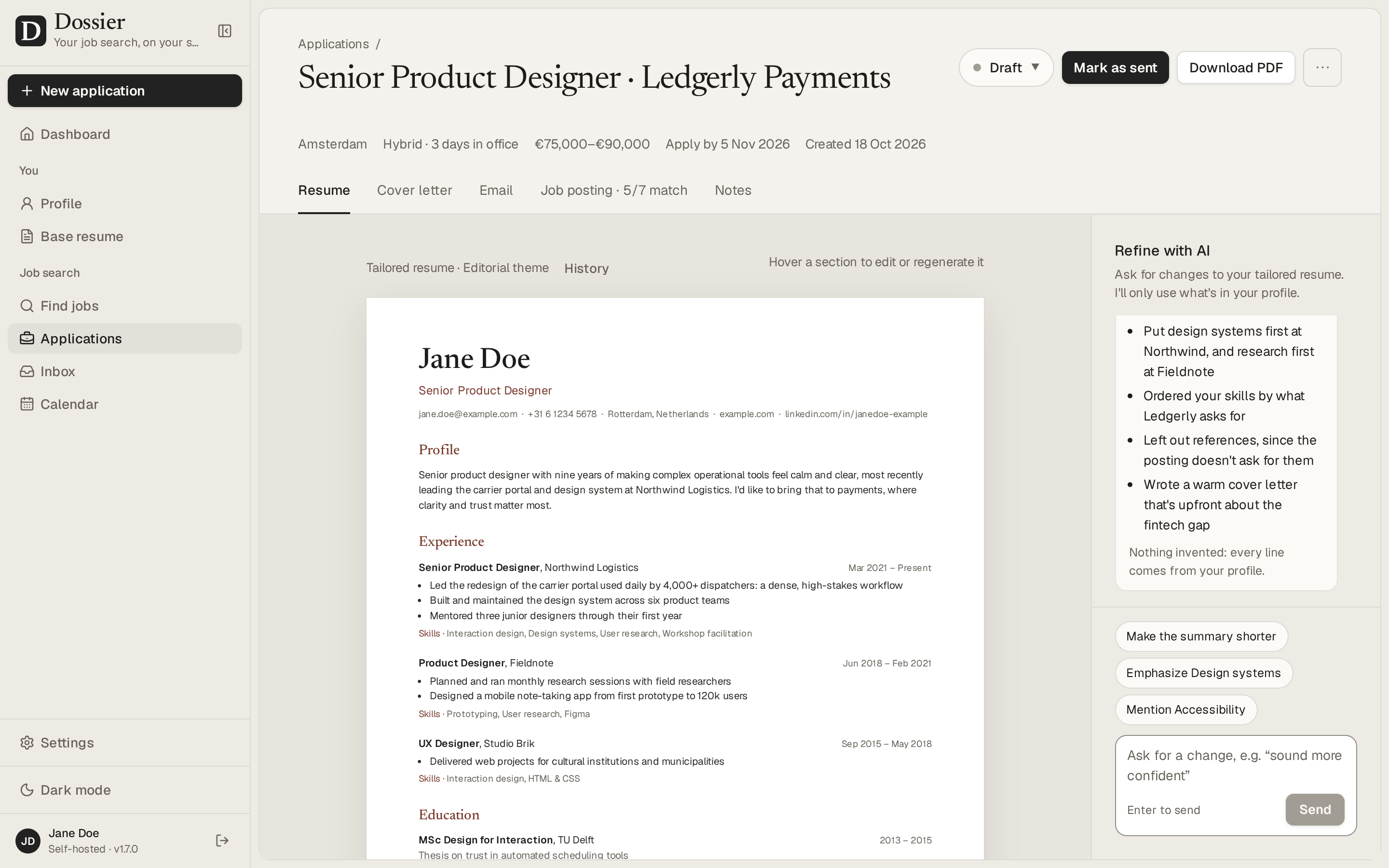
An application: the tailored resume, and a chat to refine it |
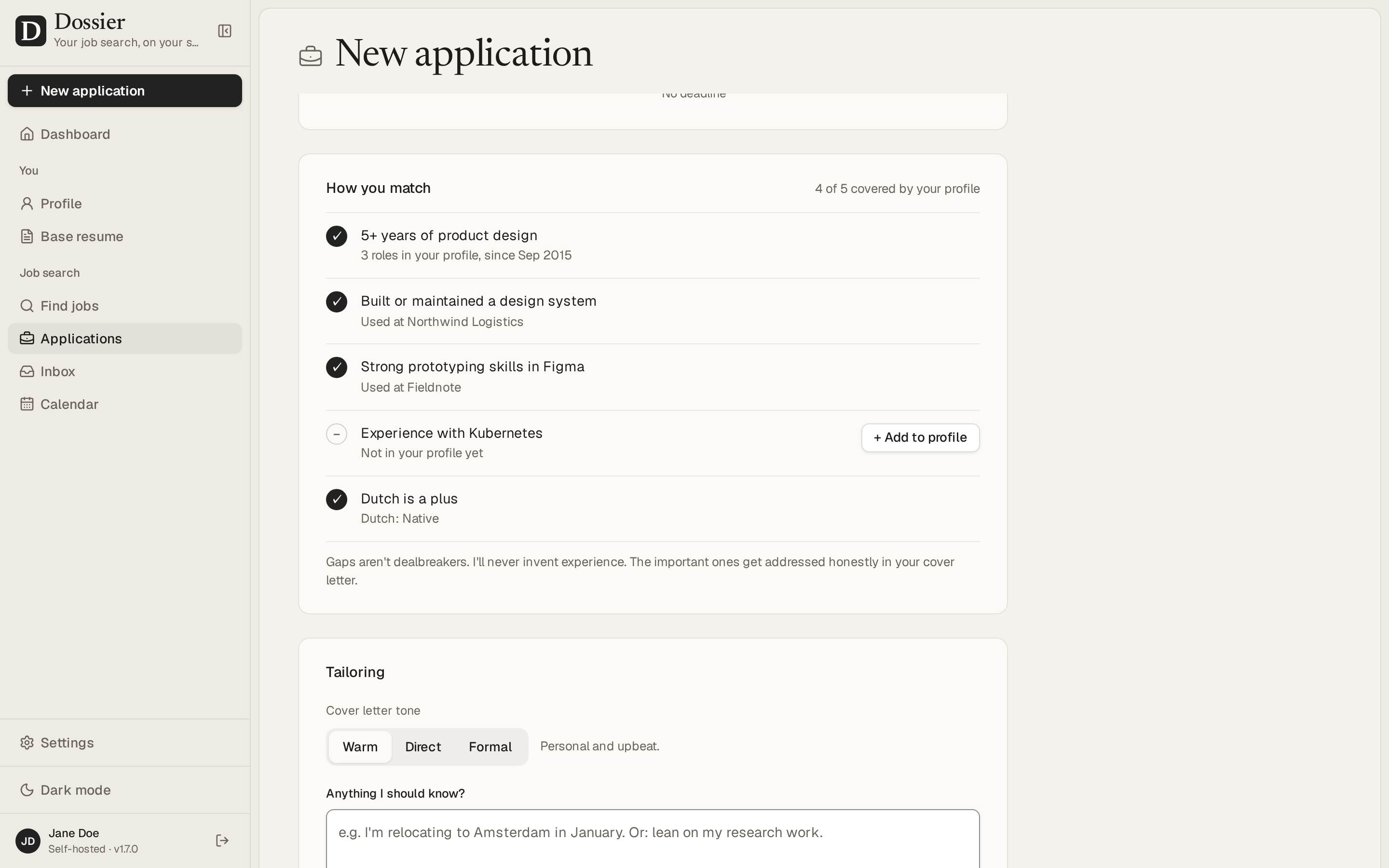
A new application: how you match the posting |
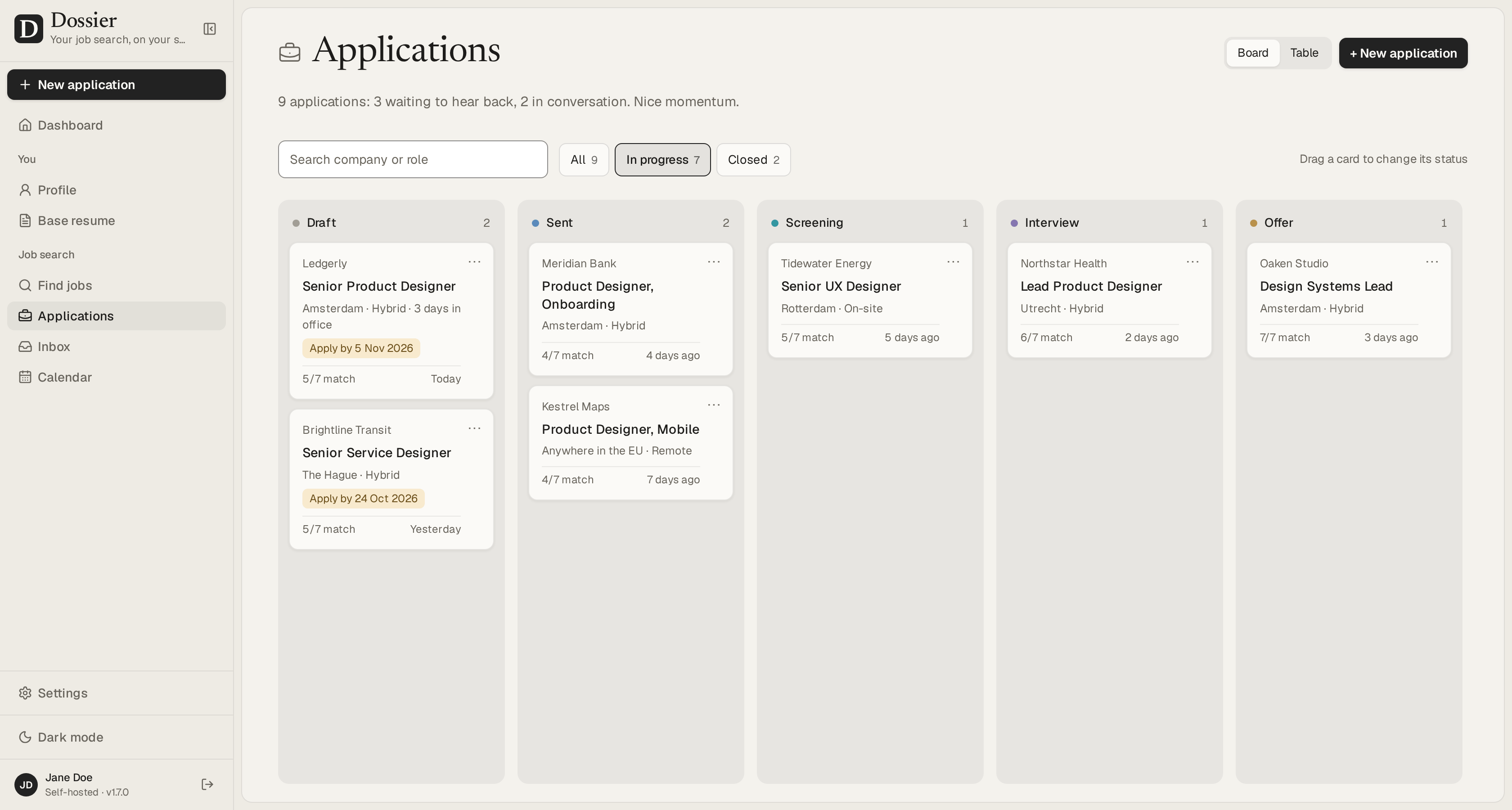
Every application on a board, from draft to offer |
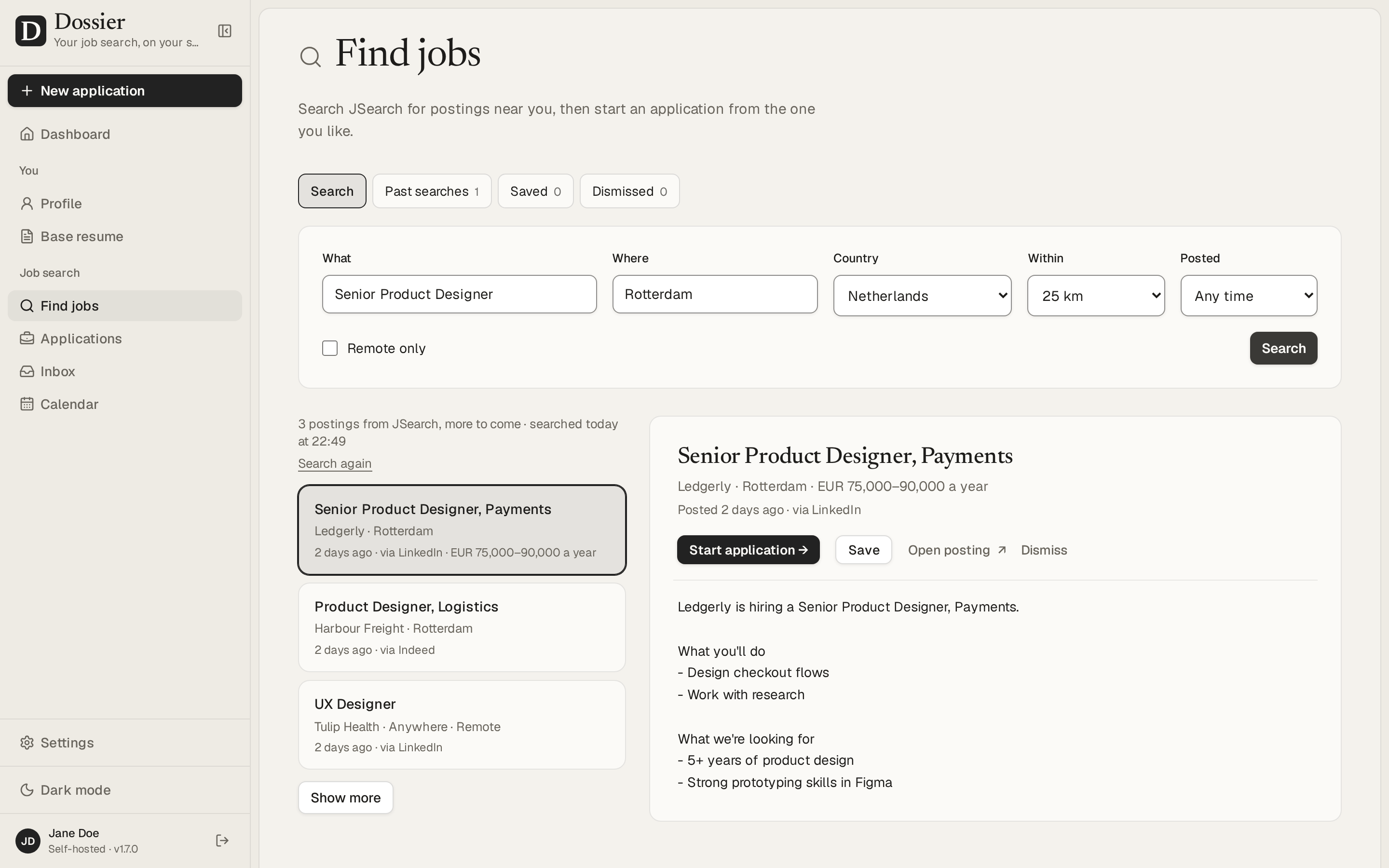
Find jobs and start an application from a posting |
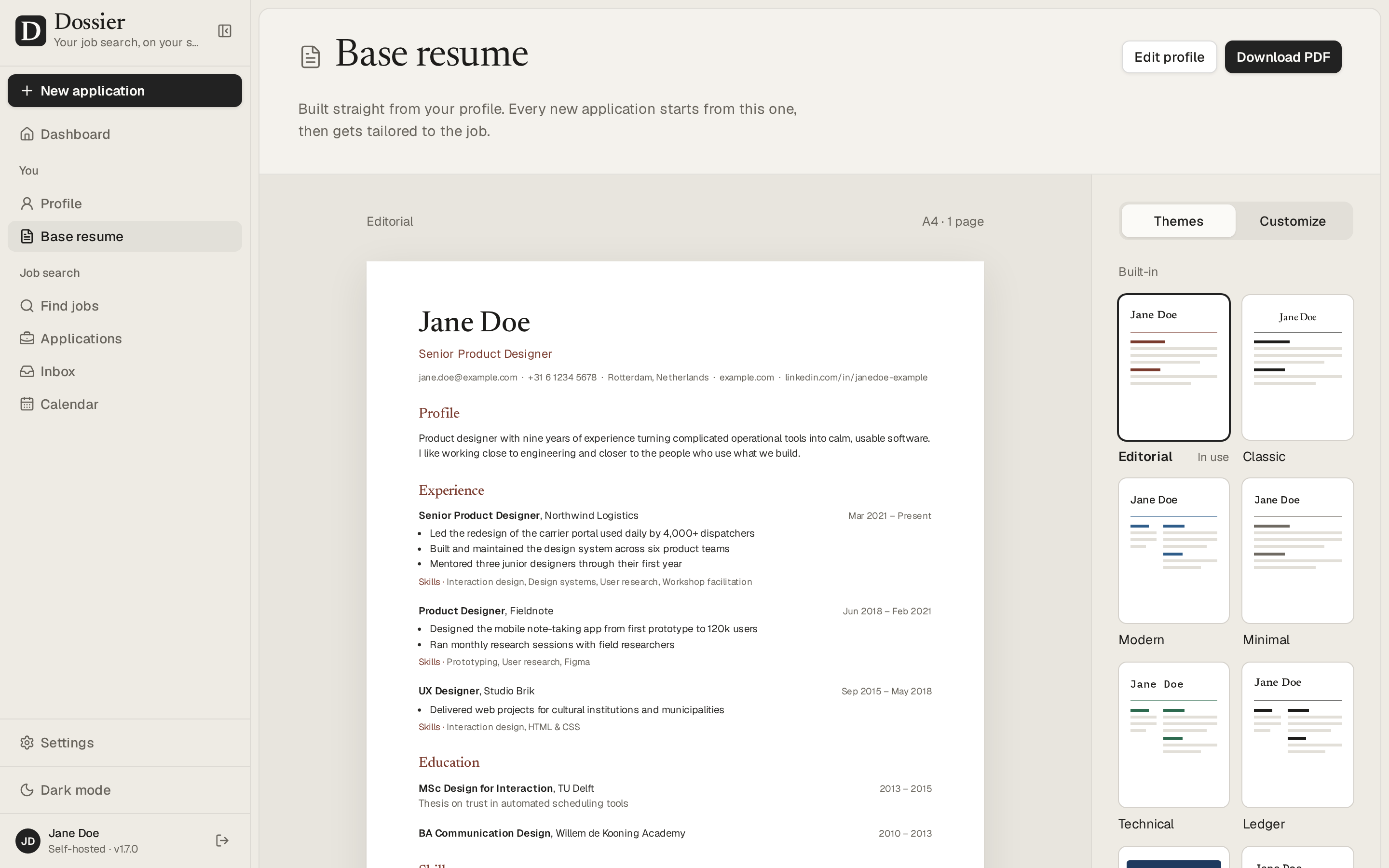
The base resume, with twelve themes and a theme builder |
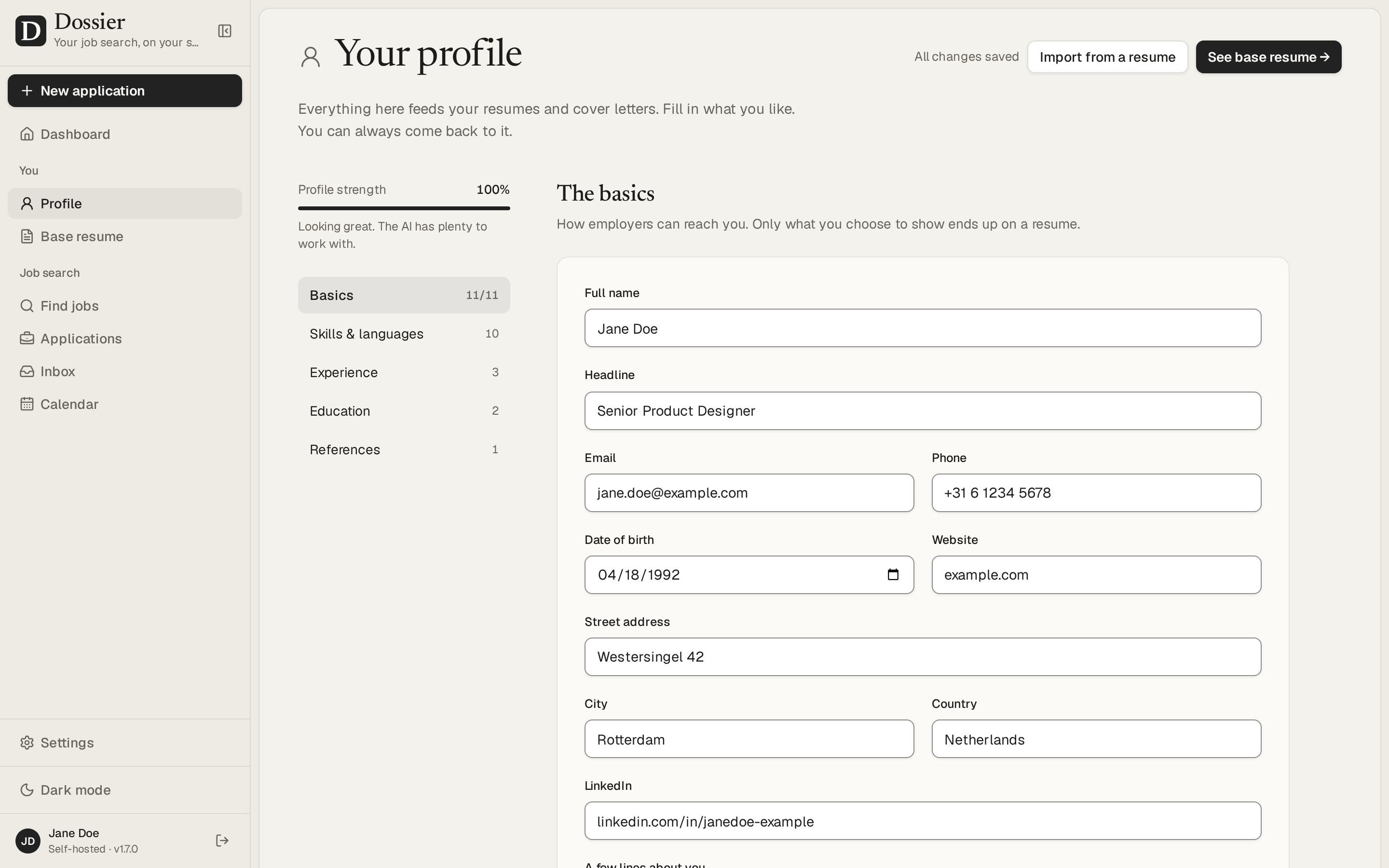
One profile that every resume and letter comes from |
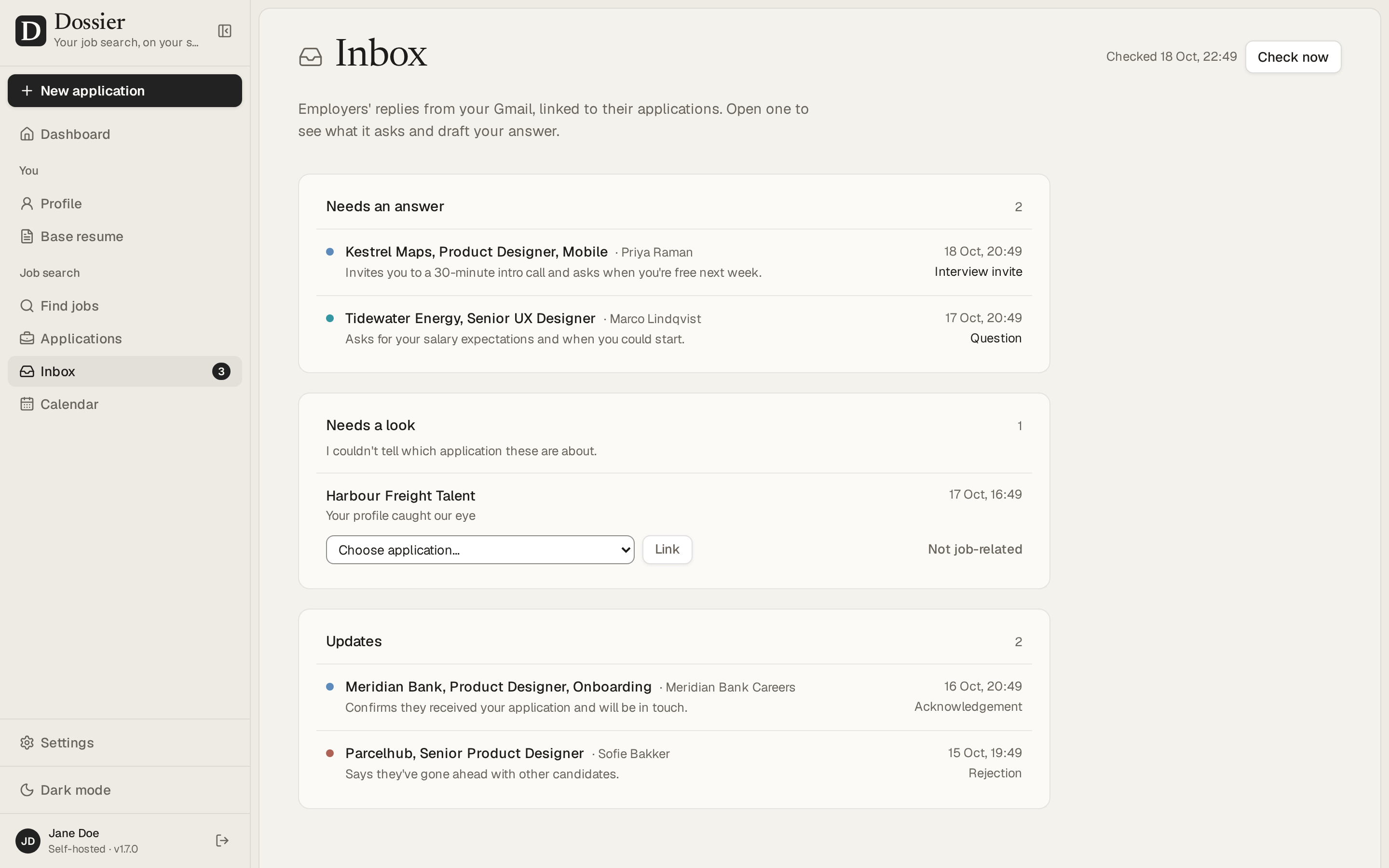
Replies from Gmail, read by the AI, with answers it drafts |
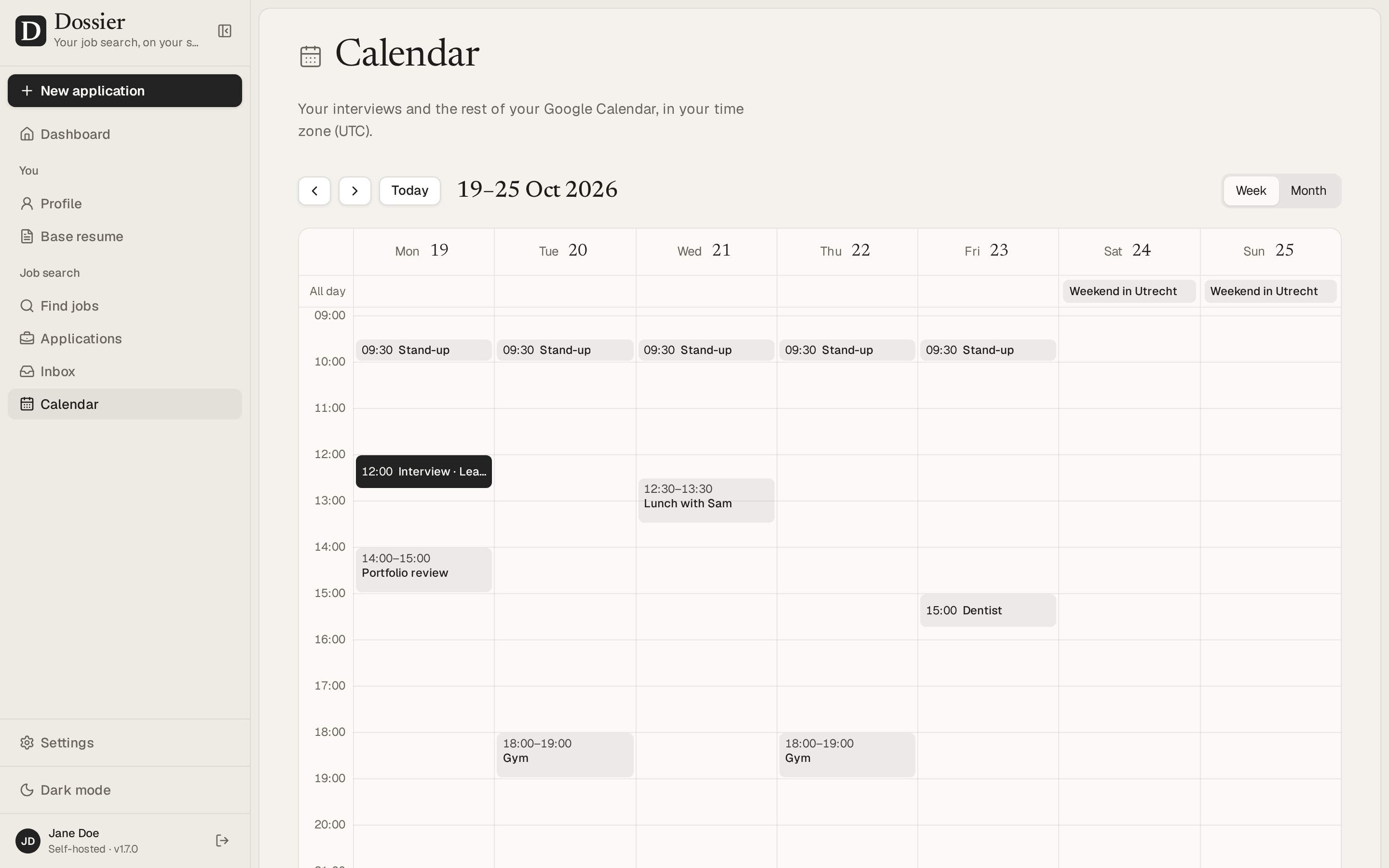
Your interviews and Google Calendar on the dashboard, kept in step |
The screenshots show the demo data: Jane Doe is made up.
Run it on your computer
All you need is Docker Desktop on macOS or Windows, or Docker Engine with its Compose plugin on Linux, and about 2 GB of free memory. Run the commands in a terminal: macOS's Terminal, Linux, or WSL on Windows.
1. Fetch the Compose file into a folder of its own, and make the secrets Dossier needs:
mkdir ~/dossier && cd ~/dossier
curl -fsSL -o compose.yml https://raw.githubusercontent.com/AienTech/dossier/main/compose.production.yml
echo "POSTGRES_PASSWORD=$(openssl rand -hex 24)" > .env
echo "DOSSIER_SECRET=$(openssl rand -base64 32)" >> .env
2. Choose your password. This asks for it twice and prints a hash of it, one line that starts with argon2id::
docker run --rm -it ghcr.io/aientech/dossier hash-password
Add that line to .env as DOSSIER_PASSWORD=argon2id:…, with any text editor. Dossier only keeps the hash, never the password.
3. Start it:
docker compose up -d
The first start downloads the image (about 1.7 GB) and sets up the database. Open http://localhost:3000, sign in with your password, and pick an AI model in Settings → AI provider (see Choosing an AI provider).
docker compose stop stops it and docker compose start starts it again, with your data kept.
Without a database server: Dossier can keep its data in an SQLite file instead, in one container. Put DATABASE_URL=file:/data/dossier.db in .env and run the image on its own, with a volume for /data:
docker run -d --name dossier --env-file .env -v dossier-data:/data -p 127.0.0.1:3000:3000 ghcr.io/aientech/dossier
Without that volume, the next upgrade deletes the data, and the container warns about it when it starts. To back up the file, stop the container and copy dossier.db out of the volume. PostgreSQL stays the better choice on a shared server; to move between the two, export your data in Settings → Your data and import it on the other. It's only reachable from your own computer. The installation guide's Docker Compose page has more: another port, your time zone, upgrades and removing it.
Self-hosting
To put Dossier on a server, on your own domain with HTTPS, follow the installation guide: a plain Ubuntu server with Docker Compose and Caddy (or Node.js, without Docker), CapRover, Coolify or Dokploy. Give the server at least 2 vCPUs and 2 GB of memory (see Performance and sizing).
Documentation
The wiki has what comes after installing:
Known limitations
- Desktop only: made for a laptop or desktop browser, not for phones.
- Single user: one password and one profile; there are no accounts.
- English interface: the app itself is in English. Documents can be written in other languages; in the 21 built-in ones, their headings, dates and language levels are in that language too, and in one added with Other language… those stay in English.
- One instance: run a single copy of the app per database. The nightly backups, the AI job queue and the PDF browser live inside the app's process.
Measured on 28 September 2026 with the production build in a container limited to 2 vCPUs and 1 GB:
- PDFs: the base resume renders in about 0.25 s, or 1 s when Chromium has to start first (it closes after five idle minutes). Two render at a time and the rest queue: six requested at once are done in 1.4 s. Dossier used at most about 520 MB, Chromium included, so give the container at least 768 MB.
- Screens: with ten times the demo data (90 applications), the dashboard and the applications list answer in 20–90 ms, and every query takes under a millisecond. With 900 applications they take up to about 0.2 s, mostly rendering; the tables are indexed for the queries they get.
- Interactions (changing a status, moving a card, switching tabs, opening an editor, typing, picking a theme) respond within 32 ms, and within about 100 ms on a CPU four times slower.
Security
What protects your data, how to run Dossier safely and how to report a problem: see SECURITY.md.
Development
Working on Dossier itself: see DEVELOPMENT.md.
License
Dossier is free software under the GNU Affero General Public License v3.0. You may use, change and share it; if you run a changed version for others over a network, you must offer them its source code.

 Dossier 是一款可自托管的网页应用,用于求职。你只需维护一份职业档案,系统会根据每个职位信息,结合你的档案起草定制的简历和求职信,你可以在聊天中继续修改,并跟踪每一份申请从草稿到录用的全过程。