
Agentic AI platform for visual workflows and autonomous agents. Run it with Docker on your own computer or server.
AgentFlux (davemessew/AgentFlux)
Searching Database…
The project's README from github.com/davemessew/AgentFlux. As one markdown file: README.md.

Agentic AI platform for visual workflows and autonomous agents.
Import files, automate tasks and keep results local.


Download the Docker release · Website · Documentation · Report an issue
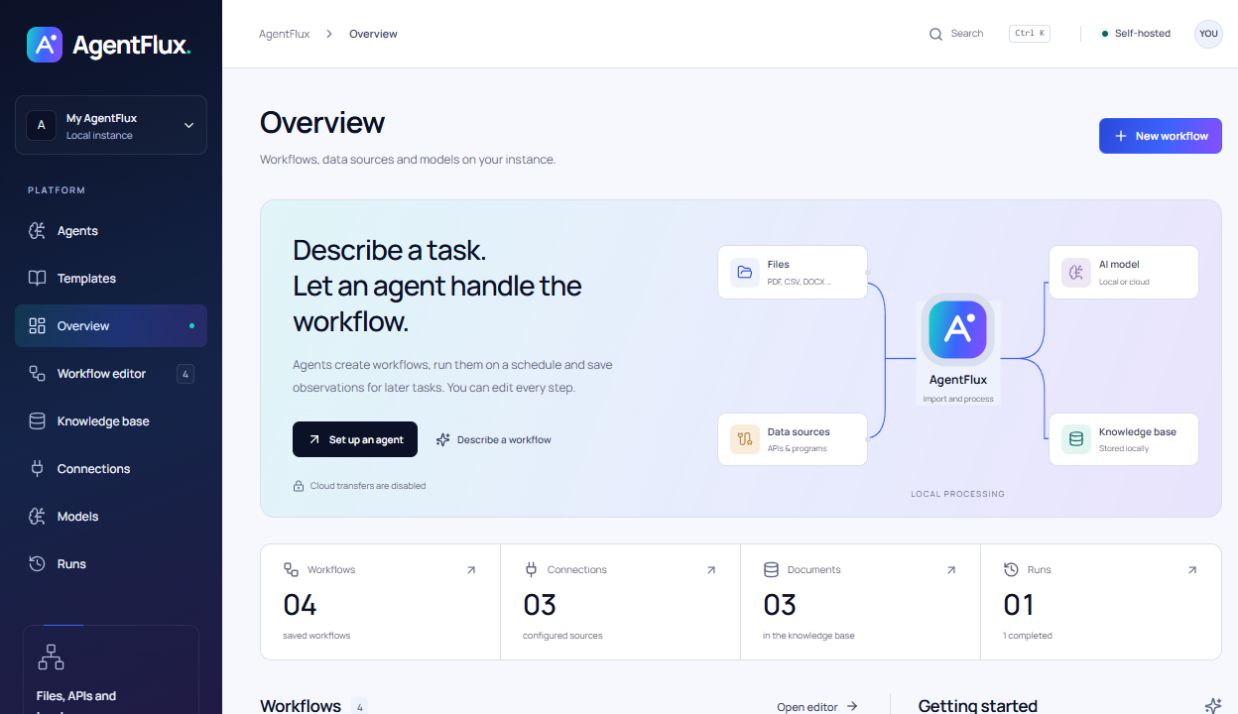
AgentFlux connects documents, data sources and language models in a visual workflow. Build each step yourself or let an agent create a workflow from a task description. The application runs on your computer or server, with a browser interface.
| In AgentFlux | |
|---|---|
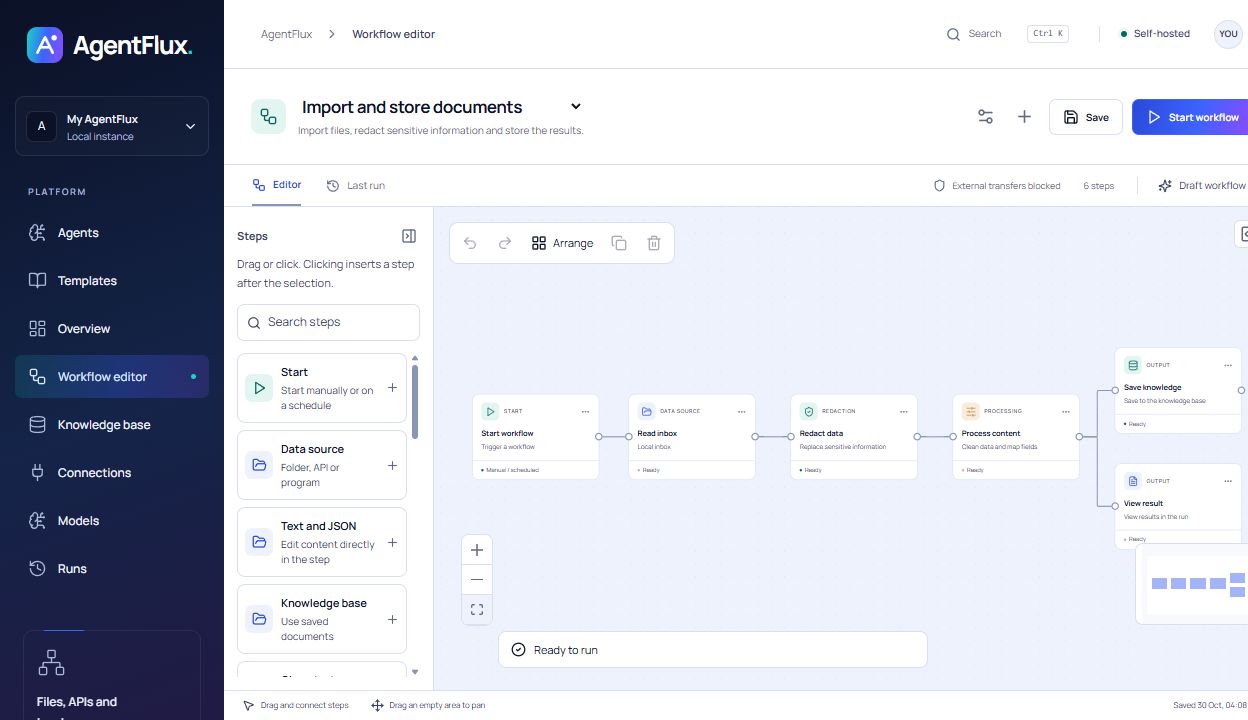
| Visual workflows | 17 preconfigured steps, eight templates, branching, undo/redo and JSON import/export. |
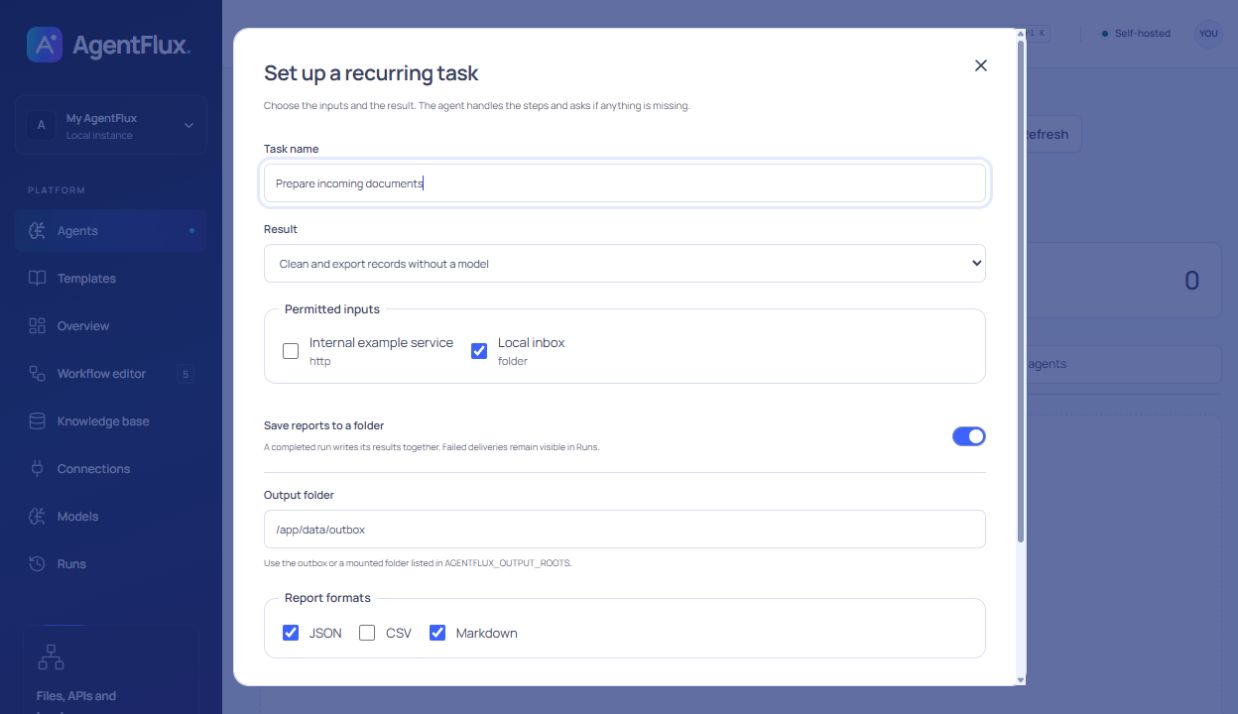
| AI agents | Describe tasks, select sources and a model, then start manually or set a schedule. |
| Video to workflow | Identify actions in a recording, review them with timestamps and turn them into an editable workflow. |
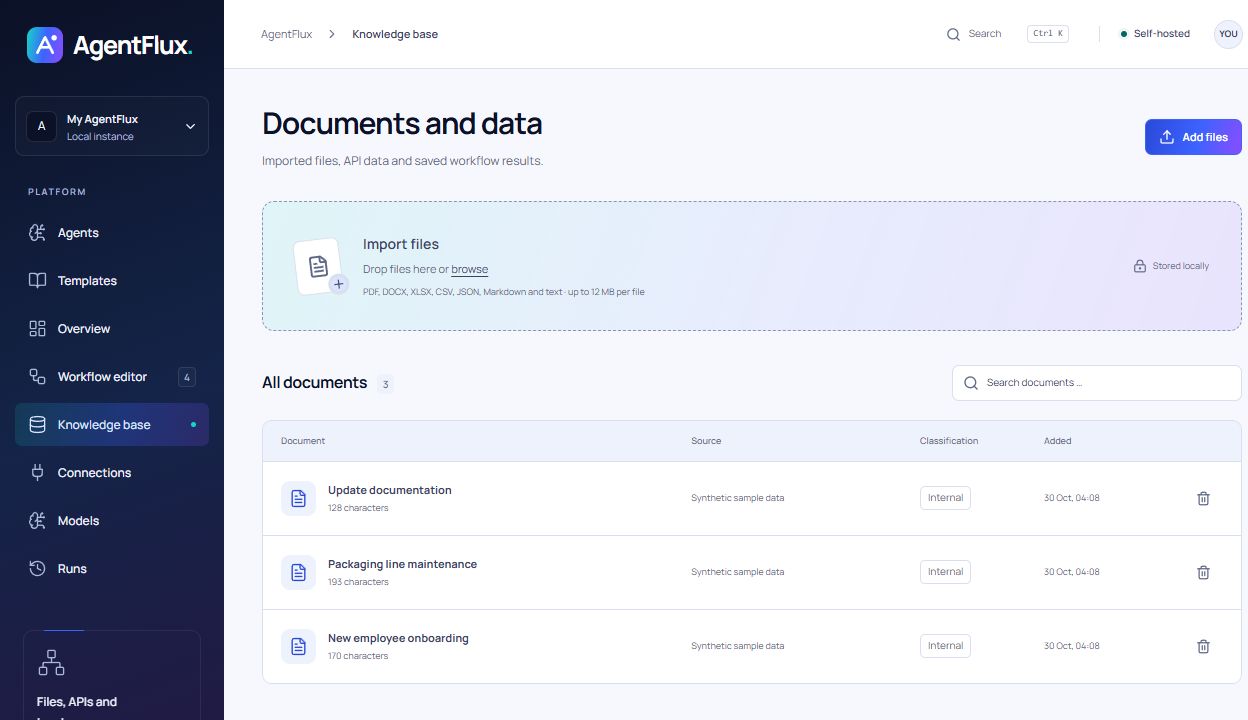
| Knowledge and learnings | Store documents locally, review observations from runs and reuse instructions as skills. |
| Your own models | Connect Ollama, LM Studio, vLLM and OpenAI-compatible endpoints. |
| Files and connections | Import PDF, DOCX, XLSX, CSV, JSON and text; connect folders, HTTP endpoints and approved programs. |
| Traceable runs | Inspect steps and results, cancel running tasks and export results as JSON or CSV. |
Open Agents → Analyse video, select a recording and a model connection with vision support. If details are missing or a step is unclear, the agent asks short questions. Reply in text and it continues the analysis using your answers. Once the workflow is fully mapped, you can review the steps with timestamps. Choose Open in editor to save and run the workflow.
The recording stays in your browser. Up to 24 evenly spaced JPEG frames are sent to the selected model server for analysis. Audio is not analysed, and brief actions between frames may be missed. Videos up to 250 MB and 30 minutes are supported if your browser can read the codec. Cloud models require explicit permission to receive unredacted images.
Generated workflows contain only executable steps for existing connections. The analysis does not control other desktop applications. If a suitable connection is missing, the agent asks about the target and an available alternative. Video analysis is included in the current source code; the prebuilt v0.2.0 Docker image does not include it yet. Use a build from source for this feature.
You need Docker with Compose. The release includes the application, built interface and Node.js. You do not need to install Node or pnpm locally.
Download these two files from release v0.2.0 into the same folder:
Open a terminal in that folder:
docker load -i agentflux-0.2.0-linux-amd64.tar.gz
docker compose up -d --wait
Open localhost:4310. Done.
The prebuilt image targets Linux/amd64. On Windows, use Docker Desktop in Linux container mode. You can build from source for other architectures; they were not tested for this release.
mkdir agentflux
cd agentflux
curl -fLO https://github.com/davemessew/AgentFlux/releases/download/v0.2.0/agentflux-0.2.0-linux-amd64.tar.gz
curl -fLO https://github.com/davemessew/AgentFlux/releases/download/v0.2.0/compose.yaml
docker load -i agentflux-0.2.0-linux-amd64.tar.gz
docker compose up -d --wait
In Windows PowerShell, use curl.exe instead of curl if needed. Checksums and full instructions are also included in the release.
git clone https://github.com/davemessew/AgentFlux.git
cd AgentFlux
docker compose up --build -d --wait
Installation without Docker is also documented.
The screenshots show the current source version. The published v0.2.0 Docker release still uses the green colour scheme; the new design is included when you build from source.
Connect sources and processing steps, configure each step and follow its execution.
| Agents Tasks, models and recurring jobs in one place. |
Knowledge base Search documents and processed content locally. |
 |
 |
The Docker image does not include a model. Use an existing local server or an external provider with your own credentials.
| Model server on your computer | Base URL from the container |
|---|---|
| Ollama | http://host.docker.internal:11434 |
| LM Studio / OpenAI-compatible | http://host.docker.internal:1234/v1 |
| vLLM | http://host.docker.internal:8000/v1 |
Adjust the port and model ID for your server. The model server must accept connections from the container.
docker compose ps            # Status and healthcheck
docker compose logs -f       # View server output
docker compose stop          # Stop
docker compose up -d --wait  # Start again
Workflows, documents, credentials and run logs stay in the named agentflux-data volume. Replacing the container does not delete them. Back up the entire volume including .vault-key; docker compose down -v deletes the volume.
[!IMPORTANT] The supplied configuration binds port 4310 to localhost. AgentFlux has no login and is designed for a single user. Shared or public access requires an access-control layer and suitable network configuration.
Cloud model calls and external HTTP POST steps require approval in Settings and in the workflow. HTTP GET requests can send information in URLs and headers. Optional redaction uses rules and may miss sensitive information. See the installation guide and operations guide.
| Start here | Contents |
|---|---|
| Docker release | Prebuilt image, Compose file, source code and SHA-256 checksums |
| Install the release | Download, verify, start and update |
| Installation and models | Docker, native installation and model connections |
| Workflows and agents | Editor, steps, templates, learnings and skills |
| Operations and configuration | Environment variables, import folders, backups and programs |
src/          Web interface and visual editor
server/       API, agents, execution and SQLite storage
shared/       Workflow rules and templates
examples/     Sample local program export
scripts/      Docker release checks
docs/         Usage, operations and screenshots
For local development: Node.js 24+, pnpm 11.25.0, pnpm install --frozen-lockfile, then pnpm dev.
Run the Docker check after building:
docker build -t agentflux:0.2.0 .
node scripts/smoke-docker.mjs agentflux:0.2.0
The check uses its own container and volume. It covers the API, built interface, an example run and data persistence when replacing the container.
Apache License 2.0. Bundled dependencies and fonts retain their respective licences.
Agentic AI platform for visual workflows and autonomous agents. Run it with Docker on your own computer or server.